Are you hunting for a phone that can be tumbled into a pocket and still feel comfortable in one hand? This guide focuses on phones designed for one handed use, balancing small size, light weight, smooth ergonomics, and reachable UI elements. We’ll cover compact flagships, budget options, foldables that stay tiny when folded, and other solid contenders.
What makes a phone truly one handed friendly? Think compact dimensions, narrow width, and a grip that feels natural in your palm. The best picks keep key controls within easy reach, and software navigation stays snappy and intuitive. You’ll find a mix of sub 6.2 inch screens, light builds under 175 grams, and screens that look great without forcing you to stretch your fingers.
Below is a quick preview of the kinds of phones this article highlights. Expect flagship compact models that fit comfortably in one hand, budget-friendly options that don’t skip on usability, and foldables that shrink to a pocket friendly size when closed. We also point out how each model stacks up for daily tasks, photography, and battery life so you can make a clear choice fast.
If you want a simple decision path, start with your priority: sheer compactness, price, or the flexibility of a foldable. Then compare comfort features like grip, weight, and the reach of on screen elements. By the end, you’ll know which small phone fits your habits, your budget, and your everyday routines.
Best compact flagship phones for one handed use
In this section, we focus on ultra-compact flagships that stay friendly for one handed use without sacrificing performance. We’ll zero in on how the Galaxy S25 holds up in real-world, solo handling, then break down ergonomic choices and a quick pros-and-cons snapshot.
 Photo by Andrey Matveev
Samsung Galaxy S25: The top pick for one handed use
The Samsung Galaxy S25 is engineered for one handed comfort. Its 6.2 inch display sits in a slim frame that feels like a natural extension of your hand. Weighing about 162 grams and with a profile around 7.2 mm, the S25 balances a sturdy build with a light touch in daily use. The phone pairs a responsive 6.2 inch AMOLED panel with solid brightness and color punch, making it easy to read in bright sun or dim rooms without needing to shift your grip. On the inside, the Snapdragon 8 Elite platform backed by 12GB of RAM keeps apps fluid, while a 4,000mAh battery handles a normal day without a top-up. Core daily tasks—messaging, email, light photo work, and map lookups—feel quick and predictable, which translates to reliable one handed performance.
From a practical standpoint, the S25’s weight distribution and slim silhouette mean your thumb can reach the far corners of the screen with minimal adjustment. The frame remains comfortable, avoiding sharp edges that bite after long sessions. This translates to fewer grip changes and less fatigue during extended scrolling or one-handed navigation. If you value a phone that disappears in your hand yet still packs flagship capabilities, the S25 is a strong fit for this niche.
For readers curious about real-world impressions, reviews consistently note how compact size benefits one handed use, with emphasis on the phone feeling smaller than its numbers suggest thanks to its narrow footprint and tight bezel design. Practical daily tasks stay within easy reach, including camera quick-launch, app switching, and edge-based gestures that keep essential controls accessible.
Key specs that matter day to day:
- Display: 6.2″ AMOLED, 1080 x 2340, 120Hz
- Weight: ~162 g
- Thickness: ~7.2 mm
- Processor: Snapdragon 8 Elite
- RAM: 12GB
- Battery: 4,000mAh
- Cameras: 50MP main, 12MP ultra-wide, 10MP telephoto (3x)
- OS: Android 15 with One UI 7
For a broader perspective on how this model stacks up against closely sized rivals, see the latest hands-on coverage and verdicts from trusted outlets like PCMag. You can read their Galaxy S25 review here: https://www.pcmag.com/reviews/samsung-galaxy-s25
Design and ergonomic features that support one handed use
Design choices on the S25 emphasize reach and comfort. Button placement sits within easy thumb travel zones, reducing the need to reposition your grip to hit the power or volume controls. The device’s edges use a gentle curvature, which helps your fingers settle naturally and lowers fatigue during long sessions. Slim bezels add to the perception of a compact footprint, making the screen feel larger without increasing the phone’s overall width.
Weight distribution plays a big role. The power button is positioned for thumb access when you hold the phone in a natural grip, while the volume rocker remains easy to locate by feel. A lighter chassis helps the device feel balanced when lifted from a table or pocket, so you don’t need to snatch it away to keep it from slipping. The overall result is a phone that feels comfortable to hold during extended texting or map navigation, with fewer hand adjustments.
Hardware rounded corners also contribute to better handling. The smooth transition from front glass to side frame reduces grip fatigue and makes one handed swiping and tapping feel more confident. These design choices add up to a device that reaches UI elements with less thumb stretch and fewer awkward stretches.
Beyond hardware, software interactions matter too. One handed UI modes and Reachability-like features place key controls nearer to the bottom corners of the screen, making quick taps and long presses more reliable when you’re holding the phone with one hand. The result is a smoother experience when replying to messages, scrolling feeds, or capturing quick photos.
Pros and cons at a glance
- Pros for one handed use: Compact size fits most hands, light frame reduces fatigue, narrow width enables easy reach, strong core performance for daily tasks, responsive display with high refresh rate.
- Cons or trade-offs: Battery life is solid but not oversized for heavy use, premium pricing may be steeper than midrange options, camera suite is excellent but not the absolute best in its class.
- What this means in practice: If you want flagship performance in a compact package, the S25 delivers a trusted one handed experience with a focus on comfort and reliability. If battery endurance matters more, you might trade some bulk for a larger pack, or consider a budget option that prioritizes endurance over premium features.
For a quick read on how this model compares in real-world testing, see independent reviews that explore battery life and daily usability. A detailed review from a trusted source highlights the S25’s bright display, compact feel, and strong overall package, with practical notes about everyday performance. Explore more here: https://www.androidpolice.com/samsung-galaxy-s25-review/
Budget and midrange compact options
When you want a small phone without breaking the bank, you need options that balance compact footprints with solid everyday performance. In this section we spotlight budget and midrange compact picks that still feel premium in the hand. We’ll look at how they handle camera tasks, software reliability, and all‑day usability, so you can decide which tiny smartphone fits your pocket and your budget.
Google Pixel 9a: Compact performance at a friendly price
The Pixel 9a proves you don’t have to pay flagship prices to get reliable compact performance. Its size is easy to grip one handed, with a neat balance between a comfortable chassis and capable internals. The camera system emphasizes versatility without complicating use, offering reliable results across everyday shots and social posts. Google’s software promises smooth updates and dependable photo processing, which makes one handed navigation feel natural, since you can quickly launch the camera, open apps, and respond to messages without scrambling for grip.
Price-wise, you’re looking at roughly mid‑range territory, commonly landing around the $499 mark for base storage. That puts it in reach for many buyers while still delivering a flagship‑style camera experience and solid day‑to‑day reliability. The Pixel 9a suits readers who value clean software, dependable photo quality, and a compact body that stays out of the way during daily tasks.
Key considerations for one handed use:
- Small but practical display: a comfortable 6.3 inch screen that fits in the hand without feeling oversized.
- Camera versatility: reliable stills and video with smart processing that helps shots look good in varied lighting.
- Software reliability: predictable, timely updates that keep navigation smooth and secure.
For additional context on how the Pixel 9a stacks up against its siblings, check out reviews that compare price, camera capabilities, and overall value. See a detailed look at how the Pixel 9a stacks up against the Pixel 9 here: https://www.pcmag.com/comparisons/google-pixel-9a-vs-pixel-9-whats-the-difference?
Potential buyers should consider how much camera flexibility matters and whether they want a truly budget friendly phone or a compact device with a slightly richer feature set. If you want a compact phone that manages daily tasks with minimal fuss, the Pixel 9a is a solid fit.
OnePlus 13T: Balance of size, power, and value
The OnePlus 13T sits at an attractive intersection of compact design and flagship vibes. Its footprint stays comfortably within one handed reach, yet the internal hardware delivers strong performance for gaming, multitasking, and camera work. The weight, fairly light for a phone with a big battery, helps the device feel nimble in the hand and easy to manage during everyday use.
What makes the 13T appealing to one‑handed users is how the screen, weight, and overall usability come together. The display is sharp and bright, with a smooth touch experience that keeps scrolling and tapping crisp. At about 185 grams, it’s light enough to avoid fatigue over longer sessions, yet sturdy enough to feel premium. The phone runs a fast experience powered by a capable processor, giving you the sense of an affordable flagship without the associated price tag.
From a practical angle, the 13T offers day to day usability that resonates with one handed users. The screen size remains manageable, and the slim profile ensures you can reach essential controls at the bottom of the display without shifting grip. In real-world use, this translates to quicker app switching, faster messaging replies, and reliable map interactions when you’re on the move.
If you’re comparing compact options, you’ll find the 13T’s combination of compact body, long battery life, and strong performance makes it a compelling choice for those who want a flagship feel without overdoing the size or cost. For more on how its dimensions and weight compare against other small flagships, you can review its official specs and hands-on impressions here: https://www.gsmarena.com/oneplus_13t_5g-13791.php
Key highlights for one handed use:
- Comfortable size: a compact 6.32 inch panel that fits well in the palm with reach to controls.
- Strong performance: capable daily tasks and smooth UI thanks to the Snapdragon platform.
- Value proposition: premium features at a price that remains accessible for an upper midrange phone.
- Day‑to‑day practicality: easy one handed texting, camera quick launches, and reliable gesture navigation.
For those who crave a compact flagship vibe with thoughtful ergonomics, the OnePlus 13T stands out as a balanced choice. If you want deeper analysis on battery life and actual hand feel, see independent coverage that compares it to other compact flagships: https://www.androidheadlines.com/2025/04/oneplus-13t-official-specs-features-price-buy.html
Notes for readers deciding between these two options:
- If you want the clean software experience and camera reliability in a budget package, the Pixel 9a is a strong match.
- If you crave a genuine flagship feel with longer battery life and a slightly more premium finish, the OnePlus 13T is the better bet.
Both phones are solid picks for one handed use, each with its own strengths. Your choice ultimately comes down to which balance of size, battery life, and price best fits your daily routine. For quick comparisons, you can also explore side‑by‑side specs and hands-on impressions from reputable outlets that specialize in smartphone reviews.
Foldable small form factor options
Foldables that stay compact when folded offer a unique path for one handed use. They give you a tiny footprint for pocketing and thumb reach, then expand into a larger display when you need it. This section focuses on the Motorola Razr 60 Ultra as a prime example, along with quick guidance on when foldables make sense for single-handed operation and a balanced view of their pros and cons.
Motorola Razr 60 Ultra: Folding design that stays compact
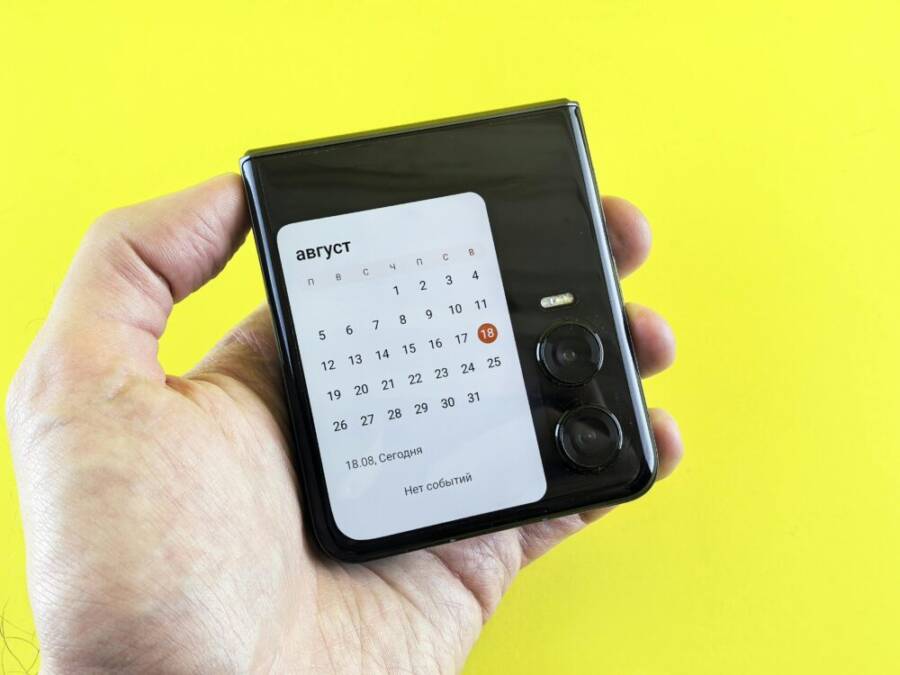
The Razr 60 Ultra folds to a remarkably small footprint, which dramatically improves one handed handling. When closed, the device remains a narrow slab you can grip with the thumb and fingers without shifting your grip, and the 4-inch cover display becomes a practical shortcut for essential tasks like replying to messages or checking notifications. Open it up and you’re greeted by a large 7-inch LTPO AMOLED main screen with a high refresh rate that makes navigation feel fluid. This pairing keeps the phone feeling pocketable most of the time while still delivering a sizable screen when you want to do more.
Key benefits for one-handed use include:
- A tiny folded width that fits comfortably in most hands, reducing finger stretch and grip fatigue.
- A functional cover display that supports quick actions without unfolding, helping conserve battery and speeding up everyday tasks.
- Strong core performance from a flagship-grade chipset and ample RAM, ensuring apps stay responsive during single-handed operation.
Trade-offs to consider:
- Battery endurance is solid but not oversized; you’ll find most users comfortable with a full day under typical use, but heavy gaming or media can drain it faster.
- Software updates and long-term support are good, yet some users report occasional quirks in foldable-specific features. Regular updates help, but you might see brief hiccups during early adoption.
- The dual-display approach adds flexibility but can complicate cases and accessories, especially when you want to keep a slim profile.
Standout features that impact everyday use include the 68W wired TurboPower quick charging, which can replenish the 4700 mAh battery rapidly, and 30W wireless charging for convenient top-ups. The built-in 4-inch cover display keeps essential tasks accessible without the need to unfold, improving battery life in scenarios where you only need quick checks or small actions. The Razr 60 Ultra also supports AI enhancements for photos and video, along with Dolby Vision for improved media capture and playback.
For a deeper look at how this model stacks up against its peers, see hands-on reviews and official specs from trusted outlets. Explore the Motorola Razr 60 Ultra overview here: https://www.motorola.com/us/en/p/phones/razr/razr-ultra/pmipmhn40ms?srsltid=AfmBOopwDCGKKA8XH9QuqKft_qSrNLo1L8y_dWjHCW1pQMebvjbaz3Fl
For a quick technical read on how it performs in real-world scenarios, you can check the GSM Arena review: https://www.gsmarena.com/motorola_razr_60_ultra-review-2824.php
And if you want a professional verdict on battery life and day-to-day practicality, PCMag’s take on the Razr Ultra is a solid reference: https://www.pcmag.com/reviews/motorola-razr-ultra
Is a foldable right for one handed use
Foldables shine for one handed operation mainly when you need both compact storage and a larger screen on demand. When folded, they often sit in the pocket with a narrow width that’s easy to reach with the thumb. This makes quick actions like messaging, map checks, or app launches efficient without a full grip rework. The Razr 60 Ultra demonstrates how that balance can work in practice: you can carry it easily, tap the outer screen for fast interactions, and unfold only when you want a bigger canvas for tasks such as photo editing or reading.
Guidance to help you decide:
- Choose foldable if you value a tiny footprint for pocketing and frequent one‑handed navigation, and you don’t mind occasionally adjusting a grip for larger screens.
- Opt for a non-foldable compact device if you prioritise battery life, camera performance, or a simpler software experience with longer update cycles.
- Consider your daily tasks: heavy typing or long-form reading on a large screen is easier with the unfolded state, while quick replies and notifications feel snappier on the closed state.
In practice, foldables work best when your day includes a mix of quick, on‑the-go tasks and occasional need for a bigger display. If your routine is mostly one‑handed scrolling, a tight foldable footprint can be a real asset.
Pros and cons of foldables for one handed use
- Pros: Tiny folded profile that fits a wide range of pockets, quick access via cover screen, flexible screen real estate on demand, strong multitasking when unfolded, fast charging options can keep you going without extra bulk.
- Cons: Higher upfront cost, occasional software quirks on foldable modes, potential durability concerns with hinges and flexible displays, accessory compatibility can be patchy in the near term.
- What this means in practice: A foldable like the Razr 60 Ultra is ideal if you want a phone that disappears in your hand most days and opens up for big tasks when needed. If you prize the longest possible battery life or the simplest software path, a traditional compact phone may be a better fit.
For readers curious about real‑world impressions, foldables across brands often highlight the same pattern: excellent one handed feel when folded, a surprisingly capable main screen when opened, and a learning curve around hinge behavior and app layout in unfolded mode. If you want a broader view on foldables, this overview of pros and cons is a good starting point: https://boomset.com/foldable-smartphones-pros-cons-what-to-know/
If you’d like to compare foldable models side by side, a detailed comparison from an independent source can help you weigh the size, weight, and price differences. A thorough foldable comparison is available here: https://www.honor.com/my/blog/foldable-phone-vs-normal-phone/?srsltid=AfmBOoqx1aUw6cJBP-bxrdjGxINfSjxxbYdL2osCXr43RuE7rjr2oXVo
One more quick reminder: the foldable path is about practical versatility. If you want a smartphone that truly disappears in your hand while delivering flagship performance occasionally, a foldable like the Razr 60 Ultra can be a compelling choice.
If you’re comparing foldables to traditional compact smartphones for one handed use, keep these practical checks in mind:
- Try the folded state in a store or hands-on video to feel reach and balance.
- Test the cover display for quick actions you perform often.
- Look for quick charging and overall battery life that matches your daily rhythm.
- Check update history and user reports for any hinge-related durability notes.
For a quick reference, the Razr 60 Ultra page, the GSM Arena review, and the PCMag verdict are solid starting points to gauge real-world performance and long-term usability.
Other solid compact contenders
If you want more compact options beyond the top picks, these contenders deliver one handed comfort, strong everyday performance, and solid value. They strike a balance between size, usability, and price, making them worthy additions to any pocket-friendly smartphone shortlist.
Xiaomi 15: Slim profile with strong display
The Xiaomi 15 pairs a compact footprint with a bright, capable display and strong overall value. At around a 6.36-inch diagonal, the screen remains easily reachable with the thumb while still offering vivid colors and smooth motion thanks to a high refresh rate. The slim profile and light body contribute to a comfortable one handed grip, so you can navigate apps, snap photos, and respond to messages without shifting your grip.
On the inside, Xiaomi pushes solid performance with a capable processor and ample RAM, ensuring daily tasks feel snappy. Battery life is practical for a day of typical use, and fast charging helps you top up quickly when you’re on the go. The camera system is versatile for everyday shots, though it may show nuance in challenging lighting compared with the absolute flagship tier.
What to know if you’re considering the Xiaomi 15 for one handed use:
- Strengths: compact size, readable display, good value for features and performance.
- Limitations: updates cadence and certain camera nuances can vary by region; long-term software support may not match the length of premium flagships.
For more context on its display and size details, you can explore the official Xiaomi page and independent reviews that highlight how reach and ergonomics translate to real-world use: https://www.mi.com/global/product/xiaomi-15/ and https://www.techradar.com/phones/xiaomi-phones/i-reviewed-the-xiaomi-15-and-its-blazing-speed-made-me-wonder-why-more-people-dont-consider-this-flagship
Motorola Edge 60 Neo: Great value in a compact form
The Edge 60 Neo stands out for delivering a balanced mix of size, features, and affordability. Its compact 6.36-inch display sits in a tidy frame that feels natural in the hand, while the grip remains comfortable for extended one handed use. The software experience is smooth, and the overall package emphasizes practicality over excess, which many readers will appreciate.
Key strengths for one handed use include a comfortable reach to core controls, a practical screen size that still benefits from solid brightness and legibility, and a software experience that stays responsive in daily tasks. The device also brings a robust battery and a capable camera setup, making it a compelling option for those who want flagship-like performance without the premium price tag.
Notes to consider:
- Strengths: compact dimensions, reliable performance, good value proposition.
- Considerations: battery endurance and camera performance are strong, but some users may notice minor refinements compared with top-tier flagships.
For more in-depth analysis and spec details, see dedicated hands-on reviews and official specs: https://www.gsmarena.com/motorola_edge_60_neo_5g-14124.php and https://www.motorola.com/us/en/p/phones/motorola-edge/motorola-edge-60-neo/pmipmjd43mc
How these compact contenders compare to top picks
Understanding where these models fit helps you decide when to pick a budget option over a flagship compact. Here’s a concise side-by-side look at the core priorities for readers who want one handed use, without getting lost in specs.
- Budget and midrange compact options
- Priorities: ease of grip, reachable UI elements, dependable day-to-day performance, and price efficiency.
- Trade-offs: camera flexibility and premium features may be toned down; updates might arrive on a slower cadence.
- When to choose: you want a small phone that covers daily tasks well without a flagship price tag.
- Flagship compact contenders
- Priorities: top-tier performance, best-in-class displays, and camera versatility, all in a compact shell.
- Trade-offs: higher price and sometimes shorter battery life relative to midrange phones due to performance headroom.
- When to choose: you value peak experience, fast software updates, and best possible photo quality in a small body.
- Foldable small form factors
- Priorities: pocketable footprint when folded, large screens when opened, and flexible multitasking.
- Trade-offs: higher cost and potential hinge considerations; software can require a learning curve.
- When to choose: you want one device that feels tiny most days but can expand into a larger canvas when needed.
If you want more context on how compact and foldable options compare, you can review independent coverage that weighs size, performance, and real-world usage: https://boomset.com/foldable-smartphones-pros-cons-what-to-know/ and a broader foldable comparison: https://www.honor.com/my/blog/foldable-phone-vs-normal-phone/?srsltid=AfmBOoqx1aUw6cJBP-bxrdjGxINfSjxxbYdL2osCXr43RuE7rjr2oXVo
Readers who seek a quick takeaway can focus on these practical questions:
- Do you prioritize the smallest possible footprint for pocketing, or is a slightly larger but more capable display worth it?
- Is camera versatility more important than software updates and price?
- How important is battery life in a compact device for your daily routine?
These compact contenders deliver straightforward options that align with one handed use, whether you want a value-focused phone or a design with a premium feel, all without extending beyond the pocket.
External references and quick reads
- Xiaomi 15 official page: https://www.mi.com/global/product/xiaomi-15/
- Xiaomi 15 specs overview: https://mobile.mi.com/global/product/xiaomi-15/specs/
- Xiaomi 15 review highlights and hands-on impressions: https://www.techradar.com/phones/xiaomi-phones/i-reviewed-the-xiaomi-15-and-its-blazing-speed-made-me-wonder-why-more-people-dont-consider-this-flagship
- Motorola Edge 60 Neo specifications: https://www.gsmarena.com/motorola_edge_60_neo_5g-14124.php
- Motorola Edge 60 Neo official specs: https://www.motorola.com/us/en/p/phones/motorola-edge/motorola-edge-60-neo/pmipmjd43mc
This section keeps you oriented toward practical, one handed comfort while offering clear guidance on when to choose budget options over flagships.
How to pick the right small phone for one handed use
Choosing a small phone that fits a one handed routine is about more than just screen size. It’s a balance of grip, weight, software comfort, and battery life. This section breaks down practical factors you can test or verify before you buy. Use these checks in-store or from trusted hands-on reviews to confirm a model truly feels easy to use with one thumb.
Size and grip matter most
Screen size, weight, and back texture directly influence how comfortably you can operate a phone with one hand. A 6.2-inch display can feel tiny in a baggy pocket if the device is heavy or slick. Conversely, a lighter phone with a well-shaped back and softer edges tends to sit naturally in your palm, making reach to all corners possible without constant readjustment.
- Screen size: Aim for under 6.2 inches if you want the cleanest one handed reach. Some models use slim bezels and taller screens to keep the footprint compact, which helps the thumb travel to the far corners.
- Weight: A phone under about 170 grams feels lighter in the hand and reduces fatigue during long scrolling sessions.
- Back texture: Matte or lightly textured backs grip better than glossy finishes, especially when your hands are a bit sweaty. The texture matters more than you might expect for one handed use.
Hands-on checks you can perform:
- Hold the device naturally and test reach to all four corners with your thumb. If your thumb needs to stretch or you must lift the phone, that’s a red flag.
- Try one-handed gestures you rely on daily, like swiping the notification shade from the top corner and tapping the far-right side controls.
- Check grip confidence by rotating the phone while scrolling, then re-adjusting to hit the home button or back gesture without regripping.
For a deeper look at how grip and ergonomics translate into real-world use, see independent reviews that test reach and comfort across compact options: https://www.pcmag.com/picks/the-best-small-phones
Battery life and charging speed
Small phones can still deliver meaningful endurance, but not all compact models are created equal. Battery capacity often trades off with size, so you’ll see a range from all-day stamina to more cautious do‑it‑all endurance. Fast charging helps you top up quickly during busy days, but real-world use matters most.
- Endurance: Look for a battery that can support typical daily tasks, like messaging, navigation, camera use, and streaming, without a mid-day top‑up.
- Charging speed: A phone that chargers at 30W or faster can cut downtime significantly. Wireless charging is convenient but usually slower; fast wired charging wins for speed.
- Real-world estimate: A quick rule of thumb is to multiply your typical screen-on time by a factor for standby and tasks. If you expect around 4 hours of screen time, a 3000–4000 mAh battery with solid charging can last a full day for most people.
Quick tip to estimate real world use: in 30 minutes of charging you should be able to recover a meaningful portion of battery if your daily routine includes frequent top-ups. When evaluating, read hands-on tests that compare charging curves and daily endurance across the range of small phones. For a thorough battery and charging comparison, see The Best Small Phones We’ve Tested for 2025: https://www.pcmag.com/picks/the-best-small-phones
Software updates and longevity
Software support determines how long you can rely on a small phone without feeling left behind. A compact device is a long-term commitment, so updates, security patches, and feature improvements matter as your needs evolve.
- Update cadence: Some brands push faster yearly updates, while others provide longer support windows with more gradual change. A longer update promise means fewer surprises years down the line.
- OS version availability: Check if the device will receive major Android or iOS version upgrades beyond the initial release window. This affects app compatibility and security.
- Brand approach: Some manufacturers bundle ongoing improvements with their own UI layers, while others stick to stock experiences with quicker, more predictable updates.
If you want to weigh update reliability, look at historical patterns for each brand and read independent evaluations that compare update timelines and long-term support. A reliable roundup of compact phones and their update trajectories can be found here: https://www.gsmarena.com/best_compact_phones_buyers_guide-review-2029.php
Practical takeaway: match your priorities to the phone’s strengths
- If you prize the cleanest one handed feel and compact footprint, prioritize models with narrow widths, lighter weight, and textured backs.
- If you want all-day comfort with less worry about charging, favor devices with bigger batteries and solid fast charging.
- If future-proofing matters, lean toward phones with a strong update track record and robust software support.
When you’re shopping, compare two or three models side by side. Focus on how easy it is to reach the essential controls, how the camera app feels under one‑hand use, and how quickly you can open your most-used apps. A well-balanced compact option should feel natural in your hand and respond quickly to your thumb without forcing awkward grips.
External references for deeper context and hands-on impressions
- The Best Small Phones We’ve Tested for 2025: https://www.pcmag.com/picks/the-best-small-phones
Final quick comparison notes
- Compact flagships often lead in feel and performance, but check the actual width and weight to confirm comfort in one hand.
- Budget and midrange compact phones can deliver excellent usability with strong software support, sometimes at a sharper price.
- Foldable small form factors offer unique advantages for one handed use, but verify durability and software consistency for daily life.
For readers who want a snapshot of how these smaller devices compare in real life usage, independent reviews and hands-on reports can provide practical benchmarks. A solid overview of how compact devices stack up against their peers is available here: https://www.phonearena.com/news/Phones-fast-charging-speeds-comparison_id125026
External references and quick reads
- The Best Small Phones We’ve Tested for 2025: https://www.pcmag.com/picks/the-best-small-phones
- Quick charging comparison and real-world results: https://www.phonearena.com/news/Phones-fast-charging-speeds-comparison_id125026
- Best compact phones buyer’s guide and reviews: https://www.gsmarena.com/best_compact_phones_buyers_guide-review-2029.php
This approach keeps your one handed use in focus while giving you practical, actionable checks you can trust.
Conclusion
For most users, the Samsung Galaxy S25 is the top pick thanks to its compact flagship feel, one handed comfort, and reliable performance in a small package. The Google Pixel 9a stands out as the best budget option, delivering solid everyday use and dependable software in a palm friendly chassis. If you want a foldable that stays portable, the Motorola Razr 60 Ultra offers a tiny foldable footprint with a usable outer screen for quick tasks. When choosing, weigh your priorities: the smallest footprint, price, or the flexibility of a foldable, then compare grip, weight, and reach of on screen controls. Explore retailer and manufacturer pages to compare current deals and availability for these smartphones.