Ever run out of space on a budget phone and wish for more room to grow? If you want a reliable device under $300 that actually lets you add storage, you’re not out of luck. This guide bets on solid performance, practical cameras, and the flexibility of microSD so you can keep photos, apps, and videos without constantly deleting files.
We’ll cover top picks that offer expandable storage for under $300, with microSD support that goes beyond a one note feature. Expect clear options that balance price, battery life, and everyday usability. You’ll also get a practical buying guide and storage optimization tips to make the most of each model.
Whether you’re catching up on messages, streaming your favorite shows, or snapping memories on the go, these budget phones deliver room to grow. You’ll walk away with straightforward recommendations tailored for real life use, not marketing buzz. Bolded highlights will help you spot the key ideas fast.
Best budget phones with expandable storage under $300
If you want a capable smartphone that won’t break the bank and still offers expandable storage, you’re in luck. Below you’ll find solid picks under $300 that pair practical performance with microSD expansion. These models are built to handle daily tasks, media streaming, and app loads without forcing you to choose between space and speed. We’ll break down each option, focusing on value, storage flexibility, and real-world usability.
Samsung Galaxy A26 5G
The Galaxy A26 5G sits in the sweet spot for budget-minded buyers who still want a modern Android experience. It ships with a solid display and a roomy battery, making it friendly for media consumption and all-day use. The standout here is expandability; you can rely on a microSD card to push storage well beyond the base capacity, a practical feature for photographers, app enthusiasts, and video binge-watchers who need space for files and offline content.
- Storage and expandability: MicroSD expansion up to a substantial capacity means you’re not locked into a fixed tier. This is especially helpful for those who accumulate high-res photos and 4K video clips, or who like to keep a large offline media library.
- Battery life and display: A large battery makes long days of use feasible, and the display remains comfortable for reading, scrolling, and streaming.
- Performance and value: With a competent midrange chip and 6GB of RAM in this price bracket, everyday tasks run smoothly. The real advantage is value for money, given the price and the headset-friendly storage options.
Battery endurance is a practical strength here. For media fans, the ability to store a big offline catalog is a real plus. The trade-off often shows up in software updates and camera performance compared with higher-end devices, but the A26 5G remains an attractive option when expandability is a priority. For more details on this model, see Samsung’s official product page and hands-on reviews that benchmark its real-world performance.
- Link: https://www.samsung.com/us/smartphones/galaxy-a26-5g/
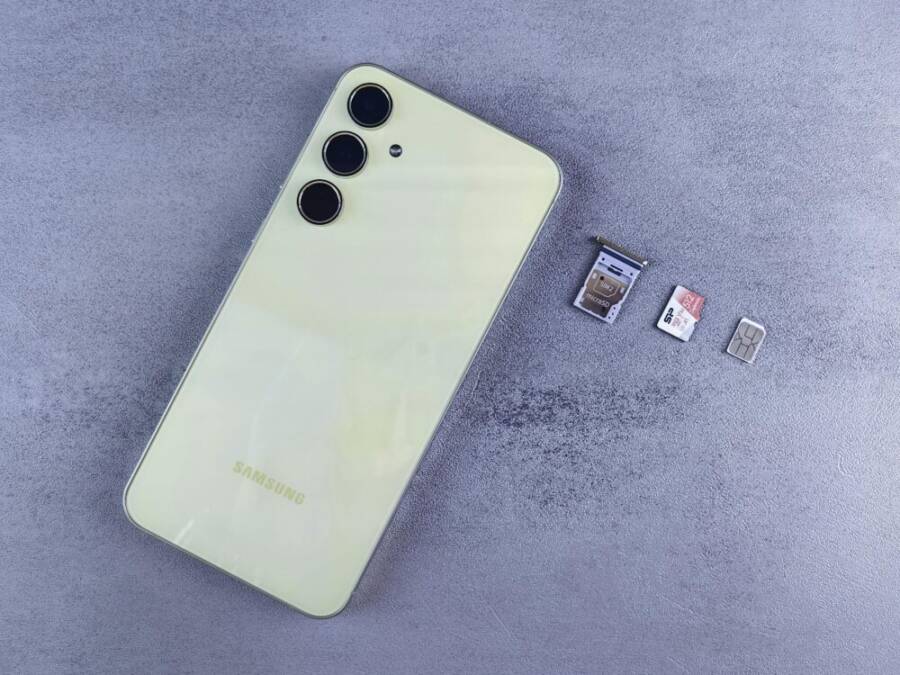
Photo by Andrey Matveev on Pexels: Yellow smartphone with SIM tray, memory card, and SIM card on gray background
Pros
- Strong value with microSD support up to 1TB
- Large 5000 mAh battery translates to solid daily stamina
- Clear, usable display for media and apps
Cons
- Camera performance is decent but not top tier in this bracket
- Software updates can be slower than more expensive flagships
Moto G Power 5G (2024)
The Moto G Power 5G (2024) is a beacon for budget users who value endurance and practical everyday performance. It’s designed to be affordable while still adding the expandability you want. The base storage and RAM are ample for day-to-day tasks, and the microSD slot lets you scale up as your media library grows.
- Large battery and efficiency: The standout feature is its long-lasting battery life, which helps you get through a full day or more without hunting for chargers.
- Expandable storage: MicroSD expansion remains a key selling point, letting you add capacity as needed.
- Everyday usability: The base storage and RAM provide a smooth experience for social apps, light gaming, and streaming. It’s a kit-built phone for practical use, not flash.
Tradeoffs do show up in areas like camera quality and gaming performance. It’s not a gaming phone, but for most daily tasks and casual photo capture, it remains reliable. The focus is on value and expandability, so you can keep more of your memories and apps without worrying about space. For more on its specs and pricing, you can check the official Motorola product page and reputable reviews.
- Link: https://www.androidcentral.com/best-android-phones-expandable-storage
Notes on battery and performance: With a big battery and efficient software, you’ll appreciate the dependable stamina. If you’re upgrading from an older device, you’ll notice a practical bump in responsiveness. And if you’re curious about how it stacks up against other budget 5G options, see community discussions and reviews that compare camera performance and day-to-day speed.
- Link: https://cellmigo.com/blogs/news/best-android-phones-with-sd-card-slot-2025-edition-expand-your-storage?srsltid=AfmBOoqnq2vKssffMV2mxMbWTQGy89qfltYLeghqfaS_XgRB0ypGsj-8
Samsung Galaxy A16 5G
The Samsung Galaxy A16 5G is another dependable budget pick with expandable storage baked in. It offers multiple storage variants and robust microSD support up to 1TB, giving you plenty of room for apps, photos, and videos. In daily use, the A16 5G handles tasks smoothly and keeps pace with light multitasking.
- Storage options: Availability in different internal storage configurations helps you tailor memory to your needs, with microSD expansion adding a flexibility boost.
- RAM and performance: Expect solid everyday performance for social media, video streaming, and casual gaming. It’s not a flagship, but it handles routine duties without stalling.
- Value for money: The device balances price with practical features, making it a sensible choice for buyers who want expandability without paying a premium.
RAM and everyday performance are well matched to the price point. If you’re building a budget-friendly ecosystem with room to grow, the A16 5G is a compelling option. For official specs and variants, refer to Samsung’s product pages and retailer listings.
- Link: https://www.samsung.com/us/smartphones/galaxy-a16-5g
Nothing Phone 3a Pro
The Nothing Phone 3a Pro stands out in this segment for its distinctive design and modern specs that still respect budget constraints. It offers storage capacity that suits everyday use, and while microSD compatibility varies by region and model, there are options that support expandable memory, making it a compelling budget-friendly choice.
- Design and build: The design is a talking point, with see-through elements and thoughtful details that give the phone a premium feel despite the price.
- Battery and efficiency: Strong battery life supports long days of use, especially when you’re streaming or gaming on the go.
- Camera and software: Camera performance is solid for the price, and software experience is clean, with a focus on practical features that matter in daily life.
In the budget space, the 3a Pro stands out for people who want a design-forward device with capable hardware. If expandability is available on the model you choose, it adds practical value by letting you store more media and apps without juggling space. For deeper dives, you can explore official listings and reviews that compare camera performance and software experience.
- Link: https://www.androidcentral.com/best-android-phones-expandable-storage
CMF Phone 2 Pro
The CMF Phone 2 Pro is a bold option for shoppers who appreciate customization and storage flexibility. It blends a customizable design with storage expansion options that can give you serious value at this price point. The display quality and overall performance are tuned to everyday use, making expandable storage a meaningful upgrade rather than a footnote.
- Customizable design: Personalization adds a fun, practical dimension—you can tailor the device to your style while keeping costs low.
- Storage expansion: MicroSD compatibility and room for expansion amplify the practical value, especially for media libraries and app-heavy use.
- Display and performance: The display is competitive for the segment, and the performance supports daily tasks with responsive app loading and smooth scrolling.
Expandable storage adds tangible value here, letting you store more photos, offline content, and large apps without paying a premium. If you want to compare more budget-friendly, expandable options, check out reviews and buying guides that regularly update with new releases.
- Link: https://www.reddit.com/r/AndroidQuestions/comments/1hl0zkl/android_phones_that_still_have_an_sd_card_slot/
Images and citations: For a visual sense of a typical expandable-budget phone, consider a clean close-up that highlights the microSD tray and SIM combination. This can help readers quickly grasp the practical hardware layout many of these devices share.
What to look for in budget expandable phones
- Storage flexibility: MicroSD support up to 1TB is a common sweet spot in this tier, letting you grow storage as your media and app libraries expand.
- RAM and performance balance: Aim for at least 4GB to 6GB of RAM in this price range to ensure smooth everyday use and reasonable multitasking.
- Battery life: A large battery helps with all-day use, especially when you frequently stream video or play games.
- Software updates: Budget devices often trail flagship updates, so consider how long a phone remains supported and whether the software experience remains satisfying.
Buying tips to maximize value
- Prioritize microSD speed: If you plan to store apps or a lot of video, look for higher speed cards (Class 10 or UHS standards) to minimize lag.
- Check official storage variants: Some brands offer multiple internal storage options; pairing one with robust expansion makes the most sense for future growth.
- Consider the total package: A great screen, dependable battery, and reliable software experience can outweigh minor compromises in camera specs at this price point.
If you want more reading on expandable budget phones, these sources offer careful, up-to-date perspectives on the best under-$300 options and how expandable storage factors into your day-to-day experience.
- Link: https://www.pcmag.com/picks/the-best-cheap-phones
- Link: https://www.androidcentral.com/best-android-phones-expandable-storage
- Link: https://www.cnet.com/tech/mobile/best-phones-under-300/
Images
- Photo by Andrey Matveev on Pexels: Yellow smartphone with SIM tray, memory card, and SIM card on gray background. Credit: Photo by Andrey Matveev
What to look for when buying a budget phone with storage expansion
When you’re shopping for a budget phone under $300, expandable storage is a practical lifeline. It lets you store more photos, apps, and offline video without constantly juggling files. This section breaks down the essentials you should evaluate before you buy, so you get the most value from a phone that can grow with your needs.
MicroSD speed and capacity
SD card speed classes matter for performance, especially if you plan to run apps from the card or store large video files. Look for cards labeled Class 10 or UHS (Ultra High Speed) ratings, which indicate better sustained write speeds. A faster card reduces lag when saving high-resolution photos or recording video directly to the card, and it helps keep apps loading smoothly if you choose to relocate data.
Common capacities to consider are 128GB, 256GB, 512GB, and 1TB. Here’s how to pair them with a budget phone for best results:
- 128GB base with 256GB microSD: Good for light to moderate media use and a handful of apps. It balances cost and flexibility.
- 256GB base with 512GB or 1TB microSD: Ideal for big media libraries, offline video, and many apps. This setup delivers headroom for months of growth.
- 512GB base with 1TB microSD: For users who shoot lots of high-res photos and 4K video or who install many large apps.
Tips to maximize real-world performance
- Prefer microSD cards labeled UHS-I or UHS-II if the phone supports it; the former is common and affordable, the latter is faster but pricier.
- If you use apps on the SD card, test app performance after adding the card. Some phones don’t run apps from the card as quickly as from internal storage.
- Keep frequently used apps on internal storage to reduce load times, and move only large media files to the microSD card.
External resources for deeper reading
- A practical guide to SD speed classes and what they mean for everyday use
- Guidance on choosing SD cards based on capacity and speed
- Official standards from SD Association on speed classes and card types
- Link: https://www.kingston.com/en/blog/personal-storage/memory-card-speed-classes
- Link: https://www.sdcard.org/press/thoughtleadership/the-more-you-know-choosing-the-sd-speed-class-thats-right-for-you/
- Link: https://www.atpinc.com/blog/sd-card-classes-speed-applications
Visual reference
- Photo: Close-up of a smartphone with a SIM tray and memory card in a budget-friendly layout
- Credit: Photo by Silvie Lindemann
- Photo URL: https://images.pexels.com/photos/63690/pexels-photo-63690.jpeg?auto=compress&cs=tinysrgb&dpr=2&h=650&w=940
RAM, processor, and daily performance
4GB versus 6GB of RAM can change the way you experience a phone day to day. On a budget device, RAM mainly affects how smoothly you can bounce between apps, browse the web, stream video, and run light games. With expandable storage in play, you can store more offline content without slowing your device, but the RAM choice still stamps the baseline feel of the phone.
- 4GB RAM: Sufficient for light multitasking, casual social apps, and streaming. It can feel snappy for basic tasks, but heavy multitasking or keeping many apps open at once may lead to occasional slowdowns.
- 6GB RAM: More headroom for background tasks and a smoother multitasking experience. You’ll notice quicker app relaunches and less freezing when returning to tasks after a moment away.
How this ties to budget phones with expandable storage
- You can compensate for modest RAM with a generous microSD card for media and offline content, reducing the need to keep large files in internal storage.
- A better RAM baseline often pairs with a more efficient processor, which helps keep the day-to-day feel responsive even with expansion enabled.
- For everyday tasks like messaging, video apps, and light gaming, 6GB RAM is a meaningful improvement that extends the phone’s useful life.
Practical takeaway
- If you can choose between models with 4GB RAM and 6GB RAM, prioritize the 6GB option. It provides a noticeably smoother experience, especially as apps update and backgrounds accumulate.
Further reading
- How much RAM does a modern budget phone need for reliable daily use
- Real-world comparisons of 4GB vs 6GB RAM on Android devices
- Link: https://www.androidauthority.com/how-much-ram-do-i-need-phone-3086661/
- Link: https://www.reddit.com/r/AndroidQuestions/comments/18ws20k/will_4gb_ram_be_enough_in_the_coming_years/
- Link: https://www.quora.com/Which-is-best-a-4GB-RAM-or-a-6GB-RAM-mobile
Image
- Photo: Smartphone in hand showing a smooth app switch
- Credit: Photo by Silvie Lindemann
- Photo URL: https://images.pexels.com/photos/63690/pexels-photo-63690.jpeg?auto=compress&cs=tinysrgb&dpr=2&h=650&w=940
Software updates and support
On budget lines, software updates come with a caveat. Brands frequently push updates for midrange and higher-end devices longer than the cheapest models. This matters for security, bug fixes, and new features that affect daily use. Before buying, check the brand’s update history and policy.
What to look for
- Update cadence: How often does the brand release security patches and major OS updates on budget lines?
- Longevity: How many years of updates should you expect? Some brands offer two to three major Android updates plus security patches, while others provide fewer.
- Reliability: A phone with a clean update history tends to be more secure and keeps features usable longer.
Practical tips
- Review the manufacturer’s official update schedule for the specific model.
- Read user forums and reviews that track update frequency and response times.
- If possible, pick a model with a strong track record of timely security patches, even if it doesn’t offer every last feature of flagship devices.
Why it matters
- Security: Regular patches close vulnerabilities that could affect personal data.
- Features: OS updates bring new features and improvements that improve usability.
- Longevity: A phone that stays secure and current remains useful longer.
Further reading
- How to evaluate update history before buying a budget phone
- Brand-specific update policies for popular budget lines
- Link: https://www.androidcentral.com/best-android-phones-expandable-storage
- Link: https://www.pcmag.com/picks/the-best-cheap-phones
- Link: https://www.cnet.com/tech/mobile/best-phones-under-300/
Images
- Photo: A clean diagram of a software update lifecycle on a budget device
- Credit: Photo by Silvie Lindemann
- Photo URL: https://images.pexels.com/photos/63690/pexels-photo-63690.jpeg?auto=compress&cs=tinysrgb&dpr=2&h=650&w=940
Battery life and charging
A big battery makes budget devices feel less limiting. When storage is expandable, you can store more offline content to reduce streaming data usage, but you still want stamina for a full day of use. Battery life hinges on capacity, display efficiency, and how aggressively the phone manages background tasks.
- Bigger battery benefits: Longer days between charges, more comfortable streaming and social media use.
- Charging speed: Fast charging helps you top up quickly, especially on busy days. Even modest fast charging can cut downtime noticeably.
- Screen time and efficiency: A large, bright display is enjoyable, but it consumes more power. Look for devices with adaptive refresh rates or efficient panels to balance visuals and battery life.
Practical considerations
- If you rely on offline content, a larger battery and efficient software help you stay productive away from outlets.
- Pair a phone with a generous microSD card to offload media you don’t want to store inside the internal storage, reducing write cycles on internal memory and preserving battery throughput during heavy use.
Example scenario
- You take high-resolution photos, record short videos, and watch offline videos during commutes. A budget phone with a 5,000 mAh battery and a robust microSD setup can handle all of that without constant charging.
Additional reading on battery optimization
- Tips to maximize battery life on budget smartphones
- How software efficiency affects daily performance on lower-cost devices
- Link: https://www.androidpolice.com/2017/05/09/buyers-guide-microsd-cards-classes-speeds-recommendations-spring-2017/
- Link: https://www.motorola.com/blog/how-much-ram-does-my-smartphone-need/
- Link: https://cellmigo.com/blogs/news/best-android-phones-with-sd-card-slot-2025-edition-expand-your-storage?srsltid=AfmBOoqnq2vKssffMV2mxMbWTQGy89qfltYLeghqfaS_XgRB0ypGsj-8
Images
- Photo: Close-up of a smartphone with a SIM tray and memory card, illustrating expandable storage
- Credit: Photo by Silvie Lindemann
- Photo URL: https://images.pexels.com/photos/63690/pexels-photo-63690.jpeg?auto=compress&cs=tinysrgb&dpr=2&h=650&w=940
What to know about real-world use and buying tips
- Storage flexibility is king: MicroSD support up to 1TB is a common sweet spot in budget tiers. It gives you room to grow without paying a premium for internal storage.
- RAM and performance balance matters: Aim for 4GB to 6GB RAM to ensure smooth everyday use. Pair this with a capable processor and efficient software.
- Battery life should be a priority: A large battery is a real plus for long days of streaming and multitasking.
- Software updates influence value: Budget devices often trail flagship lines. Check update history before buying to avoid future security holes or feature gaps.
Buying tips to maximize value
- Prioritize microSD speed: If you plan to store apps or large videos, look for higher speed cards to minimize lag.
- Check official storage variants: Some brands offer multiple internal storage options; pairing one with strong expansion makes sense for future growth.
- Consider the total package: A great screen, dependable battery, and a solid software experience can outweigh camera compromises at this price point.
External reading for continued guidance
- The best cheap phones with expandable storage
- Best Android phones with microSD slots
- Budget phones under $300 that still offer expandable storage
- Link: https://www.pcmag.com/picks/the-best-cheap-phones
- Link: https://www.androidcentral.com/best-android-phones-expandable-storage
- Link: https://www.cnet.com/tech/mobile/best-phones-under-300/
Images
- Photo: Yellow budget smartphone with memory card tray in focus
- Credit: Photo by Andrey Matveev
- Photo URL: https://images.pexels.com/photos/28920287/pexels-photo-28920287.jpeg?auto=compress&cs=tinysrgb&dpr=2&h=650&w=940
Additional notes and sources
- The links above provide additional context on SD card speed classes, RAM impact on performance, and typical update practices for budget phones. Use them to ground your readers in practical choices and real-world expectations.
- If you want to showcase a quick decision framework, you can summarize the essential picks in a compact buyer checklist at the end of this section.
Tips to maximize storage and keep your phone fast
When you’re shopping for a budget device or simply trying to stretch a current under-$300 model, smart storage habits matter. Expanding storage is helpful, but keeping your phone responsive requires a few practical steps. Below you’ll find concrete, real-world guidance to free space, manage apps, and know when it’s time to optimize or reset.
Smart storage management
Moving photos, videos, and some app data to a microSD card can dramatically free up internal space. Start with the basics and then fine-tune where data lives for the best balance of speed and capacity.
- Move photos and videos first: Use a file manager or stock Photos app to relocate large media to the SD card. On many devices you can open Files by Google or your device’s Files app, choose a category like “Images” or “Videos,” select items, and choose “Move to SD card” or “Copy to SD card.” Regularly review your camera roll and export favorites to the card for offline access. For step-by-step guidance, see Google’s support article on moving files to your SD card.
- Relocate media-heavy apps data carefully: Some apps store large caches or offline content. If the app supports it, move its media cache to the SD card or clear cache after backing up important data. Test performance after moving data since some apps won’t run directly from the SD card.
- Use portable storage when possible: After formatting the SD card for portable storage, you can keep media files accessible across apps without filling internal memory. If you plan to store large offline catalogs, this approach reduces stress on internal storage.
- Monitor space usage regularly: Set a monthly reminder to check storage. Look for a sudden jump in app sizes, new video downloads, or large cache files. Android often shows a breakdown of how space is used; use that as your guide.
- Backups are your safety net: Regular backups ensure you won’t lose data if the SD card fails or needs reformatting. Use cloud backups for photos and essential documents and keep offline copies of irreplaceable files.
Pro practical tip: if you’re unsure where to start, a quick audit helps. Identify the largest apps and media folders, move or delete what you don’t need, and then set folders to auto-save to the SD card where supported. For official guidance on moving data, the following resources offer step-by-step instructions:
- Move or copy files to your SD card
- Copying photos and videos to SD card
- How to transfer files from internal storage to SD card
External reading:
- The best cheap phones with expandable storage
- Best Android phones with microSD slots
- Budget phones under $300 that still offer expandable storage
Images
 Photo by Andrey Matveev
When to upgrade or reset
Storage problems aren’t just about space; they can slow down performance and complicate daily use. Knowing when to upgrade or reset helps you avoid lingering issues and keeps your device feeling fresh.
- Signs storage is slowing your device:
- Apps take longer to launch and switch between tasks.
- The system feels laggy during scrolling or when returning to multitasking.
- You notice frequent app crashes or random freezes after updates.
- You run out of space despite clearing caches and moving media.
- When a factory reset can help:
- The device continues to lag after all reasonable cleaning and app management.
- You’ve backed up your data and want to start fresh to clear stubborn software issues.
- You’ve tried updating apps and the OS, but issues persist or performance degrades.
- Back up data first:
- Google Drive or your preferred cloud service can back up photos, contacts, and settings.
- Export important messages and documents to a computer or cloud storage.
- Verify backups by restoring a test item or two to ensure your data is intact.
How to prepare a reset plan
- Create a complete backup to cloud storage and/or a computer.
- Note account credentials and app permissions to re-enable after reset.
- Decide what to wipe: internal storage only or full factory reset depending on the symptoms.
- After reset, reinstall essential apps and gradually reintroduce data from backups to monitor performance.
Why this matters
- Security and stability: Regular updates and a clean install can remove software clutter that builds up over time.
- Longevity: A reset can extend the useful life of a budget device by restoring speed and responsiveness.
- Peace of mind: With a solid backup, you can reset without fearing data loss.
Guidance and deeper reading
- How to evaluate update history before buying a budget phone
- Factory reset steps and best practices for Android devices
- Practical tips to back up data across devices
External links:
- How to evaluate update history before buying a budget phone
- Factory Reset Android Phone Guide
- Best Android phones expandable storage
Images
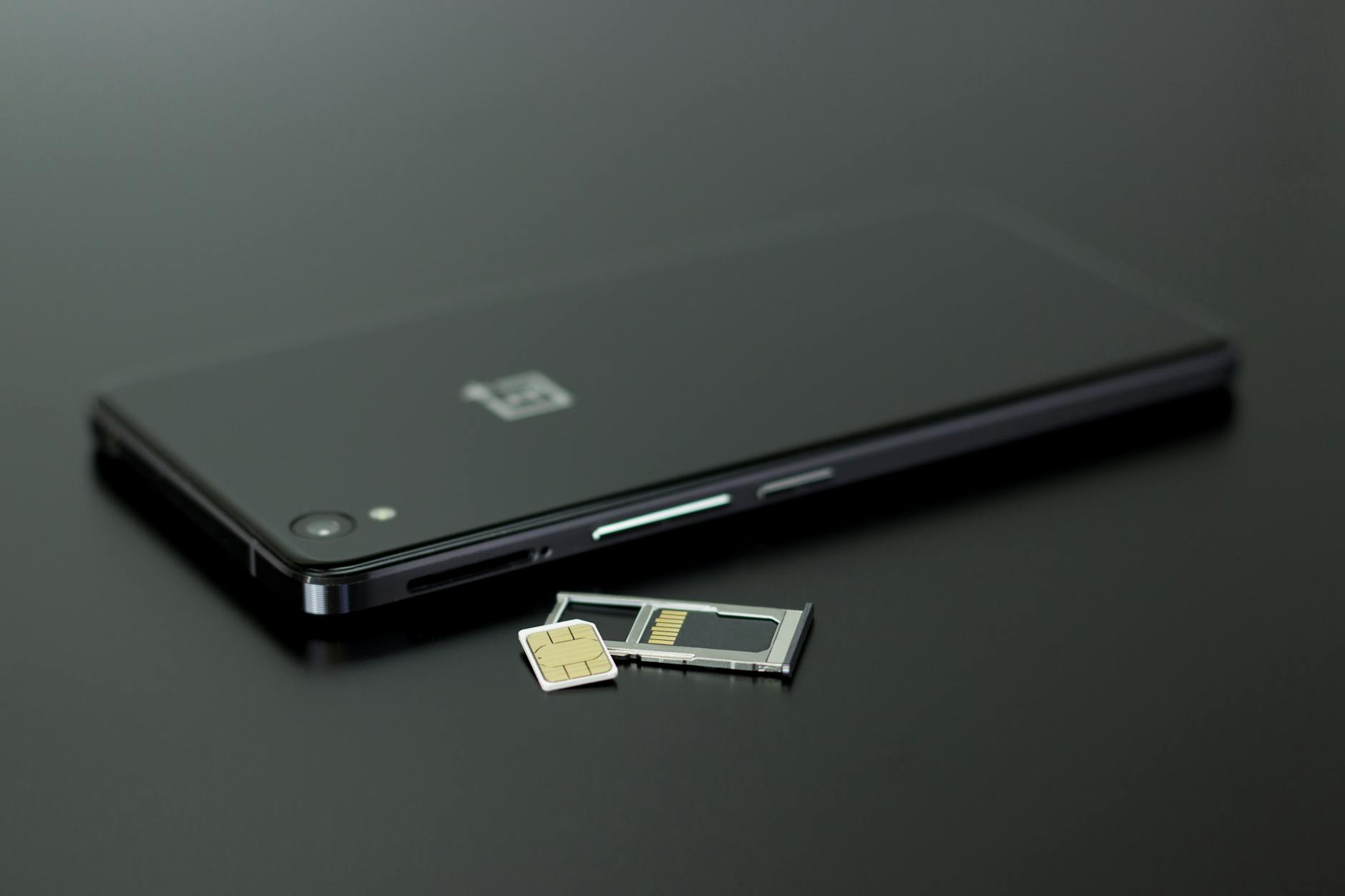 Photo by Silvie Lindemann
What to watch for as you manage storage
- If you can, choose a model with a proven track record for smooth software updates. This helps keep the device secure and responsive longer.
- A large battery pair with efficient software can compensate for heavier memory usage when you expand storage.
- When you’re unsure about slowdowns, a clean reset can be a simple fix that buys time before you buy a new handset.
External resources for continued guidance
- How to get started with SD cards on Android
- Android update policies for budget lines
- Battery and software efficiency on low-cost devices
Links:
- Get started with an SD card on Android
- Android updates on budget phones
- Battery life tips for budget smartphones
Images No additional image required here unless you want a fresh visual to illustrate a reset flow.
Notes and sources
- The steps above align with common, practical practices for budget devices that support microSD storage.
- For deeper detail on SD card speed and capacity planning, see the linked guides and external resources.
- If you want a quick decision framework, you can summarize the essential picks in a compact buyer checklist at the end of this section.
Bottom line: our top picks for different needs
When you’re choosing a budget phone with expandable storage, a few clear patterns emerge. You want dependable day-to-day performance, long battery life, and a storage path that grows with you. Below are the top picks that meet different priorities, all under $300 and equipped with microSD expansion where possible. Each option balances value and practicality so you can keep more of your media, apps, and memories without breaking the bank.
Best overall value
CMF Phone 2 Pro stands out as the most balanced pick for most buyers. It combines a bright display, capable performance, and a robust expansion option that lets you push storage up to larger capacities without paying a premium. The combination of 8GB RAM and up to 2TB microSD support gives you ample headroom for apps, games, and offline media, all at an approachable price point. If you want a budget device that can grow with your needs while still feeling modern in daily use, this is a strong starting point.
- Why it shines: solid everyday performance, generous RAM at the price, and expandable storage that really adds practical value.
- Practical takeaway: choose CMF Phone 2 Pro if you want room to grow without feeling boxed into a small internal storage tier.
- For deeper context and comparisons, see reviews and official listings that benchmark real-world use and expandability.
External reading for context:
- The CMF Phone 2 Pro overview and hands-on impressions
Best for long updates and support
Samsung Galaxy A26 5G is the standout for longevity. It frequently appears in buyer guides for its long software update window and steady security patches, even at budget levels. With microSD expansion, you’re not sacrificing future-proofing; you simply add more storage for photos, videos, or offline content as your needs shift. If you value staying current without paying flagship prices, this model is a sensible bet.
- Why it shines: extended OS updates and security patches help protect your data longer.
- Practical takeaway: expect a phone that stays current for years, which reduces the risk of early obsolescence.
- For official policy and real-world update tracking, review Samsung’s update commitments and independent reviews.
External reading for context:
- Samsung Galaxy A16 5G update policy and longevity notes
Best battery life on a budget
Moto G Power 5G models lead when stamina matters. The combination of a large battery and efficient software keeps you going through long days, especially if you rely on streaming, navigation, or offline media. The microSD slot adds storage flexibility without forcing you to choose between space and speed. If ultimate endurance matters most, this family of devices offers the simplest path to a full day (or more) on a single charge.
- Why it shines: exceptional battery longevity for the price, with expandable storage to house more offline content.
- Practical takeaway: if you frequently travel or commute with media offline, this is a dependable choice.
- For ongoing performance notes, see reputable battery life tests and operator-specific reviews.
External reading for context:
- Moto G Power 5G battery life coverage and tests
In short, these picks cover the most common needs in the under-300 category: value with room to grow, long-term software support, and reliable all-day endurance. For a quick decision, focus on whether you prize update longevity, maximum daily endurance, or the simplest path to more storage via microSD. Each of these options delivers a practical, no-nonsense path to a budget smartphone that doesn’t shy away from expandability.
Conclusion
If you want genuine storage growth without blowing the budget, these options prove expandable storage can be a practical feature on a sub-$300 smartphone. The CMF Phone 2 Pro and Moto G Stylus 5G stand out for balance, while budget picks like the Moto G Power 2024 and Samsung Galaxy A35 5G offer dependable performance with room to expand. When shopping, look for microSD slots that support high capacity and fast cards to keep apps and media flowing smoothly on your everyday smartphone tasks. Check current deals and share your experiences with expandable storage on budget phones in the comments below.