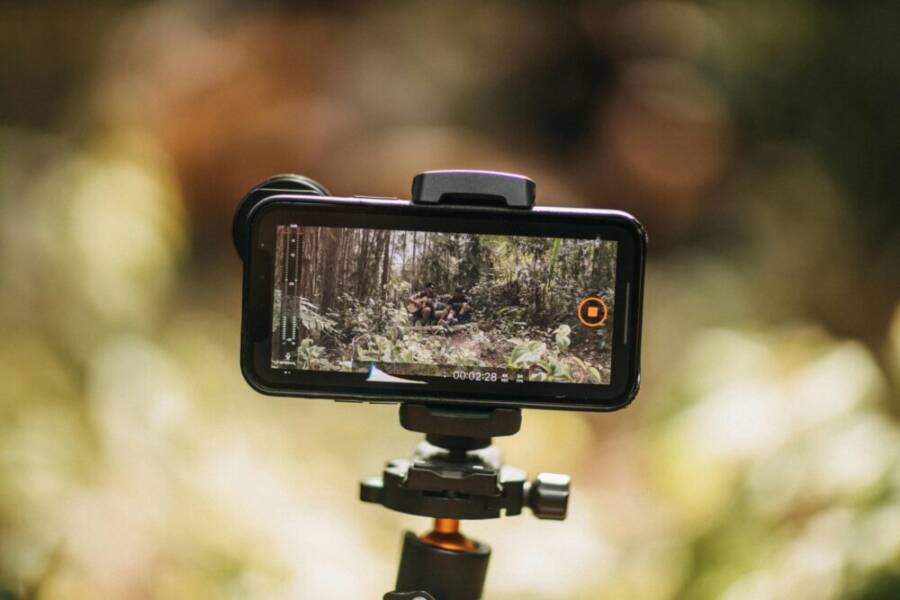
Ever catch yourself yawning at a travel reel that is smooth in every frame, yet your clips feel rough and unlcear? a simple phone swap can flip that script. This guide shows how a good device handles bumpy hikes, low light nights, and quick edits on the go, so your travels shine instead of shake.
You’ll learn what matters most for short form video on the road. Video quality, battery life, and a comfortable size top the list, but stabilization and ease of editing matter just as much. We’ll explain how to balance performance with portability so you don’t trade great footage for a bulky backpack.
Think of this as your practical checklist. We’ll break down what to look for in a phone you’ll actually carry daily, from dynamic range to color accuracy, from portrait video modes to onboard editing tools. A well chosen smartphone makes rapid clips feel effortless, letting you post faster and more often.
If you’re ready to elevate your travel clips, you’ll see why top picks like the iPhone 16 Pro Max, Samsung Galaxy S25 Ultra, and Google Pixel 9 Pro XL stand out for reels and short videos. The goal is simple: capture sharp, steady footage in any light, edit on the go, and share in seconds. This intro sets the stage for a clear, practical guide you can trust.
Key Features That Make a Phone Perfect for Travel Videos
When you’re out exploring new places, your phone needs to handle two jobs at once: capture stunning footage and keep you moving without fuss. The best travel phones combine strong stabilization, long battery life, and smart software that makes editing on the go effortless. In this section, we break down the features that matter most for travel videos and how top models stack up in real-world scenarios.
Top-Tier Stabilization for Shake-Free Clips
Stability is the backbone of travel videos. Gyro-based electronic image stabilization (gyro-EIS) works with sensor-shift optical image stabilization (OIS) to counter movement from walking, buses, and wind. Action modes and high frame rate options help you lock in smooth footage even when you don’t have a tripod.
- iPhone leads with a refined stabilization system that feels natural in nearly every scenario. Its gyro-EIS paired with sensor-shift OIS produces steady results during long handheld takes and quick panning.
- Samsung follows closely, offering versatile controls that let you fine tune the look of motion. Pro modes give you more latitude for creative moves while preserving stability.
- Pixel relies on AI-assisted stabilization, smart frame-compensation, and aggressive stabilization in video modes to reduce jitters. It shines when you’re filming with a light grip and frequent micro-movements.
Tips for use
- For hiking clips, switch to a longer exposure stabilization mode to minimize hand tremor during steep climbs.
- In car rides, enable motion smoothing carefully; it can reduce jarring frame jumps without making footage look unnatural.
Quick test results from travel scenarios
- On a windy coastal boardwalk, iPhone produced the most consistently smooth footage with minimal subtle shakes, followed closely by Samsung. Pixel footage remained stable, with noticeable stabilization smoothing on rapid, back-and-forth movements.
- While filming a bumpy forest trail, gyro-EIS on all three phones helped reduce jank, but sensor-shift OIS delivered the cleanest stills when you stopped and panned slowly for B-roll. For dynamic action sequences, iPhone’s stabilization held up best across multiple takes, delivering the most worry-free results.
For more context on how these stabilization systems compare across flagships, check out this overview: iPhone 16 Pro Max vs. Samsung Galaxy S24 Ultra vs. Google Pixel 9 Pro XL video stabilization.
Battery Power to Last Your Whole Adventure
Long days of shooting demand a battery that can keep up. Phones with 5000 mAh or larger batteries, complemented by fast charging and efficient video modes, keep you filming without hunting for a charger.
Key points
- Bigger batteries mean more 4K or high-bitrate video sessions between charges. Many top models also support quicker top-ups, so you can snag a session between sightseeing.
- Fast charging and adaptive power management help you recover quickly after a long shoot day. Look for devices that offer substantial charging speeds and practical power-saving modes for video apps.
- Reverse wireless charging is a practical perk for on-the-road life. You can top up wireless earbuds, small power banks, or even a buddy’s battery pack in a pinch.
Real-world example
- A full day of 4K shooting without outlets is feasible on flagship devices with 5000 mAh+. If you shoot a lot in 4K at 30 fps, you’ll want at least one fast charge session or a spare power bank.
Why this matters on remote trips
- Remote spots often lack outlets. A phone that can last from sunrise shoots to after-dark edits ensures you won’t miss golden hour footage.
- If you rely on the phone as your only camera, battery endurance becomes a reliability feature that keeps your travel story flowing.
If you’d like to explore more about battery endurance in travel devices, this guide provides practical tests and outcomes: [Best smartphones for video – cinematic reels made easy](https:// Amateurphotographer.com/buying-advice/best-smartphones-for-video/).
Best Phones for Travel Reels: Our Tested Picks
Travel reels demand a device that delivers sharp color, reliable stabilization, and easy on-the-go editing. In this section, we spotlight three flagship picks that consistently perform under real-world travel conditions. Each subsection covers why the model shines for reels and short videos, how it handles common travel scenarios, and practical tips to get the most from its video tools. The goal is to help you pick a phone that pairs great footage with a lightweight travel setup.
 Photo by Matheus Bertelli
iPhone 16 Pro Max: The Go-To for Pro Video Quality
The iPhone 16 Pro Max leads with a 48 MP fusion sensor that unlocks sharper textures and more flexible cropping in post. Cinematic mode adds a shallow depth of field for interview-style reels, while ProRes log gives you a wider latitude for color grading in your editors like Final Cut or CapCut. The combination of sensor size and Apple’s color science yields natural yet punchy skin tones, even when you’re shooting under mixed light.
In practice, the stabilization system feels world-class. Gyro-based EIS works with sensor-shift OIS to smooth handheld footage, and the result is footage you can push directly to social without chasing stabilizers or gimbals. Battery life supports 12+ hours of video, which means you can film golden hour footage, edit on the fly, and still have some juice for night clips.
On the editing front, Final Cut and CapCut offer strong templates and color presets that respect the iPhone’s color profile. If you’re already in the Apple ecosystem, the transition from capture to edit is almost seamless, and the on-device tools speed up rough cuts during travel.
Pros include the color science that feels trustworthy in any lighting and the ecosystem that speeds your workflow. The primary con is the price, which stands at a premium but reflects the sensor capabilities, stabilization finesse, and broader software support.
Travel test results show the iPhone 16 Pro Max delivering near-perfect golden hour skin tones on a beach at sunset, with minimal noise and excellent dynamic range. If you want an all-rounder that can cover professional-style video with minimal fuss, this is the best overall pick.
Relevant reading on stabilization and camera performance: iPhone 16 Pro Max vs. Pixel and Samsung stabilization overview.
Samsung Galaxy S25 Ultra: Versatile Android Beast
The S25 Ultra brings a formidable 200 MP main camera that preserves fine detail even in challenging light. The 100x zoom is a flexible tool for distant landmarks or crowd scenes where you can’t get close. For creators who want more control, expert RAW video modes unlock a wider color and dynamic range palette, letting you push the look in post. A foldable screen option adds a new way to frame shots in tight spaces, such as crowded markets or inside a vehicle.
Battery life clocks in around 17 hours with mixed use, which is a solid cushion for a full day of shooting, editing, and sharing. Samsung’s One UI editing tools offer a broad set of options directly on device, making quick tweaks and color corrections fast without moving to a computer.
Two standout pros are the S Pen for quick notes and shot planning, and expandable storage for large RAW video files. The main con is size; the device sits large in the hand and pocket, which can be less convenient on crowded streets or while hiking.
In a field test at night markets, the S25 Ultra delivered smooth transitions and reduced motion blur in low light, aided by the camera’s advanced stabilization and night modes. It’s a strong choice for Android users who want a flexible, all-in-one travel camera.
For more detailed comparisons of Android flagship video capabilities, see this testing resource: iPhone 16 Pro Max stabilization vs Galaxy S24 Ultra vs Pixel 9 Pro XL.
Google Pixel 9 Pro XL: AI Smarts on a Budget
The Pixel 9 Pro XL shines with Video Boost AI that enhances color, exposure, and detail in real time. Magic Editor makes quick fixes on the go, so you can tidy up a clip right from your feed. The combination of strong low-light performance and AI-driven enhancements helps you rescue shots that might otherwise look muddy in backlit or rainy conditions.
Battery optimization is a standout, with adaptive changes that help stretch a single charge across a travel day. The device benefits from clean software and free AI edits that streamline your workflow, especially if you prefer to stay in a simple, fast editing loop on your phone.
A notable con is the absence of an extreme telephoto, which can limit some long-range storytelling. Still, the Pixel’s overall balance makes it an excellent value pick for travelers who want solid video quality without paying a premium for the top-tier flagships.
A typical test scenario involved rainy streets where AI auto-enhancement produced clearer videos without manual tweaks. The Pixel 9 Pro XL demonstrates that you don’t need to overspend to get reliable, compelling reels.
For readers exploring value-led options, this Pixel model often stands out as the best value pick for traveling creators. For more on Pixel video features and real-world performance, check resources like this overview: Pixel video capabilities and editing features.
Match the Phone to Your Travel Style
Your phone can be more than a camera. It’s a compact travel partner that shapes how you shoot, edit, and share on the go. The right device fits your pace, destinations, and editing cadence. Below, we map how different travel styles influence what to look for in a phone and how to test the fit before you commit.
Hiking and Nature Escapes: durability, stabilization, and battery endurance
If your trips lean toward trails, canyons, and remote viewpoints, you need a phone that can keep up in rugged conditions. Look for robust build quality, solid stabilization, and enough battery to cover long shoots without hunting for outlets.
- Stabilization matters most here. Gyro-based electronic image stabilization (EIS) paired with sensor-shift optical stabilization (OIS) helps keep footage steady while you hike or ride in bumpy vehicles.
- Battery life is non negotiable. Favor devices with 5000 mAh or larger, and check real-world endurance when filming in 4K.
- Practical extras include rugged case compatibility, decent thermal management for long sessions, and easy access to editing apps on the move.
Pro tip: test stability on a short, uphill walk while filming. A phone that handles micro tremors without turning every frame into a jittery mess will save you frequent re-shoots. For broad comparisons on stabilization across flagships, see overviews like this: Best Travel Phone of 2025.
City Explorers: compact feel, fast autofocus, and powerful editing on the fly
City trips demand quick responsiveness, clean autofocus, and smooth color that holds up under mixed indoor and street lighting. A phone that disappears in your hand is ideal, letting you capture spontaneous moments without fuss.
- Size and weight matter. A comfortable, palm-friendly handset helps you grab candid clips without fatigue.
- Autofocus speed and subject tracking keep up with busy street scenes, transit, and crowded markets.
- On-device editing thrives here. When you want to post fast, you’ll lean on quick color correction, trimmed clips, and ready-made templates.
If you want a quick benchmark, see this travel-focused comparison that covers iPhone and Android contenders and how they perform in dynamic city scenes: Best Travel Phone of 2025.
Beach, Nightlife, and Low Light: color, noise control, and reliable auto modes
Low light is where many reels shine or falter. For sunset scenes, beach backdrops, and nightlife, you want a phone that handles color cast, dynamic range, and motion.
- Look for strong night modes and reliable autofocus in dim conditions. Pixel and iPhone tend to perform well in mixed lighting, while Samsung often offers versatile night-time controls in Pro modes.
- Noise control is crucial. A device with good noise reduction at higher ISOs saves you from grainy footage when lights drop.
- Color accuracy matters. Skin tones should hold up without heavy post work, especially if you share clips quickly.
For more on how stabilization stacks up in real world scenarios, you can check this overview: iPhone 16 Pro Max stabilization vs Galaxy S24 Ultra vs Pixel 9 Pro XL.
Quick decision framework: how to pick without overthinking
To match your travel style with the right phone, run a simple test before you buy:
- List your top two shooting scenarios (for example, “nightlife clips” and “hiking timelapses”).
- Note the most important features for those scenarios (stabilization, battery, editing speed).
- Check two to three flagship models against those priorities using recent hands-on reviews.
- Try to handle the device in a store or borrow from a friend to test one-handed use and weight.
If you want a broader look at how different flagship phones perform in real-world video tasks, here are solid sources to consult: Best Travel Phone of 2025 and The Verge best phones.
Real-world field tips: getting the most from your travel phone
- Always shoot with stabilization on, even when you think you don’t need it. Subtle shakes add up over a long clip.
- Use a simple editing workflow on the device. Trim first, color correct second, then export in the highest possible resolution your platform supports.
- Keep a lightweight power bank handy. A 10,000 mAh bank is enough to top up between shoots while you hike or explore.
For those who want an additional perspective on how phones hold up across travel styles, this guide compares models and their video capabilities: Best Travel Phone of 2025.
Quick reference: sample equipment mindset by style
- Hiking and outdoors: robust build, long-lasting battery, strong stabilization.
- City exploration: compact form, fast autofocus, smooth color in mixed light.
- Beach and nightlife: effective night modes, good noise control, reliable color accuracy.
By choosing a phone that aligns with your travel style, you reduce the friction between capturing a moment and sharing it. Your device becomes an enabler, not a barrier, to faster posting and more consistent reels.
External resources for broader context and testing results
- Stabilization comparisons and camera performance: iPhone 16 Pro Max stabilization vs Pixel and Samsung stabilization overview.
- Best travel phone roundup and buying advice: Best Travel Phone of 2025.
Bonus Tips to Nail Travel Reels with Any Phone
So you have a great phone in your pocket. Now it’s time to turn it into a reliable travel video tool. These tips help you get polished reels and short videos with any smartphone, even when you’re on the move. You’ll learn practical moves for stabilization, lighting, framing, and quick edits that make your clips pop on social feeds. Think of this as a compact how-to that fits into your travel cadence.
Stabilization that Actually Works on the Go
Steady footage is the foundation of good reels. Most phones offer gyro-based electronic stabilization (EIS) combined with sensor-shift optical image stabilization (OIS). Use these features as a default rather than an afterthought.
- Turn stabilization on in every shooting mode you use, especially on foot, in buses, or while filming from a moving vehicle.
- When you’re walking, keep your elbows close and use a natural, relaxed stance. Tiny micro-movements add up, so steady your grip with both hands if possible.
- For dramatic pans or quick action, a brief pause between moves helps the stabilization system lock in a clean frame.
If you want to see how these systems compare in real-world tests, a reliable overview can be found here: iPhone 16 Pro Max stabilization vs Pixel and Samsung stabilization overview. This helps you set expectations for each device and adjust your technique accordingly.
Lighting and Audio: Make Every Shot Speak
Lighting can make or break a reel, especially in changing environments like a market, museum, or sunset shoreline. Pair good light with clean audio and your videos will feel professional even without a big crew.
- Shoot toward natural light when possible. If the light is behind you, use a small portable light or bounce light off a bright surface to fill shadows on faces.
- In noisy spots, switch to the phone’s directional mic or a tiny lavalier if you have one. A little wind protection goes a long way, too.
- Balance color by shooting in patterns: steady daylight, then dimmer indoor scenes. Most phones adapt well, but manual tweaks in editing can hold skin tones steady.
For those curious about color control in post, the iPhone 16 Pro Max offers strong color behavior straight out of the camera, while the Pixel and Samsung provide robust auto adjustments and on-device editing options. If you want broader context on stabilization and camera performance, see the stabilization overview linked above.
Framing and Transitions: Keep It Snappy
Good framing and smooth transitions are what viewers notice first. A few simple rules keep your clips tight and engaging.
- Shoot with a clear subject in the center or use the rule of thirds for a more dynamic shot. Lock your framing for at least a couple of seconds to give viewers time to absorb the scene.
- Plan transitions in advance. For example, end a shot with a natural motion that can lead into the next scene, like stepping into shade from bright sun or gliding behind a doorway.
- Use on-device tools for quick cuts, color presets, and speed adjustments. Staying in the app helps you post faster and reduce the urge to over-edit.
If you’re after concrete ideas, you can explore quick guidance on making travel reels with smartphone workflows from trusted sources. These resources offer practical tips that align with what you’ll implement on the ground.
On-Device Editing: Fast, Polished Edits
Travel editing should be fast and frictionless. Your phone can handle trimming, color tweaks, and export without a computer nearby.
- Start with rough cuts that remove obvious flubs. Keep clips short and focused on the action or emotion you want to convey.
- Use presets or templates for consistent color and pacing across your reel. It saves time and creates a cohesive look.
- Export at the platform’s recommended resolution and aspect ratio. If you post to multiple platforms, export a version optimized for each one.
For a quick jump-start, many devices pair with native editors or popular apps like CapCut or Final Cut for iOS. On-device edits are a major advantage when you’re moving between locations and need to share promptly.
Battery and Storage: Stay Ready All Day
Long days of shooting demand practical planning. You don’t want to stop filming because your battery runs low or you’ve run out of space.
- Start with a high-capacity battery phone if possible, and enable power-saving modes during long days of capture. These modes can extend shooting windows without sacrificing too much quality.
- Manage storage by offloading large files when you have Wi-Fi, or keep a compact USB-C drive handy for quick transfers.
- Keep a small power bank in your bag. A 10,000 mAh model is enough to top up between shoots without adding bulk.
If you want a broader view of battery performance in travel scenarios, you can consult field tests and practical guides that compare real-world endurance across flagships. The goal is to pick a device that won’t slow you down when you need to capture the next moment.
Quick Testing Routine Before You Travel
A short pre-travel test helps you avoid surprises on the road. Do a 20-minute test session at two locations that mimic your typical travel days.
- Shoot a short urban scene and a nature moment. Check stabilization, exposure, and color balance in each.
- Scrub through your clips in the editor. Are the transitions smooth? Do colors look consistent across scenes?
- Verify audio quality by recording a quick chat or ambient sound clip. If needed, bring a tiny wind screen.
A brief, practical test reveals gaps you can address before departure, saving you from post-trip headaches.
Real-World Scenarios: Apply These Tips Today
The tips above translate to everyday travel moments. Here’s how you can apply them in common settings:
- City streets and markets: steady your hands, frame with intent, and edit while you ride transit to post during lunch.
- Scenic landscapes: use longer focal length and stable motion to create cinematic feel, then crop in post while preserving detail.
- Nightlife and low light: prioritize stabilization and color accuracy, and keep audio clean with a directional mic when possible.
If you want extra context on how these techniques play out on flagship devices, you can review hands-on comparisons and testing results in trusted gear coverage. For example, the overview comparing stabilization across iPhone, Samsung, and Pixel flagships can provide deeper insight into how each model handles real-world motion.
External resources for broader context and testing results
- Stabilization comparisons and camera performance: iPhone 16 Pro Max stabilization vs Pixel and Samsung stabilization overview.
- Best travel phone roundup and buying advice: Best Travel Phone of 2025.
By applying these practical tips, you can turn any modern smartphone into a capable travel reel creator. The goal is to stay light, shoot with intention, and edit on the move so you can share your story while it’s still fresh. If you’re curious about variations in workflow across platforms, you’ll find the linked guides helpful for refining your own process.
Conclusion
Choosing the right phone for travel reels comes down to three things: stability, battery life, and fast on the go editing. The three flagships we highlighted deliver solid results in real world trips, with sharp color, dependable stabilization, and smart software that helps you push clips to social quickly.
For pro style footage, expect standout stabilization, rich color, and strong editing tools that stay responsive on the road. If you need wide versatility and zoom reach, the Android option offers flexible controls and RAW paths for post work. The Pixel line proves you can get solid footage and AI aided tweaks without paying a premium for top tier hardware.
When you plan your next buy, check current deals and bundle offers, then pair the device with a light kit and a small power bank. Start shooting a few short clips around your next destination and test how your edits flow in a single sitting. A little pre trip testing helps you capture moments with fewer do overs.
Your phone should feel like a natural extension of your travel pace. Share your adventure and invite others to weigh in on what works best for their trips. Which smartphone is your favorite for reels and why comment below and join the conversation.