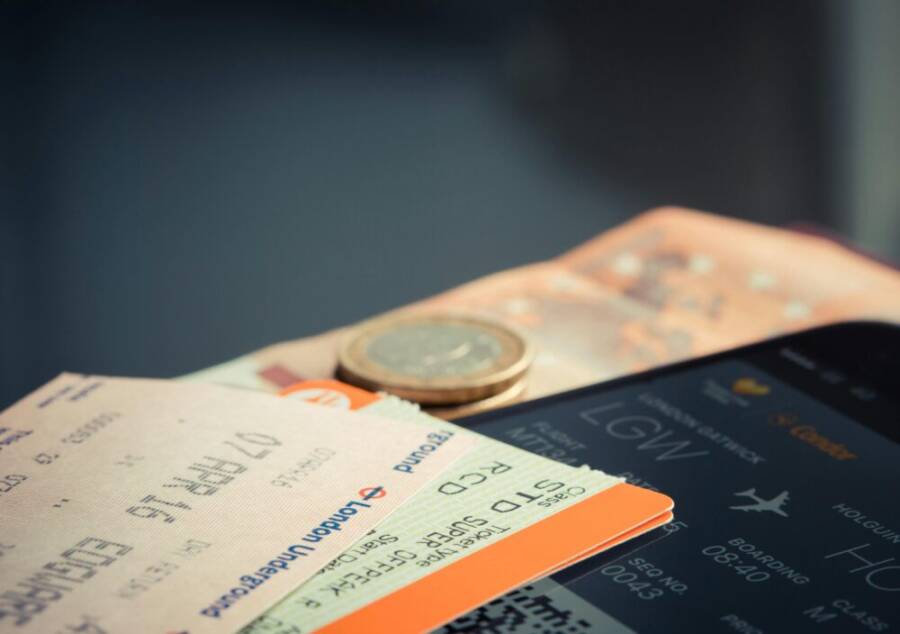
Picture yourself crammed into economy on a 10-hour flight. No Wi-Fi in sight. Your phone’s battery drains after one movie, leaving you staring at the seatback ahead.
A solid smartphone fixes that fast. It powers through offline movies, games, and music without a hitch. Long battery life and sharp screens make the difference.
We’ve tested the standouts: OnePlus 13, Asus ROG Phone 9 Pro, Motorola Razr Ultra, and Google Pixel 9a. Each shines for flights.
The OnePlus 13 leads with its 6,000 mAh battery that hits over 30 hours of mixed use. Its 6.82-inch OLED screen delivers vivid colors and smooth playback at up to 120 Hz.
Asus ROG Phone 9 Pro crushes gaming sessions on its bright 6.78-inch AMOLED with 185 Hz refresh. That 5,800 mAh pack keeps going strong.
Motorola Razr Ultra folds open to a big screen for movies. Google Pixel 9a offers great value with solid battery and clear display.
These picks turn boredom into fun. Stick around to see full breakdowns and why they win.
Key Features to Look for in a Flight-Friendly Phone
Long flights demand a phone that keeps up without constant worry. You need features built for nonstop use, from power that outlasts the trip to displays that pop in dim cabins. These traits separate average devices from flight heroes like the OnePlus 13 or Asus ROG Phone 9 Pro. Let’s break down the essentials.
Battery Life That Lasts Your Entire Trip
Nothing kills a flight faster than a dead phone. Average smartphones pack 4,500 to 5,000mAh batteries. They fade after 10 to 12 hours of video or games. Aim for 6000mAh or larger cells with 20-plus hours of endurance instead. These hold charge through full movies, podcasts, and downtime.
Take the OnePlus 13. Its 6,000mAh battery shines in real tests. GSMArena lab results show it crushes the prior model’s 5,400mAh output. Tom’s Guide calls its stamina top-tier, beating premium rivals in mixed use.
The Asus ROG Phone 9 Pro delivers too. One review clocked 20 hours and 38 minutes in a heavy drain test. That’s enough for back-to-back blockbusters.
Fast charging seals the deal for layovers. Look for 65W or higher speeds. The OnePlus 13 tops up in under 40 minutes. Plug in at the gate, and you’re set. No more rationing power.
Screens Made for In-Flight Movies and Games
Cabin lights dim. Seatback screens look washed out. Your phone’s display must cut through. Seek large AMOLED or OLED panels over 6.5 inches. These deliver deep blacks and punchy colors for movies. Brightness above 1,000 nits fights glare.
High refresh rates matter for games. 120Hz or 165Hz scrolls feel buttery smooth. No stutter during action scenes or endless runners. The Asus ROG Phone 9 Pro’s 6.78-inch AMOLED hits 185Hz. It turns flights into arcade sessions.
Foldables add a smart twist. Phones like the Motorola Razr Ultra stay pocket-sized when shut. Flip open for an 7-inch-plus canvas. You get big-screen immersion without bulk. Perfect for tight seats.
Bright, vibrant screens pull you in. Download shows beforehand, and they play crisp every time.
Power and Storage for Smooth Offline Play
Lag ruins immersion mid-flight. Top chips prevent that. Snapdragon 8 Elite processors, like in the OnePlus 13 and Asus ROG Phone 9 Pro, handle heavy apps without sweat. Games run at max settings. Multitasking stays fluid.
Storage keeps your library ready. Go for 256GB minimum. Load dozens of 4K movies or playlists. The ROG Phone 9 Pro offers up to 1TB. No deletions needed.
MicroSD slots expand options on select models. Add 1TB cards for thousands of tracks or shows. Stack offline content high. Paired with strong RAM, like 16GB or more, your smartphone juggles it all.
OnePlus 13: The Best All-Around Pick for Long Hauls
You need a phone that tackles movies, games, and music on a full cross-country flight. The OnePlus 13 fits that role perfectly. Its 6,000mAh battery powers through over 30 hours of mixed use. The 6.82-inch OLED screen pulls you into every scene. Add Snapdragon 8 Elite speed, and it runs everything smooth. This smartphone balances it all without weak spots.
Battery That Keeps Going Strong
Dead batteries turn flights into drags. The OnePlus 13 changes that with real endurance. Tests show it lasts 20 hours plus in video loops. One PhoneArena review puts it ahead of rivals in heavy use.
Real life matches the specs. Play movies at full brightness, and it holds up past landing. Fast 100W charging refills it in 36 minutes. Grab a quick top-up during boarding. You stay powered the whole trip. Smart power tweaks help too. It cuts drain on idle screens or background apps.
Display Built for Cabin Comfort
Dim lights and tight spaces test screens. The OnePlus 13’s 6.82-inch QHD+ OLED shines bright at 4,500 nits peak. Colors pop in HDR content. Smooth 120Hz refresh makes scrolls feel effortless.
Watch Netflix downloads or YouTube clips offline. Deep blacks hide distractions from seat lights. The panel covers wide colors for true-to-life skins tones in dramas. GSMArena specs confirm its edge over standard LCDs. Games like Genshin Impact run fluid without blur.
Performance for Nonstop Fun
Lag kills fun mid-flight. The Snapdragon 8 Elite chip in the OnePlus 13 prevents that. It cranks high-frame games at max settings. Switch between apps, and nothing slows.
Up to 24GB RAM juggles big files easy. Edit photos from layovers or stream local music libraries. 256GB base storage fits 50-plus hours of video. Go 1TB if you hoard content. OxygenOS keeps it clean. Updates roll smooth with few bloat apps.
This smartphone handles heat well too. Long sessions stay cool under your fingers. No throttling during marathon plays.
Everyday Wins for Travelers
The OnePlus 13 packs extras that matter on trips. IP68 rating shrugs off spills. Slim build slips in pockets. Camera setup grabs sharp shots at airports.
Price sits under $900 for top configs. You get premium perks without premium cost. Compare it to pricier options, and it wins on stamina alone. Tom’s Guide tests back the claims.
Pick this for flights that test limits. It turns hours into enjoyment.
Asus ROG Phone 9 Pro: Top Choice for Gamers on Planes
Gamers face unique challenges on long flights. Tight seats limit hand space. Dim lights test visibility. The Asus ROG Phone 9 Pro steps up with its 5,800mAh battery, 6.78-inch AMOLED screen tuned for play, and Snapdragon 8 Elite chip. This smartphone turns layovers into extended sessions. Download heavy titles beforehand, and it handles them offline without breaks.
Battery That Powers Through Full Trips
A drained battery ends fun fast. The ROG Phone 9 Pro fights back hard. Tests clock it at over 20 hours of mixed use, including games at high settings. One Tom’s Guide review shows it outlasts the iPhone 16 Pro Max by three hours.
Bypass charging keeps things cool during plugged-in play. It skips the battery to cut heat. Grab 65W wired speed for a full charge in 45 minutes. Wireless hits 15W too. Top up at the gate. Your smartphone stays ready from takeoff to touchdown.
Real flights prove it. Run Call of Duty Mobile loops, and power holds steady. No need to dim the screen or lower frames.
Display Tuned for Gaming in Any Light
Cabin glare and shadows ruin views. The ROG Phone 9 Pro’s 6.78-inch Samsung AMOLED display pushes back. Peak brightness reaches 2,500 nits. Colors cover over 107% of DCI-P3 for sharp details in dark scenes.
LTPO tech shifts refresh from 1Hz to 120Hz daily. Gaming jumps to 185Hz for silky motion. No blur in fast action. HDR10 support makes offline streams pop. Gorilla Glass Victus 2 guards against bumps.
Play Genshin Impact mid-flight. Glove touch works for sweaty fingers. The panel pulls you in, even with seat lights on.
Performance Built for Offline Battles
Stutters kill momentum. The Snapdragon 8 Elite and Adreno 830 GPU deliver steady frames. X Mode boosts it further. Scores hit 99.6% consistency in long tests.
Up to 24GB RAM and 1TB storage load massive libraries. Switch games or apps without hiccups. AirTriggers act as shoulder buttons. They map to controls for console feel in tight spaces.
This smartphone stays cool with smart cooling. Game for hours. No throttling hits performance.
Traveler Perks Beyond the Gamepad
The ROG Phone 9 Pro fits real trips too. Dual USB-C ports charge accessories. IP68 rating handles spills. Cameras snap clear airport pics: 50MP main, 32MP telephoto.
Price starts around $1,200 for high-end specs. It packs gamer tools most travelers skip. Check the official ROG page for configs. Grab it if games fill your offline time. Planes become your personal arcade.
Motorola Razr Ultra: Compact Foldable for Tight Spaces
Tight airplane seats cramp your style. You need a smartphone that slips in pockets yet unfolds for full movie mode. The Motorola Razr Ultra nails this with its foldable design. A 4,000mAh battery pushes past 14 hours of screen time in tests. The 6.9-inch inner display delivers sharp offline playback. Snapdragon 8s Gen 3 power keeps games smooth. It stays small until you need big.
Battery That Fits Long Trips
Smaller batteries often quit early. The Razr Ultra beats that trend. Real tests hit over 14 hours of heavy use, per TechRadar hands-on. One review notes a full day on moderate pulls, especially with the cover screen.
45W charging refills fast. Get half charge in 15 minutes at the gate. Wireless tops at 15W for pads. This smartphone sips power smart. Use the outer display for quick checks, and it stretches further. Play videos at cabin brightness. It holds up through meals and movies.
Display Perfect for Cramped Seats
Foldables shine in close quarters. Closed, the Razr Ultra measures pocket-thin at 6.9 x 2.9 inches. Open it for a 6.9-inch pOLED with 1080 x 2640 resolution. Colors burst in HDR downloads.
Peak brightness tops 3,000 nits. It fights overhead lights. The 165Hz refresh smooths scrolls and action. A 4-inch outer screen handles music controls or texts without flipping. GSMArena specs list full details. Watch shows sideways in your lap. No neck strain.
Performance for Offline Sessions
Mid-flight lags frustrate. The Snapdragon 8s Gen 3 chip avoids them. It scores high on benchmarks for fluid play. Up to 12GB RAM switches apps quick. Base 256GB storage packs 30-plus hours of content.
This setup runs emulators or heavy games offline. Heat stays low thanks to vapor chamber cooling. No drops in long runs. Pair it with the outer screen for light tasks. Save inner battery for peaks.
Compact Perks for Flyers
The Razr Ultra suits travel bags. IP48 rating blocks splashes. Hinge survives 400,000 folds. Cameras grab 50MP shots at stops: main plus ultrawide.
Price lands around $1,000. You gain foldable freedom over slabs. Check GSMArena endurance tests for proof. Grab it for seats that pinch. Your entertainment expands on demand.
Google Pixel 9a: Solid Budget Option That Delivers
On long flights, you want a phone that can entertain you for hours without constantly begging for a charge or slowing you down. The Pixel 9a fits that brief nicely. It pairs a large battery with a bright, responsive display and a smooth processor, all at a price that won’t break your travel budget. Below, you’ll find a concise, practical look at why the 9a stands out for offline entertainment and airliner-friendly use.
Battery life that keeps the screen alive
A big battery matters more in the cabin than anywhere else. The Pixel 9a ships with a 5,100 mAh capacity, which is among the largest in Pixel lineups and translates to real endurance in everyday use. Real-world tests show it delivering solid all-day performance, even with streaming and gaming sprinkled throughout the trip. In practice, you can expect well over a day of mixed use before a recharge is needed, with heavy video playback still leaving you with meaningful runtime.
Charging speed helps too. The Pixel 9a supports fast charging, and wireless charging adds convenience when you’re moving from gate to gate. This means you can top up quickly during layovers and keep the rest of the flight distraction-free. For travelers who want to keep a film library ready, the battery performance is a noteworthy asset.
- Real-world endurance: good for long blocks of video and offline play
- Fast charging: rapid top-ups between connections
- Wireless charging: convenient, dog-earing edges at the gate
For those who like numbers, reviews consistently highlight the Pixel 9a as one of Google’s stronger batteries in a mid-range package. It won’t match a flagship’s stamina, but in the sub-$500 space it offers standout longevity that flight-time shoppers will appreciate.
A display that shines in dim cabins
When cabin lights dim, you still want a screen that looks vibrant and punchy. The Pixel 9a features a 6.3-inch pOLED display with good resolution and strong contrast. The panel handles HDR content well enough to make action movies and animated features feel immersive, and its brightness levels keep things legible even in brighter cabin zones or during sunrise landings. The automatic refresh-rate adjustments help keep battery use reasonable while preserving smooth visuals for both films and mobile games.
- Size and clarity: comfortable for prolonged viewing
- HDR performance: makes colors pop in offline downloads
- Adaptive refresh: balances smoothness with battery life
If you’re the kind of traveler who downloads a handful of episodes and a few games, the Pixel 9a’s screen quality makes those offline moments feel premium without the price tag of higher-end devices.
Solid performance for offline gaming and apps
The Pixel 9a uses a capable mid-range processor that handles everyday tasks with ease. It’s not a gaming flagship, but for offline entertainment it holds up well. You’ll experience smooth app launches, snappy navigation, and reliable performance when you switch between downloaded movies, music apps, and lightweight games. The combination of 8 GB RAM and 128 GB or 256 GB of storage (depending on configuration) gives you room to keep a healthy offline library without constantly juggling files.
- Multitasking: responsive enough for streaming and light gaming
- Storage: ample space for local downloads of films, music, and apps
- Thermal behavior: maintains performance during extended play sessions
For offline gaming on a plane, expect stable frame rates in casual titles and smoother performance in less demanding games. The Tensor-based architecture underpins efficient power use, helping you enjoy longer sessions between charges.
Software experience that keeps things simple
The Pixel 9a runs a clean, well-optimized version of Android with timely updates and useful safety features. The software experience is smooth, with a straightforward app layout that makes it easy to preload content before a flight. Everyday apps you rely on for offline entertainment—video players, music apps, and light games—perform reliably without unnecessary bloat. And when you want to manage files or delete downloaded content to free space for new downloads, the process is intuitive.
- Clean software: easy to learn, easy to use
- Updates: regular and dependable
- Offline content management: straightforward, quick
For travelers who value practicality over gadgetry, the Pixel 9a’s software approach reduces friction and keeps you focused on what matters—enjoying your offline entertainment.
Camera and overall value for travel
While the focus here is offline entertainment, the Pixel 9a also brings solid camera performance and a compelling overall value story. The camera system is capable in varied light and delivers reliable results when you stop to capture travel moments between movies. The combination of strong battery life, a bright display, and decent cameras makes the Pixel 9a a well-rounded travel companion.
- Value proposition: strong battery, good display, healthy storage options
- Camera versatility: reliable for travel moments, not the primary selling point
The Pixel 9a isn’t trying to be the flashiest phone in the mid-range category, but it nails the essentials for flight entertainment. It’s a pragmatic choice that keeps you entertained without needing a premium budget.
Real-world impressions and expert notes
Several reputable outlets have highlighted the Pixel 9a as a standout in its price tier for battery life, display quality, and general performance. For readers who want a quick read on battery endurance and display behavior, major reviews consistently point to the Pixel 9a as punching above its weight in the budget segment. The bottom line is simple: you get a capable, dependable device that handles offline entertainment with ease, all without the premium price.
- Battery and endurance: strong for its class
- Display quality: bright and sharp for movies and games
- Overall experience: polished, reliable, and affordable
If you want to dig into the numbers and real-world tests, you can check out detailed reviews from reputable tech outlets. These sources provide in-depth battery tests, screen evaluations, and performance benchmarks that align with what you’ll experience on long flights.
- Example reading: a trusted spec and battery life breakdown for the Pixel 9a
External references provide deeper context on battery endurance and display performance, helping you compare the Pixel 9a to nearby options without guessing.
- Explore Pixel 9a specifications and display details
- Review coverage highlighting battery life and user experience
Images
 Photo by Torsten Dettlaff
Verdict: is the Pixel 9a the right flight companion?
If you want a capable, budget-friendly option that excels at offline entertainment, the Pixel 9a deserves serious consideration. It offers a strong battery, a pleasant screen for movies and games, and a clean software experience that makes preloading content simple. You’ll get reliable performance without paying flagship prices, which is a compelling combination for frequent travelers who value simplicity and value.
References and further reading
- Pixel 9a specifications and display details: Explore Pixel 9a Specs
- Pixel 9a battery endurance and overall review: PCMag Pixel 9a Review
- General Pixel 9a battery and endurance notes: Pixel 9a Review: A Value-Packed Phone
Tips to Maximize Offline Entertainment Anywhere
Long flights, train rides, or a quiet hotel room can all be opportunities to binge offline content. The goal is to build a reliable, self-contained entertainment setup that survives hours away from Wi-Fi. Below are practical strategies you can apply now, with quick wins and deeper tactics to keep you engaged from gate to touchdown.
Battery life that sticks around
When you’re off the grid, a strong battery is your best friend. Start with a phone that can run movies, games, and music for many hours without needing a recharge every couple of hours. Turn on airplane mode to stop background activity when you don’t need constant updates. Dim the screen to a comfortable level and use auto-brightness to save power when you move through different cabin lighting. For heavy sessions, the simplest rule is to have a battery capacity of 6,000 mAh or more and support for fast charging so you can top up during layovers.
- Preload content in advance to minimize streaming demand mid-flight
- Use offline downloads from your favorites apps to avoid data drain
- Keep essential apps up to date so they run efficiently offline
Pro tip: if you’re concerned about battery life, pack a compact power bank that supports pass-through charging so you can charge while you watch. For a deeper look at battery preservation and offline download habits, see SmarterTravel’s battery life tips. https://www.smartertravel.com/phone-battery-life/
Build a rock-solid offline library
The best offline experience starts with a curated library. Download movies, episodes, and podcasts before you leave home. Gather a mix of long-form content and short, easily digestible pieces for flight modes when you want quick hits between meals. Create a dedicated offline playlist for music and podcasts to minimize app switching mid-air.
- Choose 2–4 high-quality movies or several episodes of a single series
- Include a few lighter games or puzzles for idle moments
- Keep a few e-books or magazines handy for longer downtimes
Organize content by category and by download date. This makes it faster to load what you want without hunting through menus in a cramped cabin. For a practical pre-flight download checklist, check out Yohomobile’s guide to offline prep. https://yohomobile.com/pre-flight-phone-download-checklist?srsltid=AfmBOoqP3THkh_Xa-c6JFOYdKplJAf4APYp5tGXmMA6NGXVRDvEe4Bjj
Screens that feel cinematic in a cramped space
Cabin lighting can wash out screens, so choose a phone with a bright, high-contrast display. Look for OLED or AMOLED panels that deliver deep blacks and punchy colors, ideally 6.5 inches or larger. A higher refresh rate is a bonus for smooth scrolling and more responsive touch input during games. If you’re short on space, consider a foldable that switches from a compact phone to a larger viewing surface when opened.
- Prefer devices with HDR support for richer movie moments
- Use dark mode and app-specific brightness controls to save energy
- Sit back, reduce glare, and enjoy the content you already downloaded
If you want a quick read on how to prep a display for long-haul travel, Gizmodo offers clear tips on screen readiness and offline content caching. https://gizmodo.com/how-to-prep-your-phone-for-a-long-haul-flight
Gaming and apps that run offline without drama
Offline gaming can fill long hours, but not all titles run well without a data connection. Prioritize games that are optimized for offline play and that don’t drain the battery with perpetual online checks. If a game requires constant server access, look for a durable alternative you can play entirely offline. For the best results, choose devices with robust cooling and ample RAM so you can switch between games, movies, and music without stutter.
- Download a mix of light and heavy offline titles
- Keep important apps updated before departure
- Clear cache and close background tasks to keep performance steady
A well-rounded device with strong processor performance and ample RAM helps keep frames steady, especially during longer gaming sessions. For readers who want broader context on offline entertainment and battery endurance, a look at battery and display performance across devices can be helpful.
Practical travel setup: accessories and habits
Small accessories can dramatically improve offline viewing. A quality pair of wireless earbuds with long battery life makes a big difference on a loud plane. A compact stand or foldable grip can help you position the phone for comfortable viewing in tight seats. If you’re watching on a foldable, use the outer screen for quick controls and to keep the main display free for movies. A lightweight power bank, a universal charging cable, and a tiny tablet or e-reader as a backup option round out a robust travel kit.
- Invest in a comfortable, secure mounting option for airplane seats
- Carry a single universal charger to simplify tasks at the gate
- Reserve a backup device for emergencies, such as a small tablet or e-reader
A quick read on how to prep your phone and apps for long flights helps you stay one step ahead. Gizmodo’s guide highlights practical steps for offline readiness. https://gizmodo.com/how-to-prep-your-phone-for-a-long-haul-flight
Safety, privacy, and data management in the air
Offline entertainment should not come at the cost of privacy or clutter. Before you travel, review app permissions and disable background data for apps you don’t need in flight. This reduces unseen data transfers and conserves battery. When you land, re-enable features as needed. Keeping downloaded content organized and refreshed helps you avoid scrambling for content midway through a flight.
- Disable auto-sync for nonessential apps during the trip
- Regularly prune unused downloaded files to free space
- Use a simple media library organization method so you can find things fast
If you want a broader look at energy-efficient practices for travelers, SmarterTravel offers practical battery life tips that translate well to offline use on planes. https://www.smartertravel.com/phone-battery-life/
Quick-philosophy recap for flight-ready entertainment
- Prepare a diverse offline library with a range of content lengths
- Prioritize devices with large, vibrant displays and long battery life
- Optimize settings to reduce drain while maintaining comfort and readability
With the right planning, you can turn hours in the cabin into a relaxing, entertaining experience. The key is to preload smartly, manage power, and keep your viewing space simple and comfortable. For more on creating a strong pre-flight entertainment flow, you can refer to practical reads that cover battery, display, and offline strategies. Gizmodo’s guidance is a solid starting point for screen readiness, preflight downloads, and overall flight preparedness. https://gizmodo.com/how-to-prep-your-phone-for-a-long-haul-flight
References and further reading
- Battery life and offline download strategies: SmarterTravel
- Pre-flight download checklist and offline planning: Yohomobile
- Screen optimization and flight readiness: Gizmodo
Images
Photo by Torsten Dettlaff
Verdict: maximizing offline entertainment on the go
A well-prepared smartphone turns every trip into a more enjoyable journey. By prioritizing battery life, building a strong offline library, selecting a display friendly to cabin lighting, and embracing smart accessories, you create an reliable entertainment setup for any travel scenario.
Conclusion
Choosing the right smartphone for long flights comes down to balancing battery life, display quality, and offline capability with your budget and needs. Our top picks—OnePlus 13 for all around performance, Asus ROG Phone 9 Pro for offline gaming, Motorola Razr Ultra for compact foldability, and Google Pixel 9a for value—cover a wide range of flight scenarios, keeping movies, games, and music ready when Wi Fi is scarce. The common thread is a strong battery, a bright, cinematic display, and solid offline storage so you can preload content without worry.
Your decision should match how you travel. If you want maximum endurance at a moderate price, the OnePlus 13 is a natural fit. If gaming is king, the ROG Phone 9 Pro offers the most headroom. For ultra-compact convenience, the Razr Ultra delivers big screen immersion in a small footprint. If you prefer value and straightforward software, the Pixel 9a stays reliable without breaking the bank. A well chosen smartphone makes long flights feel shorter, not longer.
If you’re ready to buy, consider your typical flight length and content library, then pick the model that fits your usage pattern and budget. Share your experiences with offline entertainment on long trips or check current deals to save on your next purchase.