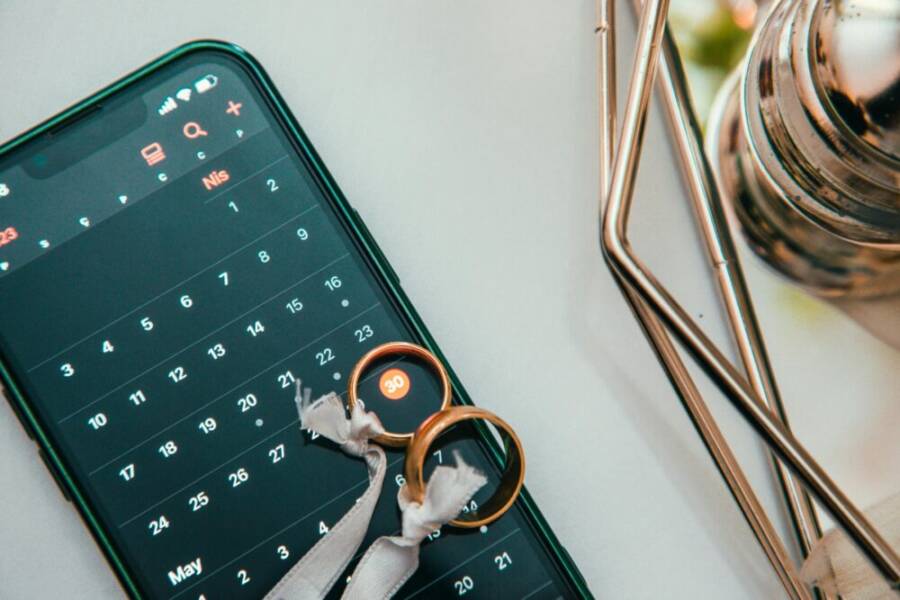
Picture this: It’s the height of a wedding day. Guests mingle, the ceremony starts, but your phone battery drops to zero mid-photo shoot. Chaos hits when you can’t check the timeline or snap those key shots.
Event planners and wedding coordinators face long hours on their feet. You need a reliable phone with all-day battery life, a sharp camera for flawless photos, a big screen to review schedules, and smooth multitasking to juggle apps, calls, and emails.
Our top three picks stand out: the iPhone 17, Samsung Galaxy S25, and Google Pixel 10. These smartphones pack the power to keep you going.
They capture every candid moment with pro-level cameras. Big displays let you manage vendor lists and guest RSVPs without squinting. Strong batteries and multitasking handle 12-hour days, so you stay in control from setup to send-off. Stick around to see why these fit your workflow perfectly.
Key Phone Features Event Planners Need Most
Event planners and wedding coordinators work long shifts that test any phone’s limits. You run from vendor meetings to guest check-ins, snapping photos, reviewing timelines, and firing off emails. The right smartphone features make sure nothing slows you down. Strong battery life powers through 12-hour days. Top cameras grab every detail from cake cuttings to dance floors. Bright screens let you edit on the spot. Let’s break down what matters most in the iPhone 17, Galaxy S25, and Pixel 10.

Battery Life That Lasts Your Whole Event
Your day starts at dawn with setup and ends past midnight with cleanup. A phone that dies halfway through spells trouble. You need at least six hours of screen-on time for maps, calls, and apps. Real-world tests show the iPhone 17 leads with 12 hours and 47 minutes of mixed use. It hits 30 hours on video playback alone.
The Galaxy S25 follows close with six to 6.5 hours of screen time and 17 hours 35 minutes overall. The Pixel 10 manages 5.5 to six hours screen-on and nearly 18 hours total. All three handle full events, but the iPhone 17 pulls ahead for heavy use.
Charging speed saves you in a pinch. The iPhone 17’s 40W wired option fills from zero to full in about 75 minutes. It reaches 50 percent in 20 to 25 minutes. Galaxy S25 and Pixel 10 top out at 25W wired. They hit 50 percent in 30 minutes. Grab a power bank for backups.
Here are quick tips to stretch battery further:
- Turn down screen brightness or use auto-adjust.
- Close background apps after use.
- Enable low power mode during lulls.
- Charge during breaks with a portable bank.
For detailed battery tests across these models, check this comparison from Tom’s Guide.
| Phone | Screen-On Time | Real-World Use | Wired Charging |
|---|---|---|---|
| iPhone 17 | 5.5-6 hours | 12h 47m | 40W (full in 75 min) |
| Galaxy S25 | 6-6.5 hours | 17h 35m | 25W |
| Pixel 10 | 5.5-6 hours | 17h 54m | 25W |
Cameras Built for Wedding Photos and Videos
Capturing the first dance or venue walkthrough demands sharp shots every time. Look for 48MP main sensors, ultra-wide lenses for group shots, and telephoto for distant details. These phones deliver.
The iPhone 17 shines in video and low light with its 48MP main camera. Colors stay true, and footage looks pro without extra gear. Use it for ceremony clips that clients love.
Galaxy S25 packs a 200MP main sensor with up to 30x optical zoom and 8K video. Zoom in on ring exchanges from across the room. Details pop in bright daylight.
Pixel 10’s 50MP setup offers 20x digital zoom and natural tones. It fixes lighting issues with smart software. Perfect for quick site surveys before the big day.
All three let you review shots instantly. Share previews with couples right there. For side-by-side camera specs, see this PhoneBunch comparison.
Strong cameras turn your phone into a backup for the pro photographer. They also help scout locations with clear ultra-wide views.
Screens Perfect for Multitasking and Reviews
Juggling timelines, emails, and photo edits needs a clear view. Screens around 6.1 to 6.3 inches give you room without bulk. All three hit 120Hz refresh rates for smooth swipes between apps.
Brightness tops 2000 nits on these displays. Read vendor replies under tent lights or midday sun. iPhone 17’s 6.1-inch OLED stays sharp for timeline tweaks.
Galaxy S25’s 6.1-inch QHD+ AMOLED pops with color. Edit bouquet photos without color shifts. Pixel 10’s 6.1-inch OLED keeps text crisp for contract scans.
Multitasking shines here. Split screen for email and maps. Zoom vendor lists without lag. These displays cut eye strain during long shifts.
| Phone | Size | Brightness | Refresh Rate |
|---|---|---|---|
| iPhone 17 | 6.1-inch | 2000+ nits | 120Hz |
| Galaxy S25 | 6.1-inch | 2600 nits | 120Hz |
| Pixel 10 | 6.1-inch | 2000+ nits | 120Hz |
Bright, fluid screens keep your workflow tight. You stay ahead of the schedule.
iPhone 17: Top Choice for Reliable Event Days
When you’re coordinating events or weddings, a dependable smartphone is not a luxury, it’s a necessity. The iPhone 17 stands out as the top pick for staying on schedule, capturing moments, and collaborating with vendors in real time. It combines long battery life, strong photography, and a streamlined workflow that fits long shifts from early setup to late departures. Below, you’ll find where this device shines most for event days and how to maximize its potential.
Battery life that keeps you moving
Event days demand a phone that can last through maps, calls, and frantic message threads without frequent recharges. The iPhone 17 delivers robust endurance in real-world use, making it a reliable partner from sunrise to after-party. To stay in front of the schedule, consider keeping the battery topped up during breaks with a portable charger and enabling low power mode when you’re taking a quiet moment.
If you want a deeper benchmark, you can compare battery performance against other flagships in independent tests that track screen-on time and overall endurance. These tests help confirm real-world experiences and ensure you’re not surprised by a mid-day dip. For a detailed side-by-side look at how the iPhone 17 performs in battery-heavy scenarios, see this battery-focused comparison. Tom’s Guide battery tests.
Power users will appreciate the iPhone 17’s wired charging options as well. A solid 40W wired charge can bring you from empty to a usable level quickly, which matters when you’re racing between venues or grabbing a quick break. You can pair this with a reliable wireless charger for moments when you need to rest the device in a pocket between appointments.
Cameras that double as an on-site assistant
Moments happen in a blink during events, from the first look to the grand exit. The iPhone 17’s camera system is built to capture these moments with clarity, color accuracy, and speed. A strong main sensor handles indoor lighting without sacrificing detail, while smart processing keeps skin tones natural and vibrant.
For site surveys and candid captures, the phone’s camera versatility shines. You’ll appreciate quick access to pro-level results without lugging extra gear. If you want a broader comparison of how the iPhone 17 stacks up against contemporaries in color, detail, and video performance, you can explore a hands-on comparison that covers key camera angles. PhoneBunch camera comparison.
Beyond stills, the iPhone 17 excels in video quality and low light, making it a strong backup for the primary photographer. This helps ensure you deliver consistent previews to clients on the day, which can translate into fewer back-and-forth edits later.
Screens that make reviews and notes effortless
When you’re reviewing timelines, vendor lists, and contracts, a bright, crisp display makes a real difference. The iPhone 17 offers a 6.1-inch OLED panel with ample brightness and color fidelity that stays readable under tent lighting and daylight alike. The smooth 120Hz refresh rate makes scrolling through schedules, vendor emails, and mood boards feel natural and fast.
On days with back-to-back appointments, you’ll be glad for a display that shows more content without scrolling. The iPhone 17’s screen helps you compare venue layouts, color palettes, and floor plans at a glance, reducing backtracking and miscommunications.
To get a sense of how the iPhone 17’s display compares in real-world use, it’s helpful to see how brightness, color, and viewing angles perform in practice. For a broader look at display quality across the latest models, this review provides useful context. The Verge on iPhone 17 event and display improvements.
Workflows that keep you organized on the road
A great event phone isn’t just about hardware; it’s about how you use it. The iPhone 17 supports quick multi-app workflows that are essential for event days. You can run calendar, notes, messaging, and a vendor portal side by side, then snap photos or videos without pausing your task flow. Live widgets and interactive elements in iOS 17 bring glanceable information to your home screen, helping you keep track of timelines without opening multiple apps.
Smart helpers on the device reduce friction during busy moments. For example, calendar views can be tuned to show upcoming tasks, while reminders prompt you to follow up with a caterer or photographer after a venue tour. This kind of efficiency adds up over a long day, letting you focus on service quality rather than search time.
If you’re exploring ways to squeeze more productivity from iOS, you’ll find practical tips in productivity-focused coverage. These ideas show how features like widgets and quick actions translate into real-world gains. iPhone 17 productivity hacks.
Real-world tips to optimize event-day performance
- Create a dedicated vendor contact group in your messages and pin essential conversations.
- Use a calendar view with color-coded event stages (setup, guest arrivals, ceremony, reception).
- Keep a portable charger on your belt or in a boot bag for quick top-ups.
- Set up a “photo preview” shared album with clients so you can get quick feedback on moments to retouch or share.
- Enable dark mode for comfort during late-night edits and reviews.
These practical steps help your iPhone 17 work as a compact, reliable command center on event days. With battery life, camera capability, and a bright screen, you’re equipped to handle the busiest moments with confidence.
If you plan to compare the iPhone 17 with other flagships for event work, a broader look at how these devices perform under heavy use can provide valuable perspective. For a broader industry read that touches on expectations for event tech, consider this analysis. The Verge on iPhone 17 event coverage and a practical marketer lens. What Marketers Need to Know about the iPhone 17 Event.
By choosing the iPhone 17, you get a device that aligns with the workflow of modern event planning. It’s built to keep pace with demanding schedules, capture moments with clarity, and present a polished image to clients in real time.
Samsung Galaxy S25: Bright Screen and Zoom Power
When you’re juggling vendor calls, site surveys, and last minute tweaks to the schedule, a phone that can keep up with your pace matters more than ever. The Galaxy S25 shines in two practical areas for event professionals: a brilliantly bright display for under tent lighting and bright daylight, and a powerful zoom system that helps you verify details from across a crowded room. Below, you’ll see how these strengths translate into real-world event planning and wedding coordination.
Battery life and screen brightness that endure long days
Long events demand a screen you can rely on from dawn to late night. The Galaxy S25 delivers a combination of long-lasting stamina and a screen that stays readable in challenging lighting. In real-world use, you can expect a full day of maps, messaging, and on-site photo notes without scrambling for a charger. When you do need a boost, a fast wired charge reduces downtime between venue visits.
Key practical takeaways:
- Brightness that remains legible under bright sun and tent lighting means you can review venue layouts and floor plans without squinting.
- The phone’s battery life supports extended photo check-ins, vendor briefings, and client previews during breaks.
- Pairing with a compact power bank ensures you never miss a critical update while moving between venues.
For those who want a deeper comparison, independent battery benchmarks offer a clear view of endurance across top flagships. A trusted source provides side-by-side tests to help you decide which device fits your event-day rhythm. See the detailed battery tests here: Tom’s Guide battery tests.
Zoom power and camera versatility for on-site storytelling
Every wedding or corporate event has moments that require close inspection from a distance. The Galaxy S25 answers with a robust camera system that goes beyond stills to support dynamic on-site storytelling. Its main sensor captures sharp detail in varied lighting, while the telephoto lens gives you up-close looks at key details without crowding in behind the lens of a bulky camera.
Highlights you’ll notice in practice:
- A strong main sensor provides crisp portraits and clean room-wide shots, useful for venue walkthroughs and vendor previews.
- Telephoto zoom lets you capture intimate moments from across the room—great for candid reactions without intruding on guests.
- The combination of high-resolution stills and reliable zoom makes quick social previews for clients easy to share on the spot, reducing back-and-forth edits.
If you want a side-by-side camera comparison, this hands-on look contrasts the Galaxy S25 with other leading models. It’s a quick way to gauge how zoom performance and color accuracy stack up in real-world settings: PhoneBunch camera comparison.
Display that supports multitasking and on-site reviews
Event coordinators juggle schedules, floor plans, and client notes on one screen. The S25’s display is designed to keep information readable and accessible. Expect a bright, high-contrast panel with smooth scrolling that makes it easy to compare vendor quotes, review timelines, and annotate photos from a single device.
Why this matters for event work:
- A large, bright screen speeds up on-site decision making when you’re comparing venue layouts or color palettes.
- A high refresh rate makes scrolling through emails, calendars, and approvals feel instant and friction-free.
- Accurate color representation helps you preview decor options and lighting choices with clients right away.
If you’re curious about how display performance stacks up in real-world reviews, you can explore independent assessments that cover brightness, color accuracy, and viewing angles across the latest Galaxy models. For a direct read, check this review: GSMArena Galaxy S25 review.
Practical workflows for event days
A phone should empower you to move quickly between tasks, not slow you down. The Galaxy S25 supports practical workflows that fit a fast-paced event schedule.
- Vendor coordination: Open a shared notes page and a live calendar side by side to track supplier arrivals and setup times.
- Client previews: Capture a quick moment with the camera, drop a preview into a shared album, and gather feedback in real time.
- On-site surveys: Use the zoom to inspect ceremony spaces or reception layouts from a distance, then annotate floor plans while you walk.
If you compare the Galaxy S25 with other top models, you’ll notice how its display, camera versatility, and battery balance combine to reduce the need for external gear. For an official look at features and highlights, read Samsung’s overview: Galaxy S25 & S25+ | Features & Highlights.
Real-world tips to maximize brightness and zoom on event days
- Enable adaptive brightness to keep readability consistent from early morning to late evening.
- Use the telephoto lens sparingly in low light; pair it with the main sensor for the best results.
- Pre-create a vendor briefing album so clients can review moments in real time.
- Keep a lightweight tripod or mini gimbal handy for stable, long-distance shots when you need framing accuracy.
You can also stay informed about ongoing performance insights from trusted reviewers who test these devices in real-life scenarios. For an in-depth external perspective, the following article provides a thorough rundown of brightness and camera performance: PCMag Samsung Galaxy S25 Review.
Why the Galaxy S25 fits the event planning workflow
In short, the Galaxy S25 brings together a bright, reliable display, flexible camera options, and long battery life. It’s well suited for event days that demand quick decisions, clear client previews, and robust on-site documentation. The combination helps you keep clients informed, vendors coordinated, and the event on track without scrambling for gear or outlets.
If you’re weighing options against other top smartphones, you’ll find that the S25’s zoom capability and display brightness are standout features for event scenarios. For a different take, here’s a comparative look across three leading devices to help you decide what matches your workflow best: [PhoneBunch camera comparison].
Google Pixel 10: Clean Android with Strong Value
The Pixel 10 represents a compelling option for event professionals who want a clean Android experience, solid battery life, and dependable camera performance without breaking the bank. It blends reliable software updates, thoughtful hardware, and a value-driven price point that can fit an event planner’s budget. In this section, you’ll find how the Pixel 10 stacks up for day-to-day event work, plus practical tips to maximize its strengths on busy days.
Why the Pixel 10 stands out for event work
- Pure Android experience: A clean, bloat-free interface helps you stay focused. With stock Android, you’ll get timely security updates and fewer software hiccups during back-to-back appointments.
- Steady battery life: A day of maps, client calls, and quick photo previews is well within reach. The Pixel 10 is designed to handle long shifts without constant charging, especially when you adopt power-saving habits.
- Camera versatility for on-site storytelling: The Pixel line is known for natural color rendering and reliable performance in mixed lighting. That makes candid moments and venue walkthroughs look balanced and professional.
These traits align with a workflow where you juggle schedules, vendor notes, and client previews on one device. For many planners, the Pixel 10 provides an excellent balance between performance and price.
Battery life and on-the-go charging strategy
Event days demand a phone that won’t quit at the worst moment. The Pixel 10 offers endurance that keeps you moving, especially when you optimize setup breaks for quick top-ups. To squeeze more life from the battery:
- Enable Adaptive Battery to limit background activity in unused apps.
- Use dark mode during late-night edits to cut screen power usage.
- Carry a compact power bank for a fast top-up between venue visits.
If you want an independent benchmark, real-world reviews show how Pixel models perform in all-day scenarios. A detailed comparison highlights how battery life stacks up against peers and what users can reasonably expect in day-to-day work. See a practical battery-focused perspective here: Google Pixel 10 battery and endurance review.
Cameras that double as on-site assistants
The Pixel 10’s camera system emphasizes natural tones and reliable exposure, which helps when you’re reviewing spaces and capturing client moments on the fly. For site surveys, this translates into usable shots without heavy post-processing.
- The main sensor handles indoor lighting well, keeping skin tones accurate without oversaturating colors.
- The camera’s computational features help maintain detail in shadows and highlights during venue walkthroughs.
- Quick previews let you share candid moments with clients on the spot, cutting down back-and-forth.
If you want to see how Pixel camera performance compares in real-world tests, you can check hands-on comparisons that include color, detail, and dynamic range across flagship models. I shot full-resolution photos with the latest iPhone, Pixel, and Galaxy to test true differences.
For a broader camera perspective, a separate review contrasts Pixel’s tones with other top devices, offering practical takeaways for event work. iPhone 17 Pro vs Pixel 10 Pro XL: camera comparison.
Display quality for on-site reviews and note taking
A clear, color-accurate display helps you review floor plans, vendor quotes, and mood boards on the fly. The Pixel 10 typically features a sharp OLED/AMOLED panel with bright enough output for outdoor use and tent lighting. Text stays legible, and color reproduction supports reliable previews when you’re aligning decor and lighting with clients.
- A decently sized screen keeps timelines and vendor lists readable without constantly scrolling.
- Crisp visuals help you evaluate layouts and color palettes side by side with clients.
- Gentle contrast and natural skin tones make on-site previews feel more trustworthy.
If you’re curious about how Pixel displays compare in brightness and color accuracy, independent reviews offer practical context. Google Pixel display and brightness insights provide a helpful look at how Pixel panels perform in everyday use.
Software that keeps you organized
Pixel devices shine with straightforward software that plays well with productivity apps. Expect reliable calendar integrations, quick access to notes, and smooth multitasking. The clean software environment reduces friction when you switch between vendor emails, calendars, and design boards.
- Quick actions and helpful notifications help you stay on top of schedules.
- Deep Google integration makes sharing previews and updates to clients fast.
- Regular, timely updates keep security features current without heavy tinkering.
For planners who want to see how Pixel software translates into practical event workflows, there are hands-on tutorials and tips that illustrate real-world use. These guides show how to tailor the home screen for glanceable information and how to organize vendor communications for faster responses.
Practical tips to optimize Pixel 10 for event days
- Create a dedicated vendor group in your messaging app and pin essential conversations.
- Use a color-coded calendar view to separate setup phases, guest arrivals, and transport windows.
- Preload important documents, floor plans, and contracts for quick access offline.
- Set up a shared album for clients to review previews on demand.
- Keep a lightweight power bank in your briefcase for emergency recharges.
These steps help the Pixel 10 become a reliable command center during a wedding or corporate event. You’ll appreciate the combination of battery life, camera capabilities, and a clean software experience when you’re moving between venues.
Real-world comparisons and where the Pixel 10 fits
If you’re weighing the Pixel 10 against other flagships, you’ll notice differences in battery endurance, camera tonality, and display brightness. A practical takeaway is that the Pixel 10 offers solid value with dependable performance in everyday event scenarios. For readers who want a side-by-side look at how the Pixel 10 stacks up, consider these external perspectives:
- Battery endurance and real-world performance across Pixel, iPhone, and Galaxy devices. Google Pixel 10 vs Galaxy S25 vs iPhone 16: which is best?
- Camera comparisons focusing on color accuracy and detail in various lighting. I shot full-resolution photos with the latest iPhone, Pixel, and Galaxy to see true differences
- A broader camera tone comparison between Pixel and peers. iPhone 17 Pro vs Pixel 10 Pro XL: camera comparison
By choosing the Pixel 10, you get a reliable, straightforward device that supports your event workflow without complicating your day. It’s a solid option for coordinators who want value, simplicity, and dependable performance in one package.
Compare and Choose Your Best Event Phone
Choosing the right phone for event days means weighing battery endurance, camera reliability, display quality, and value. This section breaks down how the iPhone 17, Samsung Galaxy S25, and Google Pixel 10 stack up for wedding coordinators and event planners. Use these insights to pick the device that best fits your workflow, budget, and on-site needs.
Battery life and endurance
Long shifts demand a phone you can rely on from setup to send-off. In real-world use, all three models perform well, but there are clear differences in endurance that can affect your day.
- iPhone 17: Known for strong overall endurance, with tests showing solid screen-on time and robust video playback. A wired 40W charge option helps cover quick top-ups between venues. For deeper tests, see independent battery comparisons that pit flagship lines against each other. Tom’s Guide battery tests.
- Galaxy S25: Excels in brightness and day-long use, but some reviews note shorter battery life under heavy use compared with peers. Fast charging reduces downtime between venue visits. For a broader view, independent battery benchmarks provide a clear picture of endurance. Tom’s Guide battery tests.
- Pixel 10: Strong all-day performance with efficient software and adaptive power features. It holds up well during maps, previews, and client reviews, especially when you adopt smart charging habits. See battery-focused reviews for a side-by-side look. Google Pixel 10 battery and endurance review.
| Phone | Real-world endurance (approx) | Fast charging availability | Best for busy days |
|---|---|---|---|
| iPhone 17 | Excellent | 40W wired | Consistent performance, strong multitasking |
| Galaxy S25 | Good to solid | 25W wired | Bright display and quick top-ups |
| Pixel 10 | Very good | 18-25W depending on model | Balanced, value-focused choice |
Tips to extend battery on event days
- Enable auto-brightness and use a portable power bank for breaks.
- Turn on low power mode during lulls to stretch remaining hours.
- Close unused apps after key tasks to keep background activity minimal.
Camera versatility for on-site storytelling
A dependable camera setup on your phone helps you capture crucial moments and share previews with clients instantly.
- iPhone 17: Strong low-light performance and pro-level video capabilities. Its main sensor handles indoor lighting well, with accurate color and natural skin tones.
- Galaxy S25: High-resolution main sensor with advanced zoom options that let you verify details from a distance. Great for venue walkthroughs and candid moments.
- Pixel 10: Known for natural color rendering and reliable exposure, ideal for quick site surveys and on-site previews without heavy editing.
For quick, side-by-side camera evaluations, a hands-on comparison can be helpful. PhoneBunch camera comparison.
Cameras on phones today double as a flexible tool for event work. They can substitute for a backup pro shooter in a pinch or simply help you preview moments for clients on the spot.
Display quality for reviews and notes
A bright, crisp display makes it easier to review layouts, quotes, and mood boards on the fly.
- Pixel 10 offers a notably bright screen that excels outdoors, helping you read notes and floor plans without squinting.
- Galaxy S25 provides an ultra-bright, high-contrast panel ideal for tent lighting and daytime sun.
- iPhone 17 delivers excellent color accuracy and sharpness, though its brightness can vary in extreme lighting conditions.
All three models run at 120 Hz, which keeps scrolling smooth during long note-taking sessions. For a comprehensive display comparison, see independent reviews that cover brightness, color accuracy, and viewing angles. The Verge on iPhone 17 display improvements.
Practical workflows to stay organized on the go
Your phone should streamline, not complicate, your day. Each device supports efficient workflows that keep you moving through venues, client previews, and vendor coordination.
- iPhone 17: Quick multi-app workflows with live widgets; calendar views tuned to event stages; easy sharing of previews with clients.
- Galaxy S25: Split-screen multitasking helps review timelines while updates pour in from vendors; robust note-taking and quick zoomed previews.
- Pixel 10: Clean software with strong Google integration makes sharing previews and updates fast. Offline access for floor plans and contracts is simple to set up.
For deeper insights into device-specific productivity, explore practical guides and tutorials that show how to tailor the home screen for glanceable information. iPhone 17 productivity hacks.
Which device fits your event planning style?
- If you prioritize the strongest low-light performance, robust video, and top-tier overall quality, the iPhone 17 is a reliable choice for event days.
- If you want a bright display, versatile zoom, and strong on-site previews, the Galaxy S25 stands out.
- If you seek a straightforward Android experience with good battery life and value, the Pixel 10 offers an excellent balance.
Independent reviews and side-by-side tests can help confirm how each device behaves under heavy use. For a broader read on flagship comparisons, see sources like PCMag and Tom’s Guide. PCMag Galaxy S25 review and Tom’s Guide display comparison.
Want a quick takeaway? For most event days, the iPhone 17 delivers the most balanced mix of camera flexibility, battery reliability, and display clarity. If you need the brightest outdoor screen and more aggressive zoom for venue checks, the Galaxy S25 is compelling. If you’re budget-conscious and want a clean Android experience with dependable performance, the Pixel 10 is tough to beat.
Conclusion
Choosing the right smartphone for event days comes down to three priorities: battery life, camera reliability, and a clear display for notes and previews. Based on current performance, the iPhone 17 stands out as the most balanced choice for most planners. It delivers strong endurance, dependable photography, and a smooth workflow that fits long shifts from setup to send off.
That said, your specific needs matter. If you frequently work under bright outdoor tents or need extreme zoom for venue reviews, the Galaxy S25 offers a compelling advantage with its bright display and versatile zoom. For teams on a budget or those who prefer a clean Android experience, the Pixel 10 provides solid value, reliable software, and dependable all‑day use.
Before you decide, run a practical check on battery and camera first. Take a few sample shots in various lighting, review them on the device screen, and note how long you can review timelines and vendor notes without reaching for a charger. A quick hands‑on test in store can reveal which smartphone feels most natural in your daily routine and fits your pocket.
Share your pick in the comments and tell us how you test a phone for event days. If you can, try the options in a store or with a loaner program to see how they perform under real schedules. The right phone can boost not just efficiency but overall event success, from first vendor call to final rooftop send‑off.