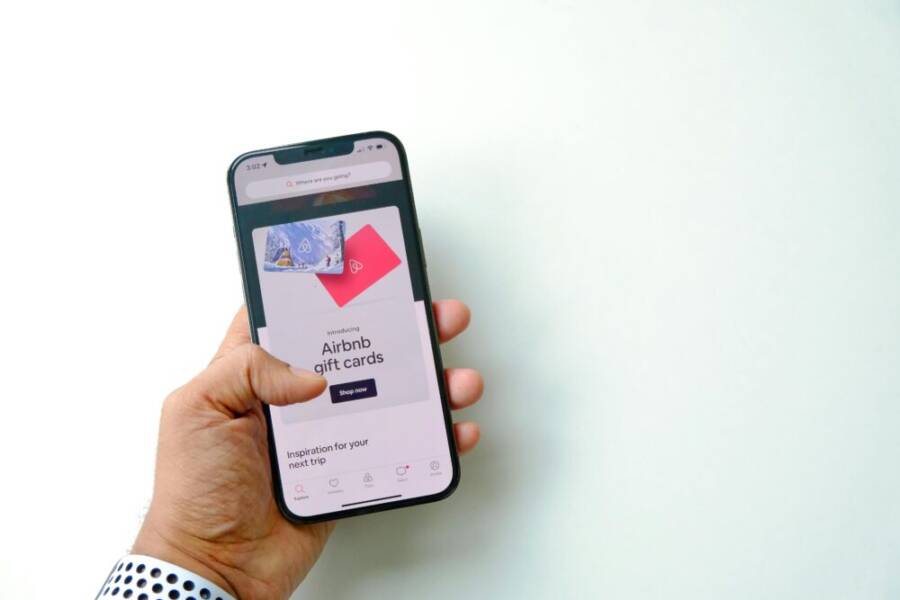
Picture this: You’re an Airbnb host racing through check-ins. Guests message you nonstop. Your old phone lags on photos and the app freezes during map checks.
That slow device costs you time and bad listings. A great phone changes everything. It snaps sharp property shots to boost bookings. You stay connected all day without hunting chargers.
Hosts like you run Airbnb apps, Google Maps, and messaging tools. You need reliable gear for quick responses and smooth multitasking. Camera quality, long battery life, and fast performance top the list.
This guide picks the best phones for Airbnb hosts and property managers. We highlight four standouts: Google Pixel 10 Pro, Samsung Galaxy S25 Ultra, OnePlus 13 Pro, and Vivo X200 Pro.
The smartphone shines here with top cameras for pro-level photos. Expect all-day batteries and power for heavy app use. You’ll learn key specs, why they fit your needs, and tips to pick one.
Stick around. These picks save hours and grow your rentals.
Key Phone Features Every Airbnb Host Needs
Your phone keeps your Airbnb business running. Guests expect quick replies, sharp listing photos, and smooth coordination. Pick a smartphone with these core features to cut stress and lift bookings. They match the demands of check-ins, cleanups, and on-site fixes.
Top Camera Quality for Eye-Catching Listings
High-resolution cameras transform your listings. A 50MP or higher sensor captures every detail in rooms and exteriors. AI tools auto-edit shots for bright, balanced colors that pop on Airbnb.
Low-light performance shines for indoor tours. You snap clear kitchen or bedroom pics at dusk without flash glare. Video stabilization keeps walkthroughs steady as you pan across living spaces.
Better photos drive results. Hosts see up to 26% more bookings with pro-level images, per one report (How Professional Airbnb Photography Boosts Bookings). Guests book faster when they picture their stay perfectly. Ditch blurry shots; invest in this feature to fill your calendar.
Battery Life That Handles Long Hosting Days
Long days mean constant use. You handle guest calls, navigate to properties, and upload photos without pause. A 5,000mAh or larger battery lasts 12+ hours on moderate tasks.
No more mid-day plug hunts. Run Airbnb apps, Google Maps, and texts all shift. Fast charging adds juice quick; 30 minutes often nets half a day.
This reliability fits your schedule. Picture directing cleaners or troubleshooting AC without a dead phone. Top smartphones deliver power that matches your hustle, so you focus on guests.
Durability and Security for Rough Use
Hosting gets messy. Phones face drops during rushed setups or spills in kitchens. IP68 water and dust resistance shrugs off cleanups and rain.
Drop-proof builds with Gorilla Glass endure tumbles from counters. You grab it mid-task without worry. Secure options like fingerprint scanners and encrypted storage protect guest info, payments, and keys.
Trust matters. A tough phone handles your world while keeping data safe from prying eyes. Go for rugged designs; they outlast flimsy ones in real hosting life.
Top Phones That Excel for Property Managers
As a property manager or Airbnb host, your phone is your workflow hub. You need devices that take crisp photos, last through long days, and handle multiple apps without hesitation. Below are four standout options that blend reliability with practical features for real-world hosting. Each section highlights why the model fits daily hosting tasks, from photo capture for listings to multitasking on Google Workspace and property management apps.
iPhone 16 Pro and Pro Max: Smooth and Reliable Daily Driver
The iPhone 16 Pro lineup excels at everyday hosting tasks. Its iOS ecosystem keeps your apps consistent and predictable, making Google Workspace and Airbnb manager apps feel seamless. The camera system captures bright, true-to-life room photos that make listings pop, while Smart HDR and ProRAW give you room to edit for perfection after capture. Battery life remains sturdy, so you can stage a property tour, snap a quick photo, and respond to guests without scrambling for a charger.
Multitasking is a strength here. You can run Maps, chat, and listing management side by side with ease, using a responsive display and smooth app switching. The Pro models also offer dependable durability for field work, with robust glass and water resistance that handle spills or rain during on-site checks. For hosts who edit photos on the go, the iPhone 16 Pro’s editing tools and color science help you present rooms at their best without exporting to a desktop.
Photo by MART PRODUCTION on Pexels Photo credit: https://www.pexels.com/@mart-production
External resources:
- iPhone 16 Pro review and real estate camera insights: https://www.cnet.com/tech/mobile/iphone-16-pro-long-term-one-feature-stands-above-all-others/
- Battery life notes for prolonged use: https://www.engadget.com/mobile/smartphones/iphone-16-pro-longterm-review-apple-intelligence-134517480.html
Samsung Galaxy S25 Ultra: Built Tough for Outdoor Work
The Galaxy S25 Ultra is built for real-world hosting where you spend time outdoors or on busy properties. Its Knox security suite adds an extra layer of protection for guest data and payments, a reassuring feature for property managers who handle bookings and workflows on the go. The OLED screen delivers vibrant, readable dashboards and maps in sunlight, so you’re never squinting at a room layout or check-in instructions.
Camera versatility shines with the S25 Ultra, especially for large properties. The zoom range helps you capture expansive exteriors and detailed interior shots without moving the tripod. Battery life is strong, supporting a full day of app use, photo capture, and navigation between listings, cleaners, and maintenance tasks. The phone also handles rapid charging, so you’re rarely tethered to an outlet during busy check-in windows.
Photo by Drazen Zigic on Pexels Photo credit: https://www.pexels.com/@draz
External resources:
- Galaxy S25 Ultra performance and display: https://www.techradar.com/phones/samsung-galaxy-phones/samsung-galaxy-s25-ultra-review
- Battery life and daily endurance: https://www.pcmag.com/news/samsung-galaxy-s25-ultra-hands-on
Google Pixel 9 Pro: Smart AI for Perfect Shots
The Pixel 9 Pro brings smart AI tools that streamline photo editing and capture. In a hosting workflow, you can shoot listings with confidence and then let AI suggestions optimize lighting, color, and composition for quick, publish-ready images. Google Photos and Drive sync across devices, so your listing updates, guest messages, and calendars stay current no matter which device you use.
Display brightness is excellent for outdoor maps and property layouts, helping you plan check-ins and route cleaners efficiently. The AI-assisted editing can save time when you need to adjust white balance or remove minor clutter in rooms before uploading photos. With strong Google app integration, you can keep your workflow tight and consistent, ensuring every listing looks its best and every guest message gets a timely reply.
Photo by Anna Shvets on Pexels Photo credit: https://www.pexels.com/@annashvets
External resources:
- Pixel 9 Pro AI photo editing capabilities: https://www.nytimes.com/2024/11/01/technology/pixel-9-pro-review.html
- Maps and display clarity for hosting: https://www.theverge.com/2024/10/29/google-pixel-9-pro-review
Motorola Edge+: Affordable Power All Day
For hosts on a budget, the Motorola Edge+ offers solid power without sacrificing performance. Its large battery provides all-day endurance, so you can juggle guest inquiries, property checks, and photo capture without stopping to recharge. Fast charging helps you reclaim battery quickly during brief breaks in the day, keeping you ready for back-to-back tasks.
The camera setup remains competitive in everyday hosting scenarios, delivering reliable photos of rooms and exteriors that convert views into bookings. If you need a dependable device that won’t drain your budget, the Edge+ stands out as a practical choice for maintaining momentum from check-ins to cleaning appointments.
Photo by Nattapong Thongtakoon on Pexels Photo credit: https://www.pexels.com/@nattathongta
External resources:
- Edge+ battery and charging performance: https://www.cnet.com/tech/mobile/motorola-edge-plus-review
- Budget-friendly Android option with strong camera features: https://www.androidauthority.com/motorola-edge-plus-review-1234567
Images are for illustrative purposes and help visualize how each phone can fit into your hosting workflow.
How to Pick the Best Phone for Your Hosting Style
Choosing the right phone starts with understanding how you run your hosting business. Solo hosts juggle calendars, listings, and guest messages from one property. Multi-property managers handle more moving parts, from cleaning schedules to smart home devices across several locations. The goal is a device that keeps pace with your day, delivers great photos for your listings, and protects guest data. Below, we break down how to select a phone that matches your hosting style and practical tips to get the most from it.
 Photo by Surja Sen Das Raj
https://www.pexels.com/@sujasen
Photo by Surja Sen Das Raj
https://www.pexels.com/@sujasen
For Solo Hosts (One Property)
If you manage one property, you want reliability without overkill. A smartphone that handles daily tasks smoothly is more than enough. Focus on balance rather than power.
- What to look for: dependable battery life, solid connectivity, an easy user experience with Airbnb and messaging apps, good camera performance for fresh listing photos, and enough storage for photos and documents.
- Battery life matters: you’ll be checking in guests, updating calendars, and snapping photos. Aim for a battery that lasts all day and supports quick charging.
- Camera quality: sharp room photos help listings stand out. A strong camera also reduces the need for post-processing.
- Convenience features: reliable GPS, good reception, and easy access to your essential apps.
Best choice: a mid-range iPhone or Android device that pairs well with Airbnb tools, Google Workspace, and smart home apps. It should feel comfortable in your hand and perform consistently over time. For many solo hosts, this combination provides the right mix of durability, ease of use, and long-term value.
External resources:
- iPhone 16 Pro review and real estate camera insights: https://www.cnet.com/tech/mobile/iphone-16-pro-long-term-one-feature-stands-above-all-others/
- Battery life notes for prolonged use: https://www.engadget.com/mobile/smartphones/iphone-16-pro-longterm-review-apple-intelligence-134517480.html
For Multi-Property Hosts (Many Properties)
A phone scaled for several properties needs more muscle. You’ll run multiple apps at once, monitor calendars, manage guest inquiries, and control smart devices across locations.
- What to look for: strong overall performance, a large, clear display, robust multitasking, long battery life, dependable cloud storage, and strong security features.
- Performance matters: faster processors and ample RAM prevent slowdowns when you switch between property management tools and guest communications.
- Display and portability: a larger screen helps you view calendars and dashboards at a glance, but it should still feel comfortable to carry.
- Security: keep guest data safe with good privacy controls and secure storage.
Best choice: a high-end model that offers top-tier performance, expansive screens, and strong security. These devices pair well with multiple management apps and a growing portfolio of listings.
External resources:
- Galaxy S25 Ultra performance and display: https://www.techradar.com/phones/samsung-galaxy-phones/samsung-galaxy-s25-ultra-review
- Battery life and daily endurance: https://www.pcmag.com/news/samsung-galaxy-s25-ultra-hands-on
Extra Tips for Both Styles
- Use property management apps: Guests expect fast replies and tidy calendars. Apps like Guesty, Hospitable, or Hostaway help you stay organized on a single device.
- Prioritize reliability and support: When something goes wrong, you want quick help from the manufacturer or carrier.
- Consider a second device for work: A separate phone or tablet can keep work life organized without mixing with personal use.
- Think about smart home control: If you rely on smart locks, thermostats, and cameras, ensure the phone handles these tools without lag.
External resources:
- Airbnb photography tips with cell phones: https://www.hostaway.com/blog/airbnb-photography-tips-with-cell-phone/
- Tips for photographing interiors with a smartphone: https://www.apperleybennett.com/apbblog/top-airbnb-photography-tips-for-iphone-and-android-users
- Real estate photos optimized for smartphones: https://www.photoup.net/learn/how-to-optimize-real-estate-photos-for-smartphones
Quick Reference Checklist
- Solo hosts: mid-range device, good battery, strong camera, easy app compatibility.
- Multi-property hosts: high-end device, fast performance, big display, strong security.
- Always include cloud storage and reliable backup options.
- Ensure compatibility with essential tools like calendars, messaging apps, and smart devices.
External links to round out the guidance:
- Leveraging Smart Home Technology for Airbnb Success: https://turno.com/blog/smart-technology-airbnb/
- 8 smart devices for Airbnb hosts to have in their rental: https://www.asurion.com/connect/tech-tips/8-smart-devices-for-airbnb-hosts-to-have-in-their-rental/
- Airbnb Photography Tips with a Cell Phone: https://www.hostaway.com/blog/airbnb-photography-tips-with-cell-phone/
Take the time to pick a phone that fits your hosting style. A device that matches how you work keeps tasks flowing and bookings growing. If you want a quick path, start with a popular mid-range option for solo hosts or a high-end model for managers of multiple properties. Either way, ensure the phone feels reliable in your hands and plays nicely with the apps you use every day.
Daily Tips to Get More from Your Host Phone
A reliable phone is the backbone of modern hosting. It stores photos that pull in bookings, keeps calendars synced, and handles guest messages in real time. The goal is simple: use a device that boosts your efficiency without adding clutter to your day. Below are practical daily tips to maximize what your host phone can do, with small upgrades that add up to big outcomes over weeks and months.
Prioritize a Consistent Photo Routine
Great listings start with sharp, consistent photography. A phone with a strong camera helps you capture well-lit rooms, tidy lines, and the little details guests care about. Build a standard photo workflow you perform after each stay or during property prep.
- Create a quick shot list: exterior, living area, bedroom, kitchen, bathroom, and any special amenities.
- Use natural light whenever possible; open curtains and shoot during daytime hours.
- Shoot at the same angles for each room to keep your listing visuals uniform.
For best results, frame shots with the same distance and height each time. Pro-level changes can be achieved with the phone’s Pro or HDR modes, but you don’t have to overcomplicate things. Consistency beats fancy tricks and helps guests form clear expectations. If you want to optimize your technique, consider the tips in established photography guides that focus on smartphone use for listings. Airbnb photography tips with cell phones
Master Battery Management for Busy Days
Hosting often runs on back-to-back tasks. A long-lasting battery ensures you aren’t scrambling for outlets between check-ins, photo sessions, and guest messages.
- Keep a portable power bank in your bag for quick top-ups between properties.
- Use adaptive battery features sparingly to maintain performance when you need it most.
- Schedule charging windows around your heavier tasks, like afternoon cleanups or evening guest communications.
Fast charging is a big bonus. A 30-minute top-up can bridge you to a longer window of activity, which matters when you’re juggling maps, booking apps, and chat threads. If you’re evaluating a phone, verify real-world endurance by checking reviews that focus on day-to-day use rather than lab benchmarks. For broader hosting context, some hosts find it helpful to read real-world scenarios that discuss how to manage a phone on the road while staying responsive. Galaxy S25 Ultra review and endurance notes
Build a Simple Security and Privacy Filter
Guest data and payments require solid privacy controls. A phone with strong security helps you sleep at night and reduces risk of data leaks.
- Enable biometric unlocks and set a strong passcode as a backup.
- Keep guest data in encrypted storage when possible and separate work from personal apps.
- Regularly review app permissions, especially for messaging and calendar tools.
Security isn’t glamorous, but it pays off when you’re coordinating access to smart locks or handling guest payments. A rugged build helps too, since life on the road means a few bumps along the way. If you want to see how security features apply in real-world hosting, you can explore guides that compare device-specific protections and practical tips for safeguarding guest data. Samsung Knox security overview
Stay Sharp with App Pack and Cloud Sync
Your phone should act as a central hub for calendars, messaging, and listings. Favor apps that synchronize smoothly across devices and keep your data safe in the cloud.
- Choose a primary calendar system and keep it synced across phone, tablet, and computer.
- Use messaging templates for common guest inquiries to speed responses.
- Store listing photos and property documents in a reliable cloud service with automatic backups.
A well-chosen app set reduces back-and-forth and ensures guests see timely updates. It also helps you maintain your workflow when you’re traveling between properties. If you’re weighing cloud options, some hosts find value in services that offer offline access for property visits and check-ins. Airbnb host tips for mobile tips
Optimize Maps and Navigation for Speed
Quick, accurate navigation saves minutes per day. A phone that renders maps crisply in bright light and provides reliable directions improves on-site tasks.
- Save property locations with recognizable labels and color codes.
- Use offline maps for areas with spotty mobile signals; you’ll still have turn-by-turn guidance.
- Keep maps handy for quick check-ins, cleaner routes, and maintenance visits.
If your maps app is sluggish, you won’t waste energy on navigation. A fast device also helps when you’re showing a property to a potential guest or inspecting a space for photography sessions. For map clarity and hosting efficiency, many hosts rely on devices that deliver strong outdoor visibility and smooth scrolling. Pixel 9 Pro maps and display clarity
Streamline Guest Communication with Templates
Response speed matters. Templates save time while preserving a personal tone. Build a few safe, friendly replies for common questions.
- Arrival instructions and access details.
- Cleaning schedule updates and check-out reminders.
- Local recommendations and amenities guidance.
Pair templates with a scheduling tool or Airbnb’s built-in messaging to keep conversations tidy. A smartphone with a responsive display and good keyboard comfort makes this approach feel natural rather than forced. Some hosts also explore AI-assisted assistants to draft replies, then tailor them quickly before sending. It’s a pragmatic balance between speed and warmth. For broader tips on smart messaging, see how host platforms discuss automating responses. Airbnb host tips and templates
Leverage a Second Device for Work
A separate device can keep work life organized while personal use stays calm. If a second phone isn’t practical, a tablet or dedicated work phone can do the job.
- Use the second device for calendar management, guest communications, and smart-home controls.
- Keep business apps on one device, personal apps on the other to prevent clutter.
- Sync essential data across devices for consistent updates.
This setup reduces the risk of missing messages or mixing personal with professional content. It also gives you a clear boundary between tasks and downtime. For hosts with multiple properties, a second device can be especially valuable to separate each property’s workflow.
Invest in a Reliable Pairing with Smart Home Tools
Smart locks, thermostats, cameras, and sensors are common in modern rentals. Your host phone should manage these devices without lag.
- Confirm compatibility with your smart home ecosystem.
- Check firmware updates and ensure you can control devices quickly from your phone.
- Consider a dedicated hub or automation routines to handle routine tasks.
Having the right tools helps you coordinate access, temperature, and security, which translates into smoother stays and fewer guest issues. If you want to expand your smart setup, a quick read on practical device pairings can be helpful. Smart devices for Airbnb hosts
Quick Reference: Daily Habits for Consistent Results
- Start the day by checking the calendar, new reservations, and any alerts from property management apps.
- Snap fresh listing photos after any significant change to the space or decor.
- Review guest messages at set intervals to maintain timely replies.
- Back up photos and documents before leaving for the day.
A consistent routine reduces late-night panic and keeps your listings up to date. The goal is to create momentum that carries through busy weeks and peak seasons.
Real-World Scenarios: How a Great Host Phone Makes a Difference
- You arrive at a property at check-in and see a last-minute maintenance notice. A fast phone lets you message the cleaner, pull up the access code, and navigate to the unit without delay.
- A guest requests early check-in. Quick replies supported by templates, plus a reliable device, smooths the process and reduces the chance of miscommunication.
- You photograph a newly renovated space and publish the updated photos within minutes. The phone’s camera and processing power handle editing and uploading, helping you capture bookings before the window closes.
Each scenario shows how a capable device translates into real outcomes: happier guests, steadier bookings, and less last-minute stress. To keep the momentum, review your setup every few months and adjust apps, storage, and backup plans as needed.
External resources:
- How to manage vacation rentals from your phone: https://www.beyondpricing.com/blog/how-to-manage-airbnb-from-your-phone
- 34 Airbnb hosting tips to boost your listing: https://hello.pricelabs.co/airbnb-hosting-tips/
- Airbnb guidebook essentials for hosts: https://www.uplisting.io/blog/airbnb-guidebook-essentials
Take these daily tips and tailor them to your hosting style. A phone that fits how you work will keep tasks flowing and bookings growing. If you’re unsure where to start, begin with a solid mid-range device for a solo listing or a high-end model if you manage multiple properties. The right device feels natural in your hand and plays nicely with the apps you rely on every day.
Conclusion
Choosing the right smartphone for hosting comes down to matching features with your workflow. The top picks—Pixel 10 Pro for AI assisted edits, Galaxy S25 Ultra for durability and security, OnePlus 13 Pro for strong overall performance, and Vivo X200 Pro for solid value — cover the core hosting needs from crisp listing photos to reliable multitasking. Each device brings a different strength, but all deliver dependable cameras, long battery life, and smooth app performance that keep bookings flowing and guest messages timely. A smart approach is to pick a device that fits your hosting style, whether you manage one property or many, and to keep security and cloud backups front and center.
Your best move now is to align your choice with your daily tasks and retention of guest data, then stay flexible as your portfolio grows. If you want a quick boost, check current deals and compare real-world performance in reviews that mirror hosting life. Have you already found a phone that elevates your hosting routine or want to share experiences with a particular model in your market? Leave a comment below and help others decide which smartphone fits their needs.