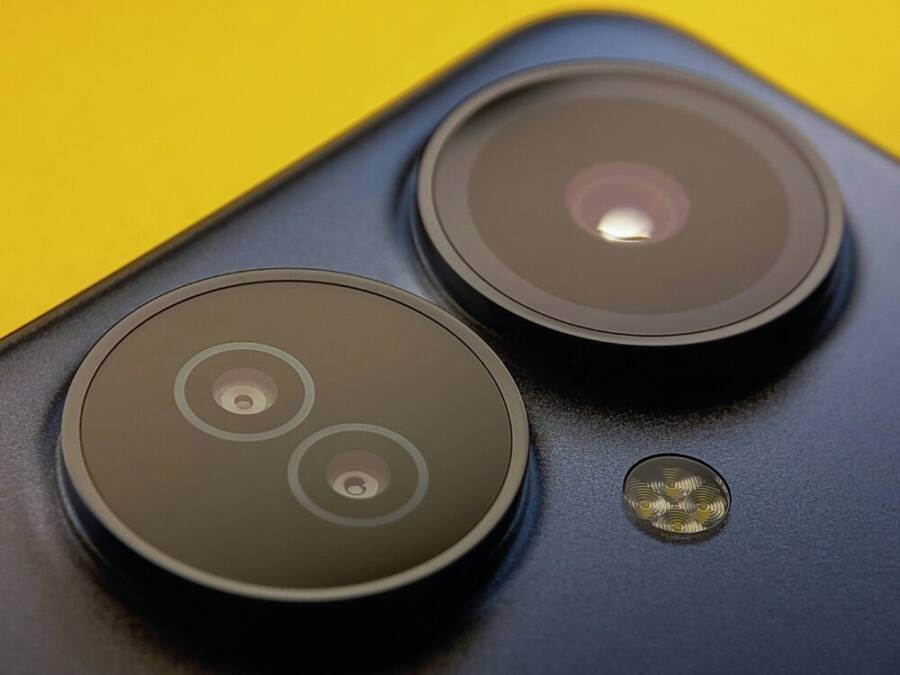
Telephoto zoom on smartphones has evolved from a neat trick to a practical tool for everyday photography, letting you crop in on distant details without losing the image texture. With newer sensors and smarter stabilization, zoomed shots can look sharp, colorful, and natural even in low light.
This guide cuts through the hype to compare the best phones for telephoto zoom in 2025, so you can pick the right model for your needs. We’ll break down optical zoom strength, stabilization, color rendering, and overall value, while explaining how each phone handles real world zoom scenarios.
Whether you shoot landscapes, sports, or candid detail shots, you’ll come away with a clear sense of which device offers the most reliable reach. We’ll highlight how different brands approach zoom from hardware wins to software tricks, so you know what to expect from daily use.
Top contenders for the best telephoto zoom in 2025
Telephoto zoom on phones has matured into a practical tool for everyday photography. In 2025, the top devices balance hardware reach with smart software, delivering sharp details, natural colors, and reliable performance across lighting conditions. Below, we dive into five standout models, focusing on optical zoom specs, color accuracy, stabilization, and value. Each subsection highlights what makes the phone strong for telephoto work and where it compromises.
OPPO Find X9 Pro — best optical zoom and natural colors

OPPO’s Find X9 Pro stands out for its 3x optical zoom supported by a 200 MP telephoto sensor tuned with Hasselblad color science. The main strength here is color accuracy and sharpness across zoom levels, producing natural skin tones and faithful greens and blues even when you’re zoomed in. The phone also offers up to 13.2x lossless digital zoom, which is handy for distant subjects without turning to heavy interpolation.
A notable practical detail is the price around $1,200, a solid value given the sensor resolution and Hasselblad tuning. Trade-offs include some softening in ultra-zoom scenarios in low light, where noise reduction and detail preservation compete. In daylight, you get clean textures and accurate color rendering, making this a reliable choice for portrait and landscape zoom tasks
How telephoto zoom works and why it matters
Telephoto zoom on smartphones unlocks the ability to capture distant details with real texture and color, without physically stepping closer. It’s not just about getting closer; it’s about preserving image quality while you zoom. In this section, we break down the mechanics, the hardware tricks that make it possible, and why it matters for everyday photography. You’ll learn how optical zoom differs from digital zoom, why periscope designs dominate the best zoom phones, how stabilization and sensor choices shape sharpness, and what software and AI bring to the table.
Optical zoom vs digital zoom
Optical zoom changes the focal length by moving lens elements inside the camera. This physical adjustment keeps the image sharp and maintains texture because no upscaling occurs. Think of it as the camera actually “reaching out” with its optics.
Digital zoom, on the other hand, crops the image and enlarges it with processing. The result is a closer view, but it often comes at the cost of sharpness and detail. You’re not adding new information; you’re expanding what’s already there, which tends to introduce softness and more noise, especially at high magnifications.
Top phones aim to combine a strong optical zoom with smart software that helps you get better results when you push past the optics. In practice, you’ll notice cleaner edges, better texture, and more faithful color at the longest reach when the hardware and software work in tandem. For real world use, this means you can shoot distant scenes or subjects without sacrificing too much clarity, even in changing light.
Industry guidance and practical comparisons show this balance clearly. Optical zoom remains the foundation, while software tricks fill in the gaps where optics alone reach their limits. When you open your camera app and dial in the zoom, you’re effectively choosing between authentic optics and a digital enhancement that tries to preserve detail. For a deeper dive into optical versus digital zoom, consider expert explanations that spell out how each approach affects image quality over different zoom ranges.
- See practical explanations of optical vs digital zoom here: https://www.honor.com/my/blog/optical-zoom-vs-digital-zoom/?srsltid=AfmBOorAvbHZ78pDkjIY7EnGkpXA70rZkq4weX2TvJTENG5xnEja-ceK
Periscope lenses and why they help
Periscope lens designs fold the light path inside the phone, allowing a longer effective focal length without making the camera bump bulky. A prism redirects light to travel horizontally inside the chassis, so the lens can achieve higher optical zoom while keeping the device slim. This is the core reason premium zoom phones can offer 5x or more optical reach without a camera block that sticks out from the back.
Because the optical path is extended in a compact form, you gain real magnification with preserved detail. You also reduce the need to interpolate data, which helps maintain texture and color fidelity at longer distances. Periscope cameras have become a standard feature on many top zoom phones, and they’re a reliable indicator of strong optical performance at mid to long focal lengths.
For readers curious about how this design differs from traditional telephoto setups, a clear explanation of the periscope approach and its impact on camera form factors is available. It helps you understand why newer phones can deliver impressive zoom without a dramatic camera bump.
- Learn more about periscope cameras and how they work: https://www.androidpolice.com/how-periscope-cameras-work/
Stabilization and sensor impact
Sharpness at long zooms depends on several hardware choices. Optical image stabilization (OIS) keeps the scene steady even when you hand-hold the camera, which is critical as magnification increases. A larger sensor with more pixels can capture more light and detail, but it also adds weight and cost. Pixel pitch—the distance between adjacent pixels—also matters. Bigger pixels capture more light, improving low-light performance and reducing noise, which helps when you’re zoomed in.
There are tradeoffs to consider. A lens with a very long optical reach might rely on a smaller sensor to fit inside a slim body. That can reduce light per pixel and shift the balance toward software corrections to maintain brightness and color. Conversely, a larger sensor can improve base image quality but may limit how much zoom hardware can be packaged into a thin device. The ideal setup blends solid OIS, a sensor large enough to deliver clean detail, and a lens system that minimizes diffraction and aberrations at long focal lengths.
When evaluating telephoto performance, focus on how the combination behaves across scenarios: bright daytime action, dusk or low light, and moving subjects. In many phones, you’ll notice that the best results come from a careful pairing of hardware stability and intelligent software that reduces noise while preserving color accuracy.
- For a deeper look at how stabilization and sensor choices influence zoom quality, see credible explanations of optical and computational improvements here: https://www.cashify.in/telephoto-vs-periscope-lens-what-is-the-difference
Software tricks and AI zoom
Software plays a crucial role once you push beyond the native optical reach. AI and advanced image processing help sharpen details, reduce noise, and preserve color when you digital-zoom or crop at higher magnifications. Brands often label these capabilities with terms like Super Resolution Zoom or AI upscaling. The idea is to reconstruct missing information in a way that looks natural to the eye.
However, software can only do so much. It can smooth jagged edges, recover lost texture, and maintain color consistency, but it can’t fully replace the physics of light and the detail captured by optics. The most reliable zoom results come from a strong optical baseline combined with intelligent image processing that respects edges and tonal transitions.
Consider how this works in real life. If you photograph a distant subject in good light, software can refine the image to reveal more texture without oversharpening. In low light, the same processing helps keep noise at bay while preserving detail. The result is a more usable image at high zoom levels, especially for social sharing or quick prints.
- For further reading on AI-driven zoom approaches and how brands describe them, explore insights and examples from leading tech discussions here: https://www.lindaholtcreative.com/blog/are-you-zooming-in-all-wrong-with-your-smartphone
This blend of optics, optics-inspired design, stabilization, sensor strategy, and software enhancements defines how far you can zoom with confidence. When you’re selecting a phone for telephoto work, look beyond the maximum magnification number. Consider how the combination of optical reach, stabilization, sensor performance, and smart processing comes together in real world shooting. That combination is what makes telephoto zoom truly practical, not just a spec on a box.
Choosing the right phone for your zoom needs
When you focus on telephoto zoom, the choice isn’t just about the highest magnification. It’s about how the hardware and software work together in real world shooting. Below we break down the key considerations so you pick a phone that fits your typical subjects, budget, and everyday use. Each point helps you translate numbers into actual results you’ll see in photos and videos.
Your zoom range and subject type
Think about where you typically shoot and what you want to capture at a distance. Landscapes often reward steady, crisp textures and accurate color across a moderate to long reach. Sports and action demand fast, stable handling with quick focus and strong image stabilization at higher zooms. Portraits benefit from natural skin tones and flattering compression when you’re at telephoto distances.
- If you shoot landscapes or distant cityscapes, prioritize a solid optical zoom range with good color fidelity and minimal lens distortion at the edges. A 3x to 5x optical zoom is common, with reliable performance in bright light, and strong stabilization to minimize shake during handheld shooting.
- For sports, you’ll value faster AF and robust stabilization because subjects move quickly. A longer optical reach, combined with reliable electronic stabilization, helps you keep subjects framed as they move through the frame.
- For portraits from a distance, a focal length around 2x to 3x optical zoom provides flattering compression and smoother background separation without looking overprocessed.
Real-world results hinge on how the phone’s zoom range blends with its sensor size and processing. A phone with a longer optical reach isn’t automatically better if the image starts to soften in low light or if color shifts become noticeable. When evaluating options, look for tests in daylight, dusk, and indoor lighting to see how the reach holds up under different conditions. For a deeper look at how optical zoom compares with digital zoom across scenarios, see the guide on optical versus digital zoom.
- See practical explanations of optical vs digital zoom here: https://www.honor.com/my/blog/optical-zoom-vs-digital-zoom/?srsltid=AfmBOorAvbHZ78pDkjIY7EnGkpXA70rZkq4weX2TvJTENG5xnEja-ceK
Budget and value
Flagship zoom setups often trade a larger pocketbook for more optical reach and refined stabilization. Midrange phones can deliver very compelling zoom performance at a fraction of the price, and they’re a smart choice if you shoot zoom regularly but not professionally.
- Upfront cost matters, but long-term value is about how often you use zoom. If you rely on telephoto daily for sports or wildlife, a flagship with a strong optical system can pay off through sharper results and more consistent performance in variable lighting.
- For lighter users, a midrange phone with solid optical zoom and dependable stabilization can offer excellent value. You still get a capable zoom experience without the premium price tag.
- Balance the tradeoffs. A cheaper device might trade some reach for a lighter body or better battery life, while a pricier model may deliver more reach and stronger stabilization at longer focal lengths.
If you’re weighing options, review reputable tests or roundups that compare flagship zoom to midrange choices. Budget-minded readers can still expect capable zoom performance, especially as midrange hardware has closed gaps with higher-end phones. For budget-focused insights, see reviews and buying guides that highlight the best budget camera phones in the current year.
- The best budget camera phones in 2025 offer solid all-around performance (examples and guidance linked here): https://amateurphotographer.com/buying-advice/the-best-budget-camera-phones/
Low light performance
Zooming in dim light heightens the challenge. Sensor size, aperture, and stabilization all play major roles in how clean a zoomed image looks when the lights drop.
- Sensor size matters. A larger sensor generally captures more light per pixel, which improves sharpness and reducesNoise when you’re at longer focal lengths.
- Aperture helps with light gathering. Wider apertures at longer focal lengths can keep exposures reasonable, but this often comes with tradeoffs in depth of field and lens design.
- Stabilization is crucial. Optical image stabilization (OIS) helps you hold the phone steady during zoomed shots. In low light, even a small amount of shake becomes amplified at high magnification, so good stabilization is essential.
- Expect some softness at the far end of the zoom in low light. Even the best optical systems rely on software to recover detail, and digital zoom can introduce noise if you push beyond the optical range.
To get a sense of how stabilization and sensor choices affect zoom quality in dim light, look for hands-on tests that compare zoom performance across lighting conditions. Real-world tests reveal how much improvement software brings versus the limits of physics. For readers who want a closer look at the hardware and software balance, credible explanations of how stabilization and sensor design influence zoom are worth a read.
- Learn more about periscope cameras and how they work: https://www.androidpolice.com/how-periscope-cameras-work/
Video zoom and battery life
Zoom is common in video work too. When you record moving subjects, you’ll notice how well the phone keeps footage stable and how well it preserves detail during zoom.
- Video stabilization varies by device. Some phones offer superior stabilization for handheld video at longer focal lengths, which makes panning and following action smoother.
- Battery life matters. Long zoom sessions can drain the battery quickly, especially if you’re pushing past the native optical range and relying on digital zoom or heavy image processing.
- Compression and bitrate affect video zoom. Higher bitrates preserve detail but consume more power and storage, so consider your shooting duration and memory needs.
If you often shoot videos with zoom, prioritize phones that demonstrate strong video stabilization at telephoto lengths and sustained battery performance during extended sessions. Reviews that test video zoom in real time will give you a practical sense of how each device handles motion, color, and noise during zoomed video.
- For a practical look at video zoom and stabilization, see expert coverage here: https://www.digitalcameraworld.com/buying-guides/best-add-on-lenses-for-iphone-and-android-phones
As you compare models, remember that the strongest telephoto setups come from the right blend of optics, stabilization, sensor performance, and thoughtful software. The best choice isn’t the loudest spec sheet; it’s the device that delivers reliable results across your most common zoom use cases. If you need a quick starting point, check out reputable guides that compare flagship and midrange zoom capabilities to set expectations for real-world shooting.
Practical tips for getting the best zoom photos
Zoom photography on phones has matured into a practical daily tool. With the right approach, you can capture sharp textures, accurate colors, and natural framing when you’re far from your subject. This section delivers concrete, repeatable tips that work across devices and budgets. Plan ahead, practice steady technique, and know when to lean on software boosts. You’ll walk away with faster, better results in real world scenarios.
 Photo by Dr Failov
Plan shots and use the right lens
Before you press the shutter, decide the zoom level you’ll need. For distant subjects, switch to the telephoto option and lock in a focal length that keeps edges clean and textures intact. A quick plan saves you from overrelying on digital zoom later, which often introduces artifacts.
- Visualize the final image: consider how much background you want to compress and how much texture should remain in the subject.
- Choose the lens early: many phones offer 2x, 3x, or 5x optical options. Use optical zoom for the base shot; reserve digital zoom for framing tweaks only if needed.
- Set your exposure and focus first. Lock them if possible, then recompose at the chosen zoom level.
In practice, this discipline helps you avoid chasing the subject with unstable crops or heavy post-processing. When you plan for the telephoto reach, you’ll notice fewer compromises in sharpness and color. For deeper context on how to think about optical versus digital zoom, see this guide.
- See practical explanations of optical vs digital zoom here: https://www.honor.com/my/blog/optical-zoom-vs-digital-zoom/?srsltid=AfmBOorAvbHZ78pDkjIY7EnGkpXA70rZkq4weX2TvJTENG5xnEja-ceK
Keep your camera steady
Even a tiny shake is magnified at long focal lengths. Stabilization helps, but a steady hand or a stable support is essential.
- Use a tripod or monopod if you can. A stable base makes a huge difference at telephoto lengths.
- If you don’t have a tripod, lean on a solid surface or brace yourself against a wall. Tuck elbows in to minimize movement.
- Consider using a timer or a remote shutter to avoid pressing the camera and introducing shake.
Stability pays off in crisper edges and less motion blur, especially in outdoor light where you’re often shooting at longer focal lengths. For a broader look at how stabilization interacts with lens reach, you can explore credible explanations of telephoto and periscope designs.
- Learn more about periscope cameras and how they work: https://www.androidpolice.com/how-periscope-cameras-work/
Know when to use AI zoom
AI zoom can fill in missing details when you push beyond the optical range, but it can also blur texture if used too aggressively. Use it as a last resort in scenes where you can’t physically back up or switch lenses.
- Start with the native optical zoom to establish baseline sharpness.
- If you must go beyond, test a few levels of AI upscaling. Compare results side by side to judge when the processing improves the image versus when it softens textures.
- In daylight, AI zoom can reveal extra detail without obvious artifacts. In low light, it may amplify noise or cause color shifts.
If you want to dive deeper into AI-driven zoom, check out guidance from photography discussions and industry analyses that compare digital and AI upscaling practices.
- Explore insights on AI zoom approaches and examples: https://www.lindaholtcreative.com/blog/are-you-zooming-in-all-wrong-with-your-smartphone
Edit smartly after capture
Smart edits can salvage zoom shots without turning them into overprocessed images. Focus on sharpening, denoising, and color balance to restore texture while keeping the scene natural.
- Basic sharpening: apply just enough to bring back edge definition without creating halos.
- Noise reduction: target the luminance channel first, then adjust color noise if needed.
- Color correction: tune white balance and vibrance to restore accurate greens and blues that can shift with zoom.
- Use built-in editors: many phones include robust tools for exposure, color, and noise control right in the gallery or camera app.
- Try dedicated apps: if you want more control, apps like Snapseed or Lightroom Mobile offer precise adjustments and selective edits.
A practical workflow is to start with a small crop, then apply global adjustments, and finish with selective sharpening on key textures like foliage or fabric, keeping skin tones natural in portraits. For a practical post processing guide, you can review Android and iPhone photo editing workflows that cover common zoom scenarios.
- Android photo editing guide: https://popsa.com/perspectives/android-photo-editing-post-processing-guide/
- Mobile photo editing tips: https://www.myclickmagazine.com/mobile-photo-editing-tips-photographers/
Images and video benefit from a restrained touch. The goal is to enhance the shot, not rewrite it. With thoughtful edits, your zoom photos will look cleaner, more color-faithful, and closer to what you saw through the viewfinder.
Tips in practice
- Save a copy of the original before editing so you can compare results.
- Zoom less aggressively if you can instead step closer in real life or adjust composition.
- Use selective sharpening on the subject and avoid overprocessing the background.
External references provide broader context on post processing workflows and how to maintain natural textures during edits. They’re handy as a quick reference when you’re building a routine.
- Editing workflow ideas: https://popsa.com/perspectives/android-photo-editing-post-processing-guide/
This section gives you the practical tools to make every telephoto shot count. The next steps help you tailor your choice to your typical use, whether you shoot landscapes, wildlife, or sports with your phone.
Quick considerations for choosing the right phone for zoom
When you pick a phone for telephoto work, reliability matters more than the largest number on the box. Look for a well-balanced package: solid optical reach, dependable stabilization, a clean color profile, and thoughtful software that respects detail at long distances. Real world testing across daylight, dusk, and indoor lighting is the best way to judge how a device handles zoom in varied conditions.
- If you shoot landscapes or distant scenes often, favor models with stable optical zoom and minimal distortion at the long end.
- For action and sports, prioritize fast autofocus and strong stabilization to keep moving subjects framed well at high magnification.
- For portraits from a distance, a mild telephoto like 2x to 3x can deliver flattering compression with natural skin tones.
Budget matters, too. Flagships often deliver the best optical performance but midrange models with solid zoom and stabilization can be surprisingly capable. Compare real-world tests to see how long the optical reach holds up in different lighting conditions.
- The best budget camera phones for 2025 provide solid all-around performance: https://amateurphotographer.com/buying-advice/the-best-budget-camera-phones/
References and further reading
- For sharp zoom in challenging light, explore hands-on tests and strategy discussions that compare long-range performance and stabilization across popular models.
This approach helps you translate numbers into real results, ensuring you pick a phone that genuinely fits how you shoot. The following sections will continue to unpack practical workflows and decision points for telephoto photography on phones.
Conclusion
The best phone for telephoto zoom is the one that pairs strong optical reach with reliable stability and thoughtful processing. If you want the strongest low light performance and texture preservation, the Xiaomi 15 Ultra stands out. For the longest daylight reach, the Oppo Find X8 Pro or Find X9 Pro are compelling choices. For steady, versatile zoom across conditions, the Samsung Galaxy S25 Ultra and Google Pixel 9 Pro XL offer dependable results with friendly software.
In short, look for a balanced mix of optical zoom, sensor size, and stabilization alongside smart processing. Test zoom performance in real-world scenarios in store and read trusted reviews to see how each device handles daylight, dusk, and indoor lighting. Your perfect match should feel natural to use, not just strong on paper. If you’re curious about which model fits your typical subjects, share your zoom priorities and I’ll help narrow the list.