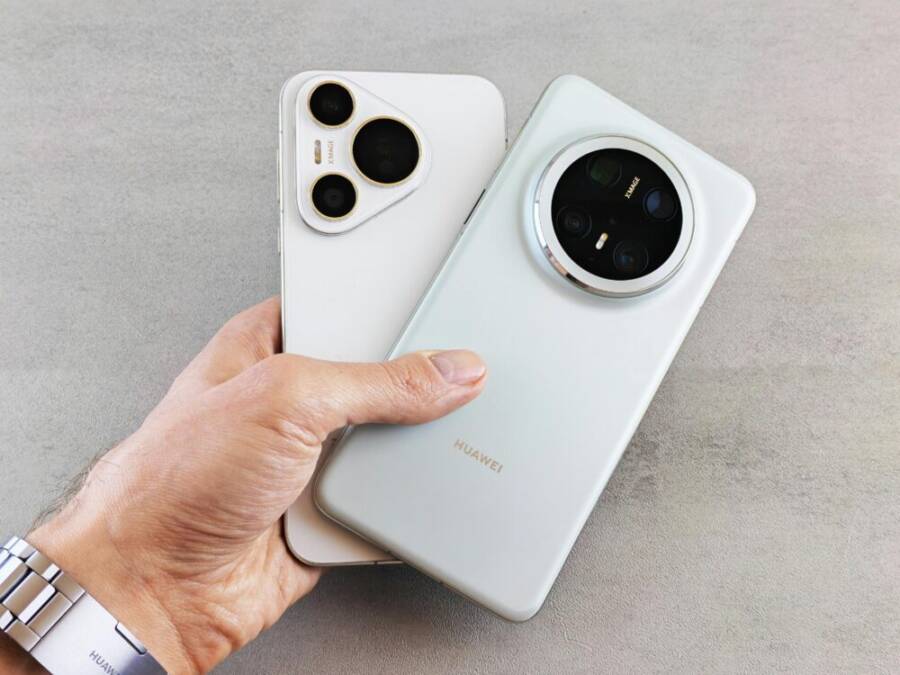
Why the right phone matters for Instagram photographers
Choosing the right phone can dramatically affect how you capture, edit, and share images on Instagram. For photographers who rely on a steady stream of high quality posts, the phone isn’t just a device to snap pictures. It’s a compact studio, editing suite, and publishing tool all in one. The goal is to blend hardware power with smart software so every shot meets your creative standard and travels fast to your audience. Below are the core reasons this choice matters, followed by practical guidance to help you pick with confidence.
Camera hardware that matches your vision
Your phone’s cameras are the foundation of your Instagram feed. A versatile setup with multiple lenses unlocks a broader range of looks without swapping gear. A wide lens helps you capture expansive landscapes and cityscapes, while an ultra wide adds dramatic perspective in tight spaces. A telephoto lens extends your reach for portraits or distant details without losing image quality. High resolution sensors with reliable color science produce sharper images with better texture, especially in high dynamic range scenes.
Think about how you shoot most often. If you frequently post portraits, prioritize natural skin tones and a strong portrait mode. For travel and street photography, a flexible ultrawide and solid low light performance can be game changing. For brands or product posts, a phone that preserves detail on close-ups while delivering accurate color is essential. In short, the right hardware gives you more creative options at your fingertips.
AI and computational features that augment your craft
Modern smartphones come with AI features that assist your daily workflow. These tools can help you nail exposure, reduce noise in low light, and apply tasteful enhancements without turning your feed into a processing headache. AI portrait modes can deliver flattering background blur on faces and subjects, while scene recognition helps the camera dial in the right settings for scenes like sunsets or markets.
Beyond automatic tweaks, some phones offer guided shooting modes, real time suggestions, and smart editing assistants. These capabilities save time during busy posting cycles and help you maintain consistency across your gallery. When you pair strong hardware with thoughtful software, you get images that feel polished yet true to the moment.
Low light performance and color consistency
Instagram thrives on visual impact, and many of your best shots happen after dark or in shaded locales. A phone with reliable night modes and good noise control keeps your feed colorful and clear when light is scarce. Color accuracy is equally important; you want skin tones, blues, and greens to read authentic in your posts rather than washed out or oversaturated.
If you shoot in varied lighting, look for phones that maintain consistent white balance across modes and that handle highlights gracefully. Consistency across your library makes your grid feel cohesive and professional, which helps attract and retain followers.
Video quality and stabilization for reels and stories
Video content dominates Instagram with reels and stories driving engagement. A phone with strong video capabilities, including optical stabilization and smooth frame rates, makes a big difference. When your footage stays steady and color remains stable, your audience is more likely to stay engaged and watch longer. Look for phones that offer good autofocus during video, reliable color grading options, and easy export at social-friendly resolutions and frame rates.
If you prioritize video, consider how your phone handles both stills and clips in the same ecosystem so you can switch between formats without friction. A seamless workflow from capture to edit to publish keeps your posting cadence high and your storytelling sharp.
Battery life and thermal performance for long shoots
Instagram routines can mean long shoots, early mornings, or all-day content days. A phone with long battery life and efficient power management ensures you won’t be chasing chargers. Thermal performance also matters; a phone that stays cool under extended use helps maintain sensor performance and prevents drift in exposure or color during long sessions.
A dependable battery setup means you can shoot, edit, and post with confidence, even when you’re away from outlets or moving between locations. That peace of mind translates into more consistent content and fewer missed posting opportunities.
Quick editing and on-device publishing
The fastest path from shutter to feed is on-device editing that you can complete in minutes. Phones with powerful processors and robust photo apps enable quick cropping, color corrections, and creative tweaks without exporting to a computer. Some phones also support direct publishing to Instagram with preset filters or templates, helping you maintain your signature style while keeping your workflow efficient.
A streamlined editing and publishing flow helps you experiment with different looks while staying true to your brand. It’s not just about making images look good; it’s about delivering them quickly to capitalize on trending moments and audience interest.
Real-world guidance: matching features to your goals
Your ideal phone depends on your style and posting cadence. If you’re a brand photographer who posts daily, prioritize speed, consistent color, and reliable autofocus. If you lean into travel photography, a flexible lens setup and strong stabilization can save you from lugging heavy gear. If your focus is portraiture, a phone with top tier color science and natural-looking bokeh will help you stand out.
Consistency matters just as much as capability. A phone that fits into your existing workflow, apps, and editing preferences will save you time and reduce friction. The fewer steps between capture and publish, the more you can focus on storytelling.
External insights to inform your decision
- A variety of credible voices emphasize that modern smartphones push computational photography forward and can rival traditional cameras for many social media needs. This viewpoint is echoed across photography communities and gear reviews, highlighting the importance of both hardware and software in achieving compelling Instagram results. For a broader take, explore discussions on how smartphone cameras are changing the landscape of photography in online communities and reviews.
- If you want tips from established creators, there are numerous guides and tutorials focused on optimizing phone photography for social channels. These resources can provide practical steps for composition, lighting, and editing that align with current platform trends.
In both cases, the key takeaway is that the “right phone” is the one that aligns with your shooting style, editing habits, and posting rhythm. It’s a tool that should empower your vision rather than constrain it. For further practical tips, you can read about how expert creators use phones to capture compelling moments and how to build a consistent posting workflow.
Suggested resources:
- Smartphone camera guides and reviews from established tech outlets
- Community discussions on photography forums about how phones influence shot choice and framing
To help you evaluate concrete options, consider reading up on camera features that matter most to Instagram photographers, including how a particular phone handles dynamic range, color reproduction, and stabilization in real world conditions.
External links for deeper reading
- https://www.techradar.com/news/best-cameraphone
- https://www.instagram.com/reel/DRK5MZ6iEq6/
- https://www.redirection.example/article
- https://www.thephoblographer.com/2024/12/18/are-photographers-becoming-content-creators-in-the-smartphone-era/
Tips for applying this section to your article
- Emphasize how hardware and software synergy unlocks creative possibilities on Instagram.
- Use concrete examples, like “a 200 MP sensor” or “effective night mode,” to ground concepts.
- Balance aspirational language with practical guidance so readers can translate ideas into their own buying decisions.
Top phones to consider in 2025 for Instagram
If you want every post to feel polished without dragging gear around, the right phone is your anchor. In 2025, flagship devices pair robust hardware with smart software that makes editing on the go feel like a studio session. Below are five strong picks that balance color accuracy, video versatility, and practical everyday performance. Each option shines for Instagram creators who want reliable results and a smooth publish workflow.
Apple iPhone 17 Pro Max
Why it shines for Instagram: strong color accuracy, pro video features, great low light, reliable performance for editing on the go. Key specs to note: triple camera system, 4K video up to 60fps, vibrant display, long battery life. Best for: creators who want consistent, studio-like results and seamless Instagram integration.
- Color science and consistency: The iPhone 17 Pro Max delivers skin tones that read natural across lighting scenarios, which means fewer color tweaks in post.
- Video capabilities: 4K 60fps, Cinema-like tools, and robust stabilization make reels and stories pop with cinematic flair.
- On-device workflow: Quick edits, smart filters, and easy direct publishing from the Photos app keep your posting cadence high.
Tips for maximizing its Instagram impact:
- Shoot in RAW-like formats when available, then perform light edits on-device to preserve dynamic range.
- Use ProRes or high-bitrate video when you plan to publish long-form clips; export for social-ready formats directly from the device.
- Leverage the display’s brightness for accurate previews in bright environments, ensuring your edits translate well on feed.
Recommended reads:
- The best camera phones reviewed for photography in 2025: tech outlets compare color, detail, and stabilization across leading devices.
- Practical guides on shooting and editing with high-end phones for social media creators.
Links for deeper reading:
- https://www.techradar.com/news/best-cameraphone
- https://www.cnet.com/tech/mobile/best-camera-phone/
Google Pixel 10 Pro
Why it shines for Instagram: top notch AI photo editing, excellent night shots, natural portrait mode. Key specs to note: versatile camera setup, 4K video, bright display, solid battery. Best for: users who love automatic enhancements and easy sharing to Instagram with robust app support.
- AI-powered editing: In-app tools automatically adjust exposure, color balance, and noise, letting you publish fast without sacrificing quality.
- Night photography: Pixel’s computational photography excels in dim light, producing clean textures and accurate colors.
- Portrait realism: Natural skin tones and soft background separation help portraits feel true to life.
How to get the most from it:
- Rely on automatic enhancements for quick posts, then fine-tune only the parts that stand out to you.
- Use the Quick Share feature to publish directly to Instagram from the camera app.
- Take advantage of Pixel’s color consistency to maintain a cohesive grid across your feed.
Further reading:
- See reviews comparing AI features and night mode across 2025 smartphones.
- Explore practical tips for sharing high quality Instagram content from Android devices.
Links for deeper reading:
- https://www.digitalcameraworld.com/buying-guides/best-camera-phone
- https://www.stuff.tv/features/best-budget-camera-phone/
Samsung Galaxy S25 Ultra
Why it shines for Instagram: many cameras and high detail, strong night mode, excellent video, vibrant display. Key specs to note: up to 200 MP main camera, 4K video, Dynamic AMOLED, long battery. Best for: heavy shooters who want maximum versatility and cropping options.
- Ultra high resolution: The 200 MP main sensor provides extraordinary detail, which is great when you crop for feeds or close-ups.
- Video versatility: 4K capture with solid stabilization gives you flexibility for reels and clips.
- Display quality: A vibrant, accurate screen helps you preview edits with confidence before posting.
Creative usage ideas:
- Shoot in high resolution, then crop to multiple feed formats without sacrificing detail.
- Combine multiple cameras for unique composite looks in post processing.
Links for deeper reading:
- https://www.pcmag.com/picks/the-best-camera-phones
- https://www.thephoblographer.com/2024/12/18/are-photographers-becoming-content-creators-in-the-smartphone-era/
Xiaomi 15 Ultra
Why it shines for Instagram: strong hardware for photography, strong low light, realistic portraits. Key specs to note: solid camera system, 4K video, bright display, big battery. Best for: photographers who want top hardware with fewer apps hurdles.
- Hardware-forward approach: A well-rounded camera system supports a wide range of shooting styles, from landscapes
How to evaluate your phone choice for Instagram
Choosing a phone for Instagram isn’t just about camera specs. It’s about how the device fits your workflow, your shooting style, and your publishing cadence. This section breaks down the key criteria you should weigh, with practical tips to help you decide which phone will actually boost your Instagram presence.
 Photo by Andrey Matveev
Budget and value
Balancing upfront cost with long term use is essential. A flagship phone may offer the best camera system and fastest processing, but a mid range option often delivers strong results at a lower price. Consider total ownership cost, not just the sticker price. Here are practical angles to weigh:
- Upfront cost vs longevity: A higher initial price can pay off if the device remains capable for 2–4 years, thanks to robust hardware and ongoing software updates. On the other hand, a mid range model might still meet your needs for 2 years with careful expectations about future Instagram features.
- Total cost of ownership: Include case, screen protector, extra charging gear, and
Practical shooting and posting tips for Instagram on a phone
When you only have your phone, every decision counts. This section gives you practical, repeatable techniques to capture, edit, and share strong Instagram content from a single device. You’ll find quick lighting and composition tricks, a streamlined on‑phone editing workflow, a simple posting rhythm for Reels and Stories, and guidance on storage, backups, and gear that actually fits in a pocket. The goal is to keep you in your creative flow so you post more often without sacrificing quality.
Lighting and composition on mobile
Lighting is the foundation of every good shot. Start with natural light whenever possible and learn a few predictable setups you can repeat.
- Front‑lit looks: Position the light source in front and slightly to the side. This works well for selfies and portraits because it smooths skin tones without harsh shadows. If you can, stand near a window or shoot outdoors on a lightly overcast day for soft, even illumination.
- Backlit drama: Let the sun come from behind you to create a glow around hair and edges. Open up shadows by increasing exposure just a touch in your phone’s editing tool to keep detail in the foreground.
- Golden hour wins: The hour after sunrise or before sunset offers warm color without blown highlights. Use this light for product shots on a clean surface and skin tones that read natural.
- Framing tips you can reuse: Keep clutter out of the background and use leading lines to guide the viewer’s eye. For portraits, use a clean, simple background to make the subject pop. For product shots, shoot slightly above eye level to emphasize shape and texture.
If you’re ever unsure, test a quick two‑minute comparison: one frame with bright window light, one with the subject turned slightly away from it. Choose the version that renders skin tones and textures most accurately. For more on composition and lighting, see practical guides from credible creators and outlets that emphasize mobile workflows. Lighting and composition tips from Instagram creators and general guidance on composition at scale can help you refine your eye.
- Keep your phone steady: A small tripod or a flexible grip helps stabilize shots for sharper images and smoother video.
- Mind the angle: Slightly above eye level flatters most faces. For product shots, shoot at or just above the product’s center to avoid distortion.
Quick, repeatable routine: set up near a window, frame the shot with a simple background, hold steady, and shoot three frames with slight adjustments to exposure. You’ll have options to choose from without redoing the setup.
Editing on the phone for Instagram
Editing on the move should feel like shaping clay, not wrestling with a desktop. Use a fast, predictable workflow that keeps your look cohesive.
- Start with a quick crop: Align your subject and remove any awkward edges. A 4:5 or square crop often performs best on the grid while leaving room for captions and UI.
- Color correction: Adjust exposure and white balance until skin tones feel natural. Don’t overdo contrast; you want detail in both shadows and highlights.
- Sharpening and texture: A light sharpen can help micro details pop on small screens. Be careful not to introduce halos around edges.
- Apply a consistent mood: Use one or two light presets or film simulations across posts to keep your feed cohesive. If you prefer native tools, tap into the built‑in color profiles and subtle adjustments to match your brand style.
- Quick export for IG: Save at a social‑friendly resolution and bitrate. If you’re posting to Reels, export at 9:16 with motion optimization in mind.
A practical on‑device workflow you can replicate:
- Open your photos, select the best frame.
- Crop to your chosen ratio.
- Tweak exposure and white balance for natural skin tones.
- Slightly increase clarity or texture for surface details.
- Apply a minimal, consistent color preset.
- Save a high quality version for posts and a slightly smaller version for stories if needed.
- Publish directly from the Photos app or your preferred editing app.
If you want to expand your toolkit, consider apps noted by creators for strong on‑phone editing capabilities. For example, Lightroom Mobile, Snapseed, and VSCO offer robust color control and non‑destructive editing paths. External sources compare a wide range of editing options, helping you pick the right combination for your style. For deeper reading, you can explore guides on smartphone editing and color workflows. Links to read more: Top editing apps for Instagram workflows and Best camera phone guides.
Posting workflow for Reels and Stories
A simple, repeatable posting process keeps your content flowing without sacrificing quality. Treat each post as a mini studio session you can run in minutes.
- Plan a weekly rhythm: Allocate specific days for Reels, Stories, and feed posts. This helps you build momentum and reduce decision fatigue.
- Create templates: Save caption templates and hashtag sets that fit your niche. Keep a few variants for different topics to stay flexible without reinventing the wheel.
- Timing matters: Post when your audience is most active. If you’re unsure, test a few windows and note engagement patterns. Consistency matters more than perfection.
- Captions that convert: Include a hook at the start, a concise message, and a call to action. Use line breaks to improve readability in the caption.
- Hashtag workflow: Use a mix of broad and niche hashtags. Save a rotating set so you don’t overstuff posts with generic terms.
- Saved templates: Maintain a bank of templates for Reels intros, transitions, and outros. This speeds up editing and publishing while preserving your voice.
A straightforward posting sequence:
- Check your content calendar and pick a post type (Reel, Story, or feed).
- Finalize the caption, tags, and hashtags using your templates.
- Preview on a 1x scale to ensure readability and layout.
- Publish with a consistent filing system in your device’s gallery or cloud drive.
- Track performance and adjust future templates based on what resonates.
For inspiration on streamlined workflows, see practical tutorials and creator workflows that emphasize efficient on‑phone publishing. Helpful reads include guides on optimizing phone photography for social channels and
Conclusion
Choosing the right phone for Instagram photographers comes down to matching your style, posting cadence, and budget with a solid combination of hardware and software. A smartphone with strong color accuracy, reliable low light performance, and capable on device editing keeps your feed cohesive and authentic. The best option is the one that fits how you shoot, edit, and publish, so try a top pick and use the tips in this guide to compare quickly. Start creating today, stay consistent, and let your smartphone amplify your storytelling.