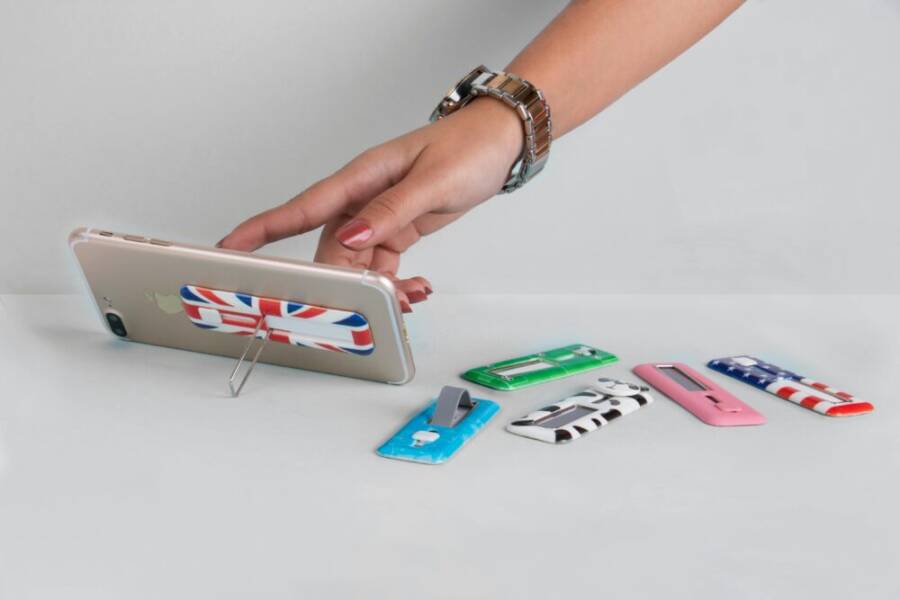
A steady desk phone holder changes how you show up on calls. It keeps your hands free for note taking and typing, so you look more confident on camera.
In this post you’ll learn why a good holder matters, how to evaluate features, and top picks for different needs and budgets. If you use a smartphone for calls, the right stand keeps your device at the perfect height and angle for clear audio and a natural view.
Section: Choose the Right Desk Phone Holder for Calls and Meetings
A well-chosen desk phone holder makes long calls feel easier and more professional. It keeps your device at the right height and angle, freeing your hands for notes and keyboard work. The right stand should be adjustable, sturdy, and easy to manage while you juggle calls, video meetings, and multitasking. Below are focused subsections to help you pick with confidence.
Comfort and ergonomics for long meetings
During back-to-back calls, a phone held too low or too high can strain your neck and shoulders. Aim to place the screen at eye level so you can maintain a natural neck posture throughout the meeting. An adjustable stand is a simple fix that pays off in comfort. When setting up, align the top of the screen with your line of sight or just slightly below it to avoid looking down for extended periods.
Tips to optimize comfort:
- Position the screen so you don’t tilt your head up or down repeatedly; a slight tilt is enough to reduce tension.
- Keep glare at bay by angling the phone away from direct lights or windows; use a matte stand surface to minimize reflections.
- If you work with a monitor, align the phone so it sits near the monitor’s top edge, or at the same height as your eyes while looking straight ahead.
An adjustable stand shines in this scenario because you can switch positions quickly as you move from reading notes to engaging with attendees. It also helps you maintain a stable head and neck posture, reducing fatigue over long sessions. For added convenience, consider stands that offer a low-profile footprint without sacrificing reach or tilt.
Levo’s Adjustable Selfie Stand provides a solid reference for how vertical adjustability supports comfort during calls.
Photo inspiration for ergonomic placement can be found here:

Photo by Rann Vijay
Phone compatibility and charging access
A good desk stand should work with a range of phones and cases, not lock you into one model. Look for adjustable clamps or tray designs that accommodate different widths and thicknesses. If you rely on your phone for calls, charging while on the stand is a big plus. The best options hide cables neatly and keep the device powered without clutter.
Key features to consider:
- Universal fit: a wide cradle, adjustable arms, or a sliding cradle that accommodates various phone sizes and case thicknesses.
- Charging while in use: built-in pass-through cables or integrated cable sleeves keep cords out of the way.
- Cable management: multiple channels or clips along the stand help route cables from the charger to the phone without snagging.
Practical exemplars include stands with pass-through charging slots or built-in sleeves that conceal cables. If you want to see options with organized charging for multiple devices, a bamboo charging station can help keep your desk tidy while ensuring power is readily available. For reference, check options like the Cozivolife charging station or BambuMate charging solutions that emphasize cable paths and device spacing.
External links for further reading and options:
- Cozivolife Bamboo Charging Station for Multiple Devices
- BambuMate Charging Station for Multiple Devices
- Staples’ cell phone desk stands guide
Build quality and desk footprint
A sturdy base matters more than you might think. Taps during a meeting, mic adjustments, or a nudge from a nearby notebook can jostle a fragile stand and shift your view just enough to disrupt the call. A heavier base or a wide footprint reduces wobble and keeps the phone steady, even during quick head movements or shifts in posture.
Material choices influence how long a stand lasts and how stable it feels:
- Metal stands often offer greater rigidity and a lower center of gravity, which helps prevent tipping.
- Plastic stands can be lighter and more affordable but may flex under pressure if they’re not well designed.
Base size matters too. On busy desks, a compact footprint can save space, but you don’t want a base so small that it slides when you type or move a chair. Look for a design with a broad, flat bottom and a non-slip material to maintain grip on different desk surfaces.
If you’re in a smaller workspace, a low-profile stand with a stable base can fit alongside a monitor arm or laptop dock without feeling crowded. For quick inspiration on sturdy options, explore stands with robust bases and material choices that balance weight and durability.
Images and visuals can guide your decision. Consider a setup that shows a phone aligned with the top edge of a monitor and a stable base in place. For reference on how a solid stand can look in a real office, see practical product examples linked above.
Links for quick shopping and guidance:
- Cell Phone Desk Stands overview
- Staples guide on accommodating various phone sizes and cable management
Images:
Photo by Rann Vijay
Take the time to compare a few models with these criteria in mind. A small investment in the right desk phone holder pays off with clearer calls, better posture, and a tidier workspace.
Key features to compare when shopping
When you’re in the market for a desk phone holder, a few core features determine how smoothly it fits your workspace and meeting needs. The right choice reduces neck strain, keeps cables tidy, and ensures your device stays steady during calls. Below you’ll find practical criteria to weigh for each model you consider, plus quick tips to spot value fast.
Adjustability and range of motion
Good adjustability lets you tailor height, tilt, and angle to your body and desk layout. Look for three key capabilities:
- Height range: A broad vertical span lets you set the screen at eye level, which minimizes neck strain during long meetings. If you often switch between sitting and standing, ensure the stand supports both postures without wobble.
- Tilt angles: A wide tilt range helps you direct the screen toward you regardless of desk height or chair position. A small upward or downward tilt can dramatically reduce glare and improve visibility in bright rooms.
- 360-degree rotation: Full rotation is a major convenience. It lets you switch from a portrait video view to landscape notes without picking up the device. This is especially valuable for whether you’re sharing your screen during a presentation or jotting quick notes while on a call.
Why this matters in real setups: on a typical desk, you might start a meeting with the phone at eye level, then pivot to camera-first for a quick screen share. An adjustable model saves you from juggling the device with one hand while you adjust your camera angle with the other. It also helps accommodate different work styles, from focused one-on-one calls to larger team meetings.
Practical tips to maximize comfort:
- Set the height so the top edge of the screen sits near your natural line of sight. A slight downward gaze is natural and reduces muscle strain.
- Use a gentle tilt to keep the screen from glancing reflections off your monitor or window glare.
- Test rotation by simulating a few common tasks, such as taking notes, presenting slides, and switching to speaker view.
If you want a concrete reference for how vertical adjustability looks in action, consider models that advertise
Desk phone holder types and best uses
Choosing the right desk phone holder can dramatically improve comfort, focus, and call quality during long sessions. The right stand keeps your device at a natural height, reduces neck strain, and frees your hands for notes or keyboard work. Below are three focused styles that fit common workspaces and meet different needs. Each subsection explains when to use it, what to look for, and practical tips to get the most out of your setup.
Compact cradle stands for small desks
Compact cradle stands are the go-to choice when desk real estate is at a premium. They hold a single phone securely without hogging space, making them ideal for tight workstations, shared offices, or portable setups.
- Best for single phones and tight spaces. Lightweight, easy to move, simple to set up.
- Key advantages: low footprint, quick deployment, and simple cable routing.
- Ideal for: quick video calls, jotting notes, or casually watching a screen view without clutter.
When you’re choosing a compact cradle, look for a stable base and non-slip feet. A design with a soft edge or a slight lip helps keep the phone in place if you type or reach for a notebook. Some compact stands also offer a subtle tilt so you can fine-tune the screen angle without moving the entire base.
Practical tip: if you frequently switch between calls and notes, consider a cradle with a vertical adjustment range rather than a fixed height. This gives you flexibility without sacrificing the small footprint. For a reference on how compact designs look in real setups, check options like the Lamicall foldable stand, which demonstrates how portable, height-adjustable support can fit on a small desk. You can explore examples here: https://www.amazon.com/Lamicall-Foldable-Phone-Stand-Desk/dp/B09MCKK9NX.
Smartphone placement matters. Position the cradle so the top of the screen sits near your line of sight, reducing the need to crane your neck. If glare is an issue, tilt the stand slightly away from direct light and choose a matte finish to cut reflections.
External reading and product references:
- Compact desk stands overview: https://www.amazon.com/Lamicall-Foldable-Phone-Stand-Desk/dp/B09MCKK9NX
- General desk phone stand ideas: https://www.walmart.com/c/kp/phone-holders-for-desks
- Best sellers for phone stands: https://www.amazon.com/Best-Sellers-Cell-Phone-Stands/zgbs/wireless/23690036011
Tall adjustable arms for eye level viewing
A tall adjustable arm shines when you want the screen to sit at eye level for extended meetings. This type shines in stability and reach, letting you pivot between camera view, notes, and screen sharing without shifting your posture.
- Ideal for long meetings or users who want the screen to sit at eye level. Emphasize range and stability.
- Core benefits: substantial vertical reach, wide tilt and rotation, and robust clamps that hold the device firmly.
- Best use cases: video conferences, screen sharing while taking notes, and multi-device workflows where you switch between portrait and landscape.
Key considerations when selecting a tall arm:
- Height range: ensure the arm can reach eye level from your chair height, whether you sit or stand.
- Stability: look for a heavy base or a counterweight system to resist lean or sudden movements.
- Rotation and tilt: a full 360-degree rotation plus a generous tilt range helps you adapt to different tasks quickly.
Set up tip: place the phone so the top edge aligns with your natural line of sight, reducing the need to tilt your head or lean forward. A tall arm also accommodates larger devices or heavier cases without wobble.
Product examples that illustrate the concept include units with telescoping or highly adjustable arms. For reference, see options like a height adjustable cell phone stand that can match eye level and stay steady during busy calls. External examples you may find useful:
- Tall adjustable height stand: https://www.amazon.com/Adjustable-Desktop-Holder-Compatible-iPhone/dp/B0B39BNGXG
- Eye-level stand for home office: https://www.coopercases.com/products/chatstand-height-adjustable-phone-stand
- Community discussion on achieving eye-level viewing: https://www.reddit.com/r/writerDeck/comments/1hbm17g/telescoping_stand_to_put_phonesized_device_at/
Smartphone usage tip: if your desk setup includes a monitor, align the phone’s top edge with the monitor’s top edge. This creates a cohesive, camera-friendly field of view and minimizes the need to crane your neck.
Multi device and hybrid setups
Many desks now host more than a single device. A multi-device stand or hybrid setup accommodates a phone plus tablet or laptop, keeping cables tidy and devices within easy reach.
- For readers with a phone and tablet or laptop. Highlight versatility and cable management options.
- What to prioritize: compatibility with multiple devices, adjustable arms to support different sizes, and a clean cable path to prevent tangles.
- Ideal for: hybrid meetings, multi-screen workflows, or teams that switch between devices for notes, calls, and presentations.
When evaluating multi-device stands, look for:
- Adjustable clamps or V-groove trays that can grip different widths without scratching devices.
- Cable management: channels or clips along the arm to route chargers and data cables neatly.
- Weight balance: ensure the base can support the combined weight of multiple devices without tipping.
A practical approach is to pick a model with the ability to mount a phone at the top while a tablet or small laptop sits on a secondary arm. This arrangement keeps your primary focus on the call while you switch to notes or slides on the larger screen. If you want a tidy hub for multiple devices, consider bamboo or wood stands that offer integrated cable channels and a natural aesthetic.
External links to explore multi-device options and guidance:
- Comprehensive desk stand overview for multiple devices
- Cable management solutions for desk stands
- Bamboo charging stations designed for multiple devices
In practice, a well-designed multi-device stand keeps your desk free of clutter and ensures you can quick-switch between devices during a meeting. It also makes it easier to maintain a steady camera angle, no matter how many gadgets you’re juggling.
Final thought: the right desk phone holder is less about a single feature and more about how it helps you work. Whether you’re compacting a small desk, seeking eye-level viewing, or coordinating several devices, there is a solution that fits your space and your workflow. For further ideas and product references, consider exploring the links above to see how different setups perform in real office environments.
Top picks for different needs and budgets
Choosing the right desk phone holder can feel overwhelming. The good news is there are clear options for every budget and work style. Below are four focused picks that address common needs, from tight budgets to travel-friendly setups and charging convenience. Each subsection explains who it’s best for, what to look for, and practical setup tips to get you comfortable fast.
Best overall desk phone holder under $25
If you want a sturdy, reliable option that fits most phones and cases without breaking the bank, this is your pick. Look for a cradle that offers a broad width range, stable base, and simple setup so you can place it and forget it. The best value stands use a combination of a non-slip base, dense materials, and an adaptable clamp or cradle that accommodates various phone sizes.
- Why it shines: A solid base reduces wobble during calls, and adjustable clamps handle different phone widths and case thicknesses. It’s easy to mount and reposition, so you can switch from speaker view to notes in seconds.
- What to check before buying: cradle width, clamp grip strength, and whether the stand supports charging while in use. If you plan to keep the phone powered during calls, confirm there’s a clean pass-through path for cables.
- Quick setup tips: place the stand near your monitor to maintain a cohesive line of sight. Align the top edge of the screen with your natural eye level to avoid neck strain.
This price-conscious choice often uses a metal or reinforced plastic build that feels sturdier than it looks. It’s ideal for busy desks where you want reliable stability without fuss. For a budget-friendly model with strong reviews, consider options that emphasize wide compatibility and stable bases. If you want a benchmark reference, a few popular budget stands demonstrate how solid construction and simple design come together in real-world use. For further context, you can explore general desk stand ideas and shopping guides linked here.
External reading to help refine your choice:
- Compact desk stands overview
- General desk phone stand ideas
- Best sellers for phone stands
Tip: if you’re unsure about fit, measure your phone with and without a slim case on it. A stand that accommodates a range of widths keeps your desk tidy and versatile.
Best high adjustability for long meetings
Long meetings demand more than a simple cradle. You want a stand with a broad height range, strong rotation, and precise tilt so you can optimize your camera angle, read notes, and switch to screen sharing without moving the device by hand.
- Why it shines: A tall, adjustable arm reaches eye level and stays steady as you lean in to present or jot down thoughts. Strong rotation lets you pivot between portrait video and landscape notes without re-positioning the stand.
- What to check before buying: ensure the arm can reach your preferred height from your chair or standing position, and look for a stable joint system that resists sagging over time. A wide tilt range is essential to combat glare from lights or windows.
- Setup and usage tips: position the mount so the top edge of the screen sits in your natural line of sight. When you tilt, aim for a slight downward angle to keep the camera view flattering and reduce neck strain.
A flexible arm makes it easier to accommodate different tasks during a session. You can start with eye-level framing for a video call, then rotate to share your screen or take notes with minimal disruption. For inspiration on how high-adjustable stands perform in real offices, see examples of height-adjustable models that emphasize stability and reach. You can explore representative options through the linked product pages and reviews.
External references to consider:
- The Best Phone Stands | Tested & Rated – Tech Gear Lab
- The 7 Best Phone Stands for Desks 2025
- Eye-level viewing discussions and examples
Usage note: if your desk includes a monitor, align the phone’s top edge with the monitor’s top edge. This creates a clean, camera-friendly field of view and reduces neck movement during transitions.
Best for travel or tiny desks
Tiny desks and frequent travelers need a stand that folds down flat, weighs little, and packs away quickly without sacrificing stability. Foldable or compact stands are the go-to here. They should offer a light footprint, easy setup, and a sturdy hold when you’re on the move.
- Why it shines: The benefit is clear when space is at a premium. A compact stand frees room for a keyboard, notebook, or a compact monitor. Foldable designs make packing and unpacking effortless.
- What to check before buying: look for a fold mechanism that stays tight over time, a base with non-slip material, and a height or angle range that still supports comfortable viewing.
- Setup and usage tips: tuck the stand into a laptop bag or travel sleeve, and test it at a café or shared workspace to confirm the angle remains comfortable in new lighting and seating arrangements.
This category prioritizes portability without giving up too much in the way of stability. A well-made foldable stand balances light weight with a solid base. It’s ideal for consultants, students, or anyone who needs a portable solution for calls on the go. For examples of compact, travel-friendly stands, you can check out options that showcase how a small footprint can still deliver dependable support.
External links to explore compact travel-friendly options:
- Lamicall foldable phone stand
- Compact desk stands overview
- General desk phone stand ideas
Practical tip: when you’re away from your regular desk, place the stand on a flat surface and test its stability with a gentle nudge. If it wobbles, pick a higher-friction base or a model with a heavier, low-profile footprint.
Best for charging and cable management
If keeping cords neat matters as much as the stand itself, pick a model with pass-through charging or built-in cable channels. A well-designed stand hides cables, reduces tangles, and ensures you can keep the device powered through long calls without pulling a charger from the wall.
- Why it shines: Pass-through charging slots or integrated cable sleeves keep cords out of sight and out of the way. A tidy setup reduces cable clutter, which translates to fewer distractions during a call.
- What to check before buying: confirm the stand supports the charger you already use, and look for hidden channels or clips that route cables along the arm or base. Check compatibility with cases if you use a protective layer on your phone.
- Setup and usage tips: route the charger cable along the stand’s channels, then out to the power strip. If possible, tuck excess cable under a clip or sleeve so it stays flat and out of the way during quick movements.
Stands designed with cable management in mind often pair well with multi-device desks. They simplify setups where you might have a phone charging at the top while a tablet or laptop sits on a secondary arm. For a sense of current options with organized charging paths, explore models that emphasize built-in sleeves and pass-through ports.
External references for charging-focused stands:
- Desktop Phone Stands collection
- Cable management solutions for desk stands
- Bamboo charging stations designed for multiple devices
In practice, a charging-friendly stand keeps your desk neat and your device ready for calls. It’s especially valuable if you rely on video meetings and frequent screen sharing, where you want a clean cable path and a steady camera angle.
What to keep in mind across all picks
- Stability matters more than extra features. A solid base and well-balanced weight pay off in longer sessions.
- Compatibility varies. A wide cradle or adjustable clamps cover more phones and cases without needing a different model.
- Adjustability is king for comfort. A flexible height, tilt, and rotation range makes a big difference during long calls.
If you’d like to see real-world demonstrations of how these stands perform, I’ve included links to credible guides and product pages above. They provide concrete examples and user feedback to help you compare models quickly.
External links to help you compare options:
- The Best Phone Stands | Tech Gear Lab
- The 7 Best Phone Stands for Desks 2025
- Lamicall foldable desk stand
By understanding your typical meeting length, desk setup, and cable needs, you can narrow down to a single option that delivers consistent comfort and a clean look on camera. This small upgrade can boost your confidence and focus during calls.
Conclusion
Choosing the right desk phone holder pays off in clearer calls, better posture, and a tidier workspace. A sturdy base, wide compatibility, and strong adjustability let you switch between camera view, notes, and screen sharing without fuss, while keeping your smartphone at a comfortable eye level. The right stand also reduces cable clutter and keeps charging accessible, so you stay powered through long meetings.
If your goal is comfort and consistency, pick a model that fits your space and meeting style rather than chasing every feature. A compact cradle works great on small desks, while a tall arm suits long sessions and multi tasking. Share your setup in the comments or ask questions below so others can learn from your experience with smartphone stands.