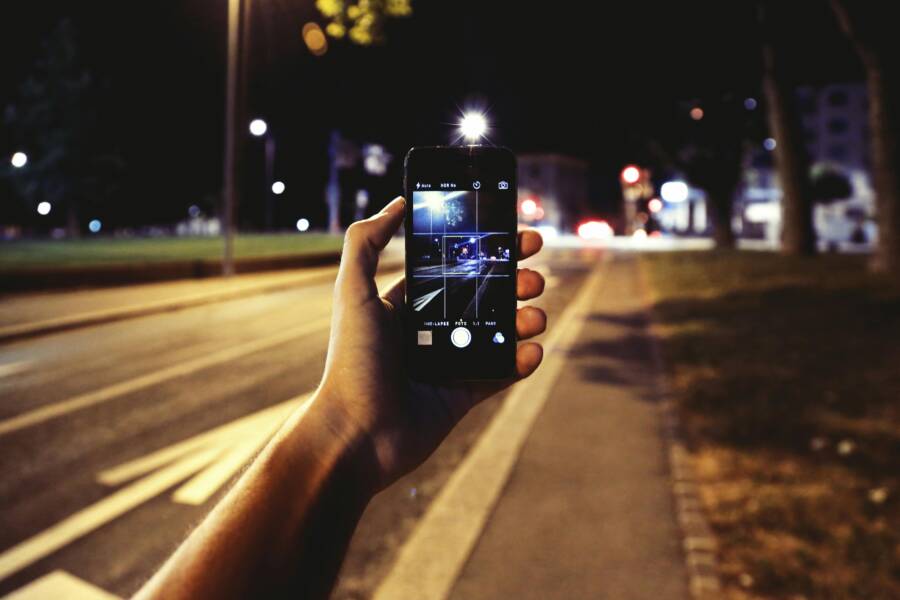
You can stop manual distractions while traveling by setting your smartphone to activate Focus mode automatically. This setup triggers a silent, notification-free environment the moment your device detects you are moving at driving speeds or connecting to a vehicle Bluetooth system.
Automating this feature preserves your battery life and keeps your attention on the road or your surroundings. You gain peace of mind knowing your device won’t interrupt you with pings or calls while you travel.
How Automatic Focus Modes Protect Your Travel Time
Modern operating systems allow you to trigger specific modes based on speed, location, or car connectivity. When your smartphone enters this state, it blocks non-essential alerts so you can focus entirely on the task at hand. This is a simple adjustment that removes the friction of toggling settings every time you leave the house.
Steps to Configure Automatic Triggers
Setting up this automation requires only a few minutes in your device settings. You must identify the specific trigger that works best for your daily commute.
- Open your settings menu and locate the Focus or Do Not Disturb section.
- Select the driving or travel profile you want to customize.
- Choose the option to turn it on automatically based on motion or Bluetooth pairing.
- Set your notification preferences to allow only emergency calls or specific contacts.
Test your settings by taking a short drive to ensure the transition happens without manual input. If your smartphone fails to trigger the mode, verify that your location services are active and that the device recognizes your car connection.
Comparing Trigger Methods
Each trigger method offers different levels of reliability depending on how you travel.
Bluetooth pairing is the most reliable method for most drivers because it connects instantly when the engine starts. Motion detection is a better alternative if you switch between different rental cars or rideshare vehicles frequently.
Frequently Asked Questions
Can I receive urgent notifications while this mode is active? Yes, you can add specific contacts to your allowed list within the Focus settings.
Does this drain more battery than usual? No, these automated modes are efficient and often save power by preventing the screen from waking up for unnecessary alerts.
Does this work on public transit? You may need to use location-based triggers if you want the mode to activate while riding a train or bus.
Summary of Benefits
Automating your travel settings reduces digital noise and improves your safety. By linking your smartphone to your vehicle or movement patterns, you create a consistent system that activates whenever you leave your home. Take the time to configure these triggers today to reclaim your focus during every journey.
Why You Need a Travel Focus Mode on Your Smartphone
Travel Focus mode is a dedicated setting that silences interruptions while you are in motion. It acts as a digital gatekeeper, ensuring your alerts do not compete for your attention during your commute. Using this tool on your smartphone is a simple way to increase safety and reduce daily stress.
Enhancing Your Personal Safety
Distractions are a primary cause of travel incidents. A single notification ping can pull your eyes away from the road for several seconds. When you activate a travel profile, your smartphone blocks incoming texts, social media alerts, and non-emergency calls automatically. This allows you to keep your full focus on the road or your surroundings. You gain peace of mind because you know the device will only alert you if an important caller tries to reach you repeatedly.
Improving Battery Efficiency
Constant notifications force your screen to wake up, which drains your battery quickly. Each vibration or light-up event requires power that adds up over a long trip. By limiting these alerts, you conserve energy for when you really need it. This becomes useful on long journeys where you rely on your smartphone for navigation, music, or emergency communication. A stable battery life prevents the stress of looking for a charger while you are away from home.
Creating a Calm Travel Environment
Constant noise is often a source of mental fatigue. Frequent alerts can turn a pleasant trip into a stressful experience of managing constant social inputs. A travel mode filters out this noise so you can enjoy your time on the train, in a cab, or behind the wheel. You can customize your settings to keep specific apps, like maps or music players, active while silencing less relevant tools. This creates a balanced environment where your technology works for you rather than against you.
Managing Expectations During Transit
Communication patterns change when you are on the move. Some people feel social pressure to respond to every text immediately, even while traveling. By using an automated Focus mode, you set a boundary that tells others you are currently unavailable. Many devices allow you to set an auto-reply for your contacts. This simple feature lets friends and family know you are driving and will respond once you arrive at your destination. It relieves the pressure of needing to check your screen constantly.
How to Set Up Automatic Activation for Travel Focus
Automatic triggers remove the need to manage your smartphone settings every time you start a trip. By configuring your device to recognize your travel patterns, you eliminate manual tasks and maintain your concentration on the road. These systems rely on sensory data to detect motion or hardware connections, ensuring your device enters a distraction-free state exactly when you need it.
Triggering Based on Location and Bluetooth Connections
Your smartphone uses specific signals to determine when you begin a journey. Bluetooth pairing is the most reliable method because your device recognizes your vehicle the moment you turn on the engine. Once the phone connects to your car audio system, the operating system detects this link and triggers your Travel Focus mode immediately. This process happens in the background without any interaction from you.
If you do not have Bluetooth in your car, your smartphone can use motion sensors or GPS data to detect when you are traveling at driving speeds. The device analyzes your movement and activates the focus profile once it recognizes you are in a car. Some phones also allow you to trigger this mode based on your specific location, such as when you depart from your home or office.
You can refine these triggers to avoid unwanted activations during short trips or public transit rides. For example, if you rely on GPS-based triggers, you might want to adjust the sensitivity so the phone does not switch modes while you walk or ride a bike. Most users find that combining Bluetooth connectivity with motion sensing provides the most consistent experience for daily commutes.
Customizing Your Notifications During Travel
The goal of a travel profile is to reduce distractions while still keeping you reachable for emergencies. You should curate your notifications to filter out low-priority alerts while letting critical messages through. Your smartphone provides an allow list that lets you select specific contacts or apps that can bypass the block.
Think of this list as a digital guest pass for your phone. You can add close family members, coworkers, or emergency services to this list, ensuring their calls or texts break through the silence. All other notifications remain suppressed until you reach your destination.
Beyond contact lists, you can also manage app-level alerts. You might want to allow your navigation app to send audio directions while silencing social media notifications. Follow these tips to maintain a clean notification feed:
- Prioritize direct communication from your core contact group.
- Disable alerts for apps that serve only entertainment or social updates.
- Enable repeated calls to ensure an emergency contact can reach you after a second attempt.
- Review your list monthly to remove contacts that no longer require instant access while you travel.
Setting these preferences keeps your environment calm. You no longer need to fear missing a vital message, yet you stop the constant flow of unnecessary pings. This balance creates a safer, more predictable experience every time you head out.
Comparing Manual Settings Versus Automatic Travel Modes
Automating your travel settings saves time and reduces distraction, but some users prefer manual control to maintain total authority over their smartphone. Choosing between these approaches depends on how much you trust your device to handle transitions correctly.
Benefits of Manual Control
Manual mode puts you in charge of every interruption. You toggle the setting on or off based on your current need. This prevents the phone from entering a locked state when you are just a passenger in a vehicle or taking a short trip where you still need access to your device.
Many people find manual control helps them stay aware of their surroundings. You decide exactly when to block notifications. You don’t have to worry about the phone misinterpreting your movement and locking you out of important apps while you are stationary or moving in ways the software did not expect. It provides a simple way to manage focus without relying on background sensors.
Limitations of Manual Settings
Manual control relies on your memory. It is easy to forget to turn on your focus mode before you start your car. When this happens, your smartphone remains open to every ping, buzz, and alert while you are behind the wheel. This distraction increases the risk of accidents and mental fatigue.
Additionally, manual mode requires you to remember to turn the feature off after you reach your destination. If you forget, you might miss important calls or texts hours after your trip finishes. This creates a cycle of constant adjustments that many users eventually find tedious.
Why Automation Wins for Daily Use
Automation removes the burden of remembering to switch your settings. Once configured, your smartphone acts without needing your input. This consistency is the main advantage of an automatic setup. It ensures you remain protected during every single trip.
When you weigh these factors, consider your own travel habits. If you often forget to adjust your phone before you drive, an automated mode is the safer option. If you value flexibility and rarely make long drives, manual control might fit your needs. Most people benefit from the reliability of automation, as it removes human error from the equation entirely.
Common Questions About Travel Focus Features
Travelers often have specific concerns about how these automated modes interact with daily technology. Most users worry about missing important alerts, battery drain, or unexpected activation while riding as a passenger. Your smartphone offers several built-in adjustments to resolve these issues, making the experience more predictable.
How do I stop the mode from starting on a train or bus?
Automatic triggers rely on motion sensors or GPS to detect travel. When you ride a train, your phone might think you are driving. You can prevent this by switching the activation method from automatic to manual for specific trips. Another option involves adjusting your location services to prevent the smartphone from logging your transit route. If you frequently use public transportation, a manual toggle inside your control center offers the best balance between convenience and control.
Can I let specific apps work during Travel Focus?
You retain full control over which apps function while your smartphone stays in focus mode. Navigate to your focus settings to find the app allow list. Here, you can add navigation tools, music players, or emergency apps that require constant access. Adding these apps ensures you can still use your map or stream audio without receiving unrelated social media notifications. These settings persist until you manually change them, so update your list if your travel needs change.
Will my smartphone alert me if an emergency occurs?
The system is designed to prioritize critical communication. By configuring your emergency contact list, you allow specific callers to bypass the silent mode. You can also enable a feature that permits second calls from the same number within a short window. This ensures that if someone attempts to reach you repeatedly, the phone treats the second call as an urgent event. Check these settings before your next trip to ensure your important contacts always have a way through.
Does this feature affect GPS accuracy?
Activating a travel profile does not interfere with the performance of your GPS. Your smartphone continues to track your location and update map data normally while the mode is active. The feature only limits incoming signals, vibrations, and visual alerts from other applications. You can safely keep your navigation app active on the screen while your phone blocks incoming texts and emails. This separation allows your hardware to stay focused on performance rather than processing non-essential interruptions.
Conclusion
A well-configured smartphone creates a safer and more predictable travel experience. By automating your Focus mode, you eliminate the need for manual adjustments every time you hit the road. This setup protects your attention while you drive and ensures your battery lasts throughout your journey.
Take a few minutes to adjust your settings today. You will appreciate the peace of mind that comes with a device that manages distractions for you. Start your next trip with a cleaner, more focused environment.