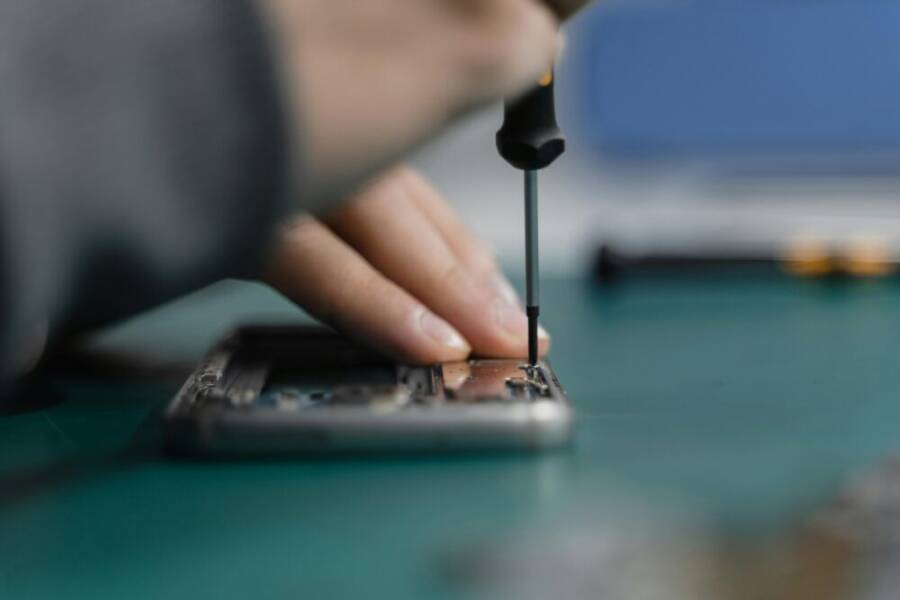
Have you ever cracked a screen or watched a battery fade to a whisper before a big day? It happens to the best of us, and the question is not just can you fix it, but should you fix it at all.
This guide cuts through the noise with practical math and clear signs. In many cases, repairing a phone that’s under three years old costs less than half of buying a new one, and you still get updates for a reasonable window. That combination means more value for your everyday life and less waste for the planet. A few fixes, like a screen or a battery, can keep your smartphone going strong without the heft of a brand new device.
If you’re deciding between repair and replacement, look for these quick indicators: the issue is fixable at a reasonable price, your phone still runs smoothly, and the device still receives software updates. The goal is simple—keep what works, fix what’s broken, and avoid needless expense. In the end, repairing saves money, reduces waste, and buys you time, while still letting you enjoy a phone that feels fast and capable. Have you faced a broken phone?
Save Big: Repair Costs Versus New Phone Prices
When your phone starts acting up, repair can be a smarter move than buying new. The math is straightforward: many common fixes cost a fraction of a brand new device, and you can keep your phone receiving updates for longer. This section focuses on two of the most frequent trouble spots and what they cost to fix. You’ll see why small, well-timed repairs can protect your budget without sacrificing performance.
Screen Cracks and Battery Swaps: Top Fixes to Consider
A cracked screen or a tired battery is the duo most people face first. Screen replacements span a wide range, from about $30 to $400 depending on the model and where you go. For iPhones, expect roughly $130 to $379 at official stores, or $70 to $310 at many local shops. High-end Android screens can run higher, from around $150 to $550 at official repair centers, with local shops often charging between $100 and $450. Mid-range phones sit in the lower end of that spectrum, yet a full replacement still costs more than a simple fix. Minor scratch repairs start around $50, with full screen replacements climbing to the $150–$400 zone for premium models.
Battery replacement is usually cheaper. Third-party shops commonly charge $50 to $100, while official prices can run higher but still stay under a couple hundred dollars depending on the model. A fresh battery is fast, keeps the phone feeling responsive, and usually comes with a warranty on parts and labor. If you ignore a deteriorating battery, expect worse performance, unexpected shutdowns, and a shorter overall lifespan for the device. To prevent issues, avoid exposing the phone to high heat, use a quality charger, and replace aging batteries promptly when you notice rapid drain. For more on battery pricing and options, see the iPhone battery replacement overview and third-party battery costs. Apple Battery Replacement • EcoATM battery costs
Tips to maximize value here:
- Choose local shops for faster, cheaper service, but check warranties.
- If you plan to keep the phone many more months, a repair can still beat the price of upgrading.
- Consider screen protectors and a sturdy case to reduce the risk of future breaks.
Ports and Water Woes: Other Affordable Repairs
Charging port issues are common and usually fixable without breaking the bank. Replacing a charging port runs roughly $50 to $120 depending on the model and shop. If charging becomes intermittent or the phone won’t charge at all, a port repair is often the simplest path back to full usability. Water damage is trickier. Cleaning and basic repairs can cost around $70 to $150, but more serious cases needing component replacements can push costs to $150–$300 or more. In many cases, water damage repairs end up close to or beyond the price of a replacement, so weigh the odds carefully.
Fixing these issues typically beats buying a new phone for several reasons. Third-party shops frequently offer lower labor rates, and many repairs are possible without losing software updates or important data. If you own an Android device, third-party repair shops can be especially convenient, since prices and availability vary less across brands than with some iPhone services. When considering a repair, ask about the warranty on parts and whether the repair impacts water resistance.
Practical signs that you should repair rather than replace include a charging port that finally responds after a wiggle or a battery that still lasts a full day with light use. In contrast, if water damage has affected multiple components or the device behaves erratically after a failed fix, replacement may be the better financial move. Useful reference points for costs and options include the charger port repair guides and water damage cost breakdowns. Charger Port Replacement Cost • Cell Phone Charging Port Repair: 4 Options and Their Costs • How Much Should A Cell Phone Repair Cost? A Breakdown
Spot Damage That Screams ‘Repair Me Now’
A chipped screen, a battery that lasts only a half day, or a charging port that acts up can be signals that a repair is the smarter move. Before you rush to upgrade, pause and assess whether fixing the device makes sense financially and functionally. This section breaks down the practical signs you should prioritize repair, not replacement, and how to think about value over time.
 Photo by Tima Miroshnichenko
Age and Updates: Does Your Phone Still Qualify?
The 3-year rule is a useful guardrail for value. After about three years, a device’s market value drops quickly, so upgrading may not feel as painful as it once did. More important, software support matters. Phones that still receive updates stay protected, perform better, and keep up with new apps. When a model stops getting major updates, even small fixes can fail to fix underlying slowdowns or security gaps.
A big reason old phones feel sluggish is the end of official support. Apps require up-to-date security patches, and without them the device can run slower or crash more often. If your phone is nearing or past the three-year mark, compare the repair costs to the price of a mid-range replacement and factor in ongoing support. For readers curious about depreciation and value, explore industry takes on device age and resale value: How Age of a Device Affects Performance and Resale Value and Phone Depreciation Calculator – Know Your Cell …. Keeping a device that still runs smoothly and gets security updates can be a smart choice when repair costs stay reasonable.
One Problem or Many? Quick Assessment Guide
Spotting a single fix versus multiple issues helps you decide quickly. If you only have one repair, like a cracked screen or a worn-out battery, a repair is often worth it. When two or more problems appear, the math shifts toward replacement. A simple cost estimate helps: add up the repair quotes for each issue and compare to the price of a like-new device with similar features and current software support. If repairs aggregate to more than half the cost of a new phone, replacement becomes more appealing.
A practical approach: run a quick compatibility check. If your phone still runs well, holds a full day of charge with moderate use, and receives security updates, a repair can be the better value. If the device lags, reboots, or shows odd behavior after a fix attempt, it may be a sign the underlying hardware is failing and a replacement is warranted. For broader reading on value and replacement timing, consider insights from depreciation-focused sources like Cellphone Depreciation and Trade-In vs Resale Best Value for Your Old Phone. These discussions help set realistic expectations for what your phone is worth at different ages and repair stages.
If you want a quick take: for a single, inexpensive fix that preserves most of the device’s life, repair. If you see several issues piling up or the price tag to fix keeps growing, replacement often makes the most sense. For readers weighing costs and options, a simple rule of thumb is to keep repairs under 50% of the replacement price for a device that’s 2–3 years old; beyond that, replacement often wins on value and updates. For more context on depreciation and return value, use resources like Phone Depreciation Calculator – Know Your Cell … and How Age of a Device Affects Performance and Resale Value.
Notes:
- Prioritize local repair shops with warranties for quick turns.
- If you plan to use the phone for a shorter period after the fix, a repair is likely the smarter choice.
- After a repair, add a screen protector and a sturdy case to reduce future risk.
Go Green: Cut E-Waste by Fixing Your Phone
Repairing rather than replacing a phone is one of the fastest ways to cut e-waste and stretch your tech dollar. This section explains why small, smart fixes matter, how the math stacks up, and practical signs you should repair now rather than upgrade. You’ll see that keeping a well-loved device in service longer benefits your wallet and the environment alike.
 Photo by SHVETS production
The environmental case for repair
Repairing extends the life of devices and reduces the demand for new production. Fewer new phones meant less mining, manufacturing, and energy use. When you fix a phone, you minimize waste and keep toxic components out of landfills. This is a core step toward a circular economy where resources stay in use longer.
- Less waste: A kept-in-use device stays out of the waste stream.
- Resource efficiency: Building a new phone consumes metals, water, and energy.
- Pollution reduction: Fewer devices reaching landfills lowers environmental contamination.
For a broader look at how repair falls into environmental policy and practice, see the World Economic Forum’s discussion on repairing not recycling as a path to a circular economy. Repairing – not recycling – is the first step to tackling e-waste
What the latest data says about e-waste and smartphones
Smartphone e-waste is a growing concern in the US and worldwide. Real-time data shows:
- US annual smartphone waste exceeds 150 million units.
- Globally, billions of phones reach end of life each year.
- A surprisingly small share is recycled properly, which means repair and reuse play a critical role.
Key takeaway: repairing and refurbishing keep devices out of landfills longer and reduce the need for new manufacturing. This supports both the environment and consumer budgets.
For more context on the broader waste picture and how repair fits in, explore these resources:
- Electronics management and recycling initiatives at the EPA
- Global disposal patterns and how repair fits into the lifecycle
References and further reading:
- Electronics Basic Information, Research, and Initiatives
- Disposal of obsolete mobile phones: A review on …
When to repair: signs a fix makes sense
If your device still runs smoothly, receives security updates, and the repair price stays reasonable, fixing is often the best move. Here are practical indicators:
- A single issue that’s inexpensive to fix, like a cracked screen or worn battery.
- The phone remains fast enough for daily tasks and apps.
- You value the current size, camera, and features and want to avoid data migration hassle.
A simple rule of thumb: keep repairs to under about half the price of a replacement for a device in the 2–3 year range. If multiple problems arise or the repair total climbs, replacement may offer better long-term value.
To gauge costs and options, check reputable repair cost guides and keep an eye on local shop warranties. For context on repair costs and options, see:
- Apple Battery Replacement
- Charger Port Replacement Cost
- How Much Should A Cell Phone Repair Cost?
The practical cost picture: where repairs save you money
Two of the most common fixes—screen replacements and battery swaps—provide the best return on investment when done early.
- Screen repair: Varies by model and shop, but many mid-range fixes stay well below the cost of a new phone.
- Battery replacement: Typically cheaper, faster, and preserves your data and installed apps.
If you’re weighing repair against a new device, consider life-span extension and ongoing software support. A repair can keep your phone usable for many months or even a year beyond its typical cycle, buying time until a model with a better price-to-performance ratio appears.
For more on specific pricing and options, explore:
- iPhone battery replacement overview
- Third-party battery costs
Practical tips to maximize repair value
- Prefer local shops for quick turnaround and warranties.
- If you plan to use the phone longer, a repair can still beat a big upgrade in the near term.
- Add a screen protector and a robust case to reduce future risk.
If repair feels like the right move, start with a quick quote from a trusted shop and compare against a mid-range replacement. A careful calculation often shows the repair path preserves more value than you expect.
When repair isn’t the best path: recognizing the tipping point
Repair may not be the best option when:
- Costs approach or exceed half the price of a new device.
- Multiple major components fail, or the device has serious water damage.
- The phone no longer receives security updates or runs current apps reliably.
In those cases, replacing the device may save time and frustration while still providing modern performance and longer software support.
For perspective on depreciation and value, consider these discussions:
- How age affects performance and resale value
- Phone depreciation calculator
A quick decision framework
If you want a fast, practical method to decide, use this mini checklist:
- Is the repair under 50% of a comparable replacement?
- Does the phone still run smoothly and receive updates?
- Is data transfer and setup a significant pain point you want to avoid?
If yes to all, repair is usually the smarter choice. If not, replacement is often the better long-term option.
For further reading on the broader impact of repair policies, you can review Right to Repair resources and related e-waste discussions:
- How Right to Repair Laws Can Reduce E-Waste
In sum, fixing a phone when it still performs well and costs less than buying new is a simple way to shrink your carbon footprint and save money. Repair not only extends life but also supports local repair shops, keeps tech out of landfills, and reduces the energy needed to manufacture new devices. If you’re curious about the broader impact, read more on the environmental benefits of repair and refurbish programs.
External references and related reads:
- Repairing – not recycling – is the first step to tackling e-waste
- Electronics Basic Information, Research, and Initiatives
- Disposal of obsolete mobile phones: A review on …
Extra Wins: Data Safe and No Learning Curve
When you repair a device, you don’t just save money. You also keep your data safer and avoid the hassle of learning a new phone. This section highlights how repairs protect what matters most to you—your information and your daily routines—while keeping things simple.
 Photo by Kelvin Valerio
Data safety comes first
Repairing a phone often means you don’t have to reset the device or migrate data to a new model. Your photos, messages, apps, and settings stay in place, reducing the risk of data loss during a swap. This is especially valuable for people who rely on a precise setup, like customized layouts, bank apps, and work email. If you’re weighing options, consider how much time you’d spend backtracking after a replacement.
- Data integrity stays intact when you repair specific components, such as the battery or screen, without touching the rest of the system.
- Security continuity remains because you’re not moving to a fresh device with a new OS and a new app footprint.
- Backups still matter, but a repair minimizes the window where data could be exposed during transfer.
For more on how repairs impact data safety, see reputable guides from consumer tech sources that compare repair versus replacement.
- Apple battery replacement overview
- Third-party battery costs
No learning curve, faster resumes
One of the biggest wins of repairing rather than replacing is you won’t face a steep learning curve. You know where everything is, how your apps behave, and the exact camera setup you rely on daily. This familiarity translates to less time spent reconfiguring settings, re-logging into accounts, and acclimating to a new operating system.
- You keep your preferred wallpaper, shortcuts, and accessibility tweaks.
- Your favorite photo editing or budgeting apps stay where you expect them.
- You avoid the setup fatigue that comes with a brand new device.
If you want a quick read on the practical value of staying with your current device, these guides discuss how repair preserves usability and cuts the hassle of switching models:
- Mobile Phone Repair vs. Replacement: Make the Smart Choice
- Simple Guide: Is It Worth Repairing Your Old iPhone?
Practical signs that repair delivers value for data and ease
- You can fix a single issue, like a screen crack or battery drain, without wiping the device.
- The phone still runs smoothly, with enough storage and performance for daily tasks.
- You want to preserve your current app lineup, passwords, and biometric settings.
In these scenarios, a repair often offers better value than a full upgrade. It saves you time, preserves your data, and keeps your everyday workflow intact.
For readers curious about environmental and practical gains, consider how repair aligns with responsible consumption. You can explore perspectives on repair as a practical path that reduces waste while maintaining familiarity with your device.
- Repairing – not recycling – is the first step to tackling e-waste
Quick references to cost and value
If you’re unsure whether to repair or replace, a simple check can help. Compare the repair quote to the cost of a similar new device and weigh the time you’d save by not migrating data. As a rule of thumb, repairs that keep you within a reasonable portion of a replacement price often win on value, especially when your phone remains fast and secure.
To learn more about cost considerations, you can review cost guides and reliable references on repair budgets. For example:
- How Much Should A Cell Phone Repair Cost?
- Charger Port Replacement Cost
External links and related reads:
- Repairing – not recycling – is the first step to tackling e-waste
- Electronics Basic Information, Research, and Initiatives
Note: If you want to keep your device’s data and feel confident in your current setup, repairing can be the smarter, simpler route.
Red Flags: Time to Replace Instead
When a phone ages and problems stack up, repair may stop feeling like a smart bet. This section highlights the clear red flags that signal it’s time to replace rather than fix. Think of it as a quick gut check to save you time, money, and frustration.
Age and updates: is your model still supported?
Three years is a practical threshold. Once a phone stops receiving major software updates, it can slow down, miss new app features, and become more vulnerable to security gaps. If you’re juggling laggy performance and outdated software, replacement often offers better long-term value. A newer device will usually come with a longer update runway, faster efficiency, and improved security.
When weighing the decision, compare the repair price to the current price of a mid-range replacement that still receives updates. If the gap is small and the device is aging, replacement is a sensible choice. For readers curious about depreciation and value, you can explore how age affects performance and resale value and use a depreciation calculator to set expectations.
See more on software support and value considerations here: How Age of a Device Affects Performance and Resale Value and Phone Depreciation Calculator – Know Your Cell.
When one problem becomes many
A single fix can be worth it, but when two or more major components fail, the math usually tilts toward replacement. Start by tallying each issue and its repair cost. If repairs add up to more than half the price of a like-new phone, you’ll likely come out ahead with a replacement.
Beyond cost, consider reliability. If your phone lags, reboots, or behaves oddly after a fix attempt, there may be deeper hardware issues. In that case, a replacement saves time and avoids repeated round trips to the repair shop.
For perspective on value, read about common signs that point to replacement and related discussions on device age and resale value: Phone Depreciation Calculator – Know Your Cell and How Age of a Device Affects Performance and Resale Value.
Battery trouble as a signal to upgrade
A battery that drains quickly, won’t charge reliably, or swells is a strong indicator to consider a new device. Battery health is a major driver of daily experience. If you’re replacing the battery would still leave you with a device that struggles with recent apps or heavy usage, replacement becomes a practical choice.
Consumer guidance suggests evaluating whether a battery fix is a stopgap or a true reset button. If the cost to restore battery life approaches the price of a mid-range replacement, replacing the phone is often the smarter move. For more on battery considerations, check: When It’s Time for a New Phone Battery and 4 Signs it’s Time to Replace Your Cell Phone Battery.
Water damage or widespread hardware issues
Water exposure, corrosion, or multiple hardware failures create high likelihoods that a repair won’t be durable. If a single repair would require touching several critical components or the device shows unpredictable behavior after fixes, replacement is usually the better path. Water damage is particularly tricky because even after cleaning, latent corrosion can cause future failures.
In these scenarios, the cost of ongoing repairs often surpasses the price of a new phone with current features and a fresh software cycle. For context on water damage considerations and repair viability, explore guides on common water damage outcomes and costs: Charger Port Replacement Cost and Cell Phone Charging Port Repair: 4 Options and Their Costs.
A quick decision framework for replacing
If multiple red flags appear—age with dwindling updates, several failing components, or a battery that can’t hold a charge—replacement often wins. Use a simple framework to decide quickly:
- Are repair costs more than 50% of a new device with similar specs?
- Does the device still run smoothly and get security updates?
- Would you save time avoiding data transfer and setup hassles?
If you answered yes to the first two questions, replacement is typically the smarter choice. For broader guidance on when to replace, you can review general tips on replacement decisions and cost comparisons: Signs It’s Time to Replace Your Phone: A Complete Guide and 12 Warning Signs It’s Time for a New Cell Phone.
Practical takeaways to avoid churn
- If your phone is more than 3 years old and shows frequent glitches, replacement is worth considering.
- When several parts are worn or failing, or the repair price nears a new device price, upgrade.
- Consider the value of ongoing software support and new features you’ll gain with a newer model.
For a broader look at repair versus replacement dynamics, see user discussions and cost benchmarks that compare long-term value. These sources provide context on when upgrade cycles make financial sense and what to expect from a mid-range device: How Age Affects Performance and Resale Value and Phone Depreciation Calculator.
If you want a fast read on battery-related upgrade signals, consider the Consumer Reports piece on new phone batteries and the quick battery signs guide: When It’s Time for a New Phone Battery and 4 Signs it’s Time to Replace Your Cell Phone Battery.
In short, use replacement as a default when the device drops out of the update cycle, when multiple major components fail, or when the total repair price undermines long-term value. Replacement buys you speed, security, and a fresh software path without the ongoing maintenance drag.
External reads to broaden the context:
- Repairing – not recycling – is the first step to tackling e-waste
- Electronics Basic Information, Research, and Initiatives
Conclusion
Repair shines when the fix is small, the device runs smoothly, and updates keep coming. A single inexpensive repair can stretch value before you face a bigger upgrade.
Key signs point to repair first: the problem costs less than half the price of a similar replacement, the phone still handles daily tasks well, and data stay easy to keep safe without a full migration. If you’re under three years old and the device stays current with software support, repairs often save money and reduce waste.
On the money side, battery and screen fixes deliver the best return, especially when done early. You’ll preserve your current setup, camera, and comfort with your familiar apps and shortcuts. The environmental impact is also smaller when you keep a smartphone in service rather than buying new.
Before you decide, back up your data and get quotes from local repair shops. Compare costs and warranties, and consider whether a fix keeps you on your current plan long enough to ride out the next upgrade cycle. A repair plan that fits your budget and timeline helps you avoid churn and regret.
Your best next step is simple: find a trusted local shop, check costs, and back up your data. Your phone has life left. Ready to fix?