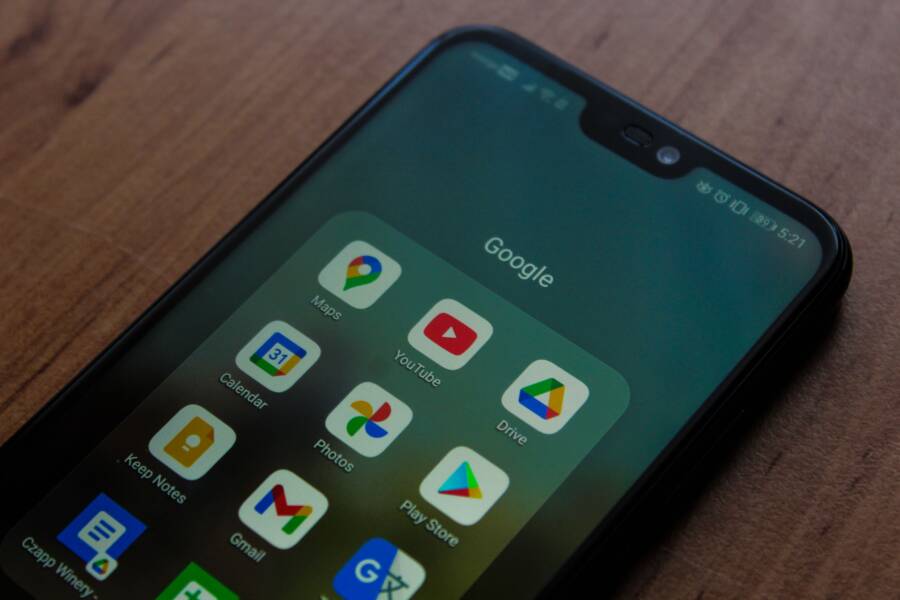
You can use Siri or Google Assistant safely while driving by keeping your eyes on the road and your hands on the wheel at all times. Using voice commands is only safe when you rely on hands-free settings to manage navigation, calls, or music without glancing at your smartphone.
Distracted driving remains a major risk, even when your technology feels helpful. You must configure your device settings before you start your engine to minimize manual interactions.
Follow this guide to set up your voice assistant for a safer drive.
Why Hands-Free Driving Requires Your Full Attention
Hands-free technology allows you to keep your hands on the wheel, but it does not remove the cognitive demands of driving. Your brain maintains a limited capacity for processing information. When you engage with a smartphone, you split your attention between the road and your device. Even if your hands remain on the wheel, your mind may still drift away from your surroundings. Maintaining complete situational awareness is the only way to avoid accidents.
Understanding Cognitive Distraction
Complex voice commands require more mental effort than simple tasks like changing a song. When you ask a smartphone to find a specific restaurant or send a detailed text, your brain works hard to formulate and verify the output. This mental shift creates a cognitive load that subtracts from your ability to scan the road for hazards. Many people assume they are safe because their hands stay on the wheel, but mental distraction is a silent danger.
Physical distraction occurs when you take your hands off the wheel or your eyes off the road. Mental distraction, however, happens internally. Your eyes might be on the road, yet your brain is processing information from your digital assistant. This disconnect often leads to slower reaction times. If an emergency occurs while you are mentally occupied with a voice request, your brain takes longer to process the situation.
The risk increases with the complexity of your interactions:
- Simple commands: Pausing music or adjusting volume requires minimal thought.
- Moderate tasks: Asking for weather updates or basic navigation creates a medium level of distraction.
- High-demand interactions: Dictating long messages or managing complex search queries forces your brain to prioritize device feedback over driving cues.
Setting Up Your Smartphone for Success
Preparation is the best way to keep your focus on the road. You should configure your settings before the vehicle moves. A properly mounted smartphone keeps the screen in your peripheral vision, which reduces the need to look down or reach across the dashboard. Most modern vehicles allow you to sync your device for better audio performance, so set up this connection before you start the engine.
Enable “Do Not Disturb While Driving” modes to silence unnecessary notifications. These settings block incoming calls and text alerts that tempt you to check your phone. When the system handles these interruptions for you, you remain focused on your driving.
Follow these steps to prepare your device:
- Secure your smartphone in a stable mount that keeps it within sight but away from your direct line of focus.
- Activate the driving mode on your smartphone to filter notifications before you pull out of your driveway.
- Pair your device via Bluetooth to your car audio system to ensure voice commands are clear and audible.
- Launch your navigation app and enter your destination while the vehicle remains parked.
Taking these steps keeps your attention where it belongs. You gain the benefits of voice assistance without the danger of divided focus. Once the setup is complete, you can use your voice assistant to manage tasks efficiently and safely.
Mastering Voice Commands for Siri and Google Assistant
Efficiency is your best tool for maintaining road safety while using a smartphone. Voice assistants allow you to perform essential tasks without manual input, provided you keep your requests brief and direct. By minimizing the time you spend speaking, you allow your brain to stay focused on the road ahead.
Top Commands to Use While Driving
Stick to short, clear phrases when interacting with your device. Complex sentences force you to monitor the screen for confirmation, which draws your eyes away from traffic. Use these standard command patterns to keep interactions quick and predictable.
For navigation and communication, try these concise phrases:
- “Navigate to home” or “Take me to work” starts your trip without manual entry.
- “Call [Contact Name]” initiates a phone call instantly.
- “Read my last message” lets you hear incoming texts without touching the phone.
- “Send a text to [Contact Name]” allows you to dictate a short, urgent response.
Keep every request under five words if possible. If you need to change your route or find a new destination, it is safer to pull into a parking lot before you start the request. Navigation software works best when you set your destination while the vehicle is parked.
Troubleshooting Common Recognition Issues
Voice assistants sometimes fail to interpret your voice due to road noise or poor cellular signal. You might feel tempted to repeat the same command multiple times, but this habit is a significant distraction. Constant repetition keeps your mind occupied with the device instead of your surroundings.
If the assistant fails to understand you after one or two attempts, stop the interaction. It is safer to wait until you reach your destination to handle the task. Pushing your smartphone to respond when it is clearly struggling will only increase your frustration and mental workload.
Check these simple fixes when you reach a safe stopping point:
- Confirm your smartphone microphone is free from dust or debris.
- Ensure your Bluetooth connection to the car audio system is active.
- Reduce cabin noise by closing windows or turning down the fan speed.
- Update your assistant settings to improve voice recognition accuracy.
Never fiddle with volume buttons or app menus while your car is moving. If you cannot get a command to work, your focus must remain on the driving environment. Your safety is always more important than completing a digital task.
Best Practices for Safe Voice-Controlled Navigation
Prioritizing safety starts with how you manage your smartphone during a trip. You should always aim to keep your eyes on the road and your mental focus on traffic conditions. Using voice commands is helpful, but these tools require disciplined habits to remain safe. You can reduce your risk by following these core practices for every drive.
Keeping Interactions Brief and Focused
Your main goal while driving is to minimize the time you spend thinking about your smartphone. Long or complex requests distract your brain from critical driving tasks. You should keep every command short and specific. If you need to search for a new destination, pull over to a safe area before you speak to the device.
Effective voice control depends on how you structure your request. You should treat the process like a quick conversation. Use clear language and pause if the assistant does not respond immediately. If the system fails to pick up your command, do not try again while the car is in motion. Waiting until you park protects you and others on the road.
Managing Visual Demands
Even when you use voice commands, your smartphone can still become a visual distraction. You might feel a natural urge to glance at the screen to confirm a route or a song title. This habit is dangerous because it takes your eyes away from the road for several seconds. A quick glance might seem harmless, but a vehicle moving at highway speeds covers hundreds of feet in that time.
You can manage these visual demands through these simple strategies:
- Mount your device at eye level so that you never look down or away from your path.
- Disable non-essential visual alerts to prevent the screen from lighting up during your trip.
- Use audio cues instead of visual ones to confirm your destination or incoming messages.
- Keep your phone screen turned off or set to a dark mode to reduce glare and light distraction.
Auditory Safety and Volume Control
Clear communication is vital when you use voice assistants. Loud music or heavy traffic noise often interferes with how your smartphone hears your voice. You should keep the volume at a level where you hear the assistant clearly without being startled. If you struggle to hear the device, adjust your car settings before you start moving.
Avoid turning up the volume too high as it may hide important road sounds like sirens or horns. You should also ensure that your car audio system handles the audio output instead of the phone speaker. This setup provides better clarity and allows you to keep your hands on the steering wheel. Balancing your audio environment helps you stay alert to everything happening outside your vehicle.
Common Questions About Using Assistants on the Road
Many drivers wonder if they should use a virtual assistant while operating a vehicle. While voice tools offer a convenient way to manage tasks, they also introduce specific risks if handled incorrectly. You can use your smartphone safely by focusing on pre-trip preparation and voice-only interactions. Understanding how these features work in a driving environment helps you avoid common pitfalls.
Does using a voice assistant count as distracted driving?
Yes, using any device that pulls your focus away from the road constitutes distracted driving. Even when you keep your hands on the wheel, your mind might remain occupied by a voice prompt or a complex interaction. If you have to think hard about how to phrase a command, you are likely distracted. You should treat every interaction with your smartphone as a secondary activity that happens while driving, not as your primary focus.
Can I change my music or navigation while the vehicle is moving?
You should avoid making changes to your music or navigation once you are on the road. The safest approach is to set your destination and playlist before you start the engine. If you must change your music, use a short, simple voice command like “play my driving playlist” rather than scrolling through menus. If the system fails to understand you, do not repeat the command or try again. Wait until you are parked to avoid the temptation of looking at your screen.
How do I stop my phone from interrupting me with notifications?
You can prevent unnecessary interruptions by enabling dedicated driving modes on your smartphone. These settings filter out incoming calls, text alerts, and social media notifications while you drive. Many devices automatically detect when you move at driving speeds and turn these features on for you. You should check your device settings to confirm that these blocks are active before you leave your driveway.
Is it safe to dictate long text messages while driving?
Dictating long or complex messages is a significant risk because it requires high levels of mental focus. Composing a message keeps your brain engaged in the drafting process instead of the traffic around you. If you need to send a message, stick to short, simple replies that you can dictate in one quick sentence. If your response needs more detail, wait until you reach a safe location to stop the car.
What should I do if the assistant misinterprets my request?
Voice recognition often struggles with road noise, open windows, or poor cellular signal. If your smartphone does not understand you after one attempt, stop the interaction immediately. Continuing to repeat your command increases frustration and draws your attention away from driving safety. Simply acknowledge that the technology is not working at the moment and handle the task once you park the vehicle. Your goal is to keep your eyes on the road and your mental awareness fully dedicated to your surroundings.
Conclusion
Using a smartphone as a tool for navigation and communication requires preparation before you start the car. By setting up your device while parked, you allow your voice assistant to support your trip without pulling your focus away from the road.
Effective use of these tools depends on keeping interactions short and direct. A smartphone is a helpful aid only when you keep your eyes on the traffic and your mind on your surroundings.
Take a moment to enable your driving mode and mount your device securely before your next trip. Always prioritize your safety over the convenience of a digital request.