There Is a Frequency That the Wealthiest Families Have Used for Generations and Most People Will Never Know It Exists
>>> Open the Door <<<

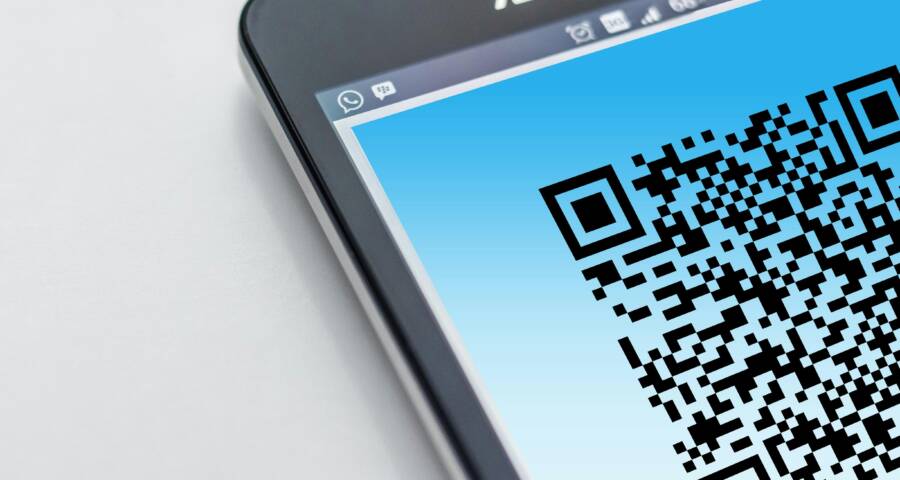
QR codes are safe when you check the source, preview the link, and avoid sharing sensitive details unless you trust who sent it. They’re everywhere now, on menus, parking meters, payments, event tickets, and shipping labels, so scammers use them to push fake sites and steal logins, card data, or personal info.
The same smartphone habits that help you avoid phishing links also help here, like pausing before you tap, checking the web address, and watching for small signs of fraud. This guide keeps it simple, with clear steps, warning signs, and examples you can use before you scan.
What QR Codes Do and Why Scammers Like Them
A QR code is just a shortcut. It can open a website, launch an app, connect your phone to Wi-Fi, or start a payment screen in seconds. That speed is useful, but it also creates a blind spot, because people often trust the code before they check where it leads.
The code itself is usually harmless. The risk comes from the destination. If a scammer can send you to a fake login page, a bad download, or a payment request they control, the QR code becomes the doorway.
What If the Only Thing Between You and the Life You Deserve Is a Hidden Wealth Code Waiting to Be Activated
>>> Open the Door <<<

How a QR code sends you to a link, app, or payment page
When you scan a QR code, your phone reads the pattern and turns it into an action. Most of the time, that action is a web link, such as a restaurant menu, a package delivery notice, or an event check-in page. Some codes open an app store page, connect to public Wi-Fi, or trigger a payment request.
That is why QR codes are so common in daily life. A restaurant can print one on a table tent and send you straight to the menu. A concert venue can place one at the door for ticket check-in. A delivery service can put one on a label so you can track a parcel without typing a long address.
The code itself is only the messenger. The real question is what opens after the scan. If the destination asks for a password, card number, or app install, pause and check the source first. Your smartphone is just following instructions, so the page behind the code matters more than the pattern on the sticker.
A QR code is only as safe as the site, app, or payment page it opens.
Why fake QR codes are easy to hide in public places
Scammers like QR codes because they can hide in plain sight. A fake sticker over a real code is hard to spot at a glance, especially on a crowded poster, parking meter, or store sign. They also print their own flyers and place them where people expect quick action.
The same trick works online. A suspicious code can arrive by text, email, or social media, often with a message that pushes you to scan fast. A fake refund notice, shipping alert, or account warning can feel urgent enough to skip checks.
That urgency is the point. Busy people scan first and think later, and scammers count on that habit. They want you to move before you notice the web address, the spelling mistakes, or the strange request for personal info. A quick glance is usually enough to miss a fake sticker or a shady payment page, especially when you are using a smartphone on the move.
A few common tricks show up again and again:
- Sticker swaps: A fake QR sticker covers a real one on a poster, meter, or menu.
- Copied flyers: A scammer prints a new sign that looks like the original.
- Message bait: A text or email claims to be from a delivery firm, bank, or event organizer.
- Social posts: A code shared online sends you to a fake login or payment screen.
The pattern is simple. Scammers hide the code in places people trust, then rely on speed, habit, and distraction to do the rest.
The safest habits to use before you scan
Safe QR code use starts before the camera opens. A quick check of the source, the surface, and the link can stop most common scams before they reach your phone.
The best habit is simple: slow down for a few seconds. That pause gives you enough time to spot a fake sticker, a strange web address, or a code that has no good reason to be there.
Check where the QR code came from and whether it makes sense
A QR code from a trusted store, bill, ticket, or official sign is usually safer than one from a random text or unknown poster. Context matters. If you’re standing at a restaurant table and the code opens the menu, that fits. If a message from an unknown number tells you to scan for a refund, that deserves more caution.
Look at the situation first. Does the code match the place, the task, and the person or company behind it? A code on a shipping notice should point to delivery details, not a login page that asks for your bank card.
If the source feels off, stop there. If the source is unclear, do not scan yet.
A few common warning signs stand out:
Thousands of People Were Struggling With Money Until They Discovered This One Ancient Secret Hidden in Sound
>>> Unlock It Now <<<

- The code arrives in a text you did not expect.
- The message pushes you to act fast.
- The poster or flyer has no clear brand or contact details.
- The scan request does not fit the setting.
That short pause can save you from a bad tap later.
Look for tampering, stickers, and damaged signs
Public QR codes are easy to replace, so inspect the surface before you scan. Peeling edges, crooked labels, extra stickers, and mismatched colors are all clues that someone may have pasted a fake code over the real one.
Pay close attention to places where people scan quickly and move on. ATMs, parking meters, restaurant tables, and utility notices are common targets because most people don’t stop to inspect them. A scammer only needs a small sticker and a busy crowd.
Check for these details with your eyes and, if needed, with your finger:
- Peeling corners around the code or sign
- Sticker-on-sticker layers that look thick or uneven
- Crooked placement that does not line up with the printed sign
- Branding that feels wrong, such as colors, logos, or fonts that do not match
- Damage or fading that hides a possible replacement underneath
If the code looks newer than the sign around it, be careful. A fresh sticker on an old meter or poster is a common red flag.
Preview the link before opening it on your phone
Most camera apps and QR scanners show the web address before they open it. Use that moment. Read the URL first, because the link often tells you more than the code itself.
A safe-looking name can still hide a bad address. Watch for strange spellings, extra numbers, shortened links, or domains that do not match the company name. For example, a real company page should usually use its own domain, not a random variation with odd letters or extra words.
On your smartphone, this check takes only a second. Tap the preview only after the address looks right and the destination makes sense.
If the URL looks rushed, messy, or unrelated to the brand, close it.
A quick mental checklist helps:
- Does the domain name match the organization?
- Are there odd characters, hyphens, or extra numbers?
- Is the link shortened in a way that hides the destination?
- Does the page ask for login, payment, or personal details right away?
If any answer feels wrong, back out and verify the source another way. A safe scan should feel ordinary, not urgent or confusing.
Spot the red flags that often point to a scam
A QR code can look clean and official while still leading to a scam. The safest rule is simple: if the scan asks for sensitive details, creates pressure, or sends you to a strange web address, stop and check it first.
Scammers rely on quick clicks and automatic trust. They use fake login pages, payment requests, prize claims, and urgent messages to push you past your usual caution. A few clear red flags can help you spot trouble before your smartphone loads the page.
Be careful with codes that ask for logins, passwords, or payments
A QR code should never feel safe just because it looks professional. Fake signs, copied logos, and neat design can hide a bad destination.
Be extra cautious if the scan leads to:
- A sign-in page asking for your email and password
- A payment screen that requests a card, bank details, or wallet info
- A gift card form that asks you to pay before you receive anything
- A prize claim page that wants personal details before showing the offer
Trusted organizations usually do not ask for sensitive details through a surprise QR code. If a bank, retailer, delivery company, or school truly needs your information, it normally gives you a more direct and verifiable route.
A polished page is not proof of safety. The request matters more than the design.
If a QR code asks you to log in right away, close it and open the company’s official app or website yourself. That small extra step can block a fake sign-in page before it gets your data.
Watch out for urgent messages, rewards, and too-good-to-be-true deals
Scam language often sounds rushed and exciting. Phrases like “act now,” “claim your prize,” “confirm your account,” or “unlock a refund” are pressure tools. They are meant to keep you moving before you start checking details.
Urgency is a trick. It makes people react instead of think.
A few common examples show up again and again:
- Delivery notice scams: A text says your package is held, then a QR code asks you to pay a fee or “verify” your address.
- Parking fine scams: A fake notice on a windshield tells you to scan and pay immediately to avoid penalties.
- Airline update scams: A message claims your flight changed, then sends you to a login page that steals your account.
- Fake giveaway scams: A poster or post says you won a prize, but the QR code leads to a form that asks for fees or card details.
If a reward looks easy and the message sounds urgent, slow down. Real offers still give you time to verify them.
Know when shortened links and odd web addresses are dangerous
A QR code can hide a tiny or unfamiliar URL behind a clean-looking square. That makes the link itself one of the best clues you have.
Thousands of People Were Struggling With Money Until They Discovered This One Ancient Secret Hidden in Sound
>>> Unlock It Now <<<
Shortened links can also hide the destination. They are useful in some cases, but they make it harder to tell where a scan will go before the page opens. On a smartphone, that matters because the preview may only show a small part of the address.
Look for these warning signs:
- The web address does not match the brand you expected
- The domain has misspellings or extra words
- The link is very long and packed with random letters and numbers
- The address uses a shortened link that gives you no useful clue
A real business page usually looks consistent. If a QR code for a store opens a strange domain, or a city notice sends you to a random site, treat it as a red flag. When the URL looks unrelated, misspelled, or messy, close it and verify through the company’s official site or app.
What to do after you scan, if the page looks suspicious
If the page looks off, close it right away and don’t enter anything. A strange URL, a login screen you didn’t expect, or a form asking for personal details is enough reason to stop. On a smartphone, one extra tap can send you to more fake pages, so the safest move is to back out fast and stay off the form.
Close the page, do not enter information, and delete the message if needed
Do not click around the page to “see what happens.” That can lead to more risky links, fake pop-ups, or a second page that looks even more official. If the QR code came through a text, email, or social post, leave the page, then delete or report the message if it seems suspicious.
If you scanned from a flyer or poster, walk away and avoid rescanning it. The goal is to cut off the path before the site can collect anything. A suspicious page is like a bad street sign, once you follow it, you may end up farther from safety.
A simple response works best:
- Close the tab or app.
- Do not type any details.
- Delete the message if it came from text or email.
- Report the sender or post if the platform allows it.
Change passwords and turn on extra security if you shared sensitive data
If you entered a password, card number, or account details, act at once. Change the password for that account first, then update any other account that uses the same password. Reused passwords are a common way scams spread.
Next, turn on two-factor authentication if the service offers it. Then check recent login activity, payment history, and account settings for changes you do not recognize. If you used a credit card, watch for strange charges and contact your bank if anything looks wrong.
Keep the response simple and direct:
- Change the password right away.
- Sign out of other devices if the account offers that option.
- Turn on two-factor authentication.
- Review recent activity and alerts.
If you typed a password once, treat it as exposed until you replace it.
Scan your phone for suspicious apps or permissions
Some QR scams try to push you toward an app install or a risky setting. If you installed anything to view the page, remove it unless you know exactly why it is there. Also check for apps you don’t recognize, because a fake installer can hide behind a harmless name.
Review app permissions next. Look for access to contacts, messages, camera, files, or notifications that doesn’t make sense for that app. On most smartphones, you can find this in the device settings under apps, permissions, or privacy.
If the phone seems slower, shows odd pop-ups, or keeps redirecting you, update the device software and run a security scan if your phone offers one. A clean device gives you a much better starting point after a bad scan.
Safe QR code use in everyday places like stores, events, and bills
QR codes are common in normal daily tasks, but the safest use still starts with a quick check. In stores, at events, and on bills, a code is usually fine when it clearly matches the business, the setting, and the action you expect. If the source feels off, the code looks altered, or the next step asks for more than it should, stop and verify first on your own.
Restaurant menus, parking meters, and store signs
These are usually normal QR code uses. A restaurant menu code should open the menu, a parking meter code should connect to payment, and a store sign should point to the business’s own page or service. The process should feel consistent and clear, with the brand name, the setting, and the link all lining up.
Before you tap, check the code itself. If it looks pasted on, crooked, faded, or poorly printed, treat it with care. A fresh sticker on an old sign is a common warning sign, especially when the rest of the poster looks worn.
Compare the destination to the business name before you go any farther. A coffee shop QR code should not open a random domain with no clear connection to the shop. On your smartphone, the preview should make sense at a glance, without surprises or extra steps.
Tickets, deliveries, and account notices sent by text or email
Scammers copy delivery updates, ticket alerts, and billing messages because people expect them. A fake text may say a package is delayed, an event ticket needs confirmation, or a bill is overdue. The QR code inside the message often leads to a login page, payment form, or support page that steals your details.
The safer path is simple. Open the official app or type the company’s web address yourself, then check the notice there. If the message is real, you should see the same alert in your account history or inbox on the official site.
A message that asks you to scan first should get extra attention. Delivery services, ticket platforms, and billing companies already have direct ways to manage account issues. Use those paths instead of trusting the QR code alone.
Public Wi-Fi and app downloads from QR codes
Joining Wi-Fi through a QR code needs caution, because the code can send your phone to a network you did not expect. The same is true for app downloads. A code that promises free internet or a special app may be trying to move you to a fake setup screen or a harmful file.
Use known network names and trusted sources whenever possible. For apps, go straight to the official app store, not a random download page from a poster or text. A real business will usually point you to a familiar store listing or a name you can confirm elsewhere.
Stay careful if the code claims a bonus, like free access, a faster connection, or an exclusive app. Those offers are often used to lower your guard. If the request feels unusual, check the venue, company, or event site first, then connect or install only through the trusted route.
A simple QR code safety checklist you can remember
A safe QR scan comes down to a few quick checks. If the code, source, and link all make sense, you can scan with more confidence. If one part feels off, stop and verify on your own.
The easiest habit is to pause for a few seconds before you scan on your smartphone. That short pause catches most fake codes, fake pages, and rushed mistakes.
Check the source first
Start with the place, person, or message that gave you the code. A QR code on a trusted store sign is very different from one in a random text or a flyer with no clear brand.
Use the setting as your first filter. If the code fits the situation, it is more likely to be legitimate. If it feels out of place, treat it with care.
A quick source check looks like this:
- The code comes from a known business, service, or official notice.
- The request matches the setting, such as a menu, bill, ticket, or parking sign.
- The message does not push you to act fast.
Inspect the code and the surface
Before you scan, look at the code itself. A sticker layered over another sticker, crooked printing, or damaged edges can signal tampering.
Public places need extra attention because fake labels are easy to hide. Parking meters, restaurant tables, and bulletin boards are common targets. If the code looks pasted on or newer than the sign around it, slow down.
Preview the link before you open it
Most phone cameras show a link preview before the page opens. Use that preview every time. Read the domain name, then compare it with the brand you expect.
A safe preview usually matches the company name and the task. A strange domain, odd spelling, or shortened link deserves a second look. If the address looks messy, close it and check the company’s official site or app instead.
If the URL looks wrong, the safest move is to stop there.
Never enter sensitive details right away
A QR code should not rush you into sharing passwords, card numbers, or verification codes. If the page asks for login details or payment info right away, verify the request through the official app or website.
That rule matters most for banking, delivery alerts, tickets, and refunds. Those scams often look polished, but the request itself gives them away.
Use this fast decision guide
When you want a simple yes or no, use this check:
A good QR scan feels ordinary. It should not feel rushed, secretive, or confusing. If it does, trust that feeling and verify first.
Conclusion
QR codes are useful, but only when you scan them with care. The safest habit is simple: trust the source, check the link preview, and never enter personal or payment details unless the page clearly matches what you expected.
That rule matters on a smartphone because speed makes people skip the small checks that stop scams. If a code feels rushed, odd, or out of place, close it and verify the company or notice through its official app or website.
A QR code should save time, not create risk. Scan carefully, protect your information, and treat every code like a link that deserves a second look.
Thousands of People Were Struggling With Money Until They Discovered This One Ancient Secret Hidden in Sound
>>> Unlock It Now <<<