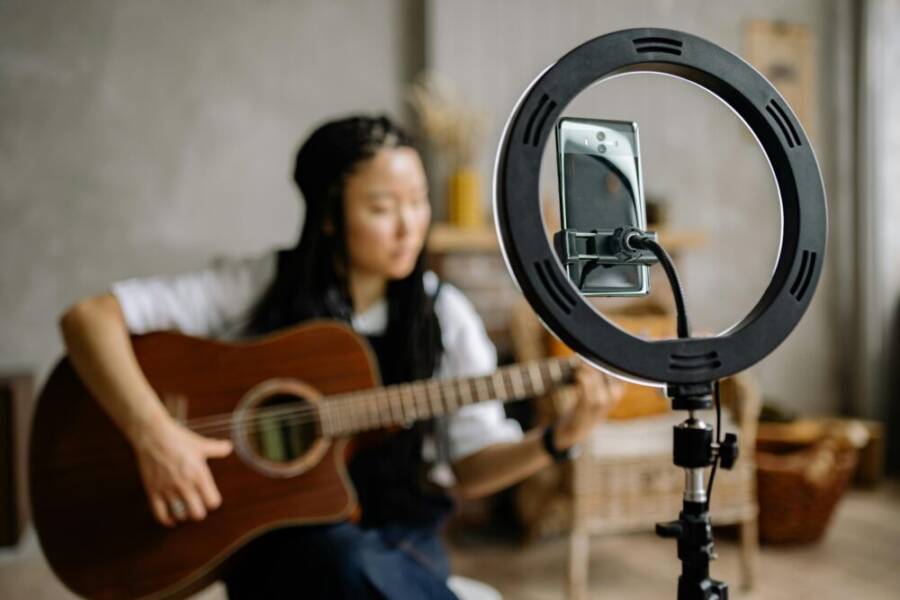
Recording smooth handheld video with a smartphone is easier than you think. In this quick guide, you’ll learn practical moves for grip, stance, and using stabilization features so your clips feel steady from the first frame. You’ll also pick up simple tips for planning, framing, sound, and light that you can try right away with the phone you already own.
A solid grip is the first step. Hold the phone with both hands, keep your elbows tucked in, and use a lightweight grip accessory if you have one. Your stance matters too—feet shoulder width apart and a stable base help you move without wobble.
Smartphone cameras now include stabilization options that do the heavy lifting. Turn on OIS or EIS and, when possible, use a dedicated filming app with enhanced stabilization modes. Pair these with thoughtful framing and a quiet setting, and your handheld footage will look noticeably smoother without extra gear.
Hold the Phone Steady: Grip for Smooth Handheld Video
A steady handheld shot starts with a solid grip and a stable stance. This section breaks down a practical two-handed grip and a body-friendly stance, plus breathing and movement techniques to keep your footage smooth. You’ll learn a simple starter routine you can do right away with the phone in your pocket today.
Two-Handed Grip and Body Stance for Stable Footage
The foundation of smooth handheld video is a reliable two-handed grip. Hold the phone with both hands, thumbs resting near the bottom edge and fingers wrapped around the back. Keep your elbows tucked in close to your torso so your arms become extensions of your chest, not loose pendulums. The body acts as a natural stabilizer when you brace against it, so think of your torso as a rigid frame that transfers any micro-mulsions from your hands into the ground.
- Keep the phone close to your chest. This minimizes vertical drift and makes vertical movements less dramatic.
- Straight wrists. Avoid bending at the wrists; a straight line from forearm to phone reduces wobble.
- Relaxed stance. Feet about shoulder-width apart gives you a broad base. Slight knee flex lowers the center of gravity and absorbs motion.
Practice a simple starter sequence: stand upright, bring the phone to eye level with both hands, tuck your elbows, and breathe out a steady exhale as you begin recording. If you have a small grip accessory, attach it lightly to gain a little extra contact area without increasing tension.
If you want a deeper dive into proven two-handed grip techniques, check out practical demonstrations from experienced shooters and photographers, such as the two-handed grip tutorials and expert tips found in this guide. For visual cues, a quick tutorial on stabilizing a phone camera can be helpful. You can also view hands-on demonstrations that show bracing against your body and using your core to steady the camera.
Tip: keep your wrist alignment consistent by imagining a straight line from your elbow to the phone. This alignment reduces micro-maccos in your footage and makes panning feel more controlled.
A quick starter drill you can try tonight: stand with your feet hip-width apart, elbows tucked, and the phone braced against your sternum. Take a slow, deliberate breath, then begin a slow horizontal sweep with your eyes staying on the subject. Focus on keeping the movement fluid rather than fast. This builds muscle memory for steadier shots over time.
Suggested reading and examples that reinforce these ideas include practical guides on proper camera hold and stable filming stances. For additional context, see related discussions on ergonomics and grip stability and the common pitfalls beginners face when filming handheld.
Breathing and Movement to Reduce Shake
Breathing is a surprisingly powerful stabilizer. Slow, controlled breaths help you maintain a quiet baseline and reduce tremor in your hands. In practice, exhale gently before you press record, then inhale softly and avoid heavy breathes while filming. A steady breath acts like a natural brake on body tremor.
Moving from the legs rather than the arms is another effective approach. Let your knees and hips do the work as you shift your weight to follow a subject. This keeps your shoulders and arms from turning into loose oscillators and makes smooth pan movements far easier to achieve.
- Practice in a small space. Narrow rooms force you to curb large arm motions and develop precise, controlled movement.
- Avoid wide arm swings. Large, rapid motions translate to obvious shake on video.
- Keep your shoulders relaxed. Tension travels down your arms to the phone; loosening up helps your footage stay calm.
A quick drill you can start today: stand with your feet shoulder-width apart, hold the phone with both hands, and practice a slow, deliberate two-step sway on the balls of your feet while keeping your upper body still. Add a gentle horizontal pan, then pause and reset. This drill trains your legs to absorb motion before your arms react.
Real-world tips from experienced videographers emphasize the role of breathing and leg-driven movement in stabilizing handheld footage. For further insights, explore discussions on breathing techniques and practical stabilization methods used in handheld shooting. These sources offer additional drills and perspectives you can adapt to your own setup.
Boost Stability with Built-In Features and Simple Gear
Smooth handheld footage starts with using what you already own. Modern smartphones come with stabilization that kicks in automatically and settings you can tweak for better results. This section covers how to enable stabilization, the frame rates that work best for your scene, and practical gear that makes handheld shooting steadier without breaking the bank. You’ll walk away with a simple, repeatable workflow you can apply in any shoot.
Enable Stabilization and Smart Frame Rates
Most smartphones offer two main forms of stabilization: optical image stabilization (OIS) and electronic image stabilization (EIS). OIS physically counteracts hand shake by shifting the lens, while EIS smooths the image digitally during processing. On many devices these work in tandem, especially when shooting video at 1080p60 or 4K. To turn stabilization on:
- iPhone: Open the Camera app, then go to Settings > Camera and ensure “Record Video” options use stabilization. In some models you’ll see “Video Stabilization” automatically enabled; you can confirm in the main camera settings.
- Android phones: Settings vary by brand, but look for camera options labeled “Stabilization,” “OIS,” or “EIS” inside the camera app’s video settings. Many devices enable EIS by default in 60 fps modes.
When choosing frame rates, aim for 60 fps for clean motion in action or walking scenes. If you want a more cinematic look, 24 or 25 fps can be used, especially in calmer shots or when you’ll apply a gentle speed change in post. A higher frame rate, like 120 fps, creates strong slow motion but may require better lighting and can be harder to stabilize in real time. Remember, you can always shoot at a higher frame rate and slow it down during editing to add stability if needed.
Useful context from experts explains how OIS and EIS work together and why frame rate decisions matter for stability and edits. For deeper background, see explanations of image stabilization methods and how they influence video quality.
- What is image stabilization? OIS, EIS, and HIS explained https://www.androidauthority.com/image-stabilization-1087083/
- Google’s OIS plus EIS video stabilization demonstrated https://www.dpreview.com/news/5695261106/here-s-google-s-impressive-ois-eis-video-stabilization-demonstrated
If you’re unsure which mode your phone uses in a given scenario, test a quick walk with both 30 fps and 60 fps to see which delivers smoother results in your typical lighting. For more guidance on frame rates, a practical beginner’s guide explains the basics and how to pick the right setting for your project.
- Frame Rate: a Beginner’s Guide https://www.techsmith.com/blog/frame-rate-beginners-guide/?srsltid=AfmBOorx3CK_FDUCG16taebEAcRKY4zNDcVLiJhf-_hhsdCj2E-6dmOK
External Stabilizers You Can Use
If you want to lift stability beyond what your phone can achieve on its own, light gear can make a big difference. A compact tripod or a dedicated smartphone gimbal gives you much steadier shots, especially when you’re moving through space or following a subject. Here are practical options and quick setup tips.
- Lightweight tripods: A small tripod keeps the phone steady on a desk or flat surface between takes. It’s perfect for establishing shots or time-lapse sequences where you want to minimize shake during setup. When you need to shoot handheld but with occasional pauses, prop the tripod, shoot a base take, then recompose.
- Smartphone gimbals: A 3-axis gimbal stabilizer smooths movement while you walk or run sequences. These devices balance the phone and apply fluid motion tracking, making it easier to maintain steady framing even during pace changes. Look for models with quick-release plates, multiple tracking modes, and a compact foldable design for travel.
Quick tips to maximize stability with gear:
- Use a gimbal for longer walking shots and action sequences. It handles rapid changes in direction more predictably than a hand-held setup.
- Switch to a small tripod for static or tripod-like shots that require panning with minimal shake.
- Balance your phone on the gimbal before you start filming and run a quick test sweep to confirm tracking. A good balance reduces motor stress and battery drain.
For recommended gear, consider reputable options that are widely used by hobbyists and professionals.
- The best phone gimbals and stabilizers for 2025 https://www.nytimes.com/wirecutter/reviews/best-android-and-iphone-gimbal/
- The best phone and camera gimbals for 2025 https://www.pcmag.com/picks/the-best-phone-and-camera-gimbals
- Best cell phone handheld gimbals and stabilizers https://www.amazon.com/Best-Sellers-Cell-Phone-Handheld-Gimbals-Stabilizers/zgbs/wireless/21209109011
- Camera stabilizers and tripods for smartphones https://www.bestbuy.com/site/camera-tripods/camera-stabilizers/pcmcat328900050015.c?id=pcmcat328900050015
If you want a quick DIY check, read about ready-to-use options you can add to your kit in minutes. These recommendations are useful when you’re traveling light and still want reliable results.
- Best phone tripod for iPhones and smartphones https://amateurphotographer.com/buying-advice/best-camera-phone-tripods-and-mounts-for-photography-and-video/
External Stabilizers You Can Use
If you want to lift stability beyond what your phone can achieve on its own, light gear can make a big difference. A compact tripod or a dedicated smartphone gimbal gives you much steadier shots, especially when you’re moving through space or following a subject. Here are practical options and quick setup tips.
- Lightweight tripod: Sets a solid base for static shots, interviews, or time-lapses. Place it on a stable surface, attach the phone in the center of gravity, and use a slow pan for controlled movement.
- Smartphone gimbal: A portable stabilizer with motors and sensors to smooth out motion. Use it for walking scenes and dynamic shots where your subject is moving. Calibrate the gimbal before shooting and keep the Nikon-style cue lines on the screen to maintain a crisp horizon.
If you want deeper guidance on choosing gear, you can read reviews from trusted outlets that compare models and highlight what’s most useful for handheld video. For example, a roundup of gimbals and stabilizers explains the strengths of popular models and how they perform with different phone sizes.
- The 3 Best Android and iPhone Gimbals of 2025 https://www.nytimes.com/wirecutter/reviews/best-android-and-iphone-gimbal/
- The Best Phone and Camera Gimbals for 2025 https://www.pcmag.com/picks/the-best-phone-and-camera-gimbals
Improv Stabilizers You Can Make at Home
If you’re on a tight budget or just curious, there are plenty of DIY options that can cut shake without buying gear. Creative setups use common household items to create a makeshift stabilizer. The key is safety, balance, and testing before you start filming.
- Attach the phone to a steady surface: Place the phone on a stable, non-slip surface or mount it to a weight-friendly base. A small clamp or non-slip mat helps keep the phone from sliding during movement.
- Use household items to dampen shake: A simple rig can be built with items like a smooth rolling surface, a light counterweight, or a small slider rig made from simple parts. The goal is to reduce the phone’s tendency to bounce.
- Balance and safety: Always check that your DIY setup is secure and won’t tip over. Ensure cords and parts don’t create a tripping hazard and avoid overloading the phone with ad-hoc rigs.
Quick, safe ideas you can try tonight:
- Tape the phone to a flat, stable book or clipboard for a stationary shot with a gentle pan.
- Create a low-friction slider using a smooth shelf edge and a clean pencil or rod as a guide.
- Build a simple pendulum rig with a light weight and a soft cord to dampen vertical motion.
If you want proven DIY approaches, a few guides demonstrate inexpensive rigs and their effectiveness. These sources show how common objects can be repurposed into stable filming aids.
- 6 Wacky DIY Smartphone Rigs: How to Build a DIY Gimbal and more https://petapixel.com/2020/05/21/6-wacky-diy-smartphone-rigs-how-to-build-a-diy-gimbal-and-more/
- This DIY Smartphone Stabilizer Needs Just 3 Household Items https://nofilmschool.com/diy-smartphone-stabilizer-household-items
- How to Make a DIY Stabiliser for Smartphones https://www.ephotozine.com/article/how-to-make-a-diy-stabiliser-for-smartphones-33187
- DIY High Quality Cellphone Camera Stabilizer for iPhone https://www.instructables.com/DIY-high-quality-cellphone-camera-stabilizer-for-i/
These low-cost ideas are great for quick projects, travel days, or experiment nights. Start by testing one option at a time to see what gives you the smoothest result with your phone in typical shooting conditions. If you rely on a lot of movement, a simple gimbal or a small tripod will usually outperform improvised setups.
By pairing built-in stabilization and smart frame rate choices with practical gear or clever DIY rigs, you can dramatically improve the stability of handheld video. The key is to practice with your usual lighting and subjects, so the improvements feel natural, not engineered. For a quick recap, keep stabilization on, pick an appropriate frame rate for the scene, and choose a stabilizing tool that matches the pace of your shoot.
Plan, Frame, and Move with Care
Smart handheld video on a smartphone thrives when you approach the shoot with intent. A quick plan saves time, keeps you on track, and helps your footage feel cohesive from start to finish. In this section, you’ll learn to map out shots, frame with smart guidelines, and move with purpose so your scenes stay clear and engaging even without extra gear.
Plan Your Shots Before You Record
Before you press record, sketch a simple shot list. Jot down the scenes you want, the order they’ll appear, and the angles that tell the story. A rough plan acts as a map, reducing wandering and last minute regrouping when you’re holding the camera. It also helps you spot gaps, like a missing close-up or a key detail you want to emphasize.
- Start with a scene ladder: establishing shot, mid shot, close-up. This creates visual rhythm and makes your story easier to follow.
- Decide on angles: eye level for natural communication, slight low angle to convey importance, or a high angle for a broad view.
- Rehearse moves: walk through the sequence slowly, noting where you’ll speed up or pause.
A simple shot list can be as brief as three lines: “Exterior, wide; Interior, medium; Detail of product.” Even rough planning pays off when you’re moving with a phone in hand. It helps you avoid shaky improvisation, ensures you capture essential moments, and streamlines postproduction.
If you want practical ideas on planning, a few guides emphasize sketching out shots before you shoot. They show how a well-thought plan reduces wasted takes and supports smoother transitions between scenes. For additional guidance, see discussions on pre-production planning and shot-list creation.
- Planning reads on shooting professional-looking videos on a budget https://designshopp.com/blog/tips-and-tricks-for-shooting-professional-looking-videos-on-a-budget/
- Mobile videography crash course with shot lists https://socialflyny.com/a-content-creators-crash-course-to-mobile-videography/
- Shooting in sequences to build a story https://adoresama.com/alc/create-better-videos-shooting-in-sequences/
A practical takeaway: treat your plan as a living document. If you discover a better angle while testing, update the shot list on the fly. Your future self will thank you when you’re stitching scenes together.
Frame Your Shot with Gridlines and Focus Lock
Frame with purpose. Gridlines help you place key elements along the lines of the rule of thirds, which creates balanced, natural compositions. Locking focus and exposure prevents unwanted shifts as light changes or you move the phone for a better angle. When you keep subjects well lit and framed thoughtfully, your video feels deliberate rather than reactive.
- Gridlines are your visual guide: aim to place a subject on a vertical gridline or at an intersection point for steady composition.
- Focus lock (AE/AF lock) stops the camera from hunting between subjects or lighting changes.
- Light matters: keep your subject evenly lit, with a bit of separation from the background to avoid flat footage.
- The rule of thirds in plain terms: imagine the frame split into thirds; place eyes near the top third line and let action occur along the side lines.
If you’re new to gridlines or focus locking, practice with a few quick tests. Tap and hold on a subject to lock exposure and focus, then rotate to confirm the shot stays crisp as you reframe. This small ritual prevents surprise shifts that can derail a handheld take.
To deepen your understanding, you can explore basic explanations and demonstrations of gridlines, focus lock, and exposure management. They help you internalize why these tools matter for handheld filming.
- How to use image stabilization and grid lines in practice https://guch.me/blog/11-tips-for-shooting-professional-videos-using-a-smartphone-at-home/
- Manual exposure and focus tips for better phone photos and videos https://www.ivorandrew.com/blog/better-smartphone-photos-9sjlr-mjg4n-zljjm-k2yz6-3l9sp
- A quick primer on grid lines and composition in mobile camera apps https://www.facebook.com/groups/northernlightsalert/posts/7963580247076385/
A short drill to reinforce framing: pick a subject and shoot three takes, each with a different alignment—centered, along the left third, and along the right third. Compare how the subject pops in each frame and note which feels most natural for your style.
Move Smoothly with Pacing and Walking Techniques
Movement in handheld video requires control. Slow, measured pans and deliberate steps minimize shake and help your audience stay with what you’re showing. Focus on pacing as much as on framing. When you move, let your legs and hips do the work, not just your arms. This approach preserves calm, steady motion even during longer takes.
- Pace your movements: short, controlled shifts feel cleaner than long, rapid sweeps.
- Footwork matters: keep feet beneath hips, with a slight knee bend to absorb motion.
- Glide, don’t stomp: quiet footfalls reduce ground vibrations that translate to the image.
- Quiet space practice: test in a room where you won’t be interrupted by noise or echoes.
A simple walking drill helps you build a smooth rhythm. Stand with your feet at hip width, hold the phone firmly with both hands, and take a small step forward. Then shift your weight to the back foot and repeat. Add a gentle pan to follow a subject, pause, and reset before the next movement. The goal is fluidity, not speed.
If you want a deeper dive into walking techniques for handheld shots, look for practical drills from experienced videographers. They often share step-by-step routines that train the body to move as a single unit, reducing camera shake and making transitions feel natural.
- A beginner’s guide to frame rates and motion with a phone https://www.techsmith.com/blog/frame-rate-beginners-guide/?srsltid=AfmBOorx3CK_FDUCG16taebEAcRKY4zNDcVLiJhf-_hhsdCj2E-6dmOK
- Expert tips on stabilizing handheld footage through breathing and stance https://designshopp.com/blog/tips-and-tricks-for-shooting-professional-looking-videos-on-a-budget/
Short practice sequence you can run tonight: walk in a straight line for six steps, then turn your torso to follow a subject on the side. Keep your head steady, eyes on the subject, and let your hips and knees absorb the motion. Stop briefly, reset, then repeat with a slight, controlled pan. This helps you build a natural, smooth cadence.
In addition to practice, review guidance from trusted sources on how to balance motion and composition. The right pacing makes your video feel intentional and easy to watch, even on a small screen.
- A practical overview of pacing in mobile filming https://socialflyny.com/a-content-creators-crash-course-to-mobile-videography/
- A quick read on stabilizing motion for handheld footage https://www.adorama.com/alc/create-better-videos-shooting-in-sequences/
Putting plan, frame, and movement together creates a simple, repeatable workflow. Start with a clear shot plan, frame with gridlines and focus lock, then move with measured steps and a quiet gait. By rehearsing these steps, you’ll produce handheld clips that feel professional without extra gear. For inspiration and deeper techniques, explore the linked resources as you build your own go-to approach.
Sound, Lighting, and Quick Fixes for Handheld Video
Capture clean audio, light your subject effectively, and spot quick fixes that tighten your handheld footage. In this section, you’ll learn practical, device-neutral tips you can apply today with the gear you already own. We’ll cover external mics, simple lighting setups, and fast corrections for common mistakes, plus a few gear suggestions that won’t break the bank. A good starting point is to treat sound, light, and framing as a single workflow, not isolated tweaks. Visuals matter, but clean audio and consistent light often carry the scene.
Capture Clean Audio with an External Mic
External mics beat built in mics for clarity because they place the recording capsule closer to your source and away from camera noise. A dedicated microphone reduces room reverb and camera hum, producing crisper speech, clearer dialogue, and less post processing work. You don’t need fancy gear to see a difference; a compact lavalier or small handheld mic can lift the entire video.
- Affordable options: Look for compact lavalier mics with a 3.5mm or USB-C connection that plug directly into your device. A small clip-on lav offers freedom of movement and good isolation from ambient noise.
- Windscreens for outdoor use: A furry windscreen or foam windscreen helps cut wind noise when you’re outside. They fit most lavalier and compact mics and are inexpensive.
When choosing, prioritize compatibility with your phone and a plug that fits your device. A simple setup is a lavalier connected to a smartphone with a basic recording app. This lets you capture voice clearly even in noisier environments. If you plan to move a lot, consider a wireless mic system that still stays compact enough for handheld use.
For easy references on gear options, see practical roundups that compare budget external mics and wind dampers. These sources help you pick a model that matches your shooting style and pocketbook.
- External mics for mobile video: versatile options for iOS and Android https://www.movophoto.com/collections/microphones-for-android?srsltid=AfmBOop6ttcMUReyU0Wf9CF8BTz196NGYKwCjjm0zNce8sBrMux6tso2
- Mobile mics overview for iPhone, Android, and more https://saramonicusa.com/shop-by-product/microphones/mobile-microphones/?srsltid=AfmBOopOZNm1XeZHOcriYMmkiwHTpSgKY2djbh8O-3znG3o1YYuX5uXT
- Budget windscreen comparisons https://zachpoff.com/resources/mic-windscreen-conparisons/
If you want to see real-world setups, a quick test with your phone can reveal where to place the mic for the best balance between voice and ambient sound. For more on wind protection and mic placement, explore guides that outline practical, hands-on tips for field recording.
Photo by Yan Krukau on Pexels
 Photo by Yan Krukau
Light Your Subject Well with Simple Techniques
Good lighting makes your subject pop and prevents flat, dull video. Start with natural light whenever possible and position yourself or your subject near a window for soft, flattering illumination. If you’re indoors with limited light, a simple, inexpensive setup can make a big difference.
- Use natural light: Sit or stand facing a window so the light hits your subject evenly. Avoid direct sunlight if you can, since it creates harsh shadows and high contrast.
- Position near windows: A window light at a 45-degree angle to the subject typically yields pleasing depth. If the sun is strong, diffuse it with a sheer curtain or white sheet to soften the look.
- Reflectors and white cards: A small, inexpensive reflector or white piece of cardboard can bounce light back onto shadows, especially under the chin and around the eyes. This reduces harsh edges and adds dimension.
- Avoid harsh overhead light: Overhead lighting can cast unflattering shadows and create hot spots. If you must shoot under overhead light, supplement with a reflector or move to a more favorable angle.
Consider a basic setup that you can replicate quickly. Place your subject near a window, use a white card as a reflector at a 45-degree angle, and keep the light source in front of or slightly to the side of the subject. If you’re filming outdoors, look for open shade on a bright day; it delivers even lighting without the sun’s intensity.
For practical inspiration on lighting setups, these resources offer simple, accessible tips you can apply with everyday gear. They cover the three-point approach in a friendly, beginner-friendly way and explain how to adjust when light shifts.
- Lighting for video: beginner-friendly guidelines https://www.synthesia.io/post/lighting-for-video
- How to shoot better mobile video: lighting and audio basics https://blog.pond5.com/4936-how-to-shoot-better-mobile-video-lighting-audio-accessories/
- Quick tips on mobile lighting and framing https://www.instagram.com/reel/DROmQRUEoGi/
Photo by Yan Krukau on Pexels
Photo by Yan Krukau
Common Mistakes and Quick Fixes
Even slight missteps can ruin a handheld shot. Here are frequent errors and fast, practical corrections you can apply in seconds to elevate your footage.
- Overusing zoom: Zooming can deliver a telltale bounce and soft edges. Use a fixed focal length or move physically to reframe.
- Rushing movements: Quick pans or big arm swings produce jittery footage. Slow, deliberate movements with leg-driven motion work better.
- Poor framing: Shots that cut off limbs or place the subject off-center feel unpolished. Apply simple framing rules and adjust on the fly.
- Bad audio with video: If you can’t mic up, minimize room noise and speak clearly with a steady pace. Good audio often beats a slightly rough image.
Fast fixes you can apply in seconds:
- Switch to a steady stance before recording. Plant your feet and brace your core.
- Shorten movement: instead of long sweeps, use small, controlled pans.
- Check framing with a quick glance at the screen. Aim to keep eyes near the top third line and ensure space around the subject.
- If light changes, lock focus and exposure on the subject. Tap and hold to lock AE/AF, then reframe.
If you want deeper guidance on avoiding common mobile videography mistakes, explore practical guides that distill each error into actionable steps. They help you build a habit of checking basics before you shoot.
- Common mistakes in mobile videography to avoid https://brandshark.com/7-common-mistakes-to-avoid-in-mobile-videography/
- Smartphone gimbal basics for beginners https://www.izicart.com/blogs/news/top-10-mistakes-beginners-make-when-using-smartphone-gimbal?srsltid=AfmBOoo-gVhwKp_b9eKkUqedhP_Wvm7ufmeQHS1qpUyuhHTVWQSAKHbH
- Quick read on stabilizing handheld footage https://www.yourtownrising.com/our-blog/10-mistakes-to-avoid-when-making-smartphone-videos
These quick fixes are most effective when you pair them with a deliberate lighting plan and a bit of breath control. You’ll notice steadier shots and clearer sound once you habitually check framing, movement, and audio levels before you hit record.
Photo by Yan Krukau on Pexels
Photo by Yan Krukau
Conclusion
Smartphone cameras have grown powerful, and with a little practice your handheld clips can look surprisingly steady. A solid grip and stance, built in stabilization, smart frame rates, good lighting, and clean audio form a repeatable workflow you can rely on. Consistent practice builds muscle memory, so your footage becomes smoother even without extra gear. Try the tips on your next shoot and share what works for you in the comments.