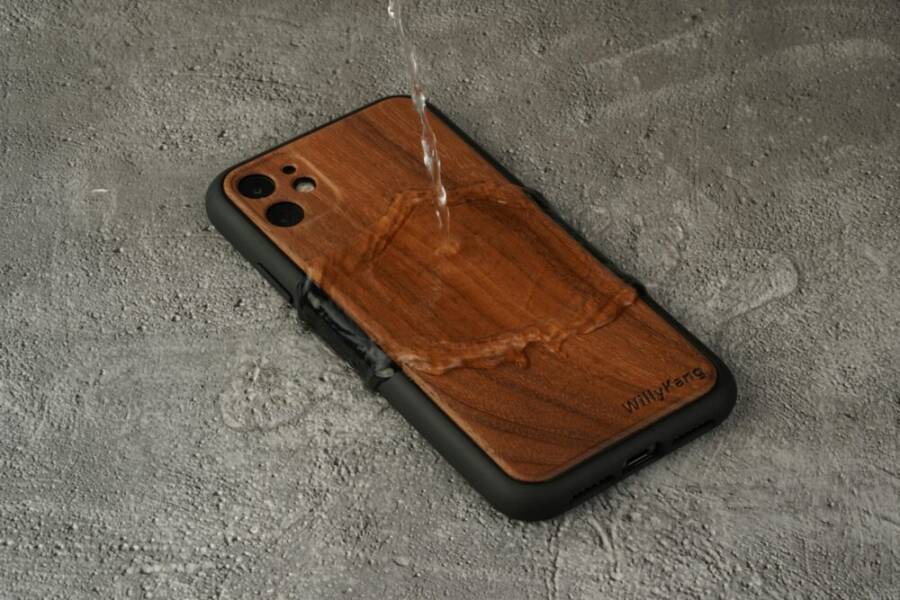
A quick beach memory almost vanished when a splash hit a friend’s pocket and his phone turned into a sad, grainy scrapbook. That moment shows why protecting your phone at the beach matters, not just for photos but for staying connected when you need directions, sharing updates, or calling for help.
Beaches bring several risks: water splashes, sand grit that sneaks into ports, heat that can sap the battery, and the inevitable drops on hard ground. A few simple protections keep memories safe and help you stay online while you soak up sun and scenery. By planning ahead, you can reduce the chance of water damage, sand intrusion, and power drain.
In this guide you’ll find practical steps that cover everyday habits, protective gear, and quick checks to use before you leave the towel. Think of it as a safety net for your smartphone, so you can focus on the moment, not the what-ifs. You’ll learn how to shield your device, preserve your photos, and stay connected from shore to shore.
Choose Top Accessories to Shield Your Phone
A beach day is a mix of sun, surf, and selfies. To keep your device safe while you chase moments, choose accessories that address water, sand, and heat. The right gear makes a big difference, letting you focus on memories, not mishaps. Below are compact, practical picks that work well whether you’re poolside, on a boat, or strolling the shoreline.
 Photo by 仕旻 康
Pick a Waterproof Case That Floats
Floating cases save you from losing a phone to a wave or a sudden dunk. When selecting, look for a snug seal, a clearly visible indicator if the case is properly closed, and a flotation feature that keeps the device on the surface. Before you head to the sand, test the seal: place the phone inside, submerge the case in a sink, and check for any leaks after a few minutes. Compare slim vs bulky styles: slim cases stay slim in your pocket and feel less cumbersome, while bulkier options often offer stronger seals, better screen protection, and more buoyancy. After use, dry both the device and the case thoroughly to prevent corrosion. If you’re curious about popular floating options, see reviews at reputable outlets and retailers like these guides for quick comparisons.
Get a Strong Screen Protector
A tempered glass screen protector guards against sand scratches and minor drops, especially around the edges where grit is most likely to travel. Look for a protector that adheres smoothly without bubbling and covers the full display area. Install it in a dust-free space and align carefully to avoid micro-bubbles. Many protectors pair well with a protective case, forming a shield that keeps the glass safe from sand infiltration. For a simple install, wipe the screen clean, line up the alignment, and press from the center outward. A good protector can save you from costly repairs while you enjoy clear, responsive touch. For more on top picks, you can compare options in buyer guides from trusted sources like Case-Mate.
Use a Dry Bag or Pouch for Extra Safety
Roll-top dry bags are a simple, dependable way to keep a phone and small valuables dry during swims or boat rides. They seal with a quick roll and clip, creating a waterproof barrier that keeps moisture out even when you’re splashed. Use the bag inside your beach tote or tucked under a towel for easy access. The advantage over cases alone is a broader seal, reducing the risk of water intrusion during sudden waves or whitewater moments. When you’re done, rinse the bag if it’s salty, and air-dry fully before storing. For a practical comparison, you can review outdoor gear guides that highlight the best dry bags for phones and maps.
Stop Water from Ruining Your Beach Day
A beach day should be about sun, sand and scenery, not worrying about a drenched phone. Protecting your device starts before you step onto the towel. With a few practical checks and habits, you’ll keep water, sand and heat from turning your day into a tech stress test. Below are two essential subsections that address pre-beach preparation and safe on-site practices, so you can stay connected while you enjoy the waves.
Test and Seal Your Phone Setup First
Before you head out, give your phone a quick but thorough preflight to minimize water risk and sand intrusion. Start with a basic submersion test in a sink or tub to confirm your protective setup works as intended. Place the device inside its case or dry bag, seal it, and submerge for a few minutes. Remove and dry completely, especially around ports and buttons, then recheck the seal and functionality. This step helps you catch a faulty seal or misaligned components before real water exposure.
Pack essentials that support quick protection and easy access. A compact dry bag should be your standard starter kit item, paired with an extra microfibre cloth for quick wipe-downs. Include a compact towel to help you keep the phone dry if you’re taking photos near spray or foam. For extra peace of mind, keep a spare charging cable and a portable power bank in a separate pouch inside your beach bag. If you want a deeper dive into seal testing and product recommendations, see practical guides like this one on testing waterproof cases: https://www.apartmenttherapy.com/how-to-test-a-waterproof-phone-case-191804. A reliable set of guidelines helps you avoid surprises when you reach the water.
To keep things simple and effective, don’t rely on a single solution. Use a water resistant case in combination with a dry bag for true protection. After testing, make sure every port is clean and dry before you seal the case. If you’re unsure about a particular model, check trusted reviews and buyer guides that compare durability, buoyancy, and ease of use so you can pick the right setup for your beach style. A quick read from seasoned reviewers can save you from misjudging a case’s performance in saltwater. If you’re curious about how others test these setups, you can explore discussions and practical tips here: https://www.reddit.com/r/Android/comments/2ga2jq/water_proof_water_resistant_ip68_what_does_it/.
Key takeaways
- Perform a sink submersion test to verify your seal.
- Dry ports thoroughly after testing.
- Pack a compact dry bag, microfiber cloth, towel, and a spare power option.
- Check credible guides for up-to-date product comparisons and real-world tips.
Safe Habits Around Waves and Pools
Water proximity means constant vigilance. Simple habits reduce risk and keep you focused on the moment, not the worry. Start by keeping the phone out of direct sun when you’re swimming or cooling off. A shaded bag or pocket helps protect against heat that drains the battery and can warp casings. If you’re swimming, leave the device in a shaded, secure spot away from the splash zone. When you return to shore, dry your hands before handling the phone to prevent water smears on screens or ports.
No selfies in the water should be a standing rule. Water and movement increase the chance of slips and slips lead to accidental drops. If you want to capture the moment, use a waterproof action cam or a partner to take photos from a safe distance. Keep the phone in a dry bag or pocket whenever you’re near surf and spray. When you finish contact with water, towel off your hands first, then inspect the device. A quick wipe reduces grit that could infiltrate the ports and keys.
In hot sun, phones heat up fast. Heat slows charging, reduces battery life, and can affect screen performance. If you notice the device getting warm, place it in shade and turn on power saving modes. Avoid using resource-heavy apps right at the waterline; save high energy tasks for when you’re under shade or indoors. For extra protection, store the device in a secondary dry bag inside your beach bag to create an extra moisture barrier. If you’re after practical examples of safe usage patterns and real-world testing, check this source for broader context on waterproofing and everyday handling: https://www.apartmenttherapy.com/how-to-test-a-waterproof-phone-case-191804.
Bottom line: stay mindful of water, sand, and heat in equal measure. A small habit shift now can prevent big headaches later, keeping your beach day enjoyable and connected. For balanced, real-world perspectives on water resistance and daily use, see discussions and sharing threads that explain what waterproofing really means in practice: https://www.reddit.com/r/Android/comments/2ga2jq/water_proof_water_resistant_ip68_what_does_it/.
Keep Sand Away from Your Phone Ports
A quick reminder before we dive into the hands-on tips: sand is sneaky. It can creep into charging ports, headphone jacks, and speaker grills, causing muffled sound or charging problems. The right routine protects your device without slowing you down. Think of it as a small habit that saves big headaches. Below you’ll find focused, practical steps you can use on any beach day to keep those ports clean and functioning.
Never Set Your Phone on the Sand
Avoid placing your phone directly on the sand. Use a towel, beach mat, or a rigid beach chair to lift the device off the ground. A simple bag barrier works wonders: tuck the phone inside a small dry bag or zipper pouch and then set the bag on your towel. This two-layer shield reduces grain intrusion and makes cleanup faster. Ports clog fast when sand is present, especially around the charging port and speaker grills. Keeping the device elevated helps prevent grit from brushing into openings during snaps, chats, or quick photo bursts. For extra peace of mind, test the setup by placing the phone inside and gently tapping the area to confirm the seal. If you want to explore other protective approaches, see guides like this practical overview: How to Protect Your Phone at the Beach.
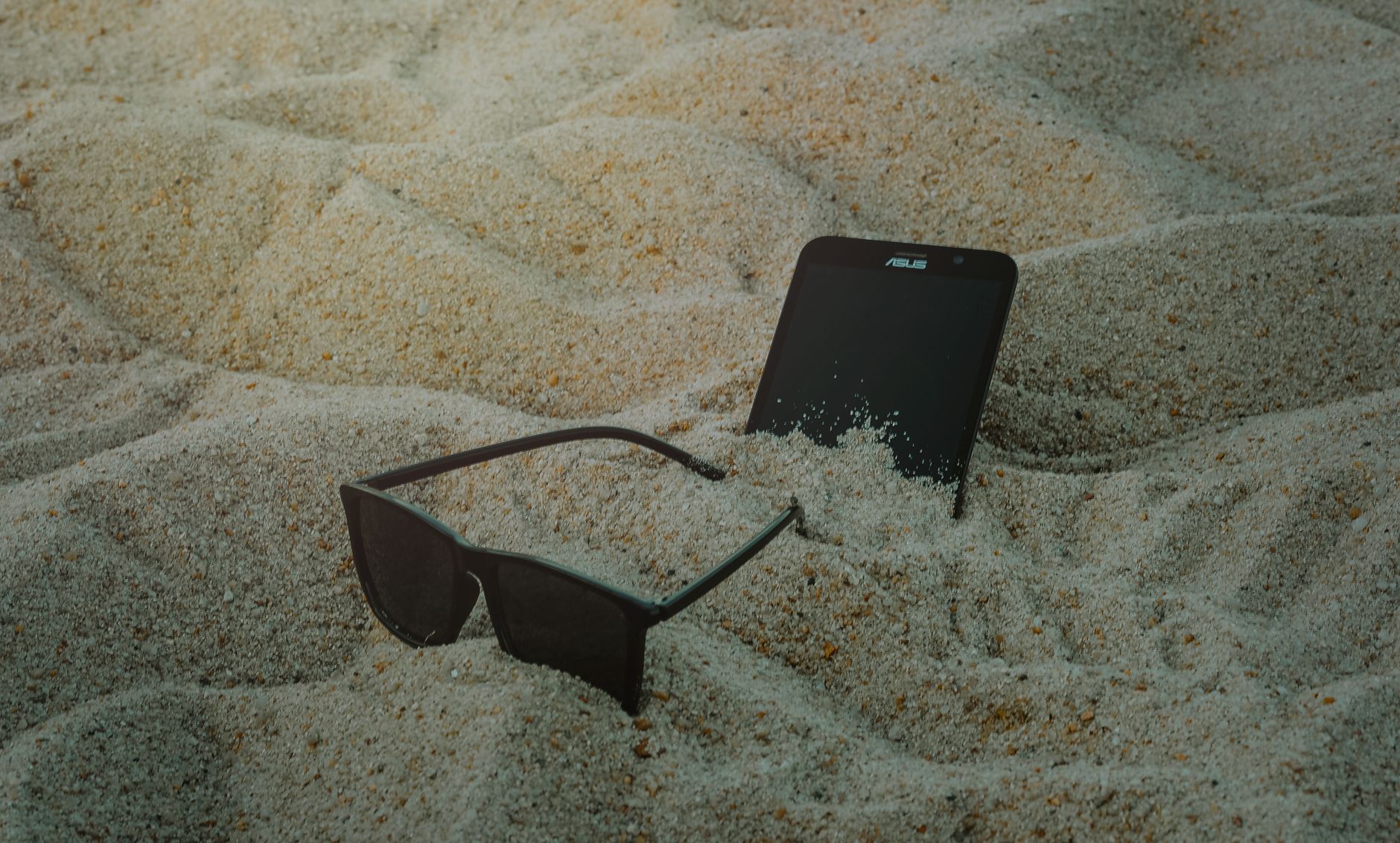 Photo by Min An
Rinse and Blow Out Sand Right Away
Sand has a habit of migrating to tiny crevices. A quick fresh water rinse helps remove surface grit, but it must be done with care. If your case is waterproof, rinse the exterior and ports under a gentle stream, then shake dry. Use a can of compressed air or a soft brush to dislodge stubborn particles around the ports and speaker openings. Always dry the device thoroughly before powering back on. Remember, prevention beats cleanup—keep the phone in a protective setup when near spray or waves. For quick comparisons on protective gear, check reviews and guides like this one: How to Beach-Proof Your Phone and Other Electronic Devices.
Photo by 仕旻 康
Clean Your Phone After Every Beach Trip
Create a simple home routine to keep ports clear. Wipe the screen and body with a microfiber cloth, then use a small amount of isopropyl alcohol on a cloth to spot-clean the exterior if needed. Gently check the speakers and charging port for any grit and remove it with a soft brush. Let the device air dry fully before recharging. This routine minimizes long-term buildup and helps you stay ready for the next outing. For broader tips on care after water exposure, see guides like this: How to keep your phone safe at the beach.
 Photo by Maria Jose
Key takeaways: Elevate your phone off the sand, use a dry bag as a first line of defense, and clean ports promptly after exposure. If you want to compare several beach-proof setups, trusted guides can help you pick the right combination for your style. A practical starting point is to combine a waterproof case with a dry bag for layered protection. For further reading on testing seals and product performance, you can explore communities and reviews like these:
- https://www.reddit.com/r/Android/comments/2ga2jq/water_proof_water_resistant_ip68_what_does_it/
- https://www.apartmenttherapy.com/how-to-test-a-waterproof-phone-case-191804
Keep these habits simple and repeatable. A little discipline goes a long way in keeping your ports free from sand and ready for every beach moment.
Guard Against Sun Heat and Battery Drain
On a sun drenched beach, your phone does more than snap photos. It keeps you connected, maps your route, and powers your favorite playlist. Heat and battery drain can undermine all of that in minutes. This section covers practical, easy-to-implement tips to keep your device cool and your battery last longer while you enjoy the shore.
Always Seek Shade for Your Phone
Shade is your friend when the sun is blasting down on a phone left on the towel. Use umbrellas, a beach tent, or a wide-brimmed towel to create a cooler microclimate for your device. If you’re reading or shooting video, keep the phone in the shade rather than on a reflective surface that intensifies the heat. Avoid leaving it on car dashboards or inside closed bags that trap heat. Signs of too hot include a screen that slows, apps that lag, and a phone that feels warm to the touch. If you start noticing warmth, pause heavy tasks and move the device into shade. For quick strategies, a lightweight dry bag stored in a shaded pocket offers extra protection while you reach for a cold drink. If you want practical tips from others who test heat mitigation, see discussions like this: https://www.reddit.com/r/TheSilphRoad/comments/1klt0w2/anyone_got_any_tips_for_keeping_phones_cool/
Quick Ways to Cool a Hot Phone
When a phone starts to overhear the sun’s bite, act fast but keep safety in mind. Move it out of direct sun, place it in shade, and enable a battery saver mode to throttle performance and reduce heat production. If you’re juggling photos or GPS, pause those tasks temporarily and give the phone a few minutes to cool. Avoid removing the case in the sun, as that can expose the device to heat spikes and grit. A cooler could be a simple, shaded pocket or a dedicated soft cooler bag for electronics. If you’re curious about quick fixes that work in real life, reviews and guides offer solid guidance on keeping devices cooler in hot weather: https://www.cnet.com/pictures/steps-you-can-take-right-now-to-avoid-an-overheated-phone/
Save Battery with Beach-Smart Settings
Battery life matters as soon as you hit peak sun. Lower brightness to a comfortable level, close unused apps, and consider enabling airplane mode when you don’t need calls or data for a stretch. These steps cut heat generation and extend usage between charges. A portable charger becomes a lifesaver for longer days; keep a compact power bank in a labeled pouch so you can grab it without hunting through bags. If you want a broader how-to, practical posts discuss strategies for beach friendly power management and protective gear: https://oceancityvacation.com/resources/blog/how-to-beach-proof-your-phone-and-other-electronic-devices/
Additionally, if you’re testing a beach setup and want credible care tips, this guide offers a focused look at testing and real-world performance: https://www.apartmenttherapy.com/how-to-test-a-waterproof-phone-case-191804
- Key strategies to remember: dim the screen when not in use, enable power saving, and keep a charged bank handy for emergencies. A smartphone can easily last through a day at the shore when you pace energy use and keep a backup plan. Remember, a little planning prevents a lot of frustration when you’re trying to capture the perfect sunset. For additional context on heat and protection, you can explore discussions where users share practical experiences: https://www.reddit.com/r/Android/comments/2ga2jq/water_proof_water_resistant_ip68_what_does_it/
Backup Plans for Worst-Case Beach Mishaps
A beach day can blur into a memory reel in seconds. To keep your essentials safe without stopping the fun, build a simple, reliable backup plan. These subsections lay out practical steps to protect photos, data, and device access, so a soggy wipe or a sudden splash doesn’t derail your plans.
Back Up Photos and Data Before You Go
Before you set foot on the sand, back up your memories and important files. Rely on cloud services like Google Photos or iCloud to auto-sync photos and videos as you shoot. Enable auto-backup in the app’s settings so new shots upload automatically when you have a connection, then verify backups offline so you know you’re covered even if signal is spotty. Consider a secondary local backup on a portable drive or computer for added peace of mind. Quick tips: enable two-factor authentication, organize albums, and schedule a post-trip sync to catch anything missed while you were away. For practical ideas on traveling backups, see this guide on backing up photos while traveling: https://blog.ilp.org/how-to-back-up-your-photos-while-traveling
Know Your Phone Insurance Options
Understand what your carrier offers for beach mishaps and what AppleCare or equivalents cover. Check whether water damage or sand intrusion is included and note any service fees or deductibles. If you’re unsure, contact your provider for a clear breakdown of eligible claims and required documentation. It’s worth reviewing your policy before a trip so you know where you stand the moment trouble hits. Use this clarity to decide whether additional protection makes sense for your travel patterns and device value.
Steps to Take If Your Phone Gets Wet or Sandy
If the worst happens, act fast but avoid charging a wet phone. Power down to prevent short circuits, then rinse gently with fresh water if you’re near salt or sand. Do not use a hair dryer or heat source. The rice myth is outdated; it does not reliably dry out devices and can leave dust behind. Instead, remove the SIM card if possible, dry the exterior with a microfiber cloth, and use a soft brush to clear ports. Let the device air dry in a dry bag or ventilated space, and seek professional help if you notice corrosion or moisture inside ports. For more hands-on testing and care tips, explore practical guides like this testing guide for waterproof cases: https://www.apartmenttherapy.com/how-to-test-a-waterproof-phone-case-191804. A second helpful resource discusses real-world testing and protective setups: https://www.reddit.com/r/Android/comments/2ga2jq/water_proof_water_resistant_ip68_what_does_it/.
Conclusion
Protecting your phone at the beach lets you keep memories and stay connected without worrying about wind, water, or grit. From paraphrasing the intro, the goal is simple: enjoy sun and scenery while your device stays safe, ready for photos and maps when you need them. A well protected setup lets you focus on fun memories instead of tech headaches, and that mindset makes every beach moment more enjoyable, whether you’re snapping a sunset or sharing a quick check-in with friends.
Recap of top tips:
- Elevate your phone off the sand and use a dry bag for a layered shield.
- Keep ports clean by rinsing, blowing out grit, and drying thoroughly after exposure.
- Protect against heat with shade, smarter settings, and a charged bank on hand.
- Backup photos and data before you go, and know your insurance options.
A little prep now pays off later. Pack and test your setup before stepping onto the towel, so you can capture moments with confidence and stay safe in the waves. This approach helps you enjoy the day rather than fret about your smartphone. When you do shoot or navigate, your smartphone becomes a steady companion, not a risk.
If you enjoyed this guide, plan your next beach outing with these ideas in mind and share your own safer setups. Have you found a combo that works best for you and your crew, and what beach memory turned out best with less worry? Tell us in the comments and swap tips with fellow readers.