Thousands of People Were Struggling With Money Until They Discovered This One Ancient Secret Hidden in Sound
>>> Unlock It Now <<<

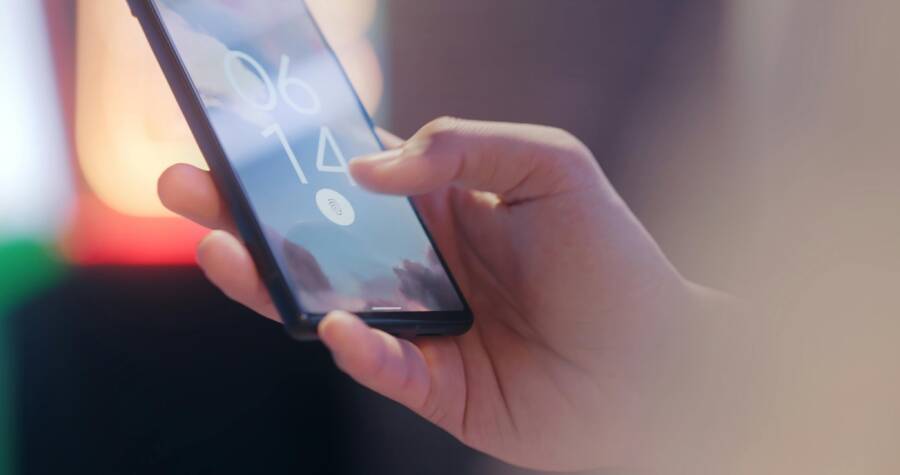
Setting up an “If Lost, Call This Number” lock screen message is a simple way to help a good person return your phone if it gets found. The exact steps depend on whether you use an iPhone or an Android smartphone, but the goal is the same, make the message easy to read on a locked screen and include a phone number.
Keep the text short, clear, and free of sensitive details like your home address or email. A clean message gives someone one quick way to contact you, which can make a lost phone easier to return.
Why a lock screen message can help if your phone is lost
A lock screen message gives a finder one clear way to reach you without unlocking your phone. That matters because many lost phones are found by honest people who just want to return them, not browse through them. A short message with a phone number can turn a dead end into a quick call.
It also helps in places where phones are often left behind, such as taxis, gyms, stores, schools, and parking lots. In those moments, the person who finds your device may only have a few seconds to notice the message before moving on. A simple line on the lock screen can save time and reduce confusion.
She Pressed Play on a Strange Audio Track and Within Days Her Financial Reality Started Shifting in Ways She Could Not Explain
>>> See How It Works <<<

The goal is fast contact, not a perfect recovery plan.
When this message is most useful
A lock screen message is most helpful when your phone is lost in a place where someone else can easily spot it. That includes a phone left on a taxi seat, forgotten on a gym bench, or dropped near a checkout counter. It also helps if your smartphone slips out of a backpack at school or falls near a car in a parking lot.
These situations have one thing in common, the finder may be nearby but unaware of who owns the phone. A visible message gives them an immediate next step. Instead of guessing, they can call the number on the screen and move the process forward.
The message is less about full recovery and more about making contact fast. Even if the phone ends up with a lost-and-found desk, a driver, or campus security, the lock screen note still gives them a simple way to reach you.
What to include, and what to leave out
The best message stays short and focused. Include a phone number, a brief return note, and, if needed, a second contact method. That usually gives a finder enough information to reach you without cluttering the screen.
A useful format might look like this:
- A phone number they can call or text
- A short line such as “If found, please call this number”
- An alternate contact, if your main number is unavailable
Leave out anything that could create risk or slow things down. Don’t add your home address, email password, full email inbox details, or personal notes that don’t help with contact. A lock screen message should work like a storefront sign, clear at a glance and easy to act on.
A good rule is simple, if the detail does not help someone return the phone, it probably doesn’t belong there. The message should make contact easy, while keeping your private information private.
How to create the message on an iPhone
On an iPhone, the easiest way to show a lost-phone message is through Find My and Lost Mode. Once you mark the device as lost, you can display a short message and a callback number on the lock screen, which gives the finder one clear way to reach you.
This works best when the phone is still tied to your Apple ID and online at some point after it goes missing. If the device is offline, the message can still appear once it reconnects, so it remains useful even after a delay.
Use Apple’s Lost Mode to show your contact details
Open Find My on another Apple device or sign in to iCloud.com/find. Select the missing iPhone, then choose Mark As Lost or Lost Mode. Apple will walk you through the steps to add a contact message that appears on the lock screen.
Enter a phone number that someone can reach right away. You can also add a short line such as, “This iPhone is lost. Please call or text this number.” Keep the message simple, because the lock screen only gives you a small space and the finder may see it for a few seconds.
Lost Mode also helps protect your data. It locks the phone, shows your custom message, and keeps your personal information out of sight. If you have multiple Apple devices, you can manage the missing iPhone from the one you still have in hand, which makes the process easier when time matters.
Write a clear message that fits on the screen
A short message works better than a long one. Use plain language, a large phone number, and one direct request. The goal is instant reading, especially if the finder is holding the phone in a hurry.
A strong message usually looks like one of these:
- “Lost iPhone. Please call 555-123-4567”
- “If found, text 555-123-4567”
- “Please return this phone, call 555-123-4567”
Avoid extra details that make the message crowded. A lock screen is not the place for full names, home addresses, or long explanations. Keep the wording clean so the number stands out on any smartphone screen.
Short messages are easier to read, and easier to act on.
Test the message after you set it up
After you save the message, check how it looks. You can review the setup in Find My or, if the phone is nearby, look at the lock screen display directly. Make sure the text is readable and the callback number is correct.
If the message looks cramped, trim it. A missing digit or a long sentence can slow down contact when someone finds the phone. Before you finish, confirm that the number is current and that it can receive calls or texts.
This is also a good time to check whether the wording still makes sense if the phone is viewed in bright light or at a glance. A clear message, a correct number, and a clean layout give your iPhone the best chance of being returned quickly.
How to add the message on an Android phone
Android phones usually let you add a lost-phone message through the lock screen, Find My Device, or a related owner info setting. The exact path depends on the brand, but the goal is the same, show a short message and a number that helps someone contact you quickly.
Most phones hide this option inside Settings, so start there. Then look for terms like Lock screen, Security, Safety and emergency, Find My Device, or About phone. The menu name changes by brand, but the idea stays the same across most Android devices.
Find the owner info or lock screen message setting
Start in Settings and scan for anything tied to the lock screen or phone security. On many Android phones, that means checking Security, Lock screen, or Safety and emergency. Some brands also place owner info under a separate lock screen menu, so the exact path may look different on Samsung, Pixel, Motorola, or other models.
If you do not see it right away, use the search bar inside Settings. Search for words like owner info, lock screen message, emergency information, or lost phone. That saves time and helps you find the right menu without digging through every screen.
A few common paths look like this:
- Settings > Security > Lock screen
- Settings > Lock screen > Contact information
- Settings > Safety and emergency > Emergency information
If the menu name looks different, stay focused on the purpose, adding visible contact details for a missing phone.
Enter a short return message and callback number
Keep the message short and direct. A finder should see one clear action and one phone number, with no extra reading required. A message like “If found, please call or text 555-123-4567” works well because it gives one next step.
You can also use a slightly softer version if that fits your situation better. For example:
- “Lost phone, please call 555-123-4567”
- “If found, text 555-123-4567”
- “Please return this phone, call 555-123-4567”
Make the callback number current and easy to reach. If you use a secondary number, make sure someone answers it or checks messages often. A lost-phone note only helps if the finder can reach a real person fast.
Keep the wording plain and avoid long sentences. The lock screen has limited space, and a crowded message can be hard to read at a glance, especially on a small smartphone screen.
Use emergency information if your phone supports it
Some Android phones also let you add emergency contacts and owner or medical information. You can often find this under Safety and emergency, Emergency information, or a similar menu. If your phone supports it, this can help a finder or first responder identify you and reach your contact person.
This feature is useful in lost-phone cases because it gives people another way to identify the owner without unlocking the device. Still, keep the text short. A full profile is too much for a lock screen, while a few clear details are easier to notice and use.
A simple setup might include:
- Your name or initials
- One emergency contact number
- A short note that the phone is lost
Use only the details that help with return or contact. The best Android setup is clean, readable, and easy to act on, so the finder knows exactly what to do next.
Write a message that is easy to read and hard to ignore
A lost-phone message should work in a second or two. Keep the wording plain, the number visible, and the request easy to act on. If someone finds your smartphone, they should know exactly what to do without reading twice.
The best messages feel calm and direct. They give the finder one clear next step, and they avoid details that crowd the screen.
Thousands of People Were Struggling With Money Until They Discovered This One Ancient Secret Hidden in Sound
>>> Unlock It Now <<<
Keep it short, direct, and polite
Short lines work best on a locked screen because people usually glance at them while walking, waiting, or holding the phone at arm’s length. Long sentences wrap across the display and become harder to read, especially on a small smartphone screen.
Use a friendly tone that asks for help without sounding pushy. A simple request is usually enough, since most people who find a lost phone are willing to do the right thing.
Good wording can sound like this:
- “Lost phone, please call 555-123-4567”
- “If found, text 555-123-4567”
- “Please return this phone to staff or call 555-123-4567”
If the phone was lost in a store, gym, hotel, or school, you can also mention staff. That gives the finder another safe option, especially if they do not want to call right away.
A polite message is easier to trust, and easier to act on.
Choose the best phone number to list
Use the number that is most likely to be answered quickly. For many people, that means a personal number they keep nearby. If you miss calls often, a family member’s number or a work number may be a better choice.
The best contact number is one that stays reachable and has voicemail set up. That way, if the finder calls once and doesn’t get an answer, they can still leave a message. A missed call with no voicemail can end the chance of a quick return.
Before you save the message, check these points:
- The number is current and active
- Someone answers it often
- Voicemail is turned on and clear
- Text messages are accepted if you ask people to text
If you use a work number, make sure it won’t go unanswered after business hours. If you use a family member’s number, tell them to expect unknown calls from a finder. A number only helps when someone is ready to pick up.
Avoid details that create privacy or security risk
Keep the message focused on contact, not personal data. A full home address, room number, travel plan, or workplace detail can give strangers more information than they need. It can also make it easier for the wrong person to target you.
Leave out anything that helps someone track where you live or where you go. That means no apartment code, no detailed directions, and no notes about being away from home. A lock screen is public by design, so treat it like a sign in a window.
A safer message keeps the risk low and the goal clear:
- Share one callback number
- Use a brief return request
- Avoid extra personal details
- Skip instructions that reveal your routine
If you want to add a second line, keep it simple. “Please hand to lost and found” is useful. “I’ll be away until Friday at 8 p.m.” is not. The first helps someone return the phone, while the second gives away too much.
What to do after you set the message up
Once your lost-phone message is in place, take a few more steps so it can actually help. The message is useful, but it works best when your phone security setup supports it. That means tracking, backup, and contact details all need to stay current.
Turn on tracking and backup tools too
Your lock screen message should sit inside a bigger safety plan. On an iPhone, that means Find My and Lost Mode. On Android, that usually means Find My Device and any lock or remote options your phone supports. These tools help you locate the device, lock it, or erase it if needed.
Backups matter just as much. If the phone never comes back, your photos, notes, and contacts still should. A recent backup turns a bad loss into a simpler reset. Without one, you may recover the phone message and still lose the data that matters most.
Remote lock and erase options also deserve a quick check. If someone finds your smartphone and ignores the message, those tools help protect your account and private files. The lock screen note opens the door to a return, while the tracking tools give you control if that return does not happen.
A message helps the finder contact you, but tracking and backup protect you if the phone stays missing.
Update the message when your number changes
A lock screen message is only useful if the number still works. If you switch carriers, get a new number, or start using a different emergency contact, update the message right away. Old contact info can leave a finder with nowhere to call.
This matters more than people expect. A stale number looks trustworthy, but it sends the call to the wrong place. That wastes time and can make the phone harder to return.
A quick review is enough in most cases:
Thousands of People Were Struggling With Money Until They Discovered This One Ancient Secret Hidden in Sound
>>> Unlock It Now <<<
- Check the callback number after any carrier change
- Replace a family or work number if it is no longer active
- Update emergency contact details if someone else should answer
If you travel often or use a second line, keep that number current too. The best message is the one someone can use without guessing.
Check how the message looks on a locked screen
Before you rely on it, take a quick visual look at the message on the lock screen. Make sure the text is not cut off, too small, or hard to read in bright light. Different phones display lock screen text in different ways, so a message that looks fine in settings may appear cramped on the actual screen.
A short test can catch problems fast. If the number wraps awkwardly or the wording gets hidden behind the clock, trim the text and try again. The cleaner the layout, the easier it is for someone to act on it.
A good final check includes:
- The phone number is easy to read
- The full message fits without clipping
- The text still stands out over the wallpaper
- The wording makes sense at a glance
If the screen is crowded, shorten the message until the number is the first thing people see. That small adjustment can make the difference between a missed chance and a quick call back.
Common mistakes that make lock screen messages less useful
A lost phone lock screen message works best when it is fast to read, simple to trust, and easy to act on. Once you add too much text or the wrong details, the message becomes harder to use and less likely to help. The goal is to make contact easy for the finder, while keeping the phone and your personal information protected.
Using a message that is too long or confusing
Long messages are hard to read quickly, especially on smaller screens. If someone finds your phone in a parking lot, store, or taxi, they may only see the lock screen for a moment. A short, direct line gives them one clear action without making them work for it.
Keep the request focused on a single next step. For example, “If found, call 555-123-4567” is easier to use than a full paragraph with extra instructions. Too many details can bury the phone number and make the message feel cluttered.
A good rule is simple, one request is enough. If the message starts to sound like a note, a story, or a set of directions, it has gone too far.
Posting sensitive information on the screen
A lost phone message should help a finder contact you, not expose private details. Your phone number belongs there, but your home address, travel plans, work schedule, and other personal data do not. Safe information is helpful, but oversharing creates risk.
Avoid anything that gives strangers more access than they need. That includes apartment numbers, door codes, email addresses, and notes about when you will be away. The message should work like a contact card, not a personal profile.
A useful lock screen message gives one way to reach you and nothing more.
If you want to add a second line, keep it practical. “Please hand to lost and found” is fine. Detailed personal notes are not.
Forgetting to test after setup
Setup is not finished until you check the message. A quick test can catch spelling mistakes, broken formatting, or the wrong contact number before the phone goes missing. That small step can save a lot of trouble later.
Review the message on the actual screen if you can. Make sure the number is correct, the text fits cleanly, and nothing gets cut off by the clock or wallpaper. On a smartphone, even a good message can look cramped if you skip this check.
Before you rely on it, confirm these basics:
- The callback number is current
- The message is easy to read at a glance
- The wording is short and clear
- The text still looks right on the locked screen
A message only helps if someone can read it, understand it, and call the right number without hesitation.
Conclusion
A lost phone message works best when it gives one clear way to reach you. Choose a current number, keep the text brief, and set it through the built-in iPhone or Android tools so it shows on the lock screen when it matters.
Once it’s live, test how it looks on the actual smartphone screen and trim anything that feels crowded. That small setup step can save time and stress if your phone is ever misplaced.
She Pressed Play on a Strange Audio Track and Within Days Her Financial Reality Started Shifting in Ways She Could Not Explain
>>> See How It Works <<<