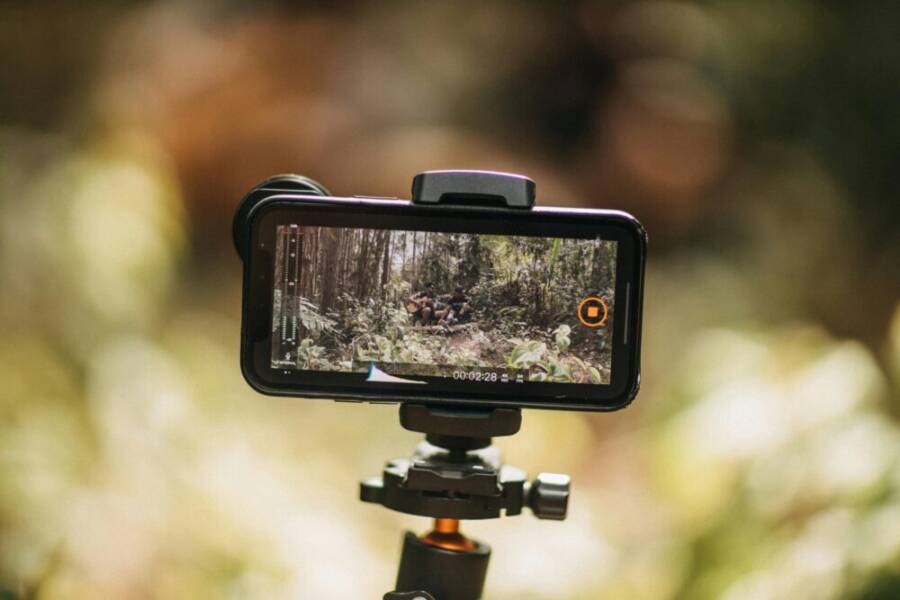
Picture this: You’re halfway up a rugged trail in the Alps, heart pounding, with golden hour light hitting snow-capped peaks. You grab your phone to film that perfect vlog shot, the wind whipping around you. One shaky video or dead battery later, and your epic moment vanishes.
So which phone wins for travel vlogging: iPhone or Samsung? Both pack strong cameras, but the right pick delivers smooth footage, all-day power, and quick edits wherever you roam.
Travel vloggers need gear that’s portable and reliable. Think lightweight builds for long hikes, cameras that steady bumpy walks, and batteries that outlast your adventures. A smartphone that falters here turns dream clips into deleted files.
That’s why this comparison matters. We’ll break down video quality and stabilization, battery life under real stress, editing speed on the go, plus portability and extras like AI tools. You’ll see hard stats from tests, like how Samsung’s Galaxy S25 shoots 8K for pro-level detail while iPhone 17 nails fast charging.
Spoiler: Samsung pulls ahead for most vloggers, thanks to longer battery and advanced video modes. But iPhone shines in editing apps and selfies. Stick around to find your best match and start filming like a pro.
Key Phone Features for Epic Travel Vlogs
In this section, you’ll see how the iPhone and Samsung stack up for travel vlogging. We’ll break down stabilization, low light performance, battery life, portability, and durability. The goal is to help you choose a phone that keeps your footage smooth, your battery lasting through long days, and your setup light enough to carry on backpacking trips or city strolls. Real-world notes and specs from recent models guide the comparison, with practical tips you can apply on your next shoot.

Photo by Matheus Bertelli
Video Stabilization and Low-Light Magic
Smooth footage matters more than fancy gear when you’re on the move. Both phones offer strong stabilization, but real-world use shows subtle differences you’ll notice on hikes or crowded streets. On stable trips, you’ll get buttery pans and steady walking shots with minimal post-work. In low light, the phones switch into high gear: the iPhone’s Photonic Engine enhances detail and color in dim scenes, while Samsung’s Pro Video mode gives you granular control over exposure, shutter, and focus in tricky light. Both shoot in 4K at 60fps, delivering crisp action footage. Samsung adds 8K at 30fps for future proofing and ultra-detailed city footage. For vloggers, these features translate to fewer re-shoots and more freedom to film in markets after dark or at dawn. A practical takeaway is to shoot 4K 60fps for most days, then reserve 8K 30fps for a few standout moments to avoid battery drain. For quick story edits on the go, the smoother the footage, the less you rely on stabilization in post. For more context on stabilization and low light, see this overview.
- External reference: I shot over 100 videos with the iPhone 16 Pro Max vs. …
Battery Life and Portability on Long Trips
On long trips, the difference between a phone that lasts all day and one that drags you down is huge. Samsung’s Galaxy line typically packs a 5000mAh+ battery, delivering all-day use even with heavy video capture and GPS. The iPhone tends to show real-world endurance around a full day with moderate screen time, with fast charging improvements in recent models. Weight also matters on the trail: iPhones often fall in the 170–220 g range, while Samsung devices sit around 220–230 g. For backpackers, lighter is friendlier. If you’re juggling a compact kit, a lighter phone reduces fatigue and leaves room for a small power bank. In real travel scenarios, endurance and weight determine how many clips you can capture before lunch, not after.
Durability, Storage, and Audio Essentials
Weather, sand, and rain are travel constants. Both phones hold up well with IP68 water and dust resistance. The iPhone uses Ceramic Shield, while Samsung leans on Gorilla Glass for scratch resistance and durability. Storage options go up to 1TB on both devices, with Samsung offering expandable storage via microSD in some models, a practical perk if you shoot a lot of 8K footage or 4K ProRes-like formats. Audio is central to immersive travel vlogs: the iPhone emphasizes spatial audio for a cinema-like feel, while Samsung provides strong onboard mics and solid overall sound. When rain or dusty trails appear, these features help preserve your clips without scrambling for gear. Photo by Matheus Bertelli.
- External reference: Samsung low light video recording. Compared to iphone, is …
- External reference: I shot over 100 videos with the iPhone 16 Pro Max vs …
Why iPhone Shines for Travel Vloggers
Travel blogging on the go demands a camera that fits in your pocket, runs smoothly all day, and makes editing painless. The iPhone’s camera system and ecosystem offer a reliable blend of image quality, ease of use, and quick-turnaround edits that many travel vloggers rely on. In this section, we zoom in on two practical angles: the camera setup for vibrant videos and how to edit with minimal fuss while you’re still on the road.
iPhone Camera Setup for Vibrant Videos
When you’re chasing landscapes and fast-moving street scenes, the camera matters as much as the story you’re telling. The iPhone’s latest hardware emphasizes a sharp 48MP primary sensor that captures fine detail, especially in high-contrast scenes like sunlit peaks and shaded alleyways. Pair that with a wide-angle option for sweeping landscapes and cityscapes, and you’ve got flexibility for both epic horizons and tight urban corners. Shoot in 4K at 60fps to keep motion silky, even when you’re walking, running for a train, or filming in chaotic markets. The front camera shines for selfies and talking-head segments, making it easy to grab quick updates without extra gear. For best results, shoot a mix: broad landscapes in 4K60, tighter frames in the same resolution for storytelling variety, and a few walk-and-talk clips in a comfortable focal length.
A few practical tips to maximize vibrancy:
- Use the primary sensor for most clips and switch to the ultra-wide for dramatic cityscapes or expansive scenery.
- Enable HDR and color profiles that suit your style, then lock exposure when possible to avoid flicker during movement.
- Keep a lightweight tripod or a compact gimbal in your daypack for steady low-angle shots and stable panning.
If you want deeper context on iPhone camera capabilities, this overview provides additional insights into the camera features that impact travel vlogging. https://www.amateurphotographer.com/buying-advice/best-iphone-for-photography/
Ease of Use and Quick Edits Anywhere
A big advantage of shooting with an iPhone is how quickly you can go from footage to a publishable clip. The interface remains straightforward, with quick access to core settings and a smooth timeline for rough cuts. Exports are fast, which matters when you’re testing angles during a shoot or sharing a teaser from the street before a full edit. The app ecosystem adds more power without complicating your workflow; capture in the field and move to a lighter edit on the same device, or transfer to a laptop later if you want more horsepower.
Stabilization is another win for handheld shooting. You’ll notice less wobble during long walks and bike rides, which reduces the time spent in post. For on-the-go editing, consider AI-assisted or template-based editors that speed up assembly without sacrificing quality. A popular option is LightCut, an AI-powered editor that helps you craft stylish videos quickly on iPhone. You can learn more about LightCut and similar tools here: https://www.apple.com/ios/ios-16/ and https://apps.apple.com/ua/app/lightcut-ai-video-editor/id1575860488
For those who want even more stability on dynamic footage, third-party apps offer advanced stabilization options and quick export formats that are friendly to social platforms. If you’re managing a travel vlog schedule, these tools can shave minutes off each edit and keep your content flowing. A good resource that highlights a range of stabilizer apps for iPhone and Android users is available here: https://unifab.ai/resource/video-stabilizer-app
In practice, the combination of a clean, fast interface and reliable export options turns your daily clips into ready-to-publish stories. A well-structured workflow keeps you filming longer, with less downtime between shots and edits. For extra context on editing apps that fit YouTube and short-form videos, this guide offers practical suggestions: https://macpaw.com/how-to/editing-apps-youtube
External references aside, the core takeaway is simple: with an iPhone, you’re able to capture vibrant footage and finish edits quickly, all from a device that travels well and stays reliable under various conditions. This makes it a strong contender for travelers who want to minimize gear while maximizing storytelling.
Samsung Galaxy Power for Pro Travel Shots
When you’re chasing epic travel moments, you want a phone that can power through long shoots, rough weather, and tight timelines. This section focuses on Samsung’s strengths for pro-level travel photography and videography, highlighting the camera system, zoom capabilities, low light performance, and the practical realities of using Samsung devices on the road. If you’re weighing gear for remote shoots or fast-paced street scenes, these details matter.
Samsung’s High-Res Cameras and 8K Edge
Samsung pushes the envelope with a 200MP main sensor that captures incredible detail, paired with telephoto lenses that offer true 10x optical zoom for crisp distant subjects. This high resolution is especially valuable when you need to crop in during editing without losing clarity. For stabilizing complex shots, Samsung’s advanced video modes provide granular control over exposure, focus, and shutter speeds in challenging light. The option to shoot in 8K preserves future-proof quality for bigger screens or high-end projects, while 4K at 60fps remains the go-to for daily vlogs. In low light, the sensors and processing deliver usable color and texture, which means fewer noisy clips at night markets or after dusk. For context on the camera system and its capabilities, see the Galaxy S23 Ultra camera features and the discussion around the 200MP sensor.
- Galaxy S23 Series Improved Camera
- The Samsung Galaxy S23 Ultra’s 200MP camera will be more than just a gimmick
Battery and Storage That Keep You Filming
For travel filmmakers, endurance and space matter most. Samsung typically packs large batteries, often 5000mAh or more, designed to get you through a full day of shooting, GPS, and on-device editing. This means fewer power concerns when you’re away from outlets. Storage options span multiple terabytes on some models, and higher-end versions push up to 1TB of built-in space. While microSD expansion is not universal across all Samsung flagships, some models still offer expandable options, which can be a lifesaver when you shoot a lot of 8K or heavy ProRes-like formats. A rugged build helps survive drops and rough handling on trains, in buses, or during mountain hikes. In real-world use, the combination of generous battery life and ample storage minimizes interruptions, letting you focus on storytelling rather than gear management. For practical context on battery life and expansion options, you can explore further details here:
These sources help illustrate how Samsung balances raw capacity with real-world stamina, so you can plan shoots that stretch from sunrise to night markets without scrambling for a charger.
iPhone vs Samsung: Pick the Best for Your Vlogs
Travel vlogging hinges on two constants: dependable gear and fast, painless editing. The right smartphone is your most trusted ally when you’re chasing dawn light in a new city or filming a busy market after sunset. Below, we break down which device tends to serve vloggers best in real-world travel conditions, with practical takeaways you can apply on your next shoot. We’ll cover video quality and stabilization, battery life, on-the-go editing, and durability and storage. Along the way, you’ll find clear comparisons and reputable references to help you decide.
Video quality and stabilization in the field
When you’re filming on the move, stabilization makes the difference between a clip that feels cinematic and one that makes viewers reach for the mute button. Both iPhone and Samsung flagships today deliver strong stabilization, but there are subtle differences you’ll notice in the field.
- iPhone: Smooth footage comes from a combination of hardware stabilization and software smoothing. Action modes keep moving shots stable, and the color science tends to be natural and pleasant right out of the camera. For many travelers, that means fewer re-shoots and more time spent telling the story.
- Samsung: The Galaxy line leans into a flexible control suite. In addition to optical stabilization, you get advanced electronic stabilization, sometimes labeled as a “Super Steady” option. The result is highly stable footage in tricky environments, plus the possibility to dial in exposure and focus with more precision.
Both systems handle low light well, but you’ll notice differences in texture and color when lighting is challenging. The iPhone tends to preserve warmer skin tones with crisp midtones, while Samsung’s larger sensors and night modes can push brighter, more detailed night footage at the cost of slightly more processing in shadows.
Practical takeaway: for steady walking shots and quick street segments, either device will perform well. If you expect a lot of night markets or dim corridors, the Galaxy’s low light processing can be a boon, while the iPhone’s color accuracy can save you time in post. For a deeper dive into stabilization and low light across current models, you can consult overviews from established outlets like Digital Camera World and CNET’s camera tests.
External references you may find useful:
- iPhone vs Galaxy camera tests and real-world comparisons: https://www.cnet.com/tech/mobile/iphone-17-pro-vs-galaxy-s25-ultra-i-tested-both-cameras-heres-what-i-found/
Battery life and travel endurance
Power is the currency of travel filming. The ability to shoot long days without scrambling for outlets defines how ambitious your vlog can be.
- Samsung Galaxy Ultra and other high-end Samsungs typically pack larger batteries, around 5000mAh or more, which translates to extended all-day use even with heavy video capture, 5G, and on-device editing. Some models also support faster charging and optional expandable storage on certain variants. This can be a real edge when you’re on the road with limited access to power.
- iPhone models have focused on efficiency and smarter power management. Real-world use often yields solid endurance on a full day of shooting with moderate screen time. Fast charging improvements help you top up quickly, though the battery capacity may be smaller than some Android competitors. In practice, you can plan for a full day of vlogging with a single charge, but you’ll want a portable battery pack if you plan back-to-back shooting or lengthy long-form sessions.
Practical takeaway: if you expect long days with back-to-back shoots, Samsung’s larger batteries and charging options can reduce mid-day power anxiety. If you value a lighter setup and a predictable day of filming with straightforward recharging, the iPhone is a reliable choice. For a broader look at battery life and charging performance in travel contexts, see independent tests and product pages.
External references you may find useful:
- A detailed comparison of iPhone 17 Pro Max and Galaxy S25 Ultra battery and charging: https://www.tomsguide.com/phones/i-took-the-iphone-17-pro-and-galaxy-s25-ultra-to-the-beach-for-a-video-camera-shootout-heres-the-winner
On-device editing and workflow on the road
Editing on the move is where the choice between iPhone and Samsung often becomes personal. It’s about speed, ease of use, and the availability of workflow tools that fit your style.
- iPhone advantages:
- Native editing in iOS is fast and streamlined. You can chop clips, adjust color, add music, and export in high quality without leaving the device.
- The ecosystem shines for quick social sharing. If you prefer a simple, predictable process, the iPhone keeps your workflow tight from capture to publish.
- A growing cadre of AI-powered and template-based editors on iOS can shave minutes off your edit, which matters when you’re posting daily or semi-regularly while traveling.
- Samsung advantages:
- AI-assisted editing features on Samsung devices can speed up assembly, especially when you want to publish shorter clips or reuse footage across platforms.
- Pro-grade controls on log-like video and advanced exposure/shutter options give you more color-grading latitude right in the phone.
- Some Samsung devices offer robust storage options and 8K capture, which can ease reshoots or cropping in post if you’re aiming for high production value.
Practical takeaway: if your priority is a fast, predictable publish workflow, the iPhone keeps you moving with minimal friction. If you crave more granular control and on-device editing power, Samsung provides tools that can speed up complex edits on the go.
External references you may find useful:
- A guide to best editing apps for iPhone and Android on the go: https://macpaw.com/how-to/editing-apps-youtube
- LightCut as an on-device editing option for iPhone: https://www.apple.com/ios/ios-16/
Durability, storage, and audio for travel shoots
Weather, dust, and rugged paths are daily realities when you’re filming away from home. Both platforms aim to withstand the demands of travel.
- Durability: Both iPhone and Samsung flagships offer IP68 water and dust resistance, which protects against rain, splashes, and dusty trails.
- Display and build: Ceramic Shield in iPhone models helps with impact resistance, while Samsung tends to use robust glass and metal chassis across flagship lines.
- Storage: Both brands offer high-capacity options up to 1TB on many models. Some Samsung devices also provide expandable storage via microSD on certain variants, a practical perk if you shoot a lot of 8K footage or store large ProRes-like formats.
- Audio: For immersive travel vlogs, onboard mics matter. The iPhone emphasizes spatial audio capture for a cinema-like feel, while Samsung tends to deliver strong, reliable audio with clear in-camera mic performance.
Practical takeaway: if you frequently film in rain or on sandy paths, prioritize IP68 rating and a durable build. For long trips that demand a lot of footage, consider models with expandable storage or abundant internal space.
External references you may find useful:
- Samsung official camera improvements and durability notes: https://www.samsung.com/us/rmx/galaxy-s23/features/improved-camera/
- The broader landscape of top phones for video recording: https://www.digitalcameraworld.com/buying-guides/best-phone-for-video-recording
A quick buying guide for travel vloggers
If you’re deciding right now, here’s a compact framework to guide your choice based on typical travel vlogging needs:
- If you want simplicity and consistent, high-quality output with minimal post work: choose the iPhone.
- If you crave maximum camera control, high-resolution options, and longer day-long stamina: choose Samsung.
- If weight matters most on long treks: compare model weights within the two lines and balance against battery capacity.
- If you shoot a lot in mixed light and need flexible color grading on the fly: Samsung’s Pro modes plus potential 8K can be a boon; for fast social content, the iPhone’s easy editing and color science win.
- If you rely on microSD expansion for extra storage: look at Samsung models that offer expandable storage, plus ensure the app workflow you use supports fast transfers.
Real-world tips to maximize travel vlogging with either device
- Always shoot in 4K at 60fps for most day-to-day footage; reserve higher resolutions for select moments.
- Lock exposure on scenes with changing light to avoid flicker during movement.
- Carry a compact gimbal or lightweight tripod for steady b-roll and talking-head segments.
- Pack a portable power bank with USB-C PD to keep you filming through long days.
- Keep your software up to date to ensure the latest camera features and stability improvements are in place.
As you plan your next trip, think about the kind of stories you tell most often. If your style leans toward quick, polished social clips and reliable everyday footage, the iPhone keeps you efficient. If you chase cinematic look, more lens options, and longer battery life in tough conditions, Samsung provides a broader toolkit.
External references you may find useful:
- How the iPhone’s camera setup supports vibrant videos and easy editing: https://www.amateurphotographer.com/buying-advice/best-iphone-for-photography/
- Community discussions on real-world comparisons between iPhone and Samsung for vlogging: https://www.reddit.com/r/samsunggalaxy/comments/1o0mmv0/how_is_s25_ultra_compared_to_iphone_17_pro_for/
If you’re mapping this choice to a travel-first workflow, remember that no single phone is perfect for every situation. Both platforms offer robust video capabilities, strong stabilization, and a suite of editing tools that can help you publish compelling travel content quickly. Your decision should come down to how you prefer to work in the field, the kind of footage you value most, and how much time you want to spend in post on the road.
Conclusion
In travel vlogging, the choice often boils down to how you work in the field. Samsung shines with longer battery life, robust storage options, and pro style controls that help you capture complex scenes without extra gear, while the iPhone delivers a streamlined editing flow, reliable color, and fast, predictable publishing from the road. If you want maximum creative control and future proofing, the Galaxy line is a strong bet; if you value quick edits and a simpler, dependable workflow, the iPhone stands out.
Test both in-store if you can, and think about your style and typical shooting conditions. Share your phone pick in the comments and tell us how you’d use it on a real trip. If you found this guide helpful, subscribe for more practical travel tech tips and episode-ready workflows.