Are you getting more from your posts than you realize and not sure where to look for the clues? With a simple approach, your smartphone can reveal how your content actually performs, turning raw numbers into clear actions. Think of content analytics as the data that shows what your audience loves, what they ignore, and when they engage the most.
This guide shows how to use your phone to track performance across platforms, from official apps to cross platform tools. You’ll learn practical routines that fit into a busy day, so you can check progress without getting overwhelmed. We’ll cover where to start, what to measure, and how to act on what you find.
By the end, you’ll feel confident turning numbers into smarter posts. You’ll know which metrics matter for Instagram and YouTube, how to use simple tools on your phone, and how to build a steady habit that improves your results over time.
Best mobile tools to track content analytics for 2025
Tracking content performance on the go is a practical habit for creators who want fast, actionable insights. In 2025, there are powerful official apps and cross-platform tools that fit in your pocket and keep you updated without drowning in data. This section outlines the best mobile tools to monitor reach, impressions, and engagement, and shows you how to use them quickly and effectively.
Official apps for quick insights
Official platforms build analytics into their own apps, so you can see the most important metrics right away. Here’s how each app typically presents basic data and how to access it fast.
- Instagram: The app exposes key metrics like reach, impressions, profile visits, and engagement on post and story dashboards. To view analytics, open the Instagram app, go to your profile, and tap the menu or Insights. Start by checking your reach and impressions to gauge audience breadth, then skim engagement rate to spot which posts sparked real conversation.
- YouTube (YouTube Studio): YouTube Studio on mobile surfaces views, watch time, and engagement signals in a clean feed. Access it by opening the app, tapping your profile icon, and selecting Studio. Look first at “Overview” to see views and watch time for the last 7 to 28 days, then switch to “Engagement” for likes, comments, and shares trends.
- TikTok: TikTok’s analytics show video views, average watch time, and profile metrics. In the TikTok app, go to Profile > Creator Tools > Analytics. Start with “Video” metrics to understand which clips kept viewers hooked, then glance at “Followers” growth to spot momentum.
- Facebook (Meta) Pages App: The mobile analytics for Pages summarize reach, engagement, and post performance. Open the Meta Pages app, choose your page, then check “Insights” for a quick snapshot of how posts are performing and who is engaging.
Guidance to watch first across official apps:
- Start with reach and impressions to estimate how many people may have seen your content.
- Check engagement rate (likes, comments, shares per impression or per post) to understand resonance.
- Review device and time-based patterns (when and where your audience engages) to plan posts.
For quick reference, these official analytics sections are designed for swift checks during a busy day. They’re ideal for daily habit formation and early detection of shifts in audience behavior.
External resources for deeper official insights:
- Learn more about social analytics on major platforms and how to interpret metrics in their own help centers and support pages. Official platform analytics guides provide structured overviews and tips for reading metrics on mobile.
Cross platform analytics apps for a unified view
If you publish across several networks, a single dashboard on your phone saves time and reduces confusion. Cross-platform analytics apps pull data from multiple networks and present it in one place, with a quick switch between profiles and platforms.
- Iconosquare (Analytics-first social management): Iconosquare aggregates data from multiple networks and offers unified reporting. It’s particularly strong for Instagram and Facebook metrics, giving you in-depth analytics and reports from a single mobile interface.
- Sprout Social: Sprout Social collects data from multiple networks and provides dashboards that cover reach, impressions, engagement, and audience insights. The mobile app shines for benchmarking and quick reporting to clients or teammates.
- Hootsuite: Hootsuite’s mobile app centralizes posts, scheduling, and analytics across networks. It’s useful for tracking post-level performance while managing content calendars on the go.
- Buffer (Analyze): Buffer’s analytics module helps you track post-performance across connected accounts. It’s lightweight and great if you want a simple, fast overview without getting overwhelmed.
The benefit of a single dashboard is obvious: you see patterns across networks without opening separate apps. It also helps you compare performance in real time. Quick switches between networks make it easy to spot what works on one platform and replicate it elsewhere.
A practical tip: set up a brief daily ritual in which you open your cross-platform analytics app, review the top two or three performers from the previous day, and note if a trend might inform tomorrow’s post. That habit compounds over weeks and months into clearer direction and better optimization.
External resources to explore multi-network analytics:
- A guide comparing top cross-network analytics tools can help you choose the right one for your needs. Best social media analytics tools for marketers offers a solid overview of capabilities and where to start.
Choosing the right tool for your goals
With so many options, pick tools that align with your objectives. A simple decision framework helps you avoid overwhelm and pick the right fit quickly.
Decision guide at a glance:
- If your priority is growth across multiple networks, choose a tool with strong network coverage and audience insights.
- If you focus on engagement per post, look for granular post-level analytics and time-to-interaction data.
- If you need client reporting, prioritize customizable reports, white-label options, and exports.
- If you’re short on time, favor tools with clean mobile dashboards, short daily briefs, and easy-to-skim visuals.
Quick checklist to help readers decide without the overwhelm:
- Do you need data from more than one network? If yes, pick a cross-platform tool.
- Do you require client-ready reports? Look for reporting features and export options.
- Is real-time data important? Favor tools with near real-time dashboards.
- Do you publish frequently across platforms? Ensure the tool supports batch analysis and comparisons.
- How steep is the learning curve? Choose a tool with a simple mobile interface and reliable support.
A practical example: a creator who posts on Instagram, YouTube, and TikTok can benefit from a cross-platform app to monitor overall engagement trends, while using each official app for platform-specific metrics and deeper dives when needed.
External resources to help with goal-based tool selection:
- Guidance on selecting social analytics tools that fit different needs, from reporting to real-time monitoring. Best tools for smarter reporting in 2025 offers comparisons and considerations.
Checklist recap for quick decision making:
- Define your primary goal: growth, engagement, or client reporting.
- List the networks you actively publish to.
- Determine the preferred output format: dashboards, reports, or raw data.
- Confirm mobile usability: intuitive interface, offline access, and fast loading.
- Consider budget and data access needs: free vs. paid tiers, export options.
Bringing it all together, the right tool is the one you can use consistently. A good mobile analytics setup removes friction, making it easy to check results and adjust tactics without heavy lifting.
External links for quick setup ideas:
- A practical overview of multi-tool setups and workflows for mobile analytics. The 12 Best Social Media Analytics Tools for Marketers provides practical examples and workflow tips.
This section gives you a compact but thorough view of mobile analytics options for 2025. The goal is to leave you with clear choices and an actionable path, not information overload. Use the examples and steps above to build a simple, repeatable routine that fits your posting rhythm and business goals. If you want, I can tailor a three-week setup plan based on your target networks and reporting needs.
Set up your phone for accurate analytics across platforms
When you want reliable data from your posts, your phone should be a clean, central hub. The goal is to link all the networks you care about, keep permissions tidy, and understand how fast data updates. With a straightforward setup, you can check performance quickly, compare across platforms, and spot trends without drowning in dashboards. Below are practical steps to get your phone ready for accurate analytics across multiple channels.
Add all platforms in one place
A single, connected view beats jumping between apps. Start by choosing a primary analytics app or a tight group of apps that can pull in data from all the networks you use. Then link each account to this central hub so you can switch contexts without reopening several apps.
- Start with the basics: connect Instagram, YouTube, TikTok, and Facebook pages if you publish there. Many tools support auto-authentication, so you won’t log in repeatedly.
- Verify data sources: confirm you’re pulling the correct profiles, pages, or business accounts. Some platforms require you to switch from a personal profile to a business/creator account before data will flow.
- Do a quick data check: after linking, review a few metrics from the previous day to ensure data is visible across all networks. If something looks off, reauthorize the connection.
Common issues and quick fixes
- Data doesn’t appear after linking: log out, clear the app cache, and reauthorize. If necessary, reinstall the app to reset the connection.
- Missing metrics for a platform: check that you granted all required permissions during setup, then reconnect the account.
- Delayed updates across platforms: some tools have a slight delay; use real-time dashboards for urgent checks and rely on daily summaries for longer trends.
- Duplicate counts or mismatched metrics: verify time zones align across apps. Correct any differences in settings to ensure apples-to-apples comparisons.
Practical tip: set up a daily 5-minute routine to verify all connected platforms show data. A consistent check keeps you from chasing missing numbers and helps you spot errors early. If you want a deeper dive, this cross-platform guide offers useful context on unifying data streams across networks Best social media analytics tools for marketers.
Linking across platforms is easiest when you pick tools designed for multi-network visibility. For a quick comparison of popular cross-network options, see resources like Iconosquare and Sprout Social, which emphasize unified dashboards and mobile usability. These tools save time and give you a clear snapshot of performance at a glance.
- Iconosquare’s approach to unified reporting helps you monitor multiple networks from one mobile interface.
- Sprout Social emphasizes benchmarking and client-ready reports, useful if you share results with teammates or clients.
Optional setup suggestion: create a simple naming convention for your connected accounts and dashboards. It reduces confusion when you switch between networks and makes it easier to collapse data into a single narrative.
External resources to help with one-place setup:
- https://www.iconosquare.com/blog/manage-multiple-social-media-accounts
- https://sproutsocial.com/insights/social-media-analytics-tools/
Permissions and privacy basics
Permissions and privacy settings matter because they determine what data your tools can access. Analytics works best when apps can read audience signals without tripping on borders set by your device or platform policies. Keeping things straightforward helps you stay compliant and protect your audience.
- Why permissions matter: analytics needs access to display metrics like reach, impressions, and engagement. Without permissions, data may be incomplete or delayed.
- Keep it user friendly: only grant permissions that are necessary for analytics. You can revoke access later if needed.
- Privacy settings on mobile: review permissions by app and adjust as needed. On iOS and Android, you can control camera, microphone, location, and contact access. For analytics, focus on storage and network access, and limit location where it isn’t essential.
Practical steps you can take today
- Go to your phone’s privacy settings and review each analytics app’s permissions. Deny anything not essential for data collection.
- If you’re managing client work, enable clear data permissions and keep a log of what each app can access. This keeps you prepared for audits or client inquiries.
- When in doubt, start with the minimum viable permissions. You can expand later if you need deeper data or features.
Real-world checklists help you stay compliant without slowing you down. For broader privacy controls and best practices, you can explore resources like Android privacy settings and guidance on permissions management. This helps you balance data needs with user privacy. A helpful overview comes from Android’s privacy resources and security guidelines Android privacy settings and permissions.
If you use iOS, a quick audit of privacy settings can prevent accidental data sharing. Apple’s privacy settings guide provides a clear path to review permission categories and adjust access for each app. Consider how this affects your analytics workflow and adjust accordingly. You can learn more about setting privacy controls on iOS devices in practice-friendly formats like this guide How to set privacy settings to protect data.
For troubleshooting quick wins, ensure your analytics apps are up to date and reauthorize connections if data stops flowing. If a platform disconnects sometimes, re-link the account through the app’s settings or support pages. The help center for popular tools often has step-by-step reconnect instructions for mobile devices.
External resources to reinforce privacy basics:
- https://www.android.com/intl/en_us/safety/privacy/
- https://www.launchbot.app/blog/how-to-set-your-social-media-privacy-settings-to-protect-your-personal-and-business-data-facebook-linkedin-google
Real time data vs daily summaries
Understanding when to trust real time data versus daily or weekly summaries is key to a productive posting rhythm. Real time data shows immediate responses, while daily or weekly summaries reveal longer-term patterns and consistency.
- Real time data: reflects current activity. Use it when you post live or run time-sensitive campaigns. Real time dashboards are perfect for catching unexpected spikes or drops and adjusting messages quickly.
- Daily summaries: aggregate performance over a day. This view smooths out anomalies and helps you see typical engagement. It’s ideal for routine planning, content calendars, and forecasting.
- Weekly summaries: longer trend visibility. Weekly data supports strategic decisions and helps you detect recurring cycles like weekend bursts or midweek lulls.
How to choose the right pace for your goals
- If you post multiple times a day and react fast to feedback, lean on real time data for day-to-day decisions.
- If you publish a few times weekly, daily summaries give enough signal without causing information overload.
- If your aim is long-term growth or client reporting, weekly summaries provide a steadier view of progress.
Practical use cases
- A creator testing a new format can use real time data in the first 48 hours to decide whether to push a video or adjust the caption.
- A creator following a content series might rely on daily summaries to see which episodes sustain interest over a week.
- A marketer reporting to a client can export weekly summaries to illustrate trend lines and seasonality.
To make real time insights more actionable, pair them with a small set of baseline metrics. Focus on reach, engagement rate, and a couple of platform-specific signals such as watch time for video or saves and shares. This keeps your dashboard clean and actionable.
External resources for deeper context on real time vs summaries:
- https://statusbrew.com/insights/social-media-analytics-tools
- https://www.reddit.com/r/socialmedia/comments/1oi7dgz/which_social_media_tools_for_marketing_do_you/
Bringing it all together, you want a setup where your phone surfaces the data you need when you need it. Real time data keeps you agile, while daily and weekly summaries keep your strategy grounded. Use a primary analytics tool for a unified view, then lean on each platform’s official insights for deeper dives when necessary. If you want, I can tailor a setup plan that matches your posting frequency and target networks.
External links for quick setup ideas:
This section provides a focused, practical path to a mobile analytics setup you can implement today. It’s designed to pair smoothly with the surrounding sections and help readers build a repeatable routine that pays off over time. If you’d like, I can adapt these subsections to fit a specific network mix or a particular publishing schedule.
Key metrics that matter on mobile and how to read them
When you’re on the move, your phone becomes a powerful analytics tool. Understanding which metrics to watch and how to interpret them helps you refine your content without getting buried in data. In this section, you’ll learn the core metrics that drive content performance on mobile, plus practical tips to read them quickly and act on what you find.
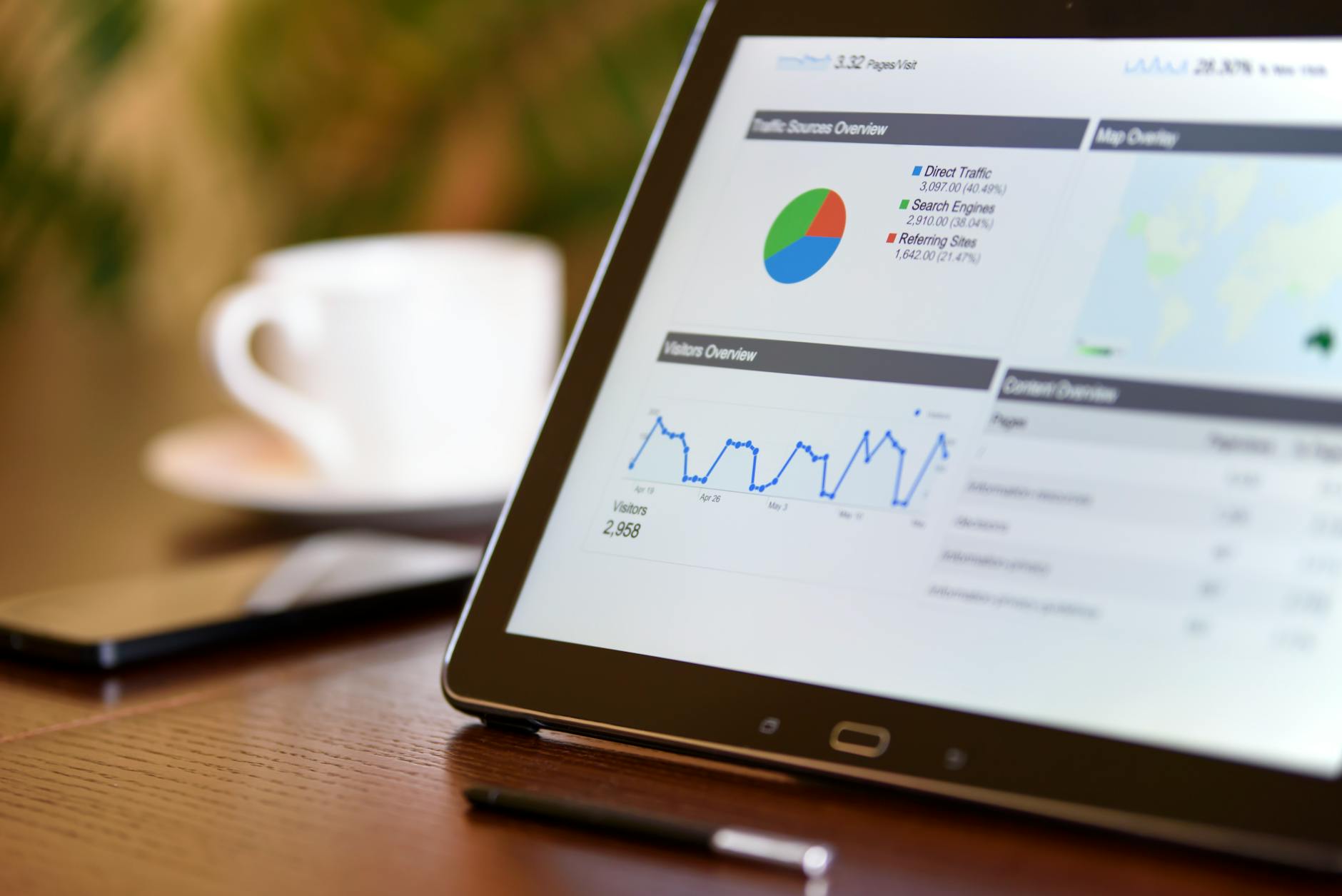 Photo by AS Photography
Engagement, reach, and impressions explained
- Engagement: The total number of actions users take on your post, such as likes, comments, shares, saves, and taps. Example: a post with 120 likes, 40 comments, and 20 shares signals strong resonance.
- Reach: The number of unique people who saw your content. If 400 people viewed a post, your reach is 400. It tells you how broad your audience is beyond your followers.
- Impressions: The total number of times your content appears on screens, including repeats by the same person. A post with 500 impressions but 300 reach means many people saw it more than once.
How to compare to find what works:
- Compare reach across posts to identify topics that attract new viewers.
- Look at engagement rate (engagement divided by impressions) to gauge resonance. A high engagement rate on a post with modest reach often means your message is tight and compelling.
- Use a simple example: Post A reaches 600 with 90 engagements; Post B reaches 350 with 80 engagements. Post A has higher engagement, but Post B has tighter audience alignment. Decide which metric matters more for your current goal.
Practical takeaway:
- Track the top two or three posts by engagement rate each week. Note the topics, formats, and hooks that performed best, then reproduce those elements in future posts.
Recommended reading:
- For deeper ideas on how reach, impressions, and engagement interplay, see expert guidance on cross-platform metrics. Reach vs. impressions vs. engagement provides a solid breakdown.
Audience insights and demographics
Mobile dashboards display age brackets, locations, and interests in compact cards. Use these to tailor your content for the groups most likely to engage.
Key demographic signals to watch:
- Age: Identify which age ranges dominate your audience. If most viewers are 18–29, lean into fast-paced formats and trends they care about.
- Location: See where your audience is watching from. If a large share is in urban areas, you might time posts to align with their peak hours.
- Interests: Platforms often surface interests inferred from user behavior. This helps you craft topics and thumbnails that align with these passions.
Tips to tailor content to key groups:
- Create micro-verticals: a set of posts tailored to the top two age groups or locations you serve.
- Optimize timing for location clusters: schedule posts when your core audience is most active in their time zones.
- Test audience-specific hooks: run two variations of a caption or thumbnail aimed at different interest segments and compare results.
External resources to deepen audience insights:
- A demographic guide helps you translate age, location, and device usage into actionable content ideas. The Ultimate Social Media Demographics Guide is a solid starting point.
Tip: keep a short audience snapshot in your notes. A one-page profile with your top three demographics can steer your content choices without overloading your mobile view.
Video metrics like watch time and retention
Video metrics unlock why a clip keeps viewers watching or drops off early. On mobile, watch time and retention are accessible in compact dashboards, letting you refine previews, pacing, and hooks.
Why watch time and retention matter:
- Watch time indicates how long viewers stay with your video. Longer watch times usually signal content value.
- Retention shows when viewers start dropping off. Sudden drops at specific moments reveal where you lose attention.
How to read these numbers to improve videos:
- Compare retention curves across similar videos. If a particular hook keeps viewers longer, reuse or adapt that hook.
- Identify the best moments: note where viewers typically stop. Revise introductions or tighten mid-roll segments where drop-offs spike.
- Use total watch time as a proxy for overall impact. A video with higher watch time often performs better in platform algorithms.
Practical example:
- Video A has a strong opening but drops after 15 seconds. Video B starts with a teaser at 0 seconds and keeps viewers engaged through the middle. If Video B shows higher overall watch time, adopt the teaser approach in future clips.
Supporting resources:
- For practical video metrics guidance, check out guides like “9 social video metrics you need to track in 2025.” Hootsuite blog on social video metrics provides a concise framework you can apply on mobile.
Traffic sources and clicks
Understanding where clicks come from helps you optimize links and calls to action. Mobile dashboards often break traffic sources into direct, social, referral, and search categories.
How to read traffic sources on mobile:
- Direct traffic: people who type your URL or use bookmarks. They already know you.
- Social referral: clicks from social posts. If a post drives many clicks, the caption and link placement worked well.
- Referral: visits from other sites or platforms that show a linked badge or article.
- Search: traffic from on-platform search or external search engines.
How to use this data to optimize:
- Strengthen high-performing sources: if most clicks come from your Instagram bio link, consider a pin or link in your captions to guide users there.
- Refine calls to action: if CTAs placed at the end of videos or posts yield more clicks, standardize that placement across future content.
- Test link placement and text: try shorter, clearer CTAs and track which placements generate more traffic.
Practical example:
- A post with a CTA “Watch the full tutorial” leads to a landing page with a higher click-through rate than a generic “Learn more.” Replicate the strong CTA pattern in future posts.
External resources for traffic analytics:
- Tools and techniques for tracking social media traffic can be found in this guide: How to track social media traffic in GA4: 6 Reports.
Images and visuals:
- If you want to reinforce this section with a clear visual, a simple funnel diagram showing traffic sources to a landing page can be effective. Use a clean, mobile-friendly graphic to illustrate direct, social, referral, and search paths.
Keeping these core metrics in view on mobile helps you act quickly. Use a small set of metrics as your daily compass, then dive deeper when you need to. The goal is a repeatable, actionable routine that fits your publishing cadence.
External links for quick setup ideas:
- A practical overview of multi-tool setups and workflows for mobile analytics. The 12 Best Social Media Analytics Tools for Marketers offers practical examples and workflow tips.
If you’d like, I can tailor these subsections to fit a specific network mix or publishing schedule.
AI and automation on your phone help you grow your content
Your phone is more than a camera and a notification device. It can act as a compact AI assistant that analyzes patterns, suggests ideas, and keeps you on track with your publishing goals. When you combine mobile AI insights with automation, you spend less time guessing and more time creating content that resonates. This section breaks down practical ways to harness AI and automation on your phone to grow your content effectively.
AI insights and content suggestions
Artificial intelligence on mobile dashboards can spot trends you might miss. It studies when your audience engages, what formats perform best, and which topics keep people watching or reading. With this data, AI can propose topic ideas, formats, and hashtags tailored to your audience patterns.
- Topic ideas that align with proven interest: If a vertical video about a popular subtopic consistently earns longer watch times, you’ll see suggested variations around that theme. AI can generate related angles, questions, or follow-ups that extend the conversation.
- Format recommendations that fit your audience: Some audiences prefer short clips, others long-form explanations. AI analyzes your past performance to recommend formats such as quick tutorials, carousel posts, or interview snippets that likely perform well next.
- Hashtag and caption optimization: AI can surface hashtags that match your topic and audience demographics, plus caption templates that boost clarity and engagement. It can also propose hooks or opening lines that have historically driven higher click-throughs.
- Data-driven experiment ideas: Based on observed patterns, AI may suggest a small set of controlled tests, like testing a new thumbnail style or posting at a slightly different time window. Treat these as lightweight pilots to validate potential growth levers.
How to apply these ideas on your phone
- Use a daily idea draft: open your analytics dashboard, review the top performers, and generate 3 quick topic ideas and alternative formats for tomorrow.
- Create caption skeletons: let AI output three caption options with different tones (informative, curious, and playful). Pick the one that fits your brand voice.
- Rename and organize ideas: save ideas in a notes folder labeled by season or theme. This helps you scale content around ongoing topics without rethinking from scratch.
Practical example: suppose your nutrition channel shows strong engagement on short how-to clips about quick breakfasts. AI suggests three related topics you haven’t tried yet: “5-minute smoothie hacks,” “protein-packed oat bowls,” and “grab-and-go preps.” It also surfaces two alternate formats—an animated GIF walkthrough and a 60-second expert Q&A. You schedule one test post for the GIF and plan a 2–3 minute interview clip for later in the week.
Where to start
- Pick one mobile analytics app you trust and enable AI-driven ideas or forecasting features.
- Set a weekly 15-minute idea sprint to review AI suggestions and map 3 experiments.
- Track the outcomes of AI-guided experiments to refine future prompts and tune the AI’s recommendations.
External resources for broader guidance
- For a practical take on AI-assisted content planning and automation, see resources like OwlyWriter AI from Hootsuite, which helps generate captions and ideas quickly. You can explore how AI copilots support smaller teams and solo creators without overwhelming them. OwlyWriter AI
Key takeaway: let AI handle the heavy lifting of idea generation and framing, then you decide the final cut. Your job is to steer the AI with your brand voice and audience context, not to let it replace your unique perspective.
Automated reports and alerts
Automation turns sporadic checks into a reliable rhythm. With automated reports and alerts, you know when something spikes or drops without staring at dashboards all day. This is essential for catching shifts early and staying consistent.
- Regular reports that fit a busy schedule: Schedule daily or weekly summaries that highlight the top performers, audience growth, and any anomalies. Quick glances should reveal what’s working and what isn’t.
- Alerts for spikes or drops: Set thresholds for engagement rate, reach, or watch time. When a metric crosses a threshold, you receive a push notification. This lets you investigate while the event is fresh.
- Cross-network consistency: If you publish on multiple platforms, automated reports help you compare across networks in a single view. It reduces the time spent switching between apps.
- Actionable alerts: Tie alerts to concrete actions. For example, an alert for a drop in video watch time can trigger a review of your opening hook or thumbnail.
How to implement on mobile
- Choose a primary analytics hub: pick one app that can pull data from all your networks or a small group of connected apps. This central view keeps you from chasing scattered numbers.
- Define clear KPIs for alerts: common targets include engagement rate, watch time, and saves. Start with two to three metrics to avoid alert fatigue.
- Schedule a quick 5-minute review: each day, open the alert center, skim the top alerts, and decide on one optimization to test.
Real-world scenario: you publish across Instagram, YouTube, and TikTok. An automated daily report highlights that your latest short video series is underperforming on watch time but your engagement rate remains high. The alert prompts you to test a stronger opening hook in the first 5 seconds and adjust the thumbnail style. You implement a small adjustment and monitor results for the next 3 posts.
Best practices
- Keep alerts precise: narrow to the most impactful metrics to prevent fatigue.
- Use color cues: red for spikes, green for growth, and yellow for steady but noteworthy changes.
- Link alerts to a simple action list: one optimization idea per alert, with a deadline to review.
External resources for automation ideas
- For a practical guide to mobile analytics and automated reporting, explore tools and workflows that match your publishing cadence. The 12 Best Social Media Analytics Tools for Marketers offers workflow tips and setup ideas you can adapt to mobile.
Smart posting times and content ideas
Timing often makes or breaks a post. Smart posting times use your audience’s activity patterns to maximize visibility, while content ideas aligned with those patterns keep your feed relevant and engaging.
- Timing that fits when your audience is active: mobile dashboards can show peak hours by time zone and day of week. Aim to post during these windows when possible.
- Content types that tend to perform well: short tutorials, behind-the-scenes glimpses, before-and-after showcases, and micro-stories typically resonate in mobile feeds. The right format depends on your niche.
- Lightweight planning, big impact: create a small content calendar that maps peak times to content ideas. You don’t need a full editorial calendar to stay consistent.
Simple tips you can implement today
- Check your audience activity in the evening and schedule a test post for the next day in that window.
- Rotate formats to keep your feed fresh. If Reels perform best one week, try a carousel or a quick tips video the next.
- Use a strong hook within the first few seconds. Mobile viewers decide fast whether to keep watching.
Content ideas that travel well on mobile
- Quick tips or hacks that can be understood at a glance.
- Short, visually clear tutorials that show a result in under 30 seconds.
- Personal stories that connect with your audience’s daily life and needs.
Practical example: your data shows your audience is most active in the 6 to 9 pm window on weekdays. You plan a 3-post sequence for the next week: a 15-second tip video at 6:15 pm, a 45-second how-to post at 7:00 pm, and a quick Q&A carousel at 8:30 pm. You track which slot and format yield the best engagement and adjust the calendar accordingly.
Where to find reliable data on posting times
- Many platforms reveal audience activity patterns in their mobile analytics sections. Use these patterns to inform your posting schedule without overloading your calendar.
- If you want a broader view across networks, cross-platform analytics tools provide unified insights that help you compare timing across platforms.
External resources for posting time strategies
- For a practical approach to mobile-first posting, review cross-network timing guides and format ideas. Best tools for smarter reporting in 2025 offers a helpful comparison and ideas you can adapt for mobile use.
Putting it all together, these AI and automation approaches on your phone turn data into action. You’ll generate ideas faster, catch important changes early, and post at times when your audience is most receptive. The goal is to build a repeatable, low-friction workflow that grows your content without adding complexity.
If you’d like, I can tailor these subsections to fit a specific network mix or publishing schedule.
A simple mobile analytics workflow you can follow weekly
Tracking content performance from your phone doesn’t have to be chaotic. With a lightweight, repeatable weekly routine, you can surface the insights that matter and turn them into clear actions. This section lays out a practical workflow you can adopt right away, using daily quick checks, a deeper weekly dive, and a plan to share and apply what you learn. Think of your smartphone as a small control center that keeps you in the loop without pulling you away from creating.
Daily quick checks
A quick daily ritual keeps you in rhythm and helps you notice shifts before they become big problems. Here are 3 to 5 fast checks you can run each day on your phone.
- Check reach and impressions first. Look at how many people potentially saw your latest post or video. This gives you a sense of visibility without diving into every metric. If reach is unusually low, review posting times or thumbnail quality for a quick fix.
- Glance at engagement rate. Engagements (likes, comments, shares) relative to impressions show resonance. A high engagement rate on a smaller audience can be a win, while a low rate on a large reach may signal audience misalignment.
- Review top performer from yesterday. Identify the post that performed best and note the format, topic, and hook. Use that pattern as a model for the next set of content.
- Check a platform-specific signal. For video, skim watch time or retention; for image posts, look at saves and shares. These signals often point to what keeps people watching or saving.
- Confirm any alerts or anomalies. If you’ve set up automated alerts, check whether a spike or dip needs a quick reaction. If something looks off, adjust quickly rather than letting it linger.
A practical tip: keep these checks to a few minutes. The goal is a quick temperature check, not a full deep dive. If a pattern stands out, mark it for a longer look during the weekly dive. For broader ideas and workflows, see resources on multi-tool setups and daily checklists from industry guides. The 12 Best Social Media Analytics Tools for Marketers
Smartphone usage note: a lot of these checks work well on a compact screen. You can keep a small notes checklist in your finger-grid or a quick note in your preferred analytics app. The key is consistency, not complexity.
Weekly deep dive
A weekly deep dive uncovers trends that daily checks can miss. It’s where you connect the dots between posts, audiences, and outcomes. Use a calm, focused session on your phone to review trends, top posts, audience shifts, and performance shifts.
- Review time-based trends. Look at performance across the week to spot patterns like midweek spikes or weekend lulls. Note which days and times consistently yield better results and plan your calendar around those moments.
- Analyze top posts and formats. Identify the post types that drive the most engagement or watch time. Extract the core elements—hook, pacing, caption style, and visuals—that you can reuse.
- Track audience changes. Observe shifts in follower growth, audience location, and demographics. A sudden change may signal a new niche or content angle to pursue.
- Examine shifts in performance. Compare week-over-week numbers for reach, engagement, and retention. Look for rising or falling metrics and connect them to content decisions.
- Build a mini action list. Each insight should map to a concrete action, whether it’s testing a new hook, adjusting thumbnails, or altering posting times. Keep the list short and doable.
A practical approach is to pull data from both platform-native analytics and a cross-network dashboard if you use one. The goal is a concise report you can skim on a commute or over lunch. For a broader context, cross-network tools can help you gauge how changes perform across platforms. See comparisons of cross-network analytics options for inspiration. Best social media analytics tools for marketers
A useful structure for your weekly deep dive:
- Executive snapshot (one paragraph): the week at a glance.
- Winners and patterns (bullet list): top posts, formats, and themes that worked.
- Audience moves (bullet list): any notable shifts in location, age, or interests.
- Performance shifts (mini chart or narrative): where impressions, reach, or watch time moved.
- 2–3 experiments for next week: concrete tests with expected outcomes.
Tech tip: on mobile, reuse the same reporting layout each week. A familiar frame makes it faster to spot changes and to communicate results to your team. If a network requires deeper context, bring in platform help guides to interpret metric quirks. For example, understanding how watch time and retention affect algorithmic reach can clarify why a video might perform differently on a new posting day. Learn more about video metrics in practical guides like this one. Social video metrics
Smartphone habit note: keep the weekly deep dive to 20–40 minutes. A focused session every week beats dragging the task across several days. If a data sprint becomes routine, you can add a quick midweek check to confirm you’re on track.
Sharing and applying insights
The final piece is turning your data into action and sharing it with your team, all from your phone. This section shows how to translate insights into content planning and team communication on mobile.
- Turn data into a concise plan. Use your weekly insights to draft 2–3 content ideas for the next cycle. Tie each idea to a specific metric you expect to move, such as watch time or saves.
- Communicate with visuals. Create a simple slide or image summarizing the top performers and the action items. If you share with teammates, include clear next steps, owners, and deadlines.
- Align content calendars. Map the new ideas to your publishing cadence. A small, mobile-friendly calendar helps you stay aligned with the plan.
- Set short-term experiments. Assign two tests for the coming week, such as a hook change or a different thumbnail style. Track the results and compare against your baseline.
- Keep a decision trail. Save a quick note about why you chose a specific change. This helps you explain results to others and replicate successes later.
A practical example: you notice that videos with a bold opening hook perform better on weekdays. You plan three posts for next week that start with a 0–3 second hook, with thumbnails that emphasize the hook. You schedule a mini review for the following week to measure the impact of the hook changes.
External resources to deepen practical workflows:
- A guide comparing top cross-network analytics tools can help you choose the right one for your needs. Best social media analytics tools for marketers offers comparisons and insights.
- For an actionable cross-network workflow, check out resources on social media checklists and reporting templates. Social Media Reporting: The Complete Guide provides a framework you can adapt to mobile use.
Key takeaways for sharing and applying insights:
- Keep reports short and actionable. Focus on 2–3 clear actions.
- Use visuals to communicate quickly. A single slide or image can replace long narratives.
- Schedule follow-ups. Set a date to review the impact of each change.
Smartphone note: when you share results with a team, you can export simple reports as images or PDFs directly from your analytics apps. Keeping visuals clean helps cross-functional teammates grasp the plan fast.
This weekly workflow is designed to keep you productive without overwhelming your mobile setup. It aligns with a practical posting schedule and helps you turn every data point into smarter content decisions. If you’d like, I can tailor these subsections to fit your target networks and publishing rhythm.
Conclusion
Your phone is a powerful analytics tool when you use the right routine. Start by setting up a central analytics hub on your smartphone, link your networks, and keep permissions tidy. Do quick daily checks on reach, impressions, and engagement, then dive into a deeper weekly review to spot patterns and plan experiments. Use AI insights and automated alerts to stay nimble without grinding through data all day. A simple adjustment in posting time or hook can lift results across networks.
Make this a habit, not a project. With a small set of core metrics and a clear action plan, you turn numbers into better posts and faster growth. Begin today by trying one mobile analytics tool this week, and let your smartphone guide you toward steadier improvement.