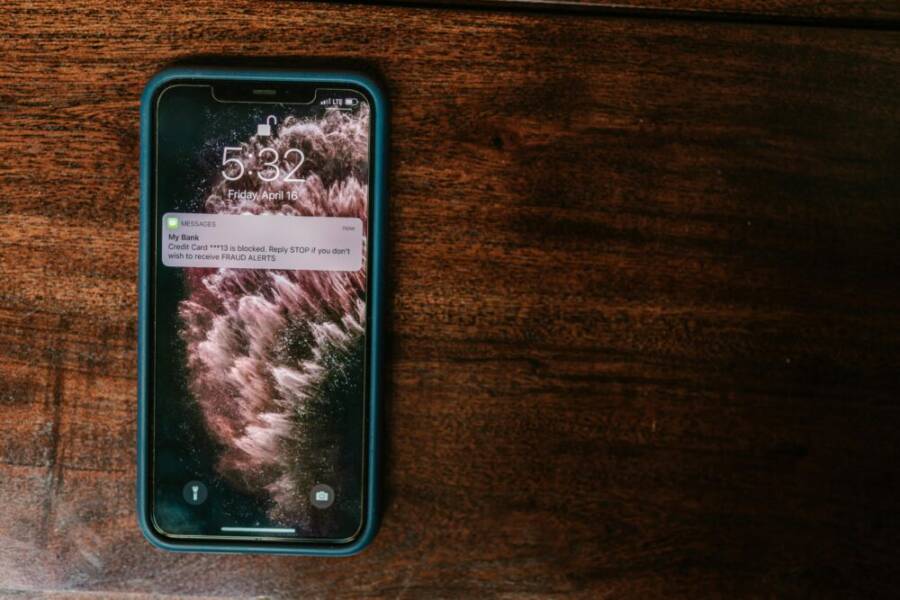
A real money slip can hide in plain sight on your phone, and it starts with a single tap on the wrong app. Take the story of a user who trusted a convincing banking copy only to see funds vanish after a login prompt that looked legitimate. The threat is real, and it’s growing as more people rely on smartphones for everyday money tasks.
This post explains in plain terms how to spot a fake banking app before it can do damage. You’ll learn the red flags to watch for, from dubious app store listings to suspicious permission requests, and how to verify a bank’s official app quickly. The goal is simple: stay secure by recognizing the signs of a fake at a glance.
By the end, you’ll have a practical checklist you can apply anytime you install or update a banking app. Common mistakes trip people up, like skipping app source checks or rushing through launcher prompts. With these steps, you’ll reduce risk and feel confident in your mobile banking routine.
Why Fake Banking Apps Put Your Money at Risk
Fake banking apps aren’t just nuisances; they’re money thieves waiting for a moment of carelessness. These apps mimic real banks, lure you with convincing logos, and quietly siphon funds or harvest your credentials. Once your login details are captured, attackers can move money, drain accounts, or commit identity theft. The risk isn’t limited to a single device or platform; it travels with you wherever you go, especially if you reuse passwords or skip app source checks. By understanding how these threats work, you can build a simple, repeatable defense into every phone decision you make. Below are two essential sub-sections that explain how scammers operate and what happens if a fake app slips through your defenses, so you can stay one step ahead.
Common Tricks Scammers Use to Fool You
Scammers rely on familiarity and urgency to coax you into installing a fake banking app. They copy real logos, app icons, and interface cues so the fake looks legitimate at a glance. You might receive a text message or email that urges you to “update now” or “verify your account” with a download link. The link often leads to a counterfeit store listing or a site that mimics your bank’s site, complete with typos in the bank name or tiny errors in the color scheme. These telltale signs signal trouble even before you tap.
Two to three deceptive naming patterns you might see are easy to spot once you know the red flags. For example, a real bank app will usually appear as the bank’s full name plus “Mobile” or “Banking,” not a slightly altered variation like “BankinGo” or “BankingNow Pro.” Another common ploy uses “official” in the name, such as “ACME Official Banking,” which should raise suspicion if the app store listing lacks credibility. The third tactic is to bundle the fake app with other, unrelated services, creating a misleading sense of legitimacy. When in doubt, pause and compare the listing details with the bank’s official site or trusted app store page.
To verify legitimacy, start with these practical checks: confirm the developer name, read user reviews with a critical eye, and inspect the permissions requested. A real banking app should not demand invasive access beyond what’s necessary for security and authentication. If you notice odd permissions or an unfamiliar developer, don’t install. For quick guidance on recognizing scams, see trusted sources such as the FDIC and FTC pages on financial fraud and app safety. For example, you can learn how scammers impersonate banks and what to do if you suspect a fake app directly from consumer protection resources.
- FDIC: Scammers and Fake Banks
- FTC: Mobile Payment Apps how to avoid scams
Real app names and their fake counterparts to watch for include patterns like:
- Real: “First RoboBank Mobile” vs Fake: “First RoboBank App”
- Real: “NorthStar Bank Mobile Banking” vs Fake: “NorthStarBanking”
- Real: “Lakeside Security Bank Mobile” vs Fake: “Lakeside Secure Bank”
Stay wary of anything that asks you to install outside the official store or to bypass standard verification steps. When you’re unsure, search for the bank’s official app page and compare it side by side with the listing you’re seeing. If a hint sounds too urgent or too perfect, it’s worth a second look. Quick tip: when in doubt, don’t tap links from messages; instead, open your bank’s app directly or use a trusted bookmark.
Real Dangers If You Install One
Installing a fake banking app exposes your device to a range of dangers. The most immediate risk is data theft. Once the app is on your phone, attackers can capture login credentials, capture device identifiers, and harvest personal information that can be sold or used in further fraud. Beyond credentials, malware embedded in a fake app can exfiltrate contacts, messages, and payment details stored on the device. This information can be weaponized for targeted attacks, phishing, or identity theft.
Another major risk is malware that quietly evolves into a remote control tool. Some fake banking apps install a backdoor that lets scammers monitor activity, capture keystrokes, or intercept two factor authentication tokens. With that level of access, they can perform unauthorized transfers or lock you out of your own accounts. The damage can escalate quickly if the attacker gains footholds across other apps or platforms on the device.
The consequences don’t end with money loss. You may face long recovery times, credit issues, and the hassle of cleaning your device and restoring data. You could also be exposed to further scams that rely on the stolen information you unwittingly handed over. The fastest way to minimize damage is prevention. Focus on source verification, keep apps up to date, and set strong authentication. If you suspect a fake app, remove it immediately and notify your bank. For further guidance on avoiding scams, consult resources from Bank of America’s security center and other trusted institutions.
- Bank of America Security Center: How to Identify a Bank Scam to Keep Your Account Safe
- FTC consumer protection: Mobile payment apps and scam prevention
In practice, a simple, repeatable check helps you stay safe: always verify the developer, confirm the app name matches your bank exactly, and install only from official app stores. If an offer sounds urgent or unusual, take a breath and verify its legitimacy through official channels. A few seconds of vigilance can save hours of recovery later. For ongoing education, keep an eye on consumer protection updates from credible sources and periodically review your bank’s guidance on mobile security.
Check App Store Clues for Fake Banking Apps
When you download a banking app, the first impression matters. A legitimate bank will have clear details in its store listing, transparent developer information, and steady update patterns. Use these clues like a quick-check ritual before you tap “Install.” Below are practical subsections you can apply in seconds. The goal is to confirm authenticity without slowing you down.
Verify the Developer and Basic Info
Start by matching the developer name exactly to your bank’s official name or to a trusted partner listed on the bank’s site. A tiny deviation can signal a fake, even if the icon looks right. Check the developer’s contact info and the provided website links. If a bank uses partners for some regions, verify the partnership on the bank’s official site. Watch for copycat names that mimic the real brand, like a misspelled variant or a similar-sounding alias. If anything feels off, pause and cross-check. For quick guidance, credible resources explain how scammers impersonate banks and what to do about it. For example, see guidance from consumer protection sites that cover identifying bank scams and how to report suspicious apps.https://www.cloudtango.net/blog/2024/10/23/6-essential-tips-to-spot-and-avoid-fraudulent-banking-apps/https://usa.kaspersky.com/resource-center/preemptive-safety/identifying-and-avoiding-fake-apps
Beyond the store page, search the bank’s official app page and compare the exact app name with the listing you’re viewing. Real apps rarely use playful variations or added terms like “Official” in the title. If the listing name matches but the developer is unusual or new, proceed with caution. A practical check is to open the bank’s site and confirm the app’s presence, then return to the store listing to verify alignment. If a listing demands unusual permissions or redirects you off the official store, it’s a red flag. For more context, reputable security guides outline how to spot suspicious developer information and why it matters.https://ntpas.net/en/protect-your-finances-10-essential-tips-for-spotting-and-avoiding-fake-banking-apps/
When in doubt, rely on authoritative summaries from trusted protection sites. They emphasize that a legitimate app will have consistent branding, clear support channels, and verified developer details. If you notice mismatches or vague contact options, don’t install. A small step like this saves you hours later. For further reading, reputable security sites offer practical tips to recognize and avoid fake apps and scams.https://www.startupdefense.io/cyberattacks/fake-app-store-attack/
Read Reviews and Ratings Smartly
Reviews can tell you a lot, but they can also be manipulated. Look for patterns that don’t add up: a flood of five-star praise, generic compliments, or sudden spikes in ratings after a listing appears. These signs point to inauthentic feedback. Scroll through recent reviews to see if real users report problems like crashes, login failures, or missing features. Such issues are a red flag when a banking app claims flawless performance. Always sort reviews by newest to spot fresh concerns that may indicate a compromised product. Promoted or sponsored reviews should be ignored; they can skew the overall rating and hide genuine problems. For dependable context, combine reviews with developer and update signals.
Cross-check a handful of user comments with the bank’s official support channels. If many users report the same issue, that’s worth heeding. For more guidance on spotting reviews that aren’t genuine, you can consult consumer protection resources that explain how to identify fake feedback and why it matters for financial apps.https://www.cloudtango.net/blog/2024/10/23/6-essential-tips-to-spot-and-avoid-fraudulent-banking-apps/https://usa.kaspersky.com/resource-center/preemptive-safety/identifying-and-avoiding-fake-apps
Remember to weigh the source of reviews. Feedback from long-time users with specific, verifiable details is more trustworthy than generic praise from new accounts. If a listing relies heavily on hype rather than concrete user stories, proceed cautiously. A simple, repeatable habit is to check a few independent review sites or forums for corroboration. That extra step often reveals inconsistencies a single store page won’t show. For further insights, credible security resources discuss how to interpret reviews and protect yourself from misleading listings.https://ntpas.net/en/protect-your-finances-10-essential-tips-for-spotting-and-avoiding-fake-banking-apps/
Downloads, Updates, and Size Red Flags
Low download counts for popular banks are a common signal of fakery. If a bank’s app appears with surprisingly few downloads or sparse user engagement, treat it with caution. Compare the install base and the average rating with the official app pages from the bank’s site. Another warning sign is unusual update frequency. Real banking apps receive periodic updates for security and compatibility. A listing that rarely updates or pushes large, sudden updates may indicate a fake or poorly maintained app. Also consider the app size. A banking app with an unexpectedly large or tiny file size can be a clue that it’s not legitimate. Use these comparisons to gauge authenticity quickly. Staying vigilant here helps you avoid installing a counterfeit that could steal credentials or access devices.
If you want a quick guardrail, open the official bank app page and compare it side by side with the store listing. When in doubt, err on the side of caution and start fresh from the bank’s site or a trusted app store page. For ongoing reliability, rely on official bank guidance about mobile security and app safety, which often includes updated tips and direct links to legitimate downloads.
Spot Design and Permission Warnings
Design and permissions are the frontline indicators that a banking app is legitimate. This section explains how tiny design quirks and broad permission requests can reveal a fake even before you input any credentials. By understanding these signs, you can spot trouble at a glance and protect your money.
 Photo by RDNE Stock project
Icons, Screenshots, and Description Issues
A realistic bank app usually has crisp visuals and precise language. Look for blurry icons, pixelated screenshots, or misspelled words in the description. Fake apps often copy branding but fail on small details like font weight, color consistency, or padding in the interface. Subtle mismatches — such as a bank icon with slightly off color tones or a different shade of blue than the official site — are common red flags.
Read the app description carefully. Poor grammar, awkward phrasing, or generic marketing phrases are not typical of a regulated bank. If the listing mentions urgent actions like “verify now” or “quick fix required,” pause. Real banks instruct secure steps and offer support channels rather than pressure tactics.
When in doubt, compare with the bank’s official page. Open the bank’s site on your smartphone and visually align the logo, color palette, and typography with the store listing. If you notice inconsistencies, skip the download. For additional guidance, explore reputable resources on identifying fake banking apps and the signs to watch for in descriptions and visuals. See resources from consumer protection agencies and security sites for concrete examples and checklists. https://www.moneycontrol.com/news/business/personal-finance/how-to-spot-a-fake-bank-app-before-you-install-it-13688587.html https://www.cloudtango.net/blog/2024/10/23/6-essential-tips-to-spot-and-avoid-fraudulent-banking-apps/
A quick in-store verification helps too. Look for a consistent developer name, real-time update indicators, and legitimate in-app screenshots linked to official pages. If the listing uses “Official” in the title or bundles the app with unrelated services, treat it as suspicious. A trustworthy app will keep branding consistent across pages, show a valid support channel, and provide legitimate contact information. For further context, trusted guides explain how naming and branding can betray counterfeit apps. https://ntpas.net/en/protect-your-finances-10-essential-tips-for-spotting-and-avoiding-fake-banking-apps/ https://www.startupdefense.io/cyberattacks/fake-app-store-attack/
Permissions That Scream Scam
Banking apps require only the basics: secure login, authentication, and optional features like two-factor prompts. If an app asks for broad access to SMS, contacts, location, or camera without a clear security reason, that is a major warning sign. Banks do not need full-device access to operate a basic mobile banking experience.
On Android and iOS, permission behavior differs slightly but the principle is the same: unnecessary privileges should stay off. A banking app should request only what is essential for security, such as device locks, push authentication, or account verification. Deny extra permissions and look for an explanation within the app’s settings or help section. If an app cannot justify why it needs a specific permission, do not grant it.
When you see a permission request outside the normal flow, treat it as suspicious. For example, an app asking to access your contacts to “improve security” or to read your location to “confirm you are nearby” is a red flag. If you are unsure, open the bank’s official site or app store page and compare the stated permissions with the legitimate app. If the listing asks you to install from outside the official store or to disable protections, avoid it.
Smartphone users should pause before granting any nonessential access. A genuine bank app will provide clear rationales for required permissions within the app itself and offer easy ways to manage them later. For more on permissions and scam indicators, check consumer safety resources that outline typical red flags and safe installation practices. https://www.cloudtango.net/blog/2024/10/23/6-essential-tips-to-spot-and-avoid-fraudulent-banking-apps/ https://www.ntpas.net/en/protect-your-finances-10-essential-tips-for-spotting-and-avoiding-fake-banking-apps/
Test and Report Suspect Banking Apps Safely
When you install or update a banking app, you’re handling some of your most sensitive data. This section provides practical steps to test an app safely before you use it fully, and clear actions to report any suspect behavior. Think of it as a quick safety check you can run in seconds, so you stay protected without slowing you down.
Safe Ways to Test Before Full Use
Create test accounts from your bank’s official site or mobile portal. Use dummy data and avoid real personal details to minimize exposure. As you test, inspect the security basics first: the app should use HTTPS for all connections, and you should encounter a two-factor authentication prompt during login. If anything feels off, log out immediately. Pay attention to how the app handles errors and redirects. A legitimate banking app will keep you in the official environment and won’t push you to install companion tools from unknown sources. If you notice anything suspicious, compare the app page with the bank’s official site and the store listing. For reference on reporting concerns through official channels, see Google Play’s guidance on flagging fraudulent apps and safety resources from consumer protection agencies.
- Verify the app uses HTTPS for all traffic
- Expect a two-factor prompt at login
- Log out quickly if anything feels odd
- Compare with the bank’s official app page
- Report through official platforms if needed
Image
 Photo by Dan Nelson
External references for reporting and safety steps:
- Google Play: Flag an app or review on Google Play – Android
- Google Play: How can I report fraud app on Google Play
- Deceptive behavior guidelines for Play Console
Report Fakes and Protect Yourself Now
If you suspect a fake banking app, act quickly to minimize risk. Start by using official reporting channels on Google Play or the App Store to flag the app. Notify your bank through official channels so they can cold-flag the app in their systems and alert other customers. Run a full antivirus or security scan on your device to root out any hidden malware, then change passwords for all relevant accounts from a secure device. If you fear compromise, back up essential data, perform a factory reset, and reconfigure your phone from scratch with fresh credentials. After any suspected incident, monitor account activity closely for unusual transfers or login attempts. Strengthen future defenses by updating your device and enabling strong, unique passwords plus platform-supported two-factor authentication. For additional guidance, consult reputable protection resources and your bank’s security center.
- Flag the suspicious app on Google Play or the App Store
- Contact your bank’s security team and follow their guidance
- Run a full antivirus scan and change passwords
- Consider a factory reset if you suspect deeper compromise
- Enable strong, unique passwords and two-factor authentication
Image
Photo by Dan Nelson
External references for reporting and protection:
- Google Play reporting guidance
- Bank’s security center (official site)
- FTC consumer protection resources on mobile safety
- Bank of America Security Center on identifying bank scams
By acting fast and using official channels, you protect your data and help curb scammers. If you’re unsure about a listing, rely on the bank’s official app page for confirmation, and log every step you take. This disciplined approach keeps your money and devices safer for the long run. For quick context on recognizing fake apps, you can review consumer protection resources and credible security guides.
Conclusion
Spotting fake banking apps is about calm checks and smart habits. The tips above help you stay in control, even when you’re pressed for time. A small pause to verify can save you from big losses and a long recovery.
Five to seven quick takeaways you can rely on any time you install or update an app:
- Verify the developer name exactly matches your bank and check for credible links.
- Read reviews with care and watch for unusual spikes or generic praise.
- Compare app size, update frequency, and download counts with the official bank page.
- Pay attention to permissions and deny anything unnecessary or unclear.
- Open the bank page in the store and on the official site to confirm branding lines up.
- Avoid apps that push you to install outside the official store.
- Use two factor authentication and secure passwords for all accounts.
Always download only from official bank links and trusted app stores. If something feels off, open the bank app page directly and double check before you tap Install. Keeping these habits builds trust and reduces risk in everyday tasks on your smartphone. Share these safety checks with friends and family, and check your phone now to reinforce your protection.