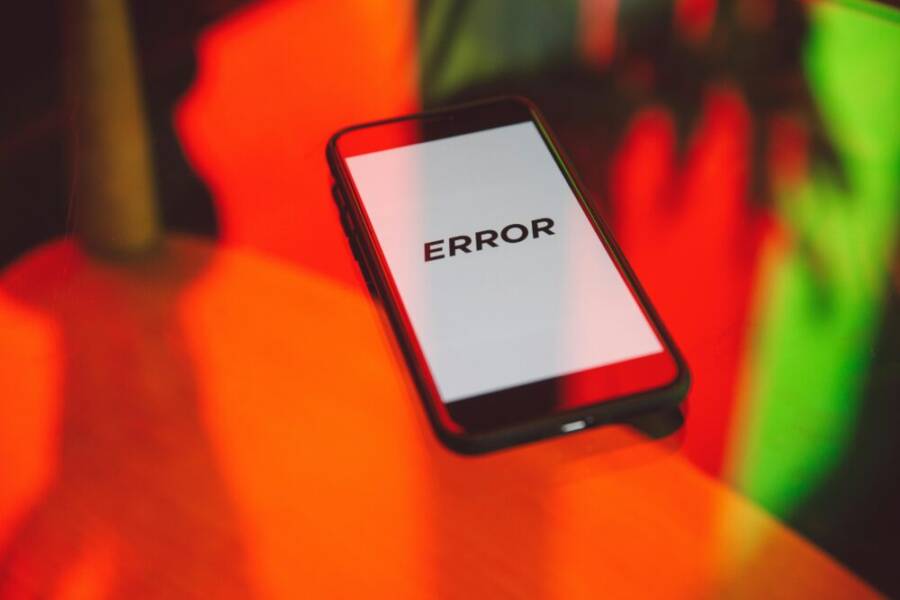
A neighbor barely slept after a fake bank text drained their savings from a single tap. It felt sudden and personal, as if the bank itself were calling on a friend’s phone. That story is not rare; phishing tries stay one step ahead by posing as trusted sources.
Phishing means tricksters pretend to be someone you know to steal information or money. Your phone is a target because it’s with you all day. Texts, calls, emails, and even apps can carry convincing scams the moment you glance at a notification. Smartphones make it easy to act fast with a single tap, which is exactly what scammers count on.
This guide shows simple, practical steps to avoid phone phishing scams. You’ll learn how to spot the signs of a scam before you respond. You’ll pick up safe habits for handling messages, calls, and links. You’ll also learn how to tighten your phone’s settings so investigations and recovery are quicker if something goes wrong.
We’ll cover practical protections that fit everyday life. From turning on features that block suspicious messages to managing app access and keeping backups ready, these tips are easy to apply. By the end, you’ll feel confident in spotting scams and staying safe on your smartphone.
If you want to stay one step ahead, these tips are for you. They’re simple, proven, and designed to help you avoid phone phishing scams in real life.
Know the Main Types of Phone Phishing Scams
Phone phishing comes in several disguises, but the goal is the same: get you to share sensitive information or download malware. Understanding the main types helps you spot danger faster and stay protected. Below are the three most common categories you’ll encounter on your smartphone, plus practical tips to avoid falling for them.
Smishing: The Sneaky Text Trap
Smishing uses text messages to lure you into action. Scammers pose as banks, delivery services, or government agencies, asking you to verify an account, track a package, or confirm a payment. The message often creates urgency, claiming you’ll face a penalty, delay, or restricted access if you don’t respond quickly.
A typical fake text might say something like: “Alert: Suspicious activity detected on your account. Reply with your last four digits of your SSN to verify.” Or, “Your package couldn’t be delivered. Tap the link to reschedule.” These messages can look official, complete with logos, fake signatures, and familiar names.
What to watch for:
- Urgency and fear tactics. Scammers try to make you act now.
- Requests for verification codes, passwords, or one-time pins.
- Suspicious links or short codes in place of a real web address.
- The sender name resembles a bank or delivery company but isn’t exactly the same.
How to respond safely:
- Do not click links or reply with sensitive data. If you’re unsure, contact the organization directly using a known phone number from their official site.
- Check the sender number. Even if it looks familiar, a quick search of the number can reveal it’s spoofed.
- If you’ve already engaged, call your bank or card issuer using a number from your card or the official website to verify activity and freeze or monitor accounts if needed.
Real-world examples show how believable smishing can be. A package delivery text might claim a package holds a delivery hold for “security review.” The link leads to a fake site that asks for login details. For more on these patterns, see examples from credible sources like police and cybersecurity groups that describe smishing with real-world samples and protective steps. You can also review a collection of smishing examples from industry reports to recognize common themes and how to react. Smishing: Package Tracking Text Scams and What Is Smishing? Examples, Protection & More provide concrete cases and defense guidance. If you want a quick primer on typical text scams, 10 Real-Life Smishing Examples outlines familiar tropes you should memorize.
Key takeaway: Treat any urgent text asking for a code or login as suspicious. Verify through a trusted channel rather than replying or tapping any links.
Vishing: Scam Calls That Pressure You
Vishing, short for voice phishing, relies on phone calls to manipulate you. A scammer may impersonate tech support, a bank representative, or a government official. The aim is to create a sense of legitimacy and fear so you hand over money or sensitive data, or allow remote access to your device.
Common vishing tricks:
- Tech support calls claiming your computer or phone has a critical error and needs immediate actions.
- Government agency calls threatening arrest or fines unless you pay right away.
- Broadcast-style prompts that push you to transfer funds or reveal credit card details.
Red flags to watch:
- Pressure to make immediate payments or disclose PINs, full SSNs, or passwords.
- Unsolicited calls that claim you must act now to avoid penalties.
- Caller ID spoofing that mimics a trusted organization, yet the caller seems vaguely off or evasive.
Best practice when you get a suspicious call:
- Do not share personal data or allow remote access. Hang up and verify through an official channel.
- If the call mentions a bank or government matter, independently reach out to the organization using a number from their official site or your card.
- Consider enabling call blocking features and spam filters on your phone to reduce future interruptions.
For a deeper look at how these calls unfold and how to defend yourself, credible resources detail common vishing patterns and protective steps. If you’re curious about real-world research and guidance, see expert-written explanations and practical advice on vishing and its detection. Useful overview and examples can be found in industry analyses and threat references. What Is Smishing? Examples, Protection & More and Smishing: Package Tracking Text Scams provide context for the kinds of manipulation you might encounter. For broad awareness of social engineering, you can explore general guides that discuss how scammers press for action during calls. 10 Real-Life Smishing Examples offers a side-by-side look at tactics and how to respond.
Key takeaway: If a call pressures you to pay, reveal a password, or install software, end the call and verify through a trusted source. Don’t be rushed into a decision.
Fake Apps and Email Links on Your Screen
Your smartphone can be a gateway for harmful apps and deceptive links. Fake apps masquerade as legitimate tools from well-known brands. They may request permissions that give scammers access to messages, contacts, camera, and microphone. Some deceptive apps mimic popular utilities or games, so they slip past quick glances and get installed before you realize something is off.
Email links are another common route. You might receive a message that appears to come from a trusted brand, urging you to sign in or download an important document. When you tap the link, you’re taken to a fake login page or a site that installs malware on your device. These links can land you on sites that try to harvest credentials or push you into installing unsafe apps.
Red flags to watch:
- Apps with vague developer names or unusual permissions requests.
- Prompts to install an update or a “critical” patch from an unsolicited source.
- Emails or messages with unexpected subject lines, poor grammar, or domains that look similar to real brands.
- Links that lead to sites asking for your password or payment details.
Safe practices to minimize risk:
- Stick to official app stores and review permissions before installing any app. If an app requests access you don’t need for its function, skip it.
- Verify app legitimacy by checking the developer, reviews, and the number of downloads. When in doubt, search the brand’s official site for the exact app name and download from there.
- Hover or long-press links to preview URLs before tapping. If a link looks suspicious, don’t open it.
- Use built-in browser and store security features, such as warnings about dangerous sites or apps.
If you want additional guidance on recognizing fake apps and phishing-like links, a few trusted resources offer practical examples and defense steps. For instance, credible overviews explain how pop-up alerts can mimic legitimate warnings and how to respond safely. See broader discussions and examples of fake app schemes and link-based attacks in resources described here: Smishing: Package Tracking Text Scams, What Is Smishing? Examples, Protection & More, and 10 Real-Life Smishing Examples. These sources help you build a quick mental checklist for apps and links you encounter on your smartphone.
Key takeaway: Always verify the source before installing anything or clicking a link. When in doubt, go to the official app store or brand site rather than following a link in a message.
External resources cited here provide practical context and examples to help you identify these scams in real life. For a deeper dive into each category, you can reference reputable guides and threat intelligence to stay ahead of evolving tricks. If you’d like, I can add more targeted examples aligned with your audience’s common brands and services.
Spot Red Flags in Messages and Calls
Recognizing red flags in incoming messages and calls is the first line of defense against phone phishing. The tricks rely on urgency, familiarity, and convincing visuals to push you toward taps, links, or calls that compromise your security. In this section, you’ll learn practical indicators to watch for and how to respond in a calm, protective way. These quick checks can stop scams before they start.
 Photo by Polina Zimmerman
Check Spelling, Urgency, and Sender Details
Typos, pressure tactics, and odd sender information are strong signals that a message or call isn’t legitimate. Scammers often rely on imperfect language to mimic real brands, but a few telltale signs still stand out.
- Spelling and grammar: Many scams use awkward phrasing, inconsistent capitalization, or strange punctuation. A sudden mix of formal and informal language can be a clue.
- Urgency and fear: Phrases like “act now,” “immediate attention required,” or threats of service penalties push you to rush your decision. Real institutions rarely demand instant action over text.
- Unknown short codes and unfamiliar sender IDs: Short codes or numbers that don’t match official contact channels are red flags. Look for slight name misspellings or digits that resemble legitimate brands but aren’t exact.
- Requests for sensitive data: Be wary of any message asking for passwords, PINs, full date of birth, or Social Security numbers. Real organizations never need these details via text.
- Sender details that don’t align: A bank name that’s mis-spelled or a government agency using a generic number often signals spoofing. If the display name feels off, treat it as suspicious.
How to respond safely:
- Do not reply with personal information or click any links. If you’re unsure, contact the organization through a known, official channel.
- Verify the sender’s number by searching it or calling a published contact from the official site or your card issuer.
- If you’ve engaged, pause the conversation and reach out to the organization directly to confirm legitimacy and secure your accounts if needed.
Practical tip: save a quick reference list of official numbers for your most-used services. When a message arrives, cross-check the sender against your trusted list rather than guessing from the display name.
Recommended reads for understanding common red flags and how to respond include consumer protection resources and security communities. See overview articles and real-world examples that explain how these signals show up in texts and calls. How to Recognize and Avoid Phishing Scams and The 14 Phishing Red Flags Your Users Need to Know offer solid guidance you can bookmark. For broader awareness of smishing patterns and defenses, these references are helpful: Smishing: Package Tracking Text Scams and What Is Smishing? Examples, Protection & More.
Key takeaway: When in doubt, pause. Check the sender, verify through a trusted channel, and avoid sharing any sensitive data.
Test Links and Attachments Safely
Links and attachments are common delivery methods for scams. A safe habit is to treat any unexpected link or file with suspicion, especially when it comes via text or phone prompts. You can protect your device by previewing URLs and using built-in security features before you click or download.
- Preview first: Long-press a link to reveal the full URL before you tap it. If the domain isn’t clearly legitimate or looks similar to a trusted brand with a single-letter difference, don’t open it.
- Hover versus click: On mobile devices, you can often press and hold to see a preview or copy the link to inspect it in a browser. If the site looks unfamiliar, leave it alone.
- Attachments demand caution: PDFs, ZIP files, or documents from unknown senders may contain malware. Avoid opening unexpected files, especially from messages that push urgency.
- Use security features: Enable warning alerts in your browser and phone security settings. Some devices flag risky sites or apps, giving you a safety nudge.
Safe handling steps if you’re unsure:
- Do not download or open anything from an unfamiliar sender. Instead, contact the organization directly using a verified number or official website.
- Run a quick antivirus or security scan after downloading anything from an uncertain source. If your device flags a potential threat, delete the item and block the sender.
- When in doubt, access the relevant service via its official app or website and review any messages there rather than following a link sent unexpectedly.
For a deeper look at safe link handling and common attachment scams, credible guides offer practical steps and examples. See resources that discuss how prompt links and deceptive attachments unfold in real-life scenarios. For instance, references on smishing and link-based attacks, including practical defense steps, can be found here: Smishing Red Flags: How to Spot Fake Text Messages and What Is Smishing? Examples, Protection & More. These sources help you build a quick mental checklist for links you encounter on your phone.
Key takeaway: Preview links and attachments carefully. If a link or file seems risky, skip it and verify through official channels.
Ignore Requests for Codes or Payments
One of the surest ways scammers gain access or money is by tricking you into surrendering verification codes or transferring funds. A simple rule keeps you safe: never share one-time codes or pay with gift cards or digital tokens over the phone or text.
- Verification codes: Banks, apps, and security services never ask you to disclose codes sent to your device. If someone asks for a code, you’re likely dealing with a scam.
- Payment requests: Gift cards, prepaid cards, or crypto can be asked as payment methods in scams. Legitimate organizations rarely request payments this way, especially over unsolicited messages.
- Remote-access prompts: Be wary of calls asking you to install software or grant remote access for updates or problem analysis. Real support will offer official channels to verify and proceed.
How to handle requests safely:
- If a caller asks for a code, hang up and contact the organization using a verified number to check if the request is legitimate.
- Do not share payment details or initiate a transfer based on a message. If you suspect fraud, report it to your bank or card issuer immediately.
- Enable default block and filter settings for unknown numbers and suspicious messages. Regularly review and update these controls as needed.
If you want a quick primer on these disclosure and payment tricks, several consumer protection resources summarize the key behaviors and best practices. See trusted references detailing how scammers press for action and the steps to protect yourself. For example, reputable guides discuss how to spot and avoid these tactics, as well as what to do when you’re targeted: How to Recognize and Avoid Phishing Scams and The 14 Phishing Red Flags Your Users Need to Know.
Key takeaway: Treat any request for a code or payment with suspicion. Confirm through official channels and keep sensitive numbers private.
Image credits:
- Photo by Polina Zimmerman on Pexels
External links are included to offer additional guidance and examples. For broader awareness and ongoing updates, you can explore these resources: What Is Smishing? Examples, Protection & More and Smishing: Package Tracking Text Scams. These references provide practical context to help you recognize evolving scams and respond effectively.
Build Safe Daily Habits for Your Phone
Protecting your phone from phishing starts with small, consistent actions you practice every day. The goal is to make safe behavior automatic so you don’t have to think twice about each alert or link. Think of it as building a shield that fits in your pocket: simple to carry, hard to break. Below are practical habits you can adopt now to reduce risk and stay confident when using your smartphone.
Download Apps Only from Trusted Stores
Rely on the official app stores to minimize exposure to dangerous software. Google Play and the Apple App Store run automated checks and human reviews to weed out suspicious apps, but your vigilance is still essential. Always verify the app developer, read reviews, and check how many downloads the app has before installing.
- Stick to reputable publishers. If you don’t recognize the developer, pause before tapping install.
- Review permissions. If an app asks for access you don’t need for its core function, skip it.
- Read a sample of reviews. Look for recent, detailed feedback about performance and security.
- Be cautious with alternatives. Third party stores or direct APKs can bypass safeguards and increase risk.
To reinforce these practices, you can reference credible guidance from security experts and industry analyses. For example, trusted articles explain why app store ecosystems matter and how to spot risky downloads. See discussions like “Why Do I Need to Use the App Store and Play Store?” for a clear rundown of safety benefits, and real-world reminders that official stores help reduce malware exposure. Learn more here: Why Do I Need to Use the App Store and Play Store? and additional context about safe app sourcing from reputable outlets: Over 200 malicious apps have been downloaded from the Google Play Store.
Key takeaway: Use trusted stores as your first line of defense. Verify publishers, permissions, and reviews before every install.
Keep Your Phone Software Updated Always
Software updates are more than new features. They include security patches that close the door on fresh phishing tricks. Turning on auto updates for your device ensures you get important protections as soon as they’re available, without waiting for a manual check.
- Enable auto updates for system software and apps. This keeps your defenses current against new scam vectors.
- Don’t delay critical patches. Even a short lag can leave you vulnerable to recently seen tactics.
- Restart occasionally. Updated software often requires a quick reboot to finish installation cleanly.
If you want extra reassurance, read why keeping your phone current matters for overall safety. Industry experts and security teams stress that timely patches reduce exposure to phishing and malware. For a primer on the importance of updates and practical steps to enable them, check trusted guidance that covers both OS and app updates, and how they reduce risk: Over 200 malicious apps have been downloaded more than 40 million times from the Google Play Store and related insights about app store security practices: Why Do I Need to Use the App Store and Play Store?.
Key takeaway: Auto updates are a small step with a big payoff. Keep both your OS and apps current to close gaps that scammers can exploit.
Turn On Spam Filters and Do Not Disturb
Smartphone built-in controls can dramatically reduce phishing noise. Spam filters for texts and callers, combined with Do Not Disturb modes, give you quiet space to review messages without pressure from scams.
- Activate text and call blocking features. Most devices let you block unknown senders, filter suspicious messages, and label potential spam.
- Use Do Not Disturb strategically. Schedule quiet periods during work, sleep, or busy times to minimize interruptions from suspicious alerts.
- Review approved contacts regularly. Keep a trusted list handy and prune numbers you no longer recognize.
These features are designed to reduce exposure to phishing attempts while you stay in control. If you ever miss an legitimate message, you can temporarily pause blocks to verify the source through official channels. For more on how these protections work and why they matter, reputable guides explain common phishing patterns and how filters help. See practical discussions and examples here: Smishing: Package Tracking Text Scams and What Is Smishing? Examples, Protection & More. You can also explore consumer guidance on recognizing and avoiding phishing scams: How to Recognize and Avoid Phishing Scams.
Key takeaway: Turn on built-in filters and use Do Not Disturb to reduce exposure. Regularly review your spam and blocked lists to avoid missing legitimate messages.
How these daily habits pay off in real life
- You’ll see fewer nuisance messages that try to rush you into tapping links.
- You’ll reduce the chance you’ll install a rogue app or disclose sensitive data.
- You’ll gain time to verify, rather than react impulsively.
If you want deeper context on staying safe while using your phone, you can review practical explanations and case studies from credible security sources. For instance, credible overviews compare safe app practices with common scam methods and offer concrete steps to protect yourself. Explore more here: Over 200 malicious apps… and What Is Smishing? Examples, Protection & More.
Key takeaway: Small daily protections compound into a strong, reliable shield for your smartphone.
External resources cited here offer practical context to help you spot evolving tricks and stay protected. If you’d like, I can tailor additional examples aligned with common services you use and the brands readers recognize.
Strengthen Phone Security Settings Now
Protecting your phone starts with the basics: a strong lock, trusted authentication, and tight control over what apps can access. When you fortify these settings, you create a solid barrier against phishing attempts that rely on quick taps and unlocked data. This section breaks down practical steps you can implement today. Think of it as securing the gate before worrying about the yard.
Set Strong Locks and Use Face ID
A robust screen lock is your first line of defense. Simple 4-digit PINs or easy patterns are fast for thieves to guess, and in public spaces they can be observed quickly. Use biometrics in combination with a strong numeric or alphanumeric passcode for layered protection. If your device supports Face ID or fingerprint authentication, enable it and keep the fallback code strong.
- Choose a long, unique passcode as the base layer. Avoid predictable sequences like 1234 or birthday-derived codes.
- Enable biometrics (Face ID, fingerprint) and set a backup code you won’t easily forget but others can’t guess.
- Prefer a delay before unlocking from the lock screen to reduce the chance of someone forcing a quick peek.
For a quick reference on how to set up biometrics and screen locks, see trusted guidance from Android and iPhone security sources. Android’s Biometric system supports combining biometrics with a secure lock, and it recommends using biometrics or a screen lock as part of a layered approach. Learn more about biometrics options here: https://source.android.com/docs/security/features/biometric. For device-specific steps and best practices, see practical overviews like iPhone and Android security settings that emphasize strong locks and biometric usage: https://cyberguy.com/security/iphone-android-security-settings-protect-you/. If you want a broader guide to phone locking options, this complete rundown is helpful: https://smart.dhgate.com/effective-methods-to-secure-your-phone-a-complete-guide-to-phone-locking-options/.
Key takeaway: Use a strong passcode plus biometric authentication to slow down attackers and reduce risk.
Add Two-Factor Authentication to Accounts
Two-factor authentication (2FA) adds a critical layer between your data and a potential phisher. Even if a scammer compromises your password, a second factor keeps entry blocked. Turn on 2FA for your most important accounts, starting with email, banking, and any app that stores sensitive information.
- Enable 2FA on email accounts first. If your email is secure, you have a staging ground to catch fraud before it escalates.
- Extend 2FA to financial apps and banks. This is where fraud can cause real damage quickly.
- Prefer app-based authenticators or hardware keys over SMS codes. They’re harder for attackers to intercept.
If you need quick guidance on enabling 2FA across common services, many reputable sources offer step-by-step instructions. For general security best practices and practical 2FA tips, check resources like What Is Smishing? Examples, Protection & More, which also cover how phishing can attempt to bypass 2FA, and How to Recognize and Avoid Phishing Scams for broader context: https://www.proofpoint.com/us/threat-reference/smishing and https://consumer.ftc.gov/articles/how-recognize-avoid-phishing-scams. For device-specific workflows, official support pages from major platforms provide the simplest paths to activation: https://source.android.com/docs/security/features/biometric covers biometrics and security, while other article roundups illustrate practical 2FA implementations across devices: https://cyberguy.com/security/iphone-android-security-settings-protect-you/.
Key takeaway: Enable 2FA now on the accounts you rely on most. It dramatically reduces the impact of compromised credentials.
Limit App Access to Your Data
Apps often request permissions beyond what they truly need. Limiting data access minimizes what a compromised app or malicious update can expose. Regularly audit permissions and revoke any you no longer need.
- Review app permissions quarterly. Start with camera, microphone, location, contacts, and storage.
- Revoke unnecessary access. If an app doesn’t need a permission to function, switch it off.
- Use privacy controls offered by the operating system. Some platforms provide granular toggles that simplify ongoing management.
To reinforce these practices, consult practical guidance on how permissions work and how to audit them effectively. For example, developer and security guides outline typical permission patterns and ways to restrict them safely: https://source.android.com/docs/security/features/biometric and security-focused rundowns like the iPhone and Android security settings guide: https://cyberguy.com/security/iphone-android-security-settings-protect-you/. Additional comprehensive reads discuss complete approaches to phone locking options and privacy controls: https://smart.dhgate.com/effective-methods-to-secure-your-phone-a-complete-guide-to-phone-locking-options/.
Key takeaway: Regularly prune app permissions. Fewer privileges mean less data at risk if an app misbehaves or a breach occurs.
External resources cited here offer practical context to help you stay ahead of evolving tricks. If you’d like, I can tailor examples aligned with your readers’ most-used services and brands. The goal is a straightforward, ready-to-publish section that readers can apply immediately.
What to Do If a Scam Gets Through
Even with strong protections, a scam can slip through. The moment you suspect a breach, acting quickly limits damage and makes recovery easier. This section lays out concrete steps you can take right away, plus how to rebuild your defenses for the future. Think of it as your incident playbook that keeps you in control.
 Photo by Mikhail Nilov
1) Pause and Assess the Damage
When a scam gets through, your first move is to stop any further action. Do not reply to suspicious messages, click more links, or install anything new. Take a breath and inventory what happened.
- Note the time and method of the intrusion (text, call, app prompt, or email link).
- Check for unusual activity across accounts, especially email, banking, and payment apps.
- If you’re unsure, use a trusted device to review your accounts rather than the one you think was affected.
The faster you identify what happened, the quicker you can contain it. For guidance on immediate containment after a phishing incident, useful resources explain the steps to quarantine affected accounts and devices. See reputable overviews like those from consumer protection agencies and security teams.
Recommended reads:
- “Phishing” guidance that covers recognizing, stopping, and reporting scams
- Practical steps to limit damage and notify relevant parties
2) Secure Your Accounts Immediately
Securing accounts stops further access and helps prevent fraud from spreading. Start with your most valuable services and work outward.
- Change passwords for critical accounts, especially email, banking, and any service that uses email for recovery.
- Review recovery options and update them with a strong, unique password and up-to-date phone numbers.
- Turn on 2FA where you didn’t have it before, preferring authenticator apps over SMS codes.
If you can still access a compromised account, log out from all sessions and revoke suspicious device access. For a structured approach to post-breach account security, consult trusted guides that outline step-by-step recovery and monitoring processes.
Key takeaway: Prioritize your email and financial accounts. A secure email account is often the gatekeeper to your other services.
3) Contact Your Bank or Financial Providers
Notify banks or card issuers as soon as you suspect fraud. They can freeze transactions, issue new cards, and monitor for unusual activity. Do not rely on links or numbers from the scam message. Use the official website or the back of your card to find legitimate contact details.
- Explain what happened and provide any evidence you collected.
- Ask for transaction alerts and temporary account flags.
- If needed, request a credit freeze or fraud alert with major credit bureaus.
For broader guidance on reporting and mitigating phishing damage, you can reference consumer protection resources that outline concrete steps to alert institutions, limit damage, and protect others. These sources offer practical, actionable advice you can apply right away.
4) Scan Your Device for Malware
A compromised device may host malware that steals data or silently works in the background. Run a full security check using your device’s built-in tools or a reputable security app.
- Update any security software before scanning.
- Remove any apps you don’t recognize or that requested unusual permissions.
- Restart the device after the scan to finalize changes.
If you notice ongoing issues, consider a factory reset after backing up essential data to a clean state. Always verify the backup source to avoid reinfection.
5) Report the Incident to the Right Places
Reporting helps protect others and can speed up recovery. Depending on the scam type and your location, you can report to:
- Your bank or card issuer
- Local consumer protection agencies
- Your mobile carrier if the attack involved SIM or number-based abuse
- Cybercrime reporting portals or police
Document the scam details, including screenshots, messages, and any numbers involved. This information helps investigators identify patterns and build stronger defenses.
6) Restore and Rebuild Your Defenses
After containment, it’s time to restore trust in your digital life. Review what changed during the incident and adjust your security posture accordingly.
- Reassess password hygiene. Create unique, lengthy passwords for every important service.
- Update security questions with non-obvious answers.
- Reinstall apps only from trusted stores and verify permissions.
- Tighten device privacy settings and app permissions for sensitive data.
Building resilience means turning lessons learned into daily habits. Consider establishing a quick verify routine for any unexpected prompt, link, or request. A reliable practice is to pause, confirm with a trusted source, and then act.
7) Learn and Adapt
No two phishing attempts are the same. Use the incident as a learning moment to sharpen your instincts and improve your safeguards.
- Keep a short checklist of red flags you encountered and add new ones as you learn.
- Share your experience with family or colleagues to help them avoid the same mistakes.
- Stay updated with credible security resources to catch evolving tricks early.
For ongoing education, consider credible references that summarize how to recognize and respond to phishing attempts, plus real-world examples you can memorize. These resources provide practical context to help you stay prepared.
External resources cited here provide practical context to help you stay ahead of evolving tricks. If you’d like, I can tailor additional examples aligned with your readers’ most-used services and brands. The goal is a straightforward, ready-to-publish section that readers can apply immediately.
Note: This section integrates strategic guidance with actionable steps. It’s designed to be directly usable in a larger article, aligning with your current tone and structure while remaining faithful to best practices for post-breach responses.
Conclusion
Phishing on the phone is a real and ongoing threat, but you can stay protected with simple, repeatable habits. The top three tips to remember are clear: use a strong lock and biometric access, enable 2FA on your critical accounts, and keep apps and the OS up to date. When these layers are in place, a bad actor has fewer paths to steal data or money.
In daily life, you can strengthen your defenses by downloading apps only from trusted stores, previewing links before tapping, and turning on spam filters. These moves reduce the chance of encountering a scam and make risky prompts easier to ignore. On a smartphone, small, consistent actions compound into solid protection.
Share what you learn with family and friends so they can stay safe too. If you already introduced these steps to someone, tell me how it went and what changed. Check your phone settings today and adjust what data apps can access, tighten your lock, and enable 2FA where you still rely on passwords.
Strong defense begins here. Keep your browsing safe, stay curious, and make security a regular part of your routine. Your future self will thank you for choosing safety over guesswork.