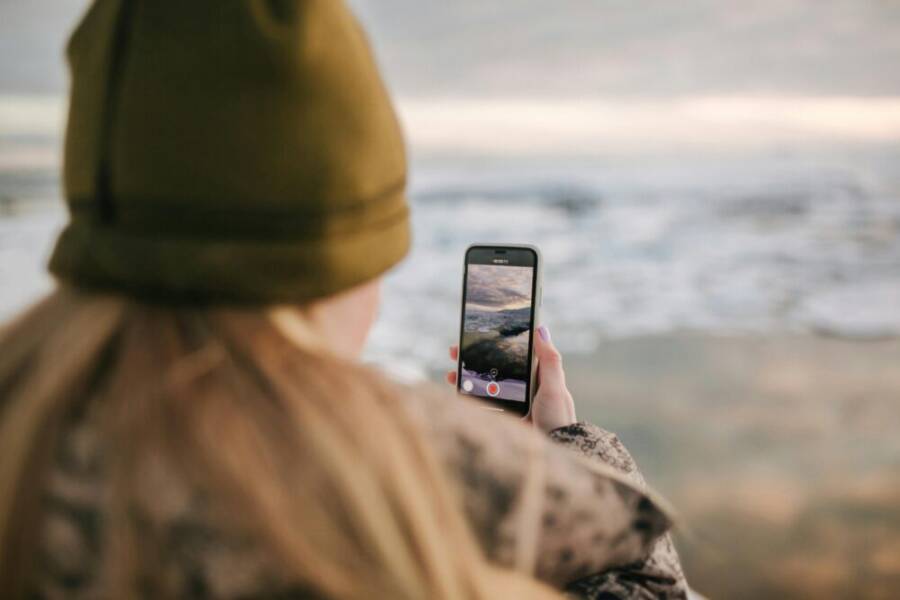
Imagine this: you’re outside, the sun is bright, and your phone sits in your hand ready to capture the moment. The scene looks perfect, but the moment you press record the sound falls flat. Outdoor environments throw off audio in seconds, and bad audio can ruin a good video more than any shaky footage.
This brief guide explains why audio quality matters for clear videos and how outdoor settings make sound tricky. You’ll learn practical, repeatable steps to reduce wind noise, manage ambient sounds, and choose the right gear without breaking the bank. We’ll cover quick fixes you can apply on the spot and smarter choices for future shoots.
By the end you’ll have a simple checklist you can rely on when filming outside with a smartphone. Expect actionable tips for dialing in microphone placement, using wind protection, and tuning levels in real time. You’ll also see easy post production fixes that keep your video sounding as good as it looks. If you’ve ever struggled with wind or background noise, this guide will help you film with more confidence using just your smartphone.
Common outdoor audio problems and how to beat them
Filming outside with your phone can be rewarding, but it comes with a set of audio hurdles. Wind, distant noise, and the quirks of built-in mics can sabotage otherwise great footage. This section lays out practical, on-site steps to improve your sound quality quickly. You’ll learn when to choose different wind protections, how to manage ambient noise, and what to expect when you add an external mic. Use these tips as a repeatable checklist for every outdoor shoot.
 Photo by Pavel Danilyuk
Wind noise and how to beat it
Wind is the most disruptive factor in outdoor audio. A few feet of air movement can turn a clear voice into a muffled thump. Start with simple, on-site protections and test quickly to see what actually works in your location.
- Windscreen options
- Foam windscreen: Light and quick to deploy. Best for light breeze or when you need minimal mic visibility. Use it when the wind is mild and the goal is still capture of voice without heavy filtering.
- Furry windscreen (deadcat): Superior at reducing wind turbulence, especially in moderate to strong wind. It softens the gusts that hit the microphone capsule. Use this when you expect wind noise to rise, such as on open beaches or along the coast.
- Quick test on site: Put the windscreen on, speak at your normal distance, then walk toward and away from the camera to hear how wind changes the capture. If you still hear wind hiss, switch to the fur windscreen and re-test.
- Shelter and positioning
- Lean behind a barrier: A wall, railing, or large rock helps break the gusts. Even a simple barrier can shave wind speed across the mic diaphragm.
- Seek shade or natural lee: Position yourself in the shadow of trees or buildings to reduce direct wind impact while keeping background light favorable for video.
- Mic angle tricks: Angle the microphone toward your mouth while keeping it slightly off-axis to reduce wind noise. A small tilt can dramatically lower wind energy hitting the capsule.
- Clothing and movement
- Avoid loose fabrics that flap in the wind. Tight hats or jackets can reduce extra rustle, which otherwise blends with your voice.
- Stable stance: Ground your body to minimize micro-movements that can excite garment noise or resolve wind buffeting.
- Quick use cases
- City park on a breezy afternoon: Start with a foam windscreen, test, then switch to a fur windscreen if wind increases.
- Beach conversation: Use a barrier like a raised boardwalk section or a low wall and angle the mic toward your mouth; add the fur windscreen if gusts spike.
- When to choose which option
- Light wind or indoor-like outdoor spots: Foam windscreen is often enough.
- Moderate to strong wind, open areas: Go with a fur windscreen and sheltering position.
- Very windy locations: Consider an external directional mic with a furry windscreen and a soft barrier. External mics generally yield bigger gains here.
- Quick testing protocol
- Record 10 seconds while speaking normally.
- Record 10 seconds from the same distance but with wind protection added.
- Compare for hiss, muffling, and natural voice presence. If protection reduces readability too much, adjust distance or angle.
- Quick examples to try with your smartphone
- Example 1: On a windy sidewalk, place a low brick wall between you and the gusts, use a fur windscreen, and speak at arm’s length. Compare the voice clarity with and without the windscreen.
- Example 2: Near a park fountain with light breeze, hold the foam windscreen close, then back off slightly while keeping your voice clear. Note how wind hiss changes as you adjust distance.
- Helpful links
- Windscreen comparisons and guidance: https://zachpoff.com/resources/mic-windscreen-conparisons/
- Fur windscreen options: https://www.amazon.com/Microphone-Windscreen-Recorders-Windshield-YOUSHARES/dp/B07NTQ6LSN
- General windscreen types: https://www.schulze-brakel.com/windscreens
Other background sounds to watch for
Ambient sounds can mask speech even if the wind is under control. The key is to anticipate what will be audible and plan your shot around those noises.
- Common outdoor sound sources
- Traffic hum from nearby roads or intersections
- Crowds and footsteps that rise and fall with people movement
- HVAC systems and vending machines from nearby buildings
- Birds, especially at dawn or near water
- Water sounds from fountains, streams, or waves
- Why they matter
- These sounds can mask consonants and syllables, making speech hard to understand.
- Sudden noises (car brakes, a dog bark) can pull attention away from what you say.
- How to plan shots to minimize them
- Time of day: Scout quieter periods, like mid-morning or early afternoon, when traffic is lighter.
- Repositioning: Move to a location with fewer noise sources or more favorable acoustics. A bench behind a hedge, for example, can shield some background hum.
- Directional mics or on-axis recording: Point the mic toward the speaker, not toward the noise source, to increase voice presence relative to the background.
- Simple, practical strategies
- Proximity is powerful: Get the mic as close as you can without creating clipping or popping.
- Use a directional mic when possible: A cardioid or shotgun-style mic can reject side noises better than a built-in phone mic.
- Shape the recording area: Enclose the sound space by placing yourself near walls, hedges, or other soft surfaces that absorb stray noise.
- Quick tests on site
- Record room tone: Stand still and record 5–10 seconds to capture the ambient vibe. Compare with speech to hear how much background noise affects intelligibility.
- Move and compare: Take a couple of short clips at different angles or distances, then choose the best balance of voice clarity and background energy.
- Practical on-site tips
- Choose quieter times if you’re near a busy street or open lot.
- If you must film near a noise source, position the microphone to face away from the sound and near your mouth.
- Consider a small windscreen as part of a broader noise strategy; wind is not the only disruptor.
- Related resources
- Ambient audio setup on location: https://www.spielcreative.com/blog/ambient-audio-video-production/
- Removing background noise in post: https://riverside.com/blog/how-to-remove-background-noise-from-video-audio
Phone mic limitations in outdoor settings
Smartphones are convenient, but their built-in mics have limits. Knowing what they struggle with helps you choose the right approach.
- Why phone mics struggle outside
- Auto gain control (AGC) can boost quiet sounds and clip loud ones, producing uneven levels.
- Compression and limited dynamic range compress the audio, reducing impact and clarity.
- Wind sensitivity and handling noise can overwhelm the voice even when levels look reasonable.
- How external mics fix common problems
- External mics give you consistent levels and broader dynamic range, so your voice stays clear even as the background shifts.
- Directional mics reject more ambient noise than a phone mic, which helps when you cannot control the environment.
- Budget options still deliver meaningful gains by focusing on distance and wind protection.
- What to expect in real-world results
- Cleaner voice with less masking from traffic or crowds.
- More consistent volume across a scene when you move from shade to sun or from quiet to busy areas.
- Wind reduction improves intelligibility without needing heavy post processing.
- Quick device expectations
- A modest lavalier or small handheld shotgun mic can noticeably improve outdoor audio on most phones.
- The gains tend to be similar across devices, though some phones handle gains better than others.
- On-device and budget-friendly tips
- Use a simple windscreen and keep your mic close to your mouth to maximize the mic’s performance.
- If you lack an external mic, position yourself in a quieter micro-environment, hold the phone steadier, and speak clearly with a steady pace.
- In post, use light noise reduction and paneling to keep the voice natural.
- Helpful references
- External mics for smartphones and measurements: https://acousticstoday.org/wp-content/uploads/2017/06/2-faber.pdf
- External mics for casual smartphones: https://bioacoustics.stackexchange.com/questions/617/recommendations-for-external-microphone-for-smartphone-for-casual-recordings-bi
- Quick expectations for readers
- Expect a noticeable improvement by adding even a basic external mic.
- If the device you own has a limited gain range, an external mic becomes more valuable across different shooting contexts.
- Some phones handle gains better than others, but external mics generally help on most devices.
- Practical test you can run
- Record a short clip with and without an external mic in the same setting, keeping the distance to your mouth constant. Compare voice clarity, background noise, and consistency of levels. You should hear a cleaner voice and less fluctuation in volume.
- Related link
- How to set up an external mic for location shoots: https://www.researchgate.net/publication/374712744_Can_Smartphones_with_External_Microphones_Be_Used_in_Place_of_Sound_Level_Meters
This section gives you a practical, on-site framework to beat outdoors audio challenges. Keep these strategies in mind as you plan shoots, and you’ll capture clearer, more reliable sound every time.
Gear up before you film to boost phone audio
Getting good sound outside starts before you press record. The right gear and setup can turn a windy, noisy day into a clean, intelligible capture. This section compares the microphone options, wind protection, and the practical phone settings you’ll need. It’s written to be useful for beginners and seasoned shooters alike, with budget-friendly choices and quick on-site tests you can do in minutes. Let’s power up your outside audio strategy.
Choosing the right mic option for your setup
Your choice of microphone largely determines how well your voice sits above ambient noise. Here’s a practical comparison to help you pick what fits your situation.
- Built-in phone mics
- Best for: Quick, low-effort shoots, casual social media clips, and situations with very limited gear.
- Pros: Ultra-portable, no extra setup, immediate results.
- Cons: Narrow pickup pattern, higher sensitivity to wind and handling noise, limited gain control.
- Cost: Free beyond what you already own.
- Wired lavalier mics
- Best for: Beginners on a budget, journaling outside, or scenarios where you want hands-free talking with stable levels.
- Pros: Consistent vocal pickup, good rejection of distant noise when clipped close to the mouth, no latency with the phone’s input.
- Cons: Cables can snag or tangle, a single position may cause clothing rustle, some models require a simple adapter.
- Cost range: About $20 to $100 depending on brand and build quality.
- Quick setup tip: Clip the mic about 1–2 inches below the chin or along the collarbone, out of the wind shadow, and run the cable to the phone port or a small adapter.
- Wireless mics
- Best for: More complex outdoor shoots, dynamic scenes, or when hands free isn’t enough and you need freedom of movement.
- Pros: Excellent mobility, strong wind rejection when used with a windscreen, can separate mic from camera to reduce handling noise.
- Cons: More gear to manage, potential signal drop in crowded areas, battery management.
- Cost range: Roughly $60 to $250 for reliable sets.
- Quick setup tip: Pair the transmitter and receiver before you go outside, test at arm’s length, and keep the receiver close to the phone to minimize dropouts.
- Choosing based on your environment
- Beginners and tight budgets: A wired lavalier often gives the best bang for the buck. Look for a compact unit with a 3.5mm or USB-C/Lightning connector that works with your phone.
- Open, windy locations: A wireless mic with a furry windscreen can dramatically reduce wind noise while keeping you mobile.
- Routine outdoor filming: A small, directional external mic (like a compact shotgun or a palm-sized lav with better rejection) can deliver consistent results across varying scenes.
- Quick cost-conscious picks to consider
- Budget wired lav: A simple 1–2 meter cord lav with a tiny capsule can outperform the phone mic in most outdoor settings.
- Entry-level wireless: A compact system with an affordable transmitter and receiver kit can fix many common problems without breaking the bank.
- For reference, see discussions and recommendations from creators who test budget mics and how they perform in outdoor conditions: Budget Lavalier Mic discussions
- How to decide in practice
- If you film alone and want minimal setup, start with a wired lav. It’s light, reliable, and easy to carry.
- If you move around a lot or capture multiple people, a compact wireless system could save you time and reduce handling noise.
- Quick on-site test
- Record 10 seconds with your phone mic, then 10 seconds with the external mic. Speak at a normal distance and compare voice presence, background hiss, and clipping. The external mic should deliver a clearer voice with less ambient noise.
- Related practical guidance
- For portable options that balance cost and performance, see general rundowns of lavalier mics and their compatibility with smartphones: Best Lavalier Microphones for Podcasting & Audio Recording
Wind protection and other accessories
Wind is the biggest enemy of outdoor phone audio. With the right wind protection and a few small add-ons, you can keep wind noise from stealing your voice.
- Wind protection options
- Foam windscreen: Lightweight, quick to attach, and great for light breeze. Choose this when wind is mild and you want minimal bulk.
- Furry windscreen (deadcat): Better at handling stronger gusts. It cushions the capsule from wind turbulence and is worth it in open areas like beaches and coastlines.
- On-site testing: Fit the foam windscreen, speak normally, then move around; if wind hiss remains, switch to the furry windscreen and re-test.
- How to attach to a phone or external mic
- Direct mic on the phone: Slide the windscreen over the mic capsule and secure it with the clip or housing.
- External mics: Most mics have a small clip or a mount. Attach the windscreen to the mic itself for best wind protection. If the windscreen is too long for the device, trim carefully or use a shorter model.
- Other useful accessories
- Small tripods or handheld grips: Keep the mic and phone stable, reducing handling noise.
- Clips and mic mounts: Help position the mic close to your mouth without bending or tugging on cables.
- Wind shields that reduce wind impact: Look for a compact shield that fits your mic and phone setup.
- Quick practical scenarios
- City park on a breezy day: Foam windscreen first, test, then switch to fur if wind picks up.
- Beach conversations: Use a light barrier such as a railing or wall to block gusts and angle the mic toward your mouth; add a fur windscreen for stronger gusts.
- Quick decision guide
- Light wind: Foam windscreen is usually enough.
- Moderate wind: Fur windscreen plus shelter or barrier.
- Very windy: External directional mic with fur windscreen plus natural shelter.
- Quick testing protocol
- Record 10 seconds speaking at your normal distance.
- Record 10 seconds with wind protection added.
- Compare for readability and natural voice presence. If protection muffles too much, adjust your distance or angle.
- Helpful links for wind protection
- Windscreen comparisons and guidance: https://zachpoff.com/resources/mic-windscreen-conparisons/
- Fur windscreen options: https://www.amazon.com/Microphone-Windscreen-Recorders-Windshield-YOUSHARES/dp/B07NTQ6LSN
Phone settings and adapters you need
A small setup overhaul on your phone can yield big improvements. Here are simple, practical steps to get ready before you shoot.
- Practical setup steps for phones
- Enable airplane mode: Stops interruptions from calls or notifications during filming.
- Set the mic input if available: Some phones let you choose an external mic as the input device.
- Adjust gain if the phone allows: Keep levels balanced so loud sounds don’t clip and quiet sounds stay audible.
- Quick test clip: Record a short 5–10 second clip to check levels and wind protection.
- Adapters you’ll likely need
- TRRS to 3.5mm adapters: If your mic uses a different jack than your phone’s port, this adapter helps you connect quickly.
- USB-C or Lightning adapters for external mics: Necessary for most external mics on modern phones.
- Mini recorders or USB audio interfaces: Optional helpers if you want more control on tough days.
- Apps that help monitor levels
- Real-time audio meters in camera apps or dedicated audio apps can show you if you’re peaking or clipping.
- Simple test routines: Record a short clip, check the waveform, and adjust the mic position or gain accordingly.
- Quick action steps
- Before leaving, load your preferred mic adapter and ensure your external mic is recognized by the phone.
- Do a quick 10-second test close to your mouth, then a longer clip at your normal distance to confirm stability.
- If you notice clipping, back off slightly or use a windscreen to lower volume at the capsule.
- Real-world adapters and compatibility
- A common approach is to pair a USB-C or Lightning adapter with a lavalier mic for straightforward, plug-and-play use on most smartphones.
- External mics that come with their own adapters can simplify setup in outdoor shoots.
- Related reference
- How to set up an external mic for location shoots: https://www.researchgate.net/publication/374712744_Can_Smartphones_with_External_Microphones_Be_Used_in_Place_of_Sound_Level_Meters
- Quick tip for testing
- Record a clip with and without the external mic in the same location and distance. Compare voice clarity, background noise, and level consistency. The external mic should deliver a clearer voice with less fluctuation.
This gear and setup framework gives you a reliable path to better outdoor sound. With the right mic, wind protection, and phone preparation, you’ll capture cleaner audio on every outside shoot. For deeper guidance on choosing mics, explore additional reviews and expert takes from credible sources, including discussions of budget options and their real-world performance.
References and further reading
- Budget Lavalier Mic discussions: https://www.reddit.com/r/videography/comments/13yt3jc/budget_lavalier_mic_for_outdoor_walking_and/
- Lavalier microphone recommendations: https://www.thepodcasthost.com/equipment/lavalier-microphones-roundup/
- General lavalier options and smartphone compatibility: https://www.digitalcameraworld.com/buying-guides/best-lavalier-microphone
Smart filming techniques for clean on the go audio
When you’re filming outside with a phone, good audio doesn’t happen by accident. You need practical, repeatable techniques that you can apply in the moment. This section breaks down hands on guidance for placing mics, managing busy environments, and setting up a reliable on the spot workflow. Follow these steps and you’ll hear your subject clearly, even in less-than-ideal conditions.
Microphone placement and distance
Where you place the mic and how far away you are from the speaker makes a big difference in voice clarity and background noise. Here are clear guidelines you can apply every time.
- Lavalier placement
- Place the lavalier about 6 to 20 cm from the mouth. Closer to 6–8 cm for very bright voices or windy days, and 12–20 cm when you need extra wind protection or clothing noise control.
- Clip the mic on the chest or collarbone area, centered to pick up the mouth evenly. This minimizes mouth movement noise and keeps wind from hitting the capsule directly.
- Keep the microphone in a stable position. If the talent moves, move the mic with them to maintain consistent distance.
- Shotgun and directional mics
- Position roughly 0.5 to 1 meter away from the speaker. Aim directly at the mouth, then tilt slightly toward the speaker to reduce side noise.
- Use a gentle angle off-axis to cut down wind and breath pops without losing voice presence.
- Maintain a steady distance if the person moves. If you must move, do so slowly to avoid drastic level changes.
- Wind and plosives
- Use a windscreen appropriate to the conditions. A foam cover works well in light wind; a furry windscreen shines in stronger gusts.
- Keep the mouth slightly off axis to reduce plosives hitting the capsule. A tiny tilt can drastically reduce harsh consonants.
- If wind gusts spike, briefly back away a bit and adjust your angle while monitoring the level.
- Distance matters for balance
- Closer mic distance boosts voice presence but also raises the risk of pops and proximity effect.
- More distance reduces wind impact but invites background noise. Balance is the key; test quickly on site.
- Quick on site test
- Record two 10 second clips: one with your chosen distance and another with a minor distance adjustment. Compare clarity, wind hiss, and naturalness of the voice.
- Quick reference tips
- For quick guidance on mic mounting, check best practices from experts such as lavalier placement around the sternum area for balanced sound Lavalier mounting: Best practices and shotgun/lavalier technique articles Proper Techniques for Using Shotgun and Lavalier Mics.
- Real world takeaway
- Consistent distance and thoughtful placement are the easiest ways to ensure your voice sits above ambient noise, even when you can not control the environment fully. For more practical mounting guidance, see industry readings and creator recommendations Use a Lapel Mic and Your Smartphone to Record Audio for Video.
Controlling sound sources in busy places
Public spots bring a flood of background noise. The goal is to give your subject a clean halo of voice while letting the background sit in the right place. Here’s how to do it without slowing you down.
- Choose quieter spots
- Look for corners, courtyards, or tree canopies that soften reflections and reduce street noise. Shade can help with lighting and keep the subject from squinting, which also reduces stray mouth noise.
- Angle your subject away from loud sources
- If traffic is unavoidable, position the talent with their back toward the loud source and the mic toward the mouth. This helps the mic pick up speech while the noise sits behind the mic’s rejection pattern.
- Use physical barriers
- A low wall, hedge, bus stop shelter, or railing can break wind and absorb some ambient noise. Position yourself so the barrier sits between the mic and the loud source.
- Practical placements for common scenarios
- Crowded street: Move to a quieter side street or a cafe alley; angle the subject toward a wall to create a natural sound chamber.
- Street fair or market: Pick a corner near planters or tents which dampen noise and provide a soft boundary for reflections.
- Stadium or outdoor event: Find a seating area or the back of a plaza with people and structures that deaden echo.
- Manage crowds with discipline
- Shoot during lulls if possible. If you must work in crowd noise, keep the mic close to the mouth.
- Use a directional mic when you can to minimize off axis noise. Even a small shotgun can help in a busy environment.
- Quick on-site routine
- Scout a spot, set up, and take a two minute test clip at your chosen distance.
- Adjust your position and barriers based on sound clarity. Keep rolling with the best balance.
- Quick reference resources
- For broader ambient audio setup in location shoots, see: Ambient audio setup on location and Removing background noise in post.
- Practical takeaway
- In busy places, your best tool is planning. Choose a quieter pocket, shield the mic, and maintain a close voice presence to cut through the noise.
Monitoring and recording workflow
A calm on-site routine saves you time in post and reduces the chance of mismatched audio and video. The key is to monitor as you record and keep your process tight.
- Headphone monitoring
- Plug in headphones whenever you can. It lets you hear wind pops, clipping, and background hiss in real time. If you hear something off, pause and adjust.
- Watch level meters
- Keep levels in the safe zone. You want to avoid clipping but also not push the voice too soft. Use the meter as a guide; adjust distance or gain as needed.
- Separate reference track
- If possible, record a reference track. A separate waveform can help you align audio in post and check for drift.
- Simple on-site routine
- Test: Do a quick 5–10 second test at your usual distance.
- Adjust: Tweak mic, wind protection, or distance based on what you hear.
- Record: Capture your main takes with monitoring.
- Check: Review a short clip to ensure levels stay steady.
- Re-shoot if needed: If the sound is off, re-run the take.
- Keeping video and audio in sync later
- Most editors can align audio and video with a clap or slate at the start. If you record a reference track, syncing becomes even easier.
- Practical on-device tips
- Use cameras or apps with real-time meters. If your app lacks meters, use a quick external recorder as a reference.
- Keep a simple script or outline to minimize pauses that would require re-takes.
- Quick on-site test
- Record a short clip with and without the reference track. Compare how easy it is to align in your editing software.
- Further reading
- For a deeper look at external mics in smartphone workflows, check out practical guides and studies cited in creator communities: Can Smartphones with External Microphones Be Used in Place of Sound Level Meters and more on external microphone setups.
This section gives you a practical, repeatable workflow for capturing clean on the go audio. With disciplined mic placement, smart environment choices, and a steady monitoring routine, you can produce professional sounding clips anywhere.
Here are a few vetted resources to extend your setup:
- Lavalier mounting best practices: https://rode.com/en-us/about/news-info/lavalier-mounting-best-practices?srsltid=AfmBOoo1arPA6s6wtuHrcdOU0gWJYYb7E163bdWuF73EoGJD-1ijZcl4
- Proper techniques for shotgun and lavalier mics: https://www.lensrentals.com/blog/2016/01/proper-techniques-for-using-shotgun-and-lavalier-microphones-for-video-interviews/?srsltid=AfmBOooI6gVZ4I1C3DCoy6IQ2fp_KGDS-ZRUDEhBPkB-X_t8gXZ4kzjO
- Lapel mics with smartphones: https://photography.tutsplus.com/tutorials/use-a-lapel-mic-and-your-smartphone-to-record-audio-for-video–cms-24328
- Budget Lavalier discussions: https://www.reddit.com/r/videography/comments/13yt3jc/budget_lavalier_mic_for_outdoor_walking_and/
This content aligns with the article’s goal of practical, publishable guidance for outdoor phone filmmaking, while maintaining a clear, human voice and scannable structure.
On the fly fixes and post production tips to salvage outdoor audio
Outdoor shoots are unpredictable. Wind gusts, traffic, and crowds can sneak into your recording and make even the best footage unusable. This section gives you practical, publishable techniques you can apply quickly in post, using free or commonly available apps on your phone or computer. The goal is to restore clarity while keeping the natural feel of the scene intact. A few careful tweaks can turn marginal audio into something you’re proud to publish, even when you’re working with just a smartphone.
Fast noise reduction and EQ basics
Start simple and build up. Low-end rumble is your first target, followed by gentle noise reduction to tame steady hiss. A high pass filter removes rumble without touching the voice, and light noise reduction cleans up constant noise like a breeze or small fans. The trick is to keep processing light so voices stay natural.
- Use a high pass filter set around 80 to 120 Hz to cut rumble.
- Apply a light noise reduction to reduce steady hiss—don’t overdo it.
- If needed, boost the midrange around 2 to 4 kHz by a couple of dB for clarity.
Test as you go. Play the section with and without processing to ensure the voice stays warm and readable. CapCut, iMovie, and free editors like Audacity or DaVinci Resolve make this workflow straightforward. For a quick reference, see the guide on high-pass filters in video editing: High Pass Filter in Video Editing. A little adjustment goes a long way, so aim for natural intelligibility, not perfection.
Using room tone and ambient sounds
When cuts create gaps, ambient sound can smooth the transition and hide residual noise. Room tone is the natural background noise of the location, such as wind, distant traffic, or a quiet hum. Layering it under dialogue can make the scene feel continuous and real.
- Record 20 to 30 seconds of ambient sound at the shoot site without talking.
- In your editor, place the ambient track under gaps or quiet moments and adjust the level so it sits beneath the spoken voice.
- Fade the ambient audio at the edges by 0.5 to 1 second for seamless transitions.
- If the ambient tone is too bright or too bassy, tweak the EQ to fit the scene.
Even when you didn’t capture tone on location, you can download suitable ambient libraries and blend them in. For more on matching room tone, check out room tone techniques and room tone guidance. When done well, room tone feels invisible but keeps the space alive, so viewers stay immersed.
Syncing audio with video after the shoot
Audio drift happens when you record separate tracks or when the camera and mic move at different speeds. A simple approach uses the waveform peaks as a visual cue to align with mouth movements. A clap or sharp word at the start creates a distinct spike that’s easy to line up.
- In your editor, place the audio track under the video track and zoom in on the timeline.
- Look for a clear peak from the clap and align it with the corresponding moment on the video.
- Check lip sync by scrubbing frame by frame and listening for perfect alignment of words with mouth shapes.
- Match the project frame rate to the footage (24, 30, or 60 fps) and avoid heavy speed changes. If needed, adjust minor timing by a few milliseconds.
Many editors handle this well, including smartphone apps and desktop software. For a beginner-friendly walkthrough, see how to sync audio to video. If you want more detailed guidance on waveform alignment, explore waveform alignment basics. When you nail synchronization, the result feels polished and professional without extra guesswork in post.
Conclusion
Outdoor audio on a smartphone can be reliable if you pair the right gear with a simple workflow. Key takeaways include choosing appropriate wind protection, placing the mic close to the mouth, and testing on site before you shoot. External mics, windscreen options, and careful phone setup each make a real difference in voice clarity and depth.
Try one new technique at a time and note the improvement. For example, test a foam windscreen today, then try a furry windscreen on your next shoot. These small changes add up to cleaner sound without complicating your setup.
Bookmark these steps as a quick outdoor audio checklist and share your results. If you have a setup that works well in your area, drop a note in the comments so others can learn from it. Your experience can help readers fine tune their own smartphone shoots.