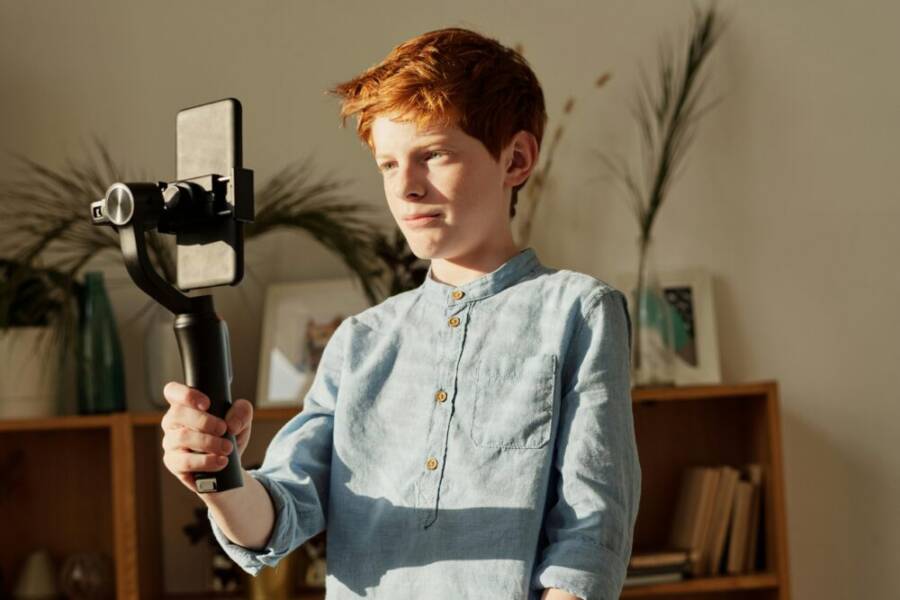
Finding the right angle can turn a simple clip into a story worth watching. In this post we’ll show you how to locate the best angles for phone videos quickly, so you can frame with purpose every time. Small changes in height, distance, and tilt matter more than you might think.
We’ll cover the basics of framing, camera height, and orientation, with practical tips you can test right away. Whether you shoot in portrait or landscape, understanding phone video angles helps you capture clearer, more engaging footage without extra gear.
You’ll also see how the rule of thirds fits into everyday filming and when to break the rules for a stronger shot. By the end, you’ll have a simple, repeatable approach to finding the perfect angle for any scene, any light, and any message.
Pick the right height and orientation for phone videos
Choosing the right height and orientation for your phone videos shapes how viewers feel and how long they stay engaged. A small shift in camera position can make a clip feel intimate or dynamic. Below you’ll find practical ways to test heights, decide between landscape and portrait, and know when to switch orientation based on space, subject, and platform. Use these steps as a quick checklist before you press record.
Eye level versus chest level
Height changes taste and engagement in clear, concrete ways. Shooting at eye level tends to create a direct connection with the viewer, making you feel approachable and present. Chest level, or a slightly lower angle, can add authority or drama, especially when you want the audience to focus on your subject’s face or a product in the foreground. The right choice depends on the message you want to convey and the environment you’re filming in.
To test quickly, try these steps:
- Stand naturally and film two 10-second clips, one at eye level and one at chest level.
- Compare how much you feel engaged in each clip. Which one feels more confident or more friendly?
- Choose the height that matches the energy you want and keep it consistent for a scene or segment.
Real-world examples help anchor the idea. If you’re talking to the camera, eye level often works best because it mirrors a normal conversation. If you’re showing a product, chest level can keep the product in frame without losing personal connection. When you speak with a friend, eye level tends to feel warmer and more inclusive.
For additional perspective on camera height, see discussions from fellow creators who experiment with angles and find that slight shifts can change perceived credibility and warmth. You can explore related ideas here: How to shoot using your Smartphone/cinematography and Seven Tips for Filming With A Phone Camera. These conversations highlight that there is no single right answer, only the effect you want to achieve.
Landscape versus portrait
Orientation matters because different platforms and audiences expect different framing. Landscape (horizontal) is ideal for traditional viewing, longer scenes, and when you want to capture more context around the subject. Portrait (vertical) shines on mobile-first platforms, storytelling formats like short clips, and when you want the subject to fill most of the frame.
Quick checks you can perform before filming:
- Frame width and height: Hold the phone in your chosen orientation and verify that the subject’s eyes sit roughly one third from the top of the frame when possible. This aligns with the Rule of Thirds and keeps space for movement.
- Context vs. focus: If the goal is to show a scene or environment, landscape may be better. If the goal is to highlight a person or product, portrait can be more impactful.
- Platform alignment: TikTok, Instagram Reels, and Shorts tend to favor vertical video, while YouTube and typical websites often favor landscape.
A simple tip: match the shot to content type. A quick product demo benefits from a vertical frame that centers the product and its features, while a landscape shot is great for a morning routine or a travel vlog where background scenery adds value. For a deeper dive into how orientation affects viewer behavior, see the practical notes in related discussions here: How to shoot using your Smartphone/cinematography and Seven Tips for Filming With A Phone Camera.
When to switch orientation
Switching orientation mid-scene can be powerful, but it needs a clear purpose. A sudden change should serve the narrative or adapt to the viewer’s comfort. Use a simple decision guide to know when a switch makes sense.
Decision guide at a glance:
- Space: If you’re in a tight spot, portrait may keep the subject centered without cutting off important background.
- Subject: If the focal point is a person’s face, portrait often works best. If you want the environment to tell part of the story, landscape may be preferable.
- Platform: Consider where the video will live. Vertical formats perform best on mobile-first apps; horizontal formats suit traditional video players and many websites.
A practical on-the-fly checklist:
- Do I gain or lose information by switching orientation?
- Will this switch disrupt the viewer’s experience or enhance it?
- Is the content type better served by a specific frame ratio on the chosen platform?
To help readers decide, here are concise scenarios:
- You’re filming a quick product unboxing with a phone in hand: portrait may focus attention on the item.
- You’re capturing a scenic city street: landscape preserves the surroundings and depth.
- You’re recording an update from your desk: portrait or landscape can work, but portrait often aligns with mobile feeds.
If you want more context on balancing height and orientation across different shooting scenarios, consider these resources for practical ideas and real-world testing: I notice some may say keep the camera at eye level and Seven Tips for Filming With A Phone Camera. They illustrate how small choices add up to a stronger, more natural look.
In the end, the goal is to make your viewer feel close to the moment without distraction. By testing eye level versus chest level, choosing the right orientation for the content and platform, and knowing when to switch, you create a repeatable framework you can apply to any scene. Keep it simple, stay consistent, and let the story guide the angle. Your next shoot will feel more deliberate, and your footage will look more polished to your audience. If you want to explore more angles and framing ideas, you can reference practical discussions from the links above as you test on your next smartphone video.
Frame with the rule of thirds and keep angle variety
A strong frame uses the rule of thirds to place the subject where it draws the eye naturally. But great framing isn’t just about hitting the grid. It’s about mixing precise placement with deliberate angle changes to keep your phone videos dynamic and engaging. This section shows how to apply the rule of thirds to real-world shoots on a smartphone, plus practical tips to vary angles without losing composition.
Rule of thirds in phone videos
Place your subject at one of the two intersections where the grid lines meet. This makes the shot feel balanced and interesting, rather than static. When the subject sits away from the center, the viewer’s eye travels through the frame and naturally processes the surrounding context, which adds depth to the scene.
Quick steps to apply:
- Turn on the grid in your camera settings to visualize the thirds.
- Position the subject at a top-left or top-right intersection, with space to look or move into.
- Keep the main eye line aligned with the upper horizontal line for a natural connection.
Why it looks better than a centered shot: the human eye reads images more comfortably when visual weight is distributed along the grid lines. This subtle shift creates tension and liveliness, especially in conversation scenes or product showcases. For practical examples and further ideas, you can explore discussions on smartphone framing like the Rule of Thirds and grid usage in photography resources such as Rule of thirds – grid lines on the iPhone and Android devices and Framing good shots.
Positioning and headroom
Headroom refers to the space above the subject’s head. Too little headroom makes the shot feel cramped; too much can disconnect the subject from the frame. A balanced amount of space above the head helps maintain a sense of air and presence, while enough space beside the subject allows for natural movement or gaze direction.
A simple rule of thumb readers can remember: keep the subject’s eyes about one third down from the top of the frame, and leave a similar amount of space on the side where the subject is looking.
Recommended spacing:
- Eyes: about one third from the top.
- Headroom: enough to prevent the top of the head from touching the edge; aim for 5–15% of the frame height above the head.
- Side space: provide space on the side the subject is facing, so their gaze or movement doesn’t push them out of frame.
Formula you can memorize: Headroom percentage = 5–15% of the frame height above the head; Side space roughly equals the distance from the subject to the edge of the frame on the side they’re looking toward, tuned to the shot length.
When to adjust for vertical videos: in portrait orientation, use a similar principle but with the grid oriented to the vertical plane. Keep the subject’s eyes near the upper third line and ensure there’s room to reveal their hand gestures or props without crowding the frame. For practical tips on headroom and composition, see resources like Mastering Smartphone Photography & Videography for Websites and Social Media and Take better photos with your phone using the Rule of Thirds.
Tilt, perspective, and foreground
Tilt and perspective can dramatically alter mood. A slight tilt can inject energy or immediacy, while a level shot reads calm and confident. Use tilt sparingly to avoid dizziness or distraction, especially in long takes.
Foreground elements add depth. A small object in the near foreground, like a mug, a plant, or a hand positioned in the lower foreground, creates a layered composition. When these elements interact with the rule of thirds, the viewer perceives a more three-dimensional space.
Simple examples:
- Slight tilt while a speaker gestures to emphasize a point, keeping the eyes on the intersection points.
- A coffee cup in the foreground of a desk scene, with the subject placed on the opposite vertical third, enhances depth and invites the viewer to explore the frame.
- A shallow tilt during a product demo can emphasize the item’s features as the camera reveals more of the surrounding context.
Tips to apply:
- Hold the phone steady and move only the wrist for small tilts; avoid large swings.
- Use a slow tilt over 1–2 seconds to maintain viewer comfort.
- If possible, shoot with a small stack of books or a compact tripod to stabilize the frame while you tilt.
Refine mood by combining tilt with lighting. A slight downward tilt can create a sense of focus and authority, while a gentle upward tilt can feel inviting and curious. For more on shot composition and framing, see resources like Framing Good Shots and Mastering Smartphone Photography & Videography for Websites and Social Media.
Movement and shot variety
Movement helps maintain attention and reveals new information. Gentle, controlled motion keeps viewers engaged without distracting from the message. Think in layers: base shot, mid-ground action, and a subtle foreground interaction.
Best practices for movement:
- Use slow pans and slight tilts rather than rapid motions.
- Keep your elbows tucked and wrists steady to minimize shake.
- Transition between angles smoothly to preserve continuity and flow.
Stability is key. If you don’t have a stabilizer, prop the phone against a stable surface or use a small tripod with a phone mount. Quick stabilization tips:
- Tuck your elbows into your sides when shooting handheld.
- Short, deliberate movements beat long, erratic ones.
- If possible, enable built-in stabilization in your camera app and lock exposure for consistency.
For inspiration on how movement adds value, check out discussions on shot composition and framing like Shot composition: framing your videos like a Pro and practical tips on smartphone shooting in the other linked resources. These ideas show how a steady hand and thoughtful angles work together to tell a clearer story.
By combining the rule of thirds with varied angles and controlled movement, you build a repeatable approach that makes every frame count. Start with a clear subject placement, then experiment with tilt and depth, and finally introduce gentle motion to keep your audience engaged. Your next phone video will feel more deliberate, and viewers will stay longer because the visuals support your message. For further ideas, revisit the linked resources as you test different scenes on your next shoot.
Test angles fast and compare for the best shot
You don’t need much space or time to test angles on your smartphone. Record short clips from a few positions, then play them back side by side. This quick process helps you pick the one that makes your subject pop and keeps viewers hooked. Even in a small room, you can run tests that reveal the strongest option fast.
Three quick angle tests
These tests take under two minutes each and fit tight spaces. Use your phone’s timer or voice commands to record hands-free.
Eye-level hold test:
Prop your phone at eye height on a shelf or stack of books. Record a 10-second clip of yourself or your subject speaking. Drop it to chest height and record again. Play both back. Pick the one where the face looks most direct and engaging.
Portrait swap test:
Hold the phone vertically for a full-face clip. Rotate to landscape without moving your feet. Record 10 seconds each way. Check which fills the frame better and matches your platform, like vertical for social clips.
Tilt check test:
Start level at eye height. Tilt the top of the phone 10 degrees left or right for the next clip. Record short gestures. Compare for energy without wobble. The slight tilt often adds punch to static talks.
Repeat these in sequence to build a short comparison reel right away.
How to judge the best angle
Look at four key factors to score each clip. Ask yourself if the subject stands out clear, the overall shot draws you in, light flatters the face without harsh shadows, and audio comes through crisp without echo.
Use this simple 1-5 rating system for fast decisions:
| Factor | Rating Criteria | Score (1-5) |
|---|---|---|
| Subject Clarity | Face sharp, eyes prominent, no cutoffs | |
| Shot Appeal | Balanced, dynamic, not dull | |
| Lighting | Even, natural, highlights features | |
| Audio | Clear voice, minimal background noise |
Total the scores. The highest wins. Ties go to the one that fits your story best, like more authority from a lower angle.
Tools to help your testing
Grab everyday items to steady and check shots. A small tripod under $20 locks your phone in place for repeat tests. Use a handheld mirror to preview angles from behind the lens without extra recordings.
Ask a friend to hold the phone or watch playback and vote on favorites. On your smartphone, enable the camera’s grid overlay and level tool for instant feedback. Free apps like FiLMiC Pro add split-screen compare views if you want pro options.
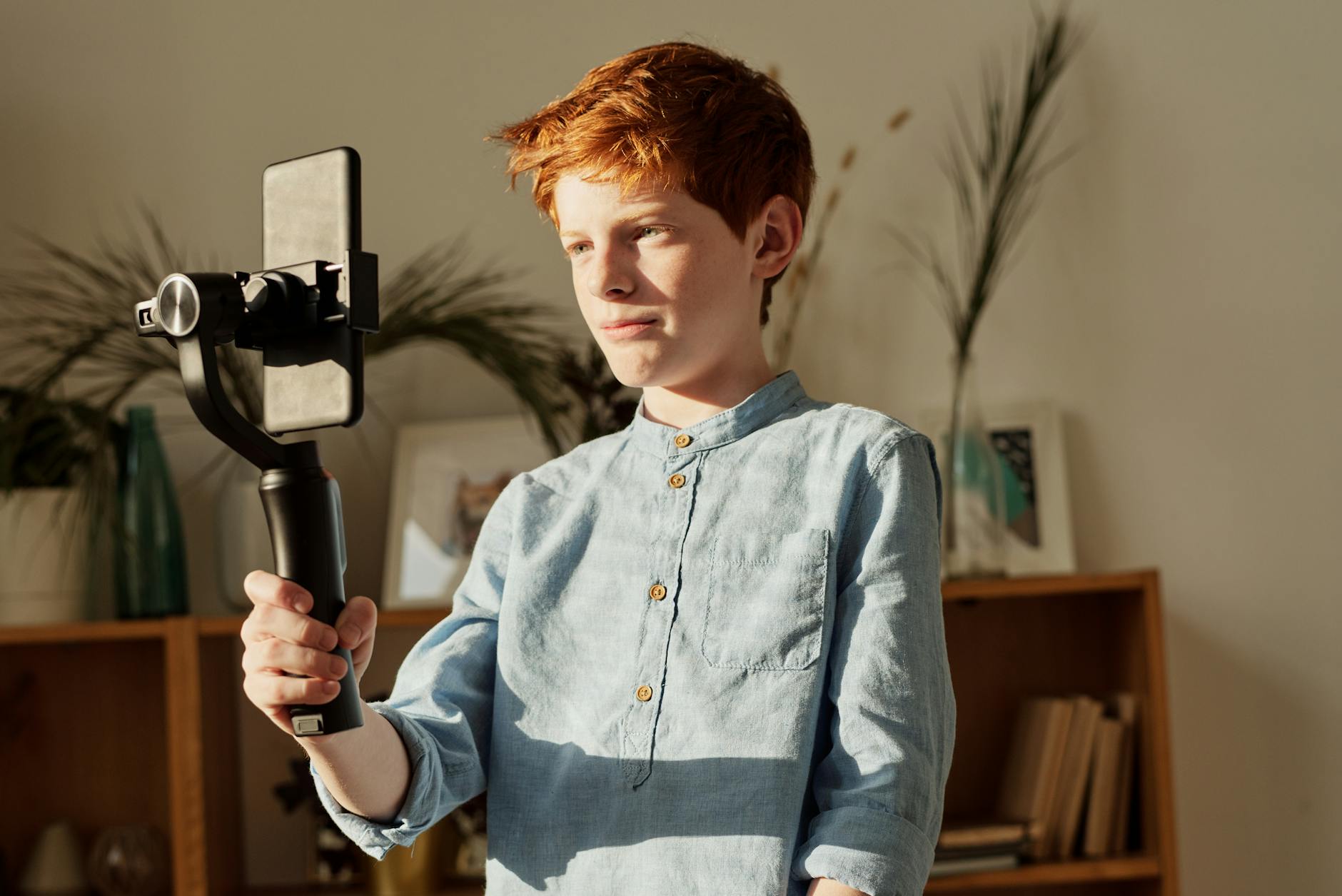
Photo by Julia M Cameron
These aids cut guesswork and speed up your picks. Test often, and your phone videos gain polish fast.
Common mistakes and fast fixes
Even with careful planning, certain mistakes creep into phone videos. The good news is most missteps are quick to fix and highly actionable. This section calls out the most common issues and gives you fast fixes you can apply on the fly. You’ll walk away with practical checks you can run before and during recording to keep your angles lively, your framing accurate, and your message clear. For hands-on guidance, consider the quick reads linked here as you test your setup: 5 common smartphone video mistakes and how to avoid them and Common mistakes when shooting video on mobile phones and how to fix them. These resources reinforce the idea that small tweaks often have big impact.

Photo by Liza Summer
Flat shots and bad depth
A common fault is a shot that looks flat and lifeless. The problem usually comes from a lack of depth cues, meaning everything sits on the same plane. The eye craves three-dimensional space, even in a phone video. You can fix this with small changes to angles and a touch of foreground.
- Add a foreground layer: Place a small object in the near foreground, such as a mug, plant, or a prop related to the topic. This creates depth and guides the viewer’s eye into the scene.
- Vary the angle slightly: Move the camera just a few inches up or down, or tilt it very slightly. Even a 5 to 15 degree tilt can change the feel from flat to dynamic.
- Use a shallow background blur: If your phone allows, enable a gentle background blur. This separation helps the subject pop and adds perception of depth.
- Frame with motion in mind: A tiny head tilt or a hand gesture toward the foreground item makes the relationship between layers clear and engaging.
Quick practical test: set up two clips, one with a simple head-and-shoulders shot, one with a foreground element in the frame. Compare how much more the second clip feels dimensional and inviting. If depth remains shallow, adjust the distance to the subject and the position of the foreground object until the layers read clearly.
Useful reference ideas and examples show that depth is not a luxury; it’s a storytelling tool. Check out discussions on how framing and depth influence viewer perception in practical smartphone workflows here: Framing Good Shots and Mastering Smartphone Photography & Videography for Websites and Social Media. These insights illustrate how a simple foreground cue can sharpen focus and add narrative texture.
Too close or too far
Distance to the subject dramatically affects both clarity and comfort. Being too close can squeeze features, cause edge crops, and feel claustrophobic. Being too far can dilute expression and reduce connection with the viewer. The goal is a balanced distance that keeps the subject clear and the scene engaging.
- Quick checks you can perform:
- Shoot a 5 to 10 second clip at three distances: close, medium, and far.
- Review for face clarity and eye contact. The ideal distance usually places eyes comfortably within the upper third of the frame.
- Confirm the subject fills roughly one third to one half of the frame in portrait and landscape, depending on composition.
- Practical guidance:
- Close distance works well for talking heads, product close-ups, and demonstrations where facial cues matter.
- Medium distance suits storytelling and conversational segments, giving space for gestures.
- Far distance is best for establishing shots or when you want the environment to contribute to the mood.
If you’re filming in a tight space, start at a medium distance and gradually inch closer until you reach a point where facial details are crisp but not overwhelmed by the frame. For social feeds, portrait orientation with closer framing often performs best because it keeps the subject dominant while leaving space for movement.
To broaden your understanding of distance and composition, explore practical tips in these resources: 5 common smartphone video mistakes and how to avoid them and Common mistakes when shooting video on mobile phones and how to fix them. They reinforce that measured testing beats guesswork and that small distance adjustments can improve both clarity and viewer comfort.
Lighting and background issues
Lighting and a cluttered background are often the fastest way to ruin a shot’s angle, even if your framing is perfect. Malfunctioning light or a busy backdrop distracts from the subject and makes your angle look amateur. Here are fast fixes you can implement in minutes.
- Lighting fixes:
- Use a simple key light at 45 degrees to the subject’s face for natural depth. If you don’t have a studio light, a window with soft daylight can serve as your main light source.
- Avoid strong backlight behind the subject; it creates silhouette and reduces detail. If backlight is unavoidable, add a fill light or bounce light from a white surface.
- Keep lighting even on both sides of the face to avoid harsh shadows. A small reflector or white card can help.
- Background fixes:
- Declutter the area behind the subject. Remove distracting items and ensure a clean line of sight to the face.
- Use a simple, non-reflective background. If you must shoot against a busy backdrop, blur it slightly to keep attention on the subject.
- Create a visual anchor. Position a single, intentional prop or color block to ground the composition and guide the eye.
- Setup tips:
- Shoot near natural daylight when possible. If indoors, position the subject near a window but not directly in front of it to avoid flat lighting.
- Use a small, stable tripod or a steady surface to prevent micro-movements that break the angle’s consistency.
- If you need to shoot in low light, increase the ISO judiciously and balance with a wider aperture to maintain a clean image.
For further guidance on lighting and composition, see practical setup tips in these references: 7 Tips for Better Smartphone Lighting and Framing Good Shots. They emphasize that a clean background and well lit subject are as important as the angle itself.
Images can boost understanding of lighting and background concepts. If you’re including visuals, place them near the related tips to illustrate the spacing, foreground depth, and lighting setup. The aim is to help readers picture how small changes translate to a stronger frame.
Tips at a glance:
- Always pre-check lighting before you press record.
- Keep backgrounds simple and purposeful.
- Use foreground cues to add depth and interest.
- Stabilize your shot to avoid wobble during angle changes.
By acknowledging these common mistakes and applying these fast fixes, you’ll keep your phone videos engaging and easy to watch. The next steps focus on testing angles quickly and choosing the best shot for your story.
Conclusion
Finding the best angles for phone videos comes down to quick testing and a repeatable approach. Start by comparing eye level and chest level, then decide between landscape and portrait based on the platform and context. Use the rule of thirds, add deliberate tilt or depth with foreground elements, and keep movement subtle for clarity. Practice with short clips on your smartphone, compare results, and note what enhances subject clarity and viewer engagement. Try a quick angle test today and share your results to keep improving.