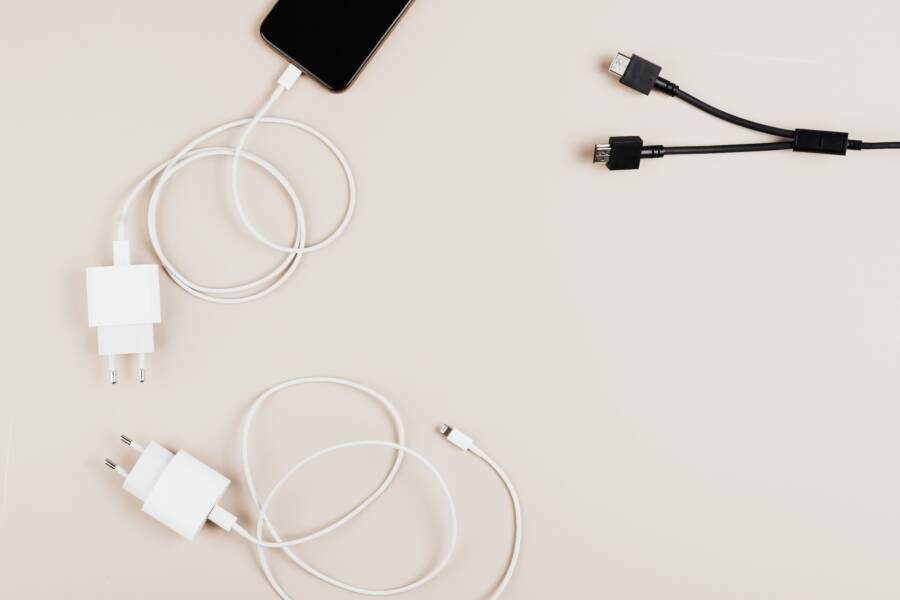
A loose connection between your cable and the charging port is the most common reason a smartphone stops charging while you drive. You don’t have to deal with your GPS or music cutting out every time you hit a bump on the road.
This frustrating issue usually stems from debris in the port, a damaged cable, or a worn-out power adapter. You can fix most of these hardware interruptions with a few simple inspection steps.
The following guide helps you troubleshoot the connection so your device stays powered during your entire commute.
How to Diagnose Why Your Phone Keeps Disconnecting in the Car
Identifying the root cause of intermittent charging requires a systematic approach. If your connection drops whenever you hit a bump or move the device, the fault likely lies with a physical obstruction or a compromised connection point. You can isolate the failure by examining the hardware before replacing any expensive components.
Checking for lint and debris inside your charging port
Pocket lint is the most common culprit for charging failures. Over time, fabric fibers from your jeans or jacket get pushed into the charging port each time you place the smartphone in your pocket. This debris acts as a cushion, preventing the charging cable from seating firmly against the internal pins. When you drive, the slight vibration of the vehicle shifts this loose material, causing the connection to cycle on and off.
Use a visual inspection to confirm if debris is the issue. Shine a bright flashlight into the port to see if you spot any compacted material at the base. If you see fuzz or dust, clean the area carefully:
Power down your smartphone completely to avoid shorting any pins.
Use a thin, non-conductive tool like a wooden toothpick or a plastic dental pick to gently scrape the bottom of the port.
Avoid using metal tools such as paperclips or sewing needles, as these can easily scratch the delicate gold contacts or trigger a short circuit.
Work slowly and use a gentle motion to pull the debris out rather than pushing it further inside.
Once you clear the obstruction, plug your cable back in. You should feel a distinct click or physical resistance as the connector locks into place. If the cable feels loose or wobbly after cleaning, the port itself might have sustained internal damage or metal fatigue.
Testing your charging cable and car adapter connections
If the port is clean, the problem often resides in the cable or the car adapter. Cables frequently experience stress at the connector head, leading to broken internal wires that only make contact at specific angles. Because the cable remains under constant tension in a car mount, even a minor internal break causes the charge to cut out.
Test your equipment by swapping variables to see which piece fails. Try these diagnostic steps:
Plug your cable into a wall charger at home. If the connection remains stable while you wiggle the cord, the cable is likely functional.
Use a different cable in your car. If the replacement cable charges without interruption, your original cable has worn-out pins or broken internal shielding.
Examine the USB port on your car adapter. Occasionally, the internal spring mechanism inside the adapter port loses its tension, making it unable to grip the cable tightly.
Check the car adapter for signs of heat damage or discoloration. If the adapter feels excessively hot or smells like burnt plastic, stop using it immediately, as it may have a faulty internal circuit. Many budget-friendly adapters lack the build quality to maintain a steady current under the vibration of a moving vehicle. Moving to a high-quality cable or a more robust car charger often resolves these persistent connection drops for good.
Practical Ways to Secure Your Charging Setup
Moving your charging gear from a desk to a vehicle changes how those components perform. Your car is a high-vibration environment that subjects connectors and wires to forces they do not encounter in a quiet office. If you notice your charging cable fails when you hit a bump, the culprit is often a combination of cable material and physical tension. You can stop these disconnections by upgrading your hardware and adjusting how you route the power cord.
Using high quality cables designed for vibrations
Standard thin plastic cables fail quickly in cars because they lack the structural integrity to withstand constant movement. As your vehicle travels over uneven road surfaces, the cable vibrates, causing the connector pins to lose contact with the charging port on your smartphone. Thin cables often suffer from internal wire fatigue, where the copper strands break inside the protective sheath. This creates intermittent power delivery even if the cord appears perfect on the outside.
Braided nylon cables provide a superior alternative for vehicle use. The braided outer layer acts as a mechanical buffer, which absorbs some of the energy from vibrations before it reaches the copper core. Many reinforced options include extra strain relief at the neck of the connector. This prevents the cord from bending at sharp angles, which is the primary cause of connection drops.
Length also plays a major role in how much force a cable exerts on your charging port. A three or six-foot cable creates a heavy pendulum effect when your car turns or accelerates. Excess cable length adds unnecessary weight that pulls the connector downward. A shorter cable, typically around one foot long, eliminates this slack. It reduces the mechanical leverage acting against the port, keeping the metal-to-metal contact points steady throughout your drive.
Optimizing cable positioning to prevent accidental tugging
Even a premium cable will fail if it sits under constant tension. If your smartphone rests in a mount while the cable pulls tight against the port, every small vibration becomes a threat to the connection. You must eliminate this tugging to ensure a stable charge. The goal is to allow the cable to move independently of the device so that the charging port feels no external pressure.
Create a small amount of slack near the connection point to isolate the phone from cable movement. You can use a small adhesive cable clip on your dashboard to hold the wire in place a few inches away from the charging port. This anchor point prevents the weight of the rest of the cable from yanking on the plug when the car hits a bump.
Consider these ways to manage your cable path:
Secure the cable to the mount arm using a small zip tie or velcro strap to keep the weight centered.
Use a right-angle adapter if your current cable sticks out too far, as this design minimizes the leverage exerted on the port during sharp turns.
Route the wire so it flows downward naturally rather than stretching across the console or your lap.
When you secure the cable properly, you create a buffer zone. This protects the charging port pins from micro-movements that trigger those annoying disconnect alerts. A stable, stress-free connection keeps your device powered without constant manual adjustments.
When to Replace Your Car Charging Hardware
Your car charging setup takes a beating from constant temperature fluctuations and mechanical vibrations. Over time, even the most durable components degrade. Recognizing when your equipment has reached the end of its lifespan protects your smartphone battery and prevents dangerous electrical failures.
Signs that your car charger adapter is failing
Faulty adapters often give subtle warnings before they stop working entirely. You should watch for signs of internal electrical distress that indicate a breakdown of the internal components.
Excessive heat buildup: If the charger feels hot to the touch after only a few minutes of use, the internal transformer is struggling to regulate power. This thermal stress often leads to component failure or plastic casing deformation.
Flickering LEDs or inconsistent indicators: A blinking or dimming indicator light often signals an unstable connection within the adapter circuitry. This oscillation suggests that the unit is no longer delivering a steady flow of current.
Visible sparks or burnt odors: Any smell of ozone or singed plastic indicates an immediate short circuit. You must unplug the unit immediately if you notice these signs, as a failing adapter can damage your smartphone charging port or even blow your vehicle fuse.
Audible buzzing or high-pitched whining: Cheap or aging capacitors often emit a high-pitched noise when they can no longer maintain voltage stability. This sound confirms the device is failing to convert power properly.
These symptoms reveal that the internal safety mechanisms are no longer working. Continuing to use a charger that exhibits these behaviors risks sending voltage spikes to your device. Once an adapter shows these signs, you should replace it to avoid permanent damage to your hardware.
Choosing the right car charger for your smartphone
Not all chargers provide the same level of performance or safety. Selecting the correct hardware requires more than just picking a plug that fits your cable. You need to match the output capabilities of the charger to the specific requirements of your smartphone.
Modern devices use intelligent power negotiation to determine how much electricity they can safely accept. You should choose a charger that supports your device’s specific fast-charging protocol, such as USB Power Delivery (PD) or Quick Charge. A charger that meets these standards will negotiate with your smartphone to deliver the maximum safe wattage without overheating the battery.
Consider these factors when buying a replacement:
Look for reputable manufacturers: Brands with established safety certifications, like UL or CE, prioritize internal thermal protection and short-circuit prevention.
Check the total wattage output: Ensure the charger provides enough power to charge your phone while it runs power-hungry applications like GPS and high-volume music streaming. A 20W to 30W output is often sufficient for modern phones.
Prioritize fast-charging compatibility: Using an adapter that matches your device’s native charging technology keeps the battery cool and reduces the amount of time the phone remains under electrical load.
Verify dual-port limitations: If you choose a charger with two ports, verify that the total power remains split intelligently. Some models drop their speed significantly when you plug in a second device, which may lead to slow or interrupted charging.
Investing in a charger from a well-known company reduces the frequency of replacements and adds a layer of safety for your vehicle electronics. A high-quality adapter provides stable, clean power that protects the battery health of your smartphone during long commutes. If you find your current hardware struggles to keep up with your phone’s power draw, upgrading to a modern, high-output unit solves the issue effectively.
Common Questions About Smartphone Charging Problems
Many drivers experience charging interruptions because the vehicle environment is harsher than an office or home setting. Constant vibrations, temperature shifts, and varying power delivery from car ports often cause the connection to drop. Below are the answers to the most frequent concerns regarding these power issues.
Does the car battery health affect my smartphone charging?
The health of your car battery typically does not cause your smartphone to disconnect. Your vehicle uses a voltage regulator to maintain a steady 12-volt output for accessories, regardless of whether the battery is aging or brand new. If your phone loses power, the fault usually sits within the charger, the cable, or the phone port. However, if your car lights dim or the radio cuts out when the charging drops, your car alternator might have a voltage regulation issue that requires professional attention.
Why does my phone charge in my friend’s car but not mine?
Charging differences between vehicles often come down to the quality of the cigarette lighter adapter or the USB port built into your console. Built-in USB ports in older vehicles often deliver low amperage, which may not sustain modern, power-hungry devices. If your friend uses a high-output aftermarket charger and you use a lower-spec one, your phone might reject the connection to prevent drawing too much current. Testing a known, high-quality car adapter in your vehicle will confirm if your current hardware is the bottleneck.
Is it safe to continue using a phone that keeps disconnecting?
Intermittent charging is more than just a nuisance. Every time your smartphone loses and regains a connection, the battery management system must restart the handshake protocol. This constant cycling places unnecessary stress on the internal charging controller and can lead to premature battery degradation. If you notice persistent drops, stop using that specific setup immediately. Continuing to force a poor connection risks potential damage to your charging port pins or the internal circuitry of your device.
Can humidity in the car cause charging failures?
Excessive moisture in the vehicle cabin can lead to temporary contact issues. Humidity often encourages light oxidation on the metal pins inside your charging port, creating a thin layer of resistance. If you notice your device only fails to charge on humid days, try cleaning the port with a dry, non-conductive tool to remove any potential buildup. Always ensure the charging port is completely dry before connecting a cable to prevent short circuits.
Do phone cases prevent a stable charging connection?
Bulky or poorly designed phone cases are frequent contributors to loose connections. A thick case often prevents the charging cable from fully seating into the port, leaving the connector to dangle loosely. This lack of a secure mechanical fit makes it easy for road vibrations to dislodge the plug. Remove your case before connecting the cable to see if the charging stability improves. If your phone stays connected without the case, you may need a slim-profile case or a cable with a longer connector tip to bridge the gap.
Conclusion
Most charging interruptions occur because of simple hardware failures rather than complex software bugs. Cleaning your smartphone port, testing your cables, and replacing worn-out adapters resolve almost every disconnect issue you encounter while driving.
Keeping your equipment free of debris and minimizing mechanical tension on the connection point will restore a reliable power flow. These basic maintenance steps prevent future frustration and protect your battery from the wear of repeated power cycles.