Smartphones with reverse wireless charging let you power
What reverse wireless charging is and why it matters
Reverse wireless charging turns your phone into a wireless power source. In practice, it lets one device transfer energy to another without cables. You can think of it as a tiny, built-in wireless charging pad on the back of your phone. It’s handy for emergencies, quick boosts, and keeping your essential gadgets powered on the go. While not a replacement for a proper charger, it adds a useful layer of convenience for everyday life.
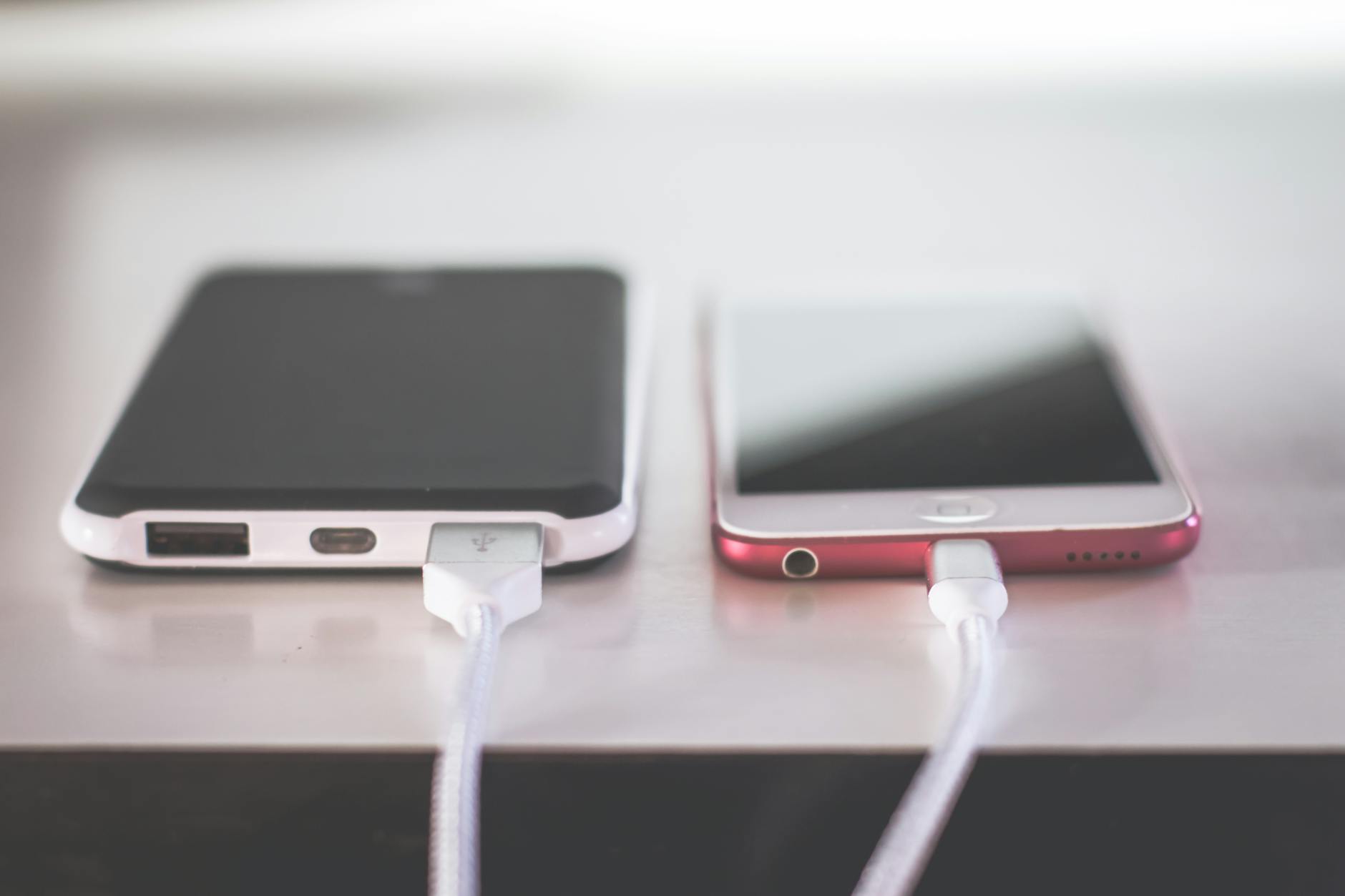 Photo by Steve Johnson
How reverse wireless charging works
Reverse wireless charging relies on the same underlying tech as traditional wireless charging. The phone acts as a power transmitter, using magnetic inductive coupling to transfer energy to a nearby device that acts as a receiver. The sending phone forms a compact charging coil, and the recipient device has its own coil that accepts the energy and converts it into usable power.
- Typical power levels: most reverse charging systems deliver around 4.5W to 5W. That pace is enough to top up small devices without overheating the host phone.
- Heat considerations: charging another device draws energy from the phone’s battery, so heat can rise during the process. If you notice warmth, it’s a sign to pause and let things cool before continuing.
- Visualization: imagine placing a tiny wireless charging pad on the back of your phone. The other device rests on that pad and begins drawing power wirelessly.
For readers who want a quick mental model, picture your phone as a compact power bank with a wireless output. The receiving device picks up the signal, converts it to usable energy, and starts charging. This all happens without cables, which is exactly why reverse charging can feel so convenient in a pinch.
What devices you can charge with it
Reverse charging works best for lightweight, energy-efficient gear. Here are common uses that most people tap into:
- Wireless earbuds and compact hearables: case charging is a frequent scenario when you’re out and about.
- Small wearables: smartwatches or fitness bands with wireless charging coils can top up.
- Other smartphones at low power: a quick boost to another phone can prevent an outage during travel.
- Fitness trackers and small accessories: tiny devices that need a little jolt to get you through.
Keep in mind that larger devices typically won’t charge well with reverse charging. Laptops and tablets often demand more power than a phone can safely provide. If you need a full recharge for a bigger device, it’s better to use a conventional charger. Think of reverse charging as a buddy boost rather than a full battery refill.
If you want to dive deeper into practical use cases, check out guides that compare real-world performance across different phone models and setups. For example, reviews and tech blogs often share tested wattage, heat behavior, and practical tips for maximizing efficiency while keeping temperatures in check. Learn more about how to use reverse charging responsibly.
Benefits and limits of reverse charging
Reverse wireless charging offers certain advantages that make it worth considering in your daily routine:
- Emergency power on the move: you can give a dying device a quick life-saver without hunting for a charger.
- Cable-free convenience: there are moments when grabbing a charging pad isn’t practical, and your phone can fill that gap.
- Simple, portable energy sharing: no extra accessories required beyond your phone.
But there are limits to be aware of:
- Slower charging for the recipient: 4.5W to 5W is modest compared with dedicated wireless chargers or wired fast charging.
- Main phone battery impact: drawing energy to power another device will drain your own battery a bit faster.
- Heat buildup: energy transfer creates heat, so it’s wise to monitor temperature and avoid long, sustained sessions.
- Not a full replacement: reverse charging is a convenience feature, not a primary charging method for any device.
In practice, that means you should use reverse charging for quick top-ups or small devices when you need to stay in motion. It’s ideal for a quick boost before a meeting, a long flight, or a workout when outlets aren’t nearby. If you’re relying on it as a primary charging method, you’ll want to adjust expectations and plan for more frequent top-ups on your own device.
If you’d like a broader view on the trade-offs, a few reputable sources discuss practical pros and cons of reverse charging, including heat management strategies and its impact on battery health. For insights on real-world usage and risk factors, this overview can be helpful: Reverse Wireless Charging: Benefits, Risks, and Battery Health.
Quick tips to get the most from reverse charging
- Use it for small devices first: prioritize earbuds, wearables, and other low-energy gadgets.
- Keep an eye on heat: if things get warm, pause and let devices cool before resuming.
- Don’t rely on it for long sessions: plan shorter top-ups rather than marathon charging.
- Pair with battery-aware habits: you’ll get the best results when your phone’s main battery isn’t stretched too thin.
- Check compatibility: some devices charge better with certain matching coils, so test a couple of setups if you own multiple gadgets.
If you want a practical checklist for on-the-go use, here’s a quick one:
- Confirm both devices support wireless charging.
- Align back surface to back surface with the primary device resting on the phone.
- Start charging and
How to choose the right phone for reverse charging
When you’re picking a phone with reverse wireless charging, you’re not just buying a feature. You’re choosing a tool that can keep your essentials powered on the go. This section helps you compare options, understand real world use, and decide if reverse charging is worth prioritizing in your next purchase.
Key specs to compare
When evaluating phones for reverse charging, these are the details that matter most. Start with the basics and then look for behavior in real life.
- Reverse charging wattage: Look for a typical output range, usually around 4.5W to 5W. A higher wattage can charge accessories faster, but battery and heat management on the host phone matter just as much.
- Battery capacity: A larger main battery gives you more energy to share without compromising your own daily use. If a model has a bigger battery and efficient hardware, you’ll see better results from reverse charging overall.
- Heat management: Check reviews for heat behavior during reverse charging. Phones with robust cooling or efficient power management will sustain shorter top ups with less heat buildup.
- Software enablement: Confirm how easy it is to turn on reverse charging. Some models place the toggle in quick settings, others require a deeper dive into battery or device care menus. A smooth enablement path matters in a pinch.
Other considerations that subtly affect performance:
- Coil alignment and charging standards: Some devices respond better with certain coil layouts or receiver designs. If you own multiple accessories, test a few to find the best pairing.
- Supported devices list: Not every gadget will charge reliably. Look for a short list of known compatible devices to avoid surprises on trips.
Impact on daily use
Reverse charging is a handy supplement, not a primary power source. In daily life you’ll notice a few patterns.
- It shines for brief boosts: a quick top-up to keep your earbuds, watch, or a friend’s low-powered device alive during a short outing.
- It can extend travel time: during layovers or long commutes, a fast top-up can delay a larger charger stop.
- It affects your main battery only when used often: powering another device draws from your own battery, so frequent use will shorten your phone’s uptime between charges.
- It’s not a long session solution: expect 5 to 15 minutes of charging, not hours. Plan accordingly and carry a backup charger if you rely on it often.
In practice, you’ll likely reach for reverse charging in moments when you don’t have a charger handy or you need a quick lifeline. It’s especially useful for emergency power on the go, like a dying smartwatch before a workout or a friend’s earphones during travel.
Software and support
The smoothness of reverse charging depends on software as much as hardware. Here’s what to look for in terms of software and ongoing support.
- Easy enablement: A clear toggle in the quick settings or battery menu makes a big difference. Some phones also offer automatic prompts when a compatible device is detected.
- Location of the setting: A consistent, predictable path saves precious seconds when you need power fast.
- Software updates: Updates can improve charging efficiency and heat management. Check release notes for any changes to reverse charging behavior or supported devices.
- App and notification behavior: Some phones will notify you when a device begins charging and when to remove it to avoid overheating. Clear alerts keep you in control.
Good software support means you get predictable performance as the phone ages. If you rely on reverse charging in daily life, a device with thoughtful software updates is worth a premium.
Budget vs needs
Deciding how much to invest starts with how vital reverse charging is to your routine. If it’s a bonus, don’t overpay for a flagship with flawless battery life but mediocre power sharing. If you’re counting on frequent top ups, prioritize devices with strong all around performance.
- Prioritize overall reliability: A phone with solid battery life, capable processor, and good thermals will deliver a better experience than chasing the latest reverse charging wattage alone.
- Consider ecosystem: If you already own accessories that pair well with a specific brand, staying within that ecosystem can reduce frustration and improve reliability.
- Weigh long term value: A model with longer software support and better heat management often pays off in daily use and resale value.
If you want to dive deeper into the practical side, you can explore guides that compare real world performance and heat behavior across models. For example, reviews often share tested wattage, heat patterns, and practical tips for maximizing efficiency while keeping temperatures in check. Learn more about reverse charging fundamentals.
Key takeaways:
- Prioritize a healthy balance of battery life and reverse charging output.
- Heat management matters as much as wattage.
- A smooth software flow to enable and monitor charging makes the feature practical.
By weighing these aspects, you’ll pick a phone that not only supports reverse charging but also fits your everyday rhythm.
Tips to use reverse charging safely and effectively
Reverse charging can rescue you in a pinch, but using it wisely keeps your devices in good shape. This section lays out practical use cases and essential safety practices so you get the most from your phone’s reverse charging feature without risking battery health or excessive heat.
Best use cases
Reverse charging shines when you need a quick, cable-free boost for small devices. Here are clear scenarios where it makes sense, plus a few where it doesn’t.
- Emergencies on the go: Your fitness band, Bluetooth headset, or smartwatch is about to die during a hike or a long flight. A brief top-up can buy you the time to finish a call or stream a map to find your way home. This is the classic, immediate use case where every minute counts.
- Earbuds and wearables you rely on daily: Charging a pair of wireless earbuds or a compact wearable while you walk between meetings saves you from hunting for a charger and a plug. It keeps your daily routine uninterrupted and helps you stay connected.
- Sharing a little juice with a friend: If a coworker’s phone is at a critical low, a short boost can get them through a meetup or a ride home. It’s about small, practical help, not a full refill.
- Travel moments when outlets are scarce: In airports or trains, a fast top-up can extend the time between outlet searches. Think of reverse charging as a portable reserve you can tap without hunting for a wall socket.
- Quick maintenance for small accessories: A fitness tracker or a tiny activity sensor can often benefit from a short charge during quiet moments. It keeps your ecosystem in balance, with minimal effort.
When it makes less sense, consider this rule of thumb. If the recipient device has a large battery or needs a full recharge, reverse charging is not ideal. It will be slow and can drain your host phone quickly. In those cases, sticking to a standard charger is more practical. For larger devices like tablets or laptops, rely on traditional charging methods instead.
If you want a more concrete view of performance in real life, guides and reviews often share wattage behavior and practical tips for maximizing efficiency while keeping temperatures in check. For a deeper look, see expert discussions on reverse charging fundamentals and real-world usage. Learn more about reverse charging fundamentals.
Beyond the basics, some readers appreciate how different phone models handle reverse charging. Reviews highlight how output, heat, and software integration affect everyday use. Reading multiple sources helps you set expectations for your own devices. For a broader perspective, an overview of benefits and risks can be helpful: Reverse Wireless Charging: Benefits, Risks, and Battery Health.
If you want a quick, consumer-friendly explainer, Mashable covers what reverse charging is and how to use it on popular phones. It’s a good primer for those new to the feature. What is reverse charging? How to use my favorite mobile device.
And for practical safety notes during setup, a few mainstream guides stress keeping power sources stable and avoiding metal objects between devices. Those are handy reminders when you’re out and about. Reverse Wireless Charging: Benefits, Risks, and Battery Health
Safety and heat tips
Staying safe with reverse charging means paying attention to heat, environment, and device pairing. Here are clear, actionable tips to keep temperatures reasonable and your devices protected.
- Avoid hot environments: Don’t use reverse charging in direct sunlight, inside a hot car, or near heat sources. High ambient temperatures stress batteries and can accelerate wear.
- Remove heavy cases if needed: Some phone cases trap heat or interfere with the charging coil. If you notice extra warmth, try removing a bulky case to improve cooling and energy transfer.
- Don’t run it during intensive tasks: When you’re gaming, recording high-resolution video, or using power-hungry apps, skip reverse charging. Your phone needs its own energy for smooth performance.
- Monitor the temperature: If the back of the phone gets noticeably warm, pause the charging session. Let devices cool before resuming to avoid long heat exposure.
- Watch the recipient device: If the other device begins to heat up quickly, stop charging and give it a break. Overheating can damage the battery or shorten its life.
- Use a stable power source for your phone: A solid charger and cable for your phone’s own charging reduces irregularities that could affect reverse charging performance.
- Test with familiar gadgets first: If you own multiple earbuds or wearables, try a few to see which pair charges reliably and which gets unusually warm.
Putting these tips into practice means you’ll avoid common missteps. For example, a quick top-up on a cool morning is usually safe, whereas a hot afternoon on a crowded train is a poor moment for reverse charging. If you want to dive deeper into safety specifics, many guides compare heat behavior and best practices across models. Learn more about best practices for safe reverse charging.
A few practical reminders help you stay in control:
- Always start with a small device and a quick top-up to test the setup.
- If you’re sharing power with a friend, limit the session to a brief boost rather than a full recharge.
- Keep software up to date. Updates often improve heat management and charging efficiency, which makes reverse charging safer and more reliable over time.
In short, use reverse charging when you need a fast, temporary lift for small devices. It is not intended to replace regular charging, and the host phone will show signs of heat if the session lasts too long. By following these safety tips, you’ll keep both your phone and the devices you’re charging in good shape, ready for whatever comes next. If you’re curious about hardware specifics, Samsung’s guide to Wireless PowerShare explains how the feature works on their devices and how to use it safely. Using Wireless PowerShare on my Samsung Phone.
Key takeaways:
- Reverse charging is best for small devices and quick boosts.
- Heat management and environmental conditions matter as much as wattage.
- A clear enablement path and good software support make daily use practical.
With these guidelines, you’ll approach reverse charging with confidence, using it as a helpful tool rather than a risky habit. For readers who want a deeper breakdown, the sources cited above offer practical perspectives on safety, heat patterns, and real-world performance.