Ever try to stay connected while hopping between time zones and countries and feel like your phone is the bottleneck rather than your passport? A solid best phone setup can save time, money, and hassle for digital nomads abroad.
This guide covers the essentials you need to thrive on the move: device choice, data options, power strategies, and rock solid security. You’ll learn how eSIMs and flexible data plans fit into real life, why a reliable VPN matters, and how to keep your smartphone ready for work and travel.
By the end, you’ll have a practical framework you can apply right away. Whether you’re handling client calls, navigating new cities, or managing travel apps, the right setup keeps you productive and connected wherever you roam.
Best phone and device setup for nomads
Staying connected while you roam can feel like a full time job. The right phone and device setup makes the difference between scrambling for SIM cards at the airport and smooth, reliable connectivity in any country. This section walks you through unlocking your device, choosing a flexible SIM strategy, and packing the small but mighty accessories that keep you powered and productive on the road.
Unlock your device and choose a durable phone
Unlocked phones offer real freedom abroad. When you’re traveling between time zones and networks, being able to switch carriers on the fly means you’re never stuck with a plan that doesn’t fit the moment. An unlocked device lets you buy local SIMs or activate an international eSIM with ease, so you can avoid roaming fees and get faster local data when you need it.
Beyond freedom, durability matters. Look for water resistance ratings at least to IP67 or IP68, so a splash or accidental drop won’t derail a day of work. A sturdy case with reinforced corners protects against the inevitable bumps from crowded transit hubs or bumpy cobblestone streets. Consider a screen protector that guards against scratches in variable climates and dusty conditions.
- Why it helps: You’ll save money by avoiding carrier-lock restrictions and roaming surcharges. You’ll also reduce downtime by choosing a phone that can withstand travel conditions and rough handling.
- What to check before you buy: Confirm the device is fully unlocked, verify the supported bands for your most used regions, and ensure the battery is healthy enough for long days away from a charger.
When you shop, keep these in mind:
- State-of-the-art protection means a screen that’s tough to crack and a body built to survive travel wear and tear.
- A balance of size and ergonomics helps you use maps and video calls without fatigue.
- Battery efficiency matters as much as raw capacity; modern processors and software optimizations save you precious minutes each day.
Optional read: if you’re evaluating how to unlock a phone or what this means for international travel, reputable guides can help you verify status and compatibility. For practical steps on unlocking a device, see these resources:
- Using an Unlocked Phone Internationally
- How to Unlock Your Phone From Any Major Carrier
- Unlocked Phones: Complete International Travel Guide
Image: A reliable, rugged phone setup in a travel-ready scene can visually anchor this point.
 Photo by Jacob
Choose a SIM setup that travels with you
Your SIM strategy sets the baseline for how smoothly you stay online. The best nomad setup combines flexibility with simplicity, so you can switch networks without missing a beat.
- eSIM first, physical second: eSIMs remove the need to swap physical cards when you travel. With an eSIM, you can add a local plan from a carrier in minutes, often without visiting a store. For many devices, you can store multiple profiles, enabling instant switching between a home plan and a local data plan as you hop countries.
- Dual SIM as a backup: If your phone supports dual SIM, you can keep your home number active on a physical SIM while adding a local data plan on an eSIM or another slot. This is ideal for receiving work calls while staying connected to local data for navigation and apps.
- Physical SIM compatibility checks: Some devices are sold with a specific regional SIM lock or lack certain bands. Always confirm your model supports the local networks you’ll rely on before departure. This helps you avoid surprises at the airport or hotel.
Practical tips for a smooth switch:
- Before you travel, check your device’s SIM compatibility and the bands used in your destinations. Manufacturers’ support pages and carrier specs are good places to start.
- Keep a log of which profiles you’ve installed and how to switch between them. A simple note saved in your phone notes app can save you time in busy airports.
- Test your setup at home. Activate a new profile and confirm data and calls work as expected before you leave.
If you want to deepen your understanding of unlocked devices and international use, the articles linked here offer detailed guidance on compatibility, eSIM options, and practical steps for travel. They provide actionable steps to verify your device is ready for global use without surprises.
- Using An Unlocked Phone Internationally
- How to Unlock Your Phone From Any Major Carrier
- Unlocked Phones: Complete International Travel Guide
Images:
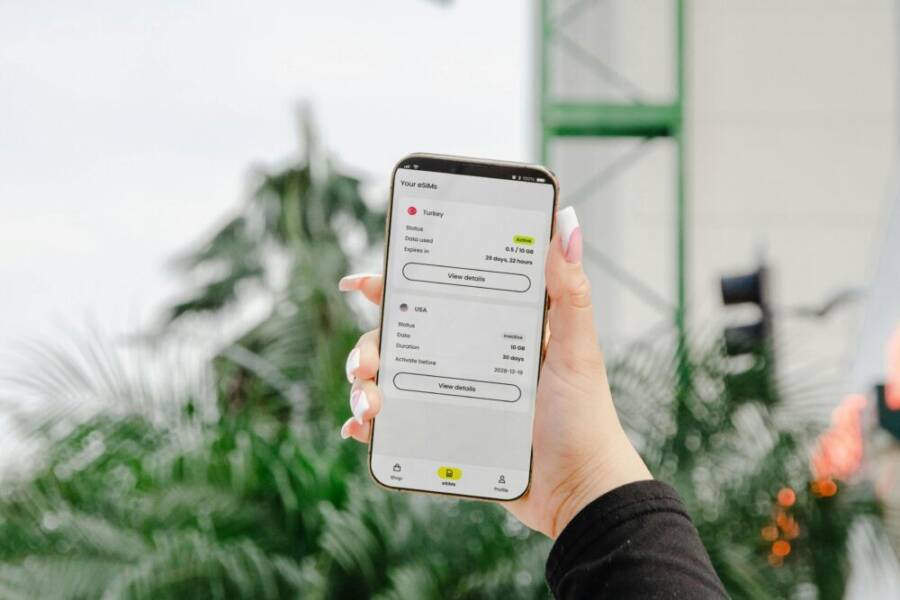
- A close-up shot of a hand navigating an eSIM app on a smartphone, illustrating the ease of switching profiles on the go. Photo by Jacob
Organize essential accessories for travel
Work travel relies as much on accessories as on the device itself. A well-thought-out kit keeps you productive without hunting for chargers in every city.
Must-have items:
- Portable charger and a compact power bank with USB-C and USB-A output to cover your devices, from phones to wireless earbuds.
- Extra cables in a dedicated pouch, including a high-quality USB-C to USB-C cable for quick recharges and data transfers.
- Multiport USB hub to expand a single outlet into multiple ports for charging your laptop, tablet, and phone simultaneously.
- A dependable screen protector to shield against scratches during transit and in crowded spaces.
- A SIM ejector tool for easy SIM card swaps if you’re using physical SIMs in addition to eSIM profiles.
- A small travel pouch to keep everything organized and easy to grab in a bag or backpack.
With these items, you’re ready for long travel days, long layovers, and remote work sessions in cafes or co-working spaces. The right accessories help you stay connected when outlets are scarce or outlets are fully used by others in the airport lounge.
Image: A neatly arranged travel tech kit with cables, a power bank, and a protective case to visually reinforce the practical side of this section. Photo by Jacob
- Bonus packing tip: label cables by device type or function. Simple color tags or tiny stickers reduce search time, especially when you’re juggling a charger, a data cable, and a spare battery in a crowded bag.
Closing note for this section: your nomad setup thrives on flexibility and reliability. With an unlocked, durable device, a thoughtful SIM strategy, and a compact, well-organized accessory kit, you’ll stay connected, productive, and confident wherever your travels take you.
Connectivity on the road: data plans and eSIMs
Staying connected while moving between countries can feel like a puzzle. The right mix of data plans and eSIM options makes staying online simple, affordable, and reliable. In this section, we compare global versus regional plans, explain how to use eSIMs to switch carriers quickly, and share practical tips for staying online when you travel. Each approach has clear trade-offs, so you can pick the setup that fits your travel style and work needs.
Global versus regional data plans
If you work from cafes, co-working spaces, and hotel lobbies, you need data that just works. Global data plans bundle coverage across many countries, making them convenient for frequent jumps. Regional or local options, by contrast, tend to offer stronger speeds and lower prices in specific areas. Here’s how to weigh the choice:
- Coverage: Global plans promise broad geographic reach but can dip in remote areas. Regional plans often deliver better performance in their core regions, with partners covering nearby countries.
- Speed: Local and regional SIMs typically tap into national networks, offering faster speeds in cities and along popular routes. Global plans may throttle speeds or limit high bandwidth in peak times.
- Price: Global data can be convenient but sometimes costs more per gigabyte. Local plans are usually cheaper per GB, especially if you stay in one region for several weeks.
- Ease of use: Global plans simplify management with a single profile across multiple countries. Regional plans require profile swaps when you move between areas.
For many digital nomads, a blended approach works well: a global eSIM for emergency coverage and predictable onboarding, plus targeted local or regional data when you’re anchored in a country for a while. This approach minimizes roaming fees while keeping high speeds available where you need them most. For a deeper comparison, see practical perspectives from sources like Reachumi and ZIM Connections, which break down costs, coverage, and how to choose between local, regional, and global options. Global vs Local: Local SIMs vs Global eSIMs eSIM Data Plans: Local vs Regional vs Global
If you want a quick cheat sheet: choose global for the first days in a new country and when you don’t know where you’ll land next. Switch to a local or regional plan once you settle in and need maximum speed at the best price. Your smartphone will thank you for the steady connection.
Using eSIMs to switch carriers quickly
eSIMs simplify switching carriers without fumbling with SIM cards. They let you install a data plan from a carrier in minutes, then switch profiles with a few taps. Here’s how to make the most of eSIMs on common devices and what to expect.
- What an eSIM is in plain terms: An eSIM is a digital SIM stored in your phone. It lets you download a carrier plan directly to your device, without removing the physical SIM. You can store multiple profiles and switch between them instantly.
- How to set it up on popular devices:
- iPhone: Go to Settings > Cellular > Add Cellular Plan. Scan the QR code or select a carrier from the list. You can label plans (Home, Europe, Asia) and switch with a tap.
- Android: Open Settings > Network & Internet > eSIMs, then Add Carrier. Follow on-screen prompts to install and name the plan.
- iPad: Similar to iPhone, use Settings > Cellular Data > Add Cellular Plan.
- Windows and Google Pixel devices follow similar flows in their Connectivity or Network settings.
- Practical steps to get started quickly:
- Confirm your device supports eSIM and the bands you’ll need.
- Keep a fallback plan on a physical SIM or another eSIM profile.
- Save carrier receipts or QR codes in a secure note.
- Test data and calls before you depart a city or transit hub.
eSIMs shine when you hop between countries. They reduce the friction of buying and swapping physical SIMs, and they let you store both your home plan and a local option in one device. When you’re ready to switch, you’ll often do it in a few minutes, not in a shop line. For more practical guidance on eSIM options in travel, check these resources:
- Using An Unlocked Phone Internationally
- How to Unlock Your Phone From Any Major Carrier
- Unlocked Phones: Complete International Travel Guide
Staying online with offline maps and VPN
Connectivity isn’t just about hot spots and data plans. It’s also about having a reliable fallback when signals falter and protecting yourself on public networks. Offline maps and a solid VPN setup are essential tools for nomads who want to stay productive wherever they land.
- Offline maps to the rescue: In areas with spotty service or no signal, offline maps ensure you can still navigate. Download maps for your current city or region ahead of time, including places you expect to visit. This saves you from scrambling for data while finding your way.
- VPN for public networks: A VPN protects your data on open Wi-Fi networks in cafes, airports, and hotels. It encrypts traffic and helps prevent snooping on shared networks. Choose a reputable provider with a strict no-logs policy and reliable performance.
- Simple setup tips:
- Before you travel, preload offline maps for essential routes and destinations.
- Install a VPN app and sign in on your devices. Enable it on any public network by default, especially in airports and lounges.
- Keep a quick reference to how to activate offline maps and the VPN in your phone’s quick settings favorites for fast access.
For offline maps, popular options include well-known providers with offline capabilities. For VPNs, look for apps that offer split tunneling and a kill switch to maintain control over your data flow across networks. If you want to explore credible overviews of offline maps and VPN benefits for travelers, consider checking broader discussions and guides from travel tech sources and community recommendations.
Real-world tip: a reliable smartphone is your best travel companion, but your data plan and software choices determine whether you arrive at a meeting on time rather than chasing a data signal. A smart blend of offline maps, a trustworthy VPN, and flexible data options makes all the difference when you’re on the move.
If you’re curious how others compare global and local data choices in practice, you can review discussions and travel threads that weigh speed, price, and coverage. A few real-world perspectives provide context on throttling and local network performance, which helps you set expectations for your own setup:
- Global plans versus local options in practice
- eSIMs and performance compared across regions
- Public network safety and VPN effectiveness on the road
By combining a thoughtful data strategy with robust offline tools and a smart VPN, you’ll stay productive and protected no matter where your nomad schedule takes you. This balance lets you focus on work, not on connectivity hassles.
Power, charging, and battery management abroad
When you’re living out of a suitcase, power and charging routines become a core part of productivity. A smart approach to portable power, reliable adapters, and good battery habits saves time, money, and stress. This section outlines practical strategies you can apply right away to keep devices ready for work, calls, and navigation, no matter which country you’re in.
Carry a reliable portable charger and cable strategy
Your power kit should be compact enough to tuck into a travel pouch but capable enough to top up multiple devices each day. Start with a high-quality power bank in the 10,000 to 20,000 mAh range. This size usually delivers 2–4 full phone charges, plus some extra juice for earbuds or a small tablet during long travel days. If you frequently work from cafes or airports, a larger option (20,000 mAh or more) can be worth it for laptop compatibility when you’re tethered to a single outlet for longer sessions.
Key cable strategy tips:
- Include a fast charging USB-C to USB-C cable and a USB-A to USB-C cable for versatility.
- A compact multiport USB hub can turn one outlet into several charging spots for your laptop, phone, and accessories.
- Carry a spare cable or two in a labeled pouch so you’re not digging through bags to find the right one at the last minute.
- Consider a power bank with pass-through charging if you’ll be charging devices while the bank itself recharges.
Practical guidance:
- Recharge during longer layovers or at a hotel desk where outlets are scarce. It’s easier to top up overnight than scramble in the morning.
- Test your kit at home before you travel. Make sure the power bank and cables work with all your devices and don’t overheat with use.
To narrow your shopping list, look for reputable reviews and real-world tests from travelers and tech sites. For example, readers often compare top portable chargers based on capacity, recharge speed, and durability. If you’re curious about current top picks, see trusted roundups from travel and tech outlets that test performance in real-world conditions. The 12 Best Portable Chargers of 2025. For a broader look at portable chargers in travel contexts, you can also review expert roundups like the best portable chargers for digital nomads 2025.
Takeaway: build a small, predictable charging routine. A capable power bank, a couple of fast cables, and a compact hub keep you powered through long travel days and crowded airports.
Power adapters and outlets around the world
Voltage, plug shapes, and outlet layouts change across borders. The right adapter keeps your devices safe and charging without fiddling every time you arrive at a new hotel or cafe.
What to know about plugs:
- Common plug types include Type A/B in North America, Type C in most of Europe, Type G in the UK and Ireland, and Type I in parts of Asia and Australia. Some regions use multiple types in different buildings.
- Voltage ranges typically span 100–240V with 50 or 60 Hz. Most modern chargers handle this automatically, but high-wattage devices like laptops may need a charger that accepts 100–240V and 50/60 Hz.
- Consider a universal travel adapter with multiple outlets and USB ports. It minimizes the number of bulky adapters you carry and reduces the chance of forgetting a plug.
Choosing the right adapter for your trips:
- Pick an adapter that supports the regions you visit most often and includes built-in protection against surges.
- If you travel within a region, a regional adapter kit can be lighter than a full global one, but ensure it covers all the destinations you expect to reach.
- Keep a small, clearly labeled kit in your carry bag so you’re never stuck hunting for an outlet or a charger.
Real-world guidance helps you avoid surprises at the airport. For instance, many travelers keep a global adapter that handles major plug types and add region-specific adapters when needed. If you want a quick reference on global plug types and voltage, reputable travel resources provide compact charts and practical tips. For deeper dives on adapters and world voltages, see travel-focused guides and hardware reviews. Global voltage and plug type overview Adapter buying guide for international travel.
Takeaway: carry a robust universal adapter and a regional backup if you’ll stay put longer than a few days in a single country. lesser-known outlets can be finicky, so plan ahead.
Battery saving and charging habits for nomads
Smart habit changes can stretch your battery life from morning to evening. Small tweaks add up when you’re away from a reliable power source.
Smart habits to adopt:
- Dim the screen brightness and use a shorter auto-lock period. A brighter screen drains more energy, especially in direct sun.
- Limit background activity by closing unused apps and turning off features you don’t need, such as Bluetooth when you’re not using it.
- Use battery saver modes during long transit or when you’re on the move between destinations.
- Keep critical apps updated and configure offline maps for navigation to avoid continuous data use.
- Charge strategically: prioritize charging devices when you have access to reliable power, and avoid letting batteries drop to critically low levels.
Practical tips for nomads:
- Preload offline maps for your current city and typical routes. This reduces data usage and keeps navigation reliable without constant connectivity.
- Use a single reliable VPN on public networks to protect sensitive data while keeping connected. A VPN with a kill switch ensures your traffic doesn’t leak if the connection drops.
- Don’t rely on a single charger or outlet. A backup power bank or spare cable reduces downtime during layovers or crowded lounges.
If you want extra confidence, check out guidelines and reviews from travelers who test battery life in real-world travel scenarios. A few credible resources discuss battery performance under varied temperatures, usage patterns, and network conditions. For example, look at practical battery life guides and nomad-friendly charging strategies from travel tech outlets and user communities.
Bottom line: a well-rounded power plan means a capable charger kit, adapters suited to your routes, and habits that squeeze every watt from your devices. When you combine these elements, your phone, laptop, and earbuds stay ready without slowing you down.
External resources for further reading:
- Portable power bank reviews and recommendations: https://www.travelandleisure.com/travel-tips/travel-trends/best-portable-power-banks
- Comprehensive portable charger roundups: https://www.shopsavvy.com/best-picks/best-power-banks-for-digital-nomads-2025
This section gives you a practical framework to stay powered on the move. If you’re ready, you can apply these tips to your current travel kit and test how they perform in the next country you visit.
Security, privacy, and backups while living abroad
Staying connected is essential for nomads, but so is protecting your data and privacy. Public networks offer great convenience yet come with real risks. This section lays out practical steps to keep your information safe, manage passwords, and safeguard media backups while you roam. You’ll learn how to shield your activities on shared networks, secure access with authentication tools, and set up automatic backups and find-my-device features that actually work across borders.
Keep data safe on public WiFi with VPN and updates
Public WiFi networks often feel convenient, but they’re a common target for data theft. Hackers can piggyback on unsecured networks to view unencrypted traffic, capture login credentials, or inject malicious software. The safest approach is simple: use a reputable VPN every time you connect to public WiFi, and keep your devices up to date.
Key strategies:
- Enable a trusted VPN on every device before you join a public network. A VPN creates an encrypted tunnel, so even if someone intercepts your data, it’s unreadable.
- Choose a VPN with a solid no-logs policy, reliable connection speed, and a kill switch. A kill switch stops data leaks if the VPN drops unexpectedly.
- Keep your operating system and apps current. Software updates patch vulnerabilities that hackers could exploit on public networks.
- Avoid sensitive activities on public WiFi. If possible, wait to handle banking, login to critical accounts, or transfer large files until you’re on a trusted connection.
- Use strong, unique passwords for each service. A password manager simplifies this so you don’t reuse credentials.
Practical setup tips:
- Install the VPN app once and pin it in your quick access menu so you can turn it on with a tap.
- Enable automatic updates for your OS and key apps during times you’re unlikely to use the device for work.
- Regularly review connected devices in your VPN account and revoke access for any you don’t recognize.
For a broader view on why VPNs matter on the road, reputable guides and traveler-focused resources explain real-world risks and safer practices. For example, see articles that summarize VPN rules for nomads and travelers, which reinforce the habit of using a VPN on public networks. I’m a Digital Nomad and These Are the VPN Rules I Swear By and What Does a VPN Hide and Why It’s Essential for Travelers. Keep this mindset: your data is portable, but so are threats when you’re online in unfamiliar places.
Image:
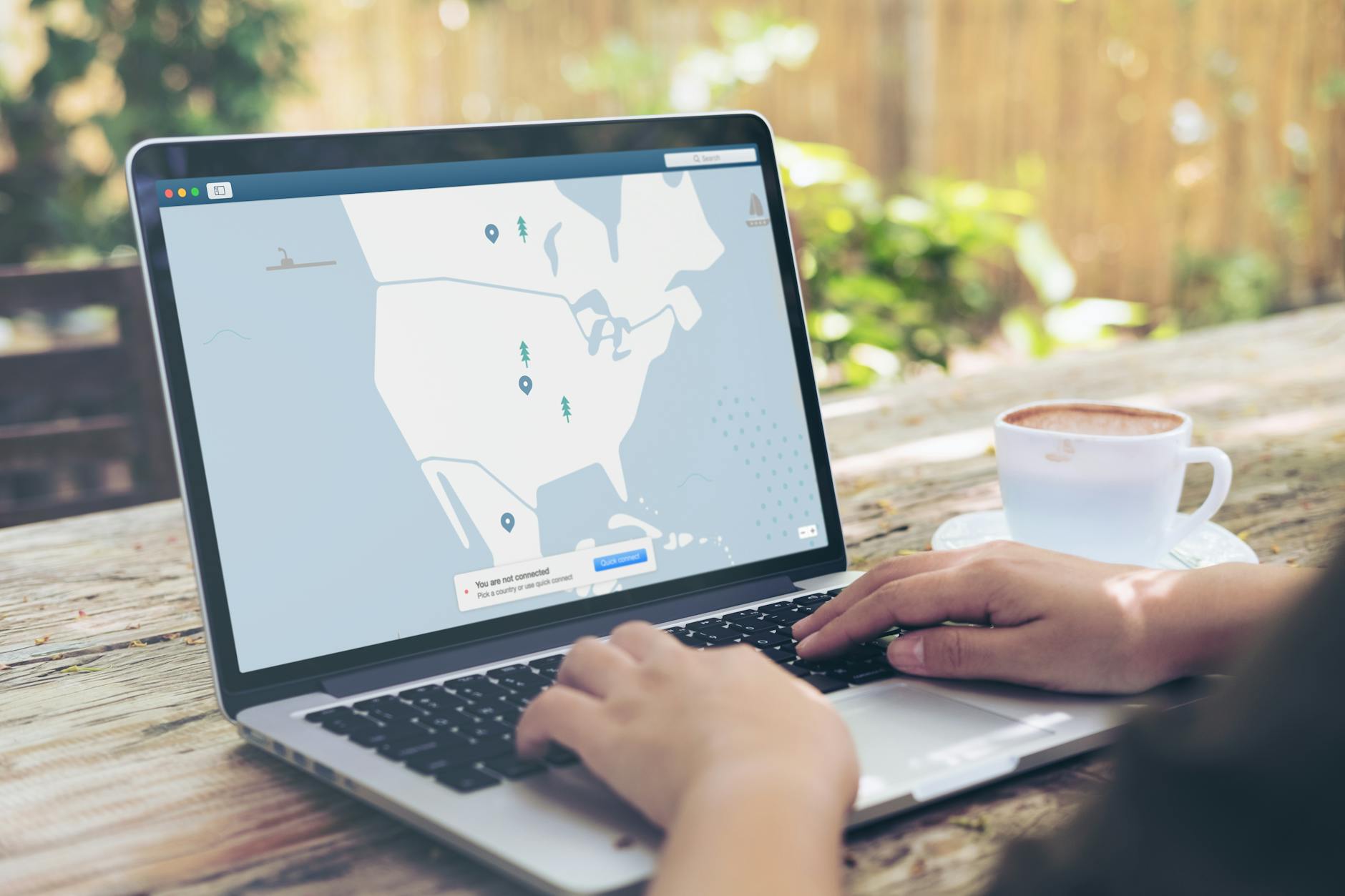 Photo by Kevin Paster
Use a password manager and two factor authentication
Passwords are the first line of defense. A password manager simplifies creating and storing unique, complex credentials for every service you use on the road. Two factor authentication (2FA) adds a second layer of protection, making it much harder for someone to access your accounts even if they obtain your password.
Best practices:
- Pick a reputable password manager with cross-platform support and a strong security model. Popular options include 1Password, Bitwarden, and LastPass. Choose one with browser and mobile app integration so you can autofill securely.
- Enable 2FA on all critical accounts. Prefer authenticator apps (like Google Authenticator or Authy) over SMS for reliability, especially when roaming.
- Back up your 2FA codes safely. Store recovery codes in a secure notes app or print them when you can safely access a printer.
How to set up quickly:
- Install the password manager on your phone and laptop. Create a master password that’s long and unique.
- Import or generate strong passwords for your essential services. Let the manager handle the heavy lifting.
- Turn on 2FA for email, banking, cloud storage, and messaging apps. Keep backup methods accessible but secure.
Easy-to-use recommendations:
- Password managers: Bitwarden for open source transparency, 1Password for polished UX, and LastPass for broad device coverage.
- 2FA apps: Google Authenticator or Authy. Authy supports multi-device backups, which can be handy when you switch devices abroad.
Real-world guidance shows how straightforward this is once you set it up. These sources walk through practical setup steps and common pitfalls, helping you avoid lockouts or lost access while traveling. Using An Unlocked Phone Internationally and How to Unlock Your Phone From Any Major Carrier provide supportive context for device readiness while you secure accounts with modern authentication.
Set up automatic backups and device locate features
Backups are your safety net when devices are lost, stolen, or suddenly fail. Automating backups to the cloud ensures your photos, documents, and important data are preserved even if your device disappears mid trip. Pair this with a reliable locate feature so you can act fast if something goes wrong.
What to back up:
- Photos and videos from your trips and daily life.
- Work files, notes, and client deliverables.
- Contacts, calendar data, and app configurations that would be time-consuming to restore.
How to back up:
- Use a cloud service that offers automatic backups with both photos and documents. Enable automatic photo backup from your camera gallery and ensure your workspace files are included.
- Schedule weekly or daily backups depending on how much you work on the road. Keep enough local copies on your device as a quick fallback, but rely on the cloud for safety.
- Encrypt sensitive files before uploading if your service supports it, especially when storing personal documents or client materials.
Locating a lost device:
- Turn on Find My iPhone or Find My Device for Android. Keep location services enabled so you can see the device’s last known position.
- Enable remote locking and data wipe in case the device is stolen. This protects sensitive information from exposure.
- Maintain an accessible recovery plan. Note the steps to remotely locate or erase data and have a trusted contact who can assist if needed.
Practical tips:
- Use a single cloud provider for both photos and documents to simplify management, but you can segment data by sensitivity.
- Regularly verify that backups complete without errors. Set up alerts so you know if a backup fails.
- Test the locate feature on a regular basis. A quick test confirms you can still reach your device when you’re far from home.
Real-world resources discuss how nomads can implement robust backup and locate workflows. They cover common mistakes and best practices for cross-border use, ensuring you’re prepared no matter where you are. See practical guides and reviews that summarize backup options and the effectiveness of locate features in travel contexts.
Images:
- A tidy desk with a laptop, showing cloud backup prompts on the screen (illustrative image). Photo by Jacob
Takeaway: automate backups to a trusted cloud and enable locate and remote wipe. This combination minimizes downtime and helps you recover quickly if a device goes missing.
Conclusion
A solid phone setup for digital nomads abroad combines an unlocked, durable device, a flexible SIM strategy, and a compact power kit. Use an eSIM for quick regional switches and pair it with a local plan when you settle in, while keeping a fallback SIM for calls and backup data. Maintain security with a password manager, 2FA, and automatic backups, and stay productive with offline maps and a reliable VPN on public networks. Start small by testing one element at a time—your smartphone, a single local plan, and a minimal power kit—and build from there as you travel.