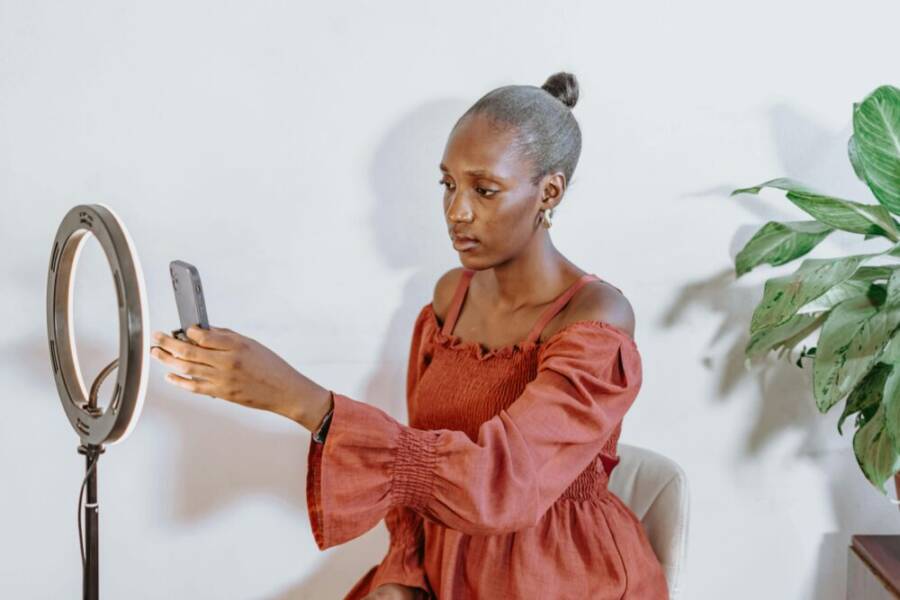
Looking for the best phone ring light for TikTok videos that won’t break the bank or slow you down? This guide focuses on simple, high value options you can pair with your smartphone to create bright, flattering content in any setting, from a small bedroom to a busy cafe.
We’ll cover what to look for in terms of brightness, color temperature, and portability, then break down the top categories so you can pick a light that fits your shooting style. Whether you’re just starting out or you want to upgrade your setup, you’ll find practical tips to get great results fast with your smartphone.
By the end, you’ll know how to choose a ring light that makes you look your best on camera, without fuss. We’ll share setup tips that work with typical smartphones and show how a few smart choices can boost your video quality, engagement, and confidence on TikTok.
What makes a great phone ring light for TikTok videos
Choosing the right ring light can feel overwhelming with so many options. A great ring light for TikTok videos balances brightness, color accuracy, and practical setup details. It should make you look your best in quick clips, support on-the-go filming, and fit your phone without fuss. Below, we break down the key factors and give you practical guidance to pick a light that helps you create polished videos fast.
Brightness, color temperature, and skin tone accuracy
For TikTok content, the most useful brightness range sits around a comfortable mid to high level when you’re shooting close to your face. Look for lights that offer multiple brightness levels so you can fine tune without blowing out highlights or washing out details. A good target is a light with at least 800 to 1500 lux at arm’s length for typical indoor spaces. The higher the lux, the easier it is to produce clear facial details even when you’re filming in a room with modest ambient light.
Color temperature matters just as much. A warm to neutral white range typically spans from roughly 3000K to 6500K. Start around 4000K for a balanced daytime look, then push toward 3200K for warmer makeup looks or toward 5600K when you want a crisp, studio-like appearance. The goal is natural skin tones that don’t require heavy color correction in post. If you’re unsure, choose a light with a wide range (for example 3000K–6500K) and a simple slider so you can adapt to different scenes with a quick twist of the dial.
High color accuracy is essential. Look for ratings like CRI (color rendering index) of 90+ or TLCI (television lighting consistency index) of 90+ for reliable skin tones on camera. A high CRI/TLCI means makeup reads true, blush and contour show up as intended, and shadows on the face stay natural rather than muddy. If the light advertises 95 CRI or higher, you’re likely to get consistently flattering results across temporary clips and fast edits.
Flicker-free performance is another practical must. TikTok videos move quickly and you’ll be spinning between poses, face angles, and transitions. A light that remains stable, even at higher brightness, avoids rolling banding or strobing in your footage. This is especially important when you’re recording with smartphone cameras at higher frame rates. In short, you’ll get smoother clips and more predictable color.
How all these factors translate to on-screen results is straightforward. Higher brightness and stable, flicker-free operation keep facial features sharp. You’ll notice clearer makeup delineation, more defined cheekbones, and eyes that don’t look washed out in varying lighting conditions. Even quick clips benefit from accurate skin tones and clean shadows that read well on mobile screens.
Practical tip: test a light with your face at standing height, then adjust until you see natural skin tones in your camera preview. If possible, compare 3–5 seconds of video across different color temperatures to choose the most flattering setting.
For further reading on color quality and practical lighting, see how professionals describe color accuracy in consumer lighting products. Link to informed guide on color rendering in lighting and check examples of color accuracy in real-world usage.
Portability vs. power for on-the-go creators
TikTok thrives on spontaneity, so the light you choose should fit your shooting style. Clip-on or pocket-sized lights shine when you’re filming between errands, at a friend’s place, or in a crowded room where you can’t set up a full lighting rig. These compact options are typically battery powered, rechargeable via USB, and very lightweight. They let you capture well-lit footage without dragging a tripod, power strip, or a bulky setup.
Larger desk or tripod lights bring bigger brightness margins, more precise color control, and steadier performance if you’re filming in a dedicated space. They’re ideal for longer sessions, planned shoots, or when you want consistent lighting across multiple clips in a single session. A larger light can also offer better diffusion and spill control, which helps when you’re shooting with a camera angle slightly above or below eye level.
Battery life varies widely. Clip-on lights often run from 1 to 6 hours depending on brightness and build quality. Many models use built-in rechargeable batteries with USB-C charging, while others require replaceable cells. For longer shoots, a light with USB-C charging and a power bank compatibility is a clear win, letting you shoot in multiple locations without hunting for outlets.
Here are quick decision criteria to speed up your choice:
- If you shoot mainly on the go and move a lot between locations, prioritize a clip-on or pocket light with a robust battery and a compact form factor.
- If you shoot primarily in a fixed spot or you plan longer sessions, a larger desk or tripod light provides steadier brightness and easier color tuning.
- For both scenarios, a light with a removable diffusion cap often yields softer shadows without losing brightness.
A practical approach is to match your kit to your routine. If you’re filming 3–5 quick TikTok clips per session in various rooms, a compact light will save time and reduce clutter. If you produce longer, more polished videos in a home studio, a larger light with adjustable color temperature and diffusion will pay off in consistency.
Brand and product examples that balance portability and power often mention battery life in the 60–90 minute range for compact lights, with options to extend runtime via USB power banks. Look for models that provide both low and high brightness presets, along with a simple brightness dial or button controls so you can adjust without fumbling.
For more context on portable lighting options, here is a useful overview of clip-on and rechargeable options. Clip-on ring light options and battery life guidance.
If you prefer a store-bought package with both clip-on capability and solid battery life, consider reputable retailers that clearly list run times and battery types. A popular option often discussed in consumer guides highlights rechargeable clip-on lights with multiple brightness settings and quick charge capabilities. Selfie Ring Light, AMIR Clip on Ring Light Rechargeable.
When you’re deciding, test your potential kit in the spaces you usually shoot. A quick three-location test can reveal how the light behaves with your phone in portrait mode and how it handles movement during fast TikTok transitions.
Phone compatibility and mounting options
Mounting reliability matters as you capture rapid, dynamic scenes. The typical mounting ecosystem includes clip-on adapters, phone clamps, magnetic mounts, and compatibility with standard tripods. A flexible setup reduces the risk of your phone slipping during a sudden pose, which is crucial for smooth, professional-looking clips.
Clip-on adapters are popular because they’re lightweight and easy to attach. Most clip-ons fit a wide range of smartphone sizes, including common phone-with-case configurations. Some models come with an adjustable arm that helps you place the light precisely where you want it, without blocking the screen or the camera. If you use a bulky protective case, confirm the adapter’s clearance, as a tight fit can cause instability.
Phone clamps offer a quick, tool-free mounting solution. They’re handy when you switch between the front and back cameras or when you want the light to stay fixed to your phone during fast movements. Magnetic mounts present a clean, low-profile option that can attach to a ring light’s built-in magnet or to a dedicated magnetic plate on your case. Check the magnets’ strength and ensure they won’t interfere with wireless charging or the phone’s sensors.
Tripod compatibility is essential for fixed setups or longer shoots. A sturdy tripod with a standard 1/4″-20 screw makes it easy to raise or lower the light. If you shoot in portrait mode most of the time, ensure the tripod and mount don’t obstruct the screen or camera when you tilt or pan during a clip.
Fit considerations vary by phone size and case. For bigger devices or rugged cases, a wider clamp or deeper clip may be necessary. If you shoot in landscape and portrait modes, look for a light that can be mounted in both orientations without blocking essential camera areas. A simple tip: position your phone so the light sits just off-center, tilted slightly downward, to minimize glare and catch more even skin tone.
Practical setup tips to keep your phone stable during dynamic TikTok moves:
- Use a tripod with a swivel head for easy angle adjustments.
- Add a small anti-slip pad under the phone clamp to reduce wobble.
- If you’re using a magnetic mount, keep a spare strap or clip nearby as a backup for quick swaps.
- Test your setup with a fast 360-degree turn in the frame to ensure the light stays in view and doesn’t cast harsh shadows.
For more guidance on mounting options and compatibility notes, you can explore a selection of common solutions and how they perform in real-world use. Schertz Rechargeable Phone Selfie Ring Light provides a good example of a clip-on approach with tripod compatibility and practical battery life details.
If you’re curious about practical color handling and
How to set up your phone ring light for TikTok
Setting up your phone ring light for TikTok is less about gadgets and more about how the light flatters your face and supports your movements. A thoughtful arrangement helps you look more polished in quick clips and longer takes alike. In this section, you’ll find practical tips for positioning, selecting brightness and color temperature, and using your phone’s capabilities to keep lighting consistent as you film. Below, three targeted subsections break down the essentials so you can apply them in minutes.
 Photo by David Kwewum
Positioning and angles for flat and dynamic shots
How you position the light determines whether your skin looks smooth or washed out. For flattering results, place the ring light in front of you, at about eye level or slightly above. This positioning reduces unflattering shadows under the eyes and chin while giving your features a gentle, even glow. If you’re shooting a dynamic sequence with quick moves, keep the light from directly behind your camera so your expressions stay readable and your eyes stay bright.
Key placement guidelines:
- Place the light 1 to 2 feet (30 to 60 cm) from your face for a bright, evenly lit look. Move closer for a softer, more intimate vibe; back off for a broader, less defined look.
- For a flat, studio-style shot, keep the light directly facing you and slightly above eye level. Tilt the ring down about 5 to 10 degrees to nudge shadows away from the lower face.
- For dynamic shots, angle the light slightly to the side (about 10 to 20 degrees) to add subtle depth. This helps separate you from the background during quick cuts.
- If you have ambient light in the room, use the ring light as the main source and use other lights for background depth. A lamp or window light can provide natural separation without washing out the main subject.
Simple text diagrams can help visualize the setup:
- Flat, front-facing shot: Light in front of you, just above eye level, camera centered.
- Dynamic, moving shot: Light to the side, camera centered, you move within the frame while the light maintains a consistent angle.
A few practical tips to keep things steady:
- Use a tripod or stabilizer so the ring light’s position stays fixed as you move between takes.
- If your phone sits on a stand, ensure the light footprint doesn’t cast glare on the screen.
- When you switch between shots, recheck the angle quickly in the preview to avoid hot spots on the cheeks.
For further reading on how professionals position lighting for consistent color and depth, see How to Position Your Ring Light for Professional Videos and How to Use a Ring Light for Video. You’ll find practical guidance on height, distance, and direct positioning that translates to better TikTok clips.
- How to Position Your Ring Light for Professional Videos: https://www.ulanzi.com/blogs/news/perfect-lighting-ring-light-positioning?srsltid=AfmBOop2aTgEtdZH_Dtg9O6mUkrc2aqeQhRZjrEZjuuYHvPCZHNVuHK_
- How to Use a Ring Light for Video: https://lumecube.com/blogs/news/how-to-use-a-ring-light-for-video?srsltid=AfmBOoq4fLM04Yk6pgDe1-EYTWzrZphoQan3e2sFOihDdKqu5Oq3BkJA
Choosing brightness and color temperature for scenes
Brightness and color temperature shape how viewers perceive you and the mood of your video. Start with a baseline that feels natural to you, then adjust to fit the background and the story you’re telling. For TikTok, targets are practical and flexible rather than perfect in every shot.
Guidelines to get you started:
- Brightness: Aim for a mid to high brightness level when the light is the primary source. A comfortable baseline is around 800 to 1500 lux at arm’s length. If the room is bright, you can reduce intensity to keep faces from looking washed out.
- Color temperature: A warm to neutral white range usually runs from 3000K to 6500K. Start at about 4000K for most daytime looks. Move toward 3200K for warmer makeup or 5600K for a crisper, more studio-like feel.
- Color accuracy: Look for a high CRI or TLCI value. A rating of 90+ means skin tones look natural and makeup reads correctly on camera.
- Flicker-free operation: Essential for smooth motion during fast TikTok transitions and high frame rates.
Practical presets you can try quickly:
- Warm, casual vibe: 3200K with medium brightness.
- Neutral, polished look: 4000K to 4500K with medium-high brightness.
- Cool, high-energy vibe: 5600K with bright output for crisp shadows and clear eyes.
Fine-tuning tips in apps:
- Use the light’s built-in slider to nudge brightness in small increments.
- If your app has a color temperature slider, move in 1000K steps until skin tones look natural.
- Check skin tones in the preview and adjust until makeup and complexion read evenly.
For a broader takeaway on color handling, you can explore Color rendering in lighting, which helps you understand how different lamps reproduce skin tones and makeup under various settings.
- Color rendering in lighting: https://www.linkedin.com/pulse/5-best-ring-lights-photography-2025-sebastian-muema-lnabf
Tips for recording with smartphone features like auto exposure and focus
Your phone offers features that interact directly with lighting. Locking exposure and keeping focus stable can prevent a lot of post-production work. Here are quick, actionable steps that stay simple and effective.
What to do, step by step:
- Lock exposure and focus: Tap and hold on your face in the camera app until the exposure box locks. This prevents automatic brightness changes as you move.
- Use focus peaking if available: Some apps show a highlight on in-focus areas. It helps you keep eyes and facial features crisp while you adjust lighting and framing.
- Avoid auto white balance shifts: If your phone tries to compensate for changes in light, you’ll get color shifts mid-shot. Lock white balance after you’ve chosen a color temperature that looks good.
- Check the histogram if your camera app offers it: Ensure detail in both highlights and shadows. If there’s clipping in the cheeks or background, tweak brightness or distance.
- Keep background lighting consistent: If you can, keep ambient light at a similar level across takes to reduce jumps in exposure.
- Re-check after every major move: A quick test snapshot after a pose or angle change helps guarantee you’re still within the intended lighting range.
A simple checklist you can apply before recording:
- Set color temperature to your chosen level.
- Lock exposure and focus on your face.
- Confirm white balance is steady.
- Do a quick 3–5 second test clip to confirm skin tones and brightness.
If you want deeper guidance on how to maximize smartphone camera functions with lighting, you can check How to Use a Ring Light for Video and Tiktok Lighting: What TikTokers Use and How to Set It Up for practical context and setups.
- How to Use a Ring Light for Video: https://lumecube.com/blogs/news/how-to-use-a-ring-light-for-video?srsltid=AfmBOoq4fLM04Yk6pgDe1-EYTWzrZphoQan3e2sFOihDdKqu5Oq3BkJA
- TikTok lighting: What TikTokers use and how to set it up: https://www.colborlight.com/blogs/articles/tiktok-lighting-what-to-use-and-how-to-set-it-up
If you’re curious about the broader range of phone camera features and how lighting can interact with them, consider a quick hands-on test in a familiar room. The
Common lighting mistakes and how to fix them
Good lighting is the secret sauce for TikTok videos. Small tweaks can turn a flat, harsh shot into something that looks polished and professional. In this section, we’ll cover three common lighting slipups and practical ways to fix them fast. You’ll learn how to balance brightness, color, and shadows so your face reads clearly on camera, whether you’re filming with a phone in a tight room or outdoors.
Overlighting and underlighting
Too much light can wash out your features, leaving skin tones pale and makeup details lost in the glare. Too little light, and you’ll see noise, muddy shadows, and a face that disappears into the background. The result is a video that feels off and hard to watch.
To spot and correct balance quickly, try these tests:
- Face check test: Hold your phone at eye level and film a 3–5 second clip. If your skin looks shiny or blown out, you’re overlit. If you can barely see your features, you’re underlit.
- Shadow map test: With the light on, tilt your head from side to side. If shadows sweep across your face or under your eyes look too dark, adjust distance or angle.
- Ambient balance test: Compare your face to the room. If the background looks as bright as your face, you may need to dim the light or add a secondary light for separation.
What to do next:
- Move the light closer or farther in 6-inch (15 cm) steps. For most faces in indoor rooms, 1 to 2 feet (30–60 cm) is a good starting point.
- If you’re overlit, reduce brightness or add diffusion. A simple diffuser or a white curtain can soften harsh hotspots without losing too much brightness.
- If you’re underlit, bring the light closer and increase brightness gradually. Use a reflector or white card opposite the light to bounce a little brightness back onto your face.
Real-world tip: flicker and color shifts become more noticeable when you push the light to extremes. Stick to a comfortable mid-range brightness and keep the light steady during quick TikTok transitions. For more context on keeping lighting balanced in fast clips, see practical guides on fixing lighting issues in videos. https://www.tiktok.com/discover/how-to-fix-the-lighting-on-any-video
Quick fallback approach:
- If your setup sits in front of a window, use the ring light as the main source and allow natural light to fill in from the side. This creates a natural, three-dimensional look without heavy shadows. For a refresher on positioning and balance, explore practical lighting positioning guides. https://www.ulanzi.com/blogs/news/perfect-lighting-ring-light-positioning?srsltid=AfmBOop2aTgEtdZH_Dtg9O6mUkrc2aqeQhRZjrEZjuuYHvPCZHNVuHK_
Color temperature mismatches and white balance
Color balance matters because skin tones should look natural, not overly warm or cool. When your ring light’s color temperature clashes with room lighting or your camera’s white balance, faces can look orange, green, or washed out. Fixing color balance is often faster than you think.
Why color balance matters
- Skin tones read better when the light complements ambient light, avoiding muddy shadows or unnatural tints.
- A consistent color temperature reduces post-production time, making quick edits smoother.
How to correct it
- Match the light to the room: If your room uses warm bulbs (around 2700–3000K), try a warmer ring light in the 3200K range. If the room is daylight bright (around 5000–6500K), set the ring light toward 5600K for a crisp, natural look.
- Use the camera’s white balance as a guide: Point the phone at a neutral gray or white surface and set the white balance to a stable value before filming. If your phone supports a custom white balance, lock it in once you find a tone that looks right.
- If you can, pick a light with a wide color range (for example 3000K–6500K) and a simple, precise slider to switch between temperatures quickly.
Quick steps to balance in a shot
- Start with 4000K as a baseline for most indoor scenes.
- If skin looks orange, shift toward cooler temps (toward 5000K–5600K).
- If skin looks blue or washed out, shift warmer (toward 3200K–3800K).
- Recheck after any change with a 3–5 second test clip.
For further reading on color accuracy and how it affects on-screen skin tones, see practical guides on color rendering in lighting. https://www.linkedin.com/pulse/5-best-ring-lights-photography-2025-sebastian-muema-lnabf
Tips for quick alignment with room lighting
- When you can, turn off or dim overhead lights that cast uneven color on your face. If you need ambient depth, keep background lighting softer than your key light.
- If your room has mixed light sources, consider a small neutral gray card near your setup to help your camera balance. A quick reference can guide you to the right temperature and exposure.
If you want more hands-on tips about color handling and temperature, check out How to Fix The Lighting on Any Video and related guides. https://www.tiktok.com/discover/how-to-fix-the-lighting-on-any-video
Shadows, glare, and reflections
Harsh shadows can hide facial features and create an uneven look that distracts viewers. Glare on glasses, screens, or shiny surfaces can steal attention from you. The fix is usually simple: angle, diffusion, and a touch of softening.
Ways to reduce harsh shadows
- Position the light slightly off-center and above eye level. A 10 to 20 degree tilt helps create natural shadows that add depth without looking sharp or harsh.
- Use diffusion: a fabric, translucent scrim, or a built-in diffuser on the light softens edges. If your light has multiple diffusion options, start with the lightest to minimize light loss.
- Add a second light or bounce light: A small bounce card to fill the opposite side can reduce deep shadows under the eyes.
Managing glare and reflections
- If you wear glasses, tilt the light slightly to the side or raise it a bit to avoid direct reflection in the lenses.
- For shiny surfaces in the frame, angle the light so reflections fall off the surface rather than into the camera. A matte surface or a soft cloth can also reduce glare.
- For screens or mirrors, consider diffusing the light or placing a piece of white card to bounce light back toward the subject without creating hotspots.
Practical setup tips
- Start with the light placed 1 to 2 feet (30–60 cm) away and adjust as you review the preview.
- If glare appears on a phone screen, tilt the light so it hits the face rather than the screen directly.
- Keep diffusion clean and unobstructed for consistent results across takes.
To explore additional context on reducing lighting issues in video and practical diffuser choices, you can examine related guides on lighting setup and diffusion. https://www.tiktok.com/discover/how-to-fix-the-lighting-on-any-video
Remember, a well-balanced setup means your face looks clear and natural. The goal is a flattering glow that holds up under quick cuts and bright backgrounds alike. With these fixes, you can avoid common lighting traps and move quickly from concept to publish-ready clips. For quick inspiration on how professionals approach lighting, see practical setup references that focus on positioning and diffusion. https://www.ulanzi.com/blogs/news/perfect-lighting-ring-light-positioning?srsltid=AfmBOop2aTgEtdZH_Dtg9O6mUkrc2aqeQhRZjrEZjuuYHvPCZHNVuHK_
Smart buying guide and care tips
Choosing a phone ring light for TikTok is about balance. You want bright, accurate light that is easy to carry and quick to set up. This section breaks down the smart way to shop and how to care for your light so it lasts. Think of it as your practical checklist before you press record.
What to check before buying
When you compare options, focus on these core specs and policies. They determine how well your light will perform in real life and how worry-free your purchase will be.
- Brightness levels: Look for a wide range of brightness, with at least a mid to high output at arm’s length. A light that can dim down is as important as one that can go bright for different scenes.
- Color temperature range: A versatile light should cover warm to cool white. A broad range, for example 3000K–6500K, makes it easy to match ambient light and skin tones across environments.
- CRI and TLCI: Aim for 90+ in both indices. High color accuracy translates to natural skin tones and true makeup reads on camera.
- Battery life and charging: For on-the-go shooting, a long-lasting built-in battery or USB-C charging support matters. Check run times at typical brightness levels and whether it can power a phone while recording.
- Mounting compatibility: Ensure it clamps onto phones securely or fits standard tripods. If you shoot in portrait and landscape, confirm you can mount without covering essential screens or cameras.
- Diffusion and color controls: A diffuser helps soften shadows, while an adjustable color temperature slider speeds up setup. Check if diffusion caps are removable for versatility.
- Flicker-free performance: This keeps footage smooth at higher frame rates and during fast moves.
- Return policy and warranty: A flexible return window and a solid warranty protect your investment if the light doesn’t meet expectations.
- Brand and after-sales support: Reputable brands often offer better manuals, replacement parts, and easier troubleshooting.
Practical tip: if you shoot in multiple spaces, a light with a broad temperature range and stable flicker-free output saves time and helps you stay consistent across clips. For background context on color quality and practical lighting, explore guides from trusted outlets that discuss color rendering in lighting.
- The best ring lights overview: https://www.tomsguide.com/best-picks/best-ring-lights
- The 3 Best Ring Lights of 2025 reviews: https://www.nytimes.com/wirecutter/reviews/best-ring-lights/
- The best ring lights tested and rated: https://www.techgearlab.com/topics/electronics/best-ring-light
If you’re curious about where to buy and price ranges, trusted retailers typically offer clear run times and battery specs, and often bundle with stands or diffusers. A few solid options to start with include large retailers and specialty photography stores:
- Ring Light shopping at Walmart: https://www.walmart.com/c/kp/ring-light
- Clip Ring Light options at Walmart: https://www.walmart.com/c/kp/clip-ring-light
Maintenance and battery life
A simple care plan keeps brightness steady and extends the life of your light. Treat your ring light like a small piece of camera gear you rely on daily.
- Daily care: Wipe the diffuser with a soft cloth to avoid residue that dulls brightness. Keep vents clear and away from dust.
- Charging habits: Use the included USB-C charger when possible. Avoid leaving it plugged in at 100% for long periods; if you’re not using it, a regular top-up every few weeks is enough.
- Storage: Store in a cool, dry place. If you travel often, keep a small microfiber bag to protect the diffuser from scratches.
- Battery indicators: If you notice a drop in brightness at the same settings, the battery may be nearing the end of life. Many compact lights show run time remaining in the app or a tiny LED readout.
- Overheating prevention: If the light feels hot after a long session, give it a break. Continuous heavy use can degrade brightness and color stability over time.
Signs a battery needs replacement
- Shortened run times and longer charging cycles.
- Brightness drops persist even on high-efficiency settings.
- The unit shuts down unexpectedly or fails to hold a charge.
Storage and overheating tips
- Let the light cool before placing it back in a bag.
- Use diffusion or a low-power setting when you’re already in a bright space to prevent overheating.
- If you notice warm color shifts or flicker when the unit heats up, pause to cool before resume shooting.
For additional context on portable lighting and battery life guidance, you can explore quick overviews from retailers:
- Clip-on ring light battery life guidance: https://www.amazon.com/battery-ring-light/s?k=battery+ring+light
- Selfie Ring Light, AMIR Clip on Ring Light Rechargeable on Walmart: https://www.walmart.com/ip/Selfie-Ring-Light-AMIR-Clip-Ring-Light-Rechargeable-60-LED-Selfie-Light-3-Lighting-Models-Adjustable-Brightness-Selfie-Ring-Light-Phone-Laptop-PC-Tab/1437772478
Storage tips and a quick three-location test help you gauge long-term reliability in real-world use. When checking a potential purchase, try a brief test in your typical rooms to confirm consistent color and brightness across angles.
Where to buy and price ranges
Knowing where to buy helps you snag the best deals and avoid fakes. It also makes it easier to plan bundles that include stands, diffusers, and extra clamps.
- Trusted retailers: Look for official brand pages and large retailers with clear return policies and updated stock information. Check for customer reviews on real-world use and battery performance.
- Typical price bands:
- Clip-ons and compact lights: $15–$60. These are great for beginners or as backup lights.
- Mid-range desk or tripod lights: $60–$150. You’ll usually get better color consistency and more control.
- Pro options with large diffusers or built-in full color control: $150–$350. These are for serious creators who shoot longer sessions.
Seasonal tips
- Look for sales around holidays and back-to-school periods. Bundles with stands, diffusion fabrics, and phone mounts often offer the best value.
- Check error-prone marketplaces carefully and favor reputable sellers with generous return windows.
- Watch for bundles that include a phone mount and a diffusion accessory, which can save time and money.
If you want to compare specific retailer options, you can start with a few steady sources:
- Ring Light shopping at Best Buy: https://www.bestbuy.com/site/searchpage.jsp?_dyncharset=UTF-8&browsedCategory=pcmcat1652375100010&id=pcat17071&iht=n&ks=960&list=y&qp=currentprice_facet%3DPrice~%2425%20-%20%2449.99&sc=Global&st=categoryid%24pcmcat1652375100010&type=page&usc=All%20Categories
- Best Buy phone ring light page: https://www.bestbuy.com/site/shop/phone-ring-light
For a quick, practical buying path, start with a clip-on or compact light if you move between spaces often. If you shoot in a home studio or a dedicated space, a larger light with precise color control can deliver more consistent results across clips.
Remember, the best purchase fits your routine. A lightweight option that performs reliably in three common locations will often beat a pricier tech that requires setup every time. If you want to read more about reliable brands and dependable features, check out comprehensive roundups and test results from established outlets:
- The best ring lights in 2025: https://www.tomsguide.com/best-picks/best-ring-lights
- The best ring lights tested and reviewed: https://www.techgearlab.com/topics/electronics/best-ring-light
By choosing the right light and caring for it well, you’ll maintain a consistent look across your TikTok clips. Your audience will notice the steadier brightness, truer skin tones, and fewer distractions from lighting jumps. And with a few smart shopping moves, you’ll stay within budget while upgrading your on-screen presence.
If you’re ready to dive deeper into setup, adjustments, and advanced tricks, the next section will guide you through practical steps you can apply in minutes.
Conclusion
Choosing the right ring light for your smartphone can dramatically raise the quality of your TikTok clips. Start with a compact option that fits your routine, then experiment with distance, angle, and color temperature to find your signature look. Consistency in brightness and skin tones keeps viewers engaged and helps your content stand out. Ready to test a setup? Pick a versatile light, set a baseline 4000K, and adjust as you review previews; you’ll likely discover a simple, repeatable configuration that works across many scenes. Thanks for reading, and happy filming with your smartphone.