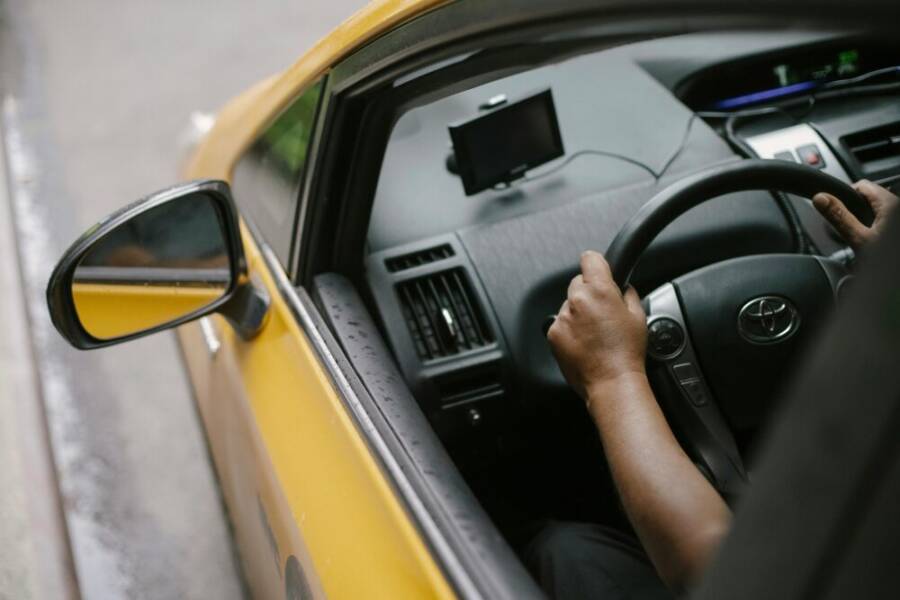
Are you a taxi driver who relies on navigation every shift? A dependable smartphone matters more than you think, saving time, fuel, and stress on busy roads. This guide highlights the best phones for taxi work, focusing on GPS accuracy, battery life, and rugged durability.
You’ll learn what makes a phone suitable for all-day rides, from map refresh rates to screen readability in bright sun and long battery life that lasts through back-to-back shifts. We’ll cut through hype and show practical choices that fit real-world taxi driving, so you can stay confident wherever you route passengers.
By the end, you’ll know which model balances GPS precision, endurance, and value for daily navigation needs. Whether you’re city cruising or chasing long-haul rides, these picks help keep you on track and on time.
What to look for in a navigation friendly phone
When you drive all day, the phone you rely on needs to deliver fast location fixes, steady power, legible screens, and rugged durability. In this section, you’ll discover the essential traits that make a navigation friendly device for taxi work. Each subsection highlights a concrete capability, why it matters on the road, and how to evaluate it in real-world scenarios. To help you dig deeper, relevant sources are linked in context.
GPS accuracy and reliable location tracking
Fast location lock and stable satellite reception are not just nice to have; they’re a safety and efficiency issue. When a passenger hops in, you need to be parked in the right general area and get a precise pickup pin quickly. A phone that locks onto GPS satellites rapidly reduces drift on busy streets and helps you estimate ETA more accurately, which translates to smoother dispatching and fewer missed fares. Look for phones that support multiple GNSS constellations (GPS, GLONASS, Galileo, BeiDou) and quick warm starts. In practice, you’ll notice quicker map refreshes after stops, fewer recalculation events during a tight curb, and more reliable fare estimates when traffic builds up. If you want a quick read on models praised for GPS performance, check this overview of devices recognized for accurate positioning. link
All day battery life for long shifts
Long shifts demand endurance. A phone that can stretch through back-to-back rides minimizes downtime spent hunting for power outlets or swapping devices. When you’re on the road, every minute counts, so a larger battery capacity and efficient charging matter. Prioritize phones with 4,000 mAh or higher and consider charging options that fit your routine, like fast charging or swappable batteries where available. Additionally, evaluate real-world endurance tests and review notes that reflect typical taxi use, including GPS use, screen-on time, and background activity overnight. A reliable battery reduces idle time between rides and keeps navigation running when you need it most. For a practical take on delivery drivers and battery life, this source provides concrete examples. link
Bright screens you can read in sun
Daylight visibility is more than a nicety; it’s a driver safety feature. When the sun blazes, you must read maps, passenger details, and ride instructions without straining. Look for outdoor brightness measured in nits, excellent contrast, and a screen that stays legible in direct sunlight. A high ambient light sensor helps auto-adjust brightness to a comfortable level, while anti-glare coatings minimize reflections from windshields or dashboards. Test in real conditions: feel how quickly the screen wakes, whether the colors stay true in bright light, and if the display remains readable with polarized sunglasses on. A well-illuminated display reduces eye fatigue and speeds up decision making during peak hours.
Tough phones that handle daily wear
Taxi driving is a rough gig for phones. Drops, spills, and dust are part of the job, so a rugged build matters more than you might think. Look for devices with certified water and dust resistance (IP ratings), reinforced frames, and protective features like gasketed ports and robust glass. A rugged phone keeps misreads from a scratched screen or a cracked display, which means fewer interruptions during a ride and more reliable navigation. Even if you don’t work in harsh weather daily, a tougher chassis pays off when you reach for your device after a busy shift and it still behaves like new.
Links and sources are provided to help you verify capabilities and compare models. For continued guidance on choosing among top options, consider how these elements come together in a single device and how that fits your typical taxi routes and shifts.
Top phones for navigation heavy use in 2025
If your work hinges on reliable navigation, a phone that balances stamina, GPS accuracy, and durability can save you time and stress during every shift. In this section, we break down the best options for taxi drivers who spend the day chasing arrivals, reroutes, and back-to-back rides. Each model shines in at least one critical area, from battery life to map responsiveness to screen readability. Read on to see which device aligns with your typical routes, charging routine, and budget.
Samsung Galaxy S25 Ultra for the longest battery and strongest GPS
When a full shift means back-to-back rides, the Galaxy S25 Ultra stands out with its all-day battery and solid GPS performance. Real-world tests often highlight solid endurance, helping you avoid mid-shift plot twists like hunting for a power outlet. The phone’s display remains legible in bright sun, so you can read routes and dispatch notes without squinting. What makes it particularly appealing for busy shifts is the combination of reliable location tracking and a long-lasting charge that minimizes downtime between pickups. In practice, you’ll notice fewer map recalculations during stop-and-go traffic and quicker ETA estimates for dispatch. For drivers who want third-party validation of GPS reliability, this overview provides a helpful context for how the S25 Ultra stacks up in real-world positioning. https://www.forbes.com/sites/bensin/2025/02/24/samsung-galaxy-s25-ultra-long-term-review-the-little-things-make-it-a-joy-to-use/
Beyond battery life, the S25 Ultra is built to survive daily wear. Its sturdy chassis and protective materials win points for drivers who might drop a device on a crowded curb or slip it into a dash pocket during a quick leg stretch. The combination of a bright, readable display and robust GPS helps you navigate unfamiliar neighborhoods with confidence. If you value user feedback from other drivers who rely on consistent navigation, this real-world take on the Galaxy S25 Ultra is worth a read. For additional perspective from the community, you can also explore hands-on impressions from early users. https://www.reddit.com/r/samsung/comments/1in8ai3/my_review_of_galaxy_s25_ultra_after_using_it_for/
- Why it matters for taxi work: long battery life, dependable GPS, readable screen in daylight
- Best for drivers who rotate shifts and want fewer charging stops
- Trade-offs to consider: top-tier price and battery management
- Quick tip: pair a fast charger or wireless pad in the car to maximize uptime
Google Pixel 10 balanced performance and value
The Pixel 10 brings a balanced mix of GPS accuracy, efficient software, and a reasonable price point, making it a smart choice for everyday driving use. GPS is typically solid enough for busy city streets, with accurate location fixes that reduce drift during rapid route changes. The software is clean and efficient, which helps map apps stay responsive even when multitasking with dispatch tools and navigation prompts. Battery life sits in a comfortable range for all-day use, so you don’t have to chase a charger every few hours. For drivers who want reliable software support and timely security updates, the Pixel line has historically delivered a straightforward experience that keeps the focus on the road. If you want a deeper look at how Pixel devices perform under GPS load and daily use, this review offers helpful context. https://www.gsmarena.com/google_pixel_10-review-2878p3.php
Value comes from a practical price point that suits many fleets and independent drivers. The Pixel 10 typically has robust optimization for background tasks, so navigation apps refresh smoothly and stay current as you drive through different neighborhoods. A strong mid-range option can be easier to manage within a fleet budget while still delivering dependable GPS and day-long endurance. When picking within the Pixel family, consider models with larger battery capacities and faster charging when your shifts demand long hours on the road. For driver forums and user anecdotes about real-world GPS reliability and battery behavior, this source helps frame expectations. https://alexreviewstech.com/google-pixel-10-review-stuck-in-the-middle-with-ai/
- Why it matters for taxi work: efficient software, solid GPS, favorable price
- Best for drivers who want dependable performance without premium costs
- Quick setup: preinstall preferred navigation and dispatch apps for instant access
iPhone 17 for reliability and app ecosystem
If you’re deeply embedded in a specific rideshare toolkit or driver app ecosystem, the iPhone 17 stands out for reliability and long software support. GPS performance on iPhones is consistently dependable, with fast satellite lock and stable tracking that helps you keep ETA accurate as traffic ebbs and flows. The longevity of software updates means your mapping and rideshare tools stay current over many years, reducing the risk of compatibility issues with essential apps. The app ecosystem on iOS is a strong advantage for drivers who rely on a set of precise, well-supported navigation and dispatch tools. For a detailed look at GPS reliability and overall iPhone performance, you can explore a broader device analysis that covers battery and software longevity. https://www.forbes.com/sites/bensin/2025/02/24/samsung-galaxy-s25-ultra-long-term-review-the-little-things-make-it-a-joy-to-use/
In addition, Apple’s software support means you’ll receive OS updates and security patches for years, which translates to fewer interruptions from app compatibility. The smooth experience also extends to rideshare tools and navigation apps, where a consistent UI reduces learning curves during busy shifts. For drivers who want a polished, dependable device with a broad app toolbox, the iPhone 17 is a safe bet. If you’d like to read about how iOS devices handle GPS and app performance in real driving scenarios, this overview offers useful context. https://pokde.net/review/samsung-galaxy-s25-ultra-review
- Why it matters for taxi work: reliable GPS, long software support, smooth app use
- Best for drivers who rely on a consistent ecosystem and frequent updates
- Quick tip: ensure the device stays within the supported app versions for dispatch tools
Rugged and budget options like Blackview WP33 Pro
Durability matters as much as battery life when you’re on the road all day. The Blackview WP33 Pro is a standout option for drivers who need a rugged phone at a friendlier price. It’s built to resist drops and dust, with a design that holds up under sweaty hands and busy shifts. Battery life tends to be practical for all-day use, giving you the confidence to navigate and dispatch without constantly worrying about power. The trade-off for the budget-conscious driver is a possible compromise on the most premium screen technology or camera capabilities, but for navigation heavy duties, durability and endurance do the heavy lifting. If you’re exploring hard-wearing phones at a lower price point, this device deserves a closer look. For more context on rugged and budget-friendly options, this review provides useful perspectives. https://www.reddit.com/r/Blackview/comments/1n1a9x/wp33_pro_review/
- Why it matters for taxi work: durability, strong battery, value for money
- Best for drivers who need a tough device on a tight budget
- Quick note: check for updated IP ratings and screen readability under glare
What to take away
- Battery life is non-negotiable for all-day shifts. In many cases, devices with 4,000 mAh or more offer a comfortable margin.
- GPS accuracy and quick lock times reduce drift and improve dispatch accuracy, especially in dense urban canyons.
- A clear, bright screen with good outdoor readability minimizes eye strain and keeps navigation legible in bright sun.
- Rugged construction protects your investment and minimizes downtime caused by accidental drops or the occasional rainstorm.
Top picks for navigation heavy use in 2025 cover a spectrum from high endurance and robust GPS to balanced value and rugged builds. Your choice should align with how many hours you navigate, your charging routine, and the environments you drive in daily. If you’re unsure where to start, consider testing two options over a typical two-week period to compare real-world performance against your usual route patterns.
How to get the most from navigation apps on the road
When you spend hours behind the wheel, the right navigation setup can shave minutes off every ride and reduce driver stress. This section breaks down practical choices for map apps, offline options, battery and data savings, and safe mounting practices. You’ll find real world tips you can apply starting today, with links to trusted reviews and how-tos to back up your decisions.
Choosing the right map apps and offline options
Navigating quickly and accurately hinges on selecting the right tools for your routes. Two dominant options are Google Maps and Waze, each with distinct strengths that matter on the road.
- Google Maps tends to offer the broadest map coverage, robust search capabilities, and detailed place information. It shines in areas with complex street networks and provides reliable turn-by-turn guidance across many regions. For drivers who value a steady, predictable navigation experience, Google Maps is often the default choice. A comprehensive comparison highlights that Google Maps covers more features and territory, making it a strong all around option for day to day driving. https://www.tomsguide.com/face-off/google-maps-vs-waze
- Waze focuses on real time, community driven traffic updates. It can offer faster routes in congested urban cores when enough drivers share current conditions. If you operate in busy city environments with frequent slowdowns, Waze can help you beat the clock in some scenarios. A practical overview discusses how Waze’s driver oriented data can complement Google Maps for certain shifts. https://www.nextbillion.ai/blog/waze-vs-google-maps
Hybrid use often yields the best results. Run Google Maps for general routing and place discovery, then switch to Waze during peak traffic periods to compare live updates. For drivers who rely on both apps, scenario based strategies help. For example, in a dense downtown canyon, you might start with Google Maps to get a stable route, then briefly check Waze to see if it suggests a faster detour due to real time crowd sourced data. If signal strength dips or a region has spotty data, offline options become essential.
Offline maps are a critical backup when data is weak or intermittent. Google Maps supports downloading areas for offline navigation, enabling you to keep following a route even when the signal drops. The offline mode is designed to provide essential guidance, but it will not update traffic or rerouting data in real time, so be prepared for potential discrepancies when you reestablish data. Learn how to download areas and navigate offline in Google Maps. https://support.google.com/maps/answer/6291838?hl=en&co=GENIE.Platform%3DAndroid
Waze also offers offline capabilities in some scenarios, though its offline use is more limited and can depend on app version and device. A practical guide explains how offline maps work in Waze and what to expect when you have no internet. https://smart.dhgate.com/the-ultimate-guide-to-downloading-and-using-waze-maps-offline-for-seamless-navigation/
In short, for taxi work, keep Google Maps installed and ready with offline areas for coverage gaps, and use Waze when you need enhanced real time traffic insights. The best approach is a dual tool setup, with one app as the primary navigator and the other as a backup for traffic intelligence. If you’re curious about city specific performance and driver experiences, there are real world perspectives worth reading. https://www.forbes.com/sites/bensin/2025/02/24/samsung-galaxy-s25-ultra-long-term-review-the-little-things-make-it-a-joy-to-use/
Tips for choosing:
- Prioritize apps with reliable updates and easy UI changes while you drive.
- Look for options to pre download routes for common neighborhoods you serve.
- Ensure your phone supports multiple GNSS systems for faster fixes in dense urban areas.
If you want deeper readings on how these apps compare and where they excel in different driving contexts, check out curated reviews and user discussions. https://www.tomsguide.com/face-off/google-maps-vs-waze
Battery and data saving tricks for long shifts
All day shifts demand careful power and data management. Small changes can add up to hours of usable screen time and fewer charging stops.
- Dark mode and reduced brightness: Bright screens drain batteries faster. Dim the display and enable dark mode when possible, especially during night shifts or low light conditions.
- Battery saver modes: Most phones include a battery saver option that limits background activity. Turn this on during long drives when you don’t want a sudden drop in navigation performance.
- Disable unused features: Turn off animations, reduce refresh rates in display settings if your model allows it, and disable features you don’t need like extra syncs or always-on cellular scanning.
- Manage background apps: Close unused apps and limit background activity for navigation related services to prevent competition for CPU cycles and memory.
- Data use management: Limit background data for non essential apps during rides. If you don’t need music or video streaming on standby, pause or restrict those connections.
- Charging strategy: Use a fast charger or car wireless charging pad to keep energy flowing. If you have the option, a spare battery or an auxiliary power solution reduces downtime between shifts.
Real world examples show battery endurance matters in practice. For example, drivers report fewer mid shift interruptions when using a vehicle charger consistently and prioritizing display brightness. For context on how battery endurance translates to everyday driving, see a practical perspective from fellow drivers. https://www.upperinc.com/blog/best-phone-for-delivery-drivers/
Data saving in navigation apps matters too. Many drivers notice smoother performance when they limit background data and keep maps pre loaded for typical routes. If you want deeper context on how navigation apps behave under heavy load and how to tune them for long shifts, a detailed review can help. https://www.gsmarena.com/google_pixel_10-review-2878p3.php
Practical approach:
- Pre load maps for your usual zones during a quiet period.
- Keep a single, reliable charging setup in the car.
- Monitor battery health over time and replace aging batteries before they start failing mid shift.
Safe mounting and driver safety
A clean, secure mounting setup keeps your focus on the road and minimizes distractions. Start with a stable base and finish with a tidy, reachable position for quick glances.
- Mounting location: Place the phone where you can see the screen without turning away from traffic. A good spot is near eye level on the dashboard or stalk near the instrument cluster. Avoid blocking airbags, vents, or essential controls.
- Universal mounts or clamps: Use a holder with a strong grip and good vibration dampening. Magnetic mounts can work if you have a compatible case, but ensure the magnet alignment does not interfere with sensors or the phone.
- Hands free use: Enable a voice assistant to handle navigation prompts and dispatch instructions. Always keep at least one hand on the wheel and use voice commands to switch routes or confirm pickups when safe.
- Cable management: Run charging cables cleanly along the dash edges or inside the pillar trim to avoid snagging on pedals or gear shifters. A tidy setup reduces distraction and prevents accidental pulls.
- Screen readability: Keep the display bright enough to read in sun and avoid glare with anti glare screen protectors. Polarized glasses can help you read the screen more clearly, but ensure the angle won’t distort the map while driving.
- Safety checks: Regularly inspect the mount for wear. If the grip loosens or the device rattles on rough roads, replace the mount to prevent a drop.
A well mounted phone reduces the chance of distraction, and you’ll want a setup that stays secure in temperature changes and road vibrations. For a driver focused on reliability, a simple, sturdy mounting solution often works best. If you’re curious about how other drivers set up their cabs for safer navigation, you can explore community experiences and reviews. https://www.reddit.com/r/lyftdrivers/comments/oade6s/google_maps_vs_waze/
Key takeaways
- Mounts and hands free use are essential for keeping attention on the road.
- A clean, clutter free setup minimizes distractions and enhances quick glances to the navigation prompt.
- Regular checks of cables and mounts prevent interruptions mid shift.
Putting it all together, your navigation toolset should blend reliable map apps, offline options for signal gaps, battery aware usage, and a safe mounting strategy. With the right combination, you’ll hit fewer slowdowns, complete more rides, and keep your passengers on time.
Links and sources are provided to help you verify capabilities and compare models. For ongoing guidance on choosing among top options, consider how these elements come together in a single device and how that fits your typical taxi routes and shifts. https://www.forbes.com/sites/bensin/2025/02/24/samsung-galaxy-s25-ultra-long-term-review-the-little-things-make-it-a-joy-to-use/
Budget friendly paths to a capable navigation phone
Navigating through busy shifts on a budget doesn’t mean you have to sacrifice GPS accuracy, battery life, or durability. This section lays out practical, wallet-friendly paths to a smartphone that can handle all-day taxi work. We’ll cover options from refurbished to new, smart bundle ideas, and maintenance routines that extend your device’s life. Each route prioritizes reliability, predictable costs, and real-world value so you stay on route and on time.
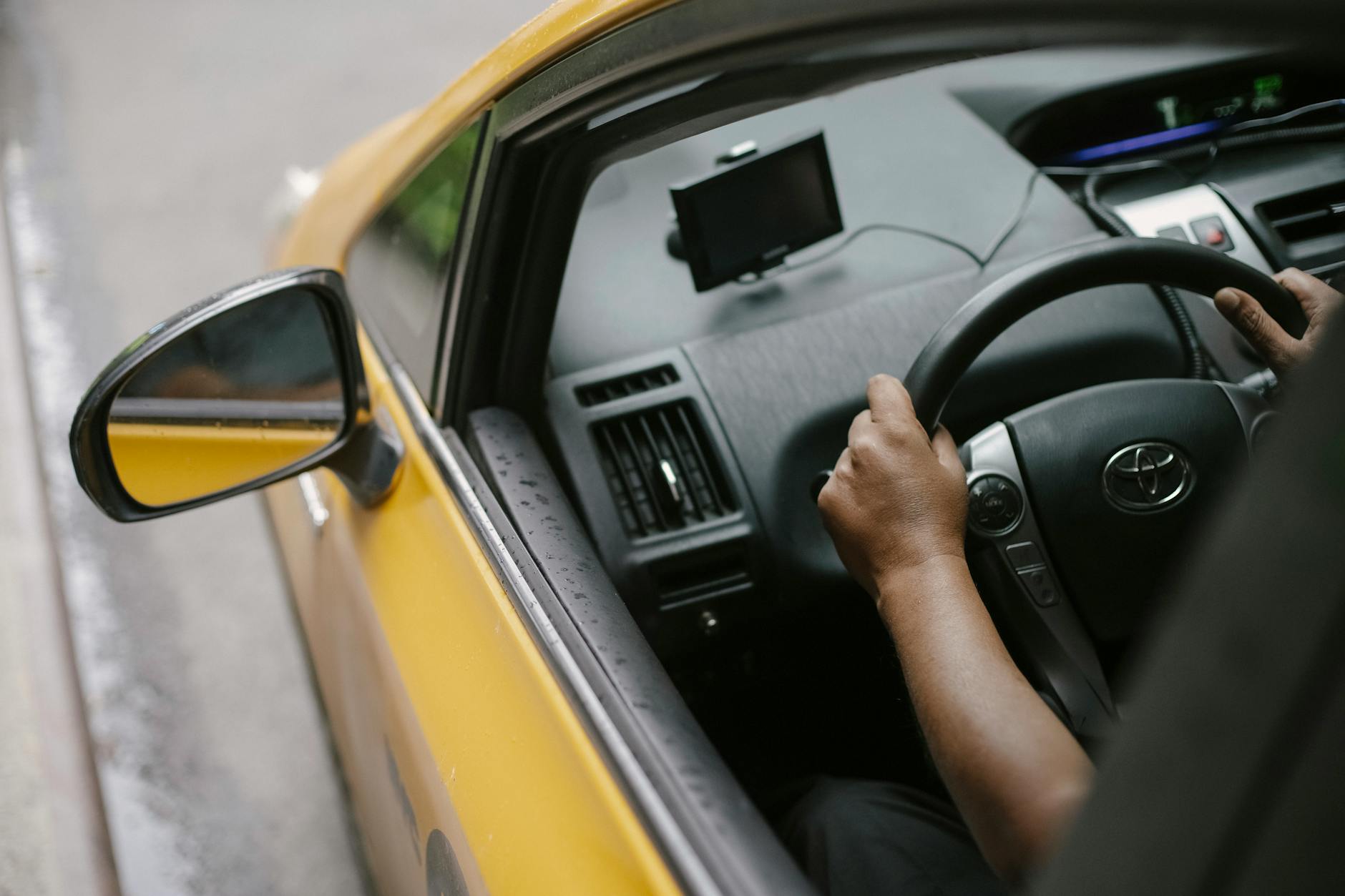 Photo by Tim Samuel
Weighing refurbished vs new for taxi drivers
Choosing between refurbished and new devices hinges on cost, warranty, and what you can realistically inspect before buying. Here are practical considerations to help you decide quickly and confidently.
- Cost and total ownership: Refurbished phones can save you a significant amount upfront, often 30–55% less than new units. If you drive every day, the savings add up over a two-year period. However, weigh the long-term value against potential repair needs and battery wear.
- Warranties and return policies: A reputable refurbished device typically includes a limited warranty, sometimes 90 days to a year. Compare what’s covered, especially for the battery and charging port, since these impact uptime on long shifts. A fresh device usually comes with a full manufacturer warranty, but the price tag is higher.
- What to check before buying used or refurbished:
- Battery health: Ask for a battery health report or test the battery endurance in-store. A replacement battery can be a smart add-on if available.
- Physical condition: Look for screen delamination, cracks, and port wear. Ensure the speaker, microphone, and camera lenses are clean and functional.
- Software status: Ensure the device is unlocked or compatible with your carrier, and that it can receive current OS updates.
- Access to official updates: New devices guarantee longer software support, which matters for map apps and security.
- Quick start tips: If you’re on a tight budget, consider refurbished units from reputable vendors with clear return windows and documented battery health. For a deeper look at refurbished vs new, you can explore industry perspectives and warranties here and here.
Smart takeaway: a refurbished option can be a smart bridge if you prioritize upfront cost, provided you verify battery health and warranty terms. For fleets that want predictable spend, weighing warranty coverage can prevent surprise mid-shift outages.
Smart buying tips like bundles and car chargers
Maximizing uptime starts with smart accessories and sensible bundles. A few well-chosen add-ons can protect your investment and keep you on the go.
- Sturdy car mount: Invest in a mount with strong grip, vibration dampening, and quick removal. A reliable mount reduces the risk of the device slipping during a sweep of the road or a sharp turn.
- Car charger and charging strip: A fast car charger or a wireless charging pad eliminates frequent breaks to plug in. If possible, pair with a USB-C PD charger to minimize charging time.
- Battery health insurance: In busy shifts, you’ll want a spare charging solution. Consider a power bank with enough capacity to top up between rides, especially on long routes.
- Protective case considerations: A ruggedized case with a grippy texture helps prevent slips in wet conditions or with sweaty hands.
- Preloaded accessories setup: Keep a clean, simple kit in the cab with a mount, charger, and spare charging cable. A tidy setup reduces downtime and distraction.
Practical setup example: use Google Maps as the primary navigation app for general routing and Waze for real-time traffic during peak hours. Pair this with a robust dash mount, a PD car charger, and a compact power bank for overnight or long-haul shifts. For guidance on mounting and accessory choices used by drivers, you can read practical overviews here and here.
Maintenance and care to extend phone life
All-day taxi work takes a toll on devices. Simple routines can prevent heat buildup, dust intrusion, and accidental drops, extending the life of your smartphone.
- Protect against heat: Heat is a silent battery killer. Avoid leaving the phone in direct sunlight on the dash. If it heats up during a long ride, pause navigation, cool the device, and remove the case if it traps heat.
- Shield from dust and moisture: Wipe the screen and ports regularly and consider a modest screen protector with a dust-resistant edge. A silicone or rugged case can minimize dust intrusion during shifts with open windows.
- Drop prevention: A quality case with reinforced corners reduces impact risk from drops on hard pavements or crowded cabs. Check the mount’s grip periodically to ensure it stays secure.
- Battery health habits: Try to keep the battery between 20% and 80% most of the time. If you expect a long shift, topping up before it begins helps avoid last-minute charge needs.
- Cleaning and software health: Regularly clear unused apps and background services. Keep the latest OS updates installed to maintain GPS accuracy and app performance.
- Temperature-aware charging: If possible, charge the device in a cooler area of the car, away from direct heat or sun during hot days.
Real-world guidance reinforces these practices. Drivers report longer device life when they combine a sturdy mount, a reliable charger, and routine cleaning. For more practical tips on keeping devices in top shape, check trusted maintenance guides and driver-focused discussions.
Links and sources are provided to help you verify capabilities and compare models. For ongoing guidance on choosing among top options, consider how these elements come together in a single device and how that fits your typical taxi routes and shifts.
Images and additional context can help illustrate these ideas and give you a visual sense of how to set up a budget-friendly navigation phone in your cab. Photo by Tim Samuel from Pexels. Credit: Photo by Tim Samuel
Practical takeaway points for budget-minded taxi drivers
- Battery first: Prioritize devices with solid endurance or easy access to battery swaps where available.
- Check warranties: A modest warranty on refurbished devices can save more in the long run.
- Bundles win: A car mount plus a fast charger and a power bank can dramatically reduce downtime.
- Protect the device: A durable case, screen protection, and proper mounting pay off after a rough shift.
With these paths in mind, you can approach your next phone purchase with clear criteria. The goal is a device that delivers dependable GPS, steady uptime, and resilience against the daily grind.
Images and sources for deeper dives are available to help you compare options and plan your budget. For more on refurbished versus new options and practical bundles, explore reliable reviews and consumer guides.
[Link: Refurbished versus new smartphones cost-benefit] [Link: Best budget bundles for taxi drivers] [Link: Smartphone maintenance tips for heat and dust]
Conclusion
Choosing the right smartphone for taxi work hinges on three pillars: reliable GPS navigation, all day battery life, and a durable build. A solid smartphone with strong location tracking, ample screen brightness, and dependable endurance reduces drift, shortens wait times, and keeps dispatches on schedule. In practice, you want a device that stays online through back to back rides and can withstand the daily hustle.
If you’re on a tight budget, look for a budget or mid range model that still offers at least 4,000 mAh, solid GPS performance, and a readable display in daylight. Refurbished options can trim costs while preserving necessary reliability, as long as battery health and a clear warranty are verified. For mid range buyers, prioritize models with robust software optimization and reliable security updates to keep navigation apps smooth over years of use.
For drivers who can spend more, prioritize premium devices with top tier GPS accuracy, longer software support, and tougher construction. These phones often deliver the fewest mid shift disruptions, thanks to strong battery management and dependable sensors. Ensure you pair the device with a sturdy dash mount and a fast charging setup to maximize uptime.
Actionable next steps: identify your typical shift length and charging routine, shortlist two to three models in your budget tier, and test them over a two week period on your usual routes. If you share your experience in the comments, other drivers can benefit from your real world results.