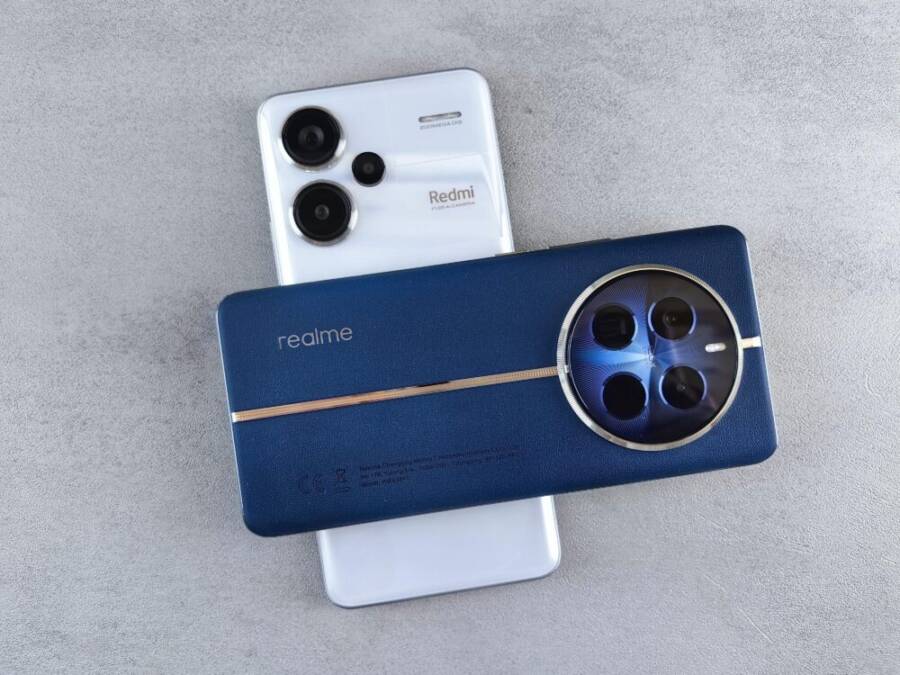
You don’t need a big budget to capture pro level photos. A solid camera phone under $300 can deliver sharp, vibrant images that compete with devices far pricier. If you’re chasing everyday snaps, social media posts, and travel memories, that price point can be exactly the sweet spot.
In this guide, you’ll see why affordable smartphones matter for real life. You’ll get a quick sense of what to look for: megapixels aren’t everything, but night mode, reliable software, and easy photo editing matter more than raw numbers. We’ll also point out how good software processing can elevate results even when hardware isn’t flagship level.
The biggest wins come from strong software and thoughtful design. A phone that handles color, skin tones, and detail well reduces the need for heavy editing after the shot. That means more time enjoying your day and less time staring at menus and modes trying to coax a decent photo out of cloudy skies or challenging light.
Here’s the headliner you can expect from this budget friendly category. The best overall pick for under $300 shines with smart software that elevates photos across lighting conditions. It also combines a compact, user friendly design with dependable performance for everyday use.
We’ll cover five standout options, highlighting what makes each one worth a closer look. Expect clear notes on camera performance, battery life, screen quality, and value for money. If you want a confident pick, the top choice delivers consistent results and a smooth experience that won’t break the bank. The star of the show is the Google Pixel 9a, praised for its smart software magic that makes every shot look thoughtful and polished. This is the smartphone you’ll actually want to reach for, again and again.
Top Camera Features That Deliver Great Shots
Great photos start with the right mix of hardware and software, especially in a budget phone. You want a camera system that captures accurate color, handles detail well, and performs reliably in common shooting situations. Here’s what to look for and why it matters.
- Megapixels aren’t everything. A solid main sensor around 50MP or better can deliver sharp images, but software processing often matters more in this price tier. Look for good dynamic range, crisp textures, and dependable color accuracy in everyday lighting.
- Lens assortment. A versatile setup typically includes a main wide camera plus an ultrawide. Some phones add a macro or depth sensor for creative close-ups. The goal is flexibility without clutter.
- Stabilization. Optical or electronic stabilization reduces blur in low light and while you’re moving. If you shoot at dusk or while walking, this is a real saver.
- Low-light modes. A capable night mode and multi-frame processing can rescue photos in dim environments. Favor phones that stack frames intelligently and minimize noise.
- Software polish over raw brute force. Budget phones often win through smart on-device AI and image processing. A strong imaging pipeline can outperform a higher-megapixel sensor when the software handles tone, texture, and noise well.
Quick testing tips to sanity check a camera:
- Shoot in usual lighting and compare color, exposure, and texture render between main and ultrawide.
- Take a trip across indoor and outdoor scenes to see how well the phone preserves skin tones and details.
- Test autofocus by snapping moving subjects or scenes with texture like foliage.
For reference, industry writeups emphasize that software processing can dwarf raw sensor numbers in value, especially on budget devices. A reputable budget camera phone often relies on software to extract the most from its hardware. For deeper reading, check budget camera phone guides from reputable outlets.
- The best budget options commonly highlight AI enhancements that improve color and dynamic range without sacrificing natural look. See expert roundups for current under-$300 picks and how they balance sensor quality with software features.
- For real-world impressions, you’ll find hands-on tests detailing how these devices perform in city lighting, travel scenes, and everyday portraits.
Links you may find useful:
- https://amateurphotographer.com/buying-advice/the-best-budget-camera-phones/
- https://www.digitalcameraworld.com/buying-guides/best-budget-camera-phones
Battery, Screen, and Speed You Need Too
A great camera phone under $300 should pair imaging chops with dependable all-day performance. Here’s what to prioritize and why it matters for your photography workflow.
- Battery life matters for longer shoots. A 5000mAh class battery is common in this segment and helps you stay out shooting longer without scrambling for a charger. Fast charging adds a nice margin, letting you top up between locations.
- Screen quality drives your editing and framing. A 6.5-inch or larger AMOLED or high-quality LCD with Full HD+ resolution makes it easier to preview colors and details. A higher refresh rate (90Hz or 120Hz) keeps the interface snappy while you browse and adjust shots.
- Processing power equals faster snaps. Mid-range chips from MediaTek or Qualcomm handle daily tasks smoothly and support efficient image processing. This translates to quicker focus, faster shot-to-shot performance, and better handling of multiple shots in a row.
- Camera use and overall experience intersect. When a phone is responsive, you’ll be more likely to try different modes, tweak exposure, and experiment with composition. That ease directly improves your results and saves time in the field.
- Practical testing notes. Look for consistent performance across apps, reliable night mode behavior, and a responsive camera app that won’t lag during bursts or while reviewing shots.
If you want hands-on references on the current under-$300 landscape, several guides discuss how battery capacity, screen tech, and mid-range processors influence camera performance. These insights help you choose a phone that won’t hold you back when you’re chasing the perfect shot.
- For a roundup of under-$300 devices with strong all-around performance, see contemporary buyer’s guides that compare battery life and camera output.
- On the camera side, look for reviews that call out stabilization, low-light behavior, and software polish as major wins in this price range.
Links you may find useful:
- https://www.cnet.com/tech/mobile/best-phones-under-300/
- https://www.stuff.tv/features/best-budget-camera-phone/
This section keeps you focused on the core ideas: you don’t need flagship hardware to capture great photos, but you do want reliable power, a vivid display for editing, and a fast enough processor to keep up with your creative pace. When these elements align, the results feel like you’ve got a more capable smartphone in your hands. And as you test, you’ll see how software processing often bridges the gap between hardware gaps and real-world results.
Best Camera Phone Under $300: Top Picks and Pixel 9a Spotlight
In this section, we zero in on why the Google Pixel 9a deserves a spotlight in the under-$300 category. You’ll get a clear sense of how its camera stack stacks up in real life, not just on paper. Expect straightforward notes on why the imaging pipeline matters, how the hardware and software work together, and what you can expect from daily shooting. If you’re weighing options, this breakdown helps you decide whether the Pixel 9a is the right smartphone for your photo habit.
Why Its Camera Beats the Rest
The Pixel 9a earns its place with a smart blend of hardware and software that punches above its price. On the hardware side, the main 48MP sensor captures solid detail with good texture rendering, while Optical Image Stabilization keeps shots sharp when hands shake or you’re shooting in dim light. The ultrawide 13MP lens adds versatility for landscapes and group photos, broadening framing options without sacrificing image quality in moderate light.
Where the Pixel 9a truly shines is in software. Night Sight improves dark scenes without producing overprocessed looks, and AI-driven features like Real Tone help skin tones stay natural across diverse subjects. The camera app is responsive, with quick focus and reliable face detection, so you can frame a shot and move on. The Pixel’s computational photography stack does a lot of the heavy lifting, turning decent hardware into consistently polished results. In real-world use, this means fewer fiddly adjustments and more confidence in your daily photos. For more context on the Pixel 9a’s reception, see expert reviews from outlets like CNET and PCMag. https://www.cnet.com/tech/mobile/google-pixel-9a-review-a-value-packed-phone-just-at-the-right-time/ https://www.pcmag.com/comparisons/google-pixel-9a-vs-pixel-9-whats-the-difference
Low-light samples illustrate the edge the software provides. In typical indoor lighting, the main camera captures bright, balanced images with controlled noise. Nights and dusk scenes look natural, with preserved texture and pleasant color reproduction. The ultrawide edge remains useful here too, offering broader scenes without heavy distortion, though fine detail on the edges can soften when light drops. For landscape lovers, the wider field of view helps tell more of the story in a single frame. If you crave more nuance on this topic, a hands-on look at pixel processing in mid-range devices can offer additional perspective. Best Buy’s Pixel 9a listing confirms the camera’s capabilities in a compact, affordable package. https://www.bestbuy.com/product/google-pixel-9a-128gb-unlocked-porcelain/J39TC8J7TP/sku/6612952
External references reinforce the idea that software polish often carries more weight than sensor bragging rights at this price. Expect AI-driven enhancements to boost dynamic range without appearing fake, while color science stays true to life rather than leaning toward an over-saturated punch. If you want a broader view, Android Faithful’s review highlights the Pixel 9a as a mid-range standout with a strong camera app and reliable performance. https://www.androidfaithful.com/google-pixel-9a-review-a-mid-range-master-with-an-identity-crisis/
- Real-world takeaway: the Pixel 9a delivers dependable day-to-day photography with a small, easy-to-handle form factor and a camera system that rewards thoughtful framing rather than constant mode-hopping. For more practical comparisons, a quick look at comparisons between Pixel 9a and its peers helps set expectations. https://www.pcmag.com/comparisons/google-pixel-9a-vs-pixel-9-whats-the-difference
- Quick stat snapshot: main camera around 48MP with OIS, ultrawide 13MP, 4K video, and strong Night Sight performance that keeps noise in check without sacrificing detail. This combination makes the Pixel 9a a compelling choice for casual shooters who want reliable results without a lot of fuss.
Real-World Pros and Quick Cons
In everyday use, the Pixel 9a tends to feel like a reliable partner for photographers who don’t want to tinker with settings all day. Its strengths show up in the kind of shots you take on weeknights and weekend getaways, when you want fast results and honest color. The reviews consistently call out smooth software updates, solid battery life, and a responsive camera app that lets you shoot without friction. For many, this means more photos and fewer excuses for not capturing moments.
Pros you’ll notice in practice:
- Consistent daylight performance with sharp detail and natural color that requires minimal edits.
- Strong software features that simplify editing, like AI-based improvements and smart object removal for clean landscapes and street scenes.
- Long-lasting battery and a bright, color-accurate screen that makes review and editing on the go pleasant.
- Comfortable, compact design that feels great in one hand, ideal for spontaneous photography sessions.
Common cons to weigh:
- Low-light performance is solid but not the best in class; you’ll still see more noise than on flagship models.
- No dedicated telephoto lens means limited true optical zoom; you’ll rely on digital zoom, which degrades image quality at higher magnifications.
- Ultrawide helps with expansive scenes, but edge sharpness can dip in challenging lighting, and no macro mode restricts close-up creativity.
In testing, battery endurance often matches the Pixel 9a’s camera performance. A reliable all-day charge means more chances to shoot, edit, and share on location. When you’re viewing photos, the screen’s clarity and color accuracy help you judge exposure and detail quickly without second-guessing. For a broader sense of how the Pixel 9a stacks up against the Pixel 9 and other mid-range rivals, see the side-by-side comparison from PCMag. https://www.pcmag.com/comparisons/google-pixel-9a-vs-pixel-9-whats-the-difference
In summary, the Pixel 9a offers a balanced photo experience that fits everyday life. It delivers credible performance across most shooting scenarios, with software smoothing over hardware limitations. If you want a dependable, user-friendly option that still feels capable behind the lens, this smartphone makes a strong case. For more hands-on impressions from different outlets, you can check reviews at reputable sources like CNET and Best Buy. https://www.cnet.com/tech/mobile/google-pixel-9a-review-a-value-packed-phone-just-at-the-right-time/ https://www.bestbuy.com/product/google-pixel-9a-128gb-unlocked-porcelain/J39TC8J7TP/sku/6612952
Links referenced in this section:
- CNET Pixel 9a review: https://www.cnet.com/tech/mobile/google-pixel-9a-review-a-value-packed-phone-just-at-the-right-time/
- PCMag Pixel 9a vs Pixel 9: https://www.pcmag.com/comparisons/google-pixel-9a-vs-pixel-9-whats-the-difference
- Best Buy Pixel 9a page: https://www.bestbuy.com/product/google-pixel-9a-128gb-unlocked-porcelain/J39TC8J7TP/sku/6612952
- Android Faithful Pixel 9a review: https://www.androidfaithful.com/google-pixel-9a-review-a-mid-range-master-with-an-identity-crisis/
Strong Runners-Up for Every Budget
If you’re shopping for a capable camera phone under $300, you don’t have to choose between value and proven performance. This section highlights solid runners-up that excel in real-life photography while staying friendly to your wallet. Each option brings a balanced mix of imaging prowess, reliable software, and practical features that help you capture sharp, natural-looking photos without a steep learning curve. Whether you shoot daily selfies, landscapes, or night scenes, these picks offer dependable results and easy editing paths. They’re the kind of smartphones you’ll actually reach for, day after day.
CMF Phone 2 Pro: Fun and Modular Choice
The CMF Phone 2 Pro stands out for its modular approach and approachable camera setup. The main 50MP sensor delivers solid texture and clear detail in good light, while the 8MP ultra-wide helps you frame broader scenes without stepping back. A dedicated macro lens adds creative close-ups for flowers, textures, and tiny details you might miss with a standard setup. The Dimensity 7300 Pro keeps things smooth for everyday use, and the 5000mAh battery easily lasts a full day. The 6.77-inch AMOLED display is bright and punchy, aiding composition and editing on the go. Pros include a clean, bloat-free OS and reliable battery life; cons are the absence of optical image stabilization and slightly softer edge performance in low light. For budget-minded shooters, this phone offers a fun blend of versatility and value.
External references you may find useful:
- https://www.techradar.com/phones/nothing-phones/a-couple-of-weeks-thoroughly-testing-the-cmf-phone-2-pro-showed-me-its-not-just-a-bargain-its-in-a-class-of-its-own
- https://mynexttablet.com/cmf-phone-2-pro-review/
- https://www.wired.com/review/cmf-phone-2-pro/
Samsung Galaxy A35: Reliable All-Rounder
The Samsung Galaxy A35 keeps expectations reasonable while delivering dependable performance across the board. Its 50MP main camera with an 8MP ultra-wide offers versatile framing for everyday photography, and the 5MP macro adds a bit of close-up texture when you want it. The Exynos 1280 chipset keeps the interface responsive and smooth under typical apps and camera use, and the 5000mAh battery helps you shoot longer between charges. The 6.6-inch AMOLED screen makes previewing shots pleasant, with good color accuracy for quick in-field edits. Pros center on brand trust and a solid, well-rounded experience; cons point to weaker night performance compared with higher-end rivals. This is a reliable all-rounder for general photography and daily use.
External references you may find useful:
- https://amateurphotographer.com/review/samsung-galaxy-a35-review/
- https://www.wired.com/review/samsung-galaxy-a35-5g/
Motorola Edge 50 Neo and Galaxy A14 Basics
- Motorola Edge 50 Neo: Good low-light performance for a budget phone, with a compact form factor and efficient software. The camera holds up in dim conditions better than many peers in this price range, making it a solid choice for casual night photography. The overall package remains balanced with a clean Android experience and dependable battery life.
- Galaxy A14: A budget staple that earns its keep with a big battery and long endurance. It relies on an LCD screen rather than an AMOLED, which keeps costs down but also means slightly less punch in color and contrast. For those who want a simple, no-fuss camera phone that can run all day and provide sharp daytime shots, the A14 remains a dependable pick.
External references you may find useful:
- https://www.cnet.com/tech/mobile/best-phones-under-300/
- https://www.stuff.tv/features/best-budget-camera-phone/
In practice, these devices show how thoughtful software processing and sensible hardware choices can punch above their weight. They’re not about chasing the fastest specs, but about delivering reliable, predictable results that help you build a steady photography habit without constant setup. You’ll enjoy straightforward cameras, longer battery life, and a friendly user experience that keeps you in the moment rather than stuck in menus. For a broader view, see hands-on impressions from multiple outlets comparing similar budget models.
Compare and Buy the Right Camera Phone Under $300
You don’t need to overspend to get solid camera performance. In this section, you’ll get a quick yet practical snapshot of top options and a smarter approach to buying. The focus is on real-world imaging, all-day battery life, and software that helps you get great shots fast. We’ll pair quick specs with buying tips so you can decide what to prioritize and spot a good deal when it appears.
 Photo by Andrey Matveev
Quick Specs Comparison Table
| model | price | main camera | battery | best for |
|---|---|---|---|---|
| Google Pixel 9a | $399 – $499 | 48 MP main, 13 MP ultrawide | 5100 mAh | Consistent software polish, good night shots |
| CMF Phone 2 Pro | Under $300 | 50 MP main, 8 MP ultrawide | 5000 mAh | Modularity and versatile budget photography |
| Samsung Galaxy A35 | Under $300 | 50 MP main, 8 MP ultrawide | 5000 mAh | Reliable everyday camera, solid all-rounder |
| Motorola Edge 50 Neo | Under $300 | 50 MP main, 8 MP ultrawide | 5000 mAh | Good low light for a budget device, compact feel |
| Samsung Galaxy A14 | Under $300 | 50 MP main, 2 MP macro | 5000 mAh | Simple, dependable daytime shots, long endurance |
Notes:
- The Pixel 9a sits at a higher price tier, but its imaging software and night performance often justify the investment if you can stretch your budget.
- Look for phones with a main camera around 50 MP, reliable stabilization, and a usable ultrawide to keep options open in varied scenes.
- Battery size matters for long photo walks; 5000 mAh or larger is a practical sweet spot for all-day shooting.
For deeper context on how software can elevate results on budget devices, see expert roundups from reputable outlets that compare imaging pipelines and real-world results.
- Example: budget camera phone roundups and how software processing shapes photos under $300.
- See more in-depth coverage from sources like Amateur Photographer and Digital Camera World.
External references you may find useful:
- https://amateurphotographer.com/buying-advice/the-best-budget-camera-phones/
- https://www.digitalcameraworld.com/buying-guides/best-budget-camera-phones
Real-World Buying Tips for Max Value
When you shop, focus on what you actually need. If your photos are usually daytime portraits and quick social posts, prioritize color accuracy and fast focus. If you shoot at dawn or indoors, stabilization and night modes become critical. Here are practical tips to maximize value:
- Match needs to picks. If you shoot a lot of landscapes, choose a phone with a solid ultrawide and good exposure handling.
- Watch for Nov sales. November often brings price drops and bundled offers. Set a price alert and compare final costs across retailers.
- Check return policies. A 14 to 30 day return window helps you test real-world performance without commitment.
- Trust software, not just sensors. A strong imaging pipeline can make a mid-range camera feel sharper than a higher MP count.
- Prioritize ongoing support. Consistent software updates extend the usable life of budget devices.
Visible links for deeper reading on buying strategies and current market options include:
- https://www.cnet.com/tech/mobile/best-phones-under-300/
- https://www.stuff.tv/features/best-budget-camera-phone/
With careful choices, you can land a well-rounded camera phone that handles daily shots with ease, avoids creeping lag, and stays comfortable in your pocket.
Sources you can consult for context and pricing trends:
- Pixel 9a review and live market positioning
- Hands-on impressions from major outlets comparing budget models
If you want a quick take, the Pixel 9a stands out for software-driven improvements, while the other picks deliver dependable results with careful use of modes and editing. For hands-on impressions from multiple outlets about similar budget models, you can explore additional reviews and roundups to confirm your final choice.
External links for expanded review context:
- https://www.cnet.com/tech/mobile/google-pixel-9a-review-a-value-packed-phone-just-at-the-right-time/
- https://www.pcmag.com/comparisons/google-pixel-9a-vs-pixel-9-whats-the-difference
- https://www.bestbuy.com/product/google-pixel-9a-128gb-unlocked-porcelain/J39TC8J7TP/sku/6612952
Quick Takeaway
- For pure budget value, the CMF Phone 2 Pro and Samsung Galaxy A35 stand out as practical options with strong core cameras and all-day endurance.
- If you can stretch, the Pixel 9a offers superb software-driven results that many users feel are worth the extra spend.
- Always check return policies and current sale timing to maximize value without sacrificing peace of mind.
Conclusion
The Pixel 9a stands out as the top camera champ in this budget-focused discussion, thanks to its smart software and reliable day to day results. Its main camera delivers solid detail, natural color, and strong night performance, while software features help you get polished shots with minimal editing. Do note that current market pricing places the Pixel 9a above the strict $300 ceiling, so many readers will find excellent value in solid under $300 alternatives.
If you’re firm on a firm $300 cap, the Galaxy A14 and similar models offer dependable core cameras, good battery life, and straightforward editing paths that keep you in rhythm with your photography. For those who want extra versatility without blowing the budget, options with multiple lenses and strong all around performance remain appealing, even if you skip the premium sensor bragging rights.
As you grab a quick shoot today, remember that real value comes from software polish, good stabilization, and a screen you enjoy for reviews on the go. Check the links, weigh your budget, and share your pick in the comments. Happy shooting, and may your next snap be your best one yet.