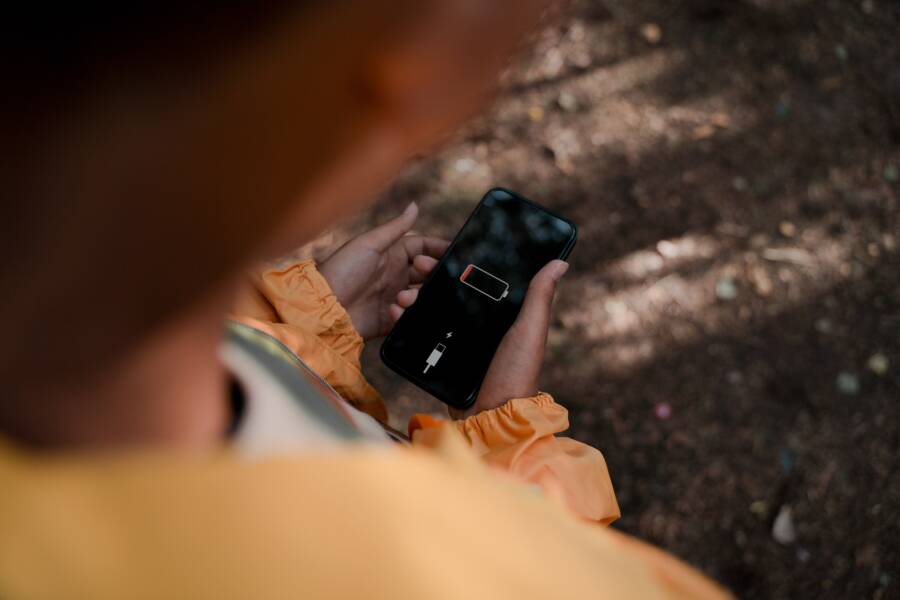
Wireless charging often fails when you use a case because the extra distance prevents the power coils from connecting properly. Most smartphone charging pads require the device to sit within a few millimeters of the surface to create a stable magnetic field.
When your case is too thick or contains metal, it breaks this electromagnetic link. Many modern cases prioritize protection over charging efficiency, but you can often restore functionality with a few simple adjustments.
Understanding the Distance Gap in Wireless Charging
Wireless charging relies on a process called electromagnetic induction. A transmitter coil in the charging base sends energy to a receiver coil inside your smartphone. For this transfer to happen, these coils must stay within a very tight proximity. Most manufacturers design these components to function optimally when the gap between the coils is less than 5 millimeters.
When you add a phone case, you increase the physical distance between the charger and the internal components. This separation weakens the magnetic field significantly. If the gap becomes too wide, the charging pad fails to detect the device. The connection then drops, preventing power transfer.
The Impact of Materials on Charging Efficiency
Not all materials affect charging distance in the same way. Some fabrics or plastics are thin enough to allow energy transfer, while others create barriers that block the field entirely.
Plastic and silicone: These materials generally work well for wireless charging. Because they are non-conductive, they allow magnetic fields to pass through without much resistance.
Metal or magnetic plates: Metal creates a massive hurdle for wireless chargers. It can reflect the magnetic energy or heat up rapidly, which causes the smartphone to stop charging for safety reasons.
Heavy-duty or wallet cases: Thick cases, especially those designed for extreme impact, often place the device too far from the charging surface. Extra layers of rubber or reinforced corners create a distance gap that exceeds the effective range of the induction coils.
Recognizing Signals of Charging Incompatibility
Your smartphone will often provide feedback when the distance gap is too large. If you notice these symptoms, the case is likely interfering with the connection.
The charging icon on your screen flickers on and off repeatedly.
The device remains cold or does not increase in battery percentage after an hour.
Your charging pad shows a blinking error light instead of a solid charging status.
The smartphone warms up significantly near the camera or the center of the back.
Adjusting your phone position helps determine if distance is the primary culprit. Try lifting the device slightly or removing the case for a test charge. If the phone starts charging immediately without the case, you have confirmed that the thickness or material density creates the bottleneck. Finding a thinner case or a model specifically rated for wireless charging solves this common issue.
Check Your Case for Interference
When your smartphone fails to charge wirelessly, the culprit is often a physical barrier between the coils. Even a thin layer of material can disrupt the magnetic field enough to stop power flow. Checking your case is the first logical step toward diagnosing this common charging frustration.
Identifying Metal and Magnetic Attachments
Materials that conduct electricity or block magnetic fields cause immediate issues for wireless chargers. Credit card holders, metal plates for car mounts, and ring holders are common offenders that frequently stop a charge. These items create a physical gap and often contain alloys that interfere with the magnetic induction process.
If you keep any of these accessories attached to your smartphone, remove them before you place the device on a charging base. Once you strip away these extras, the internal coils can establish a stable connection. If the phone starts to charge, you know the attachment prevented the link. Avoid placing metal or magnetic items between the phone and the charger, because these materials sometimes heat up to dangerous levels while consuming power meant for your battery.
When Plastic and Rubber Cases Are Too Thick
Wireless charging coils operate best when the gap between the charger and the internal receiver is minimal. Most manufacturers design these components to work through barriers up to 3 millimeters or 5 millimeters thick. If your case exceeds this standard, the magnetic field strength drops off too rapidly for a reliable connection.
Rugged, military-grade, or shock-absorbing cases often exceed these limits to protect against drops. These cases feature thick corners, air pockets, or multiple layers of rubber that push the smartphone away from the charging surface. If you suspect your case is too bulky, try these simple steps:
Test the phone on the charger without the case.
Measure the thickness of the back panel if possible.
Look for cases explicitly labeled as wireless-charging compatible.
Cases designed for heavy protection often trade charging convenience for durability. You might find that switching to a slimmer model restores your ability to use wireless docks. If you prefer to keep a rugged case, you may need to use a wired connection instead to avoid constant charging drops.
Steps to Fix Your Charging Issues
Fixing wireless charging problems often comes down to precise alignment. Because charging pads transmit power through specific electromagnetic coils, even a slight shift can break the energy link. When your smartphone sits inside a case, the added distance makes this alignment process more sensitive. Taking the time to center your device correctly is the most effective way to restore a steady charge.
Perfecting Your Device Placement
Wireless chargers contain a transmitter coil that must line up perfectly with the receiver coil inside your smartphone. Most charging pads include a central sweet spot, which is the specific area where the magnetic field is strongest. If your phone sits even slightly off-center, the coils fail to overlap effectively. This misalignment causes the charger to lose its connection, leading to an interrupted power supply.
Cases exacerbate this issue because they create a physical buffer between the two components. When you place a case-clad phone on a pad, you cannot see the internal coil alignment as easily. You might assume the phone is charging because it rests on the base, but the signal remains too weak to initiate the process. Follow these tips to improve your success rate:
Locate the center of your charging pad and align it with the middle of your phone back.
Wait for the audible tone or the charging icon to appear before you walk away.
Reposition the device slowly if you notice the indicator flickering on and off.
Remove the case momentarily to see if the charging base detects the phone in the same spot.
If you find that the charger only works when the phone is perfectly centered, consider using a charging stand instead of a flat pad. Stands often feature a raised design that forces the smartphone into the correct vertical alignment. These accessories reduce the margin for error because they guide your phone to the same position every time. Once you find the ideal spot, mark it or learn the exact placement to avoid future charging drops.
Small adjustments make a significant difference when a thick case is involved. Sometimes sliding the phone just two or three millimeters in any direction is enough to snap the magnetic connection back into place. Pay attention to your battery icon during these adjustments so you know exactly when the charge begins. Stability is the primary goal, so keep the phone still once the connection starts to prevent unnecessary breaks in power flow.
Choosing a Charger That Works With Your Case
The right charger makes a massive difference when you use a protective case on your smartphone. Most wireless charging pads perform reliably through standard plastic or silicone covers, but some heavy-duty designs block the transfer of power. Before you buy a new charging accessory, evaluate your current case to see if it matches your charging habits.
Identifying Charger Specifications
Look for chargers labeled with high power ratings or extended range capabilities. Most standard pads offer 5W to 10W of power, which is sufficient for many slim cases. However, if your case adds significant thickness, you might need a high-output charger. These models generate a stronger magnetic field that can penetrate thicker barriers.
Check the product packaging for a maximum distance specification. Manufacturers often state the effective charging distance in millimeters. If your case is thicker than this limit, you will likely struggle to maintain a charge. High-quality chargers also include cooling features that prevent the phone from overheating when the internal coils work harder to bridge the gap.
Matching Charger Types to Your Case
The physical shape of the charger impacts how it interacts with your gear. Flat pads are common, but they allow a heavy phone to slide out of position easily. If you have a bulky case, it may prevent the phone from sitting flush against the pad surface.
Consider these common charger styles:
Charging stands usually offer better alignment for phones with thick cases because the phone rests against a backplate.
Flat magnetic pucks are excellent for cases that include integrated magnetic rings, as these align the coils automatically.
Multi-coil pads provide a wider sweet spot, which helps if your case makes it difficult to find the exact center of the charging area.
Evaluating Case Materials Before Purchase
You should prioritize cases made from materials that do not interfere with magnetism. Hard plastic, TPU, and silicone remain the safest choices for wireless charging. Avoid cases with built-in metal kickstands or thick rubber bumpers that wrap around the charging area.
If you prefer a rugged case, verify that the manufacturer specifically mentions wireless charging support. These brands often use specialized polymers that balance shock absorption with signal transparency. Testing your phone with the case on a friend’s charger or in a store display provides immediate confirmation before you commit to a purchase. Choosing a model that aligns with your charging needs prevents the frustration of waking up to a phone that never gained battery life.
Conclusion
Wireless charging failures often stem from physical barriers between your smartphone and the charging base. Removing metal attachments, testing your case thickness, and ensuring precise coil alignment usually resolve these connection drops.
If your device continues to struggle, try removing the case to confirm the issue is hardware-related. Choosing a slim, non-conductive cover designed for wireless power transfer remains the most effective way to restore functionality.