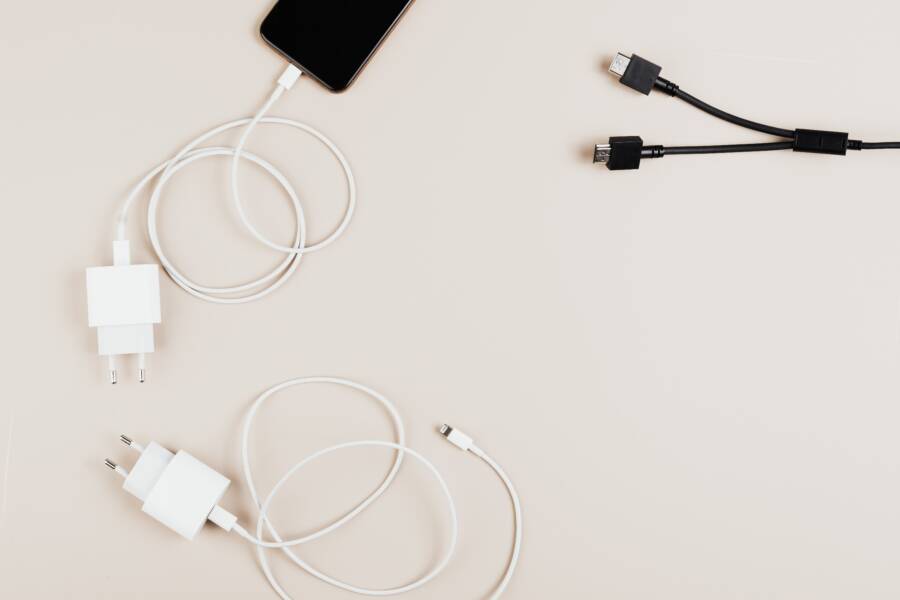
An excessively hot charger often signals a faulty component or inefficient power delivery. While slight warmth is standard during rapid charging, extreme heat indicates a significant safety risk that demands your immediate attention.
Protecting your smartphone requires a proactive approach toward your power accessories. You should monitor your equipment closely because internal damage or frayed cables frequently cause thermal spikes.
This guide helps you identify dangerous habits and determine when your charger is no longer safe to use. You will learn how to troubleshoot common heating issues and when to replace your equipment to prevent long-term damage.
Why Your Smartphone Charger Gets Too Hot
Your smartphone charger converts high-voltage alternating current from a wall outlet into low-voltage direct current your device uses. This process is rarely perfect, so some energy inevitably turns into heat. While a warm adapter is normal, excessive heat shows that energy is leaking away as thermal waste. Understanding the causes of this buildup helps you protect your battery and prevent potential hazards.
The Dangers of Cheap or Damaged Accessories
Low-cost or counterfeit chargers often lack the quality components needed for safe power delivery. Manufacturers of these knockoff products frequently skip safety regulators like surge protection and thermal fuses to keep prices low. Without these safeguards, the internal circuitry cannot handle fluctuations in current. The charger then pushes unregulated power through your smartphone, which forces the device to work harder to manage the intake.
Frayed wires also play a significant role in overheating. When the internal copper strands within a cable break or wear down, the path for electricity becomes restricted. This resistance forces the charger to exert more effort to push the same amount of power to your phone. The energy that fails to travel through the damaged wire manifests as heat at the connection points.
Using damaged accessories creates several risks for your hardware:
Internal components degrade faster due to inconsistent voltage.
Connector pins inside your charging port can melt or deform.
The insulation around the wire may soften and expose live parts.
Short circuits become more likely as the wire casing weakens.
Inspect your cables regularly for bends, tears, or exposed shielding. If you find any damage, stop using the cable immediately. Replacing a compromised charger is cheaper than repairing a port or replacing a battery that has suffered heat stress.
Environmental Factors and Airflow
Heat dissipation relies on the ability of the charger to release warmth into the surrounding air. When you bury a charging brick under a pillow, blanket, or other fabric, you trap that thermal energy. The temperature rises rapidly because the heat has nowhere to go. Most adapters operate within a specific temperature range, but external insulation quickly forces them beyond their limit.
Avoid placing your charger on soft surfaces like carpets, sofas, or bedding. These materials act as heat blankets, effectively choking the device. You should plug your charger into a wall outlet that offers plenty of space for air to circulate around the adapter.
Hard surfaces like wood or glass desks are ideal because they do not retain heat and provide a stable base for the connection. If the area near your outlet feels stuffy or cramped, try moving the charger to a more open location. Proper airflow allows the internal components to stay cool, which keeps your charging process efficient and safe.
Simple Steps to Fix an Overheating Charger
You can identify the source of heat by testing your components individually. Often, a single faulty part triggers the thermal spike, causing your charger or smartphone to get hotter than usual. By isolating each piece of hardware, you save yourself the cost of replacing items that actually work fine.
Testing for Hardware Faults
Start your investigation by swapping your current USB cable with a known working one. Many charging issues stem from internal wire breaks rather than a failure of the charging brick itself. If the charging process stays cool with the replacement cable, you have found your problem. You should discard the damaged cable immediately to prevent further risk to your battery.
If the heat persists after changing the cable, the issue likely resides in the charging brick or the smartphone port. Follow these steps to narrow down the cause:
Test the charging brick with a different device to see if it heats up again.
Observe if the adapter remains cool while powering the second device.
Check the smartphone charging port for debris or lint buildup that might cause poor electrical contact.
Clean the port carefully with a non-conductive tool if you see obstruction inside.
A charging brick that gets extremely hot while disconnected from a device is faulty and requires replacement. If the brick stays cool when powering other devices, your smartphone port might be shorting out or failing to regulate power input. If you suspect the phone port is the culprit, try charging a different phone with your original setup to verify the pattern. This systematic approach clarifies whether you need a new cable, a new wall adapter, or a repair for your specific smartphone.
Choosing Safe and Reliable Charging Gear
Selecting a high-quality charger protects your smartphone and battery health. Cheap, uncertified power bricks often cut corners on internal safety components, which leads to overheating. To minimize risks, you should prioritize chargers from reputable brands that undergo third-party testing.
Recognizing Certified Products
Official safety certifications are your first line of defense against poor hardware. Look for logos on the packaging or the charger body that indicate it passed regional safety standards. In the United States, look for the UL, ETL, or FCC marks. These symbols show that the product meets specific safety requirements for electrical output and heat management.
Avoid generic adapters found in bargain bins or at non-branded online marketplaces. These often use inferior capacitors and lack internal fuses to stop power surges. A safe charger balances power delivery according to your specific phone model, whereas low-quality options often force current regardless of internal temperature limits.
Matching Power Output to Your Device
Every smartphone has a maximum power intake, often measured in watts. Plugging your phone into an oversized, high-wattage charger is usually fine because modern devices communicate with the brick to draw only what they need. However, you should match your charger to the charging standard your phone supports.
Using the wrong protocol can create inefficiency. For instance, if you use a generic fast charger that does not handshake correctly with your specific phone, the mismatch results in wasted energy. This energy escapes as heat inside the charging adapter. Stick to chargers that explicitly list support for the charging standard used by your device, such as USB Power Delivery (USB-PD).
Prioritizing Quality Cables
Reliable charging gear includes a high-quality cable as much as it includes the brick. Even the best charger cannot overcome the resistance caused by poor-quality internal wiring. Frayed shielding or thin copper strands cause energy to dissipate as heat at the connector points.
Check your cables for signs of physical fatigue near the ends. If the rubber casing feels stiff or shows signs of cracking, the wires inside are likely damaged. Choose cables that feature thick insulation and reinforced strain relief at the connection points to ensure they withstand daily bending. Using a cable that is too long or made of thin, cheap wire creates unnecessary resistance, which puts extra strain on both your wall adapter and your phone charging port.
Frequently Asked Questions About Hot Chargers
You might wonder if your smartphone accessory is acting normally when it feels warm. While minor heat is a byproduct of energy conversion, you should know when a charger crosses the line into dangerous territory.
Is it normal for my charger to feel hot?
Most chargers feel slightly warm when they handle a high-speed charge for your smartphone. This heat comes from the conversion process where alternating current from your wall becomes the direct current your phone needs. You should expect this mild temperature when the battery is near empty and the charger works at full capacity. However, you should never feel pain or smell burning plastic when you touch the brick. If the surface is too hot to hold for more than a few seconds, you should unplug it immediately.
Why does my charger get hot only when I use a fast charger?
Fast charging requires a much higher power output than standard charging methods. Because the adapter moves more electricity in less time, it produces more thermal energy as a natural result of the process. If you use a certified, high-wattage brick from a reputable brand, this warmth is usually part of normal operation. You should place the adapter on a hard, cool surface to allow for better airflow. If the heat becomes excessive even with certified gear, check the charging cable for damage or try a different wall outlet.
Can a cheap wall adapter damage my smartphone?
Budget chargers often lack the sophisticated safety circuits found in original equipment. They might not regulate the flow of electricity correctly, which sends inconsistent power to your smartphone battery. This strain forces the phone to work harder to manage the intake, potentially causing long-term degradation of the battery health. You should prioritize chargers that feature official safety certifications like UL or ETL to protect your hardware. Saving money on a power brick is rarely worth the risk of damaging your expensive device.
How do I know if my cable is causing the heat?
A damaged cable is a frequent culprit for overheating because it creates electrical resistance. You can test your cable by using it with a different, known-good charging brick. If the cable still feels hot while charging, the internal wires are likely frayed or broken. You should stop using this cable immediately, as it could short out your smartphone charging port. Always inspect your cords for exposed shielding or bent connectors to catch these issues early.
What should I do if my smartphone port feels hot?
Heat at the port usually indicates poor contact or an obstruction inside the phone. You should first power off your device and look inside the port with a flashlight for lint, dirt, or debris. You can carefully remove light particles with a dry, non-conductive tool. If the port remains hot after cleaning, a hardware component inside the phone may be failing. You should stop charging the device and contact the manufacturer for a professional diagnostic to avoid permanent damage.
Conclusion
If your charger gets hot, take immediate action to prevent damage to your smartphone. First, unplug any charging gear that shows signs of fraying or exposed wires. Next, ensure your adapter sits on a hard, open surface so air flows freely around the unit.
Always prioritize quality components over cheap alternatives. Certified adapters regulate power flow effectively, which prevents the excess heat that often destroys batteries.
Protecting your hardware requires consistent attention to your charging habits. Make safety your top priority whenever you power your device.