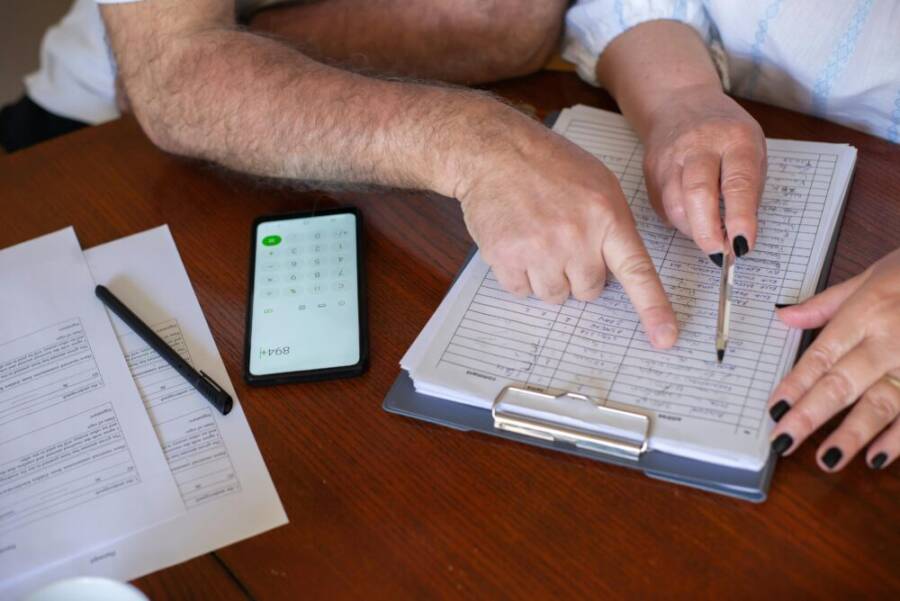
Can you track every freelance dollar on your phone with confidence and ease? This introduction shows you how to turn your smartphone into a small, reliable accounting tool you can trust.
You’ll learn practical steps to capture income, log invoices, and monitor cash flow in real time. The guide covers simple apps, quick data entry habits, and how to keep your records tidy for tax season and client reviews.
For your privacy and data safety, you’ll see best practices like using secure apps, enabling two factor authentication, and backing up records. By the end, you’ll have a clear, repeatable process to track freelance income on your phone and stay on top of finances.
Track freelance income on your phone for faster, clearer money management
Managing freelance income from a single device speeds up decisions and reduces the clutter of scattered files. A well-chosen mobile setup lets you log invoices, record payments, and review earnings anywhere, anytime. In this section, you’ll discover practical ways to save time, cut errors, and plan taxes using your phone as the central hub for all money matters. You’ll see how to choose the right app, what data to capture daily, and how to use built in reports to stay in control.
Save time with a mobile income ledger
Keeping all income in one phone app eliminates duplicate data entry and the headaches that come from juggling spreadsheets and paper receipts. When you log an invoice or a payment, you’re creating a single, definitive record that travels with you across devices and backups.
- Quick daily entries: At the end of a job, open your income app and log the core details in seconds. Record client name, project, amount, and status (invoice sent, paid, or partial). If you’re between gigs, log a quick note about hours worked or milestones reached. This habit builds a clean chronicle you can trust.
- When to log invoices: Create an invoice as soon as you complete a deliverable. Attach the client’s contact info, project scope, due date, and proposed payment terms. In many apps you can convert the invoice to a PDF and share it directly from your phone, which speeds up client payment.
- When to log payments: Log payments the moment you receive them. If a payment comes in via bank transfer or a card processor, mark it as paid and note any fees. Real time updates mean your cash position reflects the actual balance, not the last time you checked.
- Real world example: You finish a small web audit for Client A today. You create an invoice for $450, set due in 14 days, and attach a brief project summary. The payment arrives two days later; you log the payment and update the invoice status to paid. Your ledger now shows the full cycle from quote to cash, all in one place.
To keep the flow simple, choose an app that supports both income and expense entries, receipts, and basic reporting. That consolidation is the backbone of a fast, accurate snapshot of your business. For freelancers, apps like Bonsai, FreshBooks, and QuickBooks Online are popular for their mobile capabilities and reliable tax-ready reports. Learn more about top options and pick what aligns with your workflow from reputable sources such as Bonsai and Forbes’ expense tracker roundups.
- Bonsai is a strong choice if you already use it for contracts and client onboarding. Their tax focused features make it easy to keep receipts and deductions organized on the go.
- QuickBooks Online and FreshBooks offer broad feature sets, including mileage tracking, time tracking, and robust invoicing that syncs across devices.
- If you want a lighter, expense-centric approach, consider apps that focus on receipt capture and basic income tracking.
External resources you may find useful:
- Best apps for tracking receipts and taxes for freelancers.
- A guide to income tracking tools for independent contractors.
Reduce errors with instant data capture
The moment you capture a receipt or issue an invoice, you create a real time record that reduces reconciliation problems. Instant data capture is the guardrail against late entries, mismatched numbers, and lost payments.
- Snap receipts on the spot: Use your phone camera to capture receipts or screenshots of expenses tied to a project. Most apps can extract key details like date, total, and vendor name. That reduces manual typing and speeds up bookkeeping.
- Invoicing on the go: Create and send invoices directly from the field. Include line items, taxes, and payment terms. A quick tap can generate a professional invoice, attach relevant documents, and email it to the client.
- Auto receipts and confirmations: Some apps automatically generate receipts for completed payments or refunds. Real time updates confirm your records mirror bank statements, helping you stay aligned with cash flow.
- Real time job updates: After finishing a job, your app can log the revenue immediately and update your dashboard. You’ll see how much you’ve earned this week, this month, and for the year, without waiting for end of day closes.
Real time updates matter because they keep you aware of where you stand before you hit the end of the week. When you combine instant capture with portable access, your finances become a living, accurate picture rather than a pile of scattered notes. If you’re new to this, start with one or two frequent tasks like logging a receipt and sending an invoice, then expand to full auto capture as you grow confident.
To deepen accuracy, pairing a receipt scan feature with OCR data extraction helps ensure numbers align with bank feeds and client invoices. If a discrepancy crops up, you can quickly open the item, adjust the amount, and reclassify categories. It’s the difference between guesswork and precise tracking.
Helpful reads about on the go data capture and reputable systems exist here:
- A practical overview of top mobile expense trackers and income tools.
- An analysis of how real time updates improve freelancer cash flow.
See trends and plan taxes
Mobile tracking turns raw numbers into insights. Quick views of earnings over time help you identify busy periods, seasonality, and the true impact of pricing changes. Beyond planning, it makes tax prep simpler with prebuilt reports you can share with your accountant or file yourself.
- Earnings over time: A simple chart of monthly income reveals patterns. You can spot peak months when demand is highest and slower periods that might invite promotions or new client outreach.
- Busy months and seasonality: Compare quarterly performance to see when you’re busiest. This helps you schedule work, apply for extended contracts, or set aside a larger portion of earnings for tax season.
- Ready tax reports: Generate annual, quarterly, or project based reports with one tap. Exportable PDF or CSV files mean you can hand off organized data to your tax professional or import into tax software.
- Project profitability at a glance: A breakdown by client or project shows which engagements deliver the best margins. You can adjust pricing, scope, or time allocation accordingly.
- Year over year comparisons: Keep a simple archive of last year’s numbers to measure growth. A quick glance can tell you where you improved and where you still need to optimize.
Combining trend insights with tax prep saves you time and reduces stress come tax day. When you know what to expect, you can set aside funds gradually and avoid last minute scrambles. To broaden your approach, you might explore how prominent freelance platforms and tax guides recommend organizing income for easier reporting, then adapt those practices to a mobile workflow.
Recommended reads to add depth:
- Guides on tax planning and income tracking for freelancers.
- Articles comparing mobile reporting features in popular accounting apps.
Key metrics to monitor
Your phone can track the metrics that matter most for cash flow and planning. Focusing on a concise set of numbers keeps you grounded and ready to act.
- Total income: The sum of all invoices marked paid or cash received. Track this by client, project, or time period to see where revenue comes from.
- Outstanding invoices: A clear view of what’s billed but not yet paid. This helps you forecast near term cash flow and follow up quickly.
- Late payments: Identify clients who consistently pay late. Use this insight to adjust terms, implement late fees, or renegotiate payment schedules.
- Expenses by category: Break down costs by category (supplies, software, travel, meals, etc.). Seeing where money goes helps you cut waste and allocate funds where they matter.
- Net profit per project: Subtract direct costs from each project’s revenue. This helps you price future work more accurately and protect margins.
With these numbers in your pocket, you’ll feel more confident steering your freelance business. The goal is not to drown in data but to surface the insights that drive better decisions. You can periodically review markers like cash flow cycles, invoice aging, and category spend to stay ahead.
If you want more depth on measuring these metrics, explore how category based expense tracking and project level profitability are handled in leading mobile accounting apps. The right app will present these metrics in an intuitive dashboard that you can customize to your priorities.
- See how real time data transforms daily choices into strategic moves.
- Use a weekly review to adjust pricing, timelines, and client mix based on live numbers.
External resources with practical guidance on metrics and mobile tracking:
- A comprehensive look at the best expense tracker apps of 2025.
- A guide to independent contractor apps that cover time tracking, invoicing, and expenses.
By treating your phone as a dedicated money cockpit, you keep your freelance business lean, transparent, and responsive. The more you use it, the more natural it becomes to see the whole financial picture at a glance, make informed tweaks, and stay ready for tax time. As you adopt these practices, you’ll notice how much faster you can move from data collection to decision making, and how much more secure your finances feel.
Set up a mobile system you can trust
A reliable mobile system starts with simple tools, clear processes, and strong security. When your phone becomes the hub for tracking freelance income, you’ll move faster, reduce errors, and feel more in control. This section breaks down practical choices and best practices to build a trustworthy on‑the‑go system.
Choose user friendly apps
Pick a few straightforward apps that handle income, invoicing, and receipts without fuss. Look for offline capability, easy receipt capture, and clear export options so you can work with your accountant later.
- Key features to seek:
- Receipts capture and OCR so receipts become data, not clutter.
- Offline mode for field work, then sync when you’re online.
- One‑tap invoicing with client data saved for quick reuse.
- Export options (PDF, CSV) for tax season and reporting.
- Solid starter options: Bonsai, FreshBooks, and QuickBooks Online are popular for their mobile experiences and reliable reports. If you want a lighter approach focused on receipts and invoicing, explore options with strong capture features and simple dashboards.
- Quick tip: choose apps that align with how you work now—if contracts and client onboarding are already in a tool you use, you’ll benefit from a single ecosystem.
For deeper comparisons and mobile usability, see these reputable sources that regularly review freelancer apps and expense tools:
- Bonsai for contracts and invoicing on the go
- QuickBooks Online and FreshBooks for invoicing and mileage tracking
- Expense tracker roundups and mobile reporting features
Create a simple income ledger
Set up a lean ledger that captures the essentials without overwhelming you. A clean schema keeps your numbers straight and makes reviews painless.
- Core fields to track: client, date, project, rate, and payment status (invoice sent, paid, partial, overdue).
- Lightweight color coding: use green for paid, orange for outstanding, and gray for canceled or on hold. This quick cue helps you scan the list faster.
- Suggested layout: a row per invoice with columns for client, project, date, amount, and status. A second tab can hold payments against each invoice for a clear trail.
- Practical example: after delivering a logo refresh for Client B, you log an invoice dated today for $600, due in 14 days, status set to “invoice sent.” When payment arrives, you mark it as paid and update the ledger accordingly.
- Why it works: a focused ledger reduces back‑and‑forth during tax time and makes client reviews smoother.
If you want a tested combination that many freelancers rely on, look into apps that support both income and expenses, along with receipts and basic reporting. That consolidation is the backbone of a fast, accurate snapshot of your business. For mobile convenience, apps like Bonsai, FreshBooks, and QuickBooks Online are common picks because they sync across devices and support tax ready reports. Learn more about top options and pick what fits your workflow from reputable sources such as Bonsai and Forbes’ expense tracker roundups.
- Bonsai pairs well with contracts and client onboarding, plus tax focused features.
- QuickBooks Online and FreshBooks offer broad functionality like time tracking and robust invoicing.
- For a lighter approach, consider apps focused on receipt capture and basic income tracking.
External resources you may find useful:
- Best apps for tracking receipts and taxes for freelancers.
- A guide to income tracking tools for independent contractors.
Link bank accounts and payment platforms
Automating data entry saves time and reduces the chance of mistakes. Linking bank feeds and payment platforms means payments flow into your ledger with minimal taps.
- How syncing helps: connect PayPal, Stripe, or your bank account so payments show up as settled entries, reducing manual entry.
- A simple duplicate prevention step: when you import or sync a payment, immediately verify it against the corresponding invoice. If a payment already exists in the ledger, skip creating a second entry.
- Practical workflow: enable automatic syncing for major platforms, then do a quick monthly reconciliation to catch any mismatches.
To deepen automation, many leading mobile accounting apps support direct connections to bank accounts and payment processors. If you’re evaluating options, check for reliable bank feeds and the ability to map payments to open invoices.
Recommended reads on freelancing apps with strong sync features:
- The best expense tracker apps of the year
- Independent contractor apps that cover time tracking, invoicing, and expenses
Protect data with backups and security
Security is non negotiable when your phone holds financial data. Build a defense in layers that keeps your information safe at home, in the field, and when sharing with clients or your accountant.
- Passcodes and biometrics: use a strong screen lock, plus biometric unlock if your device supports it.
- Two factor authentication: enable 2FA on all financial apps. Use an authenticator app rather than SMS when possible.
- Automatic cloud backups: ensure your ledger, invoices, and receipts are backed up to a trusted cloud service with version history.
- Shared vs personal device: if the phone is shared or used by family, consider separate profiles or a dedicated business device to isolate data.
- Quick security habit: set a nightly reminder to review app permissions and ensure backups run automatically.
These steps create a safe, reliable environment for your data. A well protected system gives you the freedom to work from anywhere without fear of data loss or unauthorized access.
To help with security planning, you can look into guides and reviews on mobile wallets, accounting apps, and cloud backup practices that emphasize practical steps freelancers can implement today.
External resources with practical guidance on mobile security and backups:
- A guide to safe mobile practices for freelancers
- Best practices for cloud backups and data protection
See trends and plan taxes
Turning raw numbers into insights is where a mobile system shines. Quick visualizations and ready reports simplify tax prep and forward planning.
- Earnings over time: a simple line chart shows monthly revenue and helps you spot busy periods.
- Seasonality: compare quarters to understand when to push promotions or adjust pricing.
- Ready tax reports: generate annual, quarterly, or project based reports with one tap. Export PDFs or CSVs for your tax professional.
- Project profitability: break down per client or project to see where margins are strongest.
- Year over year comparisons: save last year’s data to measure growth and set realistic goals.
These insights help you allocate time and resources more effectively. With the right app, tax preparation becomes a routine task rather than a last minute scramble.
External resources with practical guidance on metrics and mobile tracking:
- A comprehensive look at the best expense tracker apps of 2025
- A guide to independent contractor apps that cover time tracking, invoicing, and expenses
Key metrics to monitor
A focused set of metrics keeps you grounded and ready to act. Track what matters without drowning in data.
- Total income: sum of all paid invoices and cash receipts, view by client or project.
- Outstanding invoices: what’s billed but not yet paid, helps forecast near term cash flow.
- Late payments: identify clients who pay late and adjust terms or reminders.
- Expenses by category: track costs like software, travel, and supplies to cut waste.
- Net profit per project: revenue minus direct costs, informs future pricing and scope.
Regular reviews of these numbers keep you ahead. With a clear dashboard, you’ll see where to adjust pricing, client mix, and timing to stabilize cash flow.
External resources with practical guidance on metrics and mobile tracking:
- A comprehensive look at the best expense tracker apps of 2025
- A guide to independent contractor apps that cover time tracking, invoicing, and expenses
By treating your phone as a dedicated money cockpit, you keep your freelance business lean and transparent. The more you use it, the easier it becomes to see the full financial picture, make informed tweaks, and stay on top of tax time.
Daily routines that keep numbers accurate
A tight daily routine is the backbone of accurate freelance accounting. When you treat tracking as a habit, numbers stay reliable, taxes stay manageable, and decisions stay sharp. This section walks you through practical daily rituals you can perform on your phone, with minimal friction and maximum clarity. Each subsection delivers a concrete action you can take right away, along with quick rationale so you see why it matters.
Log gigs right away
The moment a job starts or ends, enter the core details into your income ledger. Doing this early prevents data gaps and makes your numbers trustworthy across devices and backups. Your daily ritual should be simple and fast, so you actually do it.
- Core details to capture: client name, date, project, rate, and status (invoice sent, paid, partial, or canceled). A quick note about hours or milestones helps when you later pull reports.
- When to log: log at least the essential data as soon as you have it. If you’re between gigs, a quick entry about hours worked or project milestones keeps the ledger alive.
- How this helps: you create a single definitive record that travels with you. Instead of chasing receipts and notes later, you have a clear baseline for every job.
Tip: choose an income app that supports both invoices and payments so you can log everything in one place. If you use Bonsai for contracts and onboarding, its integrated workflow helps you keep tax-ready receipts and deductions organized on the go. For broader invoicing and reporting, QuickBooks Online and FreshBooks offer solid mobile experiences. You can compare options to see what fits your workflow best.
- External references you can explore for deeper context: Bonsai for contracts and invoicing on the go, QuickBooks Online and FreshBooks for invoicing and mileage tracking.
Capture receipts and invoices on the go
Receipts and invoices are the receipts of truth for your freelance business. Capture them as soon as they appear and attach them to the relevant entry. This practice makes tax time easier and reduces the risk of mismatches with bank feeds.
- Snap receipts immediately: Use your phone to photograph receipts or screenshots connected to a project. OCR helps extract date, total, and vendor, turning clutter into data you can search.
- Attach and link: Attach receipts to the corresponding income entry. If the app supports it, convert invoices to PDFs and share them directly from your phone.
- Attach invoices on the move: Creating and sending an invoice from the field speeds up payment and keeps your cash flow visible in real time.
- Why it matters: tax records rely on accurate documentation. When receipts and invoices are attached to the correct entry, you have a ready-made trail for audits and tax prep.
To broaden your options, you can explore apps that emphasize receipt capture and expense tracking. For instance, streamlined tools exist that focus on mobile receipt capture and simple reporting, helping you stay compliant without slowing you down.
- External resources you may find useful: a practical overview of top mobile expense trackers and income tools, and guidance on income tracking tools for independent contractors.
Smartphone tip: keep your pocket organized by naming entries consistently (for example, “ClientName_ProjectDate”) so you can search quickly during reviews or with your accountant. The right mobile setup lets you photograph a receipt and attach it within seconds, keeping the workflow smooth.
Record partial payments and refunds
Your books must reflect every financial movement, including deposits, partial payments, and refunds. Recording these promptly keeps your balance accurate and your forecasts realistic.
- Deposits and partial payments: when a client pays a portion of an invoice, update the entry to “partially paid.” Note the amount, date, and payment method. If you’re using time-based billing or milestones, break the payment down by milestone to keep clarity.
- Refunds and credits: if a client issues a refund or you issue a credit, adjust the invoice and ledger accordingly. Record the reason for the refund and the new balance due, if any.
- Reconcile as you go: after each payment or refund, verify that the ledger balance aligns with your bank feeds. This habit reduces surprises at tax time or during client reviews.
- Why this matters: real-time updates prevent miscounts and help you forecast cash flow accurately. You’ll know exactly how much cash is actually in the bank at any moment.
External resources you may find useful: timesheet and income tracking guides that cover how to map payments to open invoices, and articles that discuss the benefits of real-time updates for freelancer cash flow.
Smartphone tip: set a brief daily check-in to confirm that all recent payments and refunds are reflected in the ledger. A 5-minute routine keeps your numbers trustworthy.
Sync data across devices
If you work on more than one device, cloud syncing is essential. Enable cloud sync so your numbers, invoices, and receipts are available on your phone and tablet. After sync, take a moment to check for duplicates or mismatches that sometimes slip in during transfers.
- Enable reliable cloud sync: use a trusted provider that supports automatic syncing of invoices, payments, and receipts. This keeps your work portable and reduces the risk of data loss.
- Check for duplicates: after a sync, scan entries for duplicates that sometimes appear when devices reconnect. Removing duplicates prevents double counting and confusion.
- Quick reconciliation: a monthly or weekly reconciliation helps catch any errors early. It also ensures your accountant can rely on a clean data set.
- Why this matters: you’ll have a seamless workflow across devices, so you can log data on the go and review it later on a tablet or desktop without missing a beat.
For further reading, explore reviews of apps that excel at cross-device syncing and mobile reporting. You’ll find insights from independent testers on how these tools perform in real-world freelance scenarios.
- External resources to consider: guides comparing mobile accounting apps with strong sync features, and reviews of time tracking and invoicing platforms.
Smartphone tip: keep your main devices in a single ecosystem to reduce friction. If you use a single cloud service for backups, you’ll rarely lose access to critical invoices or receipts when you switch devices.
This daily routine sets you up for clean, reliable numbers no matter where work happens. By logging gigs promptly, capturing receipts on the go, tracking partial payments and refunds, and syncing across devices, you create a living financial map you can trust. The more consistently you follow these steps, the more confident you’ll feel when tax season arrives or when you review client profitability.
If you want to explore further, you can read about mobile expense trackers that integrate well with freelance workflows, or case studies showing how real freelancers keep their numbers clean with mobile tools. For example, you might find independent reviews that compare time tracking, invoicing, and expense features across popular apps helpful as you refine your setup.
Weekly and monthly checks that reveal insights
Maintaining a freelance business on the go means you need reliable, repeatable checks that turn data into action. This section shows you how to run quick weekly reviews and deeper monthly audits that surface meaningful insights. With the right rhythm, you’ll spot cash flow gaps, profit opportunities, and tax prep essentials long before deadlines loom.

Photo by Kampus Production
Reconcile invoices with payments
Matching invoices to receipts is the heartbeat of accurate numbers. When you reconcile weekly, you catch missing payments, overlooked fees, and timing misalignments early. The goal is a clean ledger where every invoice has a corresponding payment and every payment ties back to a real client interaction.
- Start with a simple checklist: confirm the invoice number, client name, project, amount, due date, and payment status. Mark each invoice as paid, partial, or overdue.
- Close the gaps quickly: if you find an invoice with no payment entry, flag it for a follow-up note to the client or a reminder to collect the overdue amount. If a payment arrives but isn’t linked to an invoice, attach it to the correct record.
- Use your smartphone to stay disciplined: a quick tap to attach a payment receipt or card processor statement to the right entry keeps data synced across devices.
- Weekly reminder: run a 10-minute reconciliation every Friday. This habit ensures you start the weekend with a trustworthy view of cash flow.
Why this matters: reconciliations prevent small errors from turning into big headaches at tax time. With real time updates, you’ll know exactly which invoices are in flight and which payments have landed.
For deeper context on mobile invoicing and reconciliation, see reputable app roundups like Wave and QuickBooks Online reviews that highlight strong on the go capabilities. Wave: Small Business Software and The Top 11 Best Accounting Apps for Freelancers offer practical comparisons you can apply to your own setup.
Review earnings by client and project
Group earnings by client or by project to see where money originates and where to focus your efforts. This bird’s eye view helps you price smarter, tailor proposals, and allocate time more effectively.
- Client segments: identify top revenue drivers by client. If Client A consistently accounts for a large share of income, consider expanding that relationship or adjusting terms to boost margins.
- Project profitability: compare revenue against direct costs for each project. If certain project types yield higher net profit, replicate those scopes or adjust pricing on less profitable work.
- Time-based patterns: observe which projects land in busy seasons and plan capacity accordingly. If you notice a dip in a quarter, schedule outreach or new service offerings.
- Monthly cadence: set a regular cadence to review by client and by project. A focused 15-minute review mid month plus a deeper analysis at month end creates a strong planning loop.
Helpful approach: export a quick summary to share with your bookkeeper or partner so they can weigh in on pricing and scope. If you use mobile-friendly accounting apps, you’ll find ready-made reports that split by client or project.
External resources you can consult for broader context:
- The Top 9 Mobile Invoicing Software Solutions for Freelancers
- Top 10 Invoicing Tools for Freelancers in 2025
Export data for taxes and accounting
Monthly exports make tax prep and year-end reviews a breeze. The right export format lets you hand off clean data to your bookkeeper or tax software without retyping a thing.
- Common formats: CSV files are ideal for data imports, while PDFs work well for shareable summaries. Keep a separate exports folder for each month.
- Which reports to export: a month’s income summary, a detailed ledger by client, and a project level profitability report. These cover the essentials tax folks look for and keep you organized.
- When to export: at the end of each month, after reconciling all payments and expenses. A quick check ensures you don’t miss any charges.
- How to name exports: use a consistent convention like YearMonth_Client or YearMonth_Project. This makes retrieval instant during audits or reviews.
If you’re evaluating tools, look for apps that export directly to CSV or PDF and that keep tax lines clear. This reduces the back and forth with your bookkeeper and speeds up tax filing.
For further reading on app capabilities, check out:
- Best apps for tracking receipts and taxes for freelancers
- A guide to income tracking tools for independent contractors
Identify income trends with simple charts
Visuals turn numbers into insight. A few basic charts can reveal trends that aren’t obvious in raw figures.
- Earnings trend: a monthly line chart shows rising or falling revenue, highlighting growth momentum or stagnation.
- Seasonality clues: compare quarters to spot peak times and slow periods. Use that to plan promotions or adjust capacity.
- Profitability by project: a bar chart by client or project surfaces which engagements deliver the best margins.
- Year-over-year context: a simple comparison to last year helps you measure progress and set realistic goals.
Simple charts keep you focused on actions. When you see a trend, you can adjust pricing, shift client mix, or target new markets with confidence.
To deepen this practice, explore how mobile apps package trends into dashboards. You’ll find guides and reviews that explain how to customize charts for fast decision making. For instance, look at expense and income tracking resources that compare mobile reporting features.
Recommended reads:
- Best expense tracker apps of 2025
- Independent contractor apps for time tracking, invoicing, and expenses
Key metrics to monitor
A lean metric set keeps you grounded and ready to act. Track these essentials to stay ahead of cash flow and planning needs.
- Total income: sum of paid invoices and cash receipts, broken down by client or project.
- Outstanding invoices: invoices that remain unpaid, critical for forecasting cash flow.
- Late payments: identify clients who pay late and adjust reminders or terms.
- Expenses by category: track categories like software, travel, and supplies to pinpoint waste.
- Net profit per project: revenue minus direct costs, guiding future pricing and scope decisions.
Regular checks on these numbers prevent surprises. A clear dashboard lets you adapt pricing, client mix, and timing to stabilize cash flow.
External resources that offer practical guidance:
- Best expense tracker apps of 2025
- Independent contractor apps that cover time tracking, invoicing, and expenses
By making weekly and monthly checks a habit, you turn data into decisions. The better you track, the more secure your financial ground becomes, and the easier tax time will feel.
Images and visuals to enhance this section
- A simple dashboard screenshot showing income by client, with a small line chart for trends. This helps readers visualize what a weekly review looks like in practice.
- A clean ledger view on a phone screen with color coding (green paid, orange outstanding). This reinforces the idea of a simple, actionable mobile system.
Note: you can add these visuals where you discuss reconciliation and trend analysis to reinforce the concepts without overwhelming the text.
Tools you can trust on a phone and how to pick the best one
Choosing the right mobile tools for tracking freelance income makes accounting feel effortless. This section helps you quickly identify trustworthy apps, weigh their value, and pick a setup that fits your workflow. You’ll learn how to compare price, features, and privacy, plus practical tips for offline access and syncing that keep you in control wherever you work.
Popular apps for mobile income tracking
A few reputable apps stand out for freelancers because they combine invoicing, receipts, and solid reporting in a mobile-friendly package. Here’s a quick guide to what each does well, so you can pick with confidence.
- Bonsai: Great if you already use it for contracts and onboarding. Its tax focused features help you keep receipts and deductions organized on the go.
- QuickBooks Online: A broad feature set that covers invoicing, mileage tracking, time tracking, and strong cross‑device syncing. Ideal if you want one ecosystem for books and taxes.
- FreshBooks: Known for straightforward invoicing, good expense tracking, and easy reports. Works well if you value a clean user interface and reliable mobile access.
- Expensify or Zoho Expense style apps: Strong on receipt capture and basic expense management, useful when you want a lighter footprint.
For deeper comparisons and mobile usability, these sources regularly review freelancer apps and expense tools:
- Bonsai for contracts and invoicing on the go
- QuickBooks Online and FreshBooks for invoicing and mileage tracking
- The best expense tracker apps for freelancers and independent contractors
External links you can explore:
- https://www.hellobonsai.com/blog/best-app-to-track-receipts-for-taxes
- https://www.forbes.com/advisor/business/software/best-business-expense-tracker-apps/
These apps keep income, expenses, and receipts in one place, reducing data silos and making your tax prep smoother. If you’re just starting, pick one that already aligns with other tools you use for contracts or payments. The goal is a simple, reliable ledger you can access from your phone, tablet, or computer.
What to consider: price, features, privacy
Evaluating apps doesn’t have to be overwhelming. Use a simple check list to compare cost, usability, data export options, and data safety. Here’s a straightforward way to decide.
- Price: Look for a transparent pricing tier that matches your needs. Consider whether you’ll outgrow a free plan or save with a mid tier that includes invoicing and reporting.
- Ease of use: The interface should feel intuitive. You want to log invoices, payments, and receipts in a few taps, not hunt for features.
- Data export options: Ensure you can export to CSV or PDF for tax prep and collaborations with your bookkeeper.
- Data safety: Check if the app uses encryption, supports 2FA, and offers reliable cloud backups. See if data can be wiped from a lost device and whether vendor privacy policies are clear.
- Offline access: If you travel or work remotely, offline mode matters. You should be able to enter data offline and sync when online.
- Cross‑device syncing: Your data needs to flow across your phone, tablet, and computer without duplicate records.
A friendly starting point is to pair a full‑featured app with a lighter capture tool for receipts and notes. It gives you a robust backbone plus a quick way to capture things on the move.
External resources you may find useful:
- Best apps for tracking receipts and taxes for freelancers
- A guide to income tracking tools for independent contractors
For reliable reading, consider resources like CNBC, Forbes Advisor, and industry roundups that compare mobile income tracking capabilities and privacy features. These can help you confirm the strength of a chosen app’s security and reporting options.
Tips for offline access and syncing
Offline mode is a practical lifeline when you’re on the road or in areas with spotty WiFi. Here’s how to think about offline access and why syncing matters for keeping numbers current.
- How offline mode works: You enter data while offline and the app stores it locally. When you reconnect, the app pushes all new entries to the cloud and resolves any conflicts.
- Why syncing matters: Syncing keeps your records consistent across devices. It prevents gaps and ensures your accountant sees the same numbers you view.
- Quick tips: enable automatic syncing for major platforms, then perform a monthly manual reconciliation to catch any mismatches.
In practice, you’ll often start a new project in the field, log an invoice, and later attach receipts when you’re back online. With strong offline support, you never have to wait to capture transactions. When you’re online again, a fast sync brings everything up to date.
If you’re evaluating options, look for apps with reliable offline modes and clear conflict resolution rules. Strong cross‑device syncing also helps you stay aligned if you switch between devices during the day.
External resources you may find useful:
- The top mobile budgeting and expense tracking apps with offline support
- Guides on mobile invoicing and reporting features
Smartphone tip: label entries with concise identifiers like ClientName_ProjectDate. This makes searching while on the move quick and painless.
See trends and plan taxes
Turning raw numbers into insights is where a mobile income system shines. Quick views of earnings over time help you identify busy periods, seasonality, and the true impact of pricing changes.
- Earnings over time: A simple chart shows monthly income and helps you spot growth or dips.
- Seasonality: Compare quarters to see when you’re busiest and plan promotions or capacity.
- Ready tax reports: Generate annual or quarterly reports with a tap. Export PDFs or CSVs for your tax professional.
- Project profitability: Break down profits by client or project to see which engagements pay best.
- Year over year comparisons: Keep last year’s data handy to measure progress and set goals.
Strong dashboards simplify tax prep and forecasting. When you can see how revenue flows, you can allocate time and pricing more effectively. A smart app will present these metrics in an intuitive way, letting you act fast.
External resources with practical guidance on metrics and mobile tracking:
- Best expense tracker apps of 2025
- Independent contractor apps that cover time tracking, invoicing, and expenses
Images you might want to include to illustrate trends:
- A simple dashboard showing income by client
- A clean ledger view on a phone screen with color coding
By focusing on trends, you gain the power to price smarter, target the right clients, and plan taxes with less stress. The right mobile tool makes complex insights feel simple and actionable.
External links for deeper context:
- https://www.waveapps.com/
- https://www.hostpapa.com/ideas/business/best-accounting-apps-for-freelancers/
- https://www.appvizer.com/magazine/accounting-finance/invoicing/mobile-invoicing-software
What to look for when comparing tools
- Cross‑device compatibility and automatic backups
- Clear export formats for tax season
- Strong receipt capture and OCR accuracy
- Transparent privacy policies and data handling
- Positive reviews from freelancers with similar needs
With the right combination, your phone becomes a trusted cockpit for money. You’ll move faster, keep records tidy, and feel prepared for tax season and client conversations. If you want, we can dive deeper into specific app comparisons or build a short checklist tailored to your workflow.
Conclusion
Tracking freelance income on your smartphone builds a clear, repeatable system you can trust. Use a simple income ledger, capture receipts on the go, log invoices and payments in real time, and keep data synced across devices for quick reviews. Regular checks, exports for taxes, and a steady daily habit turn scattered notes into a reliable financial map you can act on.
Start today by logging a recent gig and setting up one core app for invoices and receipts. Your smartphone becomes a portable money cockpit that helps you price smarter, plan for tax time, and respond to clients with confidence. Stay consistent, review numbers weekly, and export reports when needed to keep tax prep smooth.
What will you track first this week to kick off a practical, repeatable routine?