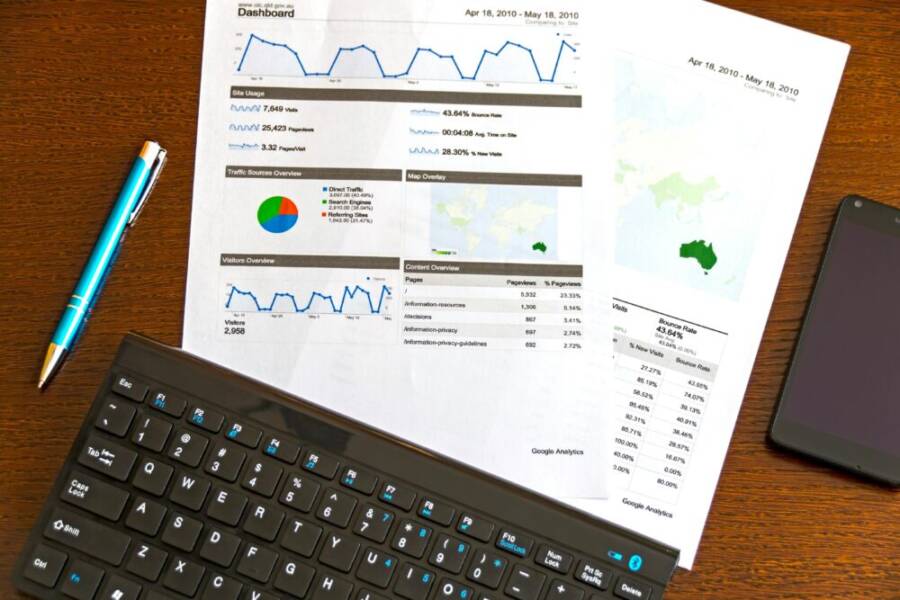
Tracking content performance from your phone is no longer a luxury; it’s a daily practice. With your smartphone, you can monitor early trends and adjust in real time. This guide shows how to turn a pocket device into a powerful analytics tool for your posts and videos.
You’ll learn which metrics matter, how to access them fast, and where to find quick wins like top performing topics and ideal posting times. The approach stays practical and uses the tools you already have on your device. Expect straightforward steps and real results.
By keeping a routine on your smartphone, you save time, spot trends early, and fine tune your content strategy on the go. This adds up to clearer insights and faster decisions that translate into better engagement and growth.
Why Track Content Performance on Your Phone
Tracking how your posts perform from a mobile device is practical, fast, and surprisingly precise. With the right app, you can spot trends, test ideas, and adjust timing in real time while you’re on the go. This section covers why mobile tracking matters, the key metrics to monitor, and a quick comparison of mobile tools versus desktop for deeper analysis.
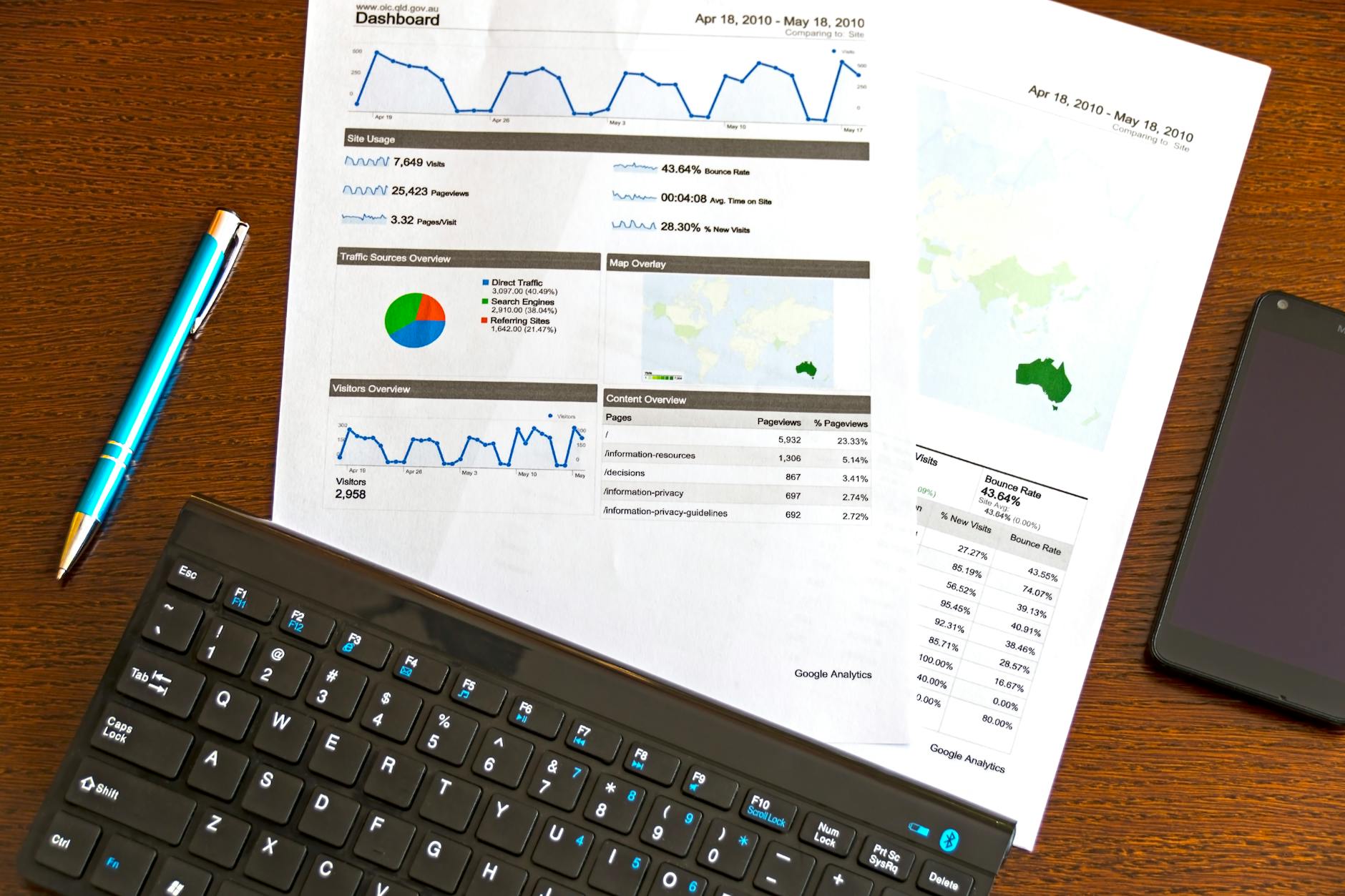 Photo by AS Photography
Benefits of Mobile Tracking
- Real-time feedback on the road: You can check how a post is landing within minutes, not hours. This helps you decide whether to push a second post, tweak the caption, or boost with a quick ad test.
- Timely optimization of posting windows: By glancing at performance spikes, you learn which times yield higher impressions and engagement for your audience. A quick nudge to post during a peak window can swing results.
- On-the-spot topic validation: When you’re drafting content ideas, a fast check on current performance signals which topics resonate now. This prevents chasing trends that don’t perform for your audience.
- Crisis and opportunity detection: If a post starts underperforming, you can pause, adjust, or pivot before the data snowballs into a missed opportunity. Conversely, a sudden surge can prompt you to create related follow-ups.
- Improved time efficiency: You save trips to a computer. A few taps on your phone equal faster decision making, more iterations, and quicker wins.
- Granular audience insights: Even on mobile you can see audience segments, devices, and locations. That helps you tailor future posts to the people who actually engage.
- Consistency with a mobile routine: Regular checks keep your content strategy front of mind. Small, consistent adjustments compound into better reach and engagement over time.
Real-world use cases show how fast checks can change outcomes. A creator notices a post about a local festival is gaining momentum after a late-evening thumbs up from followers in a specific city. They pivot to share more festival tips the next day, doubling saves and shares. Another example: a micro-brand tests two caption styles for a product launch. The version with a concise, benefit-driven line outperforms the longer version, guiding future copy decisions in seconds rather than days.
To support these points, you can explore reputable guidance on mobile analytics and social metrics:
- The social media metrics you must track for 2025 and why
- Social analytics guides that cover what matters on mobile devices
Key Metrics to Watch
Understanding the right metrics helps you translate numbers into action. Here are essentials you should monitor on your phone, plus what each one reveals and quick tips to use them effectively.
- Views / Impressions: Total times your content was seen. This tells you reach but not depth. Quick tip: compare views with engagement to gauge quality of reach.
- Engagement: Includes likes, comments, saves, and shares. It signals how compelling your content is. Tip: prioritize content with high saves and shares, as those actions extend reach organically.
- Click Through Rate (CTR): The percentage of viewers who click a link in your post. It shows how well your caption and thumbnail drive action. Tip: test two different thumbnails or headlines to boost CTR.
- Saves: Users bookmarking content for later. This is a strong indicator of value and potential future reach through algorithmic boosts. Tip: create evergreen, useful content that begs to be saved.
- Shares: When viewers share your post with others. This amplifies reach beyond your followers. Tip: include a clear, shareable takeaway or quotable line.
- Retention: For video, how long viewers stay and whether they watch to the end. This reveals how engaging your video is. Tip: hook early, then deliver value quickly to improve retention.
Each metric tells a different part of the story. Combine them to judge overall performance, not just vanity numbers. Here are quick tips to apply these metrics on the go:
- Start with a simple dashboard on your phone that shows views, engagement, and saves for the last 24 hours.
- If engagement is high but CTR is low, refine your thumbnail and headline to be more action oriented.
- Track retention for your latest video series; if drop-offs happen at a specific moment, adjust the pacing or visuals.
To deepen your understanding of metrics, consider reputable sources that break down how mobile analytics fit into a larger strategy:
- The social media metrics you must track for 2025 and why
- Social media analytics: The complete guide
How Mobile Tools Compare to Desktop
Mobile devices offer a fast, hands-on way to monitor content, but there are trade-offs compared to desktop. Here’s a concise comparison to help you decide when to switch devices for a deeper dive.
- Convenience: Phones let you check performance anywhere, anytime. You can glance between meetings or while commuting and act quickly.
- Data Freshness: Mobile apps often reflect real-time data with minimal delay. This is ideal for immediate optimizations and timely experiments.
- Screen size: A phone’s compact screen makes it harder to view large dashboards or complex charts. You may benefit from a desktop when you’re comparing multiple posts side by side or digging into a long trend.
- Limits and caveats: Some features or advanced filters appear only on desktop or require web versions. Mobile apps can have simplified views that strip out deeper analytics.
- When to switch to desktop: Plan to do a deep dive when you want to run a month-long trend analysis, export data for a report, or perform multiple-parameter tests. A desktop gives you more room for data manipulation and visualization.
In practice, start on mobile for quick checks and quick wins. When you sense a meaningful pattern, reserve time on a desktop to verify the trend, pull deeper metrics, and create exportable reports for teammates or clients.
To reinforce your mobile workflow, check out trusted guides on mobile versus desktop analytics and how leaders use mobile dashboards to stay on top of content performance. These resources can help you build a reliable routine that translates data into action. The complete guide to social media analytics and 12 social media metrics you should be tracking provide practical, actionable insights you can apply today.
Choose the Right Apps and Tools for Your Phone
Tracking content performance on your phone starts with picking the right set of tools. The goal is to surface the most actionable data fast, with a clean interface that lets you act in a pinch. In this section, you’ll find practical guidance on analytics apps, native platform insights, and simple automations that keep your data fresh without pulling you away from your creative work.
Analytics Apps You Can Use
Mobile analytics apps bring the core metrics to your fingertips. Here are popular options and what they typically track:
- Google Analytics app: Monitors website traffic, source channels, and user behavior from mobile. Great for keeping an eye on how your mobile content drives site visits and conversions.
- Hootsuite and other social dashboards: Aggregate metrics across several platforms in one place. Useful for comparing performance across Instagram, Facebook, X, YouTube and more.
- Buffer and similar scheduling tools with analytics: Focus on post-level performance like engagement, reach, and saves to identify which captions and formats perform best.
- Iconosquare or Later: Visual dashboards tailored for Instagram and other networks, often highlighting engagement rate, follower growth, and best times to post.
Setup tips to get you running fast:
- Start with a minimal dashboard. Pin views for views/impressions, engagement, and saves for the last 24 hours.
- Use quick filters for platform and post type (video vs image) to spot early patterns.
- Align dashboards with your workflow. If you review in the morning, segment by yesterday’s results; if you review after a post cycle, segment by the last 7 days.
Quick wins with mobile analytics:
- Focus on the ratio of engagement to reach, not just total likes. A small but highly engaged audience can be more valuable long term.
- Track saves and shares as leading indicators of content that resonates beyond your current followers.
- Export key snapshots weekly to keep teammates in the loop without long meetings.
For credibility and deeper reading, these guides are a solid foundation:
- The complete guide to social media analytics
- 12 social media metrics you should be tracking
Social Platforms Built-in Analytics
Native analytics are lean but incredibly quick to access. Here’s how to get solid insights on mobile and what to look for first:
- Instagram: Switch to a business or creator account to unlock Insights. On mobile, open the profile, tap Insights, and skim Overview metrics (Reach, Impressions, Profile visits). Look for content with the highest saves and shares as signals of evergreen value.
- Facebook (Meta): Use the Pages app to view Insights for posts, video retention, and audience actions. Start with Post Engagement to gauge what prompts actions, then compare with video metrics to refine formats.
- TikTok: The Analytics tab shows video performance, audience behavior, and trends. Look for retention curves and average watch time to understand what holds attention.
- YouTube: The Studio app highlights views, watch time, and traffic sources. Prioritize retention and average view duration to guide pacing and thumbnail design.
What to look for first:
- Engagement that translates to actions (saves, shares, comments) rather than vanity metrics alone.
- Retention signals for video content to identify the exact moments that cause drop-offs.
- Quick trends across recent posts to spot shifts in audience interest.
If you want practical, platform-specific guidance, see reputable resources on mobile analytics and social metrics for actionable strategies and ready-to-use benchmarks. For example, practical posts from industry guides cover what matters on mobile and how to interpret platform data.
Using Shortcuts and Automations
Automation makes mobile analytics sustainable. With iOS Shortcuts or Android equivalents, you can collect data and share summaries without manual taps.
- iOS Shortcuts: Create a simple shortcut that fetches data from the analytics apps you use, formats a concise daily or weekly summary, and sends it to Notes or Messages. You can schedule it to run every morning so you start the day with a clear snapshot.
- Android equivalents: Tasker or MacroDroid can fetch metrics from your chosen apps and push them into a single log or email report. A basic setup uses an event (time of day) to trigger a data pull, then saves the results to a shared sheet or text file.
A straightforward starter example:
- Create a daily summary shortcut that gathers views, engagement, and saves from your top platform, formats a brief report, and shares it to your preferred chat or note app.
- Next, add a second shortcut that exports the summary to a CSV and uploads it to a cloud drive for teammates.
Practical tips to implement quickly:
- Start with a 1-2 step workflow: pull data and send a summary. Then add one more step once you’re comfortable.
- Name your automations clearly so you can reuse them later without confusion.
- Keep data discreet and compliant with platform rules when sharing publicly.
For additional reference on automations:
- Apple’s Shortcuts gallery and guide
- Popular automation resources for Android like Tasker and MacroDroid
Incorporating these tools into your routine helps you stay proactive rather than reactive. Your smartphone becomes a compact analytics cockpit, delivering fast insights while you stay focused on creating.
Links and further reading:
- The complete guide to social media analytics
- 12 social media metrics you should be tracking
- Apple Shortcuts: Welcome and guidance
- Tasker and automation resources to streamline data collection
Step by Step: Set Up Your Phone for Daily Tracking
Tracking content performance from your phone starts with the right setup. A clean, mobile-friendly workflow lets you capture insights quickly, act fast, and keep your content strategy moving. In this section, you’ll learn how to connect the essential accounts, build dashboards that fit in your palm, and generate quick reports you can share with teammates or clients. The goal is to keep data fresh, actionable, and never overwhelming.
Connect Your Accounts
Start by linking the platforms you care about most. A well-connected mobile workspace means you don’t waste time hopping between apps. Here are the core accounts to connect and what to expect from each.
- Analytics (web and app): Connect your Google Analytics or GA4 property to see how mobile content drives site visits and conversions. This gives you a direct line from your posts to on-site actions. Permissions to grant include view and export access; these are necessary for tracking user journeys without exposing sensitive data. If you’re unsure how to set this up, follow the official setup guide for analytics on websites and apps. It’s a reliable, step-by-step resource.
Why it matters: you’ll translate post-level activity into page views, sessions, and conversions, giving you a fuller picture of impact.
Helpful reference: GA4 setup guide - Social platforms: Connect platforms where you publish content, such as Instagram, Facebook, X, and YouTube. Permissions typically include access to insights, engagement metrics, and audience data. Privacy basics are straightforward: share only what’s necessary for analytics, and review app permissions regularly to remove access you no longer need. A unified view helps you compare performance across channels without leaving your phone.
Tip: use a social dashboard to aggregate metrics like reach, impressions, saves, and shares in one place. This reduces the number of taps needed to gauge overall momentum. - Content management system (CMS): If you manage a site or blog, link your CMS analytics or data feed. This keeps you accountable for how content on your site performs after being promoted on social. When permissions are granted, you can pull in page performance, bounce rate, and time on page to pair with social signals.
Benefit: you’ll spot which topics drive readers from social to your site, enabling smarter content planning. - Privacy basics in plain language:
- Review permissions on each app every few weeks.
- Use the minimum data necessary to achieve your goals.
- Keep sensitive data off mobile dashboards unless it’s essential for performance tracking.
If you want a reliable starting point, follow a practical path like “set up Analytics for a website and app” and then add social dashboards as you grow. For deeper reading, see examples from reputable guides on mobile analytics and social metrics.
Set Up Dashboards
Dashboards on your phone should be quick to scan and easy to act on. Build mobile-friendly dashboards that highlight the most important signals at a glance. Here’s how to structure them and keep visuals clear.
- Choose a primary canvas: pick one dashboard that shows views, engagement, and saves for the last 24 hours or 7 days. This keeps your daily routine compact and focused.
Pro tip: use a clean layout with three to five widgets maximum. Too many charts scatter attention. - Select key widgets:
- Views or impressions: show reach and initial resonance.
- Engagement rate: combine likes, comments, saves, and shares into a single percentage.
- Saves and shares: these act as leading indicators of content value beyond immediate reach.
- CTR (if you run links): track how often viewers click through your call to action.
- Retention (for video): identify where viewers drop off and adjust pacing.
- Keep visuals simple: use bold numbers, short labels, and consistent color schemes. Avoid 3D effects or overly busy charts that slow you down. A single color accent for actions (e.g., green for positive trends) helps quick interpretation.
Example layout: top row shows views and engagement, middle row highlights saves and shares, bottom row tracks retention for video posts. - Mobile-first design tips:
- Use vertical stacking: readers scroll naturally from one widget to the next.
- Enable tap-through actions: allow quick taps to drill into deeper metrics if necessary.
- Group by topic or format: separate posts by type (video vs image) to spot pattern quickly.
- Save a daily snapshot: a one-tap export to share with the team keeps everyone aligned.
- Practical shortcuts: pin views for the last 24 hours and yesterday to spot quick shifts. Apply quick filters for platform and post type so you can spot early patterns for video versus image posts. If you track multiple accounts, consider a platform switcher so you can compare side by side without leaving the dashboard.
To reinforce these practices, you can explore guides that detail how mobile dashboards fit into a larger strategy. For example, resources on social media analytics and mobile-friendly insights provide practical benchmarks you can adapt to your setup.
Create Quick Reports
The ability to generate concise, shareable reports right from your phone keeps your team aligned and speeds up decision making. Here’s how to craft reports that are easy to read and act on.
- Define a standard report template: a 1-page summary that includes a snapshot of last 24 hours, highlights, and a concise takeaway. This makes it simple to distribute without lengthy notes.
Template example:- Title: Daily Content Performance Snapshot
- Key metrics: views, engagement rate, saves, shares, CTR, retention
- Top performer: one post with a short, value-driven takeaway
- Quick action: one decision for the next 24 hours
- What to include in the metrics:
- Views/impressions: shows reach, but pair with engagement to gauge depth.
- Engagement: likes, comments, saves, and shares indicate content resonance.
- CTR: demonstrates how well your caption and thumbnail drive action.
- Saves and shares: signal long-term value and amplification potential.
- Retention: for video, reveal how long viewers stay and where they drop off.
- Concise summary style: start with the big win, then note the next best opportunity. For example, “Post about the local festival performed best in city X; adjust captions to emphasize practical tips and save-friendly advice for city Y tomorrow.” This format keeps readers informed and ready to act.
- Example quick report section:
- Top post yesterday: “Festival Tips” with 2,300 views, 8.5% engagement, 320 saves.
- Key takeaway: audience values practical tips; emphasize bite-size tips and checklists in future posts.
- Action for today: publish a follow-up post with a 3-tip checklist and a strong, benefit-focused headline.
- Sharing and collaboration: export the report as a PDF or CSV and share it with teammates or clients via your preferred cloud service. If you work with a team, attach a one-line summary to each file to speed up review.
- Automation for quick reports: use shortcuts or automation tools to pull metrics and generate a 1-page report daily or weekly. A simple daily summary can be enough to keep everyone informed without bogging them down with data.
For deeper reading on turning mobile data into practical reports, consider these resources that discuss mobile analytics and concise reporting practices. You’ll find templates and benchmarks you can adapt to your own workflow.
- The complete guide to social media analytics
- 12 social media metrics you should be tracking
This mobile setup keeps you in control of your content strategy from anywhere. A few taps can yield a clear read on what works, what doesn’t, and where to focus next. If you want more ideas on refining dashboards or expanding reporting capabilities, I can tailor suggestions to your specific platforms and goals.
Tips for Reading Data on Small Screens
Reading data on small screens requires clear hierarchy, legible typography, and layouts that prioritize quick insights. This section covers practical guidelines you can apply immediately to your content dashboards, posts, and reports you view on a phone. The goal is to make numbers instantly understandable so you can act in the moment without panning and zooming. You’ll find simple rules for typography, visuals, and layout, plus a few trusted resources to deepen your understanding.
Reading Data Clearly
Clear reading starts with typography and contrast that stand up to glare and movement. Use large, high-contrast type for the most important numbers and keep supporting text concise.
- Font sizes: aim for primary numbers at 20–28 px depending on the font, with labels at 11–14 px. On smaller devices, bold the key metric value to draw the eye immediately.
- Color contrast: choose dark text on a light background or vice versa. Ensure a minimum contrast ratio of 4.5:1 for body text, and push this higher for primary figures.
- Layout ideas: stack metrics vertically with generous spacing. Use a three-column grid only if you can keep each cell readable without horizontal scrolling. If needed, switch to a single-column feed with horizontal swipes to reveal more data.
- Readability tricks: use short labels, avoid abbreviations that require mental decoding, and place a single metric per prominent card to prevent crowding.
- Accessibility: include alt text for metrics in dashboards shared with teammates, and provide a high-contrast mode toggle when possible.
If you want concrete design examples, mobile-friendly dashboards from industry guides illustrate clear typography, strong contrast, and legible charts that scale down without losing meaning. For broader reading on visual clarity in mobile contexts, you can explore resources like “Deliver big insights in small spaces” which highlights how to keep charts legible in compact layouts. You can also review techniques for responsive visualizations that scale gracefully on smaller screens.
Visuals That Help
On small screens, visuals should deliver instant comprehension. Favor simple charts, sparklines, and heat maps that reveal trends at a glance.
- Simple charts: use bar or line charts for at-a-glance trends. Keep axis labels minimal and rely on bold data points to anchor interpretation.
- Sparklines: tiny, inline charts that show movement over time without heavy axes. Place sparklines next to the relevant metric to provide context without clutter.
- Heat maps: color-coded blocks quickly show where performance clusters occur. Use a clear legend and limit the color spectrum to 3–4 shades.
- Quick insights: pair each visual with a one-line takeaway. For example, “Video retention spiked at 15 seconds, signaling a strong hook before the drop.”
- Interaction: enable tap-through options that reveal deeper details for a specific metric without forcing a full drill-down.
For further inspiration, see practical analyses and tips from mobile-focused visualization guides. These resources explain how to deliver meaningful insights in tight spaces while keeping interactions effortless for users on the move. A useful read discusses delivering big insights in small spaces and how to design dashboards that stay legible on mobile devices.
Avoiding Data Overload
Small screens demand restraint. Focus on 2–3 metrics at a time and hide less important data to keep attention fixed where it matters.
- Prioritize core metrics: choose the top three that best reflect your goals, such as views, engagement rate, and saves. Treat other data as secondary and fold it away unless needed.
- Progressive disclosure: let readers drill down to deeper metrics only when they want more detail. Use collapsible sections or separate screens so the main view remains clean.
- Clear emphasis: use color and size to differentiate priority data. A bold primary metric and a muted secondary metric keep attention on what matters most.
- Hide noise: remove decorative elements, unnecessary gridlines, and redundant legends. Each visible element should earn its keep.
- Quick checks: set a daily or 7-day snapshot that highlights performance deltas, new top performers, and any sudden changes.
To reinforce these ideas, consider guides on mobile analytics and concise reporting. A mobile-first approach to dashboards and visualizations helps readers extract value quickly, without wading through extraneous data. For practical benchmarks and design tips, you can consult resources about mobile data visualization and how to create dashboards that scale down without losing meaning.
Scheduling Review Times
A consistent routine keeps data clean and decisions fast. Establish a simple daily or weekly cadence for checking data, and use reminders to stay on track.
- Daily quick check: 5 minutes in the morning to review yesterday’s top 3 metrics and any notable shifts. This seeds the day with a clear focus.
- Weekly deep dive: 20–30 minutes to compare the last 7 days, note trends, and adjust the content plan. Save a short summary for teammates.
- Reminders: set calendar alerts or task reminders at the same time each day or week. Use repeatable phrases like “Review latest analytics and note 1 action.”
- Quick templates: keep a one-page end-of-week brief with top performers, best times, and a single action for the next week.
- Accountability: share the weekly snapshot with teammates to align on priorities and ensure follow-through.
If you want a ready-to-run routine, adopt a smartphone based cadence: start with a 5 minute daily check, then a 25 minute weekly review. This balance keeps you informed without burning time.
References and further reading on mobile data routines and concise review practices can offer templates you adapt to your workflow. For example, practical guides on mobile analytics and short, actionable reports provide ready-made layouts and benchmarks you can apply to your own dashboards. If you’re seeking deeper reading, these resources can help refine your process.
- Deliver big insights in small spaces
- The complete guide to social media analytics
- 12 social media metrics you should be tracking
By adopting these practices, reading data on small screens becomes second nature. Your phone turns into a focused analytics tool, letting you detect opportunities, validate ideas, and stay aligned with your goals—all while you’re on the move. If you’d like, I can tailor these tips to your specific platforms and reporting needs, so your smartphone becomes a sharper accelerator for content performance.
From Insight to Action on the Go
Tracking performance on the fly is a powerful habit for content creators. This section shows how to turn quick observations into concrete adjustments, right from your smartphone. You’ll get practical examples, small experiments, and ways to keep stakeholders in the loop without slowing your creative flow. Think of your smartphone as a pocket analytics cockpit where insights translate to action in minutes, not days.
Plan Small Tweaks
Small changes can compound into meaningful gains when guided by data. Plan tweaks that are easy to implement and measure, and then iterate based on what the numbers tell you.
- Change post timing based on data: if mobile audiences show a spike in the evening, shift a high-value post to that window and compare results to the previous slot. Even a 1–2 hour shift can lift impressions and saves.
- Test headline variations: run two captions for similar content and monitor CTR and saves. The winner often isn’t the catchiest phrase but the one that speaks directly to the reader’s immediate benefit.
- Refresh thumbnails: experiment with two thumbnail styles—one bold, one minimalist—and watch which one drives more click-throughs and saves. A simple visual nudge can trigger stronger engagement.
- Introduce a consistent hook format: start with a clear benefit in the first line or frame, then deliver quick tips. Measure retention and early engagement to see if the hook keeps viewers watching.
- Use evergreen elements for quick wins: create a post template that packs practical tips or checklists readers return to. Track how often this template is saved as a signal of lasting value.
- Quick pivot based on city or locale signals: if data shows high interest from a specific area, tailor subsequent posts with local references or tips. This can boost saves and shares as readers see relevance.
Concrete example: you publish three posts about a local event across different times and captions. After a day, you notice one caption style and one posting window outperform the others. You double down on that winning combination for a short run, then widen the test to a second topic to confirm the pattern. For additional guidance on how smart analytics translate to practical adjustments, see practical resources on mobile analytics and optimization strategies.
Further reading to inform these tweaks:
- The complete guide to social media analytics
- 12 social media metrics you should be tracking
Test and Measure Impact
Smart testing is about rapid, repeatable experiments. Set up quick tests, track the changes, and compare results over a defined window. Keep tests simple so you can run them from your phone without breaking your flow.
- Define a single variable per test: caption style, thumbnail, posting time, or format. This keeps results clean and easy to interpret.
- Establish a short measurement window: 3–7 days is enough to reveal patterns without dragging out the process.
- Use a consistent baseline: compare every test against a recent period of similar content and audience conditions.
- Track multiple signals: look at views, engagement, saves, and CTR together. A test might lift views but not engagement; weigh all outcomes.
- Schedule a mini review: after each test window, summarize outcomes in one paragraph and note the next experiment.
Practical testing approach you can start today:
- Test two headlines for a single post and record the CTR, saves, and engagement over 5 days.
- Then test two thumbnails with the same caption, comparing results for a second post in the same topic area.
- Finally, try posting at a different time and compare the day-by-day performance to your baseline.
When you need guidance on how mobile analytics fit into practical testing, explore resources that walk through mobile analytics and concise reporting. For deeper reading, check out:
- The complete guide to social media analytics
- 12 social media metrics you should be tracking
Tips for keeping tests productive:
- Keep a one-page log of tests with date, variable, baseline metric, new metric, and takeaway.
- Use a simple scoring method to decide if a change earns a follow-up test.
- Avoid running too many tests at once; stagger them to preserve clarity.
Automate Reporting for Stakeholders
Sharing fast, clear updates keeps everyone aligned without bogging down your team. Automations can push brief summaries to a team chat or email, so stakeholders stay informed even when you’re in the middle of a creative sprint.
- Create a daily or weekly digest: a short 1-page summary highlighting top performers, notable shifts, and one action for the next period.
- Push summaries to a chat channel: set up routines that post the key numbers and a one-sentence takeaway to your team Slack or Teams channel.
- Send quick emails with visuals: attach a small chart or screenshot and a one-liner that explains why it matters.
- Schedule automatic exports: convert dashboards to CSV or PDF and drop them into a shared drive, making it easy for teammates to review at their convenience.
- Keep the narrative tight: start with the big win, then state the next-best opportunity. This helps readers quickly understand what to do next.
A practical quick-start workflow:
- Daily digest: 3-5 metrics, one top post, one action.
- Weekly summary: compare the last 7 days to the prior week, highlight a trend, and propose a 1-step plan for the next cycle.
- Send to stakeholders: share via your preferred channel with a short, clear takeaway.
For deeper guidance on turning mobile data into actionable reports, consider established resources that focus on concise reporting and mobile analytics. Useful references include:
- The complete guide to social media analytics
- 12 social media metrics you should be tracking
If you want, I can tailor automation ideas to your exact platforms and reporting needs, so your smartphone becomes a sharper tool for content performance.
Conclusion
Tracking content performance from your smartphone isn’t a luxury; it’s a daily advantage. Start today with a simple dashboard, a short daily check, and a one-page report that highlights yesterday’s top post and one action for today. The benefits compound: faster decisions, clearer signals, and more consistent growth across platforms. Keep the habit of quick, real time adjustments, and let data guide your creative rhythm rather than guesswork.
If you found this guide helpful, share your 1 easiest change you’ll try this week in the comments. Have a question about a platform or tool you use on your smartphone? pose it below and I’ll tailor practical steps for your setup.