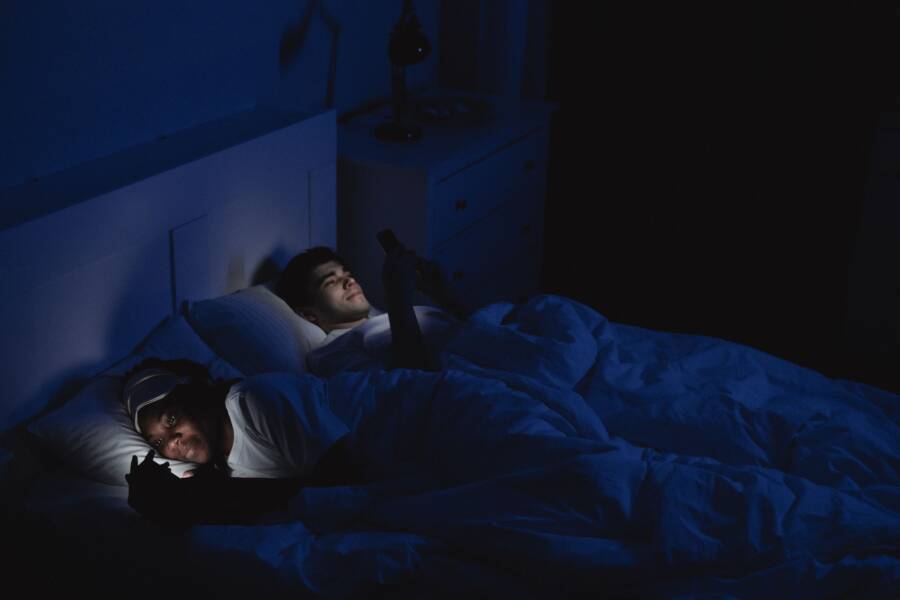
Using Focus or Do Not Disturb modes on your smartphone is an effective way to improve your sleep quality. These settings block distracting alerts and reduce the digital friction that prevents you from falling asleep.
Automation allows you to set a fixed schedule for your device. When your phone goes silent at night, you avoid the urge to check social media or work emails. Consistent use of these modes helps your brain wind down for rest.
You can set up a custom routine to manage your notifications effectively. The following steps show you how to configure these tools for a better night of sleep.
Why Your Smartphone Is Getting In The Way Of Quality Sleep
Your smartphone emits blue light that tricks your brain into staying awake. This light suppresses melatonin, which is the hormone responsible for signaling to your body that it is time to sleep. When you look at a screen late at night, your brain registers the activity as daytime. Consequently, your internal clock shifts, making it harder to drift off when you finally put the device away.
Beyond the light itself, the constant stream of information keeps your mind alert. Every notification, email, or social media update creates a small surge of dopamine. This chemical response makes your brain crave more interaction instead of seeking rest. Your smartphone becomes a cycle of engagement that delays your bedtime and lowers the quality of your deep sleep stages.
The Impact of Blue Light Exposure
Most devices use light-emitting diodes that produce high levels of blue light. Your eyes are sensitive to this wavelength during the evening hours. While modern screens often include night shift modes, they do not block the cognitive stimulation that comes with checking your messages.
- Your eyes detect the bright glare, which signals your brain to stop producing melatonin.
- The delay in melatonin production shifts your natural sleep onset time later into the night.
- You eventually fall asleep, but your body remains in a state of high alertness.
Psychological Stimulation and Bedtime Stress
Checking your device before bed often pulls you back into the stresses of the day. A single work email or an unpleasant social media comment can trigger a stress response. This reaction raises your heart rate and keeps your mind racing when you should be relaxing.
The unpredictable nature of notifications keeps you in a state of hyper-vigilance. You might tell yourself you are just checking for important alerts, but the act of scanning your screen prevents your body from entering a calm state. By removing the device from your bedside table, you eliminate the temptation to scan for updates. This physical boundary creates a clear separation between your busy day and your necessary time for rest.
Common Nighttime Habits to Avoid
Certain habits increase the friction between your tech use and your sleep health. Identifying these patterns helps you recognize why you struggle to shut down your brain.
- Reading work-related messages triggers your brain to solve problems instead of entering a rest mode.
- Browsing news feeds often keeps your mind active with information that is not essential for the night.
- Watching short-form videos creates an endless loop of entertainment that easily consumes an hour or more of your sleep time.
Breaking these habits requires a firm shift in your evening routine. By setting your smartphone to a strict Focus mode, you block these distractions automatically. This allows you to reclaim your sleep time without relying on willpower alone.
How To Create A Simple Do Not Disturb Sleep Routine
Building a reliable sleep routine on your smartphone removes the daily friction of managing alerts. When you rely on manual settings, you often forget to silence your device or find yourself checking updates at the last minute. Automation provides a firm boundary that protects your rest periods without requiring constant willpower. By letting your phone handle these transitions, you create a physical and digital environment that encourages your body to prepare for sleep.
Automating Your Nightly Wind Down
You should schedule your Focus mode to activate automatically each evening at a set time. This process ensures your device enters a quiet state before you head to bed, regardless of your current activity. Automation is superior to manual switching because it removes the choice from your hands. Once you establish a recurring schedule, your smartphone handles the transition on its own, which prevents late-night distractions from breaking your concentration.
To set this up on most modern devices, navigate to your settings menu and locate the Focus or Do Not Disturb section. Select your sleep-specific profile and choose the option to add a schedule. Pick a start time that aligns with your desired wind-down window, such as one hour before you plan to sleep. You should also set an end time that aligns with your morning alarm. This creates a consistent buffer zone that shields your brain from evening notifications.
Customizing Your Notifications For Peace Of Mind
Total silence can feel unnerving if you worry about missing urgent messages. Most operating systems allow you to bypass your sleep settings for specific people or apps, which provides a balance between disconnecting and staying reachable. You can add family members or colleagues to a whitelist so their calls or texts still ring through. This peace of mind allows you to power down your smartphone knowing that you will still hear an actual emergency.
You should also review which apps have permission to send notifications during your downtime. It is helpful to allow only essential tools to alert you during the night. For example, keep your alarm clock app and calendar reminders active, but silence social media, email clients, and messaging apps. This configuration limits the inflow of non-urgent information, which helps you maintain a calm state of mind as you drift off. By refining these permissions, you ensure your device serves your needs rather than demanding your constant attention.
Best Practices For Staying Consistent With Your Digital Sunset
Building a nightly routine helps your body recognize it is time to sleep. Consistency is the primary factor that determines whether these habits stick or fade away. You must treat your sleep schedule with the same level of discipline as a professional commitment. By automating your settings and removing physical access to your device, you create a buffer that protects your rest.
Why You Should Avoid The Bedside Phone Habit
Keeping your smartphone within arm’s reach at night acts as a magnet for your attention. Even if you don’t intend to use it, the presence of the device creates a subconscious pull. You might reach for it the moment you wake up or if you stir during the night. This habit invites unwanted information into your bed and keeps your brain in a state of high activity.
Move your charging station to a different room, such as your kitchen or a home office. If you must keep the device in your bedroom, place it far enough away that you have to stand up to reach it. This simple physical distance adds enough friction to stop mindless scrolling. When your smartphone isn’t right next to your pillow, you are far less likely to check notifications during your designated rest hours.
Measuring Your Sleep Progress Over Time
Modern technology provides useful tools to track the success of your new habits. Health and wellness apps on your smartphone offer data points that reflect changes in your rest quality. Many devices automatically track your sleep duration and interruptions throughout the night. Reviewing this data each week helps you see if your Focus modes are actually making a difference.
Look for trends in your sleep stages, such as the amount of time spent in deep or REM sleep. If you notice an increase in these phases after removing your phone from the bedside, you have clear proof that your routine is working. You can also monitor your heart rate variability to gauge your recovery level. Keep in mind that minor fluctuations are normal, so focus on the long-term patterns rather than daily shifts. This data helps you stay motivated as you maintain your digital sunset for a healthier life.
Common Questions About Phone Focus Modes
Users often have practical concerns when shifting their smartphone habits for better rest. You might worry about missing urgent calls or losing track of important notifications while your device is silent. Understanding how these features actually work helps you build trust in your new nightly routine. Many people find that once they configure the settings correctly, the fear of missing out fades quickly.
Will I still receive emergency calls if my phone is silent?
You can absolutely configure your smartphone to bypass Focus mode for specific contacts. Most operating systems include an emergency bypass setting in the contact profile for family members or close friends. When you enable this feature, their calls and texts will ring through even when your phone is in a restricted state. This keeps you connected to your support network without allowing non-essential alerts to wake you.
Does Focus mode stop my alarm clock from ringing?
Focus modes do not interfere with your system alarm clock. Your phone treats these alarms as high-priority functions that must trigger regardless of your current settings. You can rest easy knowing that your scheduled wake-up time remains active even when you restrict other sounds. This allows you to use your smartphone as a reliable clock without compromising your sleep hygiene.
Can I quickly turn off the restrictions if I need my phone?
You can disable your Focus mode at any time with a single tap. Most devices provide a quick access menu in the control center to toggle your settings on or off instantly. You do not need to navigate through complex menus if an unusual situation requires you to check your screen. Once you address the task, you can reactivate the schedule just as easily to resume your wind-down period.
Should I use the same schedule every night?
Consistency is the most effective way to help your body prepare for sleep. If your schedule changes frequently, your biological clock will struggle to adjust to a set bedtime. Setting a standard time for your smartphone to enter its quiet state encourages your brain to shift toward a restful state every evening. Try to keep your routine steady, even on weekends, to see the best improvements in your rest quality.
Will these settings drain my battery faster?
Focus modes do not negatively impact your battery life. In fact, they often help conserve power by preventing the screen from lighting up for every minor notification throughout the night. Your device spends less energy processing background tasks when you limit active alerts. Using these modes helps you start your day with a fully charged phone and a well-rested mind.
Conclusion
Automating your Focus settings turns your smartphone into a tool for rest rather than a source of distraction. By setting a fixed schedule and filtering notifications, you create a physical and mental boundary that supports better sleep.
Small adjustments to your nightly routine generate significant benefits for your long-term health. Take control of your digital habits today to enjoy more consistent and restorative sleep.