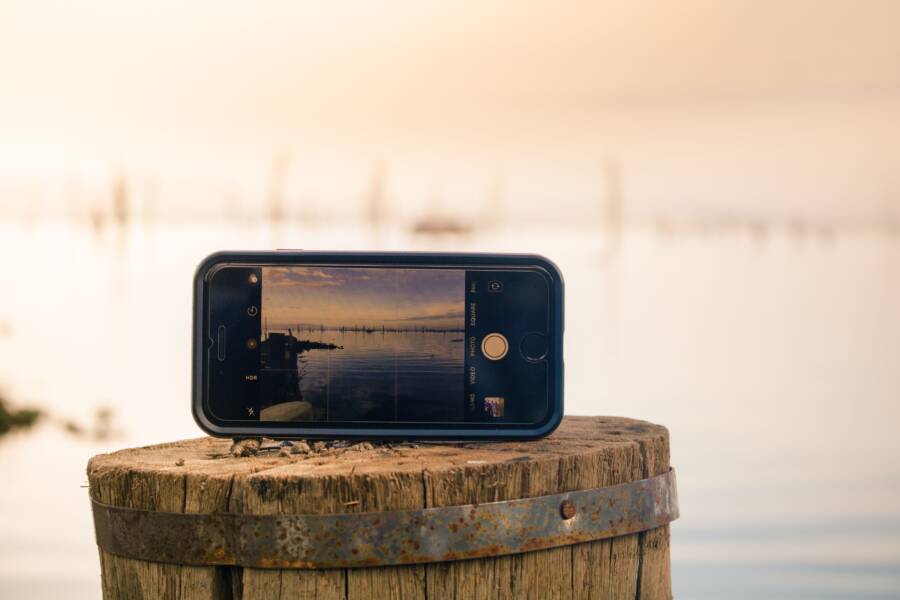
Most blurry photos happen because of shaky hands or improper focus. You can fix this by adjusting how you hold your smartphone and interact with the screen.
Clear images depend on physical stability and intentional habits. If you learn to steady your grip and time your shutter press, your photos will stay sharp every time.
Follow these habits to stop taking soft or motion-blurred shots.
Mastering Your Grip to Reduce Camera Shake
Your hands move more than you realize. Even when you try to stand perfectly still, your muscles pulse and create tiny, involuntary vibrations. These micro-movements travel directly to your smartphone, which often results in blurry images, especially in low light. Improving how you hold your device prevents this instability. By changing your grip, you create a solid foundation for every shot.
Why Two Hands Are Always Better Than One
Using one hand to hold your smartphone makes your camera unstable. Gravity pulls on the weight of the device, which forces your wrist to compensate constantly. This creates a pendulum effect where even a small muscle twitch turns into a visible shake. You need a two-handed approach to stop this.
When you use both hands, you create a rigid frame. Place your phone horizontally and grip both sides with your thumbs and fingers. Press the device firmly against your palms. This contact point adds mass and dampens the tremors from your fingers.
Follow these steps for a steadier hold:
- Grip the corners of your phone firmly with both hands.
- Keep your fingers away from the camera lens to avoid smudges.
- Use the volume button as a physical shutter to reduce screen tapping.
This setup locks the smartphone in place. When your palms support the device, the camera stays aligned with your subject. You eliminate the side-to-side wobble that ruins many casual photos.
Using Your Body as a Natural Tripod
Your hands are only part of the equation. If your arms float in mid-air, they become unstable levers. You must connect your smartphone to the core of your body to maximize stability. This technique uses your skeletal structure to block out motion.
Start by tucking your elbows tightly into your ribs. When your elbows press against your torso, your upper body acts as a support pillar. This prevents your arms from swinging or drooping during the exposure. You should also widen your stance slightly to improve your balance on the ground.
If you are near a stable object, use it. Lean your shoulder or back against a wall, a tree, or a doorway. If a table or a ledge is available, rest your elbows on the surface. These external points of contact stop your body from swaying.
Think of your body as a tripod. When you remove the gaps between your arms and your core, you create a fixed base. This simple adjustment allows you to capture crisp photos in situations where others might see blur. Your smartphone stays steady because it relies on the stability of your entire frame rather than just your fingers.
The Art of Tapping the Screen Correctly
Most people tap their screen carelessly, which often shifts the composition or causes blur. Precision during this final interaction determines whether a shot hits or misses the mark. You must treat the screen like a delicate control surface rather than a punching bag. When you tap with intent, your smartphone maintains its calculated settings for the entire exposure.
Locking Focus and Exposure for Better Sharpness
The camera on your smartphone constantly hunts for the perfect focus point and exposure level. If you tap the screen right as you trigger the shutter, the system might recalculate its settings mid-capture. This sudden adjustment ruins your focus and introduces soft details. You can stop this behavior by using the focus lock feature.
Find your subject on the screen and tap it firmly with one finger. Hold your finger there for a second until a yellow box appears. This action locks the focus and exposure, preventing the camera from shifting during your shot. You will see an icon, often a padlock or a brightness slider, that confirms the settings are fixed.
Once the lock is active, the camera ignores other objects that enter the frame. You can now adjust the brightness slider up or down if the light needs a tweak. The camera ignores every change in lighting or movement until you release the lock. This habit allows you to compose the perfect image without the camera fighting your choices.
Timing Your Shutter Press to Avoid Motion
The moment you tap the shutter button is the most common time for a photo to become blurry. Your finger movement creates a lateral force that pushes the smartphone slightly off balance. Even if you hold the device with two hands, this small push can ruin a sharp image. You must minimize this impact to gain better results.
Use a gentle touch rather than a firm poke when triggering the shot. Imagine you are resting your finger on the button and letting it sink in naturally. If you still see blur in your results, you should use the built-in timer feature. Most cameras offer a 3-second delay, which provides ample time for the device to stabilize after your touch.
The timer delay is the most effective way to eliminate physical interaction during the exposure. Set the timer, tap the button, and pull your hand away from the smartphone. The camera captures the photo three seconds later when all vibrations have settled. This simple delay produces significantly sharper results than trying to time a manual tap perfectly.
Lighting Habits That Solve Blurry Image Issues
Light is the most important factor in your photograph. When your smartphone has access to abundant light, it selects a fast shutter speed, which freezes motion and prevents blur. Low light forces the camera to keep the sensor open for a longer duration to collect enough data. During this extra time, even the smallest tremor in your hands results in a smeared or soft image. You can improve your sharpness significantly by managing the light sources in your environment before you press the shutter.
Finding More Light Before You Snap
Your environment dictates how well your camera performs. If you shoot in a dark room or a dim corner, the camera struggles to find clarity. Move toward a window or step outside to give your sensor the photons it needs. Bright, natural light allows the software to use a high shutter speed, which effectively eliminates motion blur caused by your natural hand movements.
Consider these positioning tips to maximize the light available for your shot:
- Face the light source directly so the subject is well-lit and the camera settings remain fast.
- Avoid backlighting unless you are purposely creating a silhouette, as it often confuses the camera sensor and leads to soft focus.
- Look for ambient light from lamps or overhead fixtures if moving to a window is not possible.
- Use a white surface or a sheet of paper to reflect light onto your subject if shadows look too dark.
When you bring your smartphone into a better light, the camera sensor creates a cleaner signal. It does not need to amplify the image data, which also reduces the digital noise that often hides fine details. You will notice that your focus becomes snappy and your textures appear crisper just by changing your location.
Understanding Why Night Mode Needs Extra Stillness
Modern smartphones use a clever feature called Night Mode to capture usable photos in near darkness. The phone does not take a single photo; instead, it captures a series of images at different exposure levels and merges them into one final frame. This process requires several seconds of physical exposure. If you move the device even a millimeter while this occurs, the software cannot align the layers properly.
The result of slight movement during this process is a blurred or ghosted image. You must maintain complete stillness for the duration of the capture. Watch the progress indicator on your screen. Keep your arms locked to your sides and do not exhale sharply or shift your weight until the timer finishes.
If you find yourself frequently using Night Mode, consider using a flat surface to steady the phone. Rest the base of your smartphone against a railing or a tabletop to ensure the software has a perfectly stable frame to process. This simple commitment to stability turns a potentially blurry night shot into a sharp, detailed memory.
Easy Cleanup and Maintenance Tips
A clean lens is the simplest requirement for sharp photography. Your smartphone spends its life in pockets, bags, or hands, which means the lens gathers dust, lint, and oils constantly. These particles scatter incoming light, which creates hazy images or strange light streaks in your shots. Cleaning your lens properly prevents these issues without scratching the delicate glass.
Keeping Your Lens Clear for Every Shot
Oil from your fingerprints is the biggest enemy of image clarity. These oils create a thin film over the glass that softens every detail. A quick wipe with a clean, soft cloth solves this problem instantly.
Avoid using your shirt or a rough paper towel for this task. Clothing often contains abrasive dust particles or harsh detergents that scratch the lens coating over time. Instead, carry a small microfiber cloth in your bag or pocket.
Follow these habits to keep your camera gear ready:
- Keep a dedicated microfiber cloth in your pocket to wipe the glass before every important photo.
- Use a gentle circular motion to lift oils rather than smearing them across the surface.
- Check the lens edges for trapped dust where a cloth might not reach.
- Use a small air blower if you see stubborn particles that do not move with a wipe.
Small habits prevent the buildup of grime before it affects your results. If you notice persistent blur, inspect the lens under a bright light. Often, a tiny smear is the only reason your photos lack that professional look.
Protecting Your Smartphone Hardware
Physical damage to the camera housing also impacts how well your smartphone functions. If the protective glass over the lens gets scratched, the software cannot compensate for the resulting distortion. A deep scratch often creates a permanent soft spot or flare in your photos that no cleaning can fix.
Use a phone case that features a raised lip around the camera module. This simple design feature keeps the lenses from touching surfaces when you lay the device down on a table. It acts as a buffer against grit and accidental bumps.
Store your phone in a clean pocket or a designated compartment in your bag. Avoid tossing it into a bag alongside keys or loose change. These metal objects scratch the delicate lens surface easily. If you notice deep scratches or cracks on your camera glass, look into a professional repair service. Clear, undamaged glass is the foundation of sharp, high-quality images.
Key Takeaways for Sharper Images Every Time
Capturing clear photos with your smartphone is less about owning high-end gear and more about consistent habits. You can achieve professional results by stabilizing your device, managing light, and maintaining your hardware. Follow these specific practices to sharpen your photography output.
Quick Checklist for Daily Shots
Preparation prevents most common errors in mobile photography. If you perform these small actions before you trigger the shutter, your hit rate for sharp photos will rise. Each habit addresses a physical limitation of your device sensor or your own hand stability.
- Wipe your lens with a microfiber cloth before you open the camera app.
- Stand with your elbows tucked against your ribs to anchor your upper body.
- Use both hands to grip your smartphone horizontally for better leverage.
- Tap your subject on the screen to lock focus before the shot.
- Use the volume button or a 3-second timer to avoid touching the screen during capture.
- Seek natural light sources to keep shutter speeds fast and blur-free.
Troubleshooting Persistent Blur
If you still notice blur in your images, you should re-evaluate your environment. Poor lighting is the primary reason your smartphone defaults to slower shutter speeds, which makes every tiny hand tremor visible in the final image. You must move to a brighter location to give the sensor enough information.
When you adjust these variables, your camera functions within its optimal range. If the light remains dim, your only remaining option is to create a stationary base for your device. Physical contact with a ledge or table surface acts as a makeshift tripod, which is the best way to handle long exposures in dark settings.
Final Habits for Reliable Results
Consistency comes from treating your smartphone camera with the same care as a dedicated professional setup. Small, regular actions protect your hardware and keep your software focused on your creative goals. Keep your microfiber cloth accessible, as a smudge-free lens is the most important factor in image clarity.
Avoid carrying your device in pockets filled with keys or metal objects that might scratch the protective glass. If you notice persistent issues, check for deep scratches that cannot be cleaned. A pristine lens, combined with a stable grip, guarantees you will get the sharpest photos your hardware can produce.
Conclusion
Sharper photography comes down to replacing careless habits with intentional physical control. You move from taking accidental, blurry snaps to producing clean images by stabilizing your smartphone and managing light.
Practice these small adjustments every time you open your camera app. Over time, tucking your elbows in and checking your lens will become automatic motions. Consistent application turns technical stability into a natural part of your creative process.