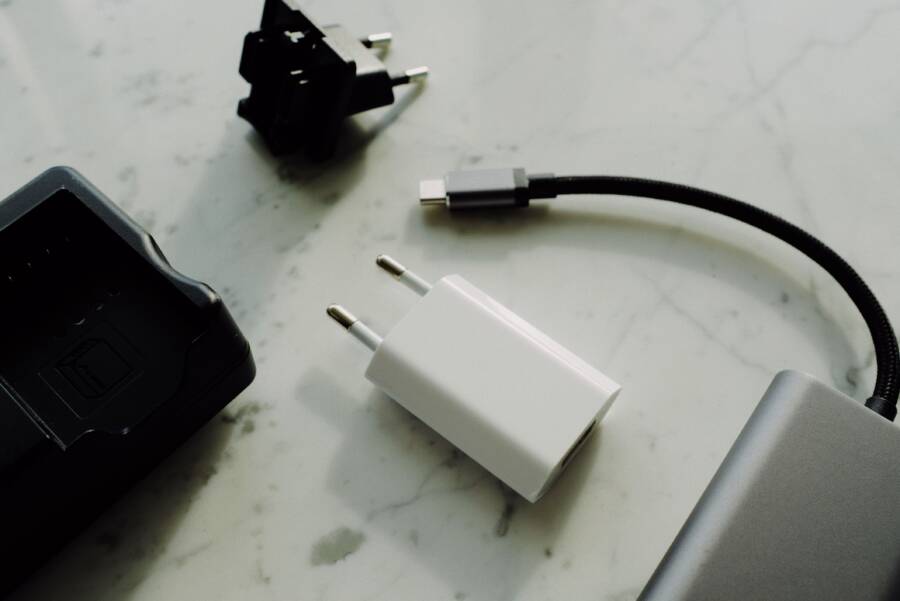
If your smartphone only charges with one specific power brick, the issue is likely a communication mismatch rather than a failing battery. This common problem occurs when charging protocols between your wall adapter and the phone do not agree on how much power to transfer.
Most people assume their battery needs a replacement when charging becomes inconsistent. However, this is usually a hardware compatibility conflict or a damaged cable instead of internal degradation. Your device is safe, and you often only need to update your charging accessories to restore full functionality.
Understanding these handshake protocols helps you fix the issue without unnecessary repairs. By identifying why certain combinations fail, you can determine if a new cable or adapter will solve your power problems permanently.
The Science of Charging Protocols and Why Compatibility Matters
Modern smartphones are sophisticated computers that require precise electrical input to function safely. When you plug in your phone, a silent negotiation begins between the adapter and the device. This process determines the exact voltage and current level to send, preventing heat damage or battery failure. If the two devices cannot agree on these terms, the adapter simply refuses to output power.
Understanding How Your Smartphone Communicates with Power Adapters
The secret behind this interaction lies in the data pins found inside your charging cable and port. Older charging cables only used these pins for data transfer, but modern standards use them to send digital signals between the phone and the wall brick. Your smartphone acts as the master, requesting a specific amount of power based on its current battery level and temperature.
The adapter checks these signals to confirm the device is authorized to receive higher power levels. If your smartphone does not send back the correct confirmation code, the power adapter defaults to a low-power safety mode. Some adapters will stop outputting energy entirely if they do not receive a valid handshake signal. This safety mechanism protects your smartphone from receiving a surge that could fry the charging circuitry.
If you use a cable that lacks the internal chips needed to communicate these protocols, the handshake fails. The adapter assumes the connected device is incompatible or dangerous. Consequently, the phone does not receive a charge, or it charges at such a slow speed that it appears to be failing. Always check if your cable supports the same protocol as your adapter to ensure these signals pass through without errors.
Identifying Different Charging Standards
Charging technology has moved quickly from the basic USB-A standard to the versatile USB-C Power Delivery (PD) system. Older USB-A blocks provide a fixed voltage, usually five volts, which limits how fast a device can charge. Modern USB-C PD blocks operate differently by adjusting both voltage and current dynamically. A smart adapter talks to your smartphone to provide exactly what the battery needs at that moment.
Problems often occur when a high-output adapter tries to communicate with a phone designed for a different standard. If your smartphone requires a specific proprietary protocol, it might ignore the signals from a generic high-wattage charger. Even if the cable physically fits, the lack of a common “language” prevents the charging process from starting.
Legacy USB-A: These chargers often lack the digital handshake capabilities found in modern standards.
USB-C Power Delivery: This standard allows for rapid, negotiated power transfer between your brick and the phone.
Proprietary Standards: Some manufacturers use custom protocols that only work with their specific branded adapters.
A high-output block is not always better for every device. If the charger and the smartphone cannot reach a consensus on the protocol, the communication remains stalled. You might find that a lower-wattage, older adapter actually works better if it uses a basic charging standard that your smartphone recognizes immediately. Always verify that your adapter supports the standard your smartphone expects before assuming the equipment is broken.
Troubleshooting Steps to Fix Charging Incompatibility
When your smartphone refuses to charge with a specific adapter, the problem often stems from simple physical obstructions or hardware handshake failures. Most users jump to the conclusion that their battery is failing, yet the fix is usually much cheaper and faster. You can resolve most of these issues by inspecting the hardware and testing different connections. Follow these practical steps to identify the bottleneck and get your device powered up again.
Clearing Debris from Your Charging Port
Pocket lint, dust, and dirt often accumulate inside the charging port of a smartphone. This buildup blocks the metal pins from making a solid connection with your charging cable. Even if the cable fits, the debris prevents the necessary data signals from passing through. You must clean the port carefully to avoid damaging the internal components.
Power off your phone to prevent any electrical shorts during the process.
Use a bright light to inspect the bottom of the port for trapped debris.
Take a thin, non-conductive tool like a wooden or plastic toothpick to gently loosen any packed material.
Avoid using metal needles or paperclips, as these can easily scratch the delicate pins or cause a short circuit.
Tilt the phone downward so that the loosened particles fall out of the port naturally.
Use a burst of compressed air to clear away any remaining dust if the port still looks obstructed.
Check the connection after cleaning to see if your adapter now recognizes the device. Often, a tiny clump of lint is the only reason the handshake failed.
Isolating the Culprit with a Cable Swap
Many people assume the wall adapter is the source of the trouble, but the cable is frequently the real offender. Modern charging relies on tiny chips inside the cable to negotiate power delivery. If a cable is frayed, bent, or lacks the necessary MFi (Made for iPhone) certification, it will lose its ability to pass these critical data signals. Without this communication, the wall brick defaults to a safety mode and provides no power at all.
Test your setup by using a known-working cable that you have confirmed elsewhere. If the phone starts charging, your old cable is likely broken or incompatible with that specific adapter. Always choose cables that meet the official standards for your smartphone. Non-certified cables might work on some low-power chargers, but they often fail when paired with fast-charging adapters that require a specific digital handshake.
If swapping the cable does not fix the issue, test your original cable on a different smartphone. This helps you determine if the cable is physically dead or if the incompatibility is unique to the original power adapter. Keeping a high-quality, certified spare cable nearby is a smart way to rule out hardware failures during your troubleshooting process.
When to Replace Your Charging Hardware
Replacing your charging gear is necessary once the physical components show signs of wear or fail to deliver consistent power. Even if a charger still works for some devices, the internal circuitry degrades over time. If you notice your smartphone takes longer to charge than it used to, or if the adapter feels excessively hot during use, the internal components have likely reached the end of their lifespan. Constant heat cycles break down the capacitors inside, which leads to unstable power delivery. You should also replace your gear if you observe visible fraying on cables, exposed wires, or a loose connection at the charging port. Continuing to use damaged equipment poses a risk of electrical shorts that could harm your battery or internal charging circuitry.
Choosing Certified Chargers for Safety
Low-cost, unbranded chargers often lack the sophisticated safety features required for modern smartphone models. These cheap alternatives frequently bypass the testing processes that established manufacturers perform to confirm compatibility and safety. Without these safeguards, a budget charger may fail to regulate voltage correctly, which sends inconsistent power to your device. This instability is the primary reason why some chargers stop working with your smartphone, as the phone senses dangerous fluctuations and shuts down the connection to protect its hardware.
Name-brand, certified products undergo rigorous testing to meet global standards like USB-IF certification. These devices include internal controllers that monitor heat and voltage output in real time. When you use a certified charger, the communication handshake between the brick and your phone happens correctly every time. These products handle the power negotiation process without errors, which prevents the charging failures common with generic power supplies. Investing in reputable equipment protects your phone from power surges and ensures the charger lasts much longer than a bargain alternative.
Preventing Future Charging Issues
Proper care of your charging accessories significantly extends their life and keeps your smartphone charging at peak speeds. Physical damage is the most common cause of premature failure, so how you handle your gear matters. Avoid tightly wrapping cables around the power brick, as this practice creates sharp bends that snap the delicate internal wires over time. Instead, coil your cables loosely to maintain the integrity of the copper shielding.
Heat is the enemy of electronic components, so store your adapters in a cool, dry place. Using a charger in direct sunlight or in a confined, poorly ventilated space causes the internal components to break down faster. Always unplug your charger from the wall if you notice it feels hot even when it is not actively charging a phone. Additionally, keep your cable connectors free of dust and debris by storing them in a protective case when you travel. These small habits preserve the performance of your hardware and ensure your charging setup remains reliable for years.
Conclusion
Most charging problems result from a simple communication error between your smartphone and its power supply. You can resolve these issues by inspecting the charging port for debris, testing with a known working cable, and verifying that your adapter supports the correct protocol for your specific device.
Your battery is likely healthy even if one specific brick fails to charge the unit. Incompatibility often mimics hardware failure, but you rarely need expensive repairs to restore power.
Investing in high-quality, certified accessories saves time and protects the long-term health of your battery. Reliable hardware ensures that your device receives stable power while avoiding the risks associated with cheap or damaged equipment.