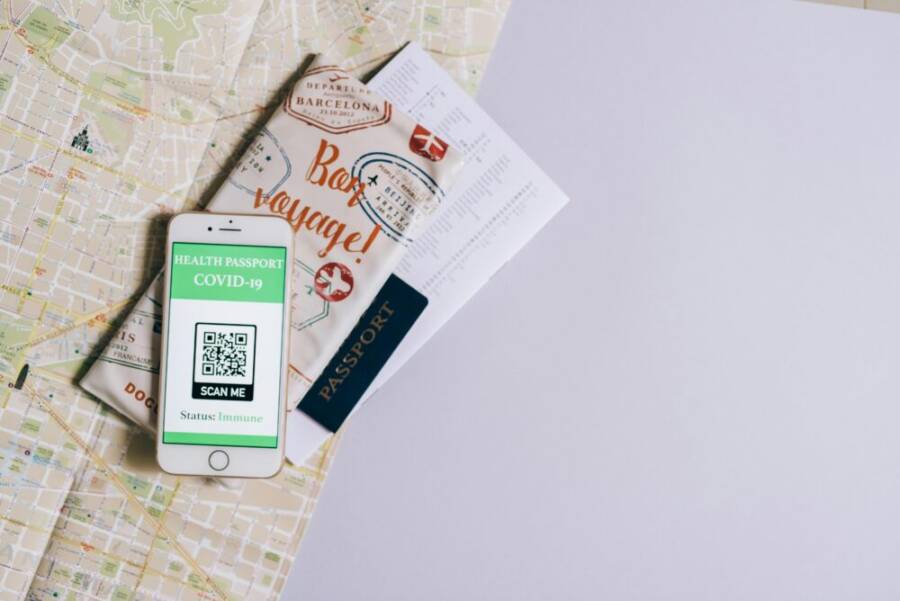
Traveling abroad, your smartphone is both a lifeline and a potential doorway for scammers. Knowing what to watch for can save you time, money, and a lot of hassle.
This guide breaks down common scams travelers face in other countries and shows practical steps you can take right away. You’ll learn how to spot fake hotspots, protect your apps, and keep your data safe while staying connected.
By the end, you’ll have a clear, easy-to-follow plan to shield your device, with quick actions you can perform before and during your trip. Stay prepared, stay cautious, and keep your trips enjoyable.
Understand the Risks of Scams in Other Countries
Traveling opens doors to new experiences, but it also exposes you to risks you might not face at home. Scammers adapt to local norms, languages, and environments, which can make their schemes seem plausible. This section outlines the most common scam types travelers encounter abroad, why they work, and how you can spot them before it’s too late. You’ll find practical examples, quick checks, and reliable resources to stay one step ahead.
Common scam types that target travelers
- Fake taxi offers: A driver or a person claiming to be a ride service stops you near the airport or a busy area and offers a ride at a suspiciously low rate. The vehicle might not be registered, or the fare could spike once you reach your destination. Always use licensed taxis or trusted ride apps, and confirm the driver’s name, plate, and the destination before starting.
- Hotel phone scams: Scammers pose as hotel staff or local authorities and ask for urgent information or payments to “verify your reservation.” They can spoof local numbers or imitate familiar hotel branding. If in doubt, call the front desk using the hotel’s official contact number and verify any request.
- SIM swap and phone compromise: Attackers contact you pretending to be your mobile provider or a trusted entity and request your PIN or verification codes. They aim to take control of your number so they can access accounts locked behind two factor authentication.
- Fake emergency alerts: You receive a message about a sudden danger or a supposed partner transfer in the area. The alert might urge you to call or download a certain app to stay safe. Verify through official channels rather than following in-message instructions.
- Paid roaming and surprise charges: At a hotel or cafe, you might be charged for roaming or data access that isn’t clearly disclosed. Always review roaming options before you travel and monitor data usage through your phone’s settings.
Why phone scams are common abroad
- Language gaps: Misunderstandings can make simple requests seem urgent or legitimate. If you don’t catch every word, you’re more likely to react quickly to pressure.
- Crowded environments: Bustling streets, kiosks, and loud crowds create distractions. Scammers exploit noise and bustle to slip in a tricky request.
- Unfamiliar numbers and apps: Local numbers can look like legitimate contacts, and fake apps can imitate reputable brands. A cautious approach to unknown callers and apps saves you from many traps.
- Local practices and norms: Travelers unfamiliar with local procedures may accept official-sounding instructions from a stranger. When something feels off, pause and verify with a trusted source.
Red flags to spot in calls, texts, and apps
- Urgent requests: Scammers pressure you to act now, especially if they insist on quick payments or sharing personal data.
- Banks or official channels in a foreign language: Messages claiming to be from your bank that push you to reveal credentials should be treated with skepticism.
- Offers that sound too good to be true: Big discounts, guaranteed winnings, or exclusive access usually hide a catch.
- Requests for personal data: Passwords, PINs, full date of birth, or social security numbers are red flags, especially if they come unsolicited.
- Apps asking for broad permissions: A legitimate app requests only what it needs to operate. If an app asks for unnecessary access, skip it and remove it if already installed.
- Unknown numbers or spoofed IDs: If the caller ID looks unfamiliar or slightly altered, don’t assume trust.
Practical quick checks to stay safe:
- Verify through official channels: Call the company or hotel using numbers on their official website.
- Pause before sharing data: Never provide passwords or one time codes over the phone or in chat.
- Cross check with locals: If you’re in a hotel, ask staff about typical local scams and what to watch for.
- Check app legitimacy: Download apps only from official stores and read reviews for unusual permissions.
External resources you can consult for more detail:
- Travel safety tips from the U.S. State Department highlight common scams and how to respond. Read more at Travel.gov.
https://travel.state.gov/en/international-travel/travel-advisories/scams.html - The FTC offers practical guidance on avoiding travel scams and robocalls. Learn more at the FTC site.
https://consumer.ftc.gov/articles/avoid-scams-when-you-travel - Trend Micro explains common travel scam tricks and how to recognize them. See their overview for travelers.
https://helpcenter.trendmicro.com/en-us/article/tmka-11629
If you want a broader view, Harvard Global Support Services also lists typical travel scams you may encounter and how to handle them.
https://www.globalsupport.harvard.edu/travel/advice/common-scams-to-avoid-while-traveling
And for a practical look at how scams appear in Europe and other regions, Northeastern University’s guidance covers a range of traveling scams and prevention tactics.
https://nupd.northeastern.edu/scam-prevention/traveling-scams-and-prevention/
Prepare Your Phone Before You Travel
Your phone is a compact travel companion, but it can also become a target for scams if it isn’t ready for the road. This section covers quick, practical steps to ready your device before you depart. From keeping software fresh to securing access, a few actions now save you headaches later.
 Photo by Leeloo The First
Update software and security apps
Keeping iOS and your security apps up to date is one of the simplest yet most effective ways to shore up defenses against scams abroad. Updates patch known vulnerabilities, fix bugs, and sometimes add safer, more privacy-friendly features. Before you leave, check for the latest software and app versions and install them.
- On iPhone: open Settings > General > Software Update. If an update is available, tap Download and Install. For apps, open the App Store, tap your account icon, and choose Update All or update individual apps. Apple’s official guide covers manual and automatic options:
- On Android: go to Settings > System > Advanced > System update and install any available updates. For apps, open the Google Play Store, tap your profile, and select Manage apps & devices to update all or specific apps.
Quick routine you can perform in under five minutes:
- Check for a systems update first, then update essential apps like banking, email, and map apps.
- Enable automatic updates where possible to stay protected between trips.
- Review app permissions after updating to ensure only necessary access is granted.
Strengthen device protections
A strong baseline defense starts with solid screen locks and reliable account recovery options. If your phone falls into the wrong hands, good protections keep your data out of reach.
- Set a screen lock: choose a code, pattern, or biometric option that you remember but others can’t guess.
- Enable Find My / Find My iPhone: this helps you locate, lock, or erase your device remotely if it’s lost or stolen.
- Turn on auto-lock: a short timeout like 30 seconds reduces the window for someone to snoop.
- Use strong passcodes and biometrics: combine a long numeric or alphanumeric code with fingerprint or face unlock for balance of speed and security.
- Prepare backup codes: keep a set of recovery codes for essential services in a separate, secure place.
If you can, pair device protections with a reputable password manager. It keeps unique, hard-to-guess codes for every service, and you only need one master password to access them all.
Manage roaming, data, and backups
Data habits abroad should protect you from unexpected charges while keeping your information safe. A small misstep can lead to expensive roaming fees or data exposure.
- Roaming by default: turn off data roaming in your phone settings, then enable it only when you need it or buy a local SIM or eSIM.
- Offline maps and essential offline data: save maps and important documents for offline use to avoid reliance on roaming data.
- Save important numbers: note hotel, embassy, and emergency contacts in a safe place outside your phone.
- Backups: ensure photos, contacts, and documents are backed up to a cloud service or computer before you travel.
- For iPhone users, iCloud is a straightforward option; for Android users, Google One provides broad coverage. You can also back up to a computer via USB or offline storage.
- Photograph important documents before you travel: keep digital copies of your passport, visa, and travel insurance in a secure location.
Additional tips to keep in mind:
- Use a local SIM or eSIM cautiously. If your current carrier provides international plans, verify rates and data limits to avoid surprises.
- Consider turning off 5G roaming where not needed to extend battery life and control data use.
External resources you can consult for more detail:
- Update iOS on iPhone: https://support.apple.com/guide/iphone/update-ios-iph3e504502/ios
- Update your iPhone or iPad: https://support.apple.com/en-us/118575
- How to manually update apps from the App Store: https://support.apple.com/en-us/102629
Images and visuals can reinforce these steps. If you use a travel image, ensure it complements the content and credit the photographer as appropriate.
Stay Safe While Using Your Phone Overseas
Your phone is a trusted companion when you travel, but it can also be a hotspot for scams if you’re not careful. The goal is simple: stay connected, but stay protected. In this section, you’ll find practical tips you can apply before and during your trip to minimize risk. We’ll cover how scammers use calls and numbers, why app safety matters, and how to guard your connections on the go.
Be careful with calls, messages, and numbers
Scammers often rely on strange numbers, spoofed IDs, or urgent language to push you into sharing information or making quick payments. You might see a number that looks local but isn’t, or a message that mimics a bank or hotel. The pressure to act fast makes travelers abandon caution.
Your best defense is verification. If you receive a call or text that sounds urgent, pause and verify through official channels. For example, call the bank or hotel using a number from their official website, not the one in the message. If something feels off, don’t share credentials or one time codes over the phone or in chat. It helps to ask for a callback number and confirm it through the organization’s official contact details.
Spoofing is more common than you think. Caller ID can be manipulated to look legitimate. If you’re unsure, treat the call as suspicious and use a separate line to verify. You can also turn off unknown caller alerts on some devices if you prefer not to be interrupted, then review any messages later when you’re in a safe space.
For more context on how to spot spoofing and verify callers, see resources from the FCC and FBI. They explain how spoofed IDs work and offer practical steps to stay safe while traveling. If you want a quick reference, you can review tips like “look up the company’s number yourself and call them back” to confirm legitimacy.
- https://www.fcc.gov/consumers/guides/spoofing
- https://www.fbi.gov/how-we-can-help-you/scams-and-safety/common-frauds-and-scams/spoofing-and-phishing
If you prefer to minimize the risk of spoofing altogether, consider keeping your number private where possible. A reputable password manager can help you manage codes and logins without exposing sensitive data in chat or calls. For a broader view on stopping spoofing, Norton’s guidance offers practical steps as well.
Remember, when in doubt, verify. If you ever receive a request that asks you to reveal passwords, full dates of birth, or verification codes, pause and double check with the organization directly.
Safe app habits and official app stores
Apps are essential on the road, but shady copies or malicious permissions can compromise your data fast. The safest path is to install apps only from official stores and to review what each app can access before you install it. Always read reviews and be wary of apps that request broad or unnecessary permissions, especially on travel devices used in public spaces.
A straightforward habit is to update apps regularly. App updates fix security flaws and improve privacy controls, which can cut down on exposure to scams. After updating, review permissions once more to ensure apps only have access that’s strictly necessary for their function.
A practical approach you can follow:
- Always download from official stores: Apple’s App Store or Google Play.
- Check permissions before install: does a navigation app need access to contacts or SMS? If not, decline.
- Update promptly: enable automatic updates where possible to stay protected between trips.
If you want a deeper dive, reputable sources outline how to spot fake apps and why official stores matter. For example, official guidance highlights the importance of reading app reviews and checking the developer before installation.
Staying on top of app hygiene reduces exposure to shady copies and helps keep your data lock tight. Consider pairing app hygiene with a strong password manager to keep access credentials organized and unique for every service.
Secure connections and public Wi Fi tips
Public Wi Fi is convenient but risky when you’re abroad. Unsecured networks can expose your data to eavesdroppers, making it easier for scammers to capture credentials or personal details. The safer strategy is to connect only to trusted networks and to use privacy tools when you must go online.
A simple rule: avoid performing sensitive tasks on public networks. Log in to your bank, email, or shopping accounts only on networks you trust, such as your hotel’s secure network or a known cellular connection. When in doubt, use a virtual private network (VPN) to encrypt your traffic and protect your data from prying eyes. If you’re using a VPN, remember to choose a reputable provider and keep it active for sensitive sessions.
Turn on automatic lock after a short period of inactivity. A quick timeout, such as 30 seconds, minimizes the time your screen is left unlocked in busy places. This reduces the chance a passerby will see personal details on your screen.
Offline maps and data come in handy when networks are flaky or expensive. Download maps ahead of time for your destinations and keep essential documents offline. This reduces the need to search online for information while you travel.
If you need extra reassurance on securing online activity, consider reviewing guidance from trusted safety and security organizations. They explain common Wi Fi risks and practical ways to stay safe on the road.
- https://www.fcc.gov/consumers/guides/spoofing
- https://www.fbi.gov/how-we-can-help-you/scams-and-safety/common-frauds-and-scams/spoofing-and-phishing
In addition, staying informed about best practices for online security helps you spot unusual prompts on public networks. For example, a prompt asking you to install a security certificate or a VPN can be legitimate, but one asking you to enter sensitive data on an unfamiliar login page should raise a red flag.
Practical steps to boost security on the go:
- Use only trusted networks or a verified VPN for sensitive tasks.
- Keep your device’s auto lock and encryption enabled at all times.
- Save essential maps offline to reduce data usage and risk on public networks.
- Regularly back up photos and important data to a secure cloud or local storage.
Sources that explain how to identify spoofing and protect yourself online reinforce these practices. They offer actionable steps you can apply before you travel and during your stay.
If you’d like practical, region specific tips, you can turn to travel safety resources that cover common Wi Fi risks in Europe and other regions. They help you tailor your precautions to local networks and practices.
Images and visuals can reinforce these steps. If you use travel imagery in this section, ensure proper credit and alignment with the content.
References and further reading provide a broader view of staying safe online while traveling. They’re useful as a quick verifier if you’re building a safety routine for a trip.
What To Do If You Suspect a Scam
Spotting a potential scam on your smartphone while abroad feels unsettling, but quick action keeps the damage small. You don’t need to panic. Follow these steps to confirm doubts, limit harm, and recover fast. Stay calm, and protect your data first.
How to verify a caller or message
Doubts about a call or text demand proof before you respond. Scammers count on your rush to act. Use this simple plan to check legitimacy without risk.
Ask the caller for their official contact number, then hang up right away. Call back using that number from the company’s website or app, not the one that reached you. Never share personal details like passwords, PINs, or codes until you confirm everything matches.
Here’s a quick example dialogue to handle a suspicious hotel call:
You: “Thanks for calling. What’s the official front desk number so I can verify this?”
Scammer: “It’s 555-0123. Call now.”
You: “Got it. I’ll call back there.” [Hang up and dial the real number from the hotel site.]
If the story doesn’t match, block the number and move on. Tools like your smartphone’s built-in caller ID or apps from official stores add extra checks. For more on spotting fake travel alerts, check Travel.gov’s scam guide.
What to do if you are scammed
You shared some info, and now regret hits. Stop everything immediately to block further access. Act fast to secure accounts and cut losses.
First, halt all contact with the scammer. Change passwords for your email, bank apps, and any linked services from a secure device. Contact your bank or card issuer right away to monitor for fraud and dispute charges.
If credit details got exposed, freeze your credit reports through agencies like Equifax or TransUnion. Watch statements closely for the next few weeks.
Use this short checklist to guide your response:
- Stop sharing data: End the call or chat now.
- Change passwords: Update them on all key accounts.
- Alert banks: Call using official numbers to report and freeze cards.
- Monitor accounts: Check for odd activity daily.
- Run security scans: Use trusted apps on your smartphone to check for malware.
These moves limit fallout. Your carrier can help lock your SIM if needed. See the FTC’s travel scam advice for extra recovery tips.
How to report scams and warn others
Reporting helps authorities track scammers and stops them from hitting more travelers. Keep evidence like screenshots, call logs, or texts handy. Save them before deleting anything.
File reports locally at police stations or tourist offices abroad; your embassy assists if language barriers slow things. In the US, submit details to the FTC at ReportFraud.ftc.gov or the FBI’s Internet Crime Complaint Center. International options include Action Fraud in the UK or your home country’s consumer protection agency.
Warn friends by sharing your story in group chats or on social media. Post clear details without personal info to alert others.
Quick evidence tips:
- Screenshot messages with timestamps.
- Note caller IDs and dates.
- Log any payments or shared data.
Your report builds a record that aids bigger investigations. Travelers United outlines common phone scams to watch (their list here). Share wisely, and you protect the next person.
Conclusion
Protecting your smartphone while abroad isn’t a luxury, it’s a rule of travel safety. With clear steps before you go and smart habits on the move, you can stay connected without exposing your data to scams. Your best defense is a calm, verified approach to calls, apps, and networks, all while keeping essential information offline when possible.
Key steps to remember:
- Update software and security apps before departure and keep them current during the trip.
- Use trusted networks or a reputable VPN for sensitive tasks, and back up data regularly.
- Verify callers and messages via official channels, and pause before sharing any codes or credentials.
- Install apps only from official stores and review permissions carefully.
Quick safety checklist you can use now:
- Enable auto-lock and Find My features, set a strong screen passcode.
- Turn off data roaming unless needed, consider a local SIM or eSIM.
- Save emergency and key hotel numbers outside your phone.
- Rehearse a simple verification script for any suspicious contact.
Share this guide with fellow travelers so everyone stays cybersafe on their next trip. If you found this helpful, leave a comment with a tip you rely on or a scam you’ve encountered abroad.