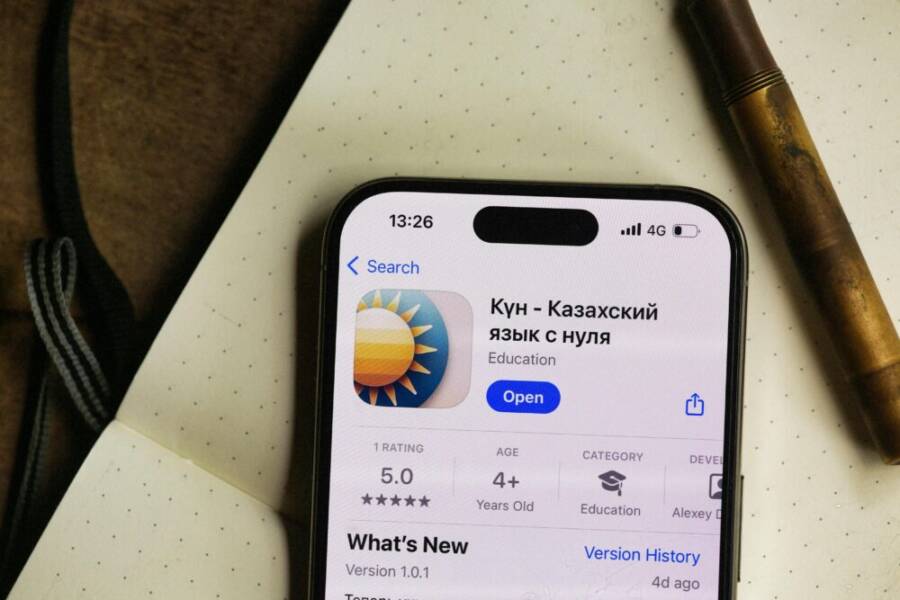
Can a pocket device really help you immerse yourself in a new language without leaving home? This guide shows you how a few simple phone habits can lead to real world exposure, flexible practice, and quick wins you can feel in days. You can start in about 15 minutes and build from there.
A smart approach blends everyday use with tiny daily tasks. You’ll learn practical ways to turn your phone into a language learning companion, from switching to the target language on your apps to listening exercises that fit into a commute or coffee break. Think of it as a practical toolkit that fits around your life, not a rigid study plan.
Here’s how to begin: set a clear goal for the first week, such as 10 minutes of listening or 5 short conversations. Make small, consistent tasks part of your routine and keep your smartphone handy for quick practice. With consistent use, a smartphone becomes a steady source of real world language exposure and progress.
Make Your Phone a Language Immersion Hub
Turning your phone into a language immersion hub means tiny, constant exposure that blends with daily life. You’ll passively soak up words, phrases, and cultural cues while you text, browse, or map your way around town. These steps are easy to follow on both iOS and Android, and they don’t demand a big time commitment. Start with small changes that stack up over days and weeks.
Set a target language across your phone settings
Setting your phone to the target language creates constant, passive exposure. It nudges you to notice new words in menus, notifications, and app prompts without extra work.
- iPhone and iPad (iOS)
- Change the system language: Open Settings > General > Language & Region, then add your language and set it as the primary. This makes many apps display in the target language.
- Adjust region settings: In Language & Region, set the region to match where the language is spoken. This influences dates, times, and local app content in a helpful way.
- Localize recommended apps: Some apps detect your device language and switch accordingly. You’ll see more content in the target language over time.
- Quick tips: If you prefer English for some apps, you can keep those apps in English while others stay in the target language. You can switch languages back in Settings anytime.
- Android
- System language: Go to Settings > System > Languages & input > Languages, then add and move the target language to the top.
- Region and format: In the same area, adjust Region or Locale to align with the language environment.
- App language overrides: Some Android devices let you set per-app language; use this to keep messaging apps in your native language while other apps stay in the target language.
- Quick tips: If you need a momentary switch, use a quick settings tile or a separate user profile with the target language.
Why this matters: when your phone’s interface adopts your goal language, you encounter it in real time—menus, prompts, and error messages—without forcing study time. It’s a gentle nudge that compounds with every tap.
Suggested reference for iPhone language changes: Change the language on your iPhone or iPad. You’ll find clear steps to add a language and set it as the primary. https://support.apple.com/en-us/109358
If you want to refine how language and region interact on iPhone, see Change the language and region on iPhone for step-by-step guidance. https://support.apple.com/guide/iphone/change-the-language-and-region-iphce20717a3/ios
For navigating Maps with spoken directions in your target language, you can adjust spoken language choices in Settings. https://support.apple.com/guide/iphone/change-settings-for-spoken-directions-iphd3c85c193/ios
Switch keyboard and voice input for real practice
A dedicated target language keyboard plus voice input turns your phone into a practice partner. You’ll get more feel for pronunciation and sentence flow, all while you’re typing or speaking in everyday tasks.
- Choose a target language keyboard
- iOS: Add a keyboard in Settings > General > Keyboard > Keyboards > Add New Keyboard, then select the target language. You can switch keyboards from the globe icon on the keyboard.
- Android: Settings > System > Languages & input > On-screen keyboard > Manage keyboards, then enable the target language keyboard and switch with the spacebar or globe icon.
- Enable voice input and speech to text
- Use your keyboard’s microphone to dictate in the target language. This helps you practice pronunciation and get immediate feedback from your own speech recognition.
- Practice phrases you use daily, like greetings, requests, or small questions. Listen to how the words sound when converted to text.
- Quick switching tips
- Learn a simple shortcut to switch languages: on iOS, hold the globe or tap the keyboard icon; on Android, use the system language switch or keyboard switch button.
- Keep a few common phrases ready in the target language for quick dictation, then review what the app transcribes for accuracy.
Why this matters: speaking out loud while using the phone reinforces pronunciation and rhythm. It also builds confidence to think in the target language during real conversations.
For official guidance on language and input settings, see the iPhone change language and region article and the Maps spoken directions settings linked above.
Create daily prompts and reminders
Regular prompts keep your immersion consistent without turning it into a chore. Short, lightweight prompts become language habits that stick.
- Helpful prompt ideas
- Describe your daily routine: “What did I do this morning in the target language?”
- Describe a photo: “What’s happening in this image? Use 2–3 new words.”
- Ask for directions: “How do I get to the grocery store from here?”
- Share a quick thought: “What’s one thing I learned today in the target language?”
- Scheduling prompts
- Use calendar reminders for bite-sized practice, such as a 5-minute speaking window after lunch.
- Create a recurring daily note with a single new word or phrase. Review it later in the day.
- Lightweight prompts work best
- Keep prompts under five sentences.
- Use simple sentence patterns to build accuracy and speed.
- Pair prompts with a quick action, like “Open Maps in the target language and search for a coffee shop nearby.”
- Example prompt flow
- Morning: “Describe my morning routine in the target language.”
- Afternoon: “Describe a photo from yesterday.”
- Evening: “Ask someone for directions to a local landmark.”
Why this matters: short, repeated prompts create a cadence. The brain learns to retrieve vocabulary in context, not memorized lists.
External resources you can consult for language input options include official language and region settings and voice input guidance, which help you tailor prompts to your device:
- Change the language on your iPhone or iPad for a broader exposure to the target language.
- Change the language and region on iPhone to align interface language with regional content.
- Change settings for spoken directions in Maps on iPhone to practice listening comprehension.
Curate a Language Immersion Media Playlist
A well designed media playlist turns everyday phone time into language practice. The goal is to blend short, engaging items with material that matches your current level and interests. A thoughtfully curated playlist keeps you motivated, reduces frustration, and builds a steady rhythm of exposure across listening, reading, and listening-with-subtitles tasks. Use a mix of formats so you encounter the language in varied contexts, from casual chats to short news bites.
 Photo by Alexey Demidov
Choose content in the target language
A robust playlist includes a blend of short videos, podcasts, music, and social posts in the target language. The idea is to create a shelf you can dip into during brief breaks or commutes. Follow these guidelines to pick items that match your level and keep you engaged:
- Short videos: Look for 3–5 minute clips that clearly present everyday topics. Rewatch the best moments to catch new words.
- Podcasts: Choose 5–15 minute episodes with clear articulation. Start with hosts who speak at a steady pace and use simple sentence structures.
- Music: Pick songs with straightforward lyrics and repetitive phrases. Lyrics apps can help you spot repeated vocabulary.
- Social posts: Save language posts from creators who explain ideas in simple terms. Short captions and repeated themes are perfect for quick study sprints.
- Match to your interests: If you love cooking, follow language accounts that post quick recipe clips. If you’re into travel, zero in on travel vlogs and tips in the target language.
- Level progression: Start with material that feels comfortable 80% of the time. As your confidence grows, layer in slightly more challenging clips.
Tips for choosing items:
- Check reputation and language level in the description or comments.
- Preview the first 60 seconds before committing to a longer video or episode.
- Keep a running list of favorites so you don’t forget good fits.
If you want a starting point, explore curated language immersion resources like immersion app roundups and podcast recommendations. For example, see resources that compare the best immersion apps and language podcasts, which can help you assemble a balanced mix. For more ideas, you can refer to these articles:
- The Top 10 Immersion Apps You Need to Get Fluent Fast
- The 4 Best Language Learning Apps of 2025
- 12 best English podcasts to learn English at any level
External links for inspiration:
- The Top 10 Immersion Apps You Need to Get Fluent Fast
- The 4 Best Language Learning Apps of 2025
- 12 best English podcasts to learn English at any level
Use subtitles the right way
Subtitles are a powerful bridge between listening and reading. The key is to use them strategically so you build comprehension without becoming dependent. Here’s a simple progression you can follow:
- Start with full subtitles in the target language during listening first, to anchor new words to sounds.
- Move to target language subtitles only, keeping the pace comfortable.
- Transition to transcripts or captions in your native language only for challenging sections.
- Gradually remove subtitles as your understanding grows, one step at a time.
A practical three-step progression:
- Full subtitles in the target language for quick listening and reading alignment.
- Target language subtitles with slower playback speed to reinforce recognition.
- No subtitles while watching the same content, with occasional rewatch for tough scenes.
Simple plan you can apply today:
- Week 1: 80% content with target subtitles, 20% with no subtitles.
- Week 2: 60% target subtitles, 40% no subtitles.
- Week 3 and beyond: 20% target subtitles, 80% no subtitles, focusing on listening comprehension.
Tips to adjust speed and feeds:
- Slow down playback to catch unfamiliar words without losing the sentence flow.
- Use a dedicated player that lets you toggle captions quickly and compare the text with what you hear.
- If you miss a phrase, pause, rewatch the segment, and note the new vocabulary.
A straightforward progression plan helps you build confidence without stalling. For more ideas on subtitles, consider checking resources about how to set language subtitles on popular platforms and how to pace listening practice.
External sources you may consult for subtitle strategies:
- A guide to choosing the right subtitles for language learning
- Techniques for reducing reliance on subtitles over time
Balance content by level
Your playlist should mix easy material with content that challenges you just enough to push your skills forward. A good rule of thumb is to keep a larger portion of easy material on the front end and gradually tilt toward more challenging content as you improve.
- Start with content you can understand 75–85% of the time. This builds confidence and reinforces vocabulary.
- Introduce 15–25% more difficult items each week. These should push you to infer meaning from context and subtitles when needed.
- Track difficulty with a simple habit tracker. Note if you consistently understand 80% of new material or if you struggle to pick up core ideas.
- Use a “comfort zone” vs. “challenge zone” ledger. If you can fully understand a piece in 2–3 chunks, it’s in the comfort zone. If you’re consistently missing key points, adjust the difficulty down briefly or review related vocabulary first.
Practical steps to implement:
- Create a weekly playlist with a mix of 60 minutes of content across formats.
- Rotate formats so you practice different skills: listening, reading, pronunciation, and intonation.
- Keep a short log of what felt easy, what felt hard, and why. Use that data to adjust the next week’s mix.
Tracking methods you can use:
- A simple spreadsheet or a note app with a 1–5 difficulty scale.
- A color-coded chart (green for easy, yellow for comfortable challenge, red for hard).
- A quick weekly reflection prompt: What piece stood out, why, and what vocabulary did you learn?
If you want ready-made guidance on balancing content, you can explore sources on language learning apps and programs that emphasize balanced input, including recommendations for podcasts, videos, and music. These insights help you tune your playlist efficiently.
External resources you may find useful:
- The Top 10 Immersion Apps You Need to Get Fluent Fast
- The 4 Best Language Learning Apps of 2025
By curating a playlist with clear progression and a steady mix of formats, you’ll build a sustainable practice routine that fits into daily life. Your phone becomes a moving classroom, and language exposure becomes a natural part of your day, not a separate task. For more ideas on building effective media playlists for language learning, see related guides and expert rundowns.
Apps and Features that Accelerate Learning
Turning a phone into a fast track for language learning isn’t about endless grinding. It’s about smart, purposeful features that fit into real life. In this section, you’ll discover practical apps and built in tools that accelerate progress, from memory techniques to social practice. Think of your device as a pocket coach that nudges you forward with tiny, frequent wins.
Smart apps approach: rhythm, spaced repetition, and active practice
The backbone of rapid vocabulary growth is memory that sticks. Spaced repetition (SRS) systems schedule review just as you’re about to forget a word, turning every short study burst into durable recall. Pair this with regular short speaking drills and daily micro-goals, and you create a rhythm that compounds.
- Spaced repetition for vocabulary
- Use an SRS app to add new words, then review them in short sessions (5–10 minutes) several times a week. The key is consistency, not marathon sessions.
- Schedule quick reviews across the day: after breakfast, during a coffee break, and before bed. This spacing keeps the material fresh without feeling heavy.
- Example: learn 8–12 new words in the morning, then review the same set in the afternoon and again the next day.
- Regular short speaking drills
- Set a daily 5-minute speaking window. Describe your day, talk about a photo, or narrate what you’ll do next.
- Track progress with simple prompts: Describe your morning routine in the target language or Explain your plan for the day using new words.
- Use a timer to keep sessions tight and focused, so you stay in the rhythm without burnout.
- Daily micro-goals
- Define tiny targets, like “learn 3 new verbs today” or “record a 30-second audio note.” Micro-goals build momentum.
- Schedule sessions in your calendar as recurring events. Even a 5-minute slot makes steady progress easier.
- Celebrate small wins: a successful 30-second recording or a new phrase you can use in a real conversation.
Practical schedule example:
- Morning (6–7 minutes): 6 new words from your SRS deck, quick pronunciation check.
- Midday (5 minutes): 2 spoken prompts describing what you did yesterday.
- Evening (5 minutes): Dictation practice of a short paragraph, plus 1 quick conversation drill with a partner or recorded self-review.
To choose the right tools, look for apps with robust SRS systems and built in speaking practice. Useful options frequently recommended in language learning communities include well rounded apps that combine vocabulary work with speech feedback. For further reading, explore reviews comparing the best language learning apps that emphasize spaced repetition and active practice. These resources can help you pick a system that fits your goals. The Top 10 Immersion Apps You Need to Get Fluent Fast and The 4 Best Language Learning Apps of 2025 are solid starting points.
External references you may find helpful:
- The Top 10 Immersion Apps You Need to Get Fluent Fast
- The 4 Best Language Learning Apps of 2025
Beyond apps, remember to keep smartphone use focused on productive practice. A short, intentional session done consistently beats long, irregular blocks. For a quick read on how to structure sessions, see articles that compare spaced repetition apps and provide practical guidance on scheduling review cycles.
Offline dictionary and notes
Offline access matters when you’re in transit, abroad, or simply without reliable internet. Saving key phrases, pronunciation notes, and example sentences lets you pull up essentials in a pinch. Organizing notes by topic makes review fast and frictionless, so you can switch seamlessly from reading to speaking.
- Save essential phrases
- Create a personal phrase bank for greetings, travel queries, shopping, and emergency terms. Include pronunciation hints and quick usage notes.
- Store example sentences that illustrate grammar patterns you’re learning, not just vocabulary.
- Pronunciation notes
- Record quick audio notes of tricky sounds and intonation. Pair them with phonetic hints or mouth diagrams to reinforce correct production.
- Topic organized notes
- Break notes into topics like Food, Directions, Shopping, and Social Interactions. For each topic, include 5–10 key phrases, 2–3 typical questions, and a short dialogue.
- Quick lookup workflow
- Use a simple search tag system or a dedicated note app with a robust search. Quick access keeps you practicing instead of hunting for content.
Why offline access matters: you can review during a commute, in a crowded cafe, or while traveling where data may be spotty. It’s also a reliable backup when your network availability changes. For further ideas on organizing notes, search for best practices in digital note taking and language phrase banks.
Tips for staying organized:
- Create a “Favorites” section for the phrases you actually use in daily life.
- Tag entries by situation (Grocery, Taxi, Compliments) to speed review.
- Schedule a weekly 15 minute review session to refresh the entire offline pack.
If you want bite sized guidance on practical offline tools, look into articles and roundups that compare offline dictionary apps and note taking for language learners. For inspiration, see resources that discuss offline dictionaries, note organization, and rapid lookup techniques.
Social features for speaking practice
Speaking with real people accelerates language learning more than any other method. Modern language apps offer a spectrum of social features, from language exchanges to group conversations with natives. The goal is to create authentic speaking practice in safe, structured formats.
- Language exchange and chat with natives
- Seek partners who want to learn your language and who speak the target language. Schedule regular chat times and swap feedback on pronunciation and usage.
- Start with guided topics to ease into conversations. For example, pick a daily routine topic and rotate through new vocabulary each week.
- Group conversations in the target language
- Join small group chats or language circles. Groups provide a low pressure space to ask questions, try new phrases, and receive corrections.
- Rotate roles in the group: one week as the facilitator, another as the note taker. This keeps everyone engaged.
- Safety tips
- Use vetted groups and verified profiles. Start with text chat before voice or video to verify comfort levels.
- Protect personal information. Don’t share sensitive details, financial data, or addresses with strangers.
- Establish boundaries. Agree on a structure for sessions (time, topic, level of correction) and stick to it.
- Simple plan to start a weekly language buddy session
- Step 1: Find one or two potential language buddies or a small group in your target language community.
- Step 2: Propose a consistent time slot (15–30 minutes) on the same day each week.
- Step 3: Use a rotating topic list: introductions, daily routines, travel plans, and cultural etiquette.
- Step 4: Record the session (with consent) for later review of pronunciation and usage.
- Step 5: End with a quick feedback round. Note one new phrase learned and one area to improve.
Why social features matter: human voices, real questions, and natural pacing push you beyond textbook sentences. They expose you to authentic rhythm, slang, and everyday expressions you won’t pick up from reading alone. For examples of platforms and communities that emphasize live speaking practice, check out language exchange resources and group conversation guides.
External resources you may consult for social learning:
- The Top 10 Immersion Apps You Need to Get Fluent Fast
- The 4 Best Language Learning Apps of 2025
In sum, apps with built in spaced repetition, robust offline note taking, and supportive social features create a multi dimensional learning stream. Your phone becomes a daily partner in practice, and the habit forms around your life rather than against it. Explore these features, experiment with combinations, and you’ll see steady gains in listening, speaking, and overall confidence in the language. For more ideas on practical app driven learning, look to curated guides and expert roundups that compare tools for practice and social immersion.
Make Quick, Everyday Immersion Work on the Go
Immersing yourself in a language while you move through daily life is powerful. With a few focused habits, your phone becomes a constant, low pressure teacher that travels with you. The sections below offer practical, bite sized tactics you can start today. They are designed to fit into errands, commutes, and quick interactions without turning language learning into a full time project. As you apply these ideas, you’ll notice more natural listening, faster speaking, and better recall in real situations.
Micro-immersion during errands
Errands are a gold mine for micro learning. Use the world around you to practice vocabulary and phrases in context, without needing a dedicated study session. The goal is to create tiny moments of language use that add up over the day.
- Listen while you shop
- Put on a short podcast or a quick news clip in the target language while you stroll through the store. Pick content at your level and keep playback at a comfortable pace. If you hear a word you don’t know, jot it down and search it later.
- When you reach the checkout, summarize what you bought in the target language. This conscious recap strengthens your recall and gives you practical sentence patterns.
- Label and narrate at home
- Label items around the house with sticky notes in the target language. Every time you touch the item, you’ll see the word and subtly reinforce memory.
- Narrate simple tasks in real time. For example, while cooking, say, “I’m washing the vegetables, then I’m chopping them,” in the target language. This builds fluency through action.
- Practice phrases for common tasks
- Before leaving the house, choose a mini script for a routine task, like “I need to buy bread, milk, and fruit. Do you have this size?” Rehearse once, then use it in real life.
- Use your phone’s voice input to capture phrases you think or say during errands. Review the transcription to improve accuracy and pronunciation.
- Quick wins you can repeat all day
- Describe a line of products you see in a store in the target language.
- Ask a store employee a simple question in the target language, then thank them using a polite closing phrase.
- Recount your purchases to a friend in the target language later that day or in a quick voice note.
Tips and inspiration
- Mix listening with speaking. If you’re listening to content, pause to repeat key sentences aloud.
- Keep a small, ready made phrase sheet. Include greetings, directions, quantities, and simple shopping questions.
- If you want ready made ideas, explore practical guides that cover language practice in daily errands. For example, you can find handy phrases for daily tasks and grocery shopping in reference materials and guides focused on language immersion during everyday activities. A good starting point is resources that highlight practical phrases for shopping and daily routines.
External resources you may consult for practical prompts during errands:
- Handy phrases for daily errands: Shopping for groceries
- 10 Ways to Fit Language Immersion Into Your Busy Day
Voice practice during commute
Your commute is a quiet, uninterrupted practice window. Short speaking drills and memory prompts can turn travel time into productive language work without feeling tedious. Think of it as a daily workout for your mouth and listening ear.
- Short speaking drills that fit a walk or ride
- 60 second monologue: Describe your plan for the day in the target language. Include at least five new words.
- Quick Q and A: Ask and answer a few simple questions about your surroundings, such as “Where is the nearest cafe?” or “What did I do this morning?”
- Shadowing routine: Pick a short clip from a podcast or news segment. Listen once, then repeat aloud, matching rhythm and intonation as closely as possible.
- Memory prompts to boost recall
- Story chain: Start with a simple sentence about a routine item, then add a new sentence with a new word each stop.
- Picture prompts: Look at an advert, poster, or scenery, and describe it in the target language.
- Ready made drills you can reuse
- Drill 1: “I am on my way to the store. I need to buy bread, eggs, and fruit. How much will it cost?” Practice pronunciation and cadence.
- Drill 2: “What would I say to a barista if I want a coffee with milk and no sugar? How would I ask for directions to the station?”
- Drill 3: “Describe the weather, a recent news headline, and a plan for the evening in the target language.”
- Practical tips for smooth practice
- Use a timer set to 1 minute or 90 seconds. This creates a focused, intense but short practice block.
- Record your attempts. Listening back helps you correct pronunciation and rhythm.
- Keep phrases committed to memory by repeating them during the day in real life, not just in your head.
Why this matters: speaking aloud while moving locks in pronunciation and fluency. It also makes you more comfortable using the language in real life. If you want a structured path, look at guides that detail how to fit language immersion into a busy schedule and include concrete drills you can repeat on any commute.
External resources you may find helpful for commute practice:
- 10 Ways to Fit Language Immersion Into Your Busy Day
- 12 best English podcasts to learn English at any level
Using voice assistants in the target language
Turning your device’s voice assistant into a language learning partner is a subtle, powerful move. You switch the assistant to the target language and use it for day to day tasks. This builds listening familiarity, helps you think in the language, and makes practice feel natural rather than extra.
- Switch the assistant to the target language
- Set the assistant language to your target language in the device settings. Then test a few commands: “What’s the weather today?” or “Remind me to buy groceries at 6 pm.”
- Use simple commands to build confidence. Ask about nearby places, set reminders, or translate short phrases aloud.
- Daily tasks in the target language
- Ask for directions or translations during a walk and compare the assistant’s response with your own phrasing.
- Practice short conversational prompts. For example, say, “Schedule a meeting with Maria at 3 pm” and then repeat the task in your own words.
- Subtle benefits you’ll notice
- Listening practice: you hear the language in natural, modern usage.
- Speaking familiarity: you rehearse the target language in practical contexts.
- Confidence boost: you can handle everyday tech tasks without switching back to your native language.
- Ready to try a quick setup
- Change the assistant language: navigate to the assistant settings and choose the target language. Try a few simple tasks to gauge comprehension.
- Mix languages in prompts: after a day or two, test a bilingual prompt like “Translate this shopping list to [target language].”
- Tips to maximize learning
- Keep prompts short and practical. Short phrases are easier to internalize.
- Review transcripts of what you said. It helps you see mistakes and correct phrasing.
- Balance with human practice. Use voice assistant work as a supplement, not a replacement for real conversations.
Why this matters: it creates a gentle, constant exposure to natural language. You get used to typical sentence structures, everyday vocabulary, and the rhythm of conversations without needing a real person present. For further ideas on language immersion through device settings, see guides that explain how to set language and region preferences and how to use voice input for learning.
External resources you may consult for voice assistant use:
- Change the language on your iPhone or iPad for broader exposure
- 10 Ways to Fit Language Immersion Into Your Busy Day
Putting it all together
- Start small. Pick one micro immersion habit to practice for a week.
- Build consistency. Short, daily activity beats long, irregular sessions.
- Track progress. Keep a simple log of what you used, what you learned, and what you want to adjust next.
If you’d like more ideas on practical language practices you can do with a smartphone, you can check out curated guides and expert roundups that compare tools for practice and social immersion. These resources help you tailor a plan that fits your life and keeps you moving forward.
Track Progress and Stay Motivated
Tracking how you learn and keeping your momentum high is essential for language immersion. This section helps you define clear targets, log small wins, and continuously refine your plan so progress feels tangible and not overwhelming. Use simple logs, quick reflections, and a few metrics to stay on track. Pair these habits with the phone tactics you already use, and you’ll notice steady gains in listening, speaking, and confidence.
 Photo by Ling App
Set clear goals and measure progress
Clear goals give your practice direction and make wins obvious. Aim for small, specific targets each week and track them with a lightweight log. The key is consistency and visibility of results.
Concrete weekly goals you can aim for:
- Learn five new phrases related to a theme (groceries, travel, greetings).
- Hold a 2 minute conversation with a language partner or a recording, using at least 20 vocabulary items.
- Complete three micro-sessions of listening practice, each 5 minutes, focusing on comprehension with subtitles in your target language.
- Write or record a short daily summary using the new words you’ve learned.
A simple progress log works well:
- Date
- Goal attempted
- What went well (one or two phrases you used correctly)
- What was hard (one challenge to focus on)
- Next step (one concrete action for the next session)
Tips to keep the log practical:
- Use a single page note or a lightweight app to avoid friction.
- Log at the end of the day or after each session, not after a big gap.
- Review every Sunday to spot patterns and adjust.
To support progress tracking, you can explore tools that many learners use to log time and effort. For example, logs that record time spent on language activities, the types of tasks you completed, and how you felt about each session. These insights help you stay motivated and precise about what to change next. For additional perspectives, see resources like guides that compare the top language learning apps and how users track progress with them.
- Explore strategies for tracking language study time in quotes from learners: https://www.reddit.com/r/languagelearning/comments/pna6mu/apps_to_track_time_spent_on_language_learning/
- Review structured journaling for language learning: https://studynotepad.substack.com/p/how-i-time-track-log-and-plan-my
- See expert roundups on the best language learning apps in 2025: https://www.nytimes.com/wirecutter/reviews/best-language-learning-apps/
What to celebrate each week:
- A new phrase mastered in real context
- A smoother 2 minute speaking window
- A better listening score on a chosen clip
- A quick improvement in pronunciation or rhythm
How to stay motivated between goals:
- Pair goals with daily rituals, like a 5 minute morning speaking drill.
- Schedule a weekly “celebration” for your progress, such as sharing a short recording with a friend.
- Add variety by rotating themes and formats so practice stays fresh.
Review and adapt your plan
A quick weekly reflection helps you stay aligned with your needs and keeps the learning plan fresh. Use a short, structured review to adjust difficulty, swap prompts, and introduce new topics.
A simple weekly reflection routine:
- What went well this week? List two wins and why they mattered.
- What was most challenging? Name one concept or habit to address next week.
- Was the content too easy, too hard, or just right? Note the difficulty level for each activity.
- What changes will you make? Choose one adjustment in content, one new topic, and one prompt style to try.
How to adjust content difficulty:
- If you could understand 80% of what you listened to, keep the pace and add one slightly harder piece.
- If you struggled with pronunciation, swap the speaking prompts to shorter phrases and add targeted pronunciation practice.
- If you breezed through reading, increase the complexity of texts and reduce subtitles gradually.
Fresh prompts and topics to refresh your plan:
- Swap a few prompts every week. Replace a travel or shopping theme with a cultural topic or news brief.
- Add a new content format, like a short interview clip or a Q&A with a native speaker.
- Rebalance your media mix to include more listening, if listening comprehension improved quickly, and vice versa.
Quick checks you can perform every week:
- Are you spending at least 15–30 minutes in practice across multiple formats?
- Do you have at least one new word or phrase you can use in conversation?
- Is your log showing progress in both accuracy and speed?
Why weekly reflection matters: it stops practice from grinding to a halt and keeps your goals aligned with real life. It’s how you turn routine into growth. For further ideas on how to time and log language learning sessions, check resources that discuss productive scheduling and reflective practice. You can start with these useful reads:
- The Top 10 Immersion Apps You Need to Get Fluent Fast
- The 4 Best Language Learning Apps of 2025
To keep ideas actionable, keep a short reflection note each week and implement one change. That simple cadence makes your plan feel controllable and yields steady momentum. For more tips on structured reflection, see guides that walk through weekly review templates and adaptive planning for language learners.
Conclusion
A few small, consistent steps with your smartphone turn it into a real language immersion tool. Start by setting a clear target language on your device, switch to it when possible, and add quick daily prompts and a simple media playlist. Pair these with short speaking drills and pocket practice during commutes or errands, then track progress week by week. Try the plan for four weeks, note your first wins, and share them with readers who can cheer you on.