Thousands of People Were Struggling With Money Until They Discovered This One Ancient Secret Hidden in Sound
>>> Unlock It Now <<<

Travel opens doors to new places, but it can also mean flaky mobile data. A missed map pin, a slow page load, or a dropped video call can turn a smooth trip into frustration. This guide breaks down practical steps to identify the cause of data drops and restore reliable connectivity on the road. You’ll learn quick checks, smart settings, and traveler friendly tactics that work in cities, on trains, and in remote areas.
The moment you start a journey, your phone becomes a lifeline. Signals jump between towers, bands, and networks in the blink of an eye. When data drops happen intermittently, it’s usually not one thing failing. It’s a mix of coverage gaps, device settings, and roaming rules that clash with your travel plans. With a methodical approach, you can cut through the confusion and stay online when you need it most.
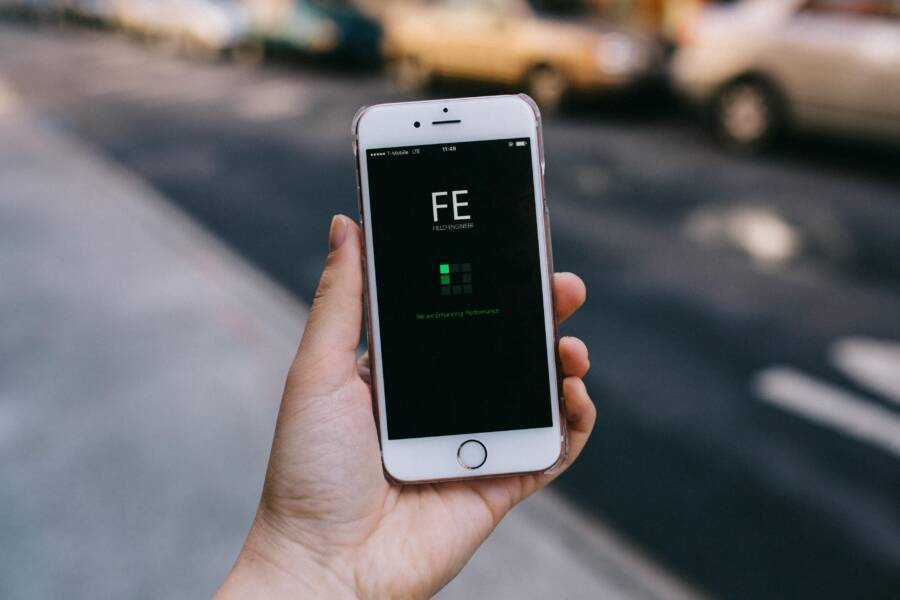
 Photo by Tima Miroshnichenko
Understanding Why Data Drops Happen on the Road
She Pressed Play on a Strange Audio Track and Within Days Her Financial Reality Started Shifting in Ways She Could Not Explain
>>> See How It Works <<<

Data connections hinge on several moving parts. When you travel, you leave behind your home network and enter a new mix of carriers, frequencies, and crowding. Here are the main culprits you’ll encounter.
- Weak signal and busy cells. In busy areas like transport hubs or dense city centers, towers are crowded. Your phone shares limited bandwidth with many users, which can slow data or interrupt it entirely.
- Band compatibility. Carriers operate on different frequency bands. If your phone doesn’t support the local bands or if the SIM is set to a band that isn’t strong in your current spot, data can stall.
- Roaming and plan limits. International trips and regional bursts of travel can trigger roaming rules or caps. Data might be throttled after a threshold or blocked in some networks.
- Background activity. Apps running in the background can drain data or keep a fragile connection alive, causing visible drops when a foreground task needs bandwidth.
- Device settings and software. A misconfigured network setting, an outdated carrier profile, or a battery saver mode can suppress data performance.
Fast Checks You Can Do Right Now
Some fixes are quick and don’t require tinkering with your plan. Start with these no fuss steps to confirm where the issue lies.
- Check coverage in your area. Open your map to see which networks are known to perform well nearby. If you’re in a tunnel, basement, or canyon, a drop is often expected until you emerge.
- Toggle airplane mode for 15 seconds. This refreshes your phone’s connection to nearby towers and can clear stubborn handoffs between networks.
- Verify mobile data is on. A simple mistap can shut off data without you realizing it.
- Inspect your SIM or eSIM status. If you use a physical SIM, take it out and reseat it. For eSIM users, confirm the active profile is correct for the country you’re in.
- Reboot your device. A quick restart can fix odd network glitches that linger after software updates.
- Review data saver and battery saver. If these are on, they can throttle background activity and even reduce network performance in some cases.
- Check roaming settings. If you don’t need roaming, turn it off to avoid accidental data usage. If you do roam, ensure it is enabled and that you understand the rates.
- Look for software updates. An OS update or a carrier settings refresh can improve signal handling and data reliability.
- Disable VPN temporarily. Some VPNs slow or block certain networks, particularly on the move.
- Test with a different app or browser. If the problem only happens with one app, the issue may be app specific rather than a network problem.
Fine-Tuning Your Phone for Better Connectivity
Beyond quick checks, a few proactive adjustments can make a real difference on the road.
- Reset network settings. This clears stored WiFi networks, saved passwords, and paired devices. After the reset, reconnect to trusted networks and reconfigure your mobile data.
- Manually select a network operator. If your phone auto selects a weak network, forcing it to a stronger one can stabilize data. Choose a local operator known for reliable coverage in your area.
- Ensure you’re on a suitable data mode. Prefer 4G or 5G where available. Some regions offer robust 4G LTE only; in those cases a higher speed option won’t help if the network is not available.
- Update carrier settings. Operators push small profile updates that improve connection reliability. Check for updates and install them if prompted.
- Consider an eSIM for travel. An eSIM can switch to a local carrier without swapping physical SIMs. It can simplify switching networks when you move between regions.
- Turn on Wi-Fi calling if available. When cellular data is spotty, Wi-Fi calling provides a reliable alternative for voice and text.
- Reduce data usage by offline maps. Pre-download maps for your route and turn off auto-updates to conserve data and improve responsiveness.
- Manage background data. Limit apps that consume data in the background, especially when you’re navigating or video streaming.
- Keep a spare plan or device. A backup SIM or a lightweight hotspot can be a lifesaver if your main connection drops.
Tackling Common Travel Scenarios
Different environments require tailored steps. Use these scenario based checks to stay connected no matter where you are.
In the city with crowded networks
Thousands of People Were Struggling With Money Until They Discovered This One Ancient Secret Hidden in Sound
>>> Unlock It Now <<<
- Activate data optimization features within apps that use a lot of data.
- Prefer a stable band if your phone supports multiple bands. Some networks behave better on 4G LTE than on 5G in busy areas.
- Use offline maps for route planning and turn on notifications so you know when to switch networks.
In rural or mountainous terrain
- Download offline maps and keep a local copy of essential directions.
- Turn off high bandwidth features like auto video previews in maps.
- Carry a compact power bank. A weak signal often drains battery faster as the phone searches for towers.
- If you have a local SIM option, switch to it when you’re staying in one area for a while.
International travel
What If the Only Thing Between You and the Life You Deserve Is a Hidden Wealth Code Waiting to Be Activated
>>> Open the Door <<<

- Check roaming options before you land. Some plans include cheap or free data in the destination country.
- Use an eSIM or a local SIM to avoid expensive roaming charges and to gain access to the most reliable local networks.
- Keep a simple data budget and monitor usage to avoid unexpected bills.
- Install essential offline tools like maps and translation apps before leaving the hotel.
Tools and Plans That Help
A few practical tools can reduce the impact of data drops on trips.
- Travel friendly data plans. Look for plans that include roaming or affordable international data. A plan with flexible data caps is worth it for travel.
- eSIM ready phone. If your device supports eSIM, you can switch profiles without swapping SIMs. This makes hopping between countries easier.
- Portable Wi-Fi hotspot. A pocket hotspot can offer a steadier connection when you’re moving through areas with weak cell coverage.
- Data monitoring apps. Apps that track data usage help you see when data drops occur and identify which apps consume the most data.
- Offline maps and guides. Preload maps and travel guides to reduce the need for live data.
When to Reach Your Carrier
If data drops persist after trying these steps, contact your carrier. A few concrete details speed up the process.
- Note the times and places of the drops. Was it in a specific location or during certain hours?
- Tell them the exact model of your phone and the OS version.
- Share the steps you’ve already taken. This saves back and forth and gets you faster results.
- Ask about known outages or maintenance in your area. If the issue is network side, you’ll get a clear answer about timelines.
Preventive Habits for Your Next Trip
Prepping before you depart reduces the chance of data drops during the journey.
- Preload offline maps and travel guides. Having essential information offline is a safety net.
- Check roaming rates and enable data roaming only for essential apps. This helps you avoid unexpected charges.
- Update your phone and apps. Software updates often include better connectivity features.
- Consider multiple connectivity options. A local SIM or eSIM plus a portable hotspot gives you a backup if one network falters.
- Pack a small power bank. A device that stays charged is more resilient to signal hopping and longer search times.
- Keep a simple data plan. For short trips, a plan with a modest data allowance can prevent overages while still meeting needs.
Conclusion
Intermittent data drops on the road don’t have to derail your plans. Start with quick checks to confirm the problem stems from the network, not your device. Then fine tune settings, plan for travel seasonality, and rely on practical tools that reduce data usage. With a few smart habits, you can stay connected in most places, even when the signal is not perfect.
Have you found a reliable setup for travel data? Share your tips and the tricks you use to stay online while on the move. If you’ve had a recent trip with stubborn drops, tell us which method helped you the most. The road is full of signals, and with the right approach you’ll keep a steady connection wherever you roam.
She Pressed Play on a Strange Audio Track and Within Days Her Financial Reality Started Shifting in Ways She Could Not Explain
>>> See How It Works <<<