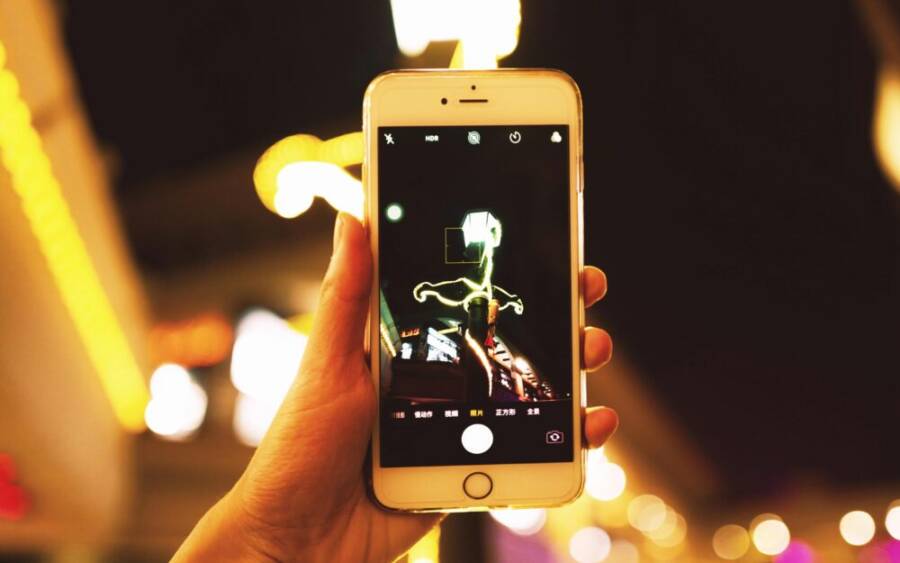
Taking sharp, vibrant photos in dim light with a phone can feel like magic, but it doesn’t have to. You can turn low light scenes into clear, colorful memories with a few practical tweaks.
In this guide we’ll cover setup, shooting techniques, and quick edits that make a real difference for your smartphone photos. You’ll learn how to avoid noise, blur, and color shifts, and how to get reliable results in everyday situations.
By the end you’ll have a straightforward, repeatable approach to better low light photos on your phone. These tips work for real world moments, from sunset strolls to indoor gatherings, and they’re easy to apply right away.
Understanding Low Light Photography on Your Phone
Low light shots don’t have to look like a struggle. With the right approach, your phone can capture clearer, more natural photos when light is scarce. This section breaks down common hurdles, how night mode works, and the key settings that shape brightness and noise. You’ll get practical tips you can apply today, plus quick examples to help you dial in the look you want.
What makes low light tough for phone cameras
Low light exposes several unique challenges for phone photography. First, noise appears as grain, especially in the shadows and dark areas. It comes from the sensor trying to brighten the image, which introduces speckled textures that look rough on close inspection. Second, blur from longer shutter times can blur moving subjects or hands that shake, even with image stabilization. The longer the exposure, the more motion can ruin a shot. Third, color shifts can creep in. Under tungsten bulbs or mixed lighting, skin tones and whites can take on unsightly tints unless you correct for it. These issues are common on mobile cameras because of small sensors and compact lenses.
Practical takeaway: keep scenes steady, avoid pushing brightness too far in one go, and be mindful of lighting quality. If your scene is dim but stable, a little extra brightness can go a long way without introducing noise.
For more on how real-world phones handle night lighting, see guidance from seasoned photographers who test phones in low light and explain what to expect in practice. You can read about night mode techniques and how they transform dim scenes here: Mastering Smartphone Photography at Night. It’s a solid reference for practical settings and what to look for in your own shots.
Mastering Smartphone Photography at Night
What night mode does and when to use it
Night mode is a built-in technique that combines multiple frames to improve brightness while reducing noise. Instead of taking a single exposure, your camera captures several frames in quick succession and blends them. The result is a clearer, brighter image with smoother tones.
There are two common ways night mode appears. Some phones enable it automatically when the scene is dark enough. Others let you choose manually when you want a stronger glow or a quieter look. In practice, use night mode anytime you’re indoors, in a dim street scene, or when the subject is stationary enough for the phone to collect multiple frames. If there’s movement in the scene, give night mode time to complete its capture and avoid tapping the shutter mid-blink.
Tips to maximize results:
- Hold steady or prop your phone on a stable surface for the duration of the capture.
- If your subject is moving, revert to a faster, non-night mode shot to ensure sharpness.
- Review before sharing; night mode sometimes requires a moment to finalize the blend.
For additional context on how night mode has evolved on different devices, see Night Sight: Seeing in the Dark on Pixel Phones. It explains how advanced processing helps you see in near darkness.
Night Sight: Seeing in the Dark on Pixel Phones
How exposure, ISO, and shutter speed affect results
Understanding exposure basics helps you predict how a photo will look before you tap the shutter. Here’s the simple idea: brightness comes from the amount of light hitting the sensor. ISO is the sensor’s sensitivity. Shutter speed is how long the sensor collects that light.
- Exposure (brightness): In darker scenes, increasing exposure makes the image brighter but can raise noise if you push it too far. The goal is to find a balance where the scene looks natural without grain.
- ISO (sensitivity): A higher ISO makes the sensor more responsive to light, but it also amplifies noise. In night shots, use the lowest ISO that yields a usable brightness.
- Shutter speed (time): A longer shutter lets in more light, brightening the shot, but increases the chance of blur from motion or camera shake. Shorter times reduce blur but can leave the image underexposed.
Quick tips you can apply right away:
- Use Night Mode when the scene is dim and still. It leverages longer exposure to brighten without excessive noise.
- If you’re not using night mode, try keeping ISO at a low level and adjust exposure with the slider or by tapping to focus. Small brightness tweaks can reduce noise dramatically.
- Stabilize whenever possible. Rest your elbows on a ledge, lean against a wall, or prop the phone on a stable surface before you shoot.
To see how specific devices handle exposure and processing in low light, you can read about practical strategies and how to tune settings for better results here: Unlock Your Phone’s Potential: Low Light Photography Tips. It covers color accuracy and noise reduction techniques that work across many phones.
Unlock Your Phone’s Potential: Low Light Photography Tips
Set Up Your Phone for Better Night Shots
Shooting at night on a phone can feel like a guessing game, but with thoughtful setup you can lock in brighter, crisper images before the shutter ever clicks. This section covers practical preparation steps you can apply right away, from choosing the right modes to enabling helpful features. Think of it as the foundation that makes every nighttime photo easier and more reliable.
 Photo by 祝 鹤槐
Choose the right mode for low light
Different modes shape the look of your night shots, and knowing when to use each one saves you from chasing the wrong result.
- Night mode: This is your go-to in very dim settings or when the subject is stationary. It stacks multiple frames to brighten the scene while reducing grain. The result is a cleaner, more natural glow. If your subject is still, enable night mode and let the camera do the heavy lifting. It’s especially effective for cityscapes, indoor scenes, and candlelit tables.
- Auto: Auto is best for scenes with mixed lighting or when you’re unsure about movement. The camera will decide whether to use night processing or a standard exposure. If you notice noise or blur, switch to a mode designed for low light. Auto can be a good fallback for fast moments, but it’s not always the cleanest choice in very dark rooms.
- Portrait in low light: Portrait mode adds artificial depth of field to separate your subject from the background. In dim light, it can enhance subject isolation, but it may struggle with edge detail or produce odd bokeh if the lighting is harsh. Use it when people are the focus and there’s enough light to keep facial detail, otherwise switch to standard night or auto mode to preserve sharpness.
How each mode changes the image
- Night mode increases brightness gradually, preserves color, and smooths noise by blending frames.
- Auto adapts to the scene on the fly, sometimes sacrificing sharpness for faster results.
- Portrait in low light prioritizes subject separation, which can mute background texture in favor of clearer faces.
Tip: If you’re unsure which mode to pick, start with night mode for still scenes. If you or your subject moves, switch to auto or non-night mode to keep details sharp.
For a broader look at how different phones handle night modes and scene processing, see guidance from established photography resources that test phones under real conditions: Mastering Smartphone Photography at Night. It provides practical tips on when to expect stronger results and how processing affects shadows and highlights.
Mastering Smartphone Photography at Night
Manual tweaks you can make
Small adjustments can dramatically improve night shots without needing advanced tools. Here are practical tweaks you can apply with most modern smartphones.
- Exposure control: Tap to focus, then use the exposure slider if available. Lower exposure helps curb noise in very dark areas, while a gentle nudge up can reveal details in shadows. Aim for natural brightness that preserves texture.
- Lock focus: On busy scenes or when your subject is still, lock focus to prevent unintended shifts as lighting changes. This keeps subject detail consistent across frames.
- Keep the subject sharp: If your subject is moving, a fast shutter or a mode that captures motion gracefully (like a standard mode with stabilization) will help you retain clarity. For still life, a longer exposure can capture more light without introducing blur.
- Stabilization cues: Use a tripod, a shelf, or stable furniture to minimize shake. If you don’t have a surface, stabilize your elbows against your body and breathe out slowly while you shoot.
- White balance sanity check: In mixed lighting, color can drift. If your phone allows, lock white balance or adjust it post-choot to keep skin tones and whites accurate.
Practical workflow you can follow:
- Frame the scene with the grid on to align horizons and verticals.
- Tap to focus on the main subject.
- Adjust exposure for a natural brightness.
- Use stabilization to keep the shot steady.
- Review and adjust if the image looks too flat or too noisy.
To see how real-world devices handle these tweaks, you can explore practical strategies and how to tune settings for better results here: Unlock Your Phone’s Potential: Low Light Photography Tips.
Unlock Your Phone’s Potential: Low Light Photography Tips
Helpful features you should enable
Turning on the right features can dramatically improve night photos with minimal effort. Here are the key options to enable and how they help.
- Gridlines: A simple tool that helps you keep horizons level and subjects aligned. It’s especially handy for architectural shots or street scenes where symmetry matters.
- HDR or auto-HDR: HDR compiles multiple exposures to balance bright lights and dark shadows. It’s useful when the scene has bright windows or neon signs and dark surroundings.
- RAW capture: If your phone supports RAW, shoot in RAW when you can. RAW gives you maximum control in post, preserving detail and color for cleaner edits.
- Stabilization features: Enable optical or electronic stabilization if available. This is your ally for handheld night shots, especially when you’re not using a tripod.
- Pro or manual mode (where available): When you want to push more control, use a pro mode to adjust ISO, shutter, and white balance directly.
How to apply these features in practice:
- Turn on gridlines before you shoot a city street at night to keep lines straight and composition clean.
- Use HDR for scenes with bright signs and deep shadows to maintain detail across the frame.
- Shoot RAW when you’re prepared to edit later and want more color fidelity.
- Activate stabilization if you’re shooting handheld in low light, especially with longer exposures.
For more on how manufacturers approach night features across devices, start with trusted guides that compare night modes and camera stacks on different brands. It helps you understand what to expect from each brand when you shoot in dark environments.
Nightography and the Galaxy: How Samsung Ships Night Mode
Images and visual cues in night photography often help readers see how these steps translate to real shots. If you want an additional reference on practical lighting and capturing better city scenes at night, check a detailed breakdown of low light street photography techniques here: Mastering Low Light Street Photography.
Mastering Low Light Street Photography
Remember, the goal is clear, vibrant night photos that feel natural. Start with a steady setup, choose the mode that fits the moment, and apply light tweaks. With a little practice, you’ll turn dim scenes into photos you’re proud to share.
Smart Shooting Techniques for Clarity and Detail
In low light, the way you compose and shoot matters as much as the gear you carry. These smart shooting techniques focus on stability, focus control, light management, and timing. They help you pull detail from shadows and keep noise to a minimum, all while keeping the process repeatable and easy to apply in real life. Think of them as a concise playbook for crisp, publishable night photos taken with your phone.
Stabilize the shot without a tripod
Shake is the enemy of sharp night photos. When you don’t have a tripod, you still have tools to steady the frame.
- Bracing: Stand with one foot slightly ahead of the other for a natural stagger. Tuck elbows in close to your body to reduce wobble. Imagine you’re bracing for a gentle gust of wind.
- Lean on solid surfaces: A wall, railing, or parked car can become a steady support. If you can rest the phone on a stable object, you’ll gain several extra seconds of calm exposure.
- Gentle breathing: Inhale, exhale halfway, then press the shutter on the exhale. A slow, controlled breath reduces body movement just as you press the button.
- Create a temporary perch: If nothing else is available, use a stable edge like a curb or a ledge and press lightly. Even a small contact point can dramatically reduce shake.
Practical payoff: steadier hands mean cleaner shadows and less need to crank ISO or shutter speed, which helps keep noise in check. If you’re still shaking, switch to a mode that stabilizes in software while you plan the shot.
For deeper reading on practical stabilization strategies without a tripod, see resources that outline lean-on methods and stable surface techniques. Mastering smartphone photography at night discusses how steady technique intersects with processing to improve results: Mastering Smartphone Photography at Night.
- Mastering Smartphone Photography at Night https://www.photographytalk.com/mastering-smartphone-photography-at-night/
Focus, exposure, and motion control
Precise control over focus and exposure makes a big difference in dim scenes, especially when subjects move.
- Lock focus: Tap and hold on the subject until you see a lock or a confirmation that focus is fixed. This prevents accidental shifts as lighting or composition changes. In busy scenes, locking focus keeps details crisp where you want them most.
- Lock exposure or use exposure compensation: After focusing, adjust the exposure so the scene looks natural. If the image looks too bright in the highlights or too flat in the shadows, reduce or increase exposure slightly. Many phones let you slide exposure up and down; use that to balance detail across the frame.
- Control motion blur: If your subject is moving, avoid long exposures. Use a faster shutter setting if available or switch to a mode designed for motion that still keeps noise in check. When you can, let the subject pause for a moment to freeze action.
- Use burst modes for tricky subjects: A rapid sequence increases the chance you’ll capture a clean frame with correct exposure and a moment of stillness. Pick the sharpest frame from the burst for editing.
Real-world workflow tip: frame first, then lock focus on the key detail, adjust exposure to reveal shadow texture, and only then press the shutter. If movement is expected, enable burst or a faster capture mode.
For broader context on how to optimize exposure and processing in low light across devices, consider guides that compare night modes and camera stacks: Nightography and the Galaxy: How Samsung Ships Night Mode and other deep-dives into device behavior.
- Nightography and the Galaxy: How Samsung Ships Night Mode https://www.samsung.com/uk/mobile-phone-buying-guide/samsung-night-mode-camera/
Use light sources to your advantage
Light sources are not the enemy in low light; they are the primary tool. Positioning and timing can dramatically improve visibility.
- Position yourself near lamps, windows, or street lights: A nearby light source can sculpt your subject with natural highlights and reduce grain. Look for soft, diffused light to avoid harsh specular highlights.
- Exploit reflections: Shop windows, wet pavement, or glass surfaces can bounce light back onto the subject, adding gentle fill without introducing noise.
- Mind the direction: Side lighting often reveals texture and depth, while backlighting can create a halo or silhouette for drama. Choose the direction that supports the story you want to tell.
- Avoid mixed color temperatures when possible: If you can, select a single light source or white balance that matches the primary light to avoid color shifts that require heavy post work.
If you’re working near a steady light, you can often capture more detail with less noise. When you can’t control the light, look for the brightest edge of the scene and position your subject there to maximize tonal separation.
For practical reference on how to handle light sources in night photography, see expert breakdowns that discuss lighting and scene planning: Mastering Low Light Street Photography. It provides accessible techniques for interpreting urban lighting in real time.
- Mastering Low Light Street Photography https://www.photographytalk.com/mastering-low-light-street-photography
Timing and shutter tricks
Smart timing helps you capture clearer images when subjects would otherwise slip into blur.
- Use a timer for stability: A short delay lets your hands settle after you tap the shutter, reducing micro-movements that blur edges. This is especially useful on longer exposures or when you’re bracing on a surface.
- Burst mode for difficult subjects: When you’re photographing kids, pets, or moving people, burst lets you catch a frame at the exact moment everyone is still, producing a sharper final shot.
- Shorter shutter with stabilization: If you must shoot handheld in low light, a shorter shutter reduces blur. Pair it with a stable stance and a touch of brightness in post if needed.
- Don’t rush the blend in night mode: If you use night mode, give the phone time to blend multiple frames. Interrupting the process can ruin the final image.
A practical approach is to set a timer, then hold still, and shoot a burst if your subject is active. When done, pick the best frame and proceed to a quick edit to bring out texture without overdoing brightness.
For more on effective nighttime timing and camera operations, see sources that discuss balancing exposure with motion: 6 Tips for Epic Low-Light Photos Without a Tripod and similar guides.
- 6 Tips for Epic Low-Light Photos Without a Tripod https://digital-photography-school.com/6-tips-shoot-low-light-without-tripod/
If you want a quick reference on sharp night photos without a tripod, a few trusted tutorials outline practical shutter choices and timing: How to take sharp photos at night (without a tripod).
- How to take sharp photos at night (without a tripod) https://teemusphoto.com/tutorials/how-to-take-sharp-photos-at-night-without-a-tripod/
Putting these timing and shutter tricks into a simple routine makes them easy to repeat. Start by choosing a light source, set a steady grip, lock focus, and then use a brief delay or burst to capture the moment. A few tries will help you internalize the rhythm.
External reading that complements these timing and shutter strategies can offer additional perspectives on exposure management and noise control in real world settings: Low Light Photography Tips on Smartphones.
- Low Light Photography Tips on Smartphones https://www.cartridgepeople.com/info/blog/mastering-low-light-photography-low-light-smartphone-tips/
Final note: the aim is to produce crisp, natural looking images with minimal post work. With a steady stance, thoughtful light use, precise focus, and smart shutter timing, your night photos will gain clarity and detail you can be proud to share. For a broader sense of how these techniques fare across devices, the linked guides above offer practical benchmarks and tested approaches.
Boost with Tools and Quick Edits
Even with a great phone camera, a little external gear and fast edits can push your night shots from okay to wow. This section packs affordable stabilization options, easy post processing ideas, and quick tweaks you can apply in seconds. Think of it as your practical toolbox for reliable low light results every time you pull out your phone.
Stabilizing gear you can use
Stable shots are the foundation of clean low light photography. When you don’t have a full tripod, simple, affordable gear can do the job.
- Flexible tripods and clamps: Compact tripods or clamp mounts that grip a surface or edge give you a steady base without bulk. These are great for city nights, indoor dining, or capturing long exposures on a balcony.
- Phone mounts for desks and rails: A sturdy desktop stand or rail-mounted clamp keeps your phone steady while you frame a shot or try a long exposure on a table or railing. The key is a clamp that holds the phone securely without risking pinch points.
- Portable mini tripods: Tiny tripods designed for smartphones fit in a bag or even a pocket. They’re perfect for quick setups on stair landings, park benches, or hotel rooms when you’re traveling.
Practical tip: choose gear with a solid clamp and a non-slip base. A phone holder that works with different angles helps you find the steadiness you need in cramped spaces or uneven surfaces. For affordable, reliable options, explore these trusted sources:
- Phone Holders & Mounts | Secure Smartphone for Perfect …
- Smartphone Tripod Mounts on Amazon
- Smartphone & Tablet Mounts
If you’re shopping for the best fit, look for a clamp that doesn’t squeeze the sides of your phone too hard and a mount with a wide range of tilt and pan. A well-chosen desk or clamp setup can turn your night scenes into steadier frames without the cost or weight of a full tripod.
Apps and post processing for low light
Raw power lives in your post workflow as much as in your hardware. A few simple apps can clean up noise, sharpen detail, and nudge color to look natural.
- Noise reduction and sharpening: Pick straightforward tools that reduce grain without washing out texture. A light touch with noise reduction helps preserve skin tones and fine details in shadows.
- Light color and brightness tweaks: Small adjustments to brightness, contrast, and warmth can restore natural look after a dim shot. Avoid heavy baked-in edits that flatten textures.
- Quick color balance: If white balance looks off, a fast correction can bring back accurate skin tones and whites, especially under mixed lighting.
For practical examples and reliable results, consider these resources for reference and tune your approach to your own phone and setting:
- Mastering Smartphone Photography at Night
- Night Sight: Seeing in the Dark on Pixel Phones
- Unlock Your Phone’s Potential: Low Light Photography Tips
A quick post-processing routine works well here:
- Import the shot and apply a light noise reduction, just enough to smooth grain.
- Sharpen softly to recover edge definition without creating halos.
- Tweak white balance and temp to bring natural skin tones.
- Dial exposure up or down by small increments to preserve texture in shadows.
If you want a simple, reliable workflow, start with a base preset for low light and adjust the sliders by eye. Subtle changes yield the most natural results, especially when you shoot in RAW and edit non-destructively.
Quick edit fixes you can apply fast
Fast edits save you time and keep your workflow efficient, especially when you’re sharing on social or posting on the fly.
- Crop and straighten: A quick crop can remove distractions and tighten composition. Use the grid to line up horizons and verticals for balanced shots.
- Exposure boosts with restraint: A gentle exposure bump can reveal shadow detail, but push too far and you’ll introduce noise. Aim for a natural look that preserves texture.
- White balance adjustments: If lighting is uneven, a small white balance tweak can correct color casts from tungsten or mixed lighting.
- Minor contrast/perception tweaks: A touch of contrast can help the photo pop without making it look harsh or processed.
A practical routine you can apply in minutes:
- Frame with grid lines and lock focus on the main subject.
- Make a small exposure adjustment to bring out shadow texture.
- Correct white balance if skin tones look too cool or warm.
- Save a copy with a light sharpen and noise reduction pass for a polished result.
If you want to explore more about balancing exposure and processing across devices, check guides that compare night modes and camera stacks:
- Nightography and the Galaxy: How Samsung Ships Night Mode
Additional quick tips:
- Use burst mode for moving subjects to increase the chance of a sharp frame.
- Let night mode finish its blend without tapping the shutter again mid-process.
For a quick reference on sharp night photos without a tripod, see:
- How to take sharp photos at night (without a tripod)
- 6 Tips for Epic Low-Light Photos Without a Tripod
These small, targeted edits keep your photo looking natural while boosting clarity and color accuracy. With consistent practice, you’ll apply these fixes almost automatically and cut post time dramatically.
Conclusion
Mastering low light photos on a smartphone comes down to a steady setup, smart mode choices, and light touches in exposure and edits. Remember to pick the right mode, stabilize the shot, and use light sources to your advantage for cleaner shadows and natural color. With a little practice, your results will stay crisp, vibrant, and true to life, even in tricky lighting. Share your best night shots in the comments or on social media and tell us which tip made the biggest difference for your next smartphone photo.