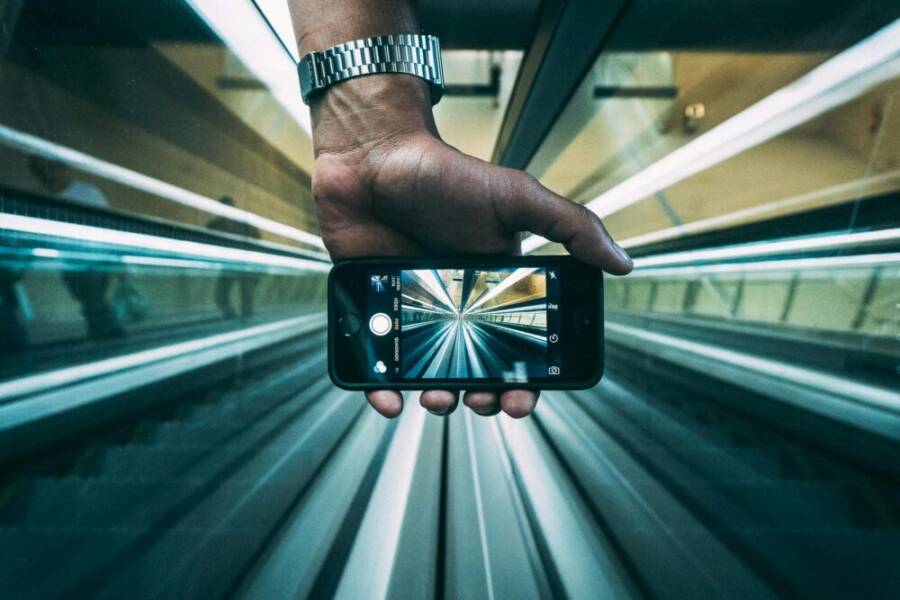
If you want your vlogs to pop, start with B-roll shot on your phone. This extra footage adds context and keeps viewers hooked, even when your main clips are simple.
B-roll is the visual seasoning that enriches your story without saying a word. With a smartphone, you can capture steady, cinematic clips on the go, without expensive gear or setup time.
In this quick guide, you’ll learn practical steps to shoot compelling B-roll using just your phone. From steadying shots to choosing scenes and timing, you’ll gain easy techniques that look pro but feel natural.
What Is B-Roll and Why Shoot It with Your Phone
B-roll is the visual seasoning that keeps a vlog feeling dynamic. It supports your story, adds context, and helps your audience stay engaged between your main moments. With a phone, you can capture smooth, cinematic clips anywhere, without heavy gear or a studio setup. In this section, you’ll see how quick, practical B-roll ideas fit into everyday vlogs and why your phone is enough to elevate your footage.
Quick B-Roll Examples for Everyday Vlogs
- Close-ups of food being prepared or plated. A steady macro shot of sizzle, steam, or a drizzle of sauce can make a simple recipe feel appetizing and tactile. This draws viewers in and makes the dish look more appealing, even when your talking parts are short.
Example link: B-roll Footage Explained: A Complete Guide in 2025 - Street scenes from a city walk. Capture passerby motions, cafe signs, or a bus pulling away. These clips establish place and mood, letting your audience feel the setting without extra narration. They work well between tips or when you switch topics mid-vlog.
Example link: Great Examples of B-Roll Footage in Action - Hands-on interactions. Show the moment you open a package, adjust gear, or test a product. Viewers connect with tangible actions, making you appear trustworthy and practical. Keep hands steady and frame tight to emphasize detail.
Example link: 3 Ways To Shoot B-Roll With Your Smartphone - Environment and context shots. Film the room setup, desk clutter, or workspace organization. These visuals set the scene and help your audience anticipate what’s coming next, smoothing transitions between segments.
Example link: Capturing B-Roll with Your Smartphone: Showcasing … - Product or gear highlights. A quick carousel of features, buttons, or close-ups can reinforce what you’re talking about. Focus on one element at a time to avoid overwhelming the viewer and to match your narration.
Example link: B-roll Footage Explained: A Complete Guide in 2025
These examples show how matching B-roll to your vlog theme boosts viewer interest. When planning, think of B-roll as a storyboard that complements your main narrative rather than repeating it. Aim for variety in pace and angles, and keep your phone ready for spontaneous moments that add authenticity.
Set Up Your Phone for Pro B-Roll Shots
Ready to elevate your vlogs with smooth, cinematic B-roll? This section shows practical, budget-friendly gear and smart setup tips that make a big difference. You’ll discover inexpensive accessories that stabilize and expand your phone’s capabilities, plus how to fine tune your shooting to look polished from the first frame. Think of your phone as a compact cinema tool: with the right setup, tiny moments become visually compelling. Below are quick, actionable steps and trusty gear that won’t break the bank.
Must-Have Accessories Under $20
- Clip-on wide angle lens: Expands your field of view for broad environmental shots and scenes where space is tight. It’s ideal for establishing shots and can turn a cramped room into a cinematic space. Where to buy: Amazon has budget options like 0.45x wide angle kits that fit most smartphones. For example, check out the affordable clip-on wide angle lens options here: https://www.amazon.com/smartphone-wide-angle-lens/s?k=smartphone+wide+angle+lens
- Mini tripod: Keeps your phone steady for steady panning or a stable macro close-up. Look for small, portable tripods with universal phone mounts. These fit in a bag and set up on desks, sidewalks, or on a window sill. Where to buy: search for “mini tripod for phones” on major retailers or use this budget-friendly catalog as a starting point: https://www.amazon.com/clip-lenses-smartphones/s?k=clip+on+lenses+for+smartphones
- Phone grip (handheld stabilizer): Reduces shake when you’re moving around or shooting handheld b-roll. A simple grip also gives you better control during close-ups or when you’re walking through a scene. Where to buy: compact, affordable grips help stabilize shots on the go and pair well with a small tripod for hybrid setups. Explore options here: https://www.amazon.com/Xenvo-iPhone-Camera-Lens-Clip/dp/B01A6D2JVI
- Optional add-on: a small LED clip light. A little light goes a long way for texture and mood in tight spaces. You can find compact LED options that attach to the phone or grip.
In practice, assemble your basic pack before you start filming. A smartphone camera with a clip-on wide angle, a mini tripod, and a phone grip is enough to cover most everyday B-roll scenarios. If you’re new to this, test each item in a few minutes of trial footage to understand how it helps your particular setup. You’ll be surprised how much steadier, more expansive footage you can capture with minimal gear.
Top Camera Settings for Crisp Footage
- HDR on, frame rate at 60fps for motion: HDR helps preserve detail in bright and dark areas, while 60fps keeps motion smooth in walking shots or product demos. Start with these defaults and adjust as needed for your lighting.
- Manual focus for B-roll moments: Lock focus on the subject to avoid micro-shifts as you move. This is especially useful for macro shots of textures, packaging, or hands manipulating objects.
- Auto vs manual: quick comparison: Auto is easiest for rapid shoots but can hunt for focus and expose differently across cuts. Manual focus gives you consistent sharpness across clips, which makes transitions between scenes cleaner. If you’re aiming for a professional feel, practice switching to manual focus during a short practice run.
Guiding your smartphone through these settings creates crisp, reliable footage. Keep a few quick notes on your phone or a small notebook with your preferred configurations for different scenes. Remember, practice makes your B-roll feel effortless and natural. For more ideas on practical B-roll shooting with a phone, you can explore additional reading on the topic here: https://www.descript.com/blog/article/using-b-roll-a-beginners-guide
Master Shooting Techniques for Dynamic B-Roll
B-Roll is the heartbeat of a vivid vlog. When you pair smart camera moves with thoughtful lighting, your phone footage stops feeling like random clips and starts telling a polished story. In this section, you’ll master three dynamic techniques that elevate your B-Roll with minimal gear: dramatic camera angles, fluid movement around subjects, and controlled orbit spins. Each technique comes with practical drills to practice until the motions feel natural. The goal is to create visual interest that supports what you say, not distract from it. And yes, your smartphone is more capable than you think when you apply these ideas with intention.
 Photo by Kaique Rocha
Angle and Movement Tricks That Wow Viewers
Exploit angles to reshape ordinary scenes into cinematic moments. A Dutch angle tilts the frame slightly to inject tension or whimsy, but use it sparingly—one or two seconds can be enough to punctuate a point. Practice with a simple staple shot: set two marks on the floor, then tilt the phone 15 to 25 degrees as you pass between them. Track a subject by walking slowly with the phone in hand. Let your pace mirror the tempo of your narration so the movement feels purposeful, not accidental. An orbit spin around a subject creates a reveal effect that can emphasize a product or a person. Start at a fixed distance, then circle once or twice, keeping the subject slightly off-center for a more dynamic composition. Drill routines: 1) Dutch tilt on a doorway frame for 2 seconds, 2) a 20-second walking track around a subject, 3) a tight orbit with a smooth radius change. These drills build muscle memory and steadier footage over time. For an extended look at camera movement techniques, check this insightful guide: 10 Camera Movement Techniques for Creators
Lighting and Composition Basics
Great B-Roll starts with light you can control. Hunt for soft, natural light—early morning or late afternoon often yields flattering color and gentle shadows. If you’re indoors, position the subject near a window and use a light reflector or a white card to bounce light back onto the face. Composition-wise, lead the viewer’s eye with lines that point toward the subject, such as a corridor, a desk edge, or a row of shelves. The fill frame rule helps you decide when to zoom in or pull back; keep important detail within the central third of the frame to avoid awkward crops. When light is lacking, a small LED clip light can fill shadows and sculpt textures without washing out color. A quick practice routine: shoot a 3-second establishing shot, then a 6-second close-up with natural light, and finish with a 4-second shot using the LED light for contrast. If you want deeper ideas on controlling B-Roll lighting with your phone, take a look at this resource: Using B-Roll for Beginners
Edit B-Roll into Your Vlogs Seamlessly
Turning raw phone footage into polished B-roll doesn’t require a studio or pricey software. With the right mobile apps, you can trim, color grade, and weave clips together so your vlogs feel cohesive and professional. This section focuses on three accessible editors that excel for B-roll, plus quick notes on what to look for when polishing footage on your phone.
Free Apps to Polish Your Footage
- VN Video Editor: A strong pick for beginners and in-between editors. It offers multi-track editing, straightforward trimming, and basic color adjustments. Pros include a clean interface and no watermark on the free tier. Cons involve occasional slower exports and limited advanced color tools. Key for B-roll is the ability to stack clips and apply simple transitions without leaving the app. Learn more and see user feedback here: VN – AI Video Editor on Google Play. For a broader read on mobile editing options, you can also check this review: The Best Mobile Video Editing Apps We’ve Tested for 2025.
- InShot: A versatile editor popular for quick cuts, overlays, and audio tweaks. Pros include a friendly workflow and wide export options; cons involve occasional watermark and limited advanced color grading. It shines for fast B-roll tweaks, like cropping, speed ramps, and text overlays that guide viewers between scenes. See discussions and user experiences here: Whats the Best editing app to have on my phone for free.
- CapCut: A well-rounded, beginner-friendly option with robust transitions and effects. Pros are simple keyframe animation, easy color filters, and good export quality. Cons include occasionally heavy feature sets that can feel overwhelming at first. CapCut is especially useful for creating quick, clean B-roll sequences that blend with your narration. For a comparison of top mobile editors, view this roundup: The Best Mobile Video Editing Apps We’ve Tested for 2025.
If you want to keep your workflow lean, start by trimming to fit your narration, align cuts with natural movement, and add light color tweaks to unify the look. These apps let you experiment without leaving your phone, so you can iterate until your B-roll feels seamless with the rest of your video. For practical tips on color and pacing, this guide offers solid pointers: Using B-Roll for Beginners
Conclusion
Shooting B-roll with your phone is a practical skill you can master quickly. Plan a few quick shots, set your phone to steady focus, and use natural light to shape texture and color. The key steps are keeping clips short, matching motion to your narration, and mixing angles for variety. A simple clip of hands at work, a wide establishing shot, and a close-up can do a lot when stitched together with smooth transitions.
Practice the three main techniques you read about and pick one to try today. Whether you use a simple orbit around a subject or a steady pan, the goal is clean motion that supports what you say. Consistency in color and exposure makes your B-roll feel intentional, not accidental. A small LED light or a clip-on lens can tip scales without complicating your setup.
Your viewer benefits from clips that illuminate context and mood while you stay focused on your message. Share your latest vlog link in the comments, and if you found this guide useful, subscribe for more practical tips. This small skill compounds over time, lifting your content and helping your audience connect with your stories through clear, confident footage.