Ever had a phone call where your voice sounds muffled, or a video recording picks up fuzzy audio? Dust, lint, and grime build up in your smartphone’s microphone and speaker over time. This clogs the tiny openings and ruins sound quality.
Dirty components lead to dropped calls, poor voice memos, and weak speaker output. You miss important details during meetings or chats. Safe cleaning fixes these issues fast.
Clean your phone the right way, and you’ll enjoy crisp calls, clear videos, and loud speakers again. This guide shares simple steps, tools like soft brushes and sound apps, and tips to avoid damage. It works for most smartphones from Apple, Samsung, and others.
Follow these methods to boost audio performance without risking scratches or water harm. You’ll save money on repairs and keep your device running smooth. Let’s get started.
Signs Your Phone Microphone and Speaker Need Cleaning
You rely on your phone for calls, videos, and voice commands every day. When audio acts up, dirt or lint in the microphone and speaker often causes the problem. Spot these signs early to fix issues before they worsen.
Muffled Sound During Calls
Your voice comes out unclear to others on calls. They ask you to repeat yourself often. This happens because dust blocks the microphone grille. Pocket lint and crumbs clog the tiny holes fast.
Test it with a quick call to a friend. If they hear echoes or faint words, cleaning time has come. Clean microphones pick up your voice sharp and full.
Distorted or Crackling Audio from Speakers
Music or videos sound fuzzy and broken. Low notes buzz; high ones crackle. Debris vibrates inside the speaker mesh and muddies output.
Play a familiar song at half volume. Does it grate on your ears? That’s a clear signal. Distortion points to buildup that no volume tweak can fix.
Low Volume Even at Maximum
You crank the volume slider all the way up, but sound stays weak. Speakers push air through blocked paths, so output drops.
Check apps like YouTube or podcasts. If neighbors can’t hear your ringtone from across the room, grime limits airflow. A quick clean restores full power.
Common signs match what experts note, like those in this speaker troubleshooting guide.
One-Sided Audio Problems
Others hear you fine, but you struggle to hear them. Or the reverse happens. Dirt in one component affects input or output balance.
During speakerphone chats, voices fade in and out. This uneven performance screams for attention. Smartphones handle dual audio paths, but clogs disrupt them.
Voice Commands Fail or Mishear
“Hey Siri” or “OK Google” goes ignored. Your assistant catches half your words or none at all. Lint muffles commands before they reach the mic.
Try simple requests like weather checks. Frequent “pardon?” responses mean buildup interferes. Clear paths let voice tech shine.
Visible Dirt or Debris
Look close at the bottom or top grilles. See specks of lint, dust, or sticky residue? Your eyes confirm what your ears suspect.
Use a flashlight for a better view. On many smartphones, these ports trap fibers from cases or pockets. Visible gunk demands action now.
These clues build up over weeks of daily use. Act on two or more, and grab your cleaning tools. You’ll hear the difference right away.
Tools You Need for Safe Cleaning
Keeping your phone microphone and speaker clean doesn’t require fancy gear. With the right tools, you can remove debris without risking scratches or water damage. The goal is to be thorough yet gentle, so you restore clear audio without harming any components. Below are the practical tools you should have on hand and how to use them effectively.
Essential Tools for Safe Cleaning
Having the right set of tools makes the job quick and safe. Start with a small, soft toolkit and you’ll cover most situations:
- Soft-bristled brush: A tiny brush, like a clean makeup brush or a dedicated electronics brush, helps lift dust from the microphone and speaker grills. Use gentle strokes and avoid pressing hard.
- Microfiber cloth: A dry, lint-free cloth to wipe away surface dust and to remove any loosened debris after brushing.
- Gentle air blower or canned air (dusting): Short bursts can dislodge particles from tight openings without touching the grille. Keep the can upright and use quick pulses to avoid moisture spray.
- Isopropyl alcohol (70% or less) on a cotton swab: Use sparingly to clean the outer surfaces. Never apply liquid directly to the openings; always dampen the applicator just enough to wipe around the grill.
- Toothpick or nylon tool for precision (optional): A wooden or nylon tool can lightly tease out lint near the edge, but never poke hard into the holes.
- Phone-safe cleaning spray (optional): If you prefer, a spray designed for electronics can be used on the cloth, not directly on the device. Always follow the product’s instructions.
These tools are widely recommended by consumer guides and practical tutorials. For example, Consumer Reports notes that soft brushes are effective for speaker grills, while keeping moisture away from ports and electronics. You can explore their guidance here: How to Clean Your Smartphone’s Charging Port and Speakers. When you’re ready to cross-reference, you’ll find additional practical steps on sites like wikiHow, which walks through multiple cleaning approaches.
Tools That Help You Do It Right
To maximize safety and results, pair your tools with a steady routine:
- Camera-ready microfiber cloths: Have one dedicated to your phone to avoid transferring oils.
- A low-power blower: Use it to blast loose particles from grills before brushing.
- A magnifying glass or bright light: This helps you spot hidden debris that would otherwise be missed.
- A small tray for tools: Keep brushes and picks organized to avoid losing anything inside the device.
If you’re curious about product ideas, a quick search for “phone speaker cleaning kit” will surface affordable options. It’s often worth starting with simple kits that include a soft brush and a few swabs, rather than jumping to heavy tools.
Safe Cleaning Solutions and What to Avoid
Not all liquids are friendly to phone internals. Use only minimal moisture and always keep liquids away from openings:
- Isopropyl alcohol (dilute if possible): A small amount on a swab can clean the outer area without risk to waterproof seals. Avoid the microphone holes themselves.
- Water, household cleaners, or sprays: Do not spray these directly on the device. They can seep into components and cause damage.
- Hydrogen peroxide: Not recommended for electronics; it can leave residues and may corrode surfaces over time.
If you want a trusted reference, Consumer Reports’ cleaning guide recommends soft brushing for the speaker areas and provides cautions about moisture near ports. Their full guidance is linked here for context: How to Clean Your Smartphone’s Charging Port and Speakers.
Protecting Your Device During the Process
Prepping your device creates a safer cleaning environment and prevents accidental harm:
- Power off and unplug: If your device is charging, disconnect first. This reduces the risk of short circuits.
- Remove a case or sleeve: Cases can trap dust and moisture. Cleaning the phone with the case removed gives better access to the grills.
- Work in a clean, dry space: A desk or table with good light helps you spot debris without rushing.
- Test in stages: After a light brush, test the microphone or speaker with a quick audio sample before proceeding to deeper cleaning.
- Be mindful of moisture: If you do use a dampened swab, ensure there is no liquid entering the ports. Wipe the exterior and surrounding frames only.
For readers who want more structured steps, there are practical tutorials that walk through the same precautions, including step-by-step checks after each cleaning stage. If you’d like to compare methods, this era of guidance from wikiHow presents several straightforward approaches.
Quick-Check After Cleaning
Once you finish, run a quick audio check to confirm improvements:
- Make a short test call to verify that the other person hears you clearly.
- Play a familiar track or video to listen for clarity and balance between the mic and speaker.
- Try a voice command on your device to ensure the mic picks up your words accurately.
If muffled sounds persist after a careful cleaning, the issue might be deeper or related to software. In that case, consider updating apps and system software or consulting a professional.
External resources you may find helpful as you build your cleaning routine include detailed guides and product recommendations from trusted sites. For reference, see consumer-focused cleaning guidance, practical how-tos on speaker cleaning, and reviews of kits designed for phone maintenance.
Step-by-Step Guide to Clean Your Phone Microphone and Speaker
Keeping your phone’s microphone and speaker clean is simple when you follow a calm, methodical routine. A quick, careful clean can restore clear calls, crisp voice memos, and louder, cleaner playback. Below are two focused subsections that walk you through the exact moves, using safe tools and short check-ins to ensure you don’t push dirt deeper or risk moisture near the internals.
Cleaning the Microphone Grill
Focus on the front bottom or top mics depending on your phone model. Start with a light, gentle brush to loosen dust from the grille openings. Use small, repeated strokes rather than heavy scrubbing; the goal is to lift debris without forcing it into the holes. If you see stubborn fibers near the edge, use a putty-like touch with a light press to lift and peel away the dirt rather than digging in. Always avoid pressing with force that could push debris further inside.
After brushing, switch to a precise touch with a toothpick or nylon tool if needed. Gently tease out lint from the edge without poking into the actual microphone holes. A quick, final wipe with a dry microfiber cloth removes any loosened particles from the surrounding frame. Remember, never spray liquids directly on the grill. Keep moisture away from the openings and the internals.
Test the mic with a quick call or a voice memo to confirm improved clarity. If you still notice muffling, pause and re-check the grill for lingering debris before moving to more aggressive steps. For a practical reference on safe mic cleaning, you can explore established guides like this one from a trusted tech resource. https://www.androidauthority.com/how-to-clean-phone-speakers-3221320/
Cleaning the Speaker Grill
Target the earpiece and bottom speaker first, then move to any other visible speaker grilles. The same tools used for the microphone work here, but larger grills may need a few extra passes. Use gentle brush strokes to lift surface dust from the mesh; don’t press hard, as you could distort the grille or push debris inward. If you encounter tight clusters of lint, a light touch with a nylon tool helps loosen it without abrasion.
After brushing, wipe the exterior with a dry microfiber cloth. If debris remains, a careful puff from a low-power blower can dislodge particles from the mesh. Then re-test by playing a familiar track, taking note of balance and clarity between the mic and speaker. A clean grill should deliver fuller voice and better resonance with less distortion. For additional practical guidance on speaker cleaning, see a detailed walkthrough here: https://www.wikihow.com/Clean-a-Phone-Speaker
Common Mistakes to Avoid When Cleaning
Cleaning your phone microphone and speaker is about precision, not force. A calm approach saves you from costly damage and preserves sound quality. Below, you’ll find the most frequent missteps and how to sidestep them. Think of this as a quick safety net for your day-to-day maintenance of a smartphone you rely on for calls, memos, and media.
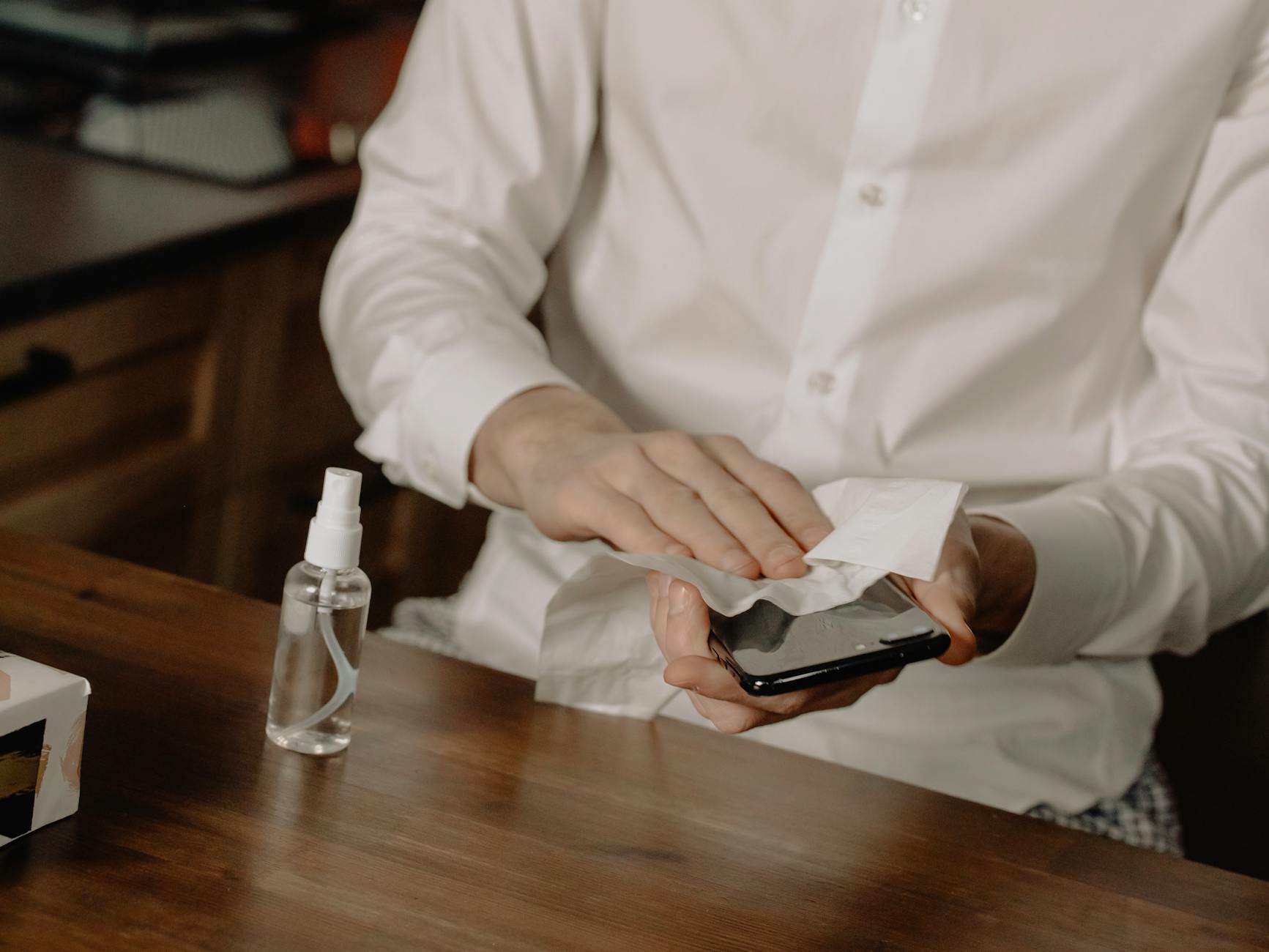 Photo by cottonbro studio
1. Spraying liquids directly onto the device
Mistakes often start with moisture. Spraying water, cleaners, or alcohol directly over the grills invites liquid into internal components. Even small amounts can creep into openings and cause short circuits or corrosion. The right approach is to dampen a microfiber cloth or cotton swab slightly and wipe around the grill, never the openings themselves. This precaution is echoed in trusted guides and consumer testing guidance.
- Do this instead: Lightly wipe the exterior with a barely damp cloth, then finish with a dry microfiber to lift any residual dust.
- Why it helps: It keeps moisture away from sensitive ports while removing surface grime.
For reference, industry guides caution against direct liquids near electronics. See how experts describe safe moisture practices in cleaning guides from reputable sources.
2. Using metal tools or sharp objects
In a pinch, some people reach for a paper clip or pin to poke debris out of a grill. That’s a sure way to bend or damage the delicate mic holes or flex cables. Metal tools can scratch surfaces and push debris deeper, making the problem worse. Always favor plastic or wooden picks, and use very light touches.
- If you must, use a nylon or wooden tool with a gentle teeling motion to loosen particles at the edge.
- Avoid forcing material through holes; the goal is to lift dust, not push it inside.
Industry discussions consistently warn against metal probes. For practical tips, many readers find step-by-step advice in consumer tech forums and reputable how-to guides.
3. Not powering down before cleaning
Cleaning while the device is on introduces risk. A short or static discharge could occur if you accidentally touch circuitry with a damp tool. Always power off and unplug if charging. This simple step reduces risk and makes inspection easier.
- After powering down, remove any case to access grills fully.
- If you notice moisture on the cloth, stop and let the device dry before resuming.
Official cleaning guidance emphasizes turning the device off first to minimize risk. It’s a small step with big payoff.
4. Rushing the process
Air bursts, quick brushes, and a hurried wipe can damage more than they help. When you rush, you’re likely to poke deeper or miss stubborn debris that affects sound. Create a slow, methodical routine and work in stages. Pause after each stage to test the mic or speaker.
- Stage 1: Remove loose dust with a soft brush.
- Stage 2: Target edges with a nylon tool if needed.
- Stage 3: Wipe with a dry microfiber and test.
A deliberate tempo keeps you in control and improves results. If you skip testing, you might miss a lingering issue that reduces audio quality.
5. Over-cleaning or aggressive brushing
More is not better. Excess brushing can wear away protective coatings or push grime further into ports. Light, repeated strokes are far more effective than hard scrubs. If you encounter stubborn debris, switch to a precision tool with a gentle touch and stop as soon as the mesh looks clean.
- Use short, controlled strokes rather than long, forceful sweeps.
- Pause to re-evaluate; if you still hear muffling after a careful pass, it may be time to consult a professional.
6. Neglecting the surrounding environment
A clean grill is only part of the job. Dust and lint in pockets, cases, and nearby surfaces can quickly re-clog grills after cleaning. Clean the area around your phone and consider using a case with a mesh that doesn’t trap fibers.
- Keep the case clean and replace it if it’s harboring debris.
- Regularly wipe surfaces where you usually place your phone.
7. Relying on unverified guides
There’s no shortage of online advice, but not all sources are reliable. Following unvetted tips can lead to damage. Favor reputable sources and cross-check steps with official support pages or established tech sites. When in doubt, start with a light brush and test the results before moving to more involved methods.
- Use trusted references for basic steps like brushing the grills and avoiding liquids near openings.
- For deeper issues, seek professional service rather than risk hardware damage.
To help you vet guidance, credible outlets like Consumer Reports offer practical, tested advice on smartphone cleaning. You can compare their recommendations with other reliable how-to resources to shape your routine.
External resources you might find helpful as you build your cleaning routine include detailed guides and product recommendations from trusted sites. For reference, see consumer-focused cleaning guidance, practical how-tos on speaker cleaning, and reviews of kits designed for phone maintenance.
Quick-start safety checklist
- Power off and unplug if charging.
- Remove the case to expose all grills.
- Use a soft brush to lift debris; never press hard.
- Wipe with a dry microfiber cloth; dampen only the cloth, not the device.
- Avoid metal tools and direct liquids entering ports.
- Test after each cleaning stage with a quick audio sample.
Following these cautions keeps your microphone and speaker in good shape and your audio crisp. If muffling persists after a careful clean, the problem may be software-related or more serious and may require professional help. For additional context, you can review reliable guides from established tech sources that cover both mic and speaker care and common pitfalls. See sources like the iPhone and Android communities for practical, safety-conscious advice.
Tips to Prevent Buildup and Keep Audio Clear
Keeping your microphone and speaker free from dust and grime doesn’t have to be a chore. With a few simple habits and smart routines, you can prevent buildup and maintain crisper sound on your smartphone. Think of it as a quick tune-up that protects call quality, voice memos, and media playback. Below are practical, no-nonsense tips you can apply today.
Create a simple daily habit
A tiny daily routine beats a big, messy clean later. Start by checking the grills for visible debris during your evening charging routine. A quick visual inspection helps you catch dust before it becomes a problem. If you notice stray fibers or lint near the openings, give the grills a light brush using a soft-bristled tool. This small step keeps grime from becoming embedded.
- Do this in a well-lit area to spot particles easily.
- Use gentle, short strokes rather than long scrubs.
- Avoid moisture at this stage; focus on surface dust and lint.
If you want a step-by-step sense of how this looks, consumer-focused guides recommend a soft brush to lift debris from speaker grills and caution against direct moisture near ports. You can reference practical tips here: How to Clean Your Smartphone’s Charging Port and Speakers.
Protect against everyday culprits
Dust and lint sneak into ports and grills through pockets, bags, and cases. A few preventative actions save you from frequent cleanups:
- Choose a case with a mesh or texture that resists lint collection. Some cases trap fibers more than others, so pick one with an easy-to-clean surface.
- Clean the case regularly. A quick wipe or gentle brush keeps fibers from transferring to the phone.
- Avoid placing your phone in dusty or sandy environments for long periods. If you must, give the grills a quick wipe when you remove it.
Small habits, big payoff. A tidy surrounding area and a case that’s easy to clean reduce the frequency of buildup on the microphone and speaker.
Use proper cleaning tools wisely
Having the right tools on hand makes maintenance fast and safe. Keep a compact kit nearby so you don’t delay when you notice buildup:
- Soft-bristled brush for light dust lifting.
- Microfiber cloth for surface wipe-downs.
- A gentle air blower to dislodge particles before brushing.
- Cotton swab dampened with a tiny amount of isopropyl alcohol for outer surfaces only.
The emphasis is on minimal moisture and careful technique. Liquids should never be sprayed directly onto the device. For more guidance on safe practices, see how trusted guides describe moisture use and brushing as effective approaches while avoiding ports.
Implement a quick monthly check
Set a recurring reminder to perform a thorough but brief check every 30 days. This keeps you in a rhythm and prevents buildup from slipping through the cracks. Your monthly check can follow a simple pattern:
- Inspect all grills with a flashlight.
- Lightly brush the microphone and speaker areas.
- Wipe the frame and surrounding surfaces with a dry microfiber.
- Test with a short call, a voice memo, and a quick playlist to gauge balance.
If you detect muffling during the test, you’ll know it’s time for a deeper clean or to explore professional help. For reference, guides from reputable outlets offer structured advice on mic and speaker care and common pitfalls you can adapt to a monthly cadence.
Minimize moisture exposure
Water and electronics don’t mix well. The best practice is to keep liquids away from the device. If you use cleaning aids, dampen the cloth or swab lightly and never apply liquid directly to any openings. After any damp cleaning, give the device a few minutes to air dry before powering it back on or reconnecting a case.
- Always dry the exterior completely before use.
- If you see moisture near the ports, wait and recheck after a short period.
- Consider a brief air burst to help evaporate residual moisture from the immediate exterior.
Guides from established outlets stress careful moisture handling and emphasize wiping instead of spraying. This approach reduces the risk of moisture seeping into sensitive components.
When to escalate beyond at-home maintenance
In many cases, buildup is manageable with careful brushing and wiping. However, if muffled sound persists after routine cleaning, the issue may be software-related or hardware-deep. Consider the following:
- Update your apps and device firmware. Software can affect mic sensitivity and speaker output.
- Try a different audio app or test across apps to isolate whether the issue is app-specific.
- If problems persist, seek professional help. A technician can check for internal damage or more subtle debris that cleaning can’t address.
External sources provide further context on when a professional evaluation is warranted and offer practical steps to prevent recurring issues. For example, you can consult reliable guides that compare safe cleaning methods and caution against common mistakes. See the references linked in this section for additional perspectives and validation.
Quick-reference checklist
- Inspect grills for visible debris and lint.
- Use a soft brush, then a microfiber wipe.
- Keep liquids away from openings; dampen tools, not the device.
- Remove the case to access all grills during cleaning.
- Test after each quick maintenance pass.
- Maintain a clean surrounding environment to prevent rapid recontamination.
Following these quick habits helps you keep your audio crisp without slowing down your day. If muffling crops up again, you’ll have a solid baseline and know when to seek deeper help.
Helpful resources to deepen your routine
- For practical, step-by-step microphone and speaker care, see reliable guides that walk through safe brushing, careful moisture use, and testing after each step. A well-regarded reference offers concrete steps you can mirror in your own routine. See this guide for context: How to Clean Your Smartphone’s Charging Port and Speakers.
- If you want more hands-on demonstrations, consumer-friendly tutorials show safe methods for both microphones and speakers, with emphasis on avoiding direct liquids and using gentle tools. Explore the related how-to guides here: How to Clean Dust & Water from a Phone Speaker and How to Clean Your iPhone Speakers.
- To understand why these practices matter, consumer reports discuss the impact of grime on charging performance and muffled sound, plus practical brushing recommendations. Consider reviewing their insights: How to Clean Your Smartphone’s Charging Port and Speakers.
External resources you might find helpful as you build your cleaning routine include detailed guides and product recommendations from trusted sites. For reference, see consumer-focused cleaning guidance, practical how-tos on speaker cleaning, and reviews of kits designed for phone maintenance.
Conclusion
A quick, careful clean can restore clear calls, crisper voice memos, and fuller playback from your smartphone. Remember the core steps: power down, remove the case, lift dust with a soft brush, wipe with a dry microfiber, and test after each stage. Keep liquids away from the grills and avoid metal tools that could damage the tiny holes. The payoff is immediate better sound and fewer muffled moments in daily use, plus less risk of long term buildup. If you notice persistent trouble, software updates or a professional check may be needed. Try the routine now and share your results or check other guides for deeper tips.