Filming in public with your phone is useful, but privacy should guide every shot. This introduction explains why privacy matters, what your rights are, and how to film ethically without slowing you down. You’ll get practical tips on when to blur faces, how to store footage safely, and how to handle consent in everyday moments.
Know the basics of privacy when filming in public
Filming in public with your phone invites a mix of opportunity and obligation. You can capture many everyday moments, but privacy is not a loophole you can ignore. This section breaks down the essentials so you film confidently, responsibly, and with respect for others’ boundaries. You’ll learn what counts as public space, when consent matters, and the basic legal landscape you should know before you press record.
What counts as public space
Public spaces are places you can access without special permission, like sidewalks, streets, parks, and other open areas. In these places, you generally can shoot what’s visible to the public. That said, being in public does not grant unlimited rights to film anyone at any moment.
- Streets and sidewalks: You may film people going about their day as long as you’re not interfering with them or causing distress. Avoid lingering or following someone at a distance that feels invasive.
- Parks and public plazas: Public parks are common filming targets, but you should still respect personal space. If someone signals they don’t want to be filmed, respect that boundary.
- Stores with public areas: Some shops have clearly open spaces like lobbies or aisles you can film. If a private area is off-limits, stay outside those zones, and be mindful that employees can ask you to stop filming in certain sections.
- Transit hubs and events: Public transit stations and crowded events are often filming hotspots. Move with the flow, keep your footage focused on the scene rather than targeting individuals, and watch for security or policy signs that restrict recording.
The key takeaway is simple: public spaces allow filming, but people still control their personal boundaries. If someone asks you to stop filming them, you should stop. If you’re unsure about a location’s rules, look for posted guidance or ask a staff member. For context and nuance, you can review interpretations of recording in public in various jurisdictions, such as general rights versus restrictions in specific states or regions.
If you want further reading on the topic, consider resources that outline the balance between recording in public and privacy rights. For a broad overview, you can explore discussions about the legality of recording in public and how norms shape what’s acceptable in different settings. These insights help you decide when to back off and protect people’s privacy while still telling compelling stories. You can also view related perspectives and rights explanations from reputable sources as your reference point.
- Recording in Public: Is It Illegal to Record Without Consent? (Factual summaries of common-public filming norms and the idea that recording in plain view is typically allowed in public spaces) https://www.freedomforum.org/recording-in-public/
- Know Your Rights when taking photos and making video and audio recordings (Practical guidelines on public-space photography and implied consent) https://www.aclupa.org/know-your-rights/know-your-rights-when-taking-photos-and-making-video-and-audio-recordings/
- Surreptitious photographing, videotaping, filming rules (State-level example covering illegal secret recording) https://www.azleg.gov/ars/13/03019.htm
Consent and when it is needed
Consent matters when you want to film faces or personal moments that people expect to remain private. Here’s how to navigate consent calmly and ethically.
- When explicit consent is required: If you’re filming someone in a private moment or in a setting where privacy expectations are high (for instance, a medical facility, a changing room, or a therapy session), you should obtain explicit permission. Even in public, if the footage clearly centers on a private moment, best practice is to ask.
- When you can film without explicit consent: In most public spaces, filming people who are plainly visible and not the focus of the shot is allowed. This covers street scenes, crowds, or public events where individuals are incidental characters in the frame. If your primary subject is a private moment or a sensitive topic, seek consent.
- How to request consent politely: A short, friendly script works well. For example, approach and say:
- “Hi, I’m filming a short piece about [topic]. Do you mind if I include you in my video? I’ll blur faces if you’d prefer.”
- “I’m documenting a public scene, and I’d like your permission to be in the clip. If you’d rather not, I’ll respect that and move on.”
- If they say yes, record with their acknowledgment. If they say no, thank them, and move on. Do not pressure or argue.
- What to do if someone says no: Respect their wish immediately. Stop filming, and if possible, delete any footage that includes them. A respectful response is: “Thanks for letting me know, I’ll stop filming now.” If you’re mid-shot and the person withdraws consent, calmly reframe your shot to exclude them.
- Practical tips for on-the-ground consent: Keep questions short, friendly, and non-coercive. Have a simple blur plan ready. If someone prefers not to be filmed, offer to blur their face or remove their clip. Document consent when possible by noting the moment or using a quick audio acknowledgment in the clip.
To help you practice, here’s a quick, unobtrusive consent script you can adapt for different scenarios:
- “Hi, I’m filming a piece about street life. Do you mind if I include you? I can blur your face if you’d prefer.”
- “I’m capturing public scenes for a short video. If you don’t want to be filmed, I’ll happily skip your shot.”
If you want deeper guidance on consent norms in public spaces, you can explore general rights information and practical tips from these sources:
- If Stopped for Photographing in Public (Overview of rights when approached by authorities while taking photos in public) https://www.acludc.org/know-your-rights/if-stopped-photographing-public/
- Know Your Rights When Taking Photos and Making Video and Audio Recordings (Public-space expectations and consent basics) https://www.aclupa.org/know-your-rights/know-your-rights-when-taking-photos-and-making-video-and-audio-recordings/
Legal basics you should know
Understanding the legal basics helps you film more confidently while avoiding missteps. Here are the essentials written in plain language.
- Privacy vs freedom of expression: You generally have the right to record what you can see in public. That freedom supports storytelling, journalism, and personal projects. At the same time, privacy laws protect intimate moments and sensitive information. You don’t need permission to film something visible in public, but you should avoid intruding on private affairs or sensitive situations.
- Minors: Filming minors adds extra responsibility. In many places you should obtain parental consent when the subject is clearly a minor or when the content will be shared publicly in a way that could affect them. If a parent asks you not to film their child, you should comply.
- Sensitive moments to avoid without permission: Medical situations, accidents, or private conversations are best avoided unless you have explicit permission or a compelling, ethical reason to include them. In most cases, it’s wise to blur faces or move away from the scene to protect privacy.
- Surreptitious filming: Secretly recording someone without their knowledge is illegal in many jurisdictions. If someone acts suspicious or asks you to stop, you should stop filming and respect local rules. Always know the local regulations where you are shooting.
- Local laws vary: Rules differ by country, state, and city. When you travel or work in new areas, check local guidance about recording in public, consent requirements, and privacy protections. This helps you stay compliant and avoid surprises.
For quick legal context and practical guidance, you can review examples and summaries from reputable sources that outline how public filming intersects with privacy rights. They provide a frame for your decisions on set and on the street:
- Recording in Public: Is It Illegal to Record Without Consent? https://www.freedomforum.org/recording-in-public/
- Know Your Rights when taking photos and making video and audio recordings https://www.aclupa.org/know-your-rights/know-your-rights-when-taking-photos-and-making-video-and-audio-recordings/
- Surreptitious photographing, videotaping, filming rules https://www.azleg.gov/ars/13/03019.htm
Remember, the most important rule is to treat people with respect. Public spaces belong to everyone, and privacy is a shared expectation. By asking for consent, you build trust with your subjects and your audience. Your goal is to tell a story, not to surprise or exploit anyone.
If you’d like to add a short checklist to help readers apply these basics on a daily shoot, consider a concise list like:
- Identify the public space and note any posted restrictions.
- Decide if consent is needed for key subjects.
- Have a simple consent script ready.
- Be prepared to blur faces or step back if asked.
- Respect minors and private moments; avoid sensitive situations.
- Verify local laws if you’re filming in a new location.
- Store footage securely and limit distribution when privacy concerns arise.
As you move forward with filming with your phone, you’ll gain confidence in balancing storytelling with respect for privacy. This balance is what separates thoughtful videography from intrusive content.
Filming etiquette that respects others
Good etiquette makes public filming pleasant for everyone. You capture moments with your smartphone while others feel valued. These practices prevent awkward run-ins and help your footage shine.
Ask and greet when possible
A friendly greeting opens doors faster than sneaking shots. Approach with a smile, keep it brief, and gauge their mood first.
Try these simple phrases:
- “Hi there. Mind if I film this street scene with you in it?”
- “Hello, I’m shooting a quick video. Okay if you’re visible, or should I blur you?”
People often respond positively to courtesy. If they agree, thank them and proceed. If they hesitate, offer a quick alternative like blurring faces. If someone says no, respect it and move on without arguing. This approach sets a constructive tone for your entire shoot. For additional guidance, see street photography permission tips from Digital Photography School.
When reactions are mixed, stay calm and adapt. If they don’t want to be filmed, switch to a wider shot that excludes them or refocus on the surrounding scene. Practicing a short consent script helps you stay confident and respectful.
Be discreet and respectful
Discretion keeps your filming low key and non disruptive. People notice loud motions and crowded paths more than steady, deliberate shots. Your goal is to capture moments without drawing attention to yourself.
Practical ways to stay respectful:
- Maintain a reasonable distance, such as 10 feet or more from subjects who aren’t inviting closer interaction.
- Don’t block sidewalks or entrances; position yourself at the edge of the flow.
- Hold your smartphone steady and avoid rapid, jerky movements.
- Film from the side or slightly behind when possible to minimize intrusion.
These habits help you blend in with the scene rather than stand out. If someone gives you a disapproving look, a friendly nod and a slight step back can defuse tension. For further techniques, check NoFilmSchool’s guide on discreet public filming.
Avoid capturing sensitive moments
Some moments require restraint. Protect privacy by prioritizing the environment or action over people in distress. If you encounter a sensitive scene, skip the close-up or switch to a broader perspective that omits personal details.
Situations to avoid or blur unless you have explicit permission:
- Medical emergencies or care in progress
- Private conversations, intimate moments, or family disputes
- People who are visibly vulnerable or upset
If a sensitive moment appears briefly in your frame, blur faces or blur the entire shot and move on. Your edits can focus on context, not personal hardship. The NPPA ethics guidance emphasizes minimizing harm in visual storytelling, which aligns with this approach. Keeping to these standards protects your viewers and your reputation as a thoughtful creator.
Smart use of a smartphone can make all the difference. A stable tripod or a simple grip can reduce wobble, while moving your feet rather than your camera helps you maintain composure. When in doubt, slow down and reframe to preserve dignity and context. For ethical guidelines and practical tips, you can review what reputable outlets say about handling distressing content, such as journalism ethics resources from industry associations.
If you want more practical examples, consider these perspectives:
- Digital Photography School on asking permission in street photography
- NoFilmSchool’s tips for low-profile public video
- NPPA Code of Ethics for responsible visual storytelling
In the end, your goal is to tell a story without surprise or exploitation. Readers trust you more when your filming respects others while you capture the moments that matter. A calm, respectful approach turns everyday scenes into compelling, shareable footage. And yes, a few well chosen smartphones shots can carry as much weight as any larger camera work when you pair them with thoughtful etiquette.
Protect faces, plates, and sensitive data on your device
When you film in public, you might capture faces, license plates, or other sensitive details. Protecting that data on your device keeps your work ethical and minimizes risk if footage is shared. The goal is to blur what needs protecting, minimize what you store, and keep your devices secure so your stories stay trustworthy and compliant.
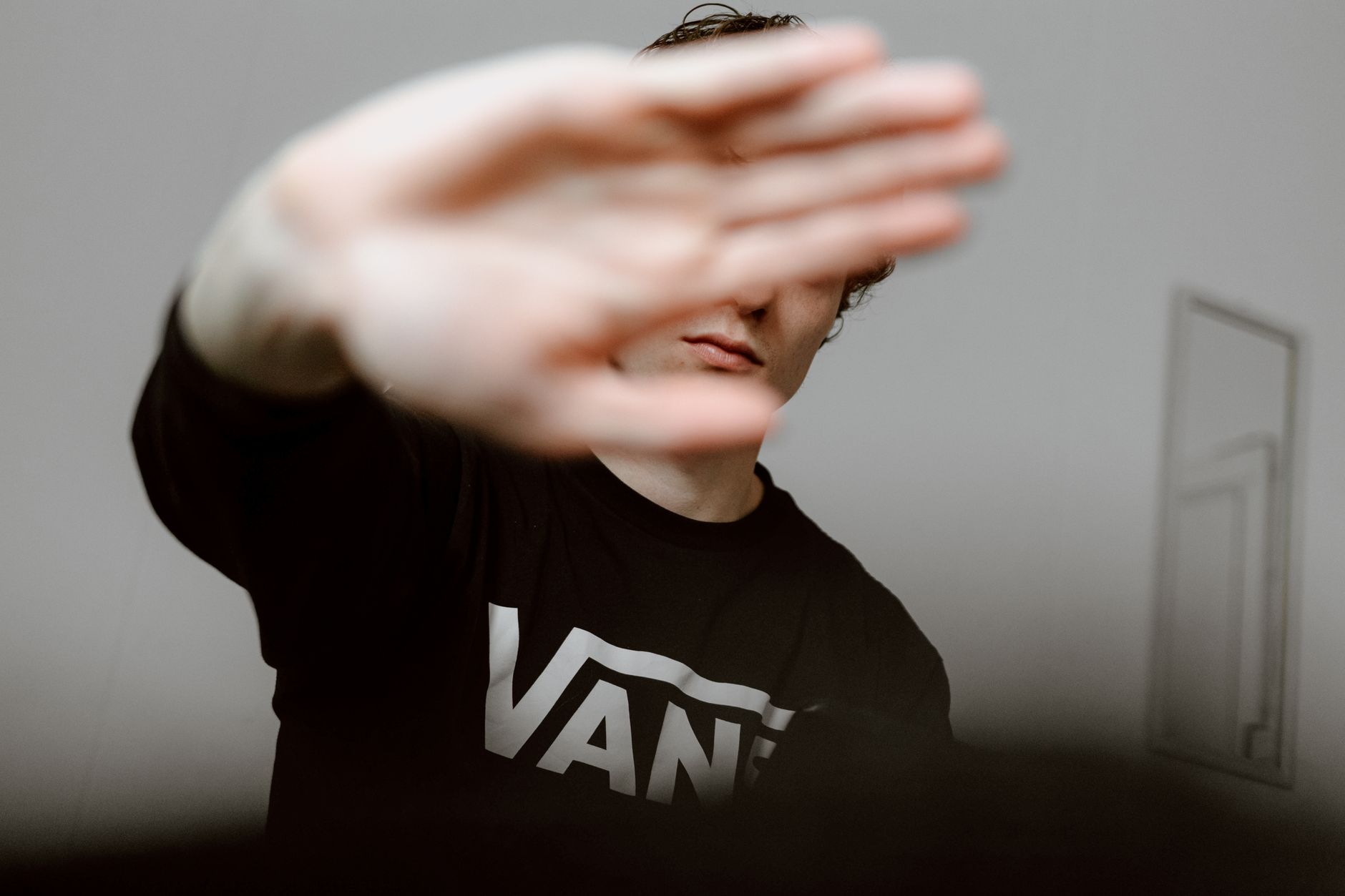 Photo by Alex Blokstra
Blur faces and license plates effectively
Blurring is your first line of defense when a subject doesn’t want to be identified or when a vehicle number is sensitive. Here are simple, practical methods you can apply in seconds with commonly used apps.
- Quick blur in mobile editors: Many video apps offer a one-tap blur or pixelate feature. For instant results, try a popular option on your platform and apply it to faces and plates before sharing. If you want a broader approach, use a dedicated blur tool within your editor.
- App options you can try: Look for “blur” or “pixelate” in your app store and pick a tool that supports real time or post-processing blur. For example, apps noted for face blur capabilities include CapCut style editors and dedicated blur apps. See practical overviews here and here for popular choices and how to use them.
- When to blur: Blur a face or plate whenever the person is clearly identifiable and you don’t have consent. Blur more aggressively for close-ups or when a vehicle’s plate is legible. If the subject smiles or looks away, it’s still safer to blur to avoid misidentification.
- How to verify blur quality: After applying blur or pixelation, zoom in to confirm the subject isn’t readable. If any identifying detail remains, apply another pass or switch to a wider shot that omits the person or plate.
For quick reference, explore widely used blur solutions and how they handle faces and license plates. You can start with apps that specialize in video censorship and suppression, as described in these practical guides:
- 6 Best Face Blur Apps to Blur Faces in Videos in 2025
- Blur Video, Censor Face/Object – Apps on Google Play
- PutMask Censor Video & Image 8.0
Beyond apps, consider manual masking when a real-time blur isn’t feasible. A small crop or panning away from the person can be equally effective. Always test your workflow before a shoot so you can blur confidently in post.
Reduce data and track what you record
Minimizing metadata and how you name and store files helps protect identities and keeps your project organized. Simple habits go a long way.
- Metadata awareness: Modern phones embed data like location, date, and device details in video and photo files. Turn off or strip sensitive metadata when you don’t need it. Some apps let you export without metadata, or you can use an editing step that removes it before sharing.
- Naming conventions: Use descriptive yet non-identifying file names. A simple scheme like “date_topic_location_version” helps you locate clips quickly without exposing sensitive data publicly.
- Separate work footage from personal content: Create a dedicated folder for shoots and another for personal media. If you share clips publicly, move material into an exported folder that has already been sanitized.
- Minimize storage footprint: Only keep clips you plan to use. Remove duplicates and long takes that don’t contribute to your story. Archive final edits to a separate drive or cloud storage with restricted access.
- Quick audit routine: After a shoot, skim filenames, check if any clip includes identifiable faces or plates, and blur or remove as needed before moving clips into your main project folder.
A practical approach is to establish a simple workflow: capture with a clear shot plan, tag clips with non-identifying keywords, then perform a quick metadata scrub before archiving. If you want concrete app guidance, you can review how to handle metadata in common video editors and storage apps.
Secure storage on your phone
Strong protection of the device itself keeps your footage safe from accidental leaks. Use a mix of passwords, encryption, and careful app management. Here are straightforward steps you can implement today on both iPhone and Android.
- Strong passwords and biometrics: Use a robust passcode and enable biometric unlock if available. Avoid easy patterns or short PINs. For added security, enable features like app-specific passcodes on sensitive apps.
- Password managers: Use a reputable password manager to store complex credentials. This reduces the risk of reusing passwords across apps and services. A manager also helps you generate unique codes for different accounts.
- Separate work footage from personal content: Create dedicated work profiles or folders that are only accessible with your work credentials. This separation limits exposure if your phone is lost or compromised.
- Basic device encryption: Ensure device encryption is enabled. On iPhone, encryption is typically on by default when the device is locked with a passcode. On Android, verify that device encryption is active in security settings.
- Quick backup practices: Regularly back up your footage to a secure location. Use encrypted backups where possible and ensure backups are restricted to authorized devices or accounts. For on-device backups, maintain a clean archive that aligns with your project timeline.
- App permission management: Review app permissions and disable access to the camera, microphone, location, and photos when not needed. Limit background access to sensitive features.
If you’re unsure how to implement these protections on your specific device, consult the official support guides for iPhone and Android. You’ll find clear steps to enable strong security without sacrificing workflow. For further context, these sources offer practical guidelines and safety best practices:
- Recording in Public: Is It Illegal to Record Without Consent?
- Know Your Rights when taking photos and making video and audio recordings
- Surreptitious photographing, videotaping, filming rules
In practice, a quick routine can look like this: enable a strong lock screen, set up your preferred password manager, create a dedicated work folder, scrub metadata after each shoot, and back up your final edits to a secure cloud location. With these habits, your device becomes a reliable tool for responsible storytelling.
To help you apply these steps, here are practical action items:
- Enable a strong passcode or biometric on your phone.
- Install and use a password manager for work credentials.
- Create a separate work media folder and a non-identifying naming scheme.
- Review and limit metadata embedded in video files.
- Back up work footage to an encrypted storage option, then delete nonessential raw clips when possible.
Incorporating these practices will keep your projects organized and reduce the risk of privacy breaches. The results are cleaner edits, smoother sharing, and greater trust with your audience.
If you want extra context on how other creators manage privacy on their devices, you can explore articles and guides that discuss practical privacy setups for mobile video workflows.
- Face blur apps and privacy-focused publishing workflows
- Best practices for privacy in mobile video production
- Secure storage and backup strategies for creators
By applying these steps, you protect both your subjects and your reputation as a thoughtful creator. Your audience will appreciate the care you put into respecting privacy while still delivering compelling stories.
Sharing, storing, and handling requests
When you film in public with a phone, you’re balancing storytelling with respect for privacy. This section covers what to do before you share, how to respond when someone asks you to delete or stop filming, and how to navigate the line between public posting and private sharing. The aim is to protect people’s rights while still letting you capture authentic moments.
When to blur before sharing
Before you publish or post footage, run a quick pre publication review to spot privacy blind spots. A few ready-made checks can save you from a cringe-worthy mishap or a privacy complaint later.
- Scan for identifiable individuals: If someone is clearly the focus or in a close-up, blur their face or blur the frame to protect anonymity. Don’t rely on relying on the other person’s good faith.
- Check license plates and sensitive details: Cars, bikes, and other identifiers can reveal where someone lives or works. Blur or crop these elements when you can.
- Review frames for sensitive moments: Medical situations, private conversations, or vulnerable expressions should be avoided or blurred. If the moment isn’t essential to your story, cut it.
- Consider context and audience: If a clip could affect someone’s reputation or safety, err on the side of caution. Ask yourself if the shot adds value or could harm.
- Use a simple blur workflow: A one-tap blur or pixelate feature in your mobile editor is enough for most clips. If you need precision, use a dedicated blur tool and verify the result by zooming in.
- Test across devices: Check the blurred areas on different screens to ensure readability or full concealment. What looks blurred on a phone may still be readable on a larger device.
If you want extra guidance, these resources provide practical perspectives on when to blur and how to approach consent before sharing public footage:
- Surreptitious photographing, videotaping, filming rules. https://www.azleg.gov/ars/13/03019.htm
- 6 Best Face Blur Apps to Blur Faces in Videos in 2025
- Blur Video, Censor Face/Object – Apps on Google Play
A short, ready-to-use checklist you can keep on hand:
- Identify faces and plates that need protection.
- Decide if consent is needed for any key subjects.
- Prepare a blur plan for faces, plates, and sensitive details.
- Perform a quick metadata scrub if required before sharing.
- Confirm your final edit minimizes risk to identifiable individuals.
Responding to requests to delete or stop filming
People may ask you to stop filming or to delete footage. Handling these requests calmly protects you, the subject, and your audience.
- Script for a calm response:
- “Hi, I’m filming a short piece about street life. Would you mind if you appear in the clip? I can blur your face if you’d prefer.”
- “I’m documenting a public scene. If you don’t want to be filmed, I’ll skip your shot and move on.”
- Clear steps to comply:
- Stop filming immediately if asked.
- If you already captured the person, offer to blur their face or remove the clip.
- Reframe the shot to exclude the person if possible.
- Document the request in your notes to ensure you follow through on edits.
- If the person withdraws consent mid-shot, switch to a wider perspective that omits them.
A respectful reply goes a long way. If you’re mid-production and a person says no, thank them and adjust your shot rather than arguing. For a practical template, you can adapt these lines:
- “Thanks for letting me know. I’ll stop filming now and can blur your face if you’d like.”
- “I understand. I’ll move on to a different angle and keep you out of the frame.”
If you want deeper guidance on how consent norms work in public spaces, these sources offer clear context:
- If Stopped for Photographing in Public. https://www.acludc.org/know-your-rights/if-stopped-photographing-public/
- Know Your Rights When Taking Photos and Making Video and Audio Recordings. https://www.aclupa.org/know-your-rights/know-your-rights-when-taking-photos-and-making-video-and-audio-recordings/
A practical tip: keep a one-page consent script ready in your notes app. Practicing it helps you stay calm and respectful in real time.
Public posting vs private sharing
Public posting and private sharing follow different norms. You should balance transparency with privacy while choosing where and how to publish clips or reels.
- Public posting: This is content you intend for broad visibility. It benefits from clear consent when identifiable individuals are central, and from consistent privacy protections like blurring faces or plates when needed. Public posts should reflect your editorial purpose and accuracy, especially if the clip could affect someone’s reputation.
- Private sharing: For internal teams, clients, or limited audiences, you have more space to tailor consent. Use password-protected folders or private links and still minimize sensitive data. Even in private channels, avoid exposing private moments or disclosures without permission.
- Platform policies: Different platforms have varying rules about consent, privacy, and minors. Familiarize yourself with the terms of service and community guidelines before posting. A quick audit helps you avoid surprises like removal requests or account penalties.
- Transparency in storytelling: Be clear about when you blur faces and why. If viewers expect to see real people, disclose your approach to privacy in your caption or a short on-screen note.
- Balancing ethics and reach: If a moment could harm the person pictured, you should blur or omit it even if it would boost engagement. Your aim is to tell a story, not to pressure someone into appearing on camera.
To deepen your understanding of how to approach public versus private sharing, consider these credible perspectives:
- Recording in Public: Is It Illegal to Record Without Consent? https://www.freedomforum.org/recording-in-public/
- Surreptitious photographing, videotaping, filming rules https://www.azleg.gov/ars/13/03019.htm
A brief takeaway: always assess the potential impact on the subject, then decide whether the clip should be shared publicly, kept private, or blurred before any distribution.
If you’re building a practical workflow, use a simple pattern:
- Decide the sharing destination (public feed, private group, client portal).
- Confirm consent status for any identifiable subjects.
- Apply the least invasive privacy protection that still serves your story.
- Document your decisions in a shot log for accountability.
External links you can consult for more on publishing ethics and privacy considerations:
- 8 Real World Use Cases of Blurring Faces in Videos. https://theceoviews.com/8-real-world-use-cases-of-blurring-faces-in-videos/
- Censoring Faces in Videos: Legal and Ethical Considerations. https://reduct.video/blog/censoring-faces-ethical-considerations/
If you plan a check before posting, you’ll move faster and reduce friction in your workflow. A simple caption note can also help: “Faces blurred, license plates obscured, content ethical for public viewing.”
Practical guidelines for privacy in mobile video workflows
Putting privacy first means organizing your process around ethical filming. Here are practical guidelines you can apply today.
- Pre-shoot planning: Identify potential privacy risks of each scene. Decide in advance if you will blur, crop, or skip sensitive moments.
- On-device data hygiene: Limit what metadata is attached to your final clips. Strip location data if you don’t need it for your narrative.
- Secure sharing: Use encrypted storage for drafts and controlled access when sharing with editors or clients. Remove raw footage after finishing the project if privacy concerns exist.
- Clear consent records: When possible, retain a short audio acknowledgment from subjects or a written consent note for each identifiable shot.
- Regular audits: At the end of a shoot, review footage for any unintentional exposures and fix them before final delivery.
In practice, these habits create a smoother workflow and stronger trust with your audience. For further context on privacy in mobile video workflows, you can explore resources about privacy-focused publishing and data safeguards that align with responsible storytelling.
As you implement these steps, you’ll find it easier to tell compelling stories while protecting people’s privacy. Your readers will appreciate a respectful approach that still captures the moments that matter.
Quick privacy checklist for on the go
When you’re filming with your phone on the move, privacy should stay front and center. This quick checklist is designed to keep you efficient, ethical, and ready to capture great moments without stepping on anyone’s boundaries. Use it as a lightweight routine before, during, and after your shoot so your stories stay compelling and respectful.
Before you hit record: quick pre filming steps
A smooth shoot starts with a clear plan. Before you press record, run through a few fast checks that save you time later.
- Review consent at a glance: Identify who could be a focal subject and decide if you need explicit consent or if you’ll rely on indiscriminate public filming. If in doubt, plan to blur faces or avoid close shots.
- Set your camera intentionally: Open your camera app, choose a wide angle for more context, and set exposure to a neutral baseline. If lighting shifts, you can adjust later without creating abrupt changes in your footage.
- Map your filming route: Decide where you will film and how you’ll move through the space. Favor areas with natural flow and avoid interrupting people or blocking passages.
- Prepare a blur plan in advance: Have a simple strategy for faces, license plates, and other sensitive details. A quick blur option in your editing app can be a lifesaver.
- Screenshot your consent prompts: If you plan to approach strangers, keep a ready-to-use script in your notes so you can ask politely and briskly.
These steps help you stay flexible when things move quickly. They also reduce the risk of surprise encounters that could derail your shoot. For practical context on consent norms in public spaces, you can consult resources that outline when consent matters and how to handle it gracefully, such as general guidance on public space recording and the rights involved. For further insights, see:
- Recording in Public: Is It Illegal to Record Without Consent? https://www.freedomforum.org/recording-in-public/
- Know Your Rights when taking photos and making video and audio recordings https://www.aclupa.org/know-your-rights/know-your-rights-when-taking-photos-and-making-video-and-audio-recordings/
- Quick plan example: “I’m filming a street scene for a short piece. If you’d prefer not to be in the shot, I’ll blur your face or move on.” Keep it simple and friendly.
During filming steps: stay mindful and respectful
The moment you start filming, a lot of etiquette comes into play. Stay aware of your surroundings, keep a respectful distance, and avoid private moments. If someone seems uncomfortable, reset your approach and adjust your shot.
- Maintain distance and awareness: Aim to stay at a comfortable distance from individuals who aren’t part of the main scene. If you feel you’re getting too close, back up a step or two and reframe.
- Focus on the scene, not the person: Let your footage tell the story of the moment rather than isolating a single individual. This helps reduce the feeling of stalking and keeps the piece inclusive.
- Use wide shots when possible: Wide frames capture the atmosphere without putting anyone on the spot. If a person becomes a focal point, switch to a broader lens perspective or move away.
- If someone signals discomfort, reset: If a subject frowns, tenses, or declines, stop recording that angle, shift to a generic scene, or blur the person. A simple way to respond is: “Thanks for letting me know, I’ll adjust the shot.”
- Document consent where feasible: If a quick acknowledgement is possible, a short audio consent right before or after the clip can help. It also demonstrates your commitment to ethical storytelling.
If you want deeper guidance on discreet public filming, turn to practical guides that explore low profile approaches and respect in street videography. For additional perspectives, check resources like NoFilmSchool’s tips for discreet public video and related ethics discussions.
After filming steps: clean up and organize
Post shoot is where you safeguard privacy and prepare your work for sharing. A quick post-flight routine reduces risk and speeds up delivery.
- Review your footage with privacy in mind: Scan for identifiable faces, plates, or private moments. If something crops up, blur or crop it in post.
- Label files clearly: Use non-identifying naming conventions like “date_topic_location_version” to keep your library tidy and private-friendly.
- Blur where needed and verify quality: Apply blur to faces or plates and then recheck at different zoom levels to ensure no identifying detail leaks through.
- Store securely: Move final edits to encrypted storage or a private cloud folder. Keep raw clips separate and limit access to teammates who need them.
- Prepare for delivery: If your project requires sharing with editors or clients, use a workflow that preserves privacy while keeping the timeline intact. Remove unneeded raw footage before handing over the project files.
For a practical approach to post production privacy, consider a quick workflow like this: capture with a shot plan, tag clips with non-identifying keywords, perform metadata scrubs, and archive only the approved final cut. If you want more guidance on metadata handling and secure storage, explore the privacy resources linked here:
- Recording in Public: Is It Illegal to Record Without Consent? https://www.freedomforum.org/recording-in-public/
- Know Your Rights when taking photos and making video and audio recordings https://www.aclupa.org/know-your-rights/know-your-rights-when-taking-photos-and-making-video-and-audio-recordings/
Handling requests to delete or stop filming on the spot
People may ask you to stop filming or to delete footage. Handling these requests calmly protects you, the subject, and your audience.
- Respond calmly with a brief script:
- “Hi, I’m filming a street scene. Would you mind if you appear in the clip? I can blur your face if you’d prefer.”
- “I’m documenting a public moment. If you don’t want to be filmed, I’ll skip your shot and move on.”
- Take clear, respectful action: Stop recording immediately if asked. If you already captured the person, offer to blur or delete the clip. Reframe the shot to exclude them if possible.
- Document the request: Note the moment in your shot log. This helps you follow through on edits and maintain accountability.
If you’d like more context on how consent norms work in public spaces, these sources offer clear guidance:
- If Stopped for Photographing in Public. https://www.acludc.org/know-your-rights/if-stopped-photographing-public/
- Know Your Rights When Taking Photos and Making Video and Audio Recordings. https://www.aclupa.org/know-your-rights/know-your-rights-when-taking-photos-and-making-video-and-audio-recordings/
A handy tip: keep a one page consent script in your notes app. Practice it so you can stay calm and respectful in real time.
Public posting vs private sharing: where your footage lands
Public posting and private sharing follow different norms. Decide where your clip will appear and adjust your consent and privacy protections accordingly.
- Public posting: Use consent when identifiable individuals are central, and blur faces or plates as needed. Your caption should explain your privacy approach so viewers understand your care for subjects.
- Private sharing: For client work or internal teams, you have more flexibility. Use private links or password-protected folders, but still avoid exposing private moments without permission.
- Platform policies: Each platform has its own rules about consent, privacy, and minors. Review terms so your content stays compliant and safe from takedowns or penalties.
A practical workflow pattern helps you stay consistent:
- Decide the destination for the clip (public feed, private group, client portal).
- Confirm consent status for identifiable people.
- Apply the least invasive privacy protections that fit your story.
- Log your decisions in a shot log for accountability.
If you want a quick deeper dive, these resources cover publishing ethics and privacy considerations for mobile video:
- 8 Real World Use Cases of Blurring Faces in Videos. https://theceoviews.com/8-real-world-use-cases-of-blurring-faces-in-videos/
- Censoring Faces in Videos: Legal and Ethical Considerations. https://reduct.video/blog/censoring-faces-ethical-considerations/
A simple caption note can also help readers understand your privacy choices, for example: “Faces blurred, license plates obscured, content suitable for public viewing.”
Practical guidelines for privacy in mobile video workflows
Putting privacy first means building your process around responsible filming. These practical guidelines help you start today.
- Pre-shoot planning: Identify potential privacy risks for each scene and decide in advance if you will blur, crop, or skip sensitive moments.
- On-device data hygiene: Strip location data and other metadata when you don’t need it for your narrative.
- Secure sharing: Use encrypted storage for drafts and limit access to editors or clients. Remove raw footage after finishing the project if privacy concerns exist.
- Clear consent records: If possible, keep a short audio acknowledgment from subjects or a written note for each identifiable shot.
- Regular audits: After a shoot, review footage for unintentional exposures and fix them before final delivery.
These practices translate into faster workflows and more trust with your audience. If you’d like more context on privacy in mobile video workflows, you can explore resources on privacy focused publishing and data safeguards that align with responsible storytelling.
As you apply these steps, you’ll find it easier to tell compelling stories while protecting people’s privacy. The audience will value that care and clarity in your work.
External links you can consult for deeper context on publishing ethics and privacy considerations:
- Recording in Public: Is It Illegal to Record Without Consent? https://www.freedomforum.org/recording-in-public/
- Surreptitious photographing, videotaping, filming rules https://www.azleg.gov/ars/13/03019.htm
This quick privacy checklist is your on the go playbook. It helps you stay confident, respectful, and efficient as you tell the real stories that happen in public spaces.
Conclusion
Telling stories in public with your smartphone works best when privacy guides every shot. Prioritize consent, blur faces or plates when needed, and keep your data safe from the start to end. Responsible filming earns trust and makes your work stronger and more shareable, not invasive. Review the quick privacy checklist before your next shoot to stay sharp, respectful, and ready to capture the moments that matter.