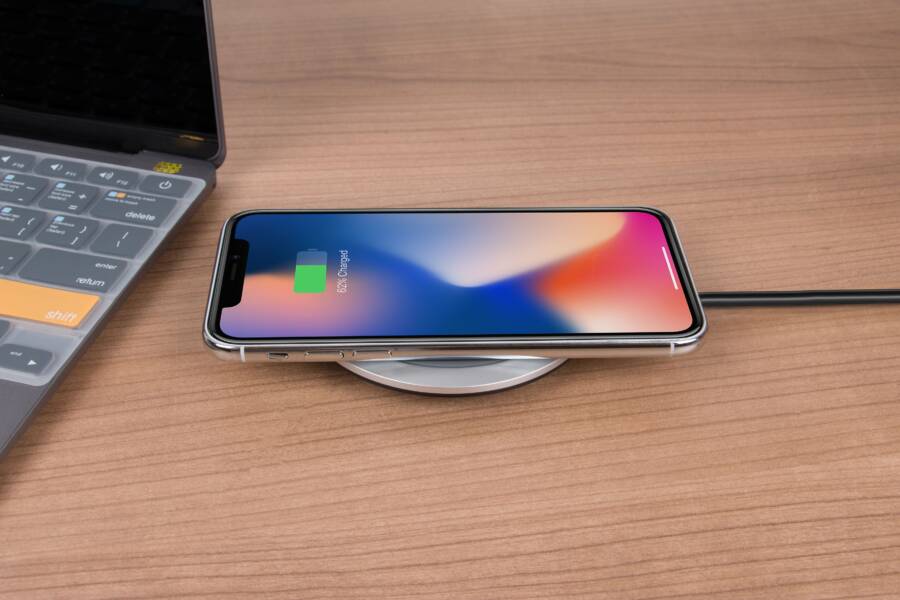
If your smartphone stops charging the moment you set it down, the problem is almost always a physical misalignment between the internal copper coils and your wireless charger. You don’t need a new phone or a different charger; you just need to reduce the distance and interference caused by your protective case.
Wireless charging relies on electromagnetic induction, which requires these two sets of coils to sit as close together as possible. When a case is too thick or contains metal components, it pushes the phone away from the charging surface and disrupts the connection.
To regain a stable charge, you should first verify that your case supports wireless standards or remove it to test if the connection holds without any barrier. Improving this physical contact is the most effective way to restore your charger’s performance.
Understanding Why Wireless Charging Alignment Fails
Wireless charging fails because the internal magnetic fields cannot bridge the physical gap between your charger and the smartphone. These devices require precise coil alignment to function, and any excessive distance or interference acts as a wall that blocks the energy transfer. When you place a phone on a pad, it sends a handshake signal to confirm the connection. If your case is too thick or contains obstructive materials, this handshake fails or fluctuates, resulting in slow charging or frequent disconnects.
The Role of Case Material and Thickness
Charging pads operate within a specific tolerance range, usually capped at a few millimeters. When you use a case made of dense materials, you often exceed this distance threshold. Thick rubber bumpers, wooden covers, and heavy-duty plastic shells push the smartphone away from the charging coil, weakening the electromagnetic field significantly. While a slim skin or simple plastic cover rarely causes issues, anything that adds significant depth forces the coils out of their effective range.
Accessories attached to the back of your case also create alignment hurdles. Card holders or kickstands often house bulky hinges or concentrated layers of material that keep the phone tilted or raised off the surface. Even if the case material itself is thin, these attachments prevent the back of the device from sitting flush against the charger. Removing the phone from the case or taking off external add-ons is a quick way to test if these physical barriers are the source of your charging frustration.
Identifying Metallic Interference
Metal objects cause the most severe issues for wireless charging. Many phone cases include integrated metal plates intended for magnetic car mounts, which behave like a shield against the charging energy. Because metal is conductive, the magnetic fields from the charger induce currents in the plate itself rather than passing through to your phone battery. This energy loss creates heat, which triggers safety sensors in the smartphone and the charger to shut down the process entirely to prevent damage.
Beyond integrated plates, some cases contain metal kickstands or decorative foil accents that trigger the same reaction. If you notice your device gets unusually hot while resting on the charger or the charging icon blinks on and off, look for metal components near the center of the back panel. Replacing a case that contains these conductive elements is the only way to restore consistent, safe charging performance. If you need both a magnetic car mount and wireless charging, look for cases that use magnetic rings specifically designed to be compatible with Qi wireless standards.
Simple Steps to Improve Your Wireless Charging Connection
Improving your wireless charging setup begins with small adjustments to your physical positioning and hardware choices. When you understand how a smartphone interacts with a charging pad, you can often solve connection drops without buying new gear. Focusing on these basic factors ensures your device receives a steady flow of power throughout the day.
Optimizing Your Charging Pad Placement
Finding the sweet spot on your charging pad is the most common hurdle for users. Wireless chargers rely on internal coils that must align perfectly with the receiver inside your smartphone to initiate energy transfer. If the device sits even slightly off-center, the magnetic field weakens and the charging process might stop entirely or cycle repeatedly.
Start by placing your smartphone directly in the center of the charging surface. Many chargers feature a small rubber ring or indicator light that marks this target area. If your phone vibrates or lights up when you set it down, you have successfully bridged the connection. If it does not, shift the phone by just a few millimeters in any direction.
Small adjustments often produce a big difference in maintaining a consistent connection. Because the internal coils are small, shifting your device just a fraction of an inch can move the receiver completely out of the active charging zone. If you have a larger smartphone, it might sit higher on the pad than a compact model, so take a second to ensure the back panel rests flush against the surface.
Choosing the Right Case for Wireless Charging
Not every accessory is designed with power transfer in mind, so you should be selective when picking a new cover. You should look for cases explicitly labeled as wireless charging compatible or Qi-certified. These products undergo testing to ensure they do not block the electromagnetic fields required for modern charging.
When searching for a case, prioritize materials that allow energy to pass through with minimal resistance. Polycarbonate and soft silicone options are generally the best choices because they are thin and non-conductive. Avoid cases that feel excessively bulky or rigid, as they create a physical distance that weakens the connection before it even starts.
If you are unsure whether your current case is the problem, perform a quick test by removing it entirely. If the smartphone charges reliably without the case but fails when the case is applied, the material is likely too thick or contains components that disrupt the coil alignment. Consider these general rules when shopping for your next protective cover:
Select thin shells instead of heavy-duty, multi-layered designs.
Avoid covers with integrated magnets or metal plates unless they are specifically certified for wireless compatibility.
Test the case at a store or check manufacturer reviews to see if other users report issues with wireless pad connections.
Prioritizing a design that supports clear transmission helps you avoid the frustration of waking up to a phone that never actually charged overnight. By matching your case material to the needs of your smartphone hardware, you keep your charging routine efficient and reliable.
Advanced Solutions When Standard Methods Fail
When repositioning your device and choosing a thinner case still fails to trigger a reliable charge, the issue often stems from subtle electronic incompatibility rather than simple physical distance. You might find that your smartphone detects the charger but disconnects repeatedly, or perhaps it generates excessive heat without increasing the battery percentage. These scenarios require a more targeted approach to bridge the gap between your hardware and the charging coil.
Installing Internal Qi-Compatible Receiver Kits
If you refuse to part with a specific thick or rugged case that prevents power transfer, you can install an external Qi wireless charging receiver. This component is a thin, flexible film that plugs into the charging port of your smartphone. You place it flat against the back of the device before sliding your case over it, effectively adding a new receiver coil that sits closer to the outer surface.
These kits work by bypassing the internal coil depth issues caused by heavy-duty protection. Keep in mind that this solution occupies your charging port, so you must remove the receiver whenever you need to use a wired cable for data transfer or faster charging speeds. For many users, this compromise is worth the ability to keep a bulky, protective shell while still enjoying the convenience of a wireless pad.
Calibrating Through Magnetic Alignment Systems
Sometimes the weight of a smartphone causes it to slide off the optimal charging zone over time. If your charger lacks a strong magnetic alignment, gravity often pulls the device out of the sweet spot. You can solve this by applying a magnetic ring kit to the outside of your case. These adhesive rings are thin enough that they do not interfere with the induction process, provided you place them accurately around the center of the charging coil.
Once you attach a magnetic ring, your smartphone will snap into the perfect position every time you set it down. This alignment is identical to the functionality found in native magnetic wireless charging systems. This fix is particularly useful for larger phones where the receiver coil is harder to locate visually. Before applying the adhesive, use a template or a faint pencil mark to ensure the ring centers perfectly over the internal coil of your device.
Troubleshooting Persistent Heat and Communication Errors
Frequent disconnection often results from the internal safety protocols of the smartphone. If the charging pad cannot maintain a stable connection, the phone will stop the draw to prevent battery damage. Check your charging brick if you experience these constant drops, as older wall adapters sometimes struggle to provide the steady voltage required for consistent electromagnetic induction.
Pairing your charging pad with a wall adapter that meets the specific wattage requirements of your device is essential. Many standard USB bricks provide insufficient power, causing the charger to restart its handshake signal repeatedly. Use a wall adapter that supports Quick Charge or Power Delivery standards to ensure the pad receives enough energy to maintain a strong, stable magnetic field. If the error continues, move your charger to a different wall outlet, as some surge protectors or power strips might introduce electrical noise that interferes with the delicate charging handshake.
Common Questions About Wireless Charging Issues
Most wireless charging frustrations arise from minor physical obstructions or misalignment rather than actual hardware failure. If your smartphone fails to charge, verify the connection by removing any accessories before troubleshooting the charger itself. Common issues usually involve case thickness, conductive materials, or incorrect placement on the charging pad.
Does my phone case prevent wireless charging?
Many modern cases are thin enough to work perfectly, but thicker options often block the power transfer. Wireless chargers operate through electromagnetic induction, which requires a tight proximity between the coil inside your smartphone and the pad. If the case adds more than a few millimeters of distance, the magnetic field loses its strength before it reaches the battery. You should remove the case to see if the device begins charging immediately; if it does, the case is too thick for reliable energy transmission.
Why does my phone get hot while charging?
Heat is a frequent symptom of energy loss, often caused by metal components or poor alignment. When a metallic object sits between the charger and the smartphone, the magnetic field induces a current in the metal rather than the phone battery. This causes the metal to heat up rapidly, triggering the safety sensors in your charger to stop the power flow. You should always ensure your case is free of metal plates, kickstands, or heavy-duty decorative foil. If the phone is not centered, the charger also works harder to bridge the gap, which creates extra heat in both the accessory and the device.
Can I use a magnetic car mount with wireless charging?
You can combine these features, but you must select the right gear. A standard metal plate attached to the back of your case will interfere with the magnetic induction process. Instead, look for cases or adhesive rings specifically engineered for magnetic wireless charging systems. These use a precise arrangement of magnets that align your phone perfectly without blocking the internal coils. If your current setup prevents charging, replace the standard metal plate with a wireless-compatible magnetic ring to restore full functionality.
Should I use a high-wattage wall adapter?
The wall adapter is just as important as the charging pad itself. Many users attempt to use old power bricks that provide insufficient voltage, which forces the charger to restart the handshake signal constantly. This cycle creates a situation where the phone appears to be charging but never actually gains battery percentage. Verify that your adapter meets the manufacturer recommendations for your specific smartphone, as most modern pads require a Quick Charge or Power Delivery brick to maintain a stable, steady connection.
How do I know if the charger is broken?
If you have removed your case, centered the phone, and checked the power adapter, yet the device still refuses to charge, the charger itself might be at fault. Test your smartphone on a different pad or try a different cable to isolate the failure point. If your phone charges on other platforms, the internal coils of the original charger have likely shifted or sustained damage. Chargers are sensitive electronic devices, and a simple drop or internal wire break often renders them ineffective even if the indicator light still turns on.
Conclusion
Reliable charging performance depends on the physical proximity between the internal coils of your smartphone and the charging pad. When you encounter connection drops, the most common fix is to remove the case or switch to a thinner, non-conductive model.
Testing your device without a case allows you to confirm that the hardware is functioning correctly before you invest in new accessories. Quality, thin cases or magnetic alignment kits provide the stability required to keep your battery topped off without constant manual adjustments.
Wireless power offers a clean, cable-free routine when your equipment is properly aligned. Prioritize a clear path for induction, and you will enjoy the daily convenience of a perfectly powered device.