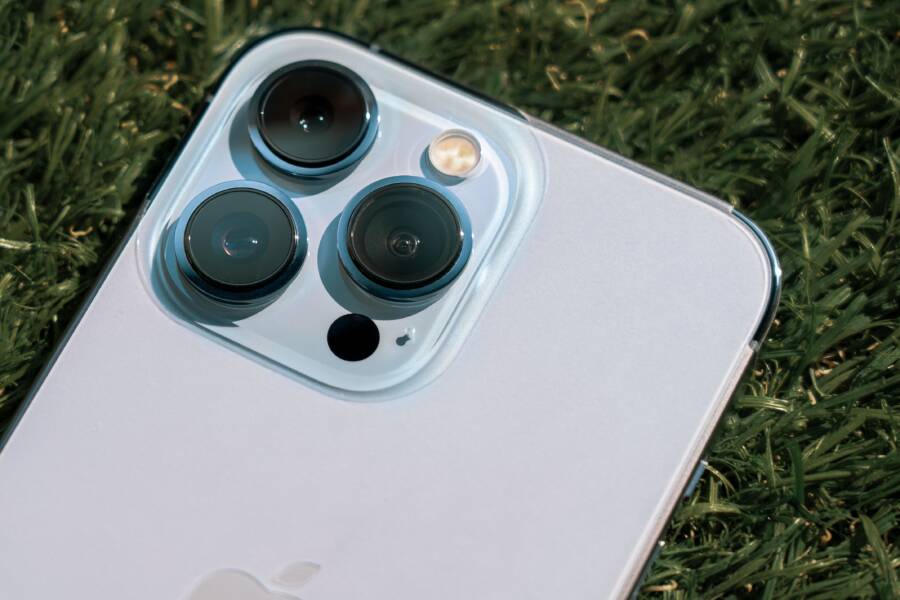
Lens flare happens because bright light hits your camera lens at an angle. This stray light bounces between the internal elements of your smartphone lens, creating unwanted ghosts, hazes, or streaks in your photos.
You don’t need expensive equipment to fix this issue. Most of the time, you can clear up your images by making simple adjustments to how you hold your device or how you shade the lens.
Understanding How Light Affects Your Camera Lens
Light is the primary component of every photograph, but it behaves in unpredictable ways when it interacts with the glass on your smartphone. When you point your camera toward a strong light source, the light doesn’t just hit the sensor. It interacts with the complex layers of the lens elements, causing the light to bounce, scatter, and reflect. This interaction creates optical anomalies that change the appearance of your images. Grasping these light patterns allows you to position your device more effectively to capture clean, high-quality shots.
Why Bright Sunlight Causes Glare
Glare and flare occur because of the way lenses handle light that exists outside your actual frame. Even when a bright light source, such as the sun or a streetlamp, sits just out of view, its rays still enter the front of the lens at a sharp angle. Because the light arrives from an extreme perspective, it skips across the glass surface instead of passing straight through to the sensor.
Inside your smartphone, the light reflects off the internal glass elements or the sensor itself. These reflections travel back and forth within the barrel of the lens. As this stray light travels, it creates patterns of interference that show up on your final image. The most common result is a reduction in contrast across the entire scene, which makes your image look flat or washed out. If the light source is particularly intense, the internal reflections manifest as bright shapes or artifacts that can distract from your main subject.
Identifying Different Types of Flares
Not all light interference looks the same. Depending on the position of the light source and the quality of your lens coatings, you will encounter two distinct categories of flare. Recognizing these types helps you determine how much you need to adjust your shooting angle.
Haze or washed-out areas often happen when diffuse light reflects internally and scatters across the entire image. This reduces the dark blacks and vibrant colors, making the photo look like it was taken through a dirty window. You can usually fix this by finding a way to shade the lens from the direct light source.
Ghosting or rainbow-colored spots appear as distinct shapes, often mimicking the aperture of your lens. These occur when a bright point of light reflects off multiple internal lens surfaces. These spots usually appear in a line or arc extending from the light source. Because they are sharp and colorful, they often stand out more than general haze and can be difficult to remove in post-processing.
Most smartphone cameras use multiple lens elements to maintain a thin profile, which increases the likelihood of these ghosting patterns. By paying attention to the specific shape and color of the interference, you can decide whether a small shift in position or a simple piece of shade will solve the problem.
Practical Steps to Fix a Phone Camera Lens Flare
You can stop light interference by modifying your environment or your position. These adjustments take only a few seconds, yet they improve your image quality immediately. By blocking stray light before it hits the glass, you ensure your smartphone captures clear shots rather than washed-out frames.
Using Your Hand or an Object as a Lens Hood
Professional photographers often use dedicated lens hoods to block stray light from reaching the front element. You can achieve this same effect by using items already at your disposal. This simple tactic creates a shadow across your lens, which stops bright light sources from hitting the glass at an extreme angle.
To create this shade, extend your hand slightly above or to the side of your camera. Watch the screen carefully to ensure your fingers or the shadow itself does not enter the frame. If your hand is not enough, use a hat, a piece of cardboard, or even a notebook. Hold the object just outside the field of view, angling it toward the light source until the glare disappears from your display. Many smartphone users find that a small adjustment in the position of this improvised hood makes a significant difference in contrast and color clarity.
Adjusting Your Shooting Angle and Composition
Sometimes, the simplest way to remove flare is to change your physical relationship with the light. Moving your position by only a few inches often blocks the light source behind a subject or an object in the environment. This shift removes the angle that causes light to bounce inside your lens elements.
Try these steps to find a flare-free composition:
Step slightly to the left or right to place a tree, building, or person between the light source and your lens.
Tilt your smartphone slightly downward or upward to change how the light hits the glass surface.
Rotate your body to see if a different orientation hides the glare behind your primary subject.
Even a minor movement alters the path of the light rays hitting your camera. If you cannot block the light source entirely, try to move until the flare falls into a less distracting part of the frame. This technique is often more effective than digital editing, as it prevents the loss of detail that occurs when light washes out your image.
Maintenance and Gear Tips for Better Smartphone Shots
Maintaining your equipment is as important as your photography technique. A clean lens ensures light passes through the glass without interruption, while improper accessories often introduce the very problems you try to avoid. By keeping your device in top condition and choosing your gear wisely, you significantly reduce the frequency of lens flare in your photos.
The Importance of Keeping Your Lens Spotless
Your smartphone lens gathers light through a tiny surface area. Because this glass sits exposed on the back of your device, it quickly collects natural oils from your skin, pocket lint, and microscopic dust. These substances act like a fine filter that scatters incoming light rather than allowing it to focus sharply on your sensor.
When oily residue coats the lens, it creates a diffuse layer that causes bright light sources to bloom or haze across the frame. Instead of a crisp point of light, you get a hazy glow that lowers the overall contrast of your image. This effect is similar to looking through a dirty window, where each speck of dust catches the sun and scatters light into your eyes.
You should clean your lens before any important photo session to ensure the best results. Use a clean microfiber cloth to gently wipe the glass in a circular motion. Avoid using your shirt or rough fabric, as these materials can trap grit that scratches the delicate lens coating over time. A clean lens allows the camera to record high-contrast images, which inherently minimizes the paths stray light takes through the internal lens assembly.
Avoiding Poor Quality Screen or Lens Protectors
Many users apply adhesive glass covers over their cameras to prevent scratches. While protection is a valid goal, cheap or poorly designed covers often create more optical issues than they solve. These protectors introduce an extra layer of glass that provides a new surface for light to reflect against.
Internal reflections occur when light enters the lens, hits the sensor, and bounces back toward the front element. When you add a low-quality protector, the space between the protector and the actual lens acts like a trap for this bouncing light. The rays reflect between the protector and your lens, which creates ghosting or unwanted flare patterns that you cannot remove once the photo is captured.
Stick to high-quality protectors if you must use one, or consider using a dedicated case that raises the surrounding edges above the glass. This approach provides physical protection without adding extra refractive surfaces. If you notice persistent flares after installing a new protector, remove it to see if your image clarity improves. High-end smartphones use specialized lens coatings designed to minimize reflections; covering them with a cheap piece of glass often negates this factory engineering.
When to Use Software to Manage Flare Issues
Software tools are a final option after you exhaust physical adjustments. Use editing apps when you cannot retake the shot or when the flare adds a stylistic effect you prefer to minimize rather than remove. Digital correction is effective for correcting washed-out contrast, though it often struggles to reconstruct details hidden behind intense bright spots.
Identifying When Editing is Necessary
Software is often the best path if the lighting conditions change too quickly for manual adjustments. If you are shooting a fleeting moment at an event, you might not have time to reposition or shade your lens. Capture the best possible frame, and rely on post-processing to clean up minor artifacts later.
You should also look to software when the flare pattern is subtle. Modern editing apps handle general haze well, even if they cannot fully erase a distinct ghost. If your smartphone produces a photo with a slight milky glow, software tools can recover the lost contrast and color saturation.
Choosing the Right Tools for Your Smartphone
Several mobile applications offer specialized features to target lens flare. You do not need professional desktop software to perform these basic corrections. Many free and paid apps provide the necessary control to adjust contrast and clarity.
Basic sliders in your gallery app allow you to increase contrast or dehaze your image to hide minor light interference.
Advanced photo editors like Adobe Lightroom or Snapseed offer selective tools that let you darken specific regions affected by haze.
AI-based removal tools identify bright spots or unwanted streaks and mask them by sampling textures from surrounding areas.
Limitations of Digital Correction
Software cannot replace the light information lost when a flare strikes your sensor. When a bright light source hits the glass directly, it often burns out those pixels entirely. No amount of editing can bring back data that was never captured.
Ghosting is particularly difficult to remove digitally because these artifacts often overlay complex textures like skin, fabric, or foliage. If your smartphone captures a bright, colorful shape over your subject, software might struggle to rebuild the underlying detail accurately. In these cases, the digital fix often looks like a smear or a blurry patch. Always prioritize physical techniques like shading or repositioning to prevent these issues before they reach your digital files.
Conclusion
Fixing lens flare on your smartphone comes down to controlling the light before it reaches your sensor. While software can minimize some hazy effects, it often fails to recover detail lost to bright spots. Repositioning your body or shielding the lens with a simple object like a hand or notebook remains the most effective solution.
Keep your glass clean and avoid low-quality lens protectors to stop light from scattering unnecessarily. These small habits ensure your camera captures crisp images every time. Practice these physical adjustments during your next bright outdoor session to see the improvement for yourself.