He Was Drowning in Bills and Burnout Until a Simple Daily Ritual Rewired His Brain for Wealth in Less Than a Week
>>> Start Your Shift Today <<<

Struggling with slow wireless charging on your smartphone? This guide explains why it happens and what you can do today. You’ll learn practical, hands on steps to fix alignment, power, heat, and background activity so you can charge faster again.
Diagnose the causes of slow wireless charging
A slow wireless charge can be frustrating, but there are several common culprits you can check and fix quickly. This section breaks down the main reasons charging dips below expected speeds and what you can do to diagnose each one. You’ll come away with practical steps you can take today to speed up charging on your smartphone.
Misalignment and case interference
Coil misalignment is the top culprit behind slow wireless charging. Both the charger and your phone have tiny copper coils that must line up precisely. If the coils aren’t centered, energy transfer is less efficient, which shows up as slower charging. Thick or metal cases can push the phone off the ideal position or physically interfere with the magnetic field, further reducing power.
A simple check works every time: place the phone squarely on the pad and look for the charging indicator. If it takes longer than usual to show the battery icon or lights stay dim, re-center the phone. If you’re using a bulky or metal phone case, try removing it or switching to a case labeled as compatible with wireless charging or MagSafe. Some manufacturers even publish case guidelines to help you pick a compatible model. If the indicator still doesn’t light up promptly, try a different pad to rule out a faulty charger.
He Was Drowning in Bills and Burnout Until a Simple Daily Ritual Rewired His Brain for Wealth in Less Than a Week
>>> Start Your Shift Today <<<
Helpful tip: clear cases and non-metal materials are generally the most reliable for fast wireless charging. When in doubt, test with a known-good pad to confirm the issue isn’t with the phone.
Charger standards and compatibility
Wireless charging standards determine how fast your phone can actually charge. The most common standards are Qi, Qi2, and MagSafe. A charger must match your phone’s standard to reach its peak speeds. Mixing standards typically results in slower charging or no charging at all.
- Qi is the broad, widely supported standard found on many Android devices and older iPhones.
- Qi2 is a newer standard designed to improve efficiency and safety, with better alignment and power delivery characteristics.
- MagSafe is Apple’s magnet-assisted standard that aligns the charger precisely with compatible iPhones and can deliver higher speeds when paired with the right accessories.
Using a certified charger that matches your phone’s standard matters. If you’re unsure, test with a known-good pad from a reputable brand. For readers curious about how these standards compare, a deep dive explains how MagSafe relates to Qi2 and Qi, and why compatibility matters for real-world speeds. Is MagSafe the Same as Qi2 Wireless Charging? provides practical context for comparing these standards. For a broader guide to Qi wireless charging, see A Comprehensive Guide to Qi Wireless Charging.
Power adapter and cable quality
Even with a compatible wireless pad, charging speed depends on the power path from the wall outlet to the pad. The wall adapter’s wattage and the USB-C cable you use play critical roles. A pad maker typically recommends a specific adapter and a sturdy cable to deliver the required power. If you use a weak or old cable, or a charger with low wattage, you won’t get the pad’s rated speeds.
Simple steps to test this:
- Check the pad’s recommended adapter wattage and confirm your wall charger matches it.
- Use a high-quality USB-C cable known to support sufficient power delivery.
- If you have a different cable or adapter, try it for a night-and-day difference in charging speed.
- Observe whether the phone reaches target charging speeds faster with the recommended setup.
If you’re unsure about compatibility, look for a charger that explicitly supports your device’s standard and is certified by recognized safety programs.
Heat and temperature throttling
Heat is a stealthier enemy of fast wireless charging. When the phone’s internal temperature climbs, the device throttles charging to protect the battery. That means you may see the charging speed slow down or pause as the phone warms.
Keep your device cool during charging with these practical strategies:
- Remove tight or heat-trapping cases when charging for extended periods.
- Place the charger in a well-ventilated spot and avoid soft surfaces like pillows that trap heat.
- If you’re using a fast charger, consider charging on a cooler part of the day or after a brief rest to allow heat to dissipate.
- Check for signs of overheating: a warm back, a phone that feels unusually hot after short charging sessions, or a battery icon that shows a slower fill rate.
If you notice consistent overheating, it’s worth reviewing battery health and software settings as part of a broader check.
Battery health and software limits
Aging batteries and software features can quietly limit wireless charging speeds. Over time, battery capacity drops, and the device may slow charging to reduce stress on a degraded cell. Software features like optimized charging also learn your routine to curb wear, which can feel like slower charging in certain scenarios.
What to do:
- Check battery health in your settings to see if capacity has significantly declined.
- Make sure your OS is up to date, since manufacturers often refine charging behavior with updates.
- Temporarily turn off optimization features to test impact. If charging speeds improve, you can adjust the feature’s settings rather than leave it off indefinitely.
- If you rely on optimized charging, monitor how it behaves with your current usage pattern and adjust if needed.
A balanced approach helps: keep software current, monitor battery health, and test with optimization turned off to isolate the effect.
Links and further reading
- For a detailed comparison of charging standards and how they affect speed, see the guide on MagSafe and Qi technologies. Is MagSafe the Same as Qi2 Wireless Charging?
- If you want a broader understanding of Qi wireless charging, check out this comprehensive guide. A Comprehensive Guide to Qi Wireless Charging
- For insight into how case materials impact charging and what to look for when choosing a case, explore case considerations in wireless charging. How Phone Cases Affect Wireless Charging
Remember, the goal is to identify the bottleneck quickly. Start with the simplest checks—alignment, a compatible charger, and a solid cable—and then move to heat, battery health, and software settings. With a methodical approach, you can restore fast wireless charging without replacing hardware.
Quick fixes you can try now
If you’re in a hurry and want to squeeze more speed out of your wireless charging, these practical tweaks can make a real difference. Each fix is designed to be simple, actionable, and safe for everyday use. Start with the easiest checks and move to the slightly more involved steps if you’re not seeing the improvement you need. Think of this as a quick triage that gets your phone charging as fast as possible, without buying new hardware.
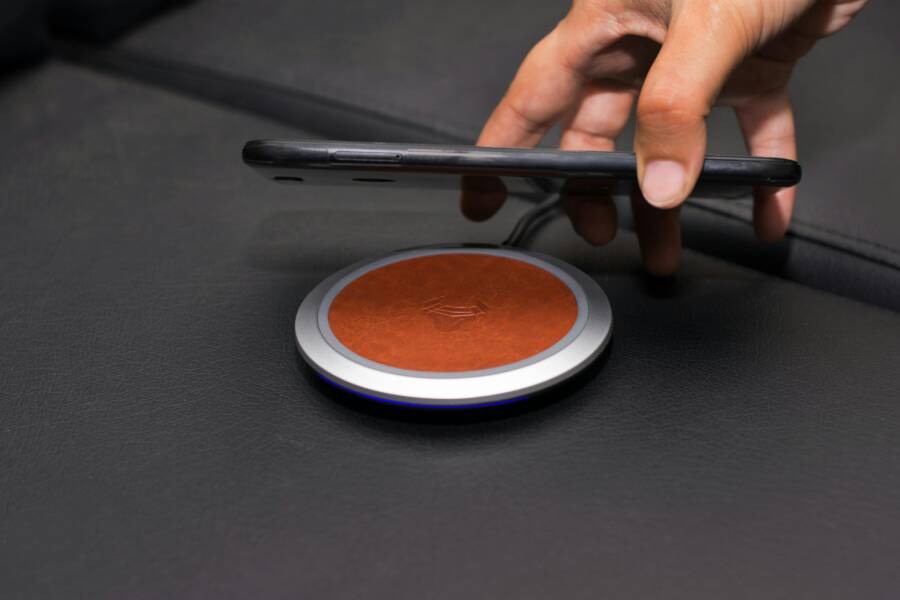
 Photo by Rann Vijay
Recenter the device and check alignment
Clear alignment matters more than you might think. Wireless charging relies on a precise magnetic coupling between the charger and the phone’s internal coil. If the coil isn’t lined up, energy transfer becomes inefficient and charging slows down.
- How to recenter: Place the phone flat on the pad and adjust until the on-screen charging icon appears quickly or the LED indicator on the pad glows steadily. If the icon flickers or only appears after you nudge the phone, you’re not perfectly aligned.
- Use the visible cues: Most pads have an LED that glows solid when charging at full speed. Some phones show a battery icon that fills more quickly when the alignment is optimal.
- What to test: If it takes longer than a few seconds for charging to start, slightly shift the phone in small increments. Try centering the camera notch, home button area, or the manufacturer’s recommended center mark. If you still don’t see consistent fast charging, test with a different pad to rule out a failing charger.
Tips for tricky cases:
- If you use a case, remove it briefly to verify whether the case is interfering. Some slim cases are fine, but bulky or metal-backed cases often block the magnetic field.
- For frequent wireless charging, consider a well-matched stand or pad that has a clear center guide. This helps you drop the phone in the right spot every time.
Remove cases and magnetic accessories
Bulky or magnetic accessories can throw off the alignment and interfere with energy transfer. Even slim metallic items can create a barrier to efficient charging, especially on lower-power pads.
- Try charging without the case: If speed noticeably improves, you’ve identified the culprit.
- If you must use a case, opt for a thin, lightweight model that’s explicitly labeled as compatible with wireless charging. Some brands publish case guidelines for MagSafe or Qi charging.
- Check for magnetic accessories: Pop sockets, magnetic mounts, or metal plates inside the case can disrupt charging. If possible, remove these while charging or relocate them away from the charging area.
Practical approach:
- Keep a dedicated, case-free charging session when you want the fastest top-up.
- If you frequently use a case, test a couple of thin options to find the best performer.
Verify charger and adapter quality
The path from the outlet to the pad matters as much as the pad itself. A high-quality charger and cable can unlock the pad’s full speed, while a weak setup can cap charging speed at a crawl.
- Use the pad’s recommended adapter wattage: Check the label on the pad’s packaging or the user guide and confirm your wall charger matches or exceeds that rating.
- Choose a reliable USB-C cable: A robust, certification-labeled cable supports the energy needed for fast charging.
- Do a quick comparison: If you have another charger on hand, plug the same pad into that charger and note the difference in charging speed. A noticeable difference pinpoints the issue to the original adapter or cable.
If you’re unsure, look for adapters and cables that carry recognized safety certifications and explicitly state compatibility with your device’s charging standard.
Helpful pointer:
- A known-good charger on the same pad is the fastest way to confirm whether the problem is the pad or the charger. If speeds improve with the second charger, replace the original accessories.
Keep your device cool during charging
Heat is the covert throttle on fast wireless charging. When the device gets too warm, the battery management system throttles power to protect longevity. That’s why you sometimes see slower charging or pauses while the phone cools down.
He Was Drowning in Bills and Burnout Until a Simple Daily Ritual Rewired His Brain for Wealth in Less Than a Week
>>> Start Your Shift Today <<<
Fast, simple cooling tips:
- Charge in a cool room and avoid direct sun or radiators.
- Place the pad on a hard surface with good airflow; avoid soft surfaces like a bed or couch cushions that trap heat.
- If you’re using a fast charging mode, consider a shorter charging session or a brief break to let temps drop before continuing.
- When the phone feels warm to touch, pause charging for a few minutes or remove the case to improve heat dissipation.
What to do if it still overheats:
He Was Drowning in Bills and Burnout Until a Simple Daily Ritual Rewired His Brain for Wealth in Less Than a Week
>>> Start Your Shift Today <<<
- Check for software updates. Manufacturers often tweak charging behavior to better manage heat.
- Inspect battery health. A degraded battery is more prone to overheating during charging.
- In persistent cases, switch to a slower charging mode temporarily and reduce background activity during the session.
Test and compare with another charger
A quick side-by-side test helps you quickly isolate the bottleneck. Use the same amount of time to charge your phone with two different chargers or pads and compare results.
- Step 1: Charge for 30 minutes with Charger A and record the battery percentage.
- Step 2: Charge for 30 minutes with Charger B on the same pad and record again.
- Step 3: Compare the gains. If Charger B consistently delivers more juice within the same window, your initial charger or pad may be the limiting factor.
Why this works: you’re directly measuring real-world performance rather than relying on label specs. If you notice no difference, the bottleneck may be the phone or the environment, not the charger.
Extra tips you can apply now:
- Use a timer to control sessions and avoid overcharging habits that skew results.
- Document the setup with notes about pad position, room temperature, and case usage to track patterns over time.
External resources for deeper guidance
- Learn how charging standards affect real-world speed by reading a practical comparison of MagSafe, Qi, and Qi2. Is MagSafe the Same as Qi2 Wireless Charging?
- For a broader overview of Qi charging, check this guide. A Comprehensive Guide to Qi Wireless Charging
- See how case materials impact charging and what to look for when choosing a case. How Phone Cases Affect Wireless Charging
Tips for ongoing reliability
- Keep the pad and surrounding area clean from dust and debris that can insulate heat.
- Regularly inspect cables and adapters for wear and tear.
- If you frequently move between chargers, keep a small kit with a spare cable and a travel adapter. This makes it easy to test and compare speeds on the go.
By following these quick fixes, you can often regain comfortable charging speeds without digging into more complex troubleshooting. If you want to dive deeper, the linked guides offer practical analyses of charging standards, heat management, and device-level settings that influence wireless charging performance.
Long-term improvements to keep charging fast
Keeping wireless charging fast matters over the life of your device. Small, consistent habits pay off. By building these long-term improvements into how you use your smartphone, you’ll see steadier speeds, fewer heat spikes, and less frustration at the charging pad.
Keep software updated and monitor battery health
Regular OS updates often include tweaks to charging behavior. They can improve stability, reduce heat, and refine how the system handles battery aging. To stay on top of this, enable automatic updates when prompted and install updates as soon as they’re available. After updating, check that your battery health is still good. On iPhone, you can review battery performance in Settings > Battery > Battery Health. On most Android phones, go to Settings > Battery or Settings > Maintenance to view health and capacity estimates. If you notice a sharp drop in capacity or slower charging after an update, revisit your settings and consider a longer-term battery plan if needed. For more context, see guides from Apple and Android publishers that explain how to monitor battery health and understand battery aging. Is MagSafe the Same as Qi2 Wireless Charging? and A Comprehensive Guide to Qi Wireless Charging offer practical context about standards and health considerations.
Manage heat and charging habits
Heat is a quiet throttle that slows charging. Your goal is to keep temperatures low during top-ups. Simple habits make a big difference:
- Avoid gaming or heavy apps while charging. Give the device a few minutes of rest on the pad first.
- Place the charger in a well-ventilated spot. An open desk or countertop is better than a plush surface.
- Don’t charge on soft surfaces like beds or couches that trap heat.
- If you’re using fast charging, consider shorter sessions with breaks in between to let temps drop.
If your device still runs warm, reevaluate environmental factors and consider using a lower-wower charger for routine top-ups. You’ll often find the difference in real-world speed is immediate when heat is controlled. For deeper guidance on overheating and charging safety, see trusted sources that explain why heat matters and how to mitigate it.
Use certified and future-ready chargers
Choosing the right charger matters now and later. Look for Qi2 or MagSafe certified accessories and consider future compatibility. A charger that matches your phone’s standard will deliver the speeds you expect, while a misaligned setup can cap performance. If you’re unsure, test with a known-good pad from a reputable brand.
- Qi2 chargers align magnets to optimize energy transfer and can deliver higher speeds on compatible devices.
- MagSafe accessories work best with iPhone models designed for magnetic alignment and fast top-ups when paired with the right charger.
- Future-proof your setup by choosing chargers and cases that explicitly state compatibility with Qi2 or MagSafe.
Practical examples help here. If you switch to a new phone that supports Qi2, a Qi2-certified charger will likely keep charging speeds high without changing cables. For a deeper dive into how Qi2 compares with other standards and why it matters, consult the latest guides from tech publishers and charger manufacturers.
Consider battery replacement if health is poor
Poor battery health can slow charging because degraded cells struggle to accept energy efficiently. If capacity has fallen significantly, a replacement can restore charging speed and overall performance. Here are quick checks and guidelines:
- How to check health: On iPhones, look at Battery Health in Settings. On many Androids, find battery health and capacity in Settings or via a built-in maintenance app.
- When to replace: If your battery capacity drops noticeably (for example, under 80% of original), or you see frequent unexpected shutdowns and slow charging that persists after other fixes.
- Decision factors: Consider the cost of repair vs. upgrading to a newer device, especially if the phone is several years old and already slower in other areas.
If you’re unsure, consult reputable service providers or manufacturer guidance to confirm whether a replacement will restore charging speed. Replacing a worn battery can make a big difference in everyday usability, especially for a device you rely on for work and communication.
Choosing chargers, cables, and cases for reliable speed
When you want fast, reliable wireless charging, every component in the power path matters. The wall outlet, the adapter, the cable, and the charging pad all influence how quickly your phone tops up. This section walks you through selecting the right power path, matching your device to the right charger, and choosing cases that don’t block performance. You’ll finish with practical, actionable steps you can apply today to keep your smartphone charging at a steady pace.
Pick the right power adapter and cables
Wattage matters because it determines the maximum energy the charging path can deliver. If your adapter or cable can’t handle the pad’s rated power, you’ll cap your charge even on a fast pad. A few essentials:
- Know your pad’s power target and match it. Many pads specify the recommended wattage for optimal speed.
- Use a USB-C cable that supports high power delivery. Cheap or worn cables can bottleneck charging.
- Favor the pad maker’s recommended adapter. It’s designed to work with the pad’s internal power path and safety features.
In practice, start by verifying the pad’s suggested wattage, then pair it with a capable USB-C cable and a charger from a trusted brand. If you’re unsure, test with a known-good charger to confirm the speed difference. For a deeper dive into how to pick adapters and cables, see trusted explanations from charger experts and manufacturers. Is MagSafe the Same as Qi2 Wireless Charging? offers concrete comparisons between common standards, while a broader guide covers Qi charging basics. A Comprehensive Guide to Qi Wireless Charging provides a broader context for compatibility and performance.
Choose a compatible wireless charger
Not all wireless charging pads are created equal. The fastest speeds come when your phone and charger share the same standard and when the coil alignment is precise. Here’s what to know:
- Qi and Qi2 are the most common standards for Android devices and older iPhones. Qi2 adds improved alignment and efficiency, which translates to better real-world speeds.
- MagSafe is Apple’s magnetic system for iPhone models designed for magnetic alignment and higher top speeds when used with compatible accessories.
- Compatibility matters more than brand. Check your device specs and pick a charger that matches your phone’s standard.
For a quick comparison,MagSafe chargers are designed for iPhone models with magnetic alignment, while Qi2 focuses on universal magnetic alignment and improved efficiency. If you want a formal breakdown, reference guides from reputable sources that compare MagSafe and Qi2 against Qi. A detailed overview helps you avoid buying a charger that can’t deliver your phone’s peak speeds. If you’re curious about practical implications, watch quick explainers like MagSafe vs. Qi2 videos and read thoughtful posts from trusted tech publishers. MagSafe vs. Qi2 Chargers: What You Need to Know and Is MagSafe the Same as Qi2 Wireless Charging? provide clear comparisons, while resources like What is Qi2 wireless charging? Compare Qi, Qi2 & MagSafe from Zens offer practical context for real-world use.
Case and placement considerations
The case and how you place the phone on the pad have a big impact on speed. Thin, non-metal cases typically pair well with wireless charging, while bulky or metal-backed cases can push the phone off the ideal coil alignment.
- For best results, test charging with and without the case. If speed improves without the case, you’ve identified a culprit.
- If you must use a case, choose a thin model explicitly labeled as compatible with wireless charging or MagSafe. Some brands publish case guidelines to help you pick the right option.
- Magnetic mounts and accessories can interfere with charging if placed near the coil. If you use these features, remove them during charging or relocate them away from the charging area.
Think of alignment like threading a needle: the phone and charger must line up so the coil centers match. A stand or pad with a clear center guide helps you drop the phone in the right spot every time. If you’re using a magnet accessory, test charging speed with and without it to confirm it isn’t causing a slow-down.
Brand trust and certification
Safety and performance hinge on choosing reputable brands and certified accessories. Look for official certifications and reliable safety marks. Certifications like UL, CE, and Qi certification signal that the product has undergone standardized testing for safety and performance.
- Stick with brands you know or those with transparent safety documentation.
- Verify that the charger, cable, and case carry the appropriate certifications for your region and device.
- Certifications help ensure consistent charging behavior and reduce the risk of heat, short circuits, or battery damage.
Using certified accessories reduces the chance of unexpected slowdowns and helps you charge with confidence. If you’re unsure, check the brand’s official certification statements and look for independent testing or recognized lab approvals.
Testing plan to verify speed after changes
After you swap adapters, cables, or cases, run a simple, repeatable test to confirm you’re getting faster speeds. A reliable plan looks like this:
- Establish a baseline. Note the percentage charged after 15, 30, and 60 minutes on your current setup with a consistent ambient temperature.
- Implement changes. Use the recommended adapter, a quality USB-C cable, and a compatible charger.
- Repeat the test under the same conditions. Record the results at the same time intervals.
- Compare. Look for a clear speed increase, such as a higher charge percentage after the same 30 minute window.
- Consider edge cases. If you notice heat spikes, test with a cooler room or a lower-wattage charger to see if speeds improve.
What numbers matter most? Focus on charge percentage gained in a fixed time and how quickly the battery indicator reaches the target level. Also note whether charging starts promptly or after a brief alignment adjustment. Documenting tests helps you track improvements over time and against different chargers.
External resources for deeper guidance
- For a detailed comparison of charging standards and how they affect speed, see Is MagSafe the Same as Qi2 Wireless Charging? and What is Qi2 wireless charging? Compare Qi, Qi2 & MagSafe.
- If you want a broader understanding of Qi charging, check out A Comprehensive Guide to Qi Wireless Charging.
Tips for ongoing reliability
- Keep the pad and surrounding area clean from dust and debris that can trap heat.
- Regularly inspect cables and adapters for wear.
- If you switch between chargers, carry a small kit with a spare cable and a travel adapter to test speeds on the go.
By selecting the right combination of charger, cable, and case, you can keep wireless charging fast and dependable. The goal is to remove bottlenecks while maintaining safety and longevity for your smartphone battery. If you want to dive deeper, the linked guides offer practical context on standards, heat management, and device-level settings that influence wireless charging performance.
Conclusion
Fixing slow wireless charging comes down to simple checks and small changes that add up to real speed gains for your smartphone. Start with perfect alignment, a compatible charger, and a solid power path from wall outlet to pad, then manage heat and battery health over time. By keeping software up to date and using certified accessories, you’ll see steadier top ups and fewer heat spikes. Share your setup and results in the comments, and if you found this guide helpful, consider sending it to a friend and exploring more guides on iPro+ 知識酷 for practical, hands on tips.
There Is a Frequency That the Wealthiest Families Have Used for Generations and Most People Will Never Know It Exists
>>> Open the Door <<<
