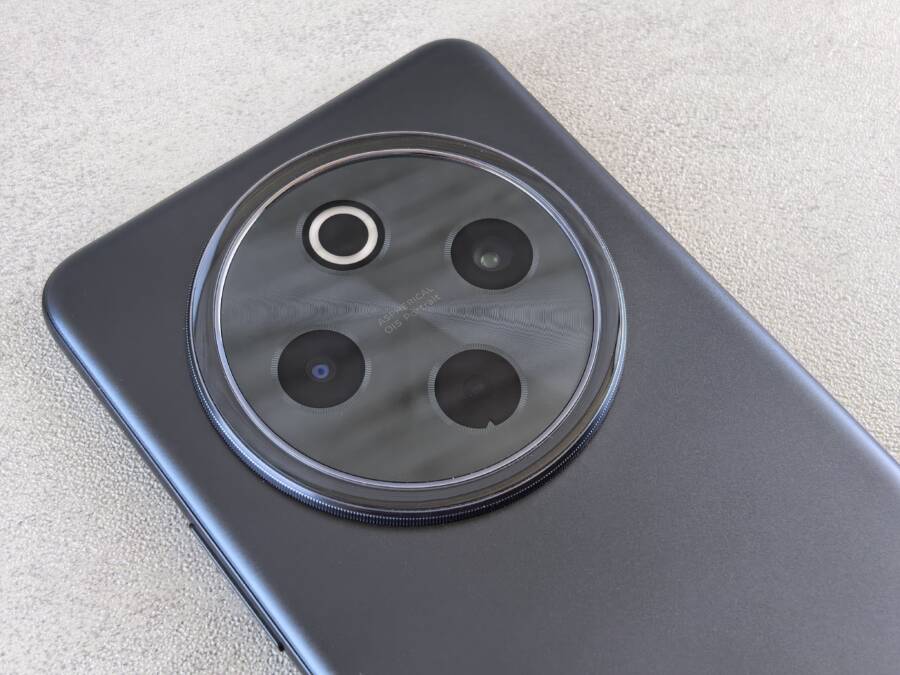
When you walk from freezing air into a warm room, the sudden temperature shift often causes condensation to form inside your smartphone camera lens. This trapped moisture obscures your photos, but you can safely remove it without taking the device to a repair shop.
You must act quickly because lingering moisture creates a high risk of corrosion for the delicate electronics inside your phone. Avoid the common mistake of applying excessive heat, as that can damage the screen or internal battery components.
The following steps outline the safest methods to draw out that moisture and restore your camera functionality.
Understanding Why Condensation Happens in Your Camera Lens
Condensation inside your camera lens occurs because air carries moisture in the form of invisible water vapor. When your smartphone moves from a cold environment into a warm one, the physical state of that trapped air changes rapidly. The lens housing, which was recently chilled by the outside temperature, acts as a surface for this transition.
The Role of Temperature Shifts
The air inside your smartphone chassis is never perfectly dry. Small amounts of water vapor exist within the phone, often trapped during assembly or introduced during daily use. When you carry your phone in freezing outdoor air, the metal and glass components reach low temperatures.
Once you step into a warm room, the air surrounding your phone warms up quickly. However, the internal surfaces of the camera lens assembly remain cold for a longer period. This temperature difference causes the warm, moist air inside the phone to cool down immediately upon contact with the cold lens glass. As the air temperature drops, it loses the ability to hold moisture as a gas. The water vapor then condenses into tiny liquid droplets on the internal surface of the lens.
This process is similar to how a cold drink gathers water droplets on its exterior during a humid summer day. Because the lens housing is sealed to keep out dust and debris, the trapped moisture has nowhere to go. This cycle of cooling and warming repeats every time you move between extreme temperature zones, potentially worsening the accumulation of water over time.
Identifying Signs of Internal Moisture Damage
It is helpful to distinguish between harmless surface fog and dangerous internal liquid buildup. Simple surface condensation appears when the external glass fogs up immediately after a temperature shift. You can wipe this away with a microfiber cloth, and it stays gone until the lens cools down again.
Internal moisture presents differently and indicates a more serious breach of the phone’s seals. Watch for these specific indicators:
The fog appears on the inside of the glass and does not disappear after you wipe the surface.
You notice small, bead-like droplets accumulating around the edges of the lens housing.
The camera image remains blurry, milky, or discolored even after the phone reaches room temperature.
Other signs of liquid ingress appear, such as strange patterns on the screen or unresponsive buttons near the camera module.
If the moisture sits deep within the housing or behind the lens elements, it poses a long-term threat to the internal electronics. Continuous exposure to this moisture leads to corrosion on the circuit boards or short circuits in the image sensor. If the fog persists for several hours in a dry environment, you likely have a failing seal that requires professional attention. Always prioritize keeping the device in a dry area if you suspect that water has bypassed the external lens housing.
Immediate Steps to Clear Your Foggy Smartphone Camera Lens
You should remove moisture from your camera lens as soon as you notice the fog. Quick action prevents water from settling on sensitive internal components, which keeps your hardware safe from long-term damage. While it is tempting to use a hair dryer or blast the phone with hot air, you must avoid heat at all costs. Excessive warmth can damage the battery, distort plastic housing, or melt adhesive seals. Instead, use passive methods that draw moisture out slowly and safely.
The Safe Way to Dry Out Your Device
The most effective way to remove trapped moisture is by using a desiccant, which is a substance that absorbs water vapor from the surrounding air. Silica gel packets, often found in new shoe boxes or electronics packaging, are perfect for this task. These packets are designed specifically to pull moisture out of the air in sealed environments, making them the gold standard for your smartphone.
To use this method, you need a high-quality airtight bag, such as a heavy-duty freezer bag, and several silica gel packets. Place your phone inside the bag along with the packets, then squeeze as much air out as possible before you seal it tight. This setup creates a small, isolated environment where the silica gel competes with your phone to absorb the moisture. Since the bag is sealed, the packets eventually pull the humidity directly out of the phone chassis through the small gaps around the buttons and the camera lens. Keep the device in the bag for at least 24 to 48 hours to ensure that all internal humidity is fully absorbed.
Using Desiccants Effectively at Home
If you do not have silica gel packets readily available, you might consider common household items. Uncooked white rice is a frequent recommendation for drying electronics, though it is far less efficient than silica gel. Rice does not actively pull moisture from the air as well as commercial desiccants do, and it often introduces fine dust or starch particles into your phone’s charging port or speaker grilles. If you must use rice, place your phone on top of a bed of grains rather than burying it deep within them to minimize the risk of debris.
Using commercial silica gel packets provides better results and keeps your smartphone cleaner during the drying process. You can buy these packets in bulk online or at craft stores for a low price, and they are reusable if you follow the manufacturer’s instructions for drying them out. Regardless of the material you choose, patience is your best friend. Do not rush the process by checking the camera every few minutes. Leaving the phone undisturbed allows the desiccant to work effectively. Once the 48-hour window passes, remove the device and check the lens. If the glass remains clear after you take a test photo, your camera is ready for normal use again.
Preventing Camera Lens Fog in Cold Weather
Proactive habits reduce the likelihood of moisture trapped inside your device. Temperature stability is the most effective defense against internal condensation. When you maintain a consistent environment for your hardware, you prevent the rapid shifts that trigger moisture buildup behind the camera lens.
Managing Your Phone Temperature During Outdoor Use
The most reliable way to prevent lens fog is keeping your smartphone close to your body heat. When you walk outside during freezing weather, place your device in an inner jacket pocket rather than an outer one or a backpack. Your body temperature acts as a thermal buffer, keeping the phone chassis significantly warmer than the ambient air.
This simple practice prevents the cold-soak effect where metal and glass components drop to near-freezing temperatures. By keeping the device warm, you reduce the intensity of the temperature spike when you return indoors. A smaller temperature gradient means less risk of the air inside your phone losing its ability to hold water vapor as a gas.
If you must use your camera outdoors for an extended time, avoid laying the device on cold surfaces like metal railings or stone walls. These surfaces quickly conduct heat away from the phone, chilling the internal camera assembly. Instead, keep the device in your pocket between every shot. This discipline stabilizes the internal temperature and prevents the rapid cooling that leads to condensation during your transition back to a warm room.
When to Seek Professional Repair Services
DIY drying methods work well for mild, temporary condensation. However, these techniques are ineffective if your phone has a significant breach in its environmental seals. You should stop attempting home remedies and contact a professional technician if your situation involves persistent or recurring moisture.
Seek professional help under these circumstances:
The fog does not clear after 48 hours of using desiccant packets in an airtight environment.
You see visible water droplets inside the lens housing that move or slide when you tilt the device.
The camera module shows permanent milky spots or mineral deposits on the inside of the glass.
Your phone displays other signs of liquid damage, such as distorted colors on the screen or erratic touch response.
Professional technicians possess the tools to open the device without damaging the adhesive seals or internal components. They can clean the lens assembly manually and inspect the motherboard for early signs of corrosion. Ignoring deep-seated moisture leads to oxidation on circuit board pins and permanent damage to the image sensor. Taking your smartphone to a qualified shop prevents long-term hardware failure and restores the optical clarity of your camera system.
Common Questions About Smartphone Moisture Issues
You might wonder if your device is permanently damaged when you notice a foggy lens. Most users encounter this issue at least once during colder months, and clarifying common concerns helps you distinguish between minor condensation and severe hardware failures.
Does cold weather automatically break my phone camera?
Exposure to cold air does not destroy your smartphone hardware by itself. The primary risk arises when the internal temperature of the device changes abruptly. When you move from a freezing environment into a warm, humid room, the air trapped inside your phone cools rapidly against the lens housing. This creates fog, but the condensation is usually a temporary reaction rather than an immediate sign of broken components. You can restore clear photos by allowing the device to dry out in a stable, room-temperature environment.
Why do some phones fog up while others do not?
The presence of moisture inside a smartphone often relates to the age of the device and its internal seals. Newer models feature robust weather-sealing gaskets that keep outside air and moisture away from sensitive optical components. However, these seals degrade over time due to natural wear, drops, or exposure to high heat. If your phone has sustained minor impact damage or had a screen replacement, the structural integrity of the chassis may be compromised, allowing air to circulate more freely than the manufacturer intended.
Is rice a safe way to remove internal moisture?
Using rice to dry a damp smartphone is a common recommendation, but it is rarely the most effective solution. Rice absorbs moisture from the air very slowly and often introduces fine dust, starch, or small particles into the speaker grilles and charging port. These contaminants can cause secondary issues, such as muffled sound or failed charging connections. You achieve better results by using dedicated desiccant packets or leaving the phone in a well-ventilated, dry area.
When should I stop using the camera to avoid damage?
If you notice significant droplets forming behind the glass, stop using the camera app immediately. Running the camera requires power, which generates internal heat. This warmth can encourage the moisture to spread further into the module or toward the motherboard. If the fog persists or if you notice strange artifacts on your screen, power the device off completely. Keeping the phone inactive limits the risk of short circuits while the moisture evaporates.
Can I use a hair dryer to speed up the process?
Direct heat from a hair dryer is dangerous for your smartphone. Excessive temperatures damage the internal battery and can warp the plastic or glass seals that protect the hardware. Even a low-heat setting focuses warmth in a way that risks melting adhesives within the camera housing. Passive drying methods, such as placing the phone near a dehumidifier or inside a sealed bag with silica gel, are much safer. Patience is necessary here, as forcing the evaporation process often causes more harm than the water itself.
Conclusion
Restoring a foggy camera lens is a simple process that requires patience rather than high heat. You should rely on desiccants like silica gel packets to draw out trapped moisture, as they effectively absorb humidity without damaging internal circuits or adhesive seals.
Prevention remains your best strategy for maintaining long-term camera performance. Keep your smartphone close to your body heat during freezing weather to minimize the internal temperature spikes that lead to condensation. Consistent temperature management shields your device from the physical stress caused by rapid climate changes.
Check your phone ports for lint or debris periodically to keep all openings clear. Small habits help protect the integrity of your hardware for years of reliable use.