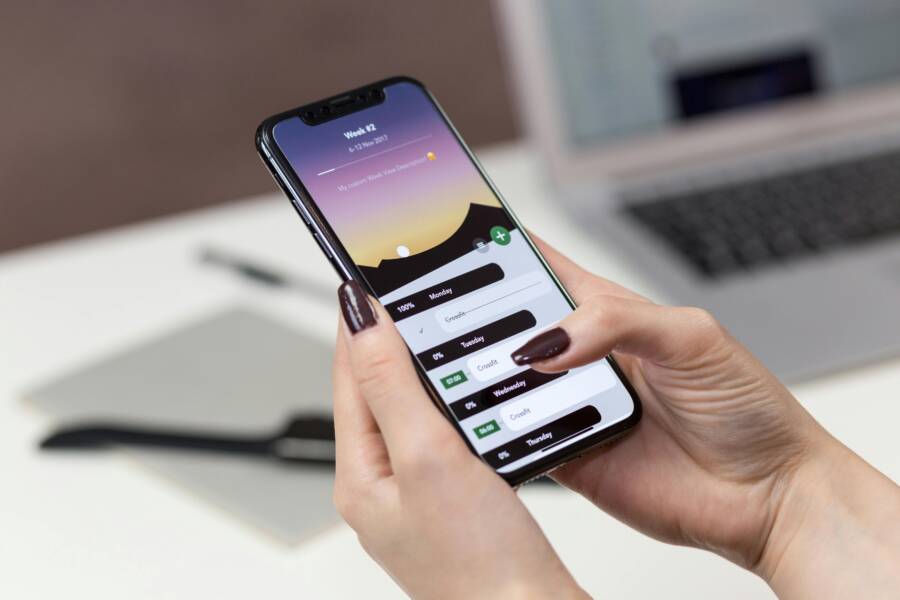
Deep work is the ability to focus without distraction on a cognitively demanding task. You can achieve this state on your smartphone by using built-in operating system features like Focus Modes and App Limits.
These tools allow you to silence non-essential notifications and restrict access to time-wasting apps during your most productive hours. By configuring your device to hide everything except necessary work tools, you remove the urge to check social media or personal messages.
Setting up these restrictions turns your device from a constant distraction into a dedicated tool for concentration. Follow these steps to calibrate your settings for maximum output.
Why Your Smartphone Is Destroying Your Ability to Focus
Modern technology makes it difficult to maintain attention for long periods. Your smartphone functions as a pocket-sized casino that competes for your time every single minute. When you try to work, your device often interrupts you with pings, buzzes, and red notification badges. These interruptions break your concentration, making it hard to finish complex tasks. To regain control, you must understand how your hardware and software are designed to capture your focus.
The Psychology Behind Constant Notifications
App developers use behavioral science to keep you looking at your screen. They employ a variable reward system, which is the same mechanism that makes slot machines addictive. You never know exactly what a notification contains until you open it. This uncertainty creates a spike in dopamine, a chemical in your brain that drives motivation and desire. Your brain learns to associate the sound of a ping with a potential reward, such as an interesting message or a social validation.
Checking your smartphone becomes a reflexive habit because your brain craves that hit of stimulation. When you ignore a notification, you might feel a mild form of anxiety or fear of missing out. The software design reinforces this behavior by showing you tiny red circles on app icons. These visual cues act as persistent nudges that demand your attention. Even if you turn your phone face down, the knowledge that a notification might be waiting keeps your brain in a state of high alert.
Understanding the High Cost of Multitasking
Many people believe they are productive when they jump between emails, messages, and work tasks. Science shows that this is an illusion. Your brain cannot perform two complex tasks at once. Instead, it engages in rapid task switching. Every time you shift your focus from a report to a notification, your brain pays a cognitive cost. This process requires significant mental energy, leaving you drained before the day ends.
When you switch tasks, you experience an attention residue. A portion of your focus remains stuck on the previous task instead of fully engaging with the current one. This prevents you from reaching a flow state, which is that peak period of performance where work feels easier and more creative. Flow requires long, uninterrupted blocks of time to develop. Constant interruptions from your smartphone ensure that you never gain the momentum necessary for deep work. You essentially reset your cognitive progress every time you glance at a screen. Even a quick check of a text message can set your focus back by several minutes. By avoiding these small interruptions, you preserve your mental resources for the tasks that truly matter.
Step-by-Step: Setting Up Your Deep Work Environment
Creating an environment for deep work requires intentional configuration of your hardware. Your smartphone often contains thousands of potential triggers that pull your attention away from complex tasks. By adjusting your settings to limit app access and automate your focus times, you convert your device into a tool that supports concentration rather than breaking it.
Creating Custom App Allow-Lists
You can reclaim your focus by restricting which applications remain active during work periods. Modern operating systems offer features to create a curated list of essential tools while hiding everything else. This process limits your access to social media, news platforms, and messaging apps that commonly cause distractions.
Focus on selecting only the items that directly contribute to your professional goals. You should include tools like email clients, document editors, or project management software on your list. Exclude anything that provides a variable reward, such as feeds or notification-heavy social networks.
- Navigate to the Focus or Screen Time settings on your smartphone.
- Select the option to customize allowed apps or allowed notifications.
- Remove all non-essential applications from the approved list.
- Confirm that only your primary work tools appear in the list.
When you toggle your focus mode, your home screen will only display these selected apps. You can also hide your home screen pages during this time. This restriction makes it harder to mindlessly tap on a familiar app icon, giving you a physical barrier to match your mental commitment to work.
Automating Your Focus Schedule
Manual activation of focus modes often results in forgetfulness. You can remove the need for willpower by automating your focus schedule based on your routine. Use location-based or time-based triggers to force your smartphone into a distraction-free state whenever you reach your desk.
Time-based automation works well if you have a consistent daily schedule. You can set your phone to enter deep work mode at the start of your block and exit when you plan your break. If your schedule changes throughout the week, location-based triggers offer more flexibility.
- Set a trigger to activate focus mode when your smartphone detects your office Wi-Fi network.
- Use geofencing to trigger the mode automatically when your GPS identifies your arrival at a specific address.
- Adjust the settings to disable notifications silently without showing an alert on your lock screen.
Automation ensures that you start your work session without negotiating with your brain about checking messages. Once you enter your workspace, your device adjusts its behavior on its own. This setup creates a consistent signal to your mind that the time for focused, high-value work has arrived.
Which Apps Should Actually Be Allowed?
You decide which apps earn space on your screen during focus blocks. The goal is to keep your smartphone functional for work while blocking addictive patterns. Every extra app you permit increases the chance of distraction. Start with a minimalist approach, then add tools only if they prove necessary for your specific tasks.
Tools for Communication and Project Management
Your choice of tools depends on your actual workflow. Keep essential communication apps on your allow-list, but apply strict filters. If your team uses Slack or Microsoft Teams, consider setting these apps to notify you only for direct mentions. This prevents every casual channel message from pulling you away from deep work.
Project management tools like Trello, Asana, or Notion are usually safe to include. They provide the structure needed to track your progress and manage tasks. However, even these professional tools can cause stress if they become a source of constant updates. Watch your reaction when you open them. If you feel a spike in tension or notice you are checking them just to avoid real work, silence their notifications.
Consider these criteria before adding a tool to your list:
- Does this app support the specific task I am working on right now?
- Can I complete the work without opening this app more than once per hour?
- Does the app provide information I need to finish my project, or is it just a source of feedback?
If an app serves as a source of feedback or status updates rather than a tool for creation, keep it blocked. Your focus is more valuable than constant awareness of minor project changes.
Handling Emergency Contacts Effectively
Blocking notifications often leads to anxiety about missing urgent news. You can solve this by configuring emergency bypass settings. These settings let specific calls or messages ring through, even when your smartphone is in a strict focus mode. Most modern devices allow you to designate “favorites” or “allowed contacts” in your system preferences.
Follow these steps to ensure critical people can always reach you:
- Open your contacts list and select the family members or managers who need emergency access.
- Edit their contact profiles to enable the “Emergency Bypass” or “Always Allow” setting.
- Add these contacts to your “Favorites” list in the phone application.
- Verify your focus mode settings include calls from these specific groups.
This setup offers peace of mind. You no longer have to check your screen to see if a call is important. If the phone rings, you know it is someone on your approved list. This confidence allows you to leave your smartphone in a different room or face down on your desk while you work. By trusting your system to filter the noise, you clear the path for your best work.
Common Challenges When Starting Your Focus Journey
Most people struggle to maintain attention when they first restrict their smartphone usage. You might feel a strange sense of loss when you cannot check your favorite apps on demand. This discomfort is a normal reaction to changing your habits. Anticipating these obstacles helps you prepare for the temporary frustration that comes with building better work habits.
Managing the Fear of Missing Out
The primary hurdle for many users is the anxiety that they might miss something important. This feeling often stems from the habit of constant connectivity. Your brain expects a steady flow of updates, messages, and social media notifications. When you silence these triggers, the silence feels heavy at first.
Remind yourself that urgent matters are rare. Most notifications are low-priority distractions that can wait until you finish your work. If you truly fear missing a call from a family member or a client, use the emergency bypass settings mentioned earlier. Knowing that your inner circle can still reach you provides the mental space required to leave the rest of the world behind.
Dealing with Digital Withdrawal Symptoms
You might experience physical or mental restlessness when you stop checking your smartphone. It is common to reach for your device out of muscle memory even when you have no specific task to perform. This reaction happens because your brain misses the dopamine spikes associated with social media or news feeds.
Try to keep your device out of your direct line of sight during deep work. If your phone sits on your desk, your brain continues to monitor it for movement or sounds. Placing it in a drawer or another room breaks the visual tether. If you need to keep it nearby, face the screen down and move it to the edge of your desk. This simple physical change helps you resist the urge to glance at your screen during a momentary lull in your focus.
Adjusting to Strict Time Blocks
Newcomers often set ambitious work goals that exceed their current concentration capacity. You might plan for a three-hour block of deep work, only to find your mind wandering after twenty minutes. This gap between expectation and reality causes frustration that makes you want to abandon the entire process.
Start with smaller, manageable time blocks instead. You can aim for thirty-minute sessions at first and gradually increase the duration as your focus improves. Consistency is more important than the length of your initial sessions. If you finish your tasks early, take a genuine break away from all screens. This practice reinforces the boundary between intense focus and necessary rest, making your next session more effective.
Conclusion
Deep work offers a path to better concentration and higher output by eliminating mental noise. By using the whitelist method on your smartphone, you reclaim your attention from addictive notification loops. This control allows you to finish complex projects without the constant drain of rapid task switching.
Test this approach for one week to observe the change in your daily productivity. Dedicate your device to essential tools only and notice how much faster you complete your work. Your focus is a limited resource, so treat it with the care that it deserves.