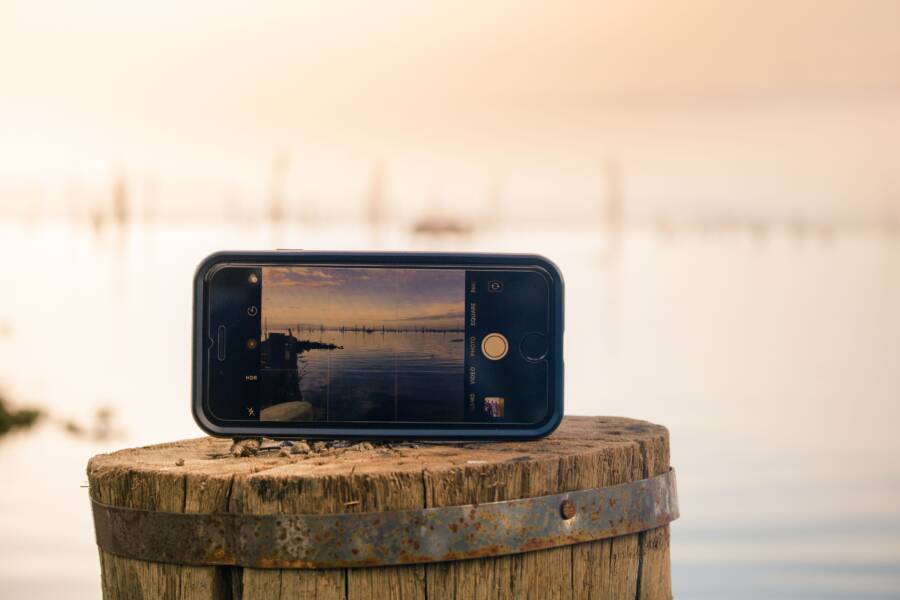
High-quality photos are the most important factor in securing rental clicks and attracting potential buyers. You do not need an expensive professional camera to capture these images. A modern smartphone is enough to produce stunning results if you follow a few basic techniques.
Effective visual storytelling helps you stand out in a crowded market and builds immediate trust with your audience. Mastering these simple camera skills will transform how your property appears online. Read on to learn how you can use your smartphone to capture professional-grade photos of your home.
Prepare Your Space for the Perfect Shot
Your property needs to look its best before you even open your camera app. Buyers and renters make split-second decisions based on the visual appeal of a space. You can capture professional-grade images with a smartphone if you invest time in the preparation process. A tidy, well-organized room communicates value and invites people to visualize themselves living there.
Mastering the Art of Staging Your Rooms
The most effective strategy for real estate photography is to remove distractions. Clutter steals attention from the architecture and the layout of the home. Start by clearing personal items like family photos, toothbrushes, stacks of mail, and refrigerator magnets. These small objects create visual noise that makes a room feel cramped or messy.
Furniture arrangement matters because it dictates the flow of the image. Pull furniture slightly away from walls to create an open and airy feel. If a room feels crowded, move excess chairs or side tables to another area temporarily. You want the viewer to see the floor space and the scale of the room clearly.
Pay close attention to the bed in your master bedroom. A perfectly made bed is the centerpiece of the room. Pull the duvet tight, fluff the pillows, and tuck in any stray corners. Consider these simple steps to polish your space:
- Clear all surfaces in the kitchen and bathrooms.
- Open interior doors to show the full scale of the layout.
- Hide trash cans, pet bowls, and charging cables from view.
- Smooth out curtains and ensure they hang evenly.
Less is usually more when you prepare a room for a photo. A minimal aesthetic allows the natural features of the property to shine. By removing non-essential items, you make your rooms look larger and more inviting to any potential buyer.
Using Natural Light to Your Advantage
Lighting is the difference between a amateur snapshot and a high-quality real estate photo. Harsh overhead lights often create a yellow or orange tint that ruins the color accuracy of your images. These lights also cast unflattering shadows in corners, which makes a room feel dark and small.
Turn off all lamps and overhead ceiling lights before you begin. Natural light produces the most balanced and attractive look for any indoor space. Schedule your photo session during the middle of the day when the sun provides bright, even illumination. Open every curtain and blind in the room to allow as much light inside as possible.
If you find that one area is still too dim, wait for a time when the sun hits that side of the property. Bright light helps your smartphone sensor capture sharp details without the graininess common in low-light environments. A clean and bright room looks larger and more welcoming, which directly benefits your property listing. Always prioritize window light to create a fresh, airy atmosphere that buyers naturally prefer.
Smartphone Photography Techniques That Get Results
Capturing professional images with your device depends on how you position yourself within the room. While most people hold their smartphone at eye level, this perspective often distorts the proportions of the furniture and floor. Adjusting your physical stance produces much more natural and appealing results for potential buyers.
Finding the Right Angles and Perspectives
Shooting from waist height provides a more accurate representation of a room. When you lower your camera, you align the lens with the center of the space rather than looking down at the floor. This technique keeps vertical lines straight and makes furniture look proportional. It also highlights the floor space, which helps viewers understand the layout of the property.
Aim for corner-to-corner shots to maximize the perceived depth of a room. Standing in a doorway or a corner allows the lens to capture two walls, creating a sense of volume. Use your smartphone to align the edges of the walls with the frame, which keeps the image balanced. If you only focus on one wall, the room often looks flat and uninviting.
Many agents prefer vertical images because mobile users view listings on their phones. Vertical orientation fills the entire screen, giving the viewer a more immersive experience. You should hold your smartphone vertically to capture tall features like fireplaces or high ceilings. Always check how your orientation affects the composition before you snap the final shot.
Stabilizing Your Camera for Sharpness
Even a slight movement during the shot creates blur that ruins the clarity of your photo. Because indoor lighting requires the camera sensor to work harder, it needs more time to capture enough light. Any instability during this brief window leads to soft edges and lack of detail. A sharp image is essential to show the quality of your home.
If you do not have a tripod, look for stable surfaces to lean against. Press your elbows into your ribs to keep your arms steady. You can also lean your shoulder or your smartphone against a wall to eliminate micro-movements. This simple physical support makes a large difference in how crisp your final images appear.
If you plan to shoot multiple properties, a simple smartphone tripod is a wise investment. These tools allow you to set the perfect height and orientation without holding the phone yourself. A tripod also helps you maintain consistent framing across several rooms. It removes the guesswork and ensures that every photo you upload is perfectly clear.
Editing Your Photos for a Polished Professional Look
The final quality of your real estate photos often depends on the post-processing phase. A simple smartphone snap can transform into a professional image with minor adjustments. You do not need expensive software or advanced skills to achieve this result. Most photo editing apps allow you to fix common issues like uneven light or dull colors in just a few taps. Focus on subtle improvements to ensure the photos remain a true representation of the property.
Understanding Basic Brightness and Color Corrections
Your goal when editing is to highlight the natural beauty of the space. Over-editing often creates an artificial look that potential guests find off-putting. Start by adjusting the exposure to ensure the room looks bright and inviting. If the image is too dark, slide the exposure tool up until the shadows reveal the details of the room. Be careful not to go too far, as high exposure can wash out the white walls and details near windows.
Color balance is equally important for maintaining a professional appearance. Most smartphone cameras struggle with indoor lighting, often adding a yellow or blue tint to the scene. Look for the warmth or temperature tool to correct these colors. You want the whites in the photo to look like true white rather than cream or gray. If the room looks too yellow, shift the temperature toward the cool blue side of the spectrum.
Here are a few quick tips to guide your editing process:
- Adjust the contrast slightly to help features stand out against the background.
- Increase the shadows tool to bring out details hidden in dark corners.
- Keep saturation low, as overly bright colors look fake and distract the viewer.
- Use the crop tool to straighten any tilted lines or remove unwanted clutter from the edges.
Compare your edited version to the original photo frequently. You can usually toggle between the two views by holding your finger on the image in your editing app. If the edited version looks significantly different from the real room, pull back on your adjustments. Accuracy builds trust, so ensure the finished image matches what guests see when they walk through the door. Keeping your edits light and honest makes the property listing much more effective.
Common Mistakes to Avoid in Real Estate Listing Photos
Poor photography ruins the impact of an otherwise great property listing. Even the best home loses its appeal when photos show messy spaces or distorted angles. You want your smartphone images to build confidence in potential buyers rather than raise questions about the property condition. Avoiding these common errors ensures your online presence looks professional.
Ignoring Vertical Line Distortion
Many people tilt their smartphone up or down when taking photos. This creates an effect where walls seem to lean inward or outward. These tilted lines make a room feel unstable and look like the work of an amateur photographer.
Keep your phone parallel to the floor to fix this issue. If you point the lens slightly up to include the ceiling, move back instead of tilting the device. Aligning your grid lines with the edges of windows or door frames helps keep the image square. Straight lines create a sense of order that makes a home feel more polished.
Shooting Into Bright Windows
Bright windows cause your camera sensor to struggle with high contrast. The area outside the window becomes a white blur, while the interior of the room turns into a dark silhouette. Buyers cannot see the room features if the exposure is off.
Adjust your focus point on the screen to balance the light before taking the shot. Tap the brightest part of the image to tell your smartphone to lower the exposure settings. If the room still looks dark, use the built-in HDR mode. This feature captures multiple exposures and combines them into one balanced image. Never rely on the flash to fix lighting because it creates harsh shadows and unnatural reflections on mirrors or glass.
Overlooking Messy Details
Small items left in view draw the eye away from the home itself. Potential buyers often focus on these distractions rather than the size or flow of the room. Clear every counter and surface to help the viewer focus on the actual property.
Check your surroundings for these common mistakes before you press the shutter:
- Leaving personal hygiene products on bathroom sinks.
- Forgetting to close toilet lids before shooting the bathroom.
- Keeping pet food bowls or toys in the center of the floor.
- Allowing power strips and charging cables to dangle from outlets.
Spend five minutes walking through the space with your eyes on the viewfinder. If you see something that does not belong in a model home, remove it. A clean, neutral space is far more effective at capturing buyer interest than a room full of personal belongings.
Conclusion
Capturing professional property images comes down to four fundamental habits. You must declutter every room, prioritize natural light, maintain camera stability, and keep your edits simple. These steps allow your smartphone to produce high-quality results that attract more interest.
Better photos increase your listing engagement and occupancy rates. Take the time to prepare your space properly, and you will see the difference in your results.