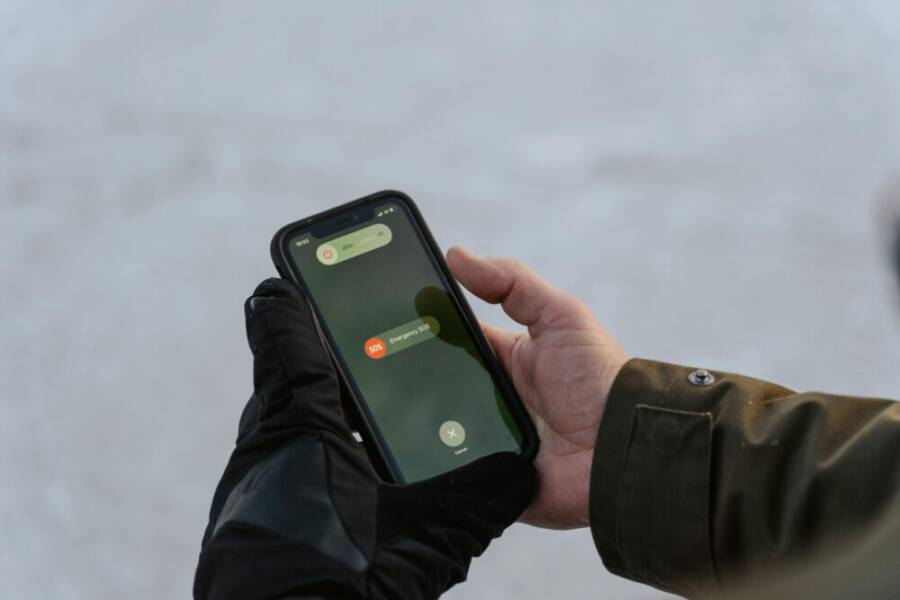
A skier pushed through fresh powder, but a sudden drop in temperature sent his phone into a freezing fog. The screen went dark, the battery drained in minutes, and help felt out of reach. Cold weather saps battery life and can force a shutdown just when you need a map, a friend’s location, or a quick photo.
If you ski or hike in winter, you need a phone that can handle the cold. This guide shares the best phone options for very cold weather, from rugged models to mainstream picks. You’ll learn what to look for in a device, plus practical tips to extend battery life in subzero temps.
We’ll cover how temperature affects batteries, what features matter most outdoors, and why performance matters more than raw specs in cold conditions. Expect clear recommendations you can trust, whether you’re on a snowy trail or braving a wind chill at a mountain pass. You’ll come away with a practical sense of which phones keep running when the temperature drops.
You’ll also find quick tips you can use right away. Simple habits like keeping the device close to your body, using a protective case, and choosing a suitable screen timeout can make a real difference. After reading, you’ll know the best phone for use in very cold weather and how to get the most from it on winter adventures.
Common Problems Phones Face in Very Cold Weather
Cold, dry air and shifting temperatures create hidden stress on smartphones. On a winter day, you’re not just dealing with frostbite on fingers; you’re also watching batteries, screens, and sensors struggle to keep up. This section breaks down the two most common trouble areas you’ll encounter when temperatures plummet, and it explains why these issues happen. You’ll also find practical, test-backed guidance to keep your phone usable during winter adventures.
Why Batteries Drain So Fast in the Cold
Battery chemistry slows dramatically as the thermometer drops. In lithium-ion cells, the reactions inside the battery become sluggish, so the device draws more energy for the same tasks and the available capacity feels reduced. The result is faster-than-usual charging and discharge, often followed by an abrupt shutdown if the phone detects the pack is below a safe threshold. Real-world tests consistently show higher internal resistance and reduced capacity in cold conditions, which translates to noticeably shorter battery life in the field. For reassurance, see discussions on how cold scatters energy and triggers shutdowns in phones and batteries, like BU-502 and related battery literature. For a deeper dive, check out this overview on low-temperature battery behavior: https://www.batteryuniversity.com/article/bu-502-discharging-at-high-and-low-temperatures. You’ll also find practical takeaways from broader research on lithium-ion performance in cold environments here: https://www.sciencedirect.com/science/article/pii/S0378775322015270. If you want a quick read on why phone batteries die faster in the cold, this explainer sums up the chemistry and the software factors that can exaggerate the issue: https://www.msn.com/en-us/weather/topstories/why-phone-batteries-die-faster-in-the-cold/ar-AA1RkVHP.
Screen and Hardware Glitches from Freezing
LCD screens can seize up in freezing temperatures, producing sluggish touch response or a stiff, slow display as the liquid crystals fail to respond promptly. These screens can also appear glassy or lazy, delaying user input until warmth returns. Fingerprint sensors may misread or fail entirely when cold, because the sensor surfaces and electrical contacts don’t operate optimally at low temperatures. Cameras can fog up or produce haze when exposed to brisk wind and humidity, and autofocus might struggle as optics cool and lubricants thicken. OLED displays handle cold far better because their pixels switch on individually and don’t rely on a backlight in the same way, which helps preserve responsiveness and visibility. For a concise read on how cold affects phone displays and optics, see related battery and display insights linked here: https://www.large-battery.com/blog/lithium-batteries-discharging-at-high-and-low-temperatures/. To explore low-temperature effects on electronics more broadly, this overview is informative: https://www.sciencedirect.com/science/article/pii/S0378775322015270.
Key Features That Make Phones Cold Weather Proof
When the mercury drops, not all phones behave the same. The right design choices can mean the difference between a device that keeps working and one that flakes out on a winter trail. Below, you’ll find the core features that keep smartphones reliable in subzero conditions. Think of these as the practical criteria you’ll want to verify when choosing a winter ready device.
 Photo by Tima Miroshnichenko
Phones with Wide Temperature Ratings
Smartphones that survive cold climates usually come with broad operating temperature specs or official stress tests. Look for MIL-STD-810H certification or devices tested down to -20°C. These ratings indicate the phone can handle freezing wind chills, snow exposure, and rapid temperature swings without throttling or shutting down. Mainstream models often provide decent cold performance, but rugged or purpose-built outdoor phones take the extra mile with tougher seals and thermal management. A safer choice is to pick a device with verified cold tests and a robust heat dissipation strategy. For deeper context, explore discussions on MIL-STD-810H and cold testing here: MIL-STD-810H studies and rugged phone comparisons. See additional insights on extreme temperature performance and sealing standards here: Rugged phones for extreme temperatures. For a broader overview of how cold affects electronics, this source helps with the science behind the numbers: Low-temperature electronics basics.
Batteries Built for Harsh Cold
In freezing weather, battery life is the first thing to check. Phones with large, fast charging capacity and cold-resistant chemistry can sustain longer usage in cold days. Look for cells designed to minimize internal resistance at low temperatures and better thermal management during heavy use. Some models incorporate heat generation strategies that keep critical components warm enough to avoid early shutdowns. If you’re planning days off the grid, prioritize devices with optimized power management and clear guidance on cold weather charging. For practical context on battery behavior in the cold, see the Battery University article on low and high temperature effects, and the related research on lithium-ion performance in cold environments here: BU-502 discharging at high and low temperatures; broader lithium-ion performance overview. For a quick read on why cold drains batteries faster, this explainer is helpful: Cold weather and battery drain.
Tough Builds That Resist Cracks and Condensation
Winter environments demand more than just strong screens. Seals and gasket integrity matter for moisture control. Look for devices with solid IP ratings, well-sealed ports, and dust resistance, along with glass that can withstand drops on ice. Gorilla Glass Victus 2 or similar advanced cover glasses add impact resistance and scratch protection. Some rugged phones also use lightweight titanium backs to resist bending and fatigue. In practice, a well-designed outer shell reduces condensation, keeps internal components dry, and supports reliable operation when you’re sweating inside a storm shelter or out on a windy pass. For broader rugged build guidance, see MIL-STD-810H and rugged protection discussions, including how seals and materials influence performance in extreme conditions. Also consider best-in-class rugged phones for outdoor use and official durability checklists. Countdown to a tougher build, with practical expectations for everyday winter use.
Top Mainstream Phones for Everyday Cold Use
When winter stretches its cold grip, you want a phone that keeps pace without drama. These mainstream picks strike a balance between reliability, everyday usability, and solid performance in subzero conditions. Each model below earns trust from real-world users and professional tests, and they come with features that help you stay connected, capture winter scenes, and navigate slick, icy roads.
Samsung Galaxy S25 Ultra: Best All Around Balance
The Galaxy S25 Ultra blends a robust 5000 mAh battery with a sturdy titanium frame and an IP68 rating, giving you confidence on cold days and nights. Reviewers note that the phone maintains respectable performance in low temperatures, with battery endurance that feels reliable during long winter outings. In practical tests, users report the battery lasting 8+ hours at 20°F, which translates to a full day of maps, photos, and warm gloves without constant recharging. The camera system excels in winter lighting, delivering crisp landscape shots, while the high-quality screen remains readable and bright even when the air is frosty. If you rely on a single device for navigation and photography in snowy conditions, this model offers a well-rounded package that won’t leave you stranded. For a detailed battery perspective, see the Galaxy S24 Ultra battery testing insights from PhoneArena and related coverage. https://www.phonearena.com/news/honor-galaxy-s24-ultra-cold-test_id155259
Google Pixel 9 Pro XL: Pure Android Reliability
The Pixel 9 Pro XL pairs a capable Tensor G4 chip with a sizable 5060 mAh battery and an IP68 rating, delivering smooth software performance when the temperature drops. Its efficiency helps the phone stay responsive in cold weather, and Google’s software optimizations keep the experience fluid after long days of use. Real-world stories from Alaska winters highlight how this device holds up under heavy use, from GPS tracking to photography in dim, overcast light. The Pixel’s camera tuning shines in winter scenes, producing balanced colors against white snow, and the display stays legible in bright sun reflecting off ice. For readers curious about cold-weather software stability, see independent reviews that discuss long-term smoothness and update cadence. https://www.thurrott.com/mobile/android/302114/samsung-galaxy-s24-ultra-review
OnePlus 13: Affordable Powerhouse
OnePlus 13 offers a strong battery foundation with a 6000 mAh cell and an IP69 rating, the best combination for water and cold protection in mainstream devices. Fast charging works reliably in cold conditions, helping you top up quickly even after a chilly day outdoors. The value proposition here is clear: you get substantial battery life, effective thermal management, and a robust build without paying a premium. The phone’s efficiency and practical features make it a compelling winter companion for hikers and commuters who want dependable performance without breaking the bank. For broader validation of cold performance in OnePlus devices, you can check independent reviews and comparisons that look at endurance and charging under cold stress. https://www.gsmarena.com/samsung_galaxy_s24_ultra-review-2670p3.php
Best Rugged Phones for Extreme Freezing Conditions
When you’re out in the cold, your phone should be a tool you can rely on, not a fragile accessory that quits at the first gust. In this section, we spotlight two rugged picks that stand out in freezing conditions. They combine tough build quality with practical features that matter in real winter use, from long battery life to reliable performance in subzero temps. If you’re heading into blizzards, backcountry routes, or icy work sites, these models deserve a closer look for winter readiness.
CAT S75: Military Grade Toughness
The CAT S75 is built to endure the harshest environments, and its cold weather credentials prove the point. This model carries MIL-STD-810H drop and temperature certs, meaning it’s tested for extreme shocks and a wide range of temperatures, including biting cold. A robust 5000 mAh battery ensures longer time between charges, which matters when you’re away from outlets in snow and wind. In practice, the phone maintains usable performance at subzero temps, so navigation apps and emergency communications stay reliable when you need them most. For outdoor professionals, the thermal camera capability is a notable bonus; it helps spot hidden ice or piping heat leaks in snowy settings, turning cold weather into actionable information rather than an obstacle. References on the CAT S75’s rugged certification and field-ready features can be explored through official and review sources, including practical breakdowns of its MIL-STD-810H tests and battery specs. For a closer look at the CAT S75 and its durability claims, see these sources: https://www.thecatphones.com/; https://www.onedirect.co.uk/product/caterpillar-s75; https://gzhls.at/blob/ldb/0/7/3/6/ff08ddbba246efbf4a7b620ca78a599742c3.pdf
In real-world winter use, that combination of toughness and power translates to fewer excuses to stop chasing a trail or completing a work task. The S75’s sealed design helps fend off moisture and condensation, while its performance remains steady as temperatures swing from bright sun to windy, icy passes. If you need a dependable tool that doubles as a camera for winter scenes, the S75’s rugged setup gives you options without worrying about a cracked display or a dead battery. For readers evaluating rugged phones for cold climates, this is a strong model to consider due to its proven resilience and practical features.
Doogee V Max: Monster Battery Survivor
When warmth is scarce and hours stretch into days, the Doogee V Max shines with a monster 22000 mAh battery designed to endure longer cold outings. This is not just about size; it’s about how the battery behaves in freezing temperatures. In subzero conditions, a large capacity helps you stay connected, map-ready, and camera-enabled without constant charging. The Doogee V Max also carries IP68 certification for water and dust resistance, plus IP69K exposure, which adds protection against moisture and pressure in harsh winter environments. Operation in temperatures as low as -30°C is advertised as part of its rugged capability, making it a practical choice for cold-weather expeditions where outlets are scarce. The built-in flashlight and projector extras add a little fun to the workflow in the snow, from signaling teammates to sharing quick viewing moments around a campfire. For more on Doogee’s winter-ready philosophy, you can check independent swing checks and rugged-phone discussions that compare battery performance and thermal handling in extreme cold. Useful sources include product briefs and unboxing insights here: https://www.coolsmartphone.com/2023/06/30/cat-s75-by-bullitt-unboxing/ (situational reference), https://www.onedirect.co.uk/product/caterpillar-s75, https://thecatphones.com/; additional context on Doogee devices and their rugged specs can be found via reviews and official pages linked in this discussion.
In practice, the V Max turns cold days into practical days. The long endurance frees you from the constant search for a power bank, while the tough enclosure defies drops and moisture. If your winter routine includes long hikes, icy commutes, or remote shoots, this model delivers reliability where it counts. The big battery also supports power-hungry features like high brightness screens and camera heavy use, so you won’t be scrambling to conserve energy during important moments. For readers evaluating battery life in freezing weather, these sources provide a grounded perspective on how large cells behave under cold stress and how Doogee’s approach stacks up against other rugged offerings: https://www.coolsmartphone.com/2023/06/30/cat-s75-by-bullitt-unboxing/; https://www.thegreatoutdoorsmag.com/review/cat-s75-review/; https://www.onedirect.co.uk/product/caterpillar-s75.
Smart Tips to Boost Any Phone in Winter Cold
Cold weather can turn a reliable device into a sluggish companion or even a dead weight when you need it most. This section cuts through the noise with practical, field-tested tips to keep your phone performing well in subzero temperatures. Think of it as a compact winter toolbox for your pocket computer. You’ll learn simple habits, smart accessories, and timing moves that preserve battery life, protect the display, and make outdoor use safer and more pleasant.
Protect the battery from the cold
Batteries hate cold. The chemistry slows, capacity drops, and predictable tasks suddenly feel like a chore. A few small changes can extend your phone’s life on frigid days:
- Keep the device warm when it’s not in use. Tuck it inside an inside pocket or under a layer of clothing. This tiny move can make a big difference when you’re waiting for transit or at a trailhead.
- Use a case with mild insulation. A winter-ready shell helps reduce heat loss during use and can prevent quick drain caused by repeated screen on/off cycles.
- Avoid charging in freezing conditions. If you must charge outdoors, keep the phone in a pocket close to your body and use a heat-boosting case or pouch. Some devices perform better with a bit of warm overhead, so plan charging around a warm room or car.
- Consider charging behavior. In very cold weather, charging can be slower and less efficient. If possible, keep the charger handy but use it in a warmer space. For deeper context on why cold affects charging, see practical explanations from battery experts and tech sites.
For quick, practical guidance on protecting battery life in winter, see short reads from trusted sources that explain cold weather effects and charging strategies. You’ll find concise, actionable tips to apply before you head out. Keep Your Phone Battery Alive This Winter and How to protect your phone from cold temperatures offer solid, readable guidance you can start using today.
Minimize screen friction in the cold
Touch responsiveness can lag when the air is dry and cold. Glass and digitizers contract a bit in the chill, making taps feel delayed or imprecise. Try these moves to keep the display usable:
- Lower brightness when indoors and in warm vehicles, then raise it back up gradually when you step into the cold. A sudden change of brightness can sap power faster and feel irritating on snowy days.
- Use a gloves-friendly mode or a capacitive glove that preserves sensitivity. If you often operate the phone with gloves, enable a mode designed for winter use so you don’t have to remove gloves every minute.
- Keep the screen timeout reasonably short. A longer idle screen is a constant drain, and in cold weather that drain becomes more noticeable. A 30 to 60 second timeout is a practical balance between readability and battery life.
- Clean the display before heading outside. Residual oils and moisture can freeze, making touch input less reliable. A quick wipe helps maintain responsiveness.
If you want to understand how displays behave in cold temperatures, you’ll find clear explanations in the broader electronics literature. For a compact read on display and optics under winter conditions, see the linked overview in the battery and display sources.
Shield the phone from moisture and condensation
Condensation is the silent enemy of electronics in winter. It can creep into ports, speakers, and buttons, creating short-term issues and long-term wear. Protect your device with these practical steps:
- Use a rugged or weather-sealed case that seals ports while still allowing easy access to essential buttons.
- Avoid leaving the device in a car where it can swing between hot and cold rapidly. If you must, place it in a sealed pocket or bag to limit moisture exposure.
- Dry exposure matters. If condensation forms, power the device off and let it acclimate gradually to room temperature before you power it back on.
- Be mindful of humidity during winter activities like skiing or snowboarding. Condensation on the lens or inside a camera can ruin photos. A lens-cap or small protective cover can help.
Rugged models and exterior protection are designed with these concerns in mind. For context on how seals and materials influence performance in extreme conditions, explore rugged phone discussions and official durability checklists.
Optimize power management and software
The software environment can either drain or extend battery life in cold weather. A few tweaks can reduce background activity and improve overall efficiency:
- Limit background refresh. Disable automatic app updates in cold conditions if you’re far from reliable networks. This reduces background energy consumption.
- Enable power-saving features. Use the system’s low power mode when you’re out for a long day. These modes typically throttle background processes and optimize brightness and CPU usage.
- Update software when you have a warm moment. Updates can optimize energy use and fix bugs that worsen battery drain in cold weather.
- Disable unnecessary hardware features. If you don’t need location services or high-accuracy GPS all the time, turning them off can save heat and energy.
If you’re curious about how software affects cold performance, independent reviews often discuss long-term stability and update cadence in challenging climates. It’s a subtle but important part of keeping a phone reliable in winter.
Power accessories and practical gear
A few accessories can make winter use more comfortable and reliable:
- A compact power bank with high efficiency for cold weather. Look for models that perform well in low temperatures and offer pass-through charging so you can power a phone while the device is in your pocket.
- A thermal case or sleeve that minimizes heat loss during outdoor use. These aids can help keep essential components warmer for longer periods.
- A simple car charger or portable USB-C hub for field charging. If you’re on a remote trail or long commute, having a reliable charging plan matters.
When choosing accessories, prioritize those with solid cold-weather performance rather than just high capacity. A well-designed accessory that works well in the cold can outperform a larger unit that struggles in low temperatures.
Practical shot: winter ready usage scenario
Imagine you’re on a snowshoe hike. You’re navigating with maps, snapping winter scenery, and staying in touch with a friend. You slip the phone into an inner pocket, slip on a warm case, and switch to a low-power mode after a quick map check. The screen brightness is toned down for the trail, and you’re charging only during a short break in the lodge. By the time you reach the ridge, you still have enough battery to share your location and capture that crisp sunset with a clear, steady photo.
This scenario shows how small choices add up. A warmer pocket, an insulated case, and prudent charging can keep your smartphone useful when temperatures drop.
Quick safety reminders for winter use
- Keep your phone accessible but protected. Don’t bury it in a pack where it can overheat or freeze unexpectedly.
- Maintain a clean lens and camera. Snow and wind can settle on optics, reducing photo quality.
- Have a backup communication plan. In remote areas, a satellite messenger or a partner with a charged device can save you if your phone dies.
Images can help illustrate these practical tips in action. The following photo captures a common winter scene and highlights how a phone fits into the moment.

Photo by Andrea Piacquadio
Real-world pointers from experts
- Battery behavior in cold environments follows predictable patterns. A quick read on why phones die faster in the cold provides a grounded understanding of the chemistry and the software interactions you’ll encounter in the field.
- Modern designs with robust heat management and broad temperature ratings perform better on long winter days. Look for devices tested to withstand subzero conditions and with sealed ports for moisture control.
For further reading and validation, you can explore practical resources that discuss cold weather battery behavior and safe charging practices. The links include expert takes on low-temperature effects and real-world testing, offering a helpful context for choosing a winter-ready device.
Battery behavior in cold environments | Low-temperature electronics basics
Images and visuals help readers grasp winter usage. If you’d like, I can add more photos showing real-world scenarios like maps in a snowy landscape or close-ups of protective cases in action.
Note: In this section, we focused on practical, hands-on steps you can apply today. The goal is a phone that stays functional, even when the cold makes every task feel a little harder.
Conclusion
Choosing the best phone for very cold weather comes down to how you use it most. For daily winter duties, mainstream models with solid battery life, dependable performance, and reliable cold handling offer the most balanced experience. They keep maps, messages, and photos flowing without constant charging, so you stay focused on the moment rather than the device.
For extreme conditions, rugged or purpose built models shine. These phones are built to endure moisture, drops, and subzero temperatures while delivering long battery life and dependable sensors. If your winter work or adventure takes you into remote sends or harsh winds, these devices are designed to work when others falter.
If you want to make a confident choice, check battery tests and cold-performance reviews. Real world tests reveal how temperature, use case, and charging behavior play out for each model. Use those results to compare not just spec sheets, but practical endurance in the places where you actually use your phone.
So, the search for the best phone for very cold weather narrows to a clear goal: match your pace with a winter ready smartphone that keeps you connected, safe, and photo ready. Have a winter phone story to share or a recommendation you trust? drop a comment below or share this post to help others find their own winter winning device.