Staying live on the go means your phone must handle more than just a good camera. For Twitch IRL streaming, the right device makes every outdoor moment feel seamless, not stressful. This guide focuses on long battery life, solid stabilization, and reliable internet so you can concentrate on the moment, not the tech.
If you stream from parks, streets, or events, you need a phone that stays cool under pressure and keeps up with your pace. Expect smooth video, steady footage, and dependable connections whether you’re on 5G or a strong wifi signal. The aim is simple: fewer interruptions, more authentic moments.
In this intro, you’ll learn what to look for in a top option and get a shortlist of strong contenders for mobile streaming. By the end, you’ll know how to choose a device that fits your streaming schedule, budget, and style, with clear guidance on battery, stabilization, and connectivity.
What makes a phone ideal for Twitch IRL streaming
When you’re out in the wild, a phone that can handle hours of live streaming without fuss is a must. The ideal device balances long battery life, strong video quality, reliable connectivity, and smart heat management. This section breaks down the core features you should prioritize and how they come together in real-world use. Think of it as your quick-reference guide to choosing a phone that lets you focus on the moment, not the tech.

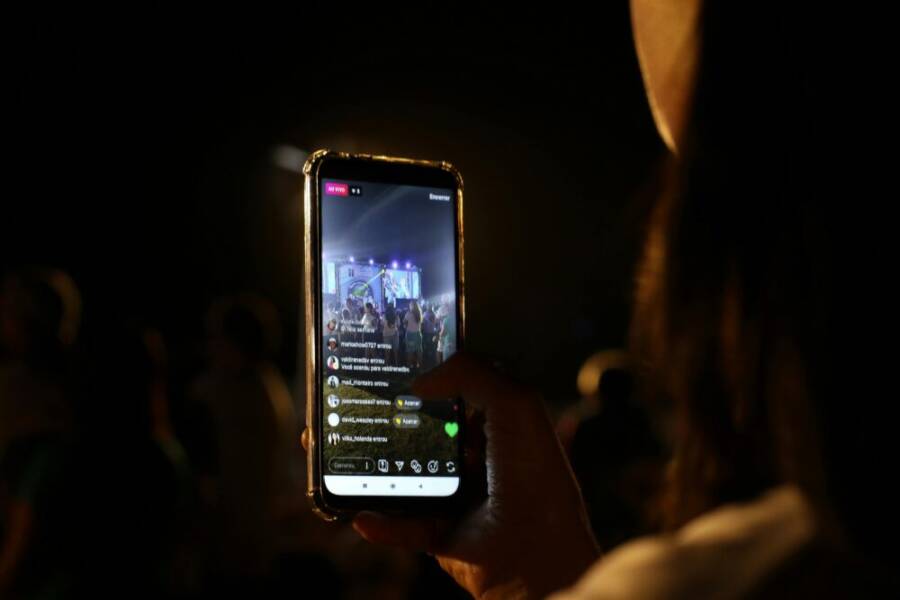
Photo by Nino Souza
Long lasting battery for hours of live streaming
Battery life is the difference between a smooth stream and a frantic device hunt. For IRL streaming, you need a phone that can run a couple of hours of video, audio, and app activity without dropping to useless low power modes.
- Battery capacity matters, but efficiency matters more. A large pack (around 4500 mAh and up) helps, yet software optimization, display brightness, and chip efficiency determine real usage.
- Real world use is the best test. If you livestream at 1080p, expect the battery to drain faster than casual browsing. Consider streaming at 720p when you’re out for a full day to conserve power.
- Plan for breaks and power banks. Start with a full charge, enable a modest screen brightness, and use a compact power bank for mid-shift top-ups. A second battery or a pocketable USB-C power bank can keep you going during long events.
Practical tip: map your typical session. If you expect a 2.5 to 4 hour outing, assume the phone will hit 40–60% battery midstream and plan a top-up strategy before you start. That simple habit keeps interruptions to a minimum and your audience engaged.
High quality video and steady footage with good stabilization
Stable video is the easiest way to hold a viewer’s attention. Your phone’s camera needs to deliver crisp color and solid stabilization, even when you’re moving or walking.
- Camera quality and color: Look for phones that produce natural skin tones and accurate color in mixed lighting. A reliable white balance helps keep your stream looking consistent across different environments.
- Stabilization options:
- Optical image stabilization (OIS) helps reduce shake at the sensor level.
- Electronic stabilization (EIS) smooths movement during processing.
- Gimbals or motorized stabilizers offer extra control for ultra-smooth shots, especially if you roam a lot.
- Footage impact: Steady footage reduces viewer fatigue and makes chat interaction feel more professional. When movement is unavoidable, a capable stabilization system helps your stream look less like a raw vlog and more like a broadcast.
If you want the most polished results, pair decent camera quality with an inexpensive gimbal or a stabilized handheld setup. It’s a small upgrade that pays off in retention and perception of value.
Reliable 5G and WiFi connectivity for steady streams
Stable connectivity is the backbone of good IRL streams. A strong network signal reduces dropped frames and buffering, keeping your audience engaged.
- 5G availability: Modern phones support faster data rates and lower latency in crowded areas. A 5G ready device helps you maintain higher bitrates when the network is congested.
- WiFi adaptability: When you’re near reliable networks, a phone that transitions smoothly between cellular and WiFi reduces the risk of disconnects during a live session.
- App compatibility: Streaming apps vary in how they handle network transitions. A phone with solid app support and background data management helps you stay connected during handoffs.
Tip: if you’re streaming from events, carry a small data plan as a backup and enable intelligent network switching in your streaming app when possible. This reduces the chance of a cold start if you lose coverage.
For more on building a reliable IRL setup, see guidance on gear and network strategies from expert streams:
Efficient heat management for long sessions
Heat can throttle performance, degrade battery life, and ruin the viewing experience. Managing heat is essential for long outings.
- Heat slows everything down: When chips get hot, you’ll see stuttery video, increased stabilization requests, and reduced battery efficiency.
- Simple breaks help: Short pauses every 60–90 minutes give the device a breather and keep temperatures manageable.
- Cooling aids: A lightweight cooling case or passive heat sinks can help, especially in direct sun or hot environments.
- Shade and airflow: Avoid sun exposure during peak heat; position yourself in shade and angle the phone to maximize airflow.
- Practical routines: Pre-cool before you start, keep the brightness moderate, and use features like adaptive refresh rate (if available) to reduce heat generation.
A steady streaming session is less about the device’s peak specs and more about how you manage warmth and power over time.
External links referenced above provide practical, hands-on advice for building a reliable mobile streaming setup. For more in-depth gear considerations and real-world tests, check out the IRL streaming guides and gear lists linked here:
- How to Stream IRL on Twitch Using Your Phone
- The Ultimate IRL Stream Setup Guide
External links are provided for reference and further reading; they complement the core guidance in this section.
How to choose the right phone for your Twitch IRL style
Choosing the right phone for Twitch IRL streams means balancing performance, longevity, and practicality. You want a device that keeps you streaming smoothly through long days, crowded events, and changing lighting. This section breaks down the key tradeoffs and practical considerations you should weigh as you pick a device that fits your style and budget.
Budget vs flagship tradeoffs
premium devices nail performance, battery life, and camera quality, but they come with a steeper price. Mid-range phones can deliver solid streaming experiences at a more approachable cost. Here’s how to think about the two ends of the spectrum and where you can save without hurting your stream.
- Real-world gains from flagship models: top models typically offer longer battery life under load, more efficient processors, better thermal management, and higher quality cameras with more consistent color and exposure. They also tend to deliver more stable video at higher bitrates in challenging networks. If you stream frequently in busy areas or for long sessions, these advantages matter.
- What mid-range phones give you: you’ll usually get good cameras, solid 5G connectivity, and dependable streaming performance at a fraction of the price. Mid-range devices often excel in day-to-day reliability and fit a lean budget, which means you can invest the difference in accessories like a compact gimbal, an external mic, or a robust power solution.
- Features that matter most for IRL: prioritize battery capacity (aim for 4500 mAh or more on larger devices), efficient chips, and dependable cooling for longer streams. Look for decent OIS or reliable EIS for steadier footage, and ensure the device handles your streaming app of choice without frequent updates disrupting your workflow.
- Where to save: if you’re budgeting, you can offset costs with a high-quality power bank, a compact external microphone solution, and a sturdy case that helps with heat management. You don’t need the latest flagship to produce engaging content; consistent framing, clear audio, and decent stabilization often matter more than the absolute hardware top end.
Practical takeaway: map a realistic streaming day and compare model specs against that plan. For many IRL streamers, a strong mid-range phone paired with good accessories provides the best balance of reliability and cost.
For deeper guidance on how budget and flagship options stack up in real-world tests, see discussions in the community and reviews that focus on IRL performance. For example, a broad look at budget vs flagship streaming considerations can be found here: Budget Phone recommendation for IRL streaming. If you want to explore more about how Android and iOS devices compare in practice for streaming, you’ll find practical perspectives here: Why do so many IRL streamers stream with android phones. These sources offer context without promising miracles and help you set expectations based on real-world use.
Operating system and app support for streaming
iOS and Android handle streaming apps differently, and those differences matter when you’re on the move. Here’s a simple, practical rundown to help you decide which ecosystem fits your workflow.
- App availability and updates: iOS tends to push updates through the App Store in a tightly controlled way, which means you’ll see consistent app behavior after updates. Android offers broader app customization and more third-party streaming tools, which can be a win if you like flexible setups. Either way, keep your apps up to date to avoid compatibility hiccups during a live session.
- Ease of use in streaming workflows: iOS devices usually deliver a clean, uniform experience with smooth handoffs between apps, which can speed up setup. Android devices often give you more control over camera apps, audio routing, and background activity. If you like tweaking settings for optimal audio and video paths, Android can feel more friendly.
- App ecosystem considerations: popular streaming apps and tools are available on both platforms. Streamers often rely on apps that can run in the background, manage overlays, or support external hardware. Make sure your chosen platform supports the tools you plan to use, such as Streamlabs or other streaming companions, without frequent, disruptive updates.
- Practical setup tips: test a typical streaming session on both platforms if you can. Pay attention to how quickly the app reconnects after a network change and how smoothly it handles background tasks while you monitor chat and scene switching.
If you want practical references on app availability and how real streamers work with iOS versus Android, take a look at the Twitch live streaming app on iOS and Streamlabs Mobile. These resources provide practical, real-world confirmations of app behavior across ecosystems.
- Twitch: Live Streaming – App Store: This page shows what iOS users can expect from the official app and how it’s positioned for quick setup and reliable streaming.
- Streamlabs Mobile: The Streamlabs mobile app supports iOS and Android, highlighting multisource streaming and easy overlay management for on-the-go broadcasts.
Storage and performance headroom for apps
When you’re on the move, you want a phone that feels fast, handles multiple apps, and leaves room for clips, recordings, and the streaming app itself. Here’s how to think about RAM, storage, and real-world performance.
- RAM matters for multitasking: streaming often means juggling the streaming app, chat, browser, and capture or notes. 6–8 GB of RAM is a sensible minimum for smooth multitasking on most mid-range devices; 8–12 GB is preferable on flagship devices for long sessions.
- Storage for apps and clips: streaming consumes space not just for the app but for saved clips, buffers, and temp files. If you plan to store broadcasts locally or keep long streams for editing later, aim for at least 128 GB of storage, with 256 GB or more if your budget allows.
- Real-world feel of performance: the goal is smooth transitions, quick app launches, and absence of stutter during movement. Devices that maintain responsiveness while the stream is live deliver a more professional experience and keep you in the moment.
- Space for updates and caches: streaming apps cache data to reduce buffering. Having extra headroom prevents the device from slowing down when caches grow, especially on devices with smaller storage partitions.
Practical approach: if you often stream all day, consider a model with at least 128 GB of internal storage and 8 GB of RAM, plus a microSD expansion if the phone supports it. For those who shoot and keep many clips, more storage is worth the investment.
For broader context on how storage affects real-world streaming performance, you can consult practical guides on mobile streaming workflows. A few relevant references discuss how to manage settings for reliable streams, including how to plan storage and memory for continuous use.
Future updates and long term reliability
Security, features, and performance over time matter just as much as a device’s initial capabilities. Long-term support matters because it means security updates and feature refinements keep your setup safe and functional.
- Why long-term support matters: regular security updates protect you when streaming over public networks. In addition, OS and app updates often bring improvements to video processing, quality, and stability that directly affect your streams.
- Expectation management: not every device will receive the same length of software support. Flagship devices tend to receive updates longer, while some mid-range models may have shorter update lifecycles. Check the manufacturer’s roadmap and recent history for security patches and major OS updates.
- Practical implications: long-term reliability reduces the risk of sudden app incompatibilities, which can lead to unexpected disruptions during a live session. It also helps protect your device from newly discovered vulnerabilities.
- Planning for the future: if you anticipate streaming for several years, lean toward devices with a track record of consistent updates and a clear security update cadence. This makes it easier to keep your setup current without buying a new phone every year.
If you want to dig deeper into how iOS and Android devices handle updates and support, explore the official app and OS update pages for each platform. Real-world discussions from streamers often highlight what to expect in terms of update timing and feature rollouts.
- iOS update and support: Apple’s release notes and support pages outline typical update cadences and security patches.
- Android update and support: Android device makers vary, but you can review general update schedules and security patch timelines for popular models.
Key takeaway: choose a phone with a predictable update path and a credible track record for security and feature improvements. That choice saves you from chasing compatibility issues down the line.
External links referenced above provide practical, hands-on advice for building a reliable mobile streaming setup. For more in-depth gear considerations and real-world tests, check out the IRL streaming guides and gear lists linked here:
- How to Stream IRL on Twitch Using Your Phone
- The Ultimate IRL Stream Setup Guide
External links are provided for reference and further reading; they complement the core guidance in this section.
Practical setup tips to optimize streams on mobile
When you’re live on the go, practical setup matters more than fancy gear. This section gives concise, actionable tips you can apply right away to boost reliability and quality on mobile. You’ll find starter settings for common resolutions, smart ways to manage power, and simple tricks to keep audio and footage clean in real-world conditions.
Tune encoding settings and bitrate for smooth streams
Starting with a sensible baseline helps you avoid stuttering and excessive buffering. For most IRL sessions, use 1080p or 720p as your default targets and adjust based on your network and battery status.
- 1080p: Aim for a bitrate around 3500 to 4500 Kbps if your connection and device handle it. If you notice dropped frames or spikes in latency, drop to 720p and 2500 to 3000 Kbps. This keeps the stream steady without exhausting the network.
- 720p: A bitrate of 1800 to 3000 Kbps works well in crowded areas or on weaker networks. It still looks sharp on mobile screens and uses less power.
- Gentle network adjustments: If the signal drops or you move from bright sunlight to shade, let the app adjust automatically. Use a conservative default and only raise bitrate when you have a strong, stable connection. If you’re unsure, start lower and monitor the feed for a few minutes before increasing quality.
If you want a quick sanity check, plan to test a short 5 to 10 minute run at your chosen setting before committing to a longer session. For further guidance, see how top streamers balance bitrate with network conditions in their mobile setups.
Useful references:
- Broadcasting guidelines from Twitch help you understand how higher resolutions and frame rates impact bitrate and encoding power. https://help.twitch.tv/s/article/broadcasting-guidelines
- Practical notes on configuring 720p or 1080p for mobile streams and understanding internet requirements. https://www.omnistream.live/blog/how-to-stream-irl-on-twitch
Manage power with portable chargers and charging strategies
Power management is the hidden gear that keeps you broadcasting. A compact setup makes all the difference when you’re wandering through a busy area.
- Choose compact power banks: Look for 10,000 to 20,000 mAh packs that fit easily in a pocket. A 15W or higher output helps you top up quickly between scenes.
- Pass through charging: Some banks allow pass through charging so your phone stays powered while you’re using other accessories. This is a simple way to keep going without swapping cables mid-stream.
- Charge during short breaks: Use breaks to top up the battery and switch to a lower brightness mode. A quick 5-minute top-up can buy you another 30 to 60 minutes of streaming time, depending on your device.
- Practical routine: start with a full charge, disable nonessential background apps, and keep brightness to a practical level. If you’re planning a longer outing, carry a second bank and consider a small charging station at your pack’s top where you can rest during a longer break.
Compact power banks are your friend on the move. They let you extend sessions without hunting for outlets and reduce the chances of an abrupt cut when you’re in the middle of a crowd.
Useful references:
- IRL streaming accessories and recommended power banks. https://start.irlstreami.ng/android-devices/recommended-accessories
- A roundup of portable chargers for mobile use. https://www.pcmag.com/picks/the-best-portable-chargers-and-power-banks
Improve audio with external mic and wind protection
Clear audio makes or breaks a mobile stream. External mics and wind protection are small upgrades that pay off with immediate, noticeable gains.
- Small lapel mics: A compact lavalier mic plugs into the headphone jack or via USB-C/Lightning. Look for a model that offers a warm, clear tone with low self-noise.
- Compact shotgun mics: If you need more directionality, a tiny shotgun mic mounted on a small clamp can improve voice capture without getting in the way.
- Wind protection: A lightweight windscreen or furry wind cover helps outdoors where wind can ruin speech clarity. Pair it with a small foam cover for extra protection.
- Simple mounting ideas: A magnetic clip or a slim belt clip keeps the mic stable without obstructing your shot. If you’re moving through crowds, a mini boom arm can hold the mic just out of frame.
Pairing a good mic with wind protection lowers the amount of post-processing you need and makes your chat more legible, especially in noisy environments.
Stabilize footage with a lightweight mount or gimbal
Even a phone with strong stabilization can benefit from a lightweight setup when you’re on foot. The goal is steady footage without getting in the way of your movement.
- Portable gimbals: A compact gimbal provides smooth footage when you’re walking or navigating crowds. Choose one that fits your phone with a low profile so it doesn’t snag on clothing or gear.
- Sturdy phone mounts: If you don’t want to carry a dedicated gimbal, a robust clamp-style mount attaches to a backpack strap, stroller handle, or bike handle. It keeps your phone steady without being bulky.
- Quick-release options: Look for mounts with quick-release plates so you can switch between handheld and mount setups quickly during a stream.
- Practical tip: test tilt and balance before you go live. A small amount of counterweight can reduce drift and help keep your frame level.
A lightweight stabilization setup helps viewers feel the moment without distraction. It’s one of the easiest upgrades you can make, and it pays off in retention and perceived quality.
External links for reference:
- How to set up a reliable IRL stream with phone and accessories. https://www.omnistream.live/blog/how-to-stream-irl-on-twitch
Tips to streamline gear choices: focus on a small, consistent kit you can carry easily. The best setup is one you barely notice while you’re streaming.
External links referenced above provide practical, hands-on advice for building a reliable mobile streaming setup. For more in-depth gear considerations and real-world tests, check out the IRL streaming guides and gear lists linked here:
- How to Stream IRL on Twitch Using Your Phone
- The Ultimate IRL Stream Setup Guide
External links are provided for reference and further reading; they complement the core guidance in this section.
Conclusion
Choosing the right phone for Twitch IRL streaming comes down to trackable reliability, solid stabilization, and enough battery power to last through your typical day. For top performance, lean toward the iPhone 17 Pro Max or Samsung Galaxy S25 Ultra, with more budget friendly options like the Galaxy S25 Plus or S20 FE 5G as solid backups. A practical path is to pair a strong mid range device with dependable accessories such: a compact power bank, a lightweight mic, and a small gimbal to keep footage steady. Test your setup in real world, safe environments before you go live, and adjust encoding settings to balance quality and endurance. Thanks for reading, and may your next stream feel effortless and engaging.